
Product Overview
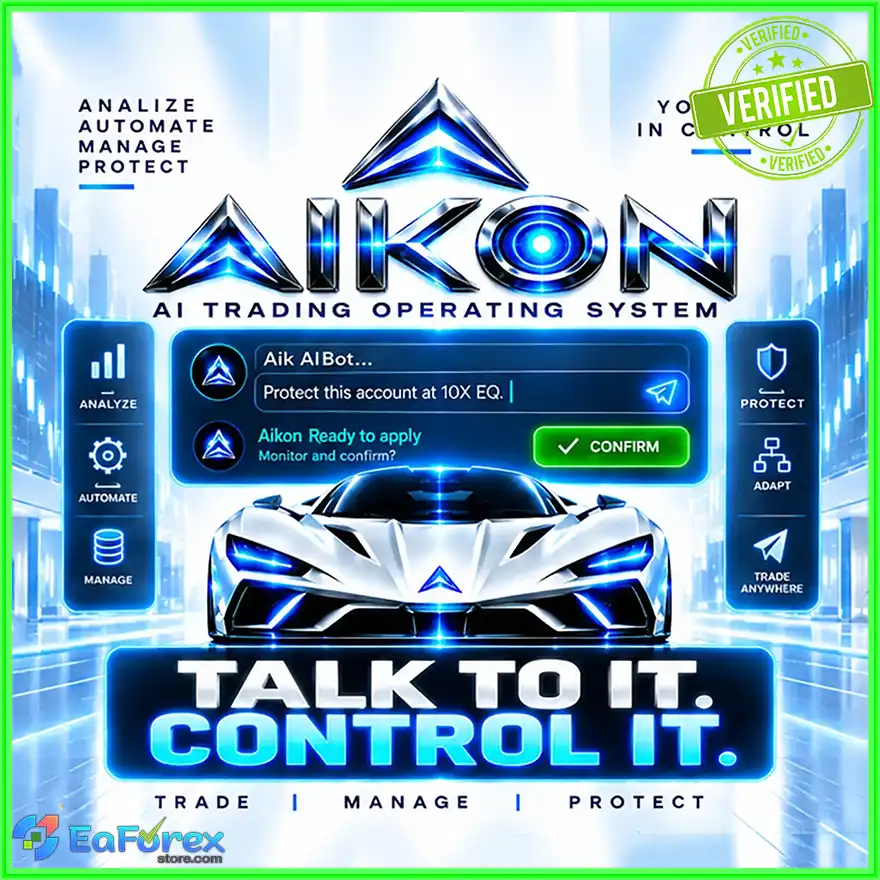
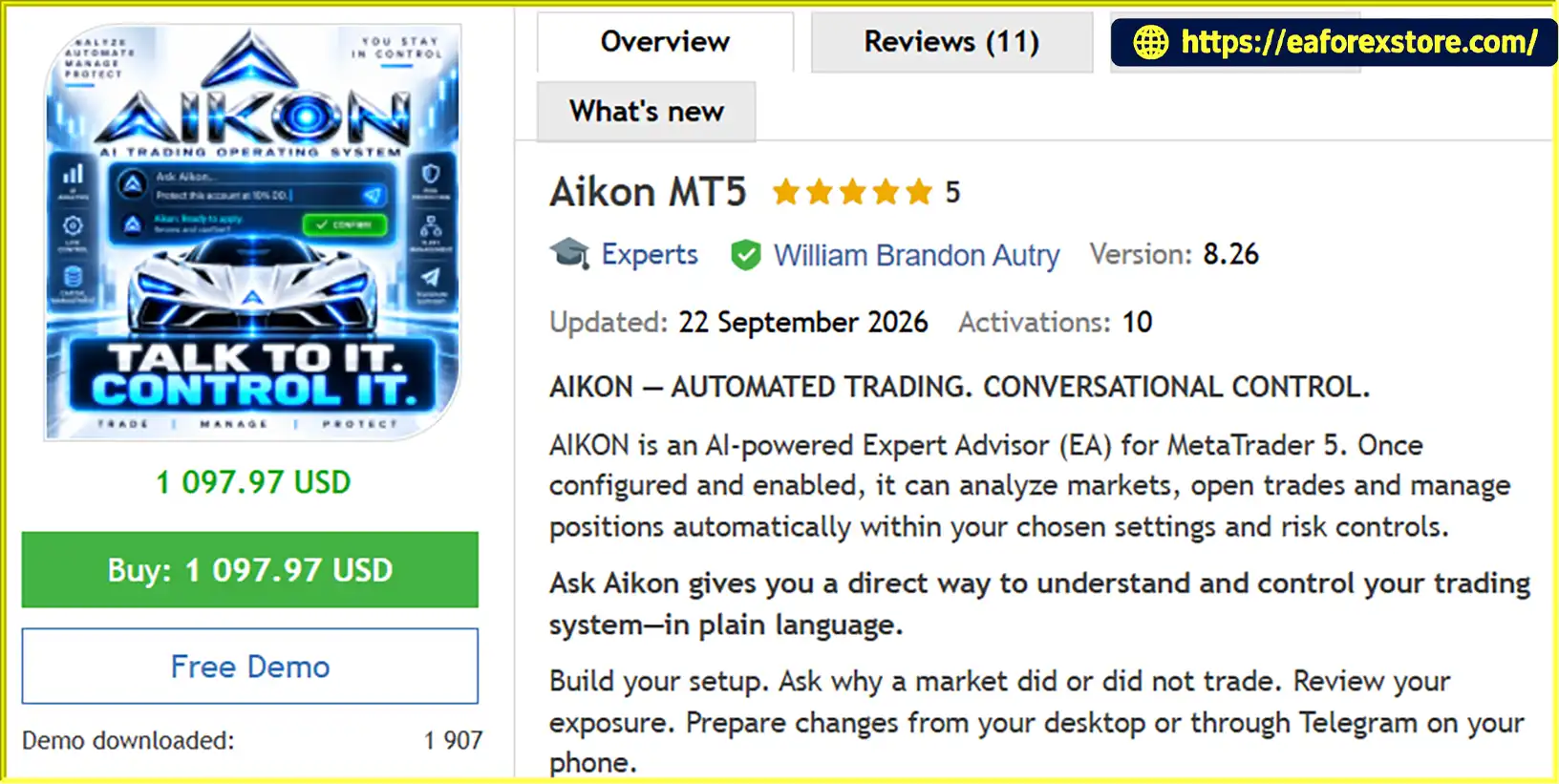
Aikon MT5 is an AI-powered Expert Advisor (EA) designed for the MetaTrader 5 platform. It combines automated trading, configurable risk controls, capital management, and conversational AI to help traders manage their trading systems through natural-language instructions.
Unlike traditional Forex trading robots that rely primarily on fixed settings and manual configuration, Aikon MT5 introduces Ask Aikon, a conversational interface that allows users to review trading conditions, understand why a market did or did not trigger an entry, assess portfolio exposure, and prepare operational changes from a desktop or through Telegram.
Traders can begin with a ready-made trading profile, build a customized strategy with AI assistance, or configure their trading rules manually. Once enabled, the EA can analyze markets, execute trades, and manage positions according to the active configuration without requiring approval for every routine entry.
Aikon MT5 supports different trading approaches, including Forex Single Entry with Stop Loss, Gold Single Entry with Stop Loss, and an optional Forex Recovery strategy. It also provides capital allocation controls, standing trading policies, temporary automation plans, alerts, and multi-account coordination through its Master/Node architecture.
By connecting automated execution with conversational control, Aikon MT5 aims to make trading system management more accessible, transparent, and adaptable. However, its AI features do not eliminate market risk, and actual trading results depend on strategy settings, market conditions, broker execution, and capital allocation.
About the Developer
- Author: William Brandon Autry
- Experience: Over +5 years of experience on MQL5.
- Notable Products: Aikon MT5, Syna EA, AiQ EA, Mean Machine EA MT5, The Gold Phoenix MT5 and other advisors.
- Flagship Product: Aikon MT5 is rated as the best performing product of the year.
Reviewed by Jason Stap <<<
Key Features of Aikon MT5 EA
AI-Powered Automated Trading
Aikon MT5 can analyze market conditions, identify potential trading opportunities, open positions, and manage trades according to the enabled strategy and risk settings. Traders can choose an appropriate setup and determine the rules under which the EA is permitted to operate.
Routine automated trading can continue when the Ask Aikon conversation is closed, provided MetaTrader 5 remains running and connected.
Ask Aikon – Conversational Trading Control
Ask Aikon allows traders to interact with their trading system using plain language instead of navigating multiple settings menus.
Users can ask questions, review account exposure, investigate blocked entries, and prepare changes to their trading configuration. Before operational changes are applied, the proposed action is presented for review and confirmation.
Examples of supported requests include:
- Build a Forex Single Entry strategy with a Stop Loss and explain the settings.
- Investigate why a particular market did not trigger a trade.
- Review USD exposure and recommend potential adjustments.
- Prepare account protection settings for a prop firm evaluation.
- Close profitable positions and pause new entries according to a specified instruction.
This conversational approach helps traders understand their active setup and manage operational tasks more efficiently.
Multiple Trading Profiles and Strategy Options
Aikon MT5 offers several starting profiles to accommodate different trading preferences:
- Forex Single Entry with Stop Loss: Individual Forex entries with configured exit rules.
- Gold Single Entry with Stop Loss: A starting configuration designed for Gold trading.
- Forex Recovery: An optional strategy that can add and manage positions according to its configured recovery rules.
Single Entry supports AI-driven or rule-based Take Profit and Stop Loss behavior. Traders can also select trading symbols manually, request recommendations, or enable AIKON CHOOSES for AI-managed symbol selection.
Available behavior depends on the selected strategy, configuration, account type, and supported functionality.
Telegram Integration for Remote Monitoring
Through private Telegram pairing, traders can access Ask Aikon from their phones without requiring a separate companion application.
The integration supports portfolio questions, position reviews, proposed configuration changes, alerts, and requests to pause new trading. Operational requests are sent back to the AIKON system running inside MetaTrader 5 for validation and execution.
The Telegram bot does not receive broker credentials or independent trading authority. The MT5 terminal must remain online and connected for supported operations to continue.
Capital Management and Allocation Controls
Aikon MT5 includes capital allocation tools designed to help traders define how much capital the system is authorized to use.
Key components include:
- Operating Capital: The capital allocation authorized for trading.
- Protected Reserve: Capital excluded from the normal trading allocation.
- Harvestable Profit: Recognized profit above the active capital allocation baseline.
These controls can restrict new trading campaigns while allowing the configured management and protection of existing positions to continue.
The Protected Reserve remains inside the trading account. It is an allocation mechanism, not a withdrawal, a segregated cash account, or a guarantee against losses.
Trading Constitution and Temporary Automation Plans
The Trading Constitution stores the trader's continuing trading and protection rules. Users can edit these rules directly or ask Aikon to prepare changes for confirmation.
For objectives that apply only under specific conditions or during a defined period, traders can create temporary automation plans with entry conditions, execution limits, management instructions, and expiration times.
For example, a user may request that AIKON monitor Gold for a particular setup, allow a limited number of entries, manage an eligible position, and stop monitoring at a specified time. The proposed plan must be reviewed and confirmed before it runs.
AIKON Initiative and Trading Continuity
AIKON Initiative can review meaningful system changes and bring relevant developments to the trader's attention. It can also follow up on previously identified concerns and check whether an issue still requires attention.
Initiative reviews are read-only and do not independently authorize trading changes or place trades.
Aikon MT5 also supports conversational continuity through its Operator Profile, Presence routines, and concern tracking. These features are intended to help the system retain relevant context between conversations and reduce unnecessary interruptions.
Multi-Account Management
Aikon MT5 can operate on an individual trading account or coordinate multiple connected accounts through its Master/Node architecture.
Shared analysis can support the wider operation, while each account continues to follow its own eligibility requirements, trading configuration, and capital controls. Ask Aikon can inspect the overall operation, target a particular Node, and coordinate supported fleet-level actions.
For traders managing several accounts, this architecture provides a centralized way to review activity and prepare operational changes without treating every account as identical.
AI Usage and Cost Monitoring
Aikon MT5 includes AI Economics, which tracks supported AI usage information such as API calls, response times, tokens, and tracked API costs.
Traders can choose a compatible provider and model based on their requirements. Initial setup requires an AI provider, a model, and a valid API key to initialize the primary AI functions.
External AI provider charges are separate from any product purchase and may vary according to model selection, usage volume, settings, and market activity.
How It Works
Aikon MT5 combines automated trading execution with conversational assistance and configurable operating rules. The general workflow involves the following steps.
Step 1: Configure Your AI Connection
Choose a compatible AI provider and model, then enter the required API key. Available research, file-processing, and model capabilities depend on the provider and its supported features.
Step 2: Select or Build a Trading Setup
Choose a ready-made profile, configure the strategy manually, or use Ask Aikon to prepare a setup based on your preferences.
You can select supported trading symbols, define position and exit settings, and configure the capital allocation and protection rules that determine how the EA may operate.
Step 3: Review and Confirm Operational Changes
Ask Aikon can inspect relevant settings, positions, capital information, and connected accounts to help answer questions or prepare requested actions.
Before an operational change is applied, review the proposal and confirm it. AIKON then validates the request and reports whether the connected account applied or refused the operation.
Step 4: Enable Automated Trading
Once the configuration is ready, enable the EA and the required MetaTrader 5 trading permissions. Aikon MT5 can then analyze markets, execute eligible trades, and manage positions according to its active settings.
Routine entries do not require conversational approval when they are already authorized by the enabled strategy.
Step 5: Monitor, Research, and Adjust
Use Ask Aikon to review positions, investigate trading conditions, assess portfolio exposure, and prepare configuration changes. Where supported, you can also research current market information, upload files, generate reports, or access the system through Telegram.
Confirmed temporary plans and supported automations can continue after the conversation closes, provided MT5 remains running, connected, and properly configured.
Why Choose Aikon MT5?
Conversational Control Without Constant Manual Configuration
Aikon MT5 is designed to reduce the need to search through multiple menus for trading settings. Users can describe their objectives in natural language, review the proposed changes, and confirm supported operations through Ask Aikon.
Automated Execution Within Defined Rules
The EA can manage routine trading activity under its enabled configuration without requiring the trader to approve every individual entry. This allows users to separate ongoing strategy execution from occasional system reviews and operational decisions.
More Structured Capital Allocation
Operating Capital, Protected Reserve, and Harvestable Profit provide additional ways to define the intended use of available capital. These controls can help traders establish clearer allocation boundaries, although they cannot eliminate account-level market risk.
Flexible Trading Profiles
With Forex Single Entry, Gold Single Entry, and optional Forex Recovery, Aikon MT5 offers several starting points for different trading approaches. Users can customize supported settings rather than relying exclusively on one predefined configuration.
Desktop and Mobile Access
Telegram integration extends supported monitoring and conversational control to a mobile device. Traders can review information and request actions remotely while the connected MT5 system remains responsible for validation and execution.
Support for More Complex Trading Operations
The Trading Constitution, temporary automation plans, AIKON Initiative, and Master/Node architecture provide tools for traders who want to manage continuing rules, time-limited objectives, ongoing concerns, and multiple connected accounts.
These features may be especially useful for users who value structured system management alongside automated trade execution.
Aikon MT5 Signal Results
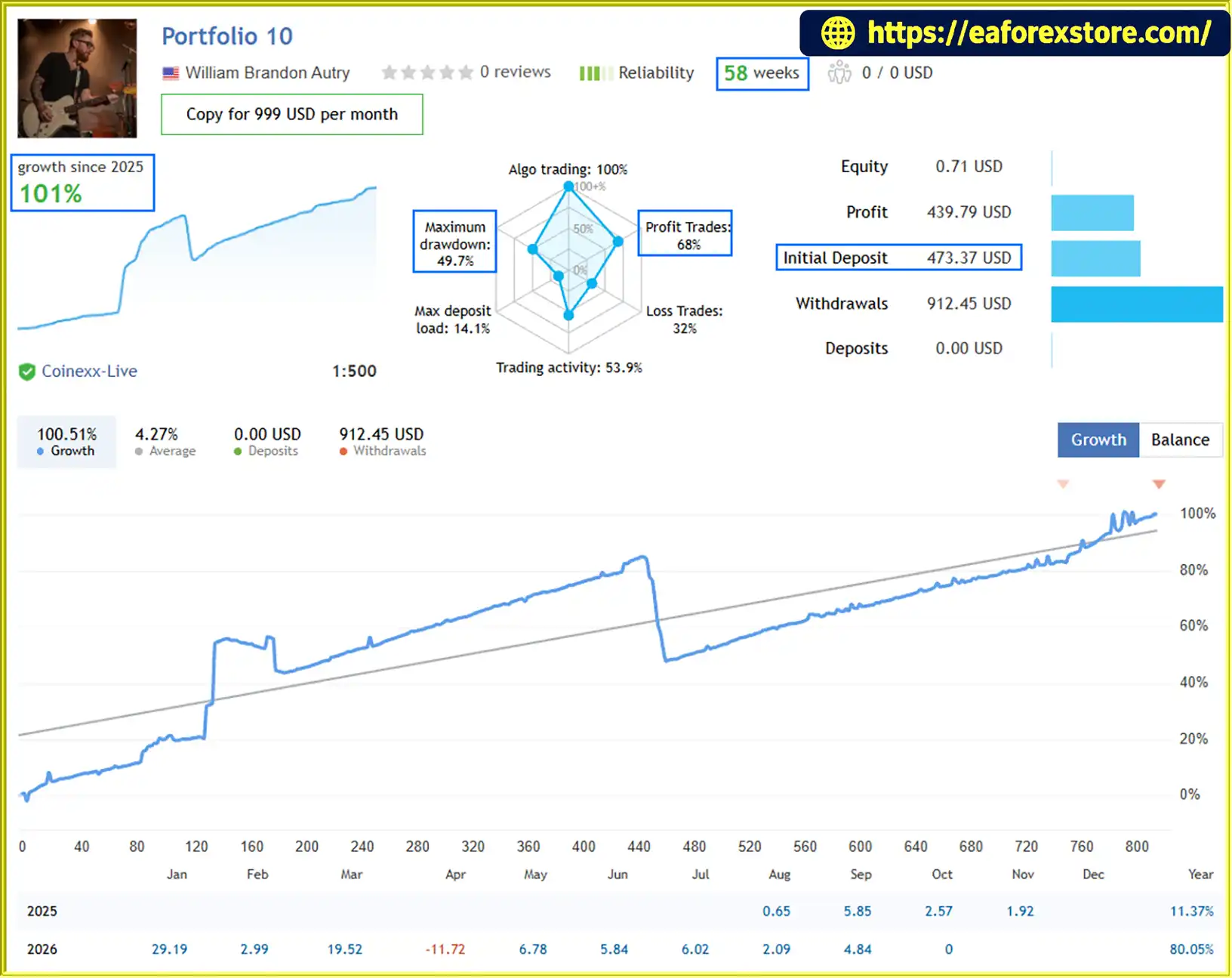
🔺Protfolio 10 – 58 consecutive weeks
- Initial Deposit: $473,37
- Growth Rate: +101%
- Win Rate: 68%
- Maximum Drawdown: 49.7%
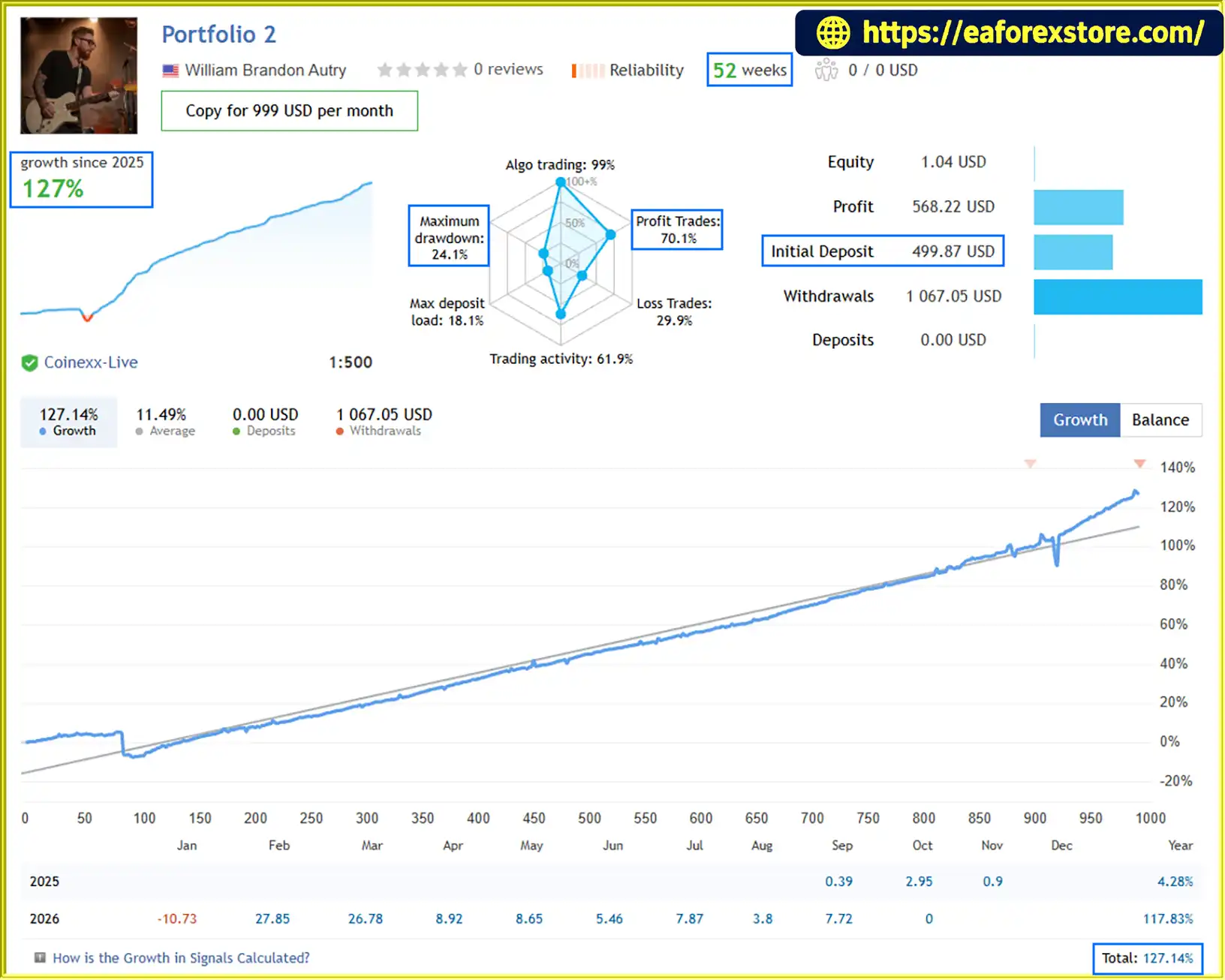
🔺Protfolio 2 – 52 consecutive weeks
- Initial Deposit: $499,87
- Growth Rate: +127%
- Win Rate: 70.1%
- Maximum Drawdown: 24.1%
- AI Economics provides visibility into supported AI usage and tracked API costs.
Cons
- Requires a compatible AI provider, API credentials, and an internet connection for AI-dependent features.
- External AI API charges are separate and may increase with usage.
- MetaTrader 5 must remain running and connected for ongoing automated trading and supported automations.
- The complete AI-connected workflow cannot be fully demonstrated by a traditional Strategy Tester run because required WebRequest connections are not executed there.
- Recovery strategies can increase exposure and may experience substantial drawdowns.
- Netting accounts do not support the Recovery strategy, while FIFO and no-hedge rules can restrict execution behavior.
- AI-generated analysis and recommendations may be incomplete or incorrect and require user review.
- No guaranteed profit or independently verified performance figures are established by the supplied product description.
How to Install Aikon MT5
Follow these steps to install and configure Aikon MT5 on MetaTrader 5.
- Obtain the EA: Purchase or download Aikon MT5 from the authorized source and ensure that you have the correct product files and installation instructions.
- Open MetaTrader 5: Launch MT5 on your computer and sign in to the trading account you intend to use.
- Install the EA: Copy the supplied EA files into the appropriate MetaTrader 5 data directory. If the package includes an installer or specific instructions, follow the developer's installation procedure.
- Refresh the Navigator: In MetaTrader 5, refresh the Expert Advisors section or restart the terminal if necessary. Confirm that Aikon MT5 appears in the available EA list.
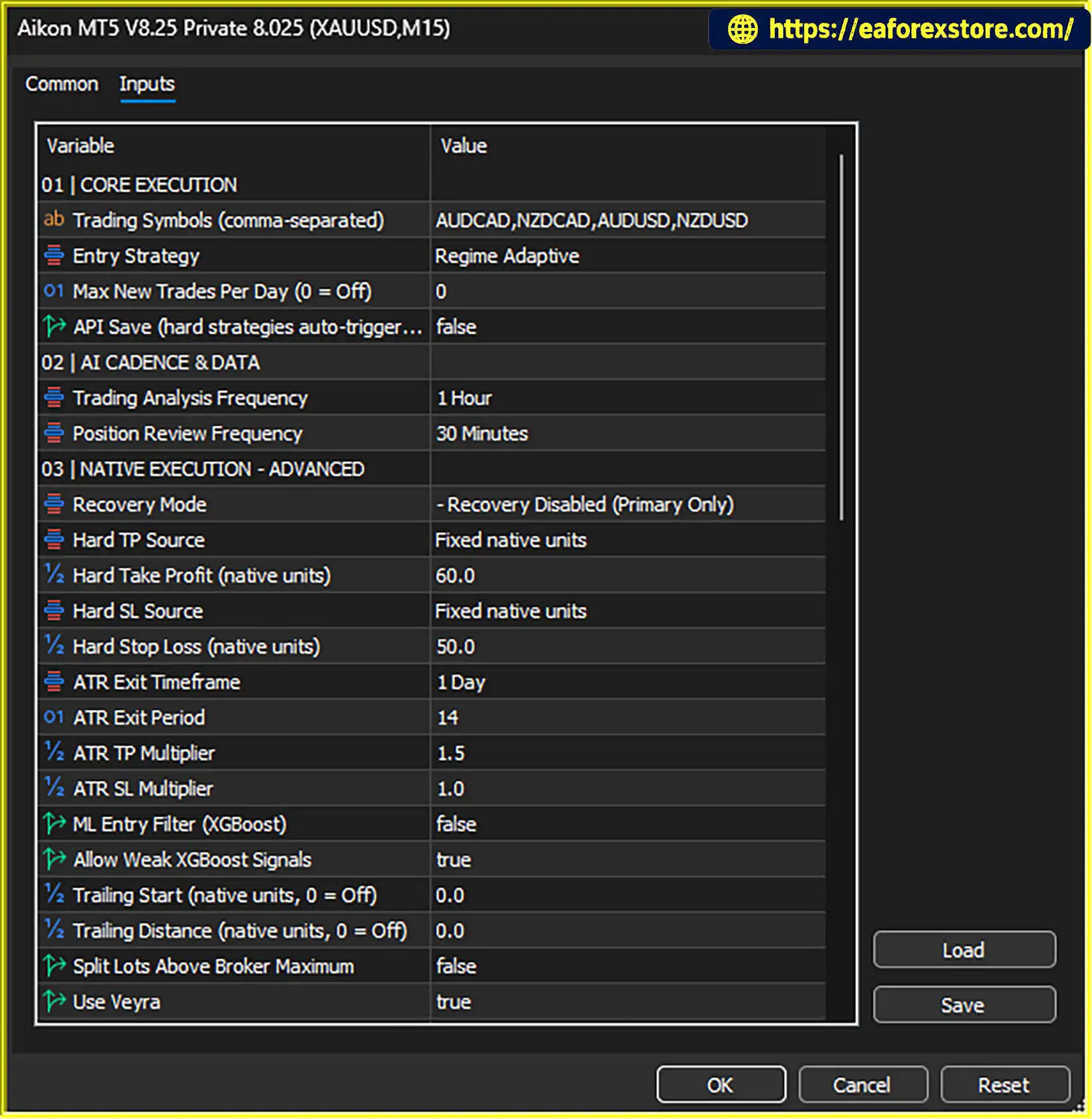
- Configure the AI Provider: Select a compatible provider and model, then enter the required API key. Check the provider's documentation for any additional setup requirements and review its pricing before enabling AI features.
- Attach the EA to a Chart: Open a chart for the intended trading symbol and attach Aikon MT5. Enable the required automated trading permissions and configure any supported connection or WebRequest permissions according to the official documentation.
- Choose Your Trading Profile: Start with a setup you understand, such as Forex Single Entry with Stop Loss or Gold Single Entry with Stop Loss. Configure the permitted symbols, exit rules, capital allocation, and other relevant settings.
- Review and Confirm: Use Ask Aikon to inspect the configuration or prepare changes. Check each proposed operational action before confirming it.
- Test on a Demo Account: Verify that the EA initializes correctly, the AI connection works, and the intended trading rules behave as expected. Check account compatibility before considering the Recovery strategy.
- Maintain a Stable Trading Environment: If you require continuous operation, keep MT5 running and connected or use a suitably configured VPS. Monitor connection status, trading permissions, and any reported execution errors.
For purchaser-only manuals and product support, the developer requires proof of an MQL5 Market purchase. Consult the official product documentation for exact installation paths, permissions, supported provider configurations, and troubleshooting procedures.
Real User Reviews and Feedback
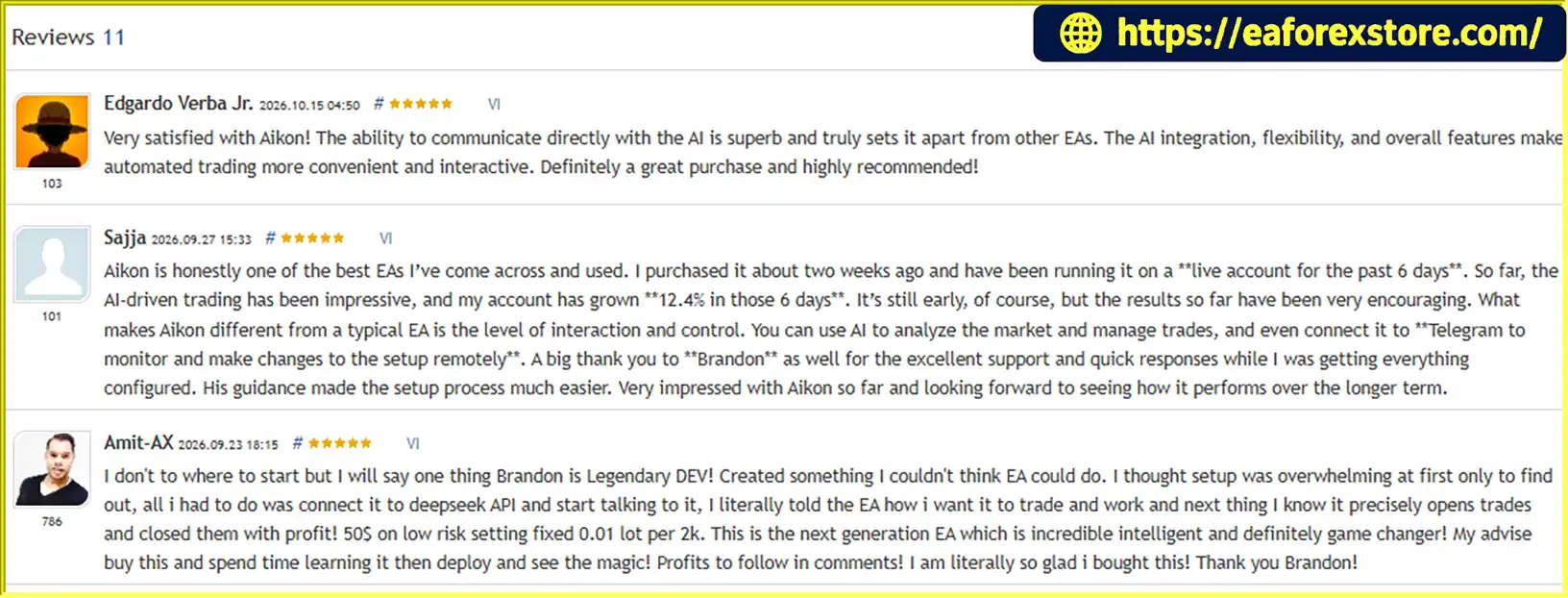
🔺Aikon MT5 is highly appreciated by the MQL5 community for bringing stable and reliable profits. Below are 5 star reviews from users:
What’s Included in the Download Package?
- Experts: Aikon MT5 v8.25.ex5
>>> Join VIP Membership Now <<<
Final Thoughts
Aikon MT5 EA combines automated trading with conversational AI, configurable capital controls, and connected account management. Its main differentiator is Ask Aikon, which allows traders to ask questions about their trading system, investigate market activity, review exposure, and prepare operational changes using natural language.
Beyond individual trade execution, features such as the Trading Constitution, temporary automation plans, AIKON Initiative, Telegram integration, and Master/Node architecture are designed to support a more structured approach to ongoing trading operations.
However, the availability of advanced AI functions does not automatically make a strategy profitable or eliminate trading risk. Results depend on the selected strategy, configuration, market conditions, execution quality, account compatibility, and capital allocation. AI responses should also be reviewed rather than treated as infallible trading advice.
For the best starting point, begin with one account and a trading setup you understand. Test the configuration on a demo account, verify the risk controls, and evaluate both realized results and floating exposure before moving to live trading.
Aikon MT5 brings automated execution and conversational trading control together—helping traders manage their systems within the rules they choose, while keeping responsibility for trading and capital decisions where it belongs: with the trader.