


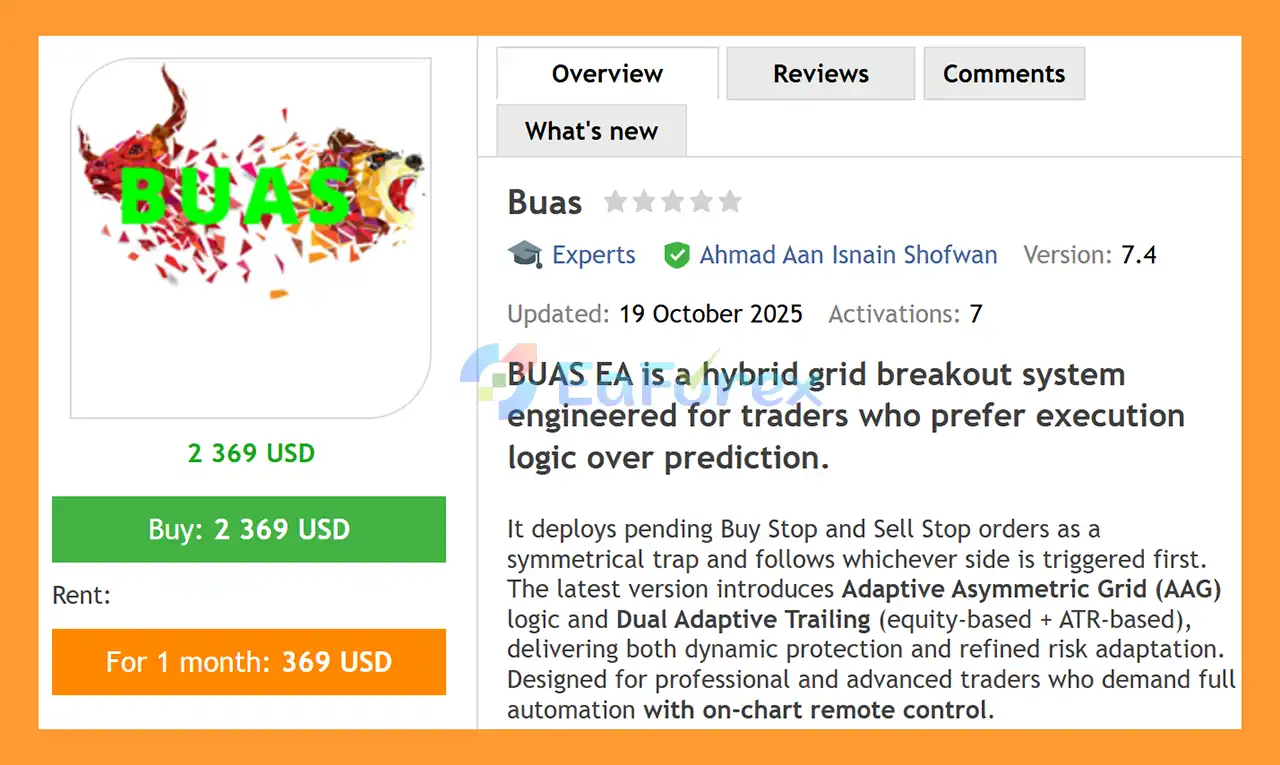
What is Buas EA MT4?
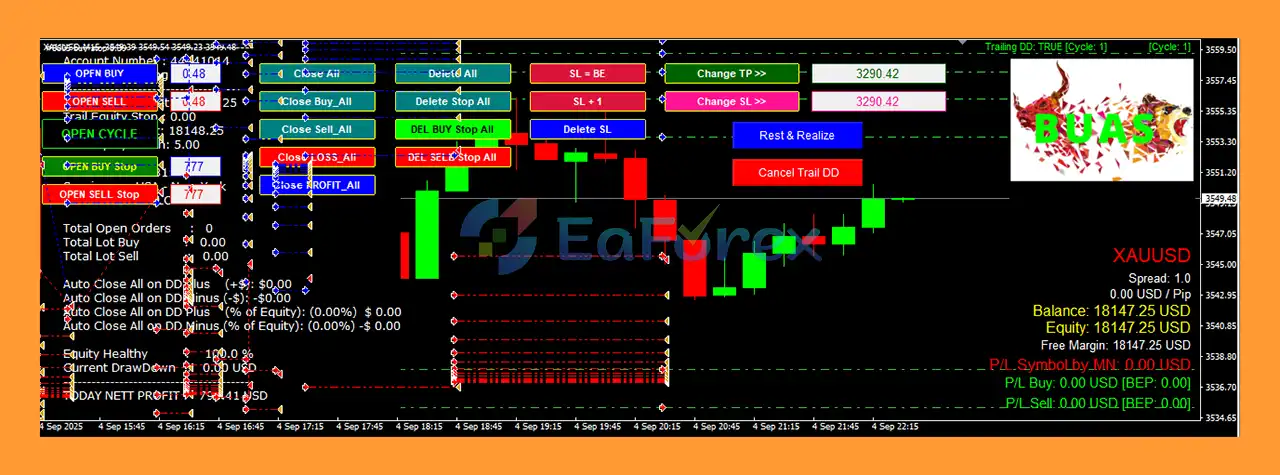
BUAS EA MT4 is a hybrid grid breakout Expert Advisor designed for professional traders who value execution over prediction. With Adaptive Asymmetric Grid (AAG) logic and Dual Adaptive Trailing, it combines precise mechanical trading with interactive on-chart control for dynamic risk management. The EA adapts automatically to volatility, trend, and momentum, providing structured trading across Forex, Gold (XAUUSD), and selected crypto pairs.
About the Developer
• Author: Ahmad Aan Isnain Shofwan.
• Experience: Over +2 years of experience on MQL5.
• Notable Products: Buas EA MT4, Three Little Birds MT4, MyGrid Scalper Ultimate MT4, Black Bird EA, Btcusd Grid MT4 and other advisors.
• Flagship Product: Buas EA MT4 is rated as the best performing product of the year.
>> Join our Channel Telegram <<<
Main Features of Buas EA MT4
- Execution-Driven Entry: Uses paired Buy Stop / Sell Stop orders to capture breakout moves without indicator reliance.
- Adaptive Asymmetric Grid (AAG): Dynamically adjusts pending order spacing based on EMA, ADX, RSI bias, and ATR volatility.
- Dual Adaptive Trailing: Equity-based and ATR-based trailing locks profits and adjusts stops in real time.
- Position & Risk Control: Progressive or fixed lot modes with margin safeguards and equity-based stop/profit.
- Professional On-Chart Console: Full interactive panel for instant manual control and cycle management.
- Freeze & Restart Functionality: Partial profit realization with fresh cycle deployment for optimized grid management.
- Multi-Market Adaptability: Optimized for XAUUSD H4; adjustable for other Forex and crypto pairs.
Additional Features
- Real-Time Remote Execution: Manual buttons allow instant BUY, SELL, CYCLE, STOP, or global CLOSE commands.
- Equity & Drawdown Protections: Hard stop and target levels in USD to secure capital during adverse movements.
- ATR-Volatility Scaling: Automatically adjusts grid distances and trailing stops based on current market volatility.
- Interactive Risk Management: Pause, resume, or modify trailing by money or price individually.
- Detailed Dashboard Display: Balance, Equity, Free Margin, P/L per magic number, trail status, session, and cycle state.
- Backtest & Forward-Test Ready: Multi-year historical tests validated with forward demo performance.
- Customizable Lot Scaling: Safe progressive multipliers with MaxLotLimit to prevent margin issues.
Why Choose Buas EA MT4?
- Execution-First Trading: Reacts to price action instead of relying on predictive indicators.
- Adaptive Grid Precision: Dynamically balances risk and reward using market-driven AAG logic.
- Dual Trailing Security: Protects profits while allowing room for natural price movement.
- Full Manual Control: On-chart interface provides institutional-grade trade management.
- Capital Preservation Focused: Equity-based targets and stops minimize drawdown exposure.
- Professional-Level Automation: Designed for traders who understand grid mechanics and liquidity.
- Transparent & Traceable: Every trade, trail, and decision is fully visible and adjustable on the chart.
Buas EA MT4 Reviews
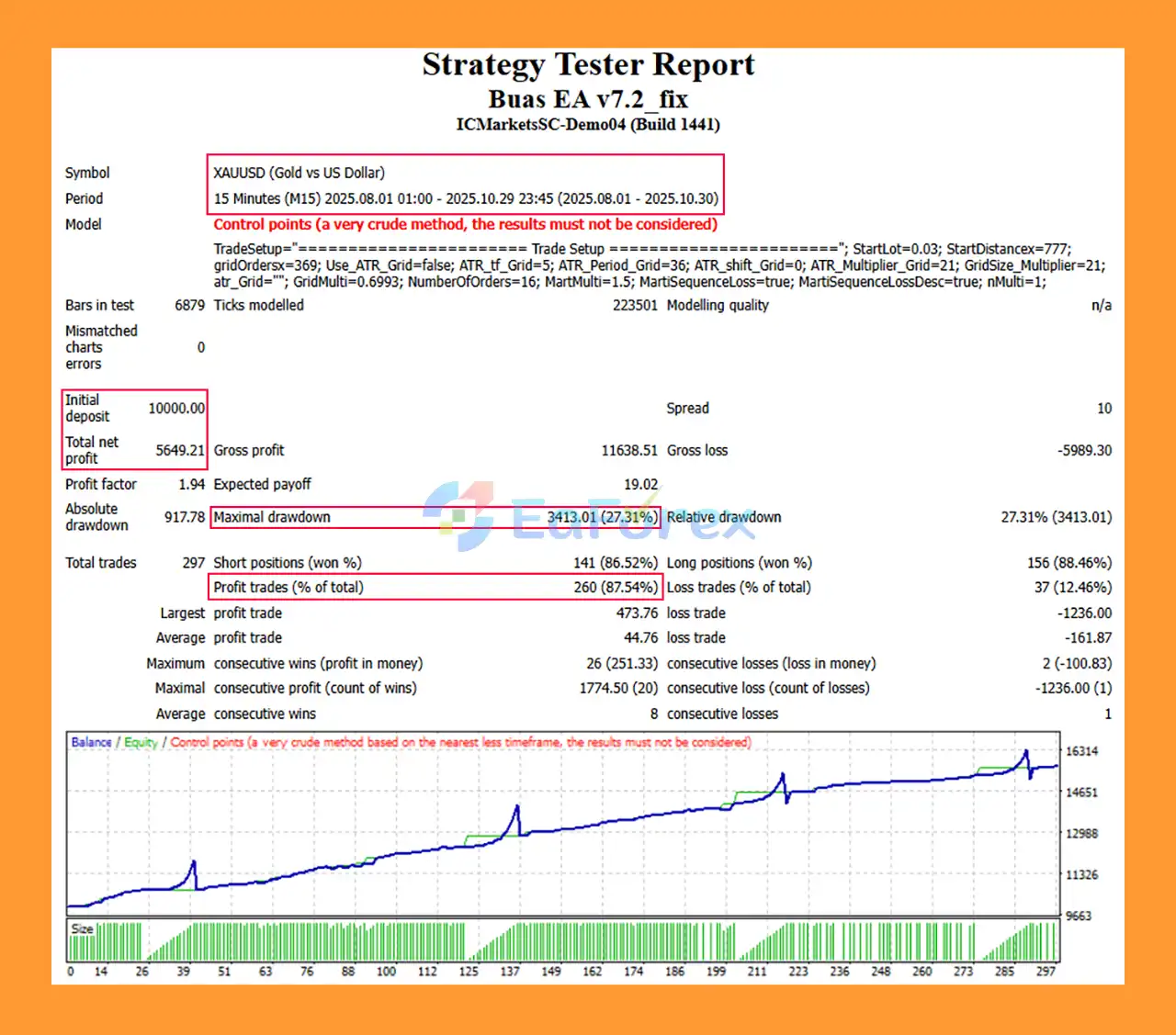
🔺XAUUSD – 3 consecutive month
- Initial Deposit: $10,000
- Total Net Profit: $5.649,21
- Win Rate (% of total): 87,54%
- Maximum Drawdown: 27.31%
What’s Included in the Download Package?
- Experts:
- Buas EA v7.2_fix.ex4
- SetFiles:
- BUAS XAUUSD 10K.set
- BUASEXNBTC.set
- BUAS BTCUSD – 10K.set
- BUAS – BTCUSD – Normal.set
- BUAS – BTCUSD – (WILD setup for 5K).set
- BUAS – BTCUSD – (WILD setup for 10K).set
How To Set Up EA
🔺Buas EA MT4 is a popular automated trading system designed for grid and martingale strategies with advanced risk management features. This guide explains how to properly install and configure Buas EA on MetaTrader 4 to ensure stable performance and optimal results.
🟢 System Requirements
➡️Before installing Buas EA, make sure you have:
- MetaTrader 4 (MT4) platform
- A trading account (ECN or Standard recommended)
- Stable internet connection
- VPS (recommended for 24/5 trading)
- Buas EA
.ex4or.mq4file
🟢 How to Install Buas EA on MT4
Step 1: Copy the EA File
- Open MetaTrader 4
- Click File → Open Data Folder
- Go to:
MQL4 → Experts - Paste the Buas EA file into this folder
Step 2: Restart MT4
- Close and reopen MetaTrader 4
- Buas EA will appear in the Navigator → Expert Advisors panel
🟢 Enable Auto Trading (Important)
➡️To allow Buas EA to trade automatically:
- Click Tools → Options → Expert Advisors
- Enable:
- ✅ Allow Automated Trading
- ✅ Allow DLL Imports
- ✅ Allow WebRequest (add:
https://api.telegram.org)
- Click OK
- Turn on AutoTrading (green button on MT4 toolbar)
🟢 Attach Buas EA to a Chart
- Open a currency pair (commonly XAUUSD, BTCUSD, or major Forex pairs)
- Recommended timeframe: M5 or M1
- Drag Buas EA onto the chart
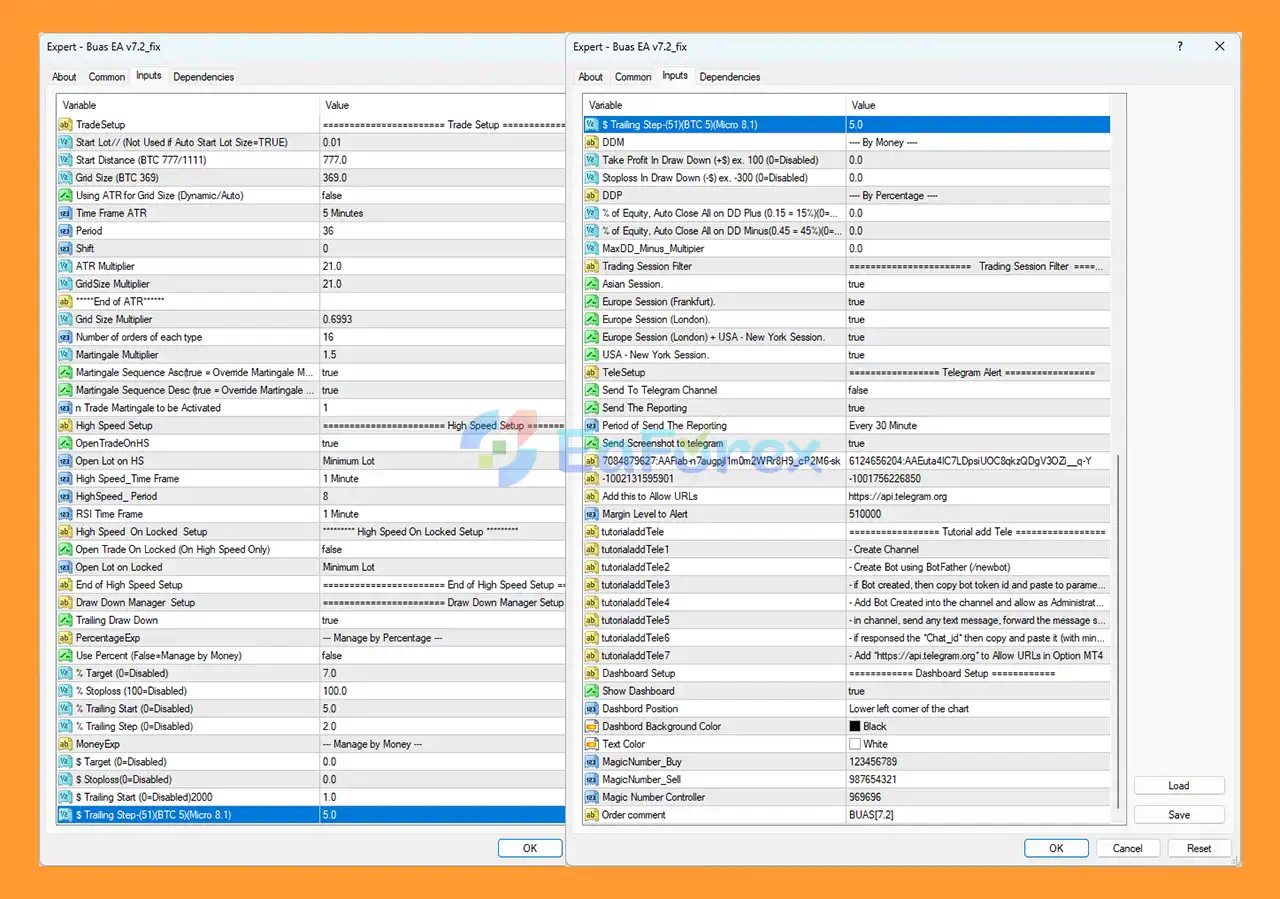
- In the settings window:
- Check Allow Live Trading
- Check Allow DLL Imports
- Click OK
Conclusion
In summary, Permafrost Sentinel Cryostasis AI EA MT4 is a cutting-edge M15 scalping Expert Advisor that blends trend, squeeze, and mean-reversion strategies in a single adaptive system. With Cryostasis risk protection, broker-safe execution, and smart pyramiding, it delivers disciplined, low-drawdown trading across Forex, Gold, and select cryptocurrencies. Optimized for immediate deployment with USD-based risk control and multi-market compatibility, it is ideal for traders seeking consistent, professional, and automated scalping performance.
>>> Reviewed by Jason Stap <<<



