

What is Bunny EA MT4?
Bunny EA is a highly stable and reliable Expert Advisor (EA) designed for the MetaTrader 4 (MT4) platform. With years of proven performance, Version 2.2 delivers enhanced stability and consistent results. Optimized for the H1 timeframe, Bunny EA requires a minimum capital of just $500 (recommended $2,000 for optimal safety).
Key Features of Bunny EA
➫ Intelligent Trading Algorithm:
- Evaluates trends and market conditions for high-accuracy trading.
- AI-driven decision-making process.
➫ Robust Risk Management:
- Dynamic Stop Loss and Take Profit settings.
- Balances risk and reward; minimizes drawdown.
➫ Adaptive Market Analysis:
- Reacts to real-time market volatility.
- Maintains stable performance in various conditions.
➫ Precision Trade Execution:
- Ensures accurate entry and exit points.
- Optimized for consistency and minimal manual intervention.
Why choose Bunny EA MT4?
➫ AI-Powered Precision Trading:
- Leverages smart algorithms for profitable trade execution.
➫ Strong Risk Management System:
- Customizable SL/TP and money management.
➫ Real-Time Adaptability:
- Adjusts dynamically for volatile and stable markets.
➫ Beginner-Friendly Design:
- Simple setup; minimal technical knowledge required.
- Suited for both novice and experienced traders.
Bunny EA MT4 Review
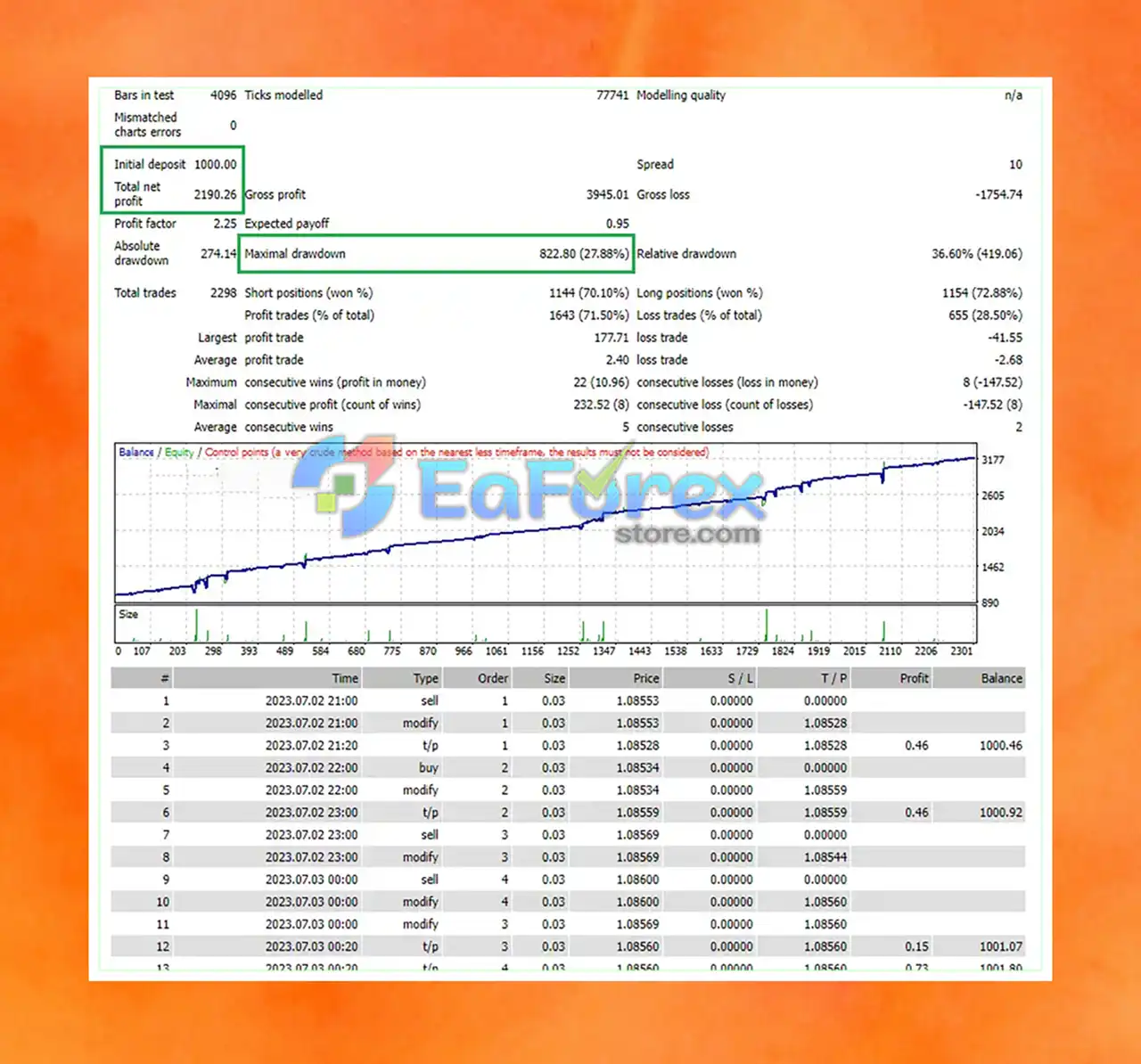
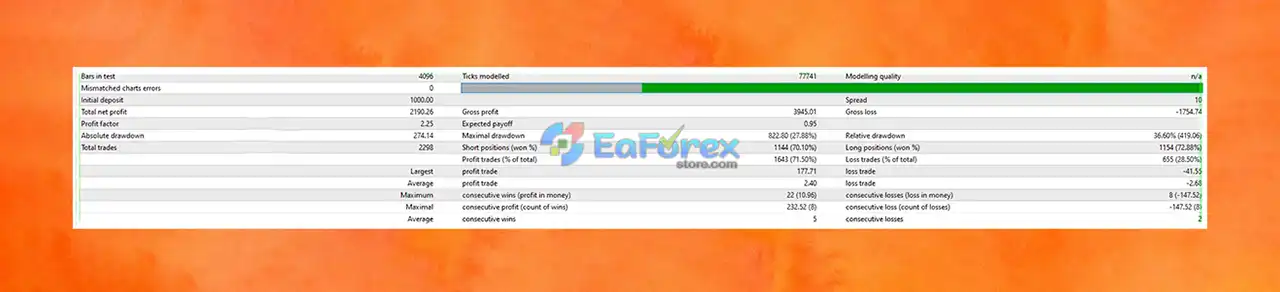
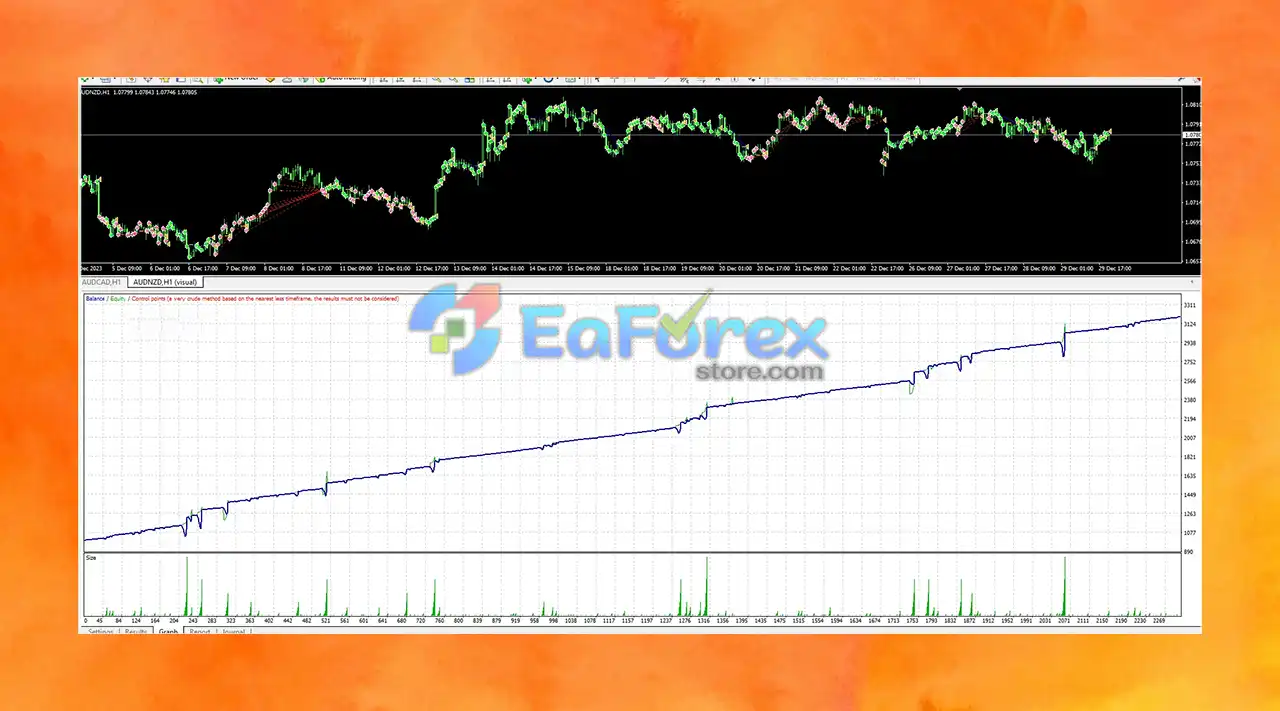
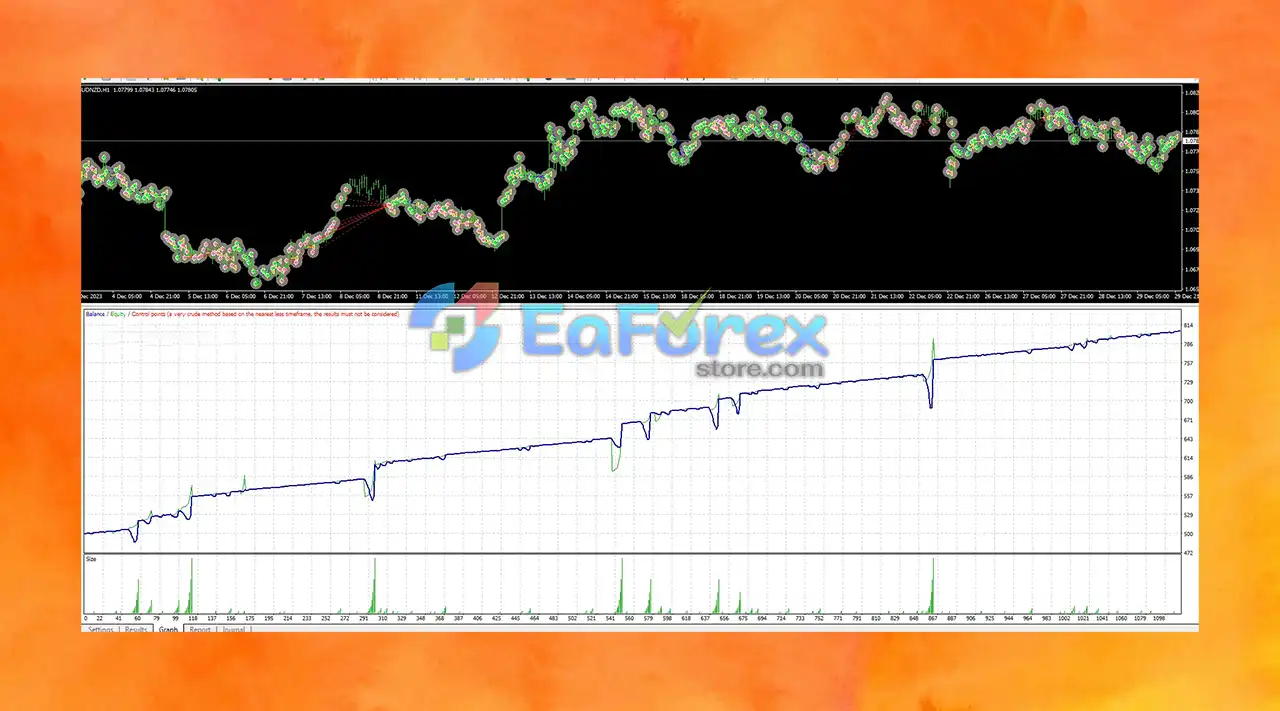
➫ Backtesting Results:
- Initial Deposit: $1.000
- Total Net Profit: $2,190.26
- Maximal Drawdown: 27.88%
What’s Included in the Download Package
- Experts: Bunny EA V2.2.ex4
- Presets:
- AUDNZD_500$_H1_DD20%.set
- AUDNZD_1000$_H1_DD25%.set
- EURNZD_500$_H1_DD20%.set
- EURNZD_1000$_H1_DD25%.set
>>> Join VIP Membership Now <<<
How To Set Up EA
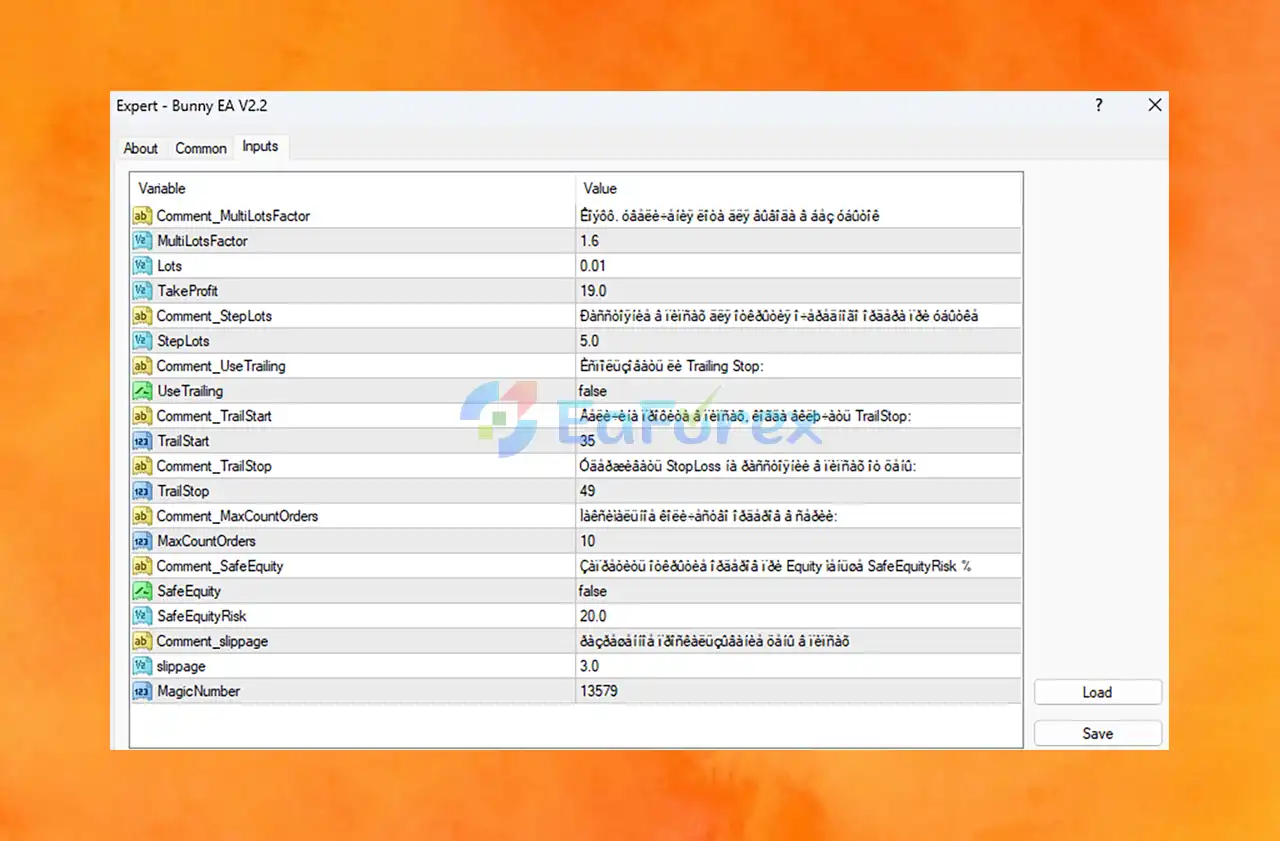
Setting up Bunny EA MT4 v2.2 is fast and simple. Follow this guide to get started with automated trading using smart lot scaling and risk control.
🔴 Install the EA
- Copy the Bunny EA file into the
MQL4 > Expertsfolder in your MetaTrader 4 directory. - Restart MT4 and locate the EA in the Navigator panel.
🔴 Attach EA to a Chart
- Open your preferred currency pair chart.
- Drag and drop Bunny EA onto the chart.
🔴 Key Settings Overview
- Lots = 0.01 → Micro lot for low-risk trading or small accounts.
- MultiLotsFactor = 1.6 → Lot multiplier; increases lot size progressively.
- StepLots = 5.0 → Additional lot size added per trade; supports scaling or martingale logic.
- TakeProfit = 19.0 pips → Fixed profit target for short- to medium-term trades.
- MaxCountOrders = 10 → Maximum open trades; prevents excessive exposure.
- UseTrailing = false → Trailing stop is off; exits use take-profit or other logic.
- Slippage = 3.0 pips → Controls execution quality; prevents large price deviations.
- MagicNumber = 13579 → Unique trade ID for this EA; ensures accurate trade tracking.
🔴 Risk Management (Optional)
- SafeEquity = false → Equity protection disabled by default.
- SafeEquityRisk = 20.0% → If enabled, trades will close if equity drops by 20%.
🔴 Activate the EA
-
Click AutoTrading in MT4 to start running the EA.
Conclusion
In summary, Bunny EA exemplifies the power of automated trading in the forex market. Featuring an intelligent algorithm, built-in risk management tools, and a track record of steady profitability, this Expert Advisor provides traders with a dependable solution to optimize their trading strategies.
Whether you’re a beginner or a professional trader, Bunny EA’s user-friendly design ensures a smooth and efficient trading experience, helping you navigate market complexities with confidence and precision.
>>> Reviewed by Jason Stap <<<



