

What is Forex King Pro Sniper EA MT4?
Forex King Pro Sniper EA is a powerful, fully automated Expert Advisor (EA) built for the MetaTrader 4 (MT4) platform. Specially optimized for currency pairs, this forex trading robot combines advanced professional trading features with robust risk management tools. Designed to support traders of all experience levels, Forex King Pro Sniper EA helps maximize profits while minimizing risk in the dynamic forex market.
Key Features of Forex King Pro Sniper EA MT4
- Multi-currency trading: EURUSD, GBPUSD, AUDCAD, etc.
- Works on all timeframes (recommended: M15–H1)
- Advanced and smart risk management
- No emotional trading – completely automated
- Stable operation on the MetaTrader 4 (MT4) platform
Top Reasons to Use Forex King Pro Sniper EA
- Fully automated trading solution – no manual intervention required
- Designed for beginners and experienced traders alike
- Integrated with advanced risk management
- No grid or martingale strategy – safer trading
- Trusted by real users
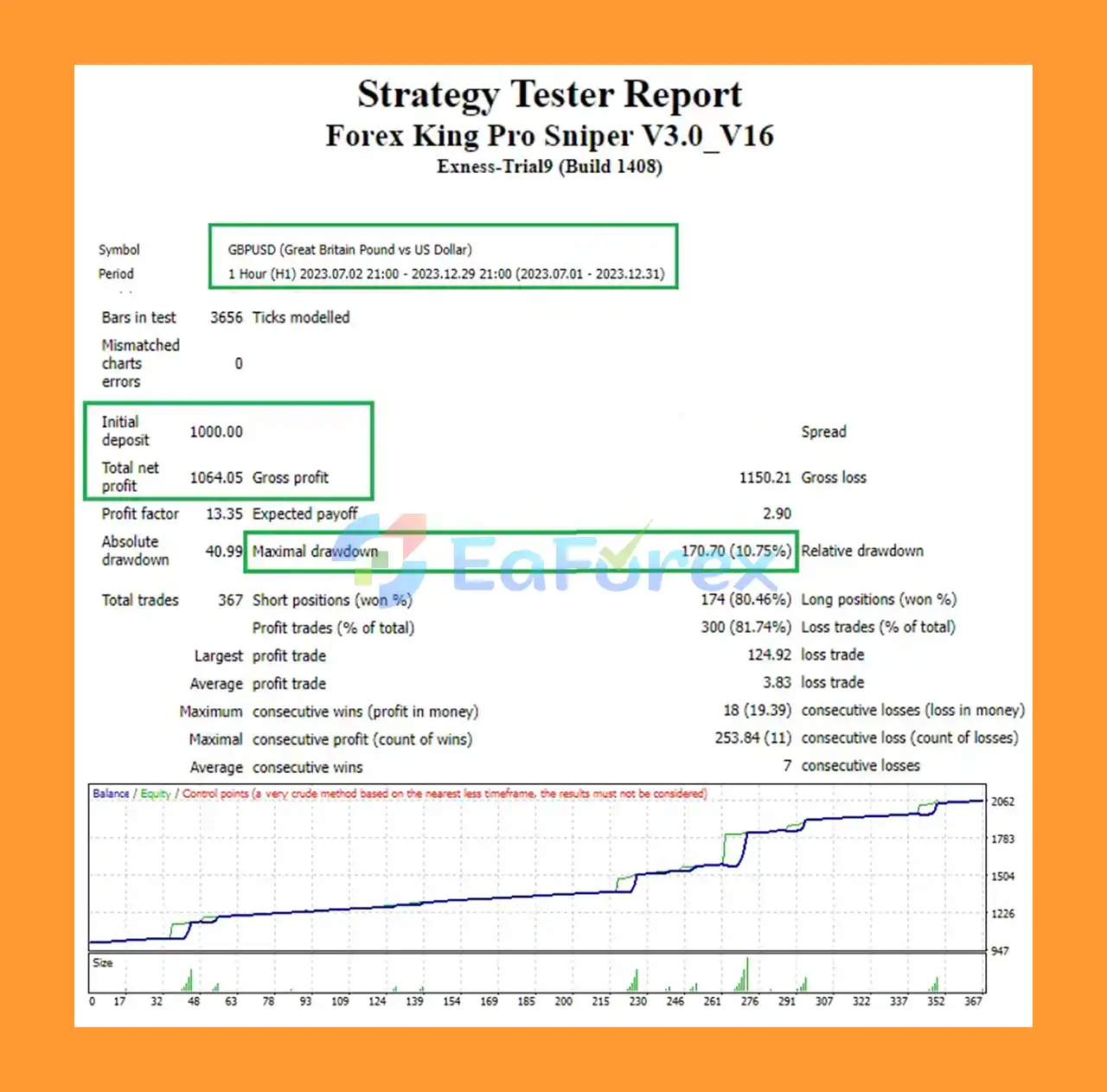
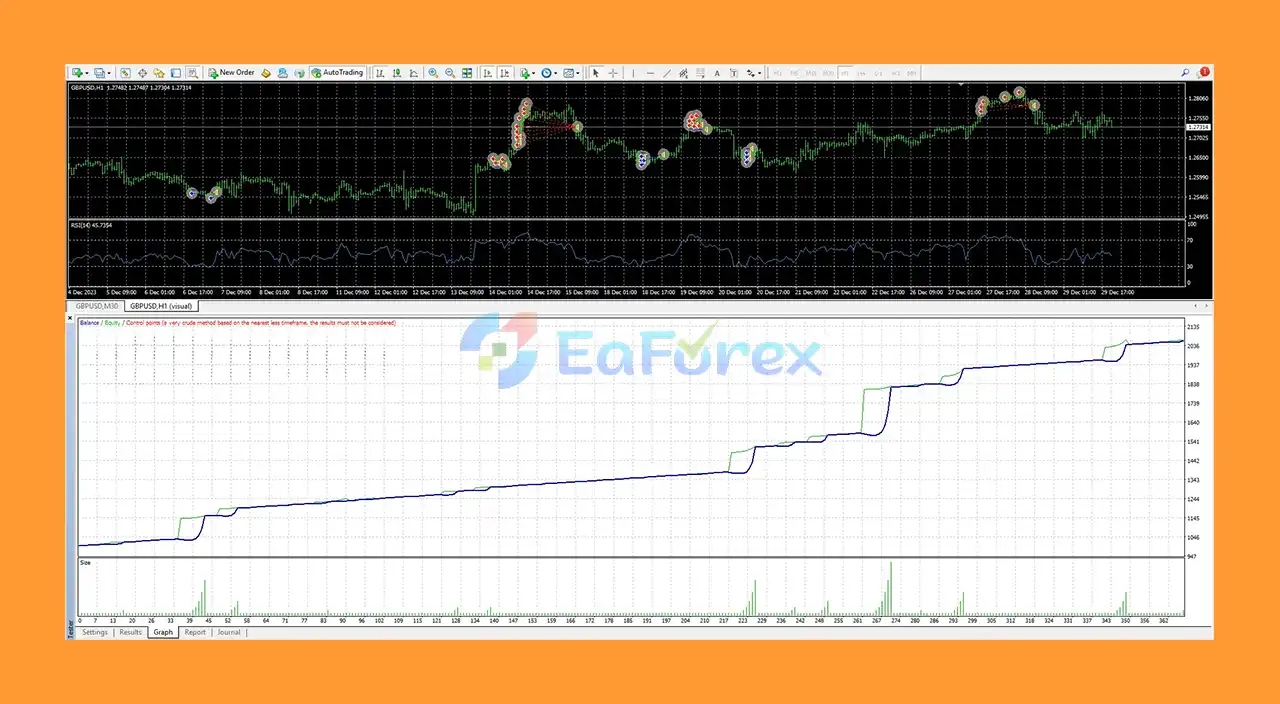
Forex King Pro Sniper EA MT4 Performance Review
🔻Summary of recent backtest results:
- Initial capital: $1,000
- Total profit: $1,064.05
- Trading period: 6 months
- Risk level: 10.75%
- Commentary on performance reliability and long-term potential
What’s Included in the Download Package?
- Experts: Forex King Pro Sniper V3.0_V16.ex4
>>> Join VIP Membership Now <<<
How To Set Up EA
🔻Looking to automate your trading with Forex King Pro Sniper. Follow this step-by-step installation guide to set up the EA properly and optimize performance.
🔴 Step 1: Download and Extract Files
- Download the Forex King Pro Sniper V3.0_V16.zip file.
- Extract the contents to your desktop or a known folder.
🔴 Step 2: Copy EA to MetaTrader Folder
- Open MetaTrader 4 (MT4).
- Go to
File>Open Data Folder. - Navigate to
MQL4>Experts. - Copy the .ex4 or .mq4 EA file into the Experts folder.
- (Optional) Copy any included indicators to the
MQL4/Indicatorsfolder.
🔴 Step 3: Restart MetaTrader 4
- Close and reopen MT4.
- In the Navigator Panel, expand the Expert Advisors section.
- You should now see Forex King Pro Sniper V3.0_V16 listed.
🔴 Step 4: Enable AutoTrading
- Click AutoTrading in the toolbar.
- Drag the EA onto a supported chart (e.g., GBPJPY, XAUUSD, GBPCAD).
- In the pop-up, check:
- Allow live trading
- Allow DLL imports
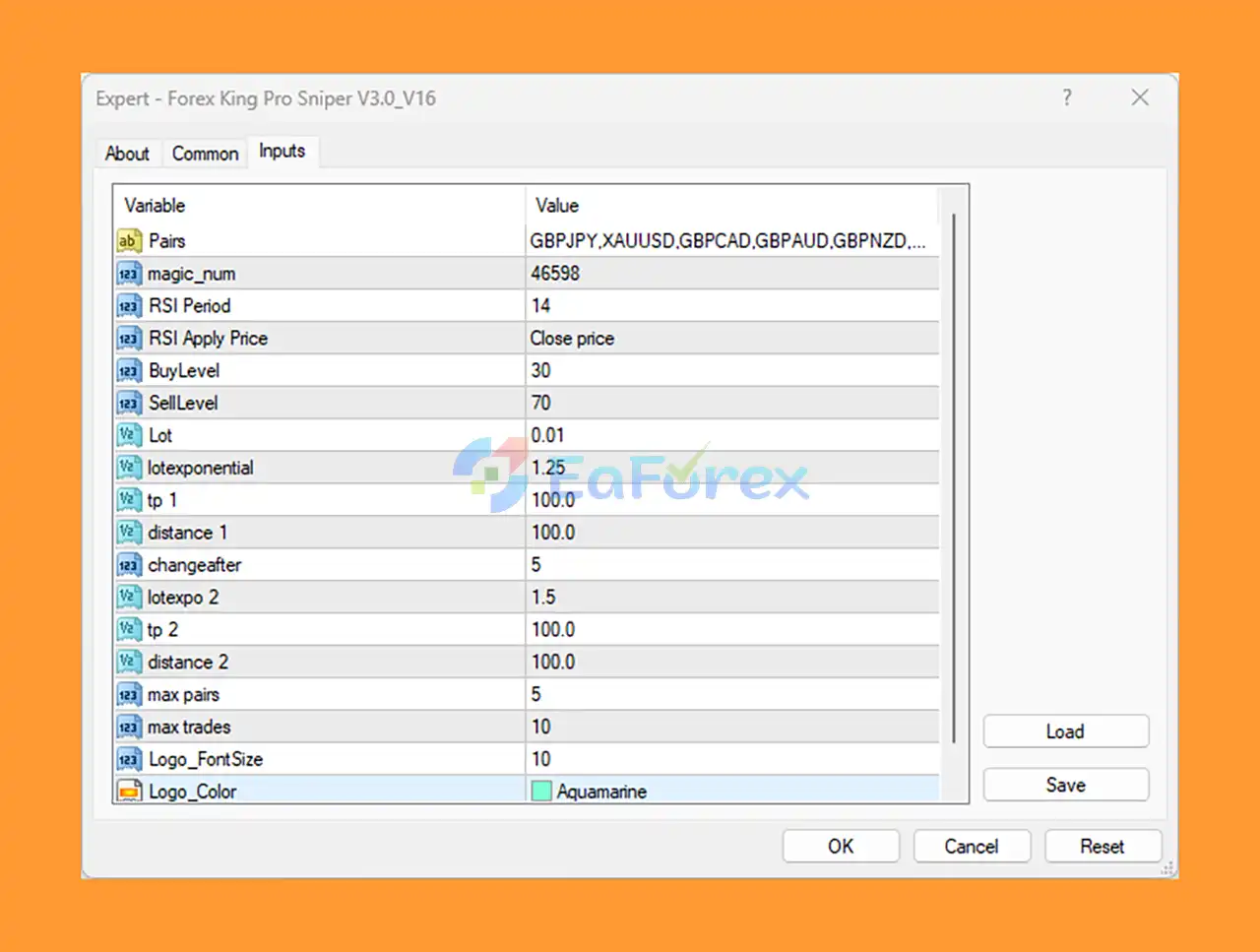
🔴 Step 5: Configure Settings
Adjust the input parameters as follows for optimal performance:
| Parameter | Value | Description |
|---|---|---|
| RSI Period | 14 | RSI strategy base |
| BuyLevel | 30 | RSI entry threshold |
| SellLevel | 70 | RSI sell signal |
| Lot Size | 0.01 | Starting lot |
| Lot Exponential | 1.25 / 1.5 | Risk scaling method |
| TP (Take Profit) | 100 pips | Target per trade |
| Trade Distance | 100 pips | Trade spacing |
| Max Pairs | 5 | Risk control |
| Max Trades | 10 | Prevent overtrading |
Conclusion
In summary, Forex King Pro Sniper EA MT4 stands out as a reliable and efficient automated trading solution for traders seeking consistency and smart risk management in the forex market. Designed to work seamlessly on the MetaTrader 4 platform, this Expert Advisor supports multiple currency pairs, operates on various timeframes, and eliminates emotional trading through full automation.
>>> Reviewed by Jason Stap <<<



