

What is Freedom EA MT4?
Freedom EA is an advanced automated trading robot built for the MetaTrader 4 (MT4) platform. Optimized for best performance on the M15 time frame, this Expert Advisor leverages intelligent trading strategies to deliver consistent results in the Forex market.
Key Features of Freedom EA MT4
-
Optimized for M15 Time Frame: Detects multiple entry points with precision.
-
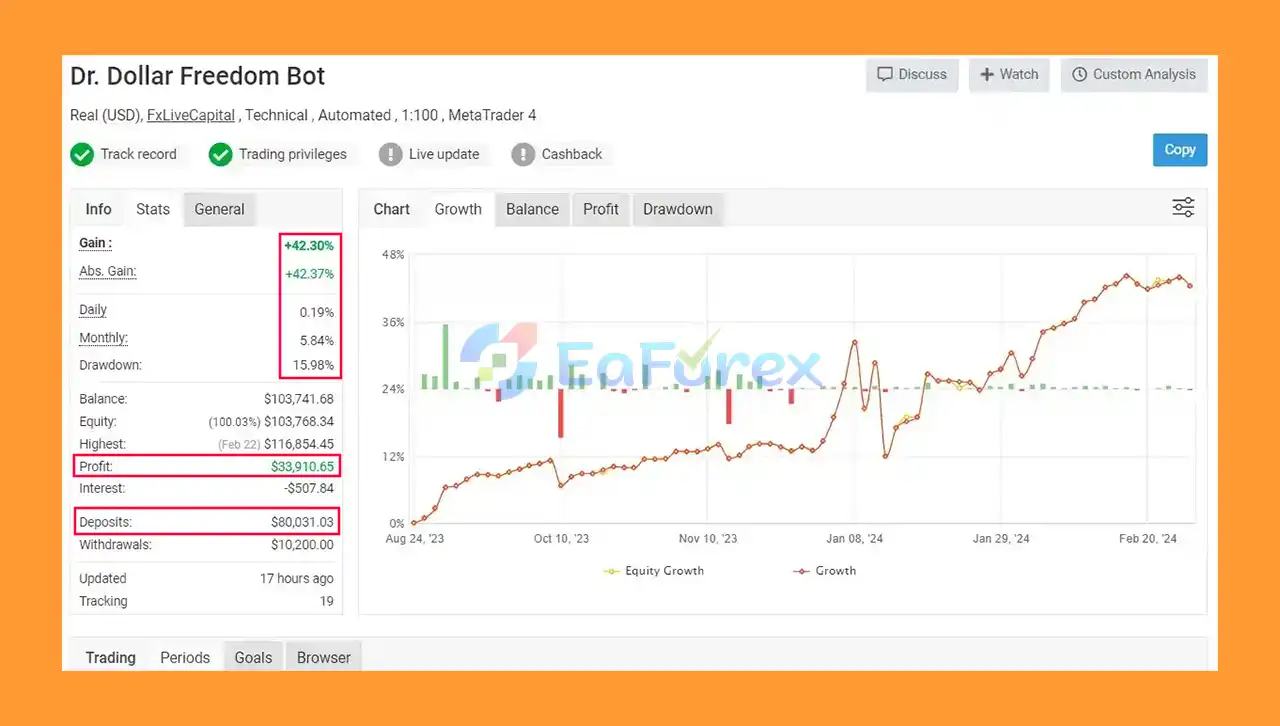
High Account Safety: Very low drawdown (under 16%) for low-risk trading.
-
Multi-Currency Compatibility: Trade pairs like AUDCAD, EURUSD, etc.
-
User-Friendly: Suitable for beginners and experts alike.
-
Backtest Recommended: Run backtests before going live to fine-tune performance.
How Freedom EA Works
-
Uses smart, pre-programmed strategies to analyze the market and place trades.
-
Focused on short-term opportunities with quick trade execution.
-
Operates on multiple stable currency pairs (e.g., EURUSD, AUDCAD).
-
Designed for low drawdown trading (only 15.98%).
Verified Trading Results of Freedom EA MT4
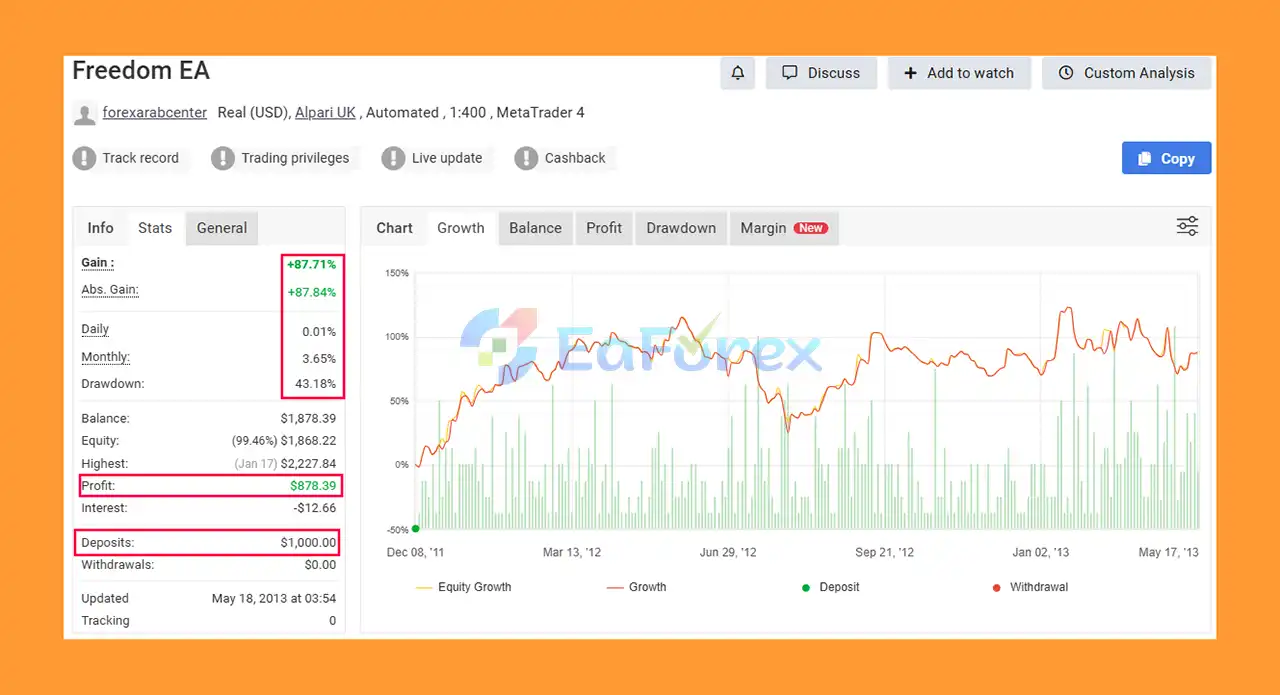
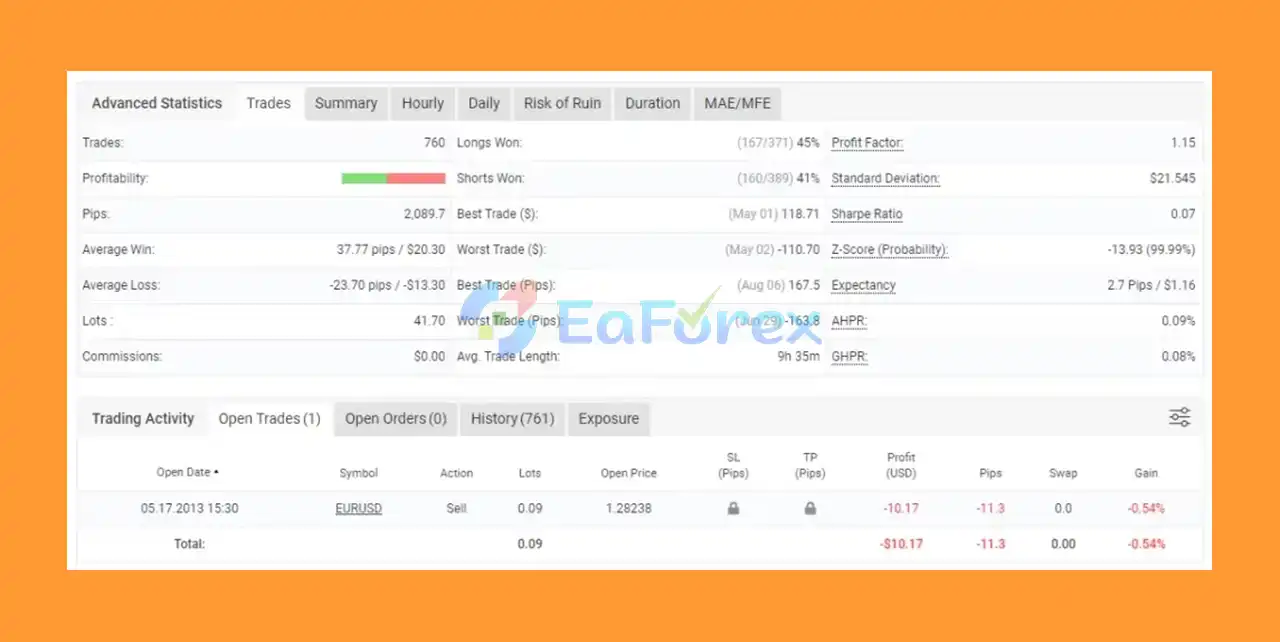
Backed by Myfxbook-verified performance:
- Total Gain: +87.71%
- Monthly Average Profit: 3.65%
- Transparent, consistent results over the long term.
- Myfxbook Signal: Click here
What’s Included in the Download Package?
- Experts: Freedom EA_fix.ex4
- Please Watch Full Video Guide.mp4
- Installation_Instructions_for_FreedomEA.pdf
>>> Join VIP Membership Now <<<
How To Set Up EA
🔻Freedom EA for MT4 is a minimalist, trend-following Expert Advisor built on a simple moving average crossover strategy. With fixed lot sizing, tight stop loss, and take profit, it offers a disciplined and fully automated trading experience.
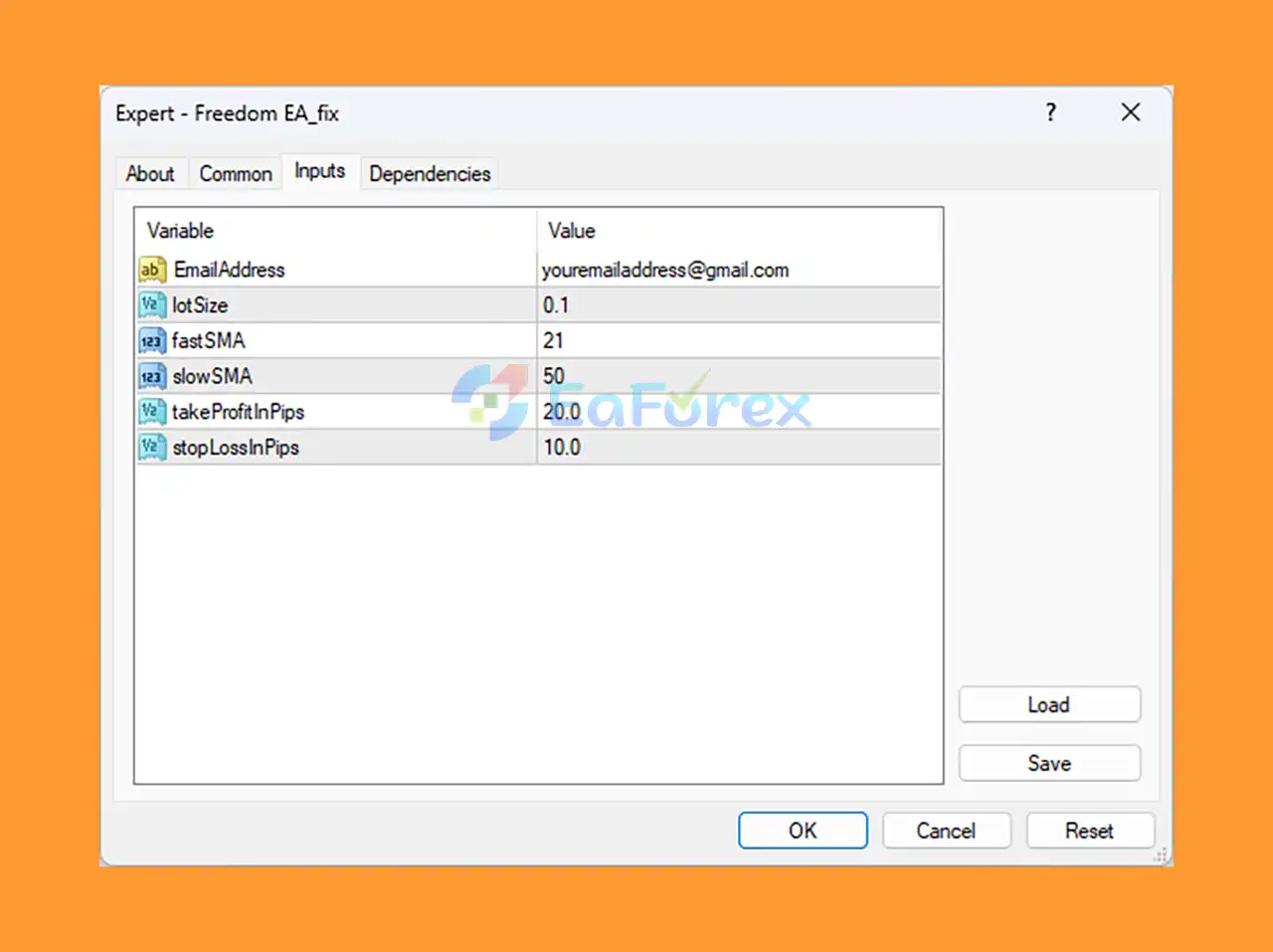
🔴 Step 1: Install Freedom EA on MT4
- Download the Freedom EA
.ex4or.mq4file. - Open MetaTrader 4.
- Go to File > Open Data Folder.
- Navigate to:
MQL4 > Expertsand paste the EA file. - Restart MT4 or right-click Navigator > Refresh.
- Drag Freedom EA onto the chart of your preferred currency pair.
🔴 Step 2: Configure EA Settings
🔻 Trade Notifications
-
Email Address:
[email protected]
→ Enables trade alerts via email for remote monitoring.
(Ensure email settings are configured in MT4: Tools > Options > Email)
🔻 Position Sizing
-
Lot Size:
0.1
→ Uses a fixed lot size per trade. No automated risk adjustment.
🔻 Trading Strategy – SMA Crossover
- Fast SMA:
21 - Slow SMA:
50
→ Buy when 21 SMA crosses above 50 SMA (bullish), sell when it crosses below (bearish).
🔻 Stop Loss & Take Profit
- Take Profit:
20 pips - Stop Loss:
10 pips
→ A clean 2:1 reward-to-risk ratio for consistent trend trading.
Conclusion
In summary, Freedom EA MT4 is a powerful yet user-friendly automated trading solution designed to help Forex traders achieve consistent returns with minimal risk. Built on a simple but effective SMA crossover strategy, this Expert Advisor is optimized for the M15 timeframe and supports trading across stable currency pairs like EURUSD and AUDCAD. Its low drawdown—just 15.98%—makes it a reliable choice for traders focused on account safety and long-term stability.
>>> Reviewed by Jason Stap <<<



