


What is Hex Pro EA MT4?
In the fast-moving world of forex trading, automation is essential for traders aiming to boost efficiency and accuracy. Hex Pro EA is a sophisticated automated trading system built to handle the complexities of the forex market with precision. This in-depth review explores Hex Pro EA’s key features, performance metrics, and overall value—making it an ideal choice for traders seeking a reliable and intelligent forex trading solution.
Key Features of Hex Pro EA
🔺Advanced Trading Algorithm:
- Uses real-time market analysis to detect profitable trends and trade with high accuracy.
- Optimized for fast and precise execution in volatile market conditions.
🔺Smart Risk Management Tools:
- Includes dynamic Stop Loss and Take Profit to minimize drawdowns.
- Adjusts risk parameters based on market conditions to protect trading capital.
🔺Stable, Consistent Performance:
- Designed to adapt to various market phases—ranging from trending to volatile environments.
- Focuses on long-term profitability and strategy stability.
🔺Beginner-Friendly Interface:
- Easy installation and configuration.
- Simple layout and customizable settings for all trader levels.
🔺Fully Automated Execution:
- Executes trades automatically 24/5, eliminating emotional decision-making.
- Ideal for traders looking for passive income or time-saving solutions.
Why choose Hex Pro EA MT4?
🔺High-Precision Algorithm:
- Delivers accurate trade entries and exits based on in-depth market analysis.
- Enhances trading efficiency for better profit opportunities.
🔺Built-In Capital Protection:
- Intelligent SL/TP settings reduce the risk of large losses.
- Maintains optimal risk-reward ratio in dynamic market environments.
🔺Easy Integration with MetaTrader 4:
- Compatible with most forex brokers and accounts on the MT4 platform.
- Supports smooth operation with minimal system requirements.
🔺Consistent Results Across Market Conditions:
- Reliable performance in both bullish and bearish markets.
- Ideal for short-term and long-term forex strategies.
Hex Pro EA MT4 Review
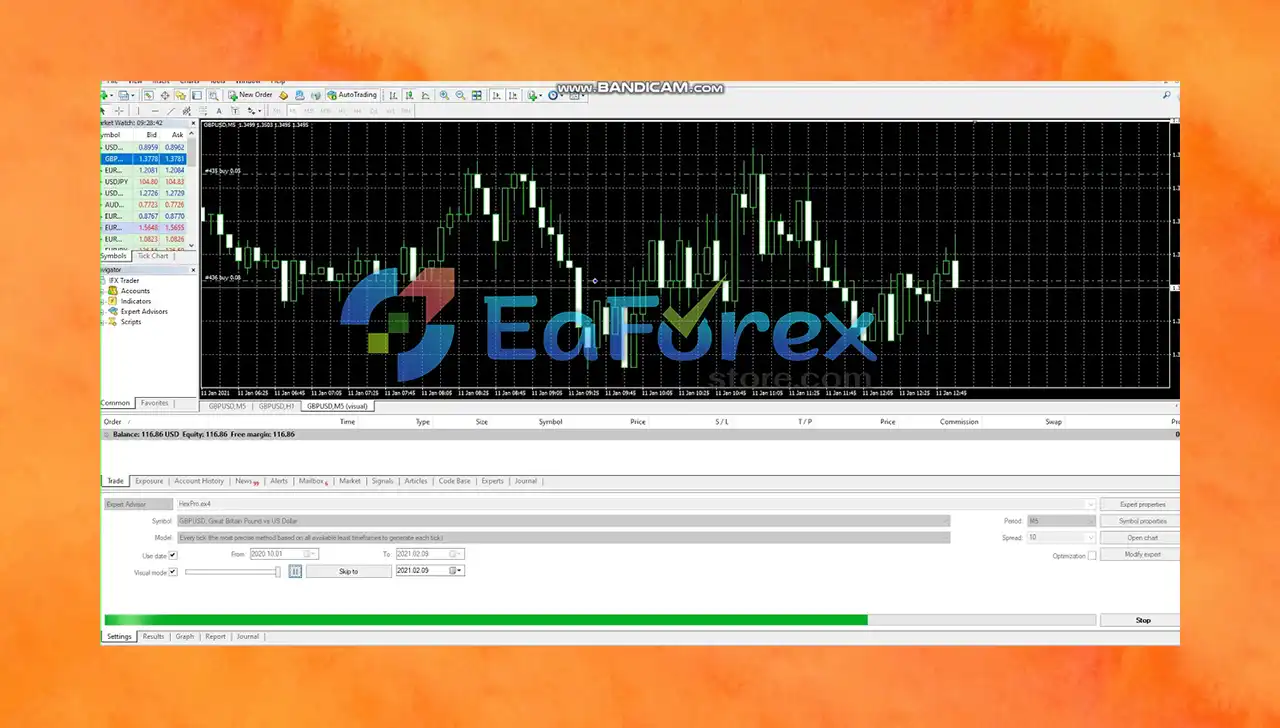
- Real-World Trading Performance
- Official version optimized for live trading scenarios.
- Emphasizes steady profit generation with controlled drawdowns.
- Positive reception for ease of use and consistent results.
- Suitable for prop firm challenges due to low drawdown and risk control.
What’s Included in the Download Package?
- Experts: HexPro.ex4
>>> Join VIP Membership Now <<<
How To Set Up EA
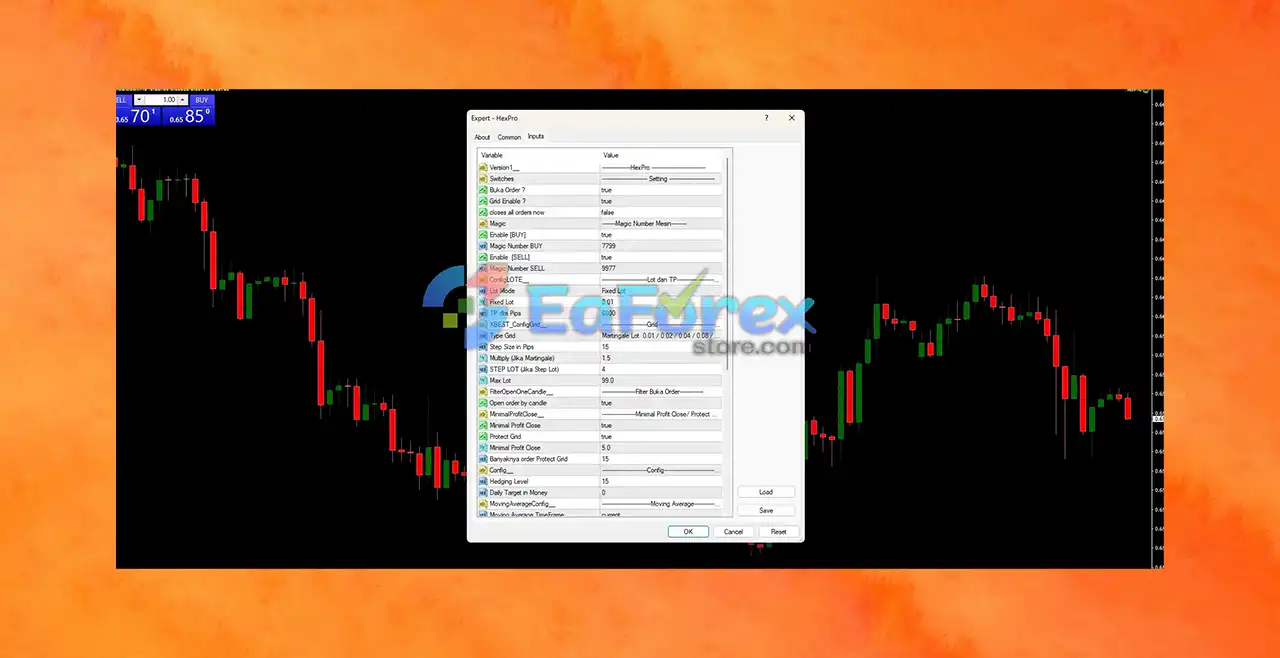
🔺 Install Hex Pro EA MT4 for grid trading with Martingale recovery, lot scaling, and profit lock. Ideal for ranging markets with hedging and candle-based filters.
🔺Download & Extract Files
- Download the Hex Pro EA package and unzip it to your local device.
🔺Copy EA to MT4 Folder
- Open MetaTrader 4 → File → Open Data Folder → MQL4 → Experts
- Paste the Hex Pro EA file (.ex4/.mq4) into the Experts folder.
🔺Restart MT4 Platform
- Close and reopen MT4 to activate the EA.
🔺Attach EA to a Chart
- Open a suitable chart (e.g., AUDUSD or EURCHF, M15–H1 timeframe).
- Drag Hex Pro EA onto the chart.
- Enable AutoTrading in MT4.
🔺Recommended Settings
- Lot Mode: Fixed Lot
- Fixed Lot Size: 0.01 (ideal for small accounts)
- Step Size in Pips: 15 (controls trade spacing)
- Multiply (Martingale): 1.5x
- Take Profit: 6000 points (600 pips)
- Minimal Profit Close: 5.0 (enabled)
- Hedging Level: 15
- Max Lot: Adjust to fit account size (e.g., 1.0 for safety)
- Open Order by Candle: true (filters entries by candlestick logic)
🔺Start Trading
- The EA will automatically manage grid entries, trailing profit targets, and hedging when needed. VPS is highly recommended for 24/7 low-latency execution.
Conclusion
In summary, Hex Pro EA MT4 stands out as a high-performance Expert Advisor tailored for traders seeking precision, consistency, and ease of use. Powered by an advanced trading algorithm, it automatically identifies profitable opportunities and executes trades with speed and accuracy—making it a dependable tool for navigating the forex market.
>>> Reviewed by Jason Stap <<<



