
What is JorgeFX EA MT4?
In the fast-evolving world of forex trading, Expert Advisors (EAs) play a crucial role in automating strategies and boosting efficiency. JorgeFX EA is an advanced automated trading solution built to handle the complexities of the forex market. This review explores its core features, real-world performance, and the value it offers to traders looking for a dependable and effective forex EA.
Key Features of JorgeFX EA
➤ Advanced Trading Algorithm:
- Uses sophisticated market analysis tools to identify trends and trade opportunities.
- Delivers high-precision trade execution with minimal lag.
➤ Scalping and Trend-Following Integration:
- Dual-strategy model: short-term scalping + long-term trend trading.
- Designed to maximize profitability across volatile and stable conditions.
➤ Dynamic Market Adaptability:
- Adjusts trade logic based on market volatility, momentum, and price action.
- Optimized for real-time decision-making in fast-moving markets.
➤ Robust Risk Management Tools:
- Features include dynamic Stop Loss, Take Profit, and lot size adjustments.
- Built to minimize drawdown and optimize risk-reward ratio.
➤ Consistent Trading Performance:
- Focused on sustainable profits with consistent trade outcomes.
- Effective across diverse currency pairs and trading environments.
Why choose JorgeFX EA MT4?
-
Pro-Level Automation: Ideal for traders seeking hands-free trading and consistent results.
-
Capital Protection: Smart risk controls safeguard accounts from extreme losses.
-
Versatile Trading Logic: Adaptable strategies that respond to market shifts.
-
MetaTrader 4 Integration: Seamless setup for backtesting, optimization, and live trading on MT4.
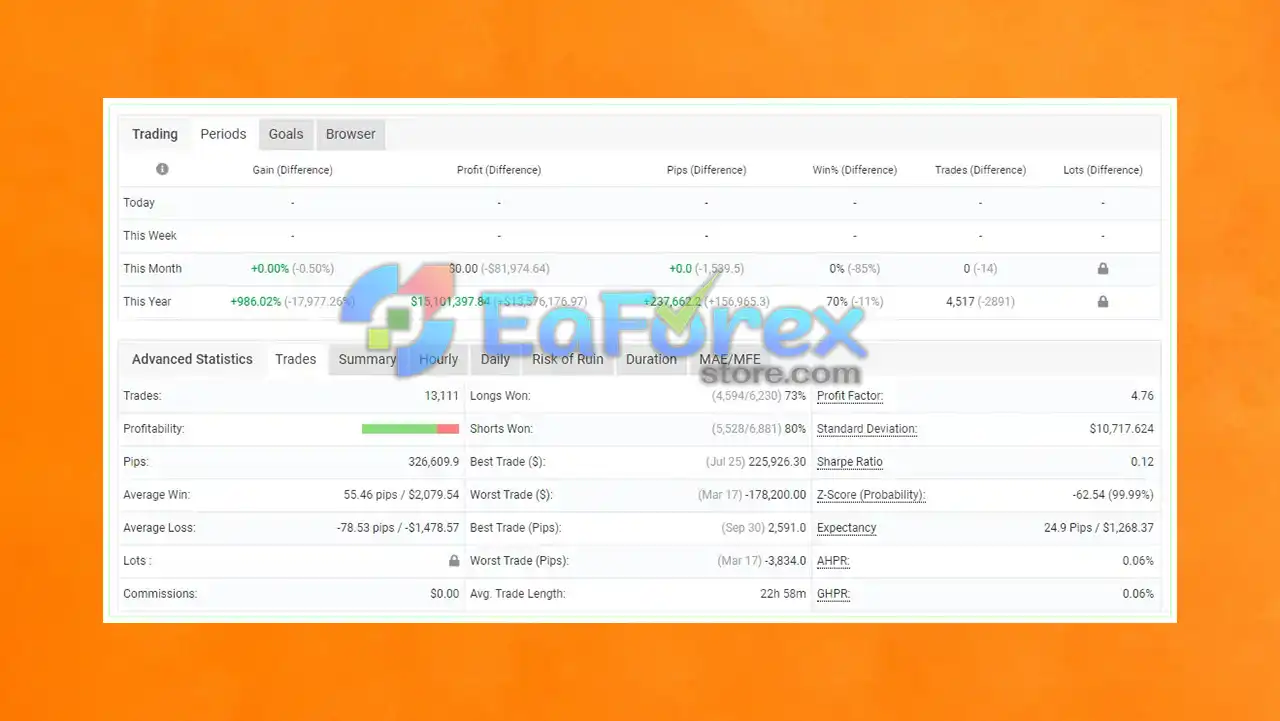
JorgeFX EA MT4 Performance Review
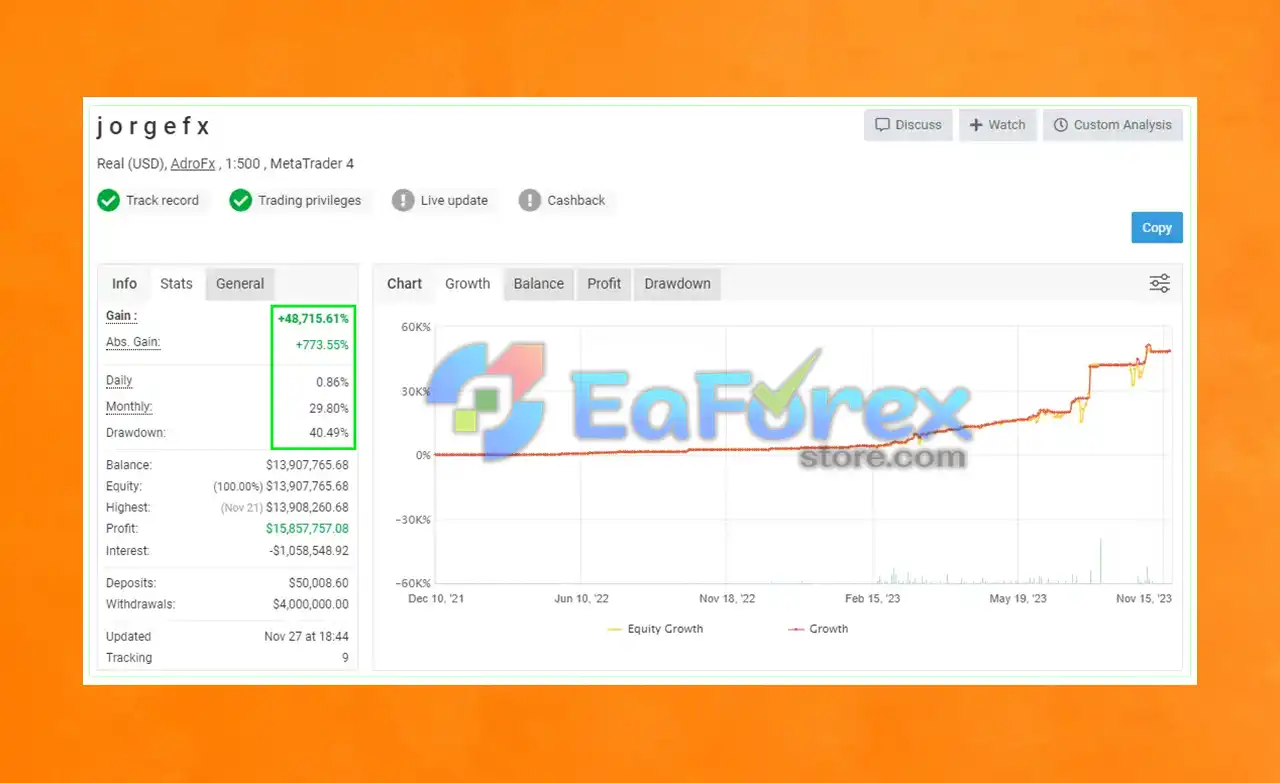
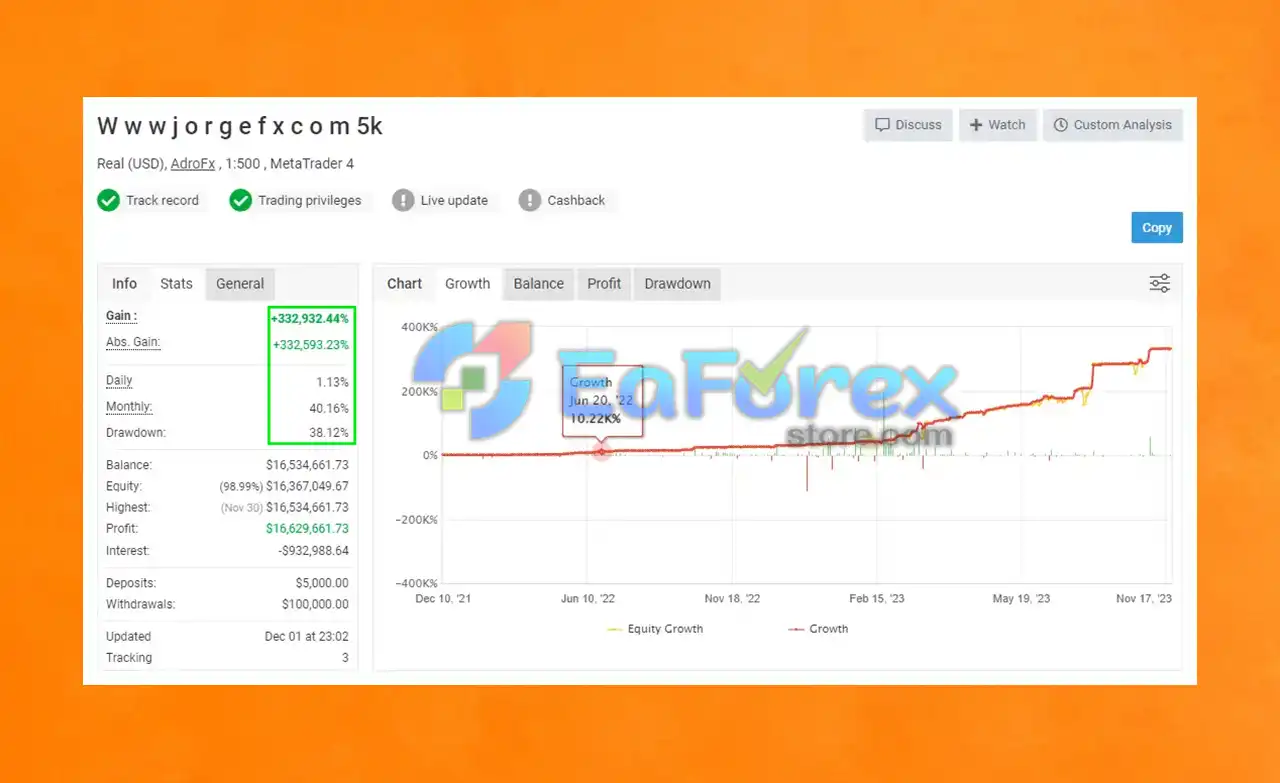
- Overview of verified Myfxbook performance (tested in 2023).
- Focus on profitability, consistency, and drawdown control.
- Evidence of real-world effectiveness and strategy stability.
How To Set Up EA
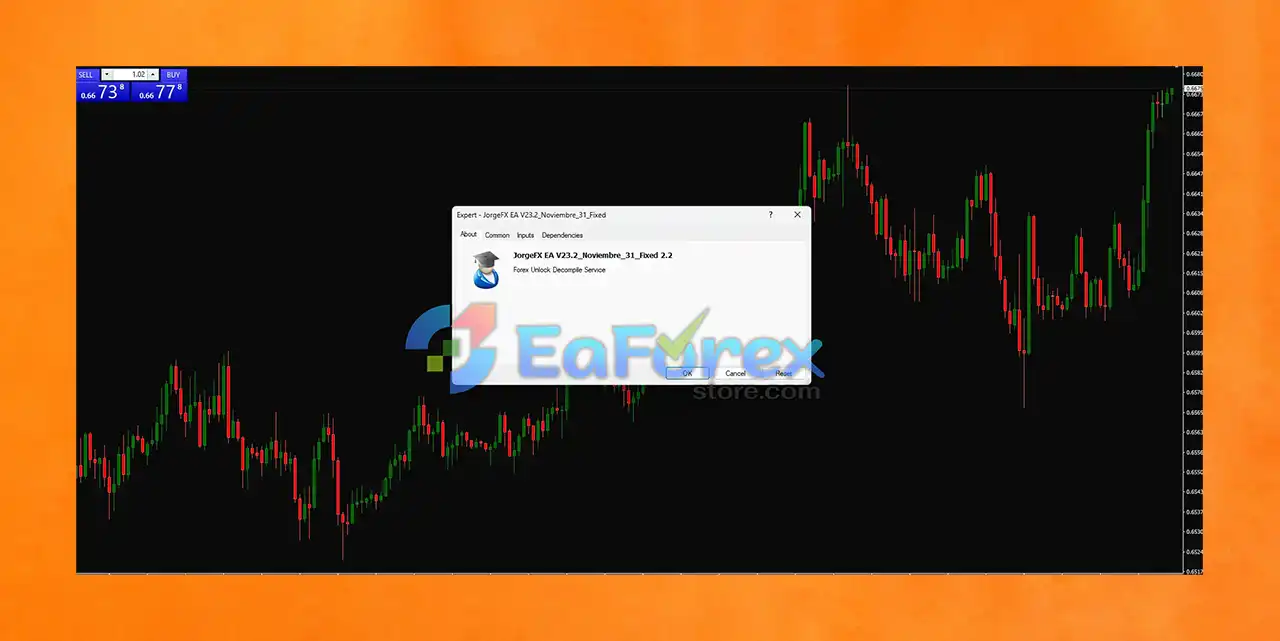
JorgeFX EA v22.3 (Fixed 2.2) is a fully automated Forex trading robot designed for MetaTrader 4. This Expert Advisor (EA) supports real-time spread monitoring and is likely optimized for scalping or grid strategies. Follow these quick steps to install and activate it correctly.
🟠 Step-by-Step Installation:
♦️Download the EA File:
- Obtain the
.ex4file for JorgeFX EA v22.3_November_31_Fixed_2.2 from your provider or download source (e.g., EaForexStore.com).
♦️Copy to MT4 Directory:
- Open MetaTrader 4 > Go to File > Open Data Folder > MQL4 > Experts.
- Paste the EA file into the Experts folder.
♦️Restart MT4:
- Close and reopen MT4 to load the EA into the platform.
♦️Attach EA to Chart:
- Drag JorgeFX EA v22.3 onto any currency pair chart (e.g., EURUSD or AUDUSD).
- Recommended Timeframe: Use M1 or M5 if scalping; otherwise follow provider guidance.
♦️Enable AutoTrading:
- Activate the AutoTrading button (it must be green).
♦️Configure Inputs (If Editable):
Lot Size: Default shown is 1.00 (Adjust for your risk tolerance).
- Spread Filter: Likely active automatically based on real-time spread display.
- Strategy Settings: Not visible, but EA may use grid, scalping, or trend-following logic.
Conclusion
In summary, JorgeFX EA MT4 stands out as a powerful and adaptive Expert Advisor built to meet the demands of modern forex traders. Combining scalping and trend-following strategies, this EA is designed to navigate both fast-moving and steady market conditions with precision. Its advanced trading algorithm analyzes real-time market data, enabling accurate trade execution while minimizing emotional bias and manual effort.
With robust risk management tools such as dynamic Stop Loss, Take Profit, and position sizing, JorgeFX EA offers solid capital protection—making it ideal for both novice and seasoned traders. The system is fully compatible with MetaTrader 4, supporting smooth backtesting, live trading, and strategy optimization.
>>> Reviewed by Jason Stap <<<



