

What is Lumenix TRADING EA MT5?
Lumenix TRADING EA is a minimalist automated trading system designed for strict risk control and transparent rule-based execution. Built with fixed Stop Loss and Take Profit levels, a high risk-to-reward structure, and balance growth limits, it focuses on stable and disciplined performance — ideal for conservative traders and prop-style environments.
Core Features of Lumenix TRADING EA MT5
- Fixed Risk Parameters: Uses predefined Stop Loss (SL) and Take Profit (TP) levels for predictable exposure control.
- High Risk-to-Reward Model: Structured to remain profitable even with moderate win rates.
- Rule-Based Execution Logic: Trades open and close strictly according to fixed SL and TP conditions.
- Balance Growth Limiter: Automatically pauses trading after significant account growth to protect capital.
- Clean Magic Number Separation: Ensures full independence from other EAs or manual strategies.
- No Grid or Martingale: Completely avoids averaging, recovery systems, or aggressive compounding.
Additional Features
- Risk-Focused Architecture: Prioritizes loss containment over frequent or high-risk entries.
- Static Target Framework: Larger Take Profit targets aim to capture structured price expansions.
- Controlled Drawdown Profile: Fixed stops help maintain consistent equity stability.
- Beginner-Friendly Setup: Simple configuration without complex money management tricks.
- Prop Firm Compatible Logic: Fixed risk and growth limits align with evaluation-style trading models.
- Marketplace-Ready Structure: Transparent and suitable for long-term automated deployment.
Why Choose Lumenix TRADING EA MT5?
- Stability Over Complexity: Clean, disciplined automation without unnecessary strategy layers.
- Transparent Trading Rules: Every trade follows predefined, visible risk parameters.
- Capital Protection First: Designed to safeguard equity before focusing on growth.
- Evaluation-Friendly Design: Suitable for traders operating under structured account rules.
- Consistent Risk Profile: Eliminates unpredictable lot scaling or hidden recovery logic.
- Fully Automated on MetaTrader 5: Seamless integration for hands-free trading.
Lumenix TRADING EA MT5 Reviews
- Reviews highlight its rigorous risk management system, with fixed stop-loss (SL) and take-profit (TP) points, a high risk/reward ratio, and balance growth limits designed to protect capital and maintain equity stability.
- Traders praise the Lumenix TRADING EA for its stability and disciplined trading logic, thanks to its controlled downside configuration, beginner-friendly setup, and fully automated MT5 integration optimized for long-term, low-risk account growth.
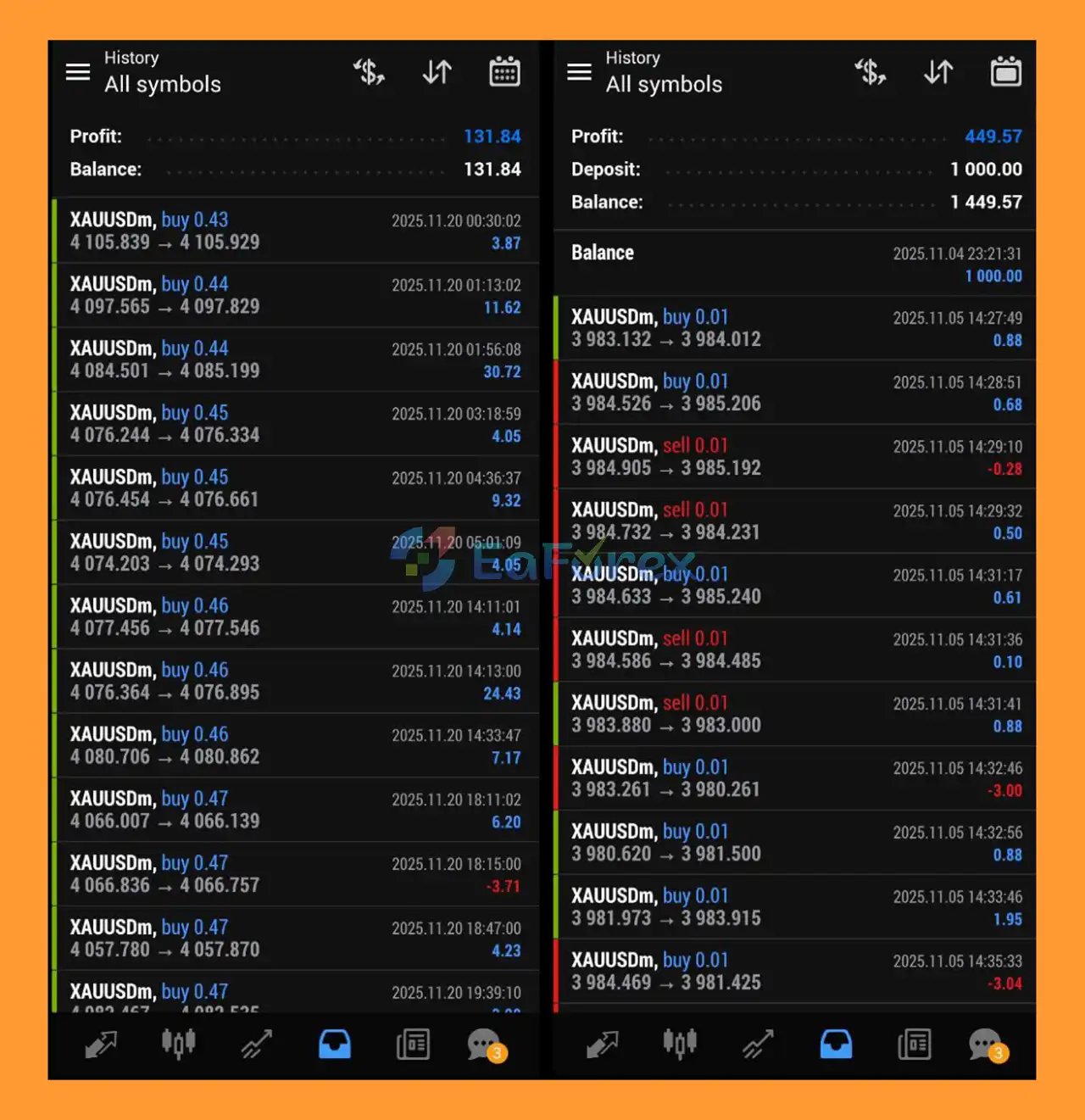
How To Set Up EA
🔻Lumenix TRADING MT5 is an automated trading robot (Expert Advisor) designed for the MetaTrader 5 platform. It helps traders automate entries, exits, stop loss, and take profit management with pre-configured risk parameters.
Step 1: Install MetaTrader 5
🔺If you don’t already have MT5:
- Download MetaTrader 5 from your broker or from the official MetaTrader website.
- Install and log in to your trading account.
- Make sure AutoTrading is enabled.
Step 2: Add Lumenix TRADING to MT5
- Open MetaTrader 5
- Click File → Open Data Folder
- Navigate to:
-
MQL5 → Experts
-
- Copy the Lumenix TRADING.ex5 file into the Experts folder.
- Restart MetaTrader 5.
Step 3: Attach Lumenix TRADING to Chart
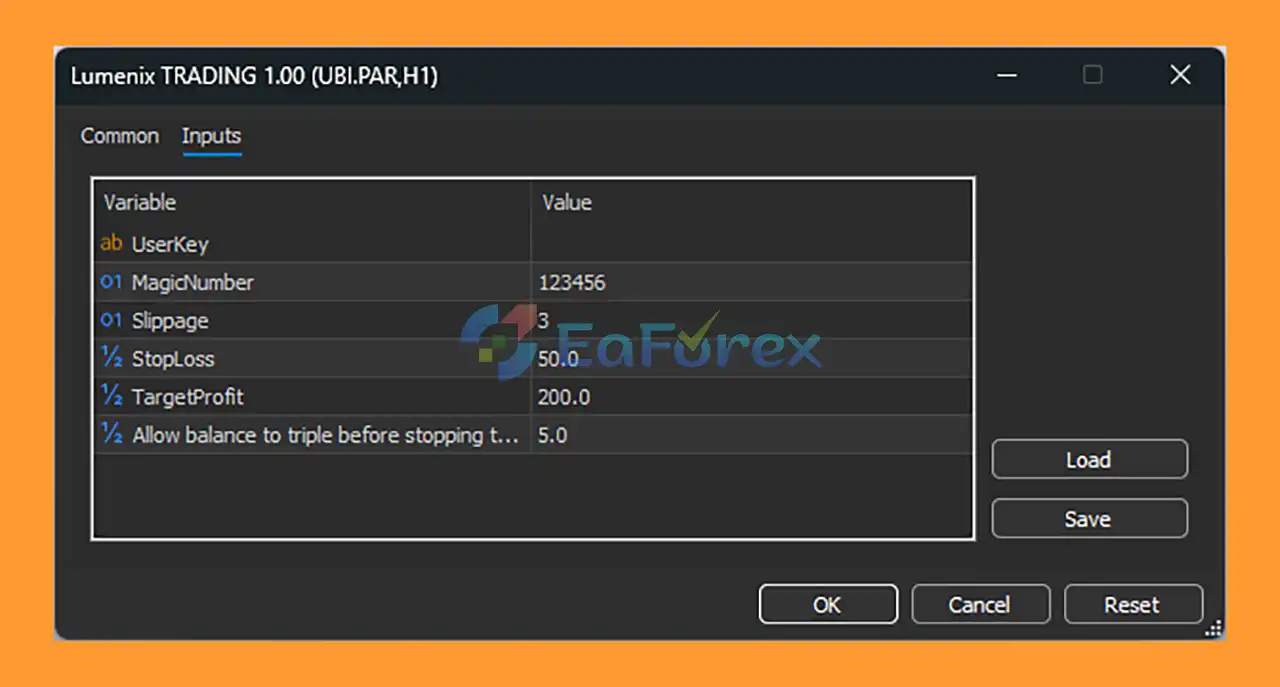
- Open your preferred trading pair (example: UBI.PAR H1 as shown).
- Go to Navigator → Expert Advisors
- Drag Lumenix TRADING 1.00 onto the chart.
- Enable:
- ✔ Allow Algo Trading
- ✔ Allow DLL Imports (if required)
- Click OK.
♦️Recommended Lumenix TRADING MT5 Settings
🔺Below are the default input parameters:
| Parameter | Recommended Value | Description |
|---|---|---|
| MagicNumber | 123456 | Unique ID for trade management |
| Slippage | 3 | Maximum price slippage |
| StopLoss | 50.0 | Stop loss in points |
| TargetProfit | 200.0 | Take profit in points |
| Allow balance to triple before stopping trading | 5.0 | Capital growth control |
➡️Important Notes:
- Use H1 timeframe for optimal performance.
- Start with a demo account before going live.
- Adjust StopLoss and TargetProfit according to your risk tolerance.
- Use a VPS for 24/5 stable operation.
♦️How to Optimize Lumenix TRADING MT5
🔺To maximize performance:
- Open Strategy Tester (Ctrl+R)
- Select Lumenix TRADING
- Choose symbol and timeframe
- Run backtest
- Adjust StopLoss & TargetProfit based on results
🔺Optimization helps adapt the EA to different market conditions.
♦️Troubleshooting Common Issues
➡️EA Not Trading?
- Check AutoTrading is enabled
- Check smiley face icon on chart
- Confirm lot size is allowed by broker
➡️“Invalid Stops” Error?
- Increase StopLoss value
- Check broker minimum stop distance
♦️Best Practices for Lumenix TRADING MT5
- Use low to medium risk settings
- Avoid high-impact news trading
- Monitor drawdown regularly
- Withdraw profits periodically
- Always test updates before live trading
What’s Included in the Download Package?
- Experts: Lumenix TRADING.ex5
- SetFiles: Signal_Lumenix Trading.set
>>> Join VIP Membership Now <<<
Conclusion
In summary, Lumenix TRADING EA MT5 is a minimalist, rule-based automated trading system built for traders who prioritize strict risk control and transparent execution on MetaTrader 5. With fixed Stop Loss and Take Profit levels, a high risk-to-reward structure, and a built-in balance growth limiter, the EA focuses on disciplined capital management rather than aggressive profit chasing.
By eliminating grid strategies, martingale systems, and hidden recovery logic, Lumenix TRADING EA MT5 delivers a clean and predictable trading framework suitable for conservative traders and prop-style evaluation environments. Its structured drawdown control, simple configuration, and fully automated MT5 integration make it a reliable solution for those seeking stable, long-term account growth with controlled risk exposure.
>>> Reviewed by Jason Stap <<<



