

What is PipGenius EA MT4?
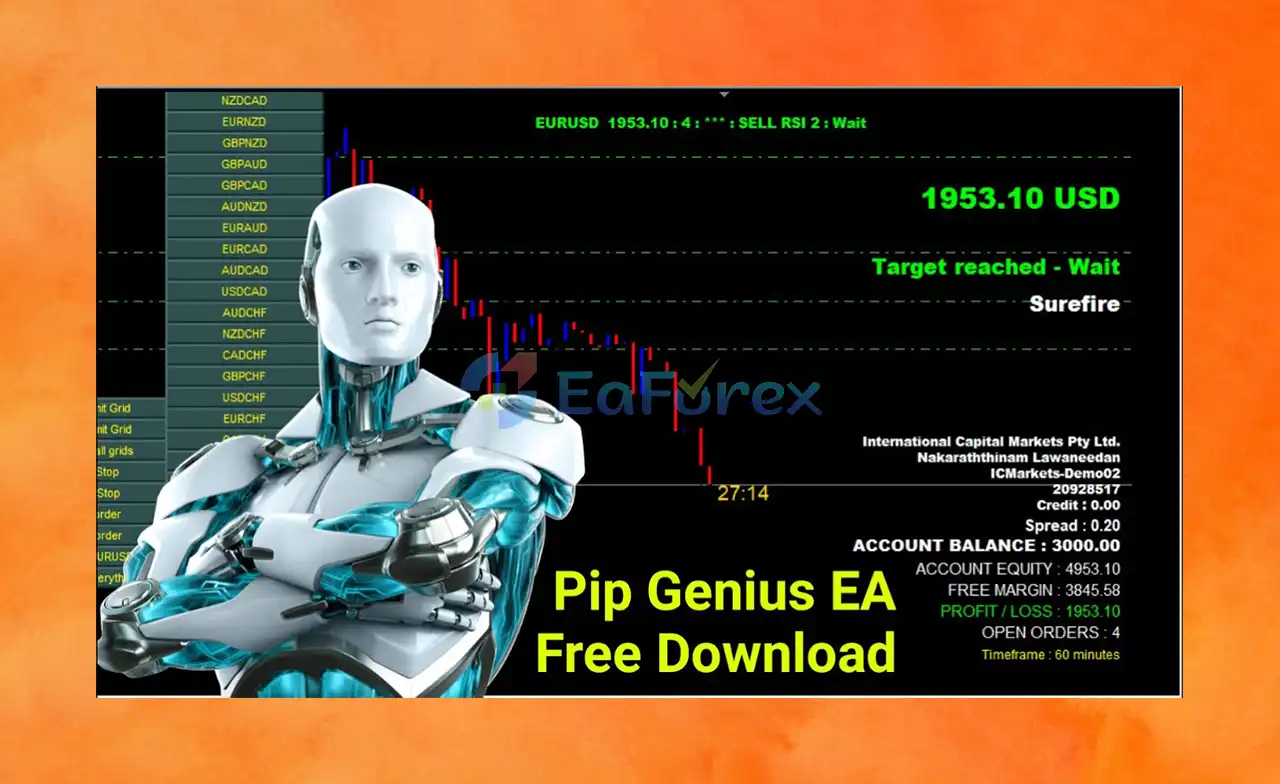
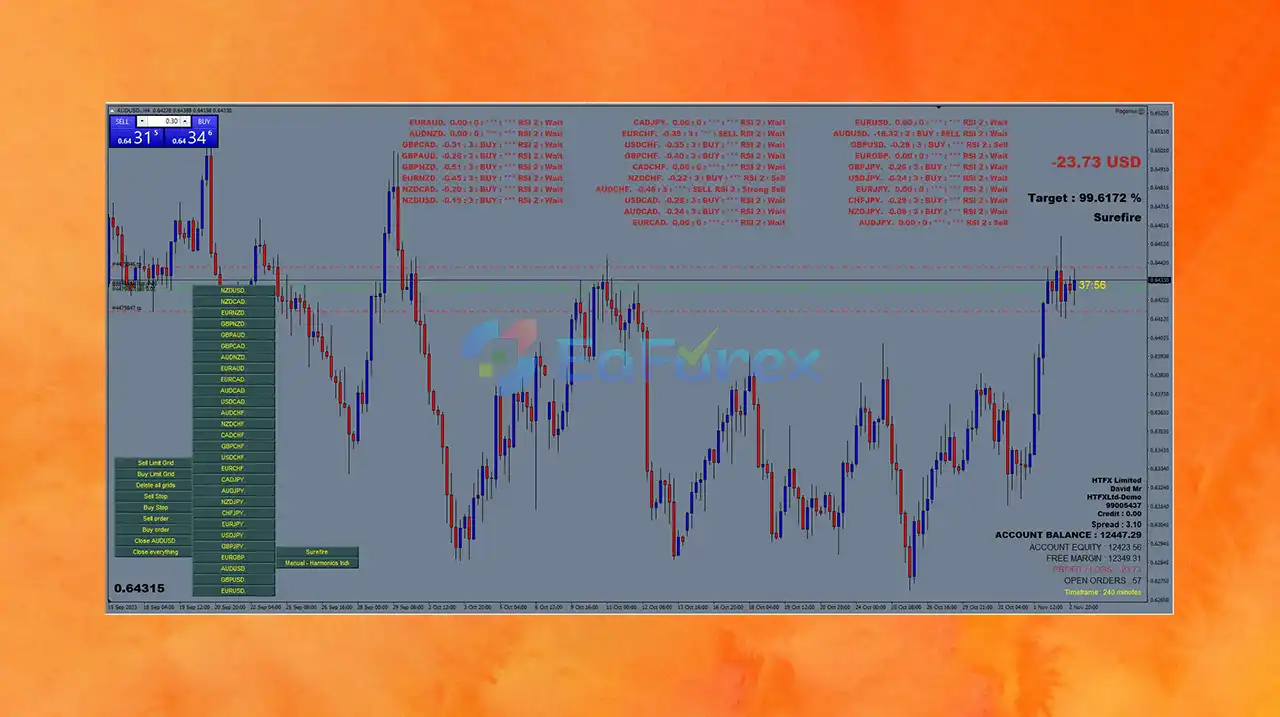
PipGenius EA is a state-of-the-art forex expert advisor (EA) for MetaTrader 4 (MT4), designed to deliver powerful and reliable automated trading for both beginner and professional traders. This advanced multi-currency trading robot can scan and execute trades across up to 23 currency pairs simultaneously, offering unmatched trading opportunities in the global forex market.
Engineered for consistent performance, PipGenius EA is optimized to generate steady monthly profits of 5–10%, making it an ideal solution for traders seeking low-risk, hands-free automation. With smart algorithms and precision trade execution, PipGenius EA helps users streamline their trading strategies and achieve long-term profitability.
Key Features of PipGenius EA MT4
🔺Smart Automated Trading Algorithm:
- Uses advanced trading logic to analyze market trends
- Executes high-accuracy trades with minimal intervention
- Adapts to various market conditions in real time
🔺Multi-Currency Trading Engine:
- Supports trading across up to 23 currency pairs
- Enhances diversification and maximizes opportunities
- Monitors all pairs simultaneously for optimized setups
🔺Dynamic Market Adaptability:
- Adjusts trading strategy based on live market behavior
- Improves consistency during trend shifts or volatility
- Suitable for both ranging and trending conditions
🔺Fully Customizable Settings:
- Modify lot size, Martingale strategy, auto TP, and more
- Tailor trading behavior to your risk appetite
- Beginner-friendly yet highly configurable for advanced users
🔺Robust Risk Management Tools:
- Supports pending stop & limit orders
- Adjustable risk percentages and capital control
- Helps prevent overexposure during unfavorable conditions
Why choose PipGenius EA MT4?
🔺Consistent Profitability:
- Targets steady monthly returns of 5–10%
- Proven to generate stable income for passive traders
- Ideal for building long-term, compounding growth
🔺Low-Risk Forex Automation:
- Designed to minimize user intervention
- Risk settings allow both conservative and aggressive styles
- Helps avoid emotional trading and decision fatigue
🔺Backed by Real Performance:
- Verified stats via Myfxbook
- Demonstrates scalability and real-world viability
- Excellent performance in short timeframes
🔺Beginner-Friendly, Expert-Grade:
- Easy setup and user interface
- No coding or technical background required
- Trusted by both new traders and forex veterans
🔺Compatible with All MT4 Brokers:
- Works with standard MT4 terminals
- No need for special broker accounts or VPS setups
- Optimized for fast execution and low latency
PipGenius EA MT4 Review
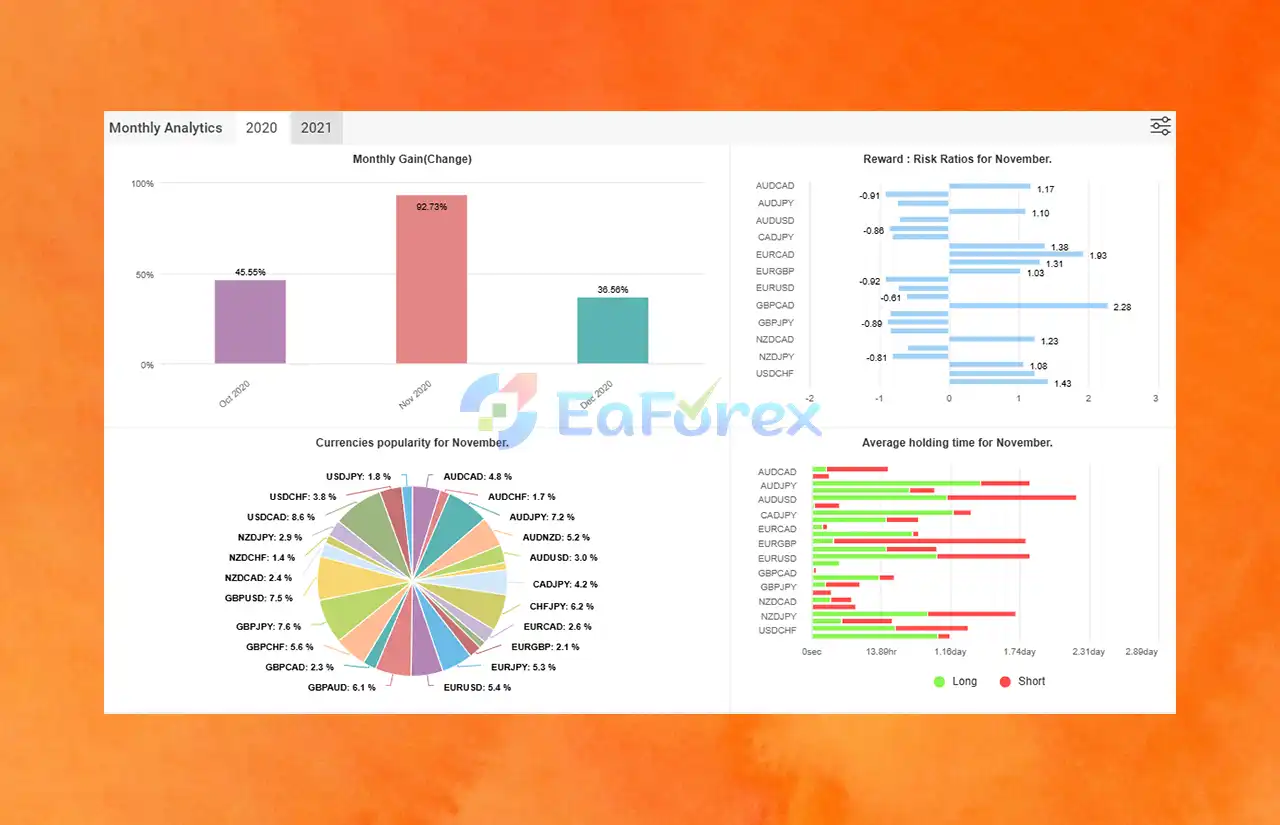
🔺Live Trading Statistics:
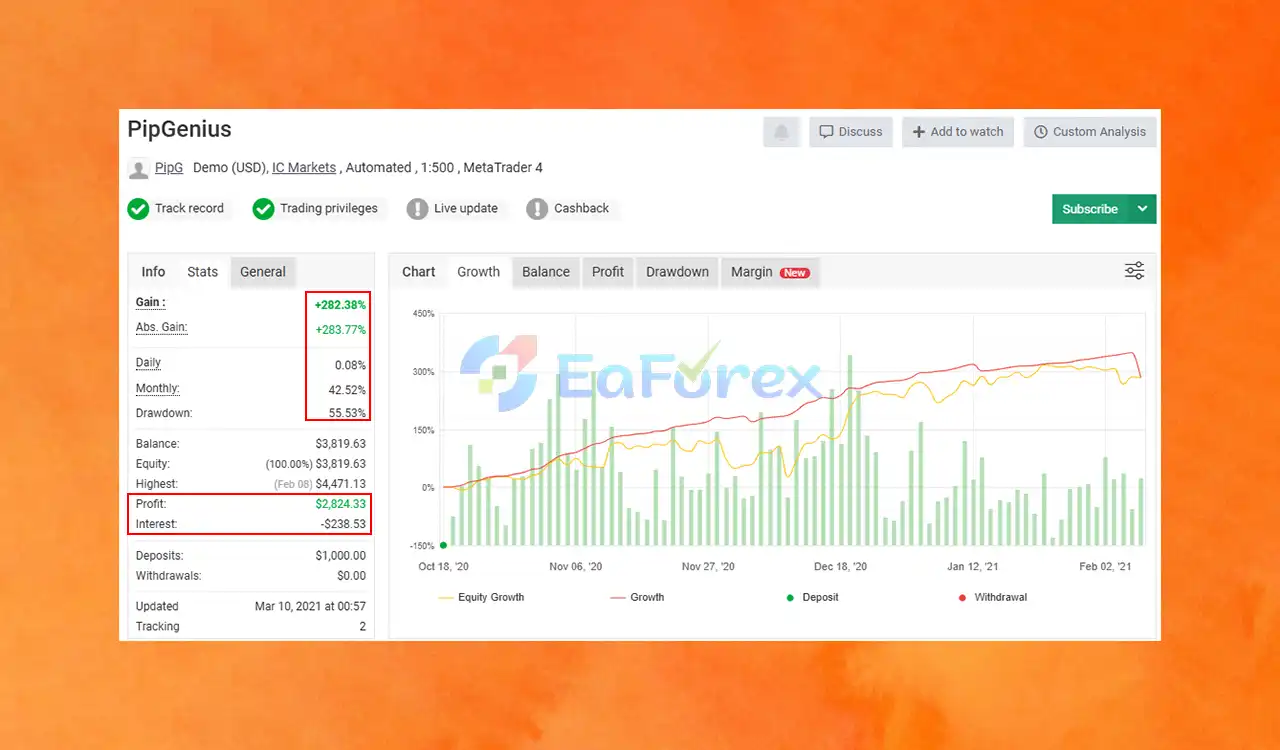
- Initial Deposit: $1,000
- Total Gain: +282.38%
- Monthly Growth: 42.52%
- Drawdown: 55.53%
- Signal Myfxbook: Click here
What’s Included in the PipGenius EA MT4 Download Package?
- Expert Advisor File:
PipGenius EA v18.0_fix.ex4
>>> Join VIP Membership Now <<<
How To Set Up EA
PipGenius EA MT4 is a smart, fully automated Forex robot designed for multi-symbol scanning, visual trade control, and gap-based order spacing. Version 18.0_fix emphasizes safety, clarity, and easy manual overrides.
🟢 Step 1: Installation Instructions
-
Open MetaTrader 4.
-
Navigate to:
File → Open Data Folder → MQL4 → Experts -
Copy the
PipGenius.ex4or.mq4file into the Experts folder. -
Restart MT4 or right-click on Navigator → Refresh.
🟢 Step 2: Attach EA to a Chart
-
Open any chart (preferably EURUSD for backtesting).
-
Drag PipGenius EA from Navigator > Expert Advisors onto the chart.
-
Enable:
✅ “Allow live trading”
✅ “Allow DLL imports” -
Turn on AutoTrading on the MT4 toolbar.
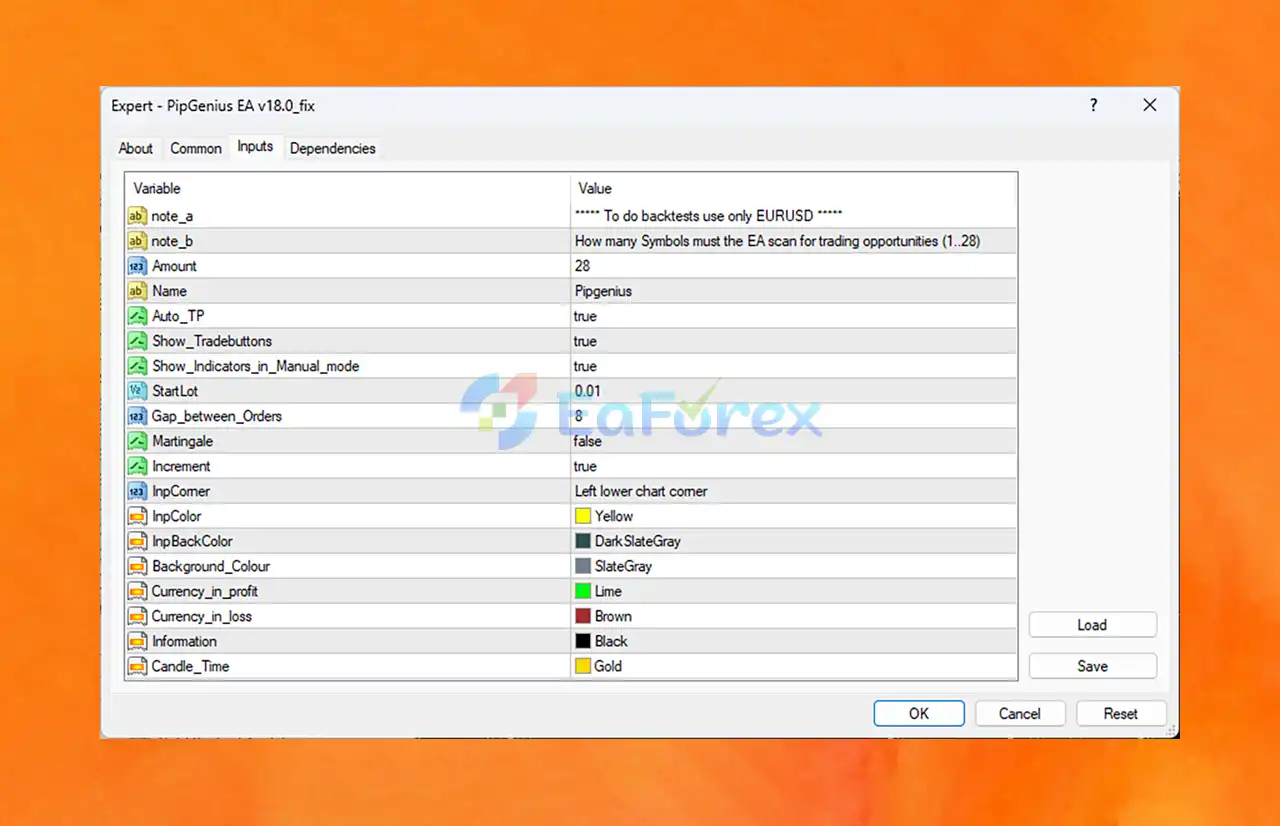
🟢 Step 3: Recommended Settings Overview
| Category | Parameter | Value | Function |
|---|---|---|---|
| Symbol Scan | Amount | 28 |
Scans up to 28 currency pairs. |
| note_a / note_b | EURUSD (for backtest) | Best used for EURUSD during strategy testing. | |
| Lot Size | StartLot | 0.01 |
Conservative trade size for low-risk accounts. |
| Trade Logic | Auto_TP | true |
Enables auto take-profit. |
| Martingale | false |
Martingale is disabled for safer trading. | |
| Increment | true |
Slight lot size increase allowed (non-martingale). | |
| Grid Logic | Gap_between_Orders | 8 pips |
Opens next trade if price moves 8 pips – grid spacing. |
| Manual Controls | Show_Tradebuttons | true |
Enables buy/sell buttons for manual execution. |
| Show_Indicators_in_Manual_mode | true |
Shows indicators when EA runs in manual mode. | |
| UI Display | InpColor / Background_Colour | Yellow / SlateGray |
Font and panel color settings. |
🟢 Key Features & Benefits
- Scans up to 28 Forex pairs for diversified opportunity detection.
- Auto TP enabled – secures profits automatically.
- Visual trade buttons – hybrid auto/manual control.
- 8-pip order spacing – maintains structure without overtrading.
- Increment logic – allows controlled scaling, not true martingale.
- Fully customizable display – enhances usability and chart readability.
- Backtesting Tip – Use EURUSD only for optimized historical testing.
🟢 Important Considerations
| ❗ Limitation | ⚠️ Risk |
|---|---|
| No stop-loss visible | Requires manual intervention or external SL setup. |
| Grid logic without volatility filter | May lead to high exposure in fast markets. |
| EURUSD-only for backtest | Multi-pair live trading may behave differently from single-pair test. |
🟢 Best Use Cases for PipGenius EA
- Traders managing multiple Forex pairs
- Manual traders needing visual trade assistance
- Risk-conscious traders preferring no martingale
- Accounts over $300 to support multi-pair logic
Conclusion
In summary, In conclusion, this expert advisor (EA) features a highly customizable risk management system, empowering traders to adjust lot sizes, stop-loss levels, and risk percentages to suit their individual strategies.
Whether you prefer a conservative approach with controlled risk or an aggressive style targeting higher returns, PipGenius EA adapts seamlessly to your trading preferences. With these flexible settings, traders can optimize their risk-to-reward ratio and boost long-term trading performance through smart automation.
>>> Reviewed by Jason Stap <<<



