


What is Prosperity Rising EA MT4?
Prosperity Rising EA is a fully automated trading system developed to help traders navigate market volatility with precision and reliability. This review explores its core features, real-world performance, and the added value of its included setup files. Whether you're a beginner or an experienced trader, Prosperity Rising EA offers a smart, hands-free solution for optimizing trading strategies and enhancing profitability.
Core Features of Prosperity Rising EA
🔺 Advanced Trading Algorithm:
- Analyzes live market conditions.
- Detects trends and executes trades with precision.
🔺 Built-In Risk Management Tools:
- Automatic Stop Loss and Take Profit functions.
- Dynamic lot sizing for balanced risk-reward ratios.
🔺 Real-Time Market Adaptability:
- Adjusts strategies based on market dynamics.
- Maintains trading performance across varying conditions.
🔺 Optimized for MT4 Platform:
- Seamless integration with MetaTrader 4 brokers.
- Reliable, low-lag execution and stable operation.
Why choose Prosperity Rising EA MT4?
- Consistent Profitability through smart trade setups.
- Risk Control with automated money management.
- Beginner-Friendly Setup: Easy to install with pre-configured files.
- Hands-Free Trading for time-saving efficiency.
- Compatible with popular currency pairs (EURUSD, US30, etc.).
Verified Performance and User Reviews
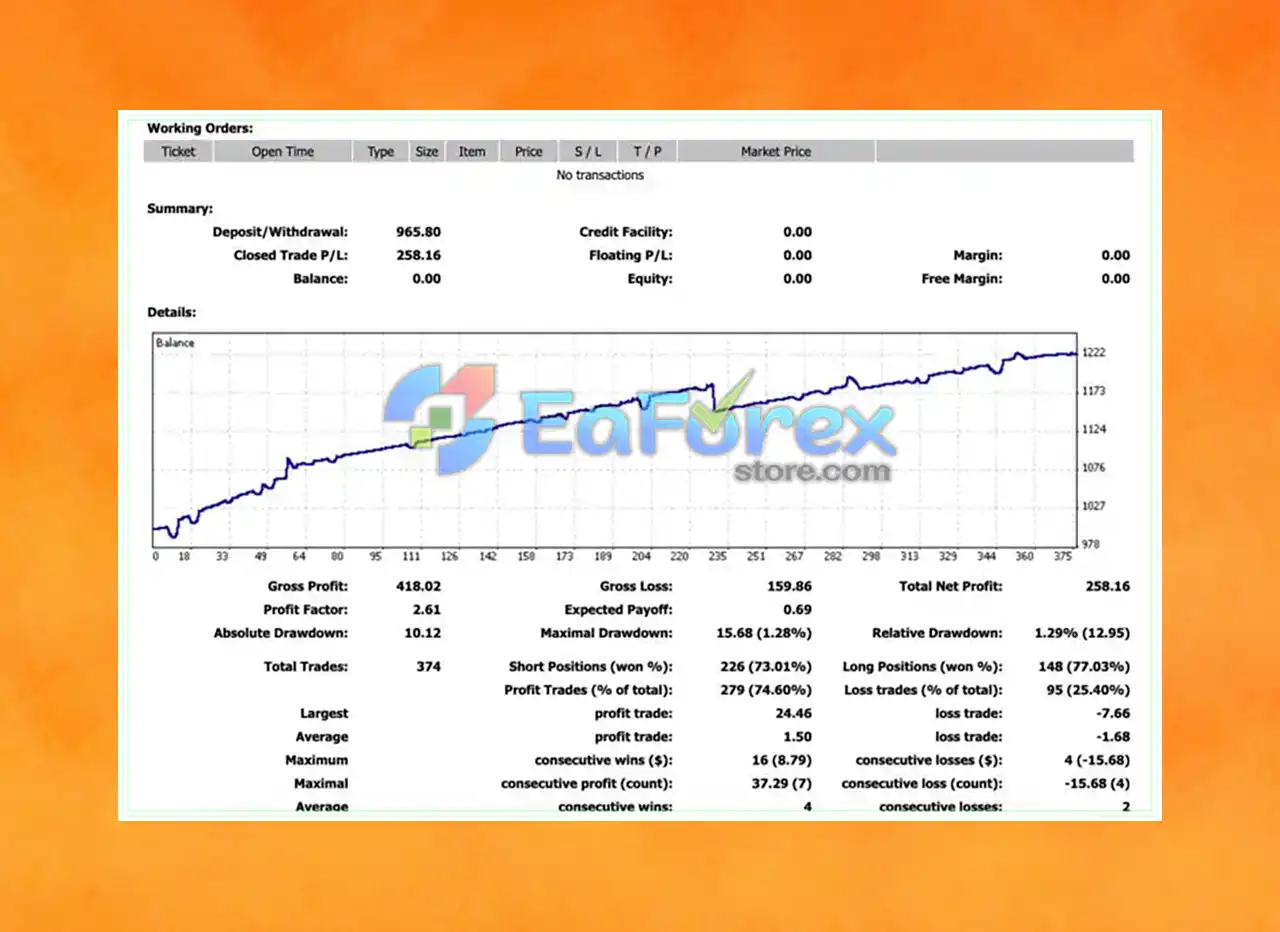
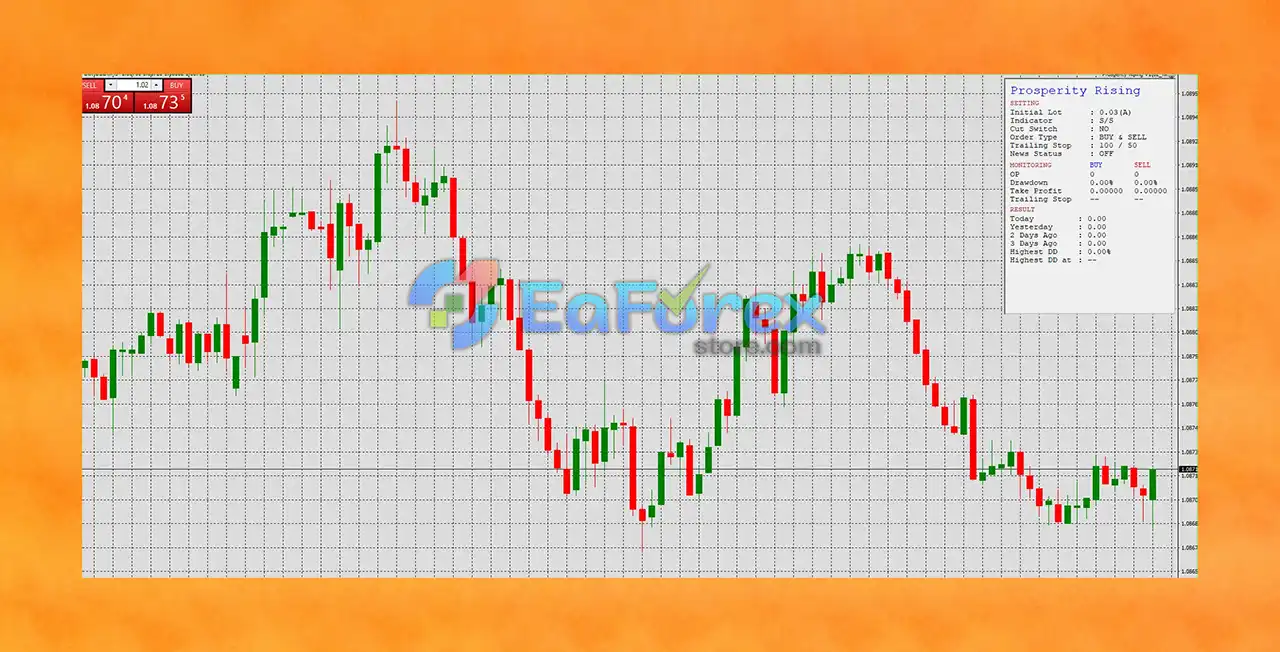
🔺 Verified trading results show the EA's performance over a significant period of time. Look for reviews from multiple sources, including trading forums and independent review sites, to gauge user satisfaction.
What’s Included in the Prosperity Rising EA Download Package?
🔺 Experts + Presets
- Prosperity Rising EA.ex4
- Prosperity Rising_EURUSD_M5 set2.set
- Prosperity Rising_EURUSD_M5.set
- Prosperity Rising_M5.set
- Prosperity Rising_US30_M1.set
>>> Join VIP Membership Now <<<
How To Set Up EA
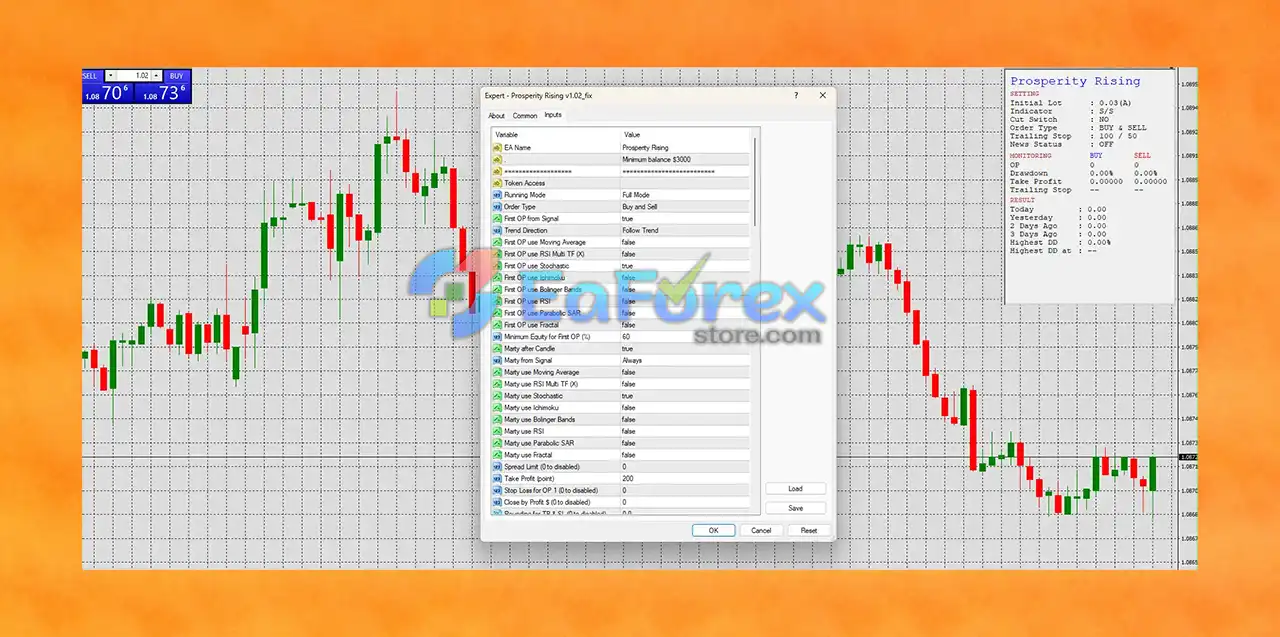
The Prosperity Rising EA is a multi-strategy Expert Advisor (EA) designed to trade Buy and Sell signals automatically on MetaTrader 4. Based on the configuration shown, it is suitable for medium- to large-balance accounts (suggested minimum: $3,000), and is tailored for automated trend-following strategies with martingale and trailing logic built-in.
♦️Download & Extract
- Download the Prosperity Rising EA files and extract them to your computer.
♦️Install to MetaTrader 4
- Open MT4.
- Go to File > Open Data Folder.
- Navigate to MQL4 > Experts, and copy the EA file into this folder.
- Paste any indicator files (if provided) into MQL4 > Indicators.
- Restart MT4 to activate the EA.
♦️Attach EA to Chart
- Open a 1H or 4H chart of your chosen currency pair.
- Drag Prosperity Rising EA from Navigator > Expert Advisors onto the chart.
- Enable AutoTrading.
♦️Configure Settings
- Set Minimum Balance: $3,000 recommended.
- Choose Running Mode: Full Mode (auto-trading enabled).
- Select Order Type: Buy and Sell.
- Set Trailing Stop: 100 / 50 pips.
- Stop Loss / Take Profit: Disabled (uses trailing logic).
- Lot Size: Start with 0.01–0.03 (adjust by risk tolerance).
- Martingale: Enabled (use with caution).
- Save your setup as a template for future use.
♦️Start Trading
- Monitor the EA performance regularly. Backtest before using on a live or funded account.
Conclusion
In summary, Prosperity Rising EA MT4 stands out as a powerful and fully automated trading solution tailored for today’s volatile forex markets. Designed for the MetaTrader 4 platform, this Expert Advisor utilizes a robust trading algorithm that continuously adapts to real-time market conditions—allowing traders to capitalize on opportunities with precision, speed, and consistency.
Its built-in risk management features, including automated Stop Loss, Take Profit, and dynamic lot sizing, help protect your capital while maximizing returns. The EA's flexibility and pre-configured set files for major pairs like EURUSD and US30 make it ideal for both beginner and advanced traders looking to simplify their trading approach without sacrificing control.
>>> Reviewed by Jason Stap <<<



