


Product Overview
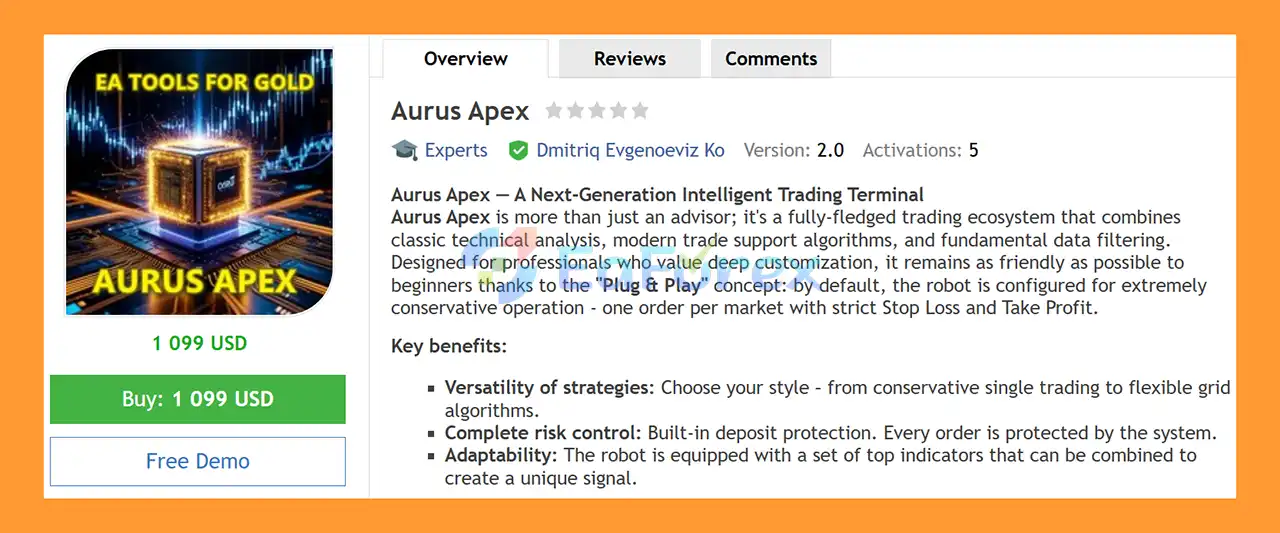
Aurus Apex EA MT5 is an advanced automated Expert Advisor for MetaTrader 5 designed as a flexible trading ecosystem that combines technical indicators, fundamental news filtering, time management, support and resistance analysis, and automated trade execution.
The EA is built for traders who want extensive customization while maintaining a simple Plug & Play starting experience. By default, Aurus Apex is configured for a conservative trading approach, using one active trade per market, mandatory Stop Loss and Take Profit, and minimum lot sizing to help users familiarize themselves with the system.
One of the main characteristics of Aurus Apex EA MT5 is its versatility. Traders can choose between a traditional single-trade strategy and an optional grid trading mode, depending on their preferred trading style and risk tolerance.
The system supports a wide range of instruments, including Forex, Gold, and indices, and can operate on different timeframes, with H1 recommended by the developer.
About the Developer
- Author: Dmitriq Evgenoeviz Ko
- Experience: Over +4 years of experience on MQL5.
- Notable Products: Aurus Apex EA MT5, Golden Genie MT5, Impulse Pro MT5, Apex Momentum Sentinel EA, Gold Strike Pro EA, Aurum Fade EA MT5, Gold Lady V EA, Golden Talent EA, Golden Snow V, Gold Brick Pro EA, White Horse MT5, Gold Flow MT5, Pure Gold Algo EA, Aurum Path EA Gold Medalist EA, Golden Suite EA, Gold x25 MT4, Golden Harmony MT4, Infinity Gold Impulse MT4, Pharaoh Gold EA, Apex Gold MT4 and other advisors.
- Flagship Product: Aurus Apex EA MT5 is rated as the best performing product of the year.
>> Delivery time 24h-48h after payment.
>>> Refund if not delivered.
>>> You will receive the latest version without any limitations (ID+Time).>>Reviewed by Jason Stap <<
Main Features of Aurus Apex EA MT5
🔺Intelligent Indicator Engine
Aurus Apex EA MT5 includes a flexible Indicator Engine that allows traders to select individual indicators or combine multiple indicators as trading filters or primary signals.
Supported technical tools include:
- RSI
- MACD
- Bollinger Bands
- Moving Averages
- Proprietary algorithms
Traders can also adjust parameters such as overbought and oversold levels to customize the conditions used for trade entries.
This modular approach allows the EA to adapt to different technical-analysis styles rather than forcing traders to use one fixed signal.
🔺Fundamental News Filter
The integrated News Filter uses an economic calendar to identify important scheduled events.
When high-impact economic data is approaching, the EA can automatically stop opening new trades according to the configured settings.
This feature is particularly useful for markets such as Gold and Forex, where major economic announcements can produce sudden volatility, wider spreads, and rapid price movements.
🔺Flexible Time Management
Aurus Apex EA MT5 provides detailed trading schedule controls.
Users can define:
- Trading hours
- Trading days
- Market sessions
- Periods when trading should be disabled
This allows traders to avoid potentially unfavorable periods such as session openings, low-liquidity conditions, or Friday evening trading.
Alternatively, traders can configure the EA to operate primarily during periods of higher market liquidity.
🔺Classic Trading Mode
The Classic Mode is designed for traders who prefer a straightforward position-management structure.
Only one active order is allowed at a time, helping keep market exposure relatively simple.
The position size can be configured using:
- Fixed lot sizing
- Percentage-based deposit sizing
This mode is also consistent with the EA's conservative default configuration.
🔺Pro Grid Mode
For experienced traders, Aurus Apex includes an optional Pro Grid Mode.
This mode can place additional orders according to configured grid steps and multipliers.
The smart grid system is designed to provide greater flexibility when managing market cycles, but grid trading can also increase total market exposure and drawdown. It should therefore only be used after thorough testing and with appropriate risk parameters.
🔺Support and Resistance Level Trading
Aurus Apex EA MT5 can automatically identify significant support and resistance levels and use these areas as potential trading locations.
Level-based trading can help the EA focus on technically important price zones rather than relying solely on conventional indicator signals.
🔺Built-In Risk Protection
Risk management is integrated into the trading framework.
The default configuration emphasizes capital protection through:
- One active trade
- Mandatory Stop Loss
- Mandatory Take Profit
- Minimum lot size
This provides a more conservative starting point for users who are testing the EA for the first time.
🔺Plug & Play Configuration
Aurus Apex EA MT5 is designed to be accessible to both experienced and less experienced traders.
The Plug & Play concept means users can start with the developer's conservative default settings without immediately configuring every advanced parameter.
More experienced traders can then customize the indicator combinations, trading schedule, risk settings, and execution mode according to their own strategy.
How Does Aurus Apex EA MT5 Work?
- Aurus Apex EA MT5 operates through several interconnected trading modules.
- The first stage is market analysis. The Indicator Engine evaluates the selected technical indicators, which can include RSI, MACD, Bollinger Bands, Moving Averages, or proprietary algorithms.
- Depending on the configuration, these indicators can function as primary trading signals or confirmation filters.
- The EA can also analyze significant support and resistance levels to identify potential areas for market entry.
- Before executing a trade, the News Filter can check the economic calendar. If a high-impact event is approaching, the system can suspend new trading activity according to the configured news protection period.
- The Time Management module then determines whether the current day and trading hour are permitted.
- Once the required conditions are satisfied, Aurus Apex can execute a position according to the selected trading mode.
- In Classic Mode, the EA maintains one active order using the selected fixed-lot or percentage-based position sizing approach.
- In Pro Grid Mode, additional positions may be opened according to the configured grid step and multiplier.
- Throughout the trade, the predefined Stop Loss and Take Profit settings provide the primary exit framework.
- This modular architecture allows traders to create different trading configurations while keeping execution and risk management within one MetaTrader 5 Expert Advisor.
Why Choose Aurus Apex EA MT5?
- Aurus Apex EA MT5 may be suitable for traders looking for a customizable multi-strategy Expert Advisor rather than a single-purpose automated trading system.
- Its main advantage is flexibility. Traders can choose their preferred indicators, combine different technical filters, adjust entry parameters, define trading schedules, and select between Classic and Pro Grid execution.
- The News Filter adds another layer of fundamental analysis by allowing the EA to reduce trading activity around major scheduled economic events.
- The conservative default configuration is also an important feature. New users can start with one trade, hard Stop Loss and Take Profit, and minimum lot sizing before experimenting with more advanced settings.
- For experienced traders, the optional Pro Grid Mode provides additional control over order placement, grid spacing, and multipliers.
- The ability to trade different markets and timeframes further expands the system's potential applications. According to the developer, Aurus Apex can be used on Forex, Gold, and indices, with H1 recommended as a starting timeframe.
- Overall, the EA is designed to provide a balance between automation, customization, technical analysis, fundamental filtering, and risk management.
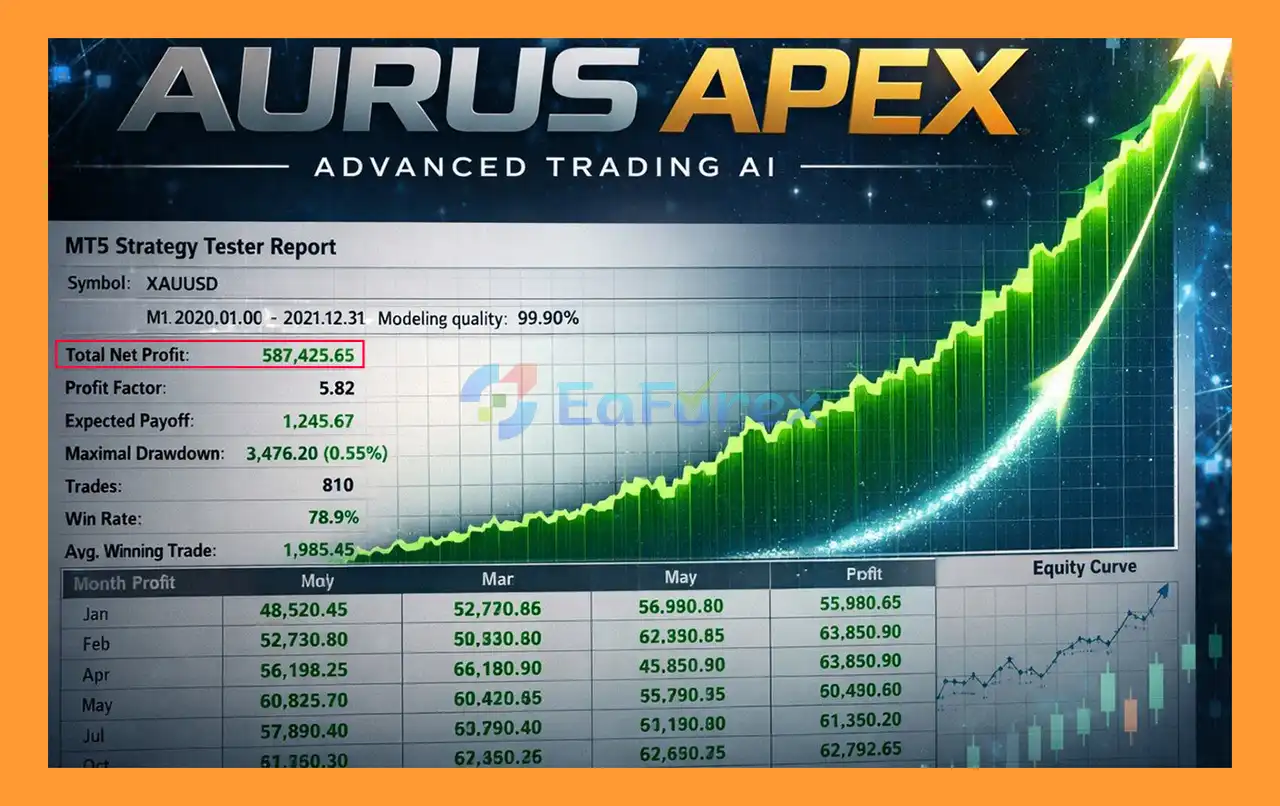
Aurus Apex EA MT5 Backtest Results
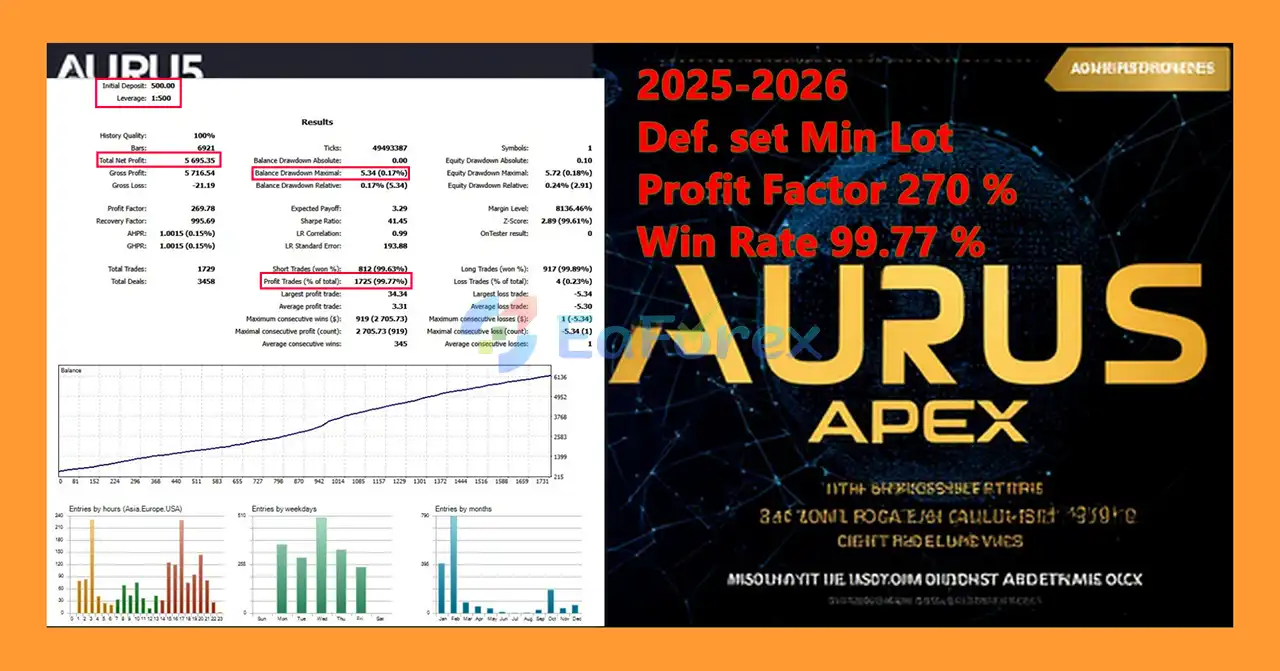
🔺XAUUSD (Gold) – For many years
- Initial Deposit: $500
- Total Net Profit: $5.695,35
- Win Rate: 99,77%
- Maximum Drawdown: 0,17%
Performance and Risk Management
- Aurus Apex EA MT5 includes several mechanisms designed to help traders manage exposure and reduce unnecessary trading during unfavorable conditions.
- The most important protection comes from the default Classic Mode, which uses one active trade with mandatory Stop Loss and Take Profit.
- The News Filter can pause new trades around high-impact economic events, while the Time Management module allows users to restrict trading to selected days and hours.
- The ability to use fixed lots or percentage-based position sizing also gives traders greater control over how much capital is allocated to each position.
- For advanced users, Pro Grid Mode provides additional flexibility but also introduces substantially greater risk. Grid trading can accumulate multiple positions when the market moves against the initial entry, potentially increasing exposure and drawdown.
- The developer states that testing showed positive dynamics during sharp Gold market movements and describes the algorithm as resistant to certain black-swan conditions and news impulses. However, these claims should be considered developer-reported test results rather than a guarantee of future performance or complete protection against extreme market events.
- No automated trading system can reliably predict every market shock. Unexpected geopolitical events, extreme volatility, liquidity shortages, price gaps, broker execution problems, and abnormal spreads can still result in significant losses.
- For this reason, traders should perform backtesting, forward testing, and demo testing before using Aurus Apex EA MT5 with real capital. Conservative position sizing is particularly important when activating advanced grid functionality.
Weaknesses and Risk Warnings
Grid Mode Can Increase Exposure
Although Classic Mode is relatively straightforward, the optional Pro Grid Mode can open multiple positions and use configured multipliers. Extended adverse movements may therefore increase both floating losses and required margin.
Indicator Combinations Require Optimization
Aurus Apex provides considerable freedom in selecting indicators. However, combining too many filters or aggressively optimizing parameters can result in overfitting and weaker performance in live markets.
News Filtering Is Not Perfect
The News Filter is designed around scheduled economic events. It cannot guarantee protection from unexpected news, emergency announcements, geopolitical developments, or sudden market disruptions.
Market Conditions Can Change
A strategy that performs well during trending conditions may behave differently during sideways markets, while a configuration optimized for one volatility environment may become less effective when market behavior changes.
Gold Trading Can Be Highly Volatile
Gold can experience rapid price movements, particularly around major economic events. Traders using Aurus Apex on XAUUSD should carefully consider leverage, spread, position size, and Stop Loss distance.
High Returns Involve Higher Risk
Aggressive settings, larger lot sizes, and grid multipliers can increase potential returns but can also substantially increase losses. Traders should not increase risk simply because historical testing produced attractive results.
No Guaranteed Profit
Aurus Apex EA MT5 is an automated trading tool, not a guarantee of profitability. Past performance, backtests, or developer-reported test results cannot guarantee future results.
Official Distribution Warning
According to the developer, the Expert Advisor is distributed exclusively through the MQL5 website. Traders should be cautious of third parties claiming to represent the developer or offering unauthorized versions outside the official MQL5 platform.
Unauthorized or modified copies may not operate correctly and may not receive official updates or support.
Pros and Cons
Pros
- Advanced MetaTrader 5 Expert Advisor.
- Flexible multi-strategy architecture.
- Supports Forex, Gold, and indices.
- RSI, MACD, Bollinger Bands, and Moving Average filters.
- Proprietary indicator algorithms.
- Customizable overbought and oversold parameters.
- Integrated economic News Filter.
- Automatic high-impact news protection.
- Flexible trading schedule.
- Day-of-week trading controls.
- Classic single-trade mode.
- Optional Pro Grid Mode.
- Support and resistance level trading.
- Fixed-lot and percentage-based position sizing.
- Mandatory Stop Loss and Take Profit in the default configuration.
- Conservative Plug & Play setup.
- Suitable for both beginners and experienced traders.
- Highly customizable trading parameters.
- H1 recommended, while multiple timeframes are supported.
Cons
- Grid Mode can significantly increase market exposure.
- Grid multipliers can amplify losses during prolonged adverse movements.
- Indicator settings require careful optimization.
- Over-optimization may reduce real-market robustness.
- News filters cannot protect against every unexpected market event.
- Gold and other volatile assets can produce rapid drawdowns.
- Results can vary between brokers and market conditions.
- Advanced settings may require experience to configure correctly.
- Historical and backtest results do not guarantee future performance.
- No automated trading system can eliminate market risk.
What’s Included in the Download Package?
- Setting (If Any).docx
- Installation Guide.docx



