









-
 Unlimited Activations
-
 Instant delivery
-
 Easy to install


 Unlimited Activations
Instant delivery
Easy to install
Unlimited Activations
Instant delivery
Easy to install
 Free Update
 Free Install Support

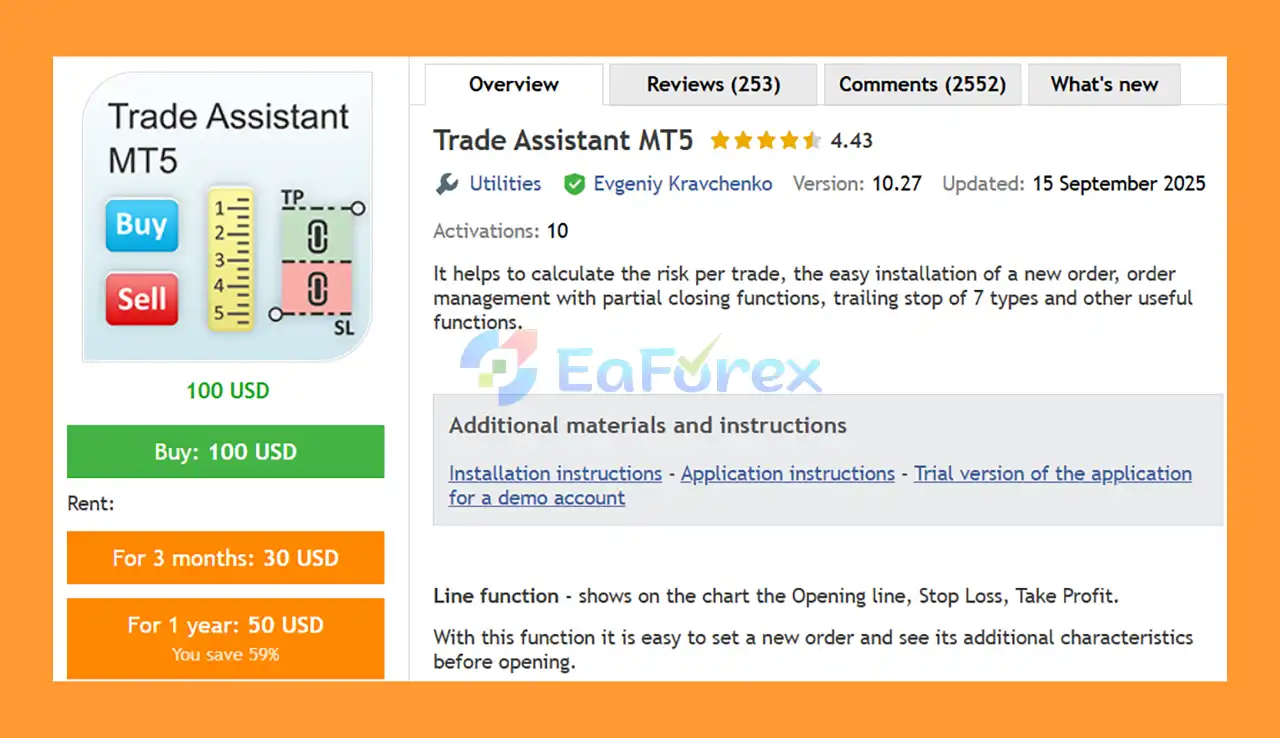
Trade Assistant MT5 is a comprehensive trading management tool for MetaTrader 5, designed to simplify order placement, position management, risk calculation, and trade monitoring. Unlike a traditional Expert Advisor that automatically generates trading signals, Trade Assistant MT5 focuses on helping traders manage their trades more efficiently and professionally.
The tool provides an intuitive on-chart trading panel that allows users to calculate the appropriate position size based on their selected risk, define Stop Loss and Take Profit levels, manage open and pending orders, and apply different trailing stop methods.
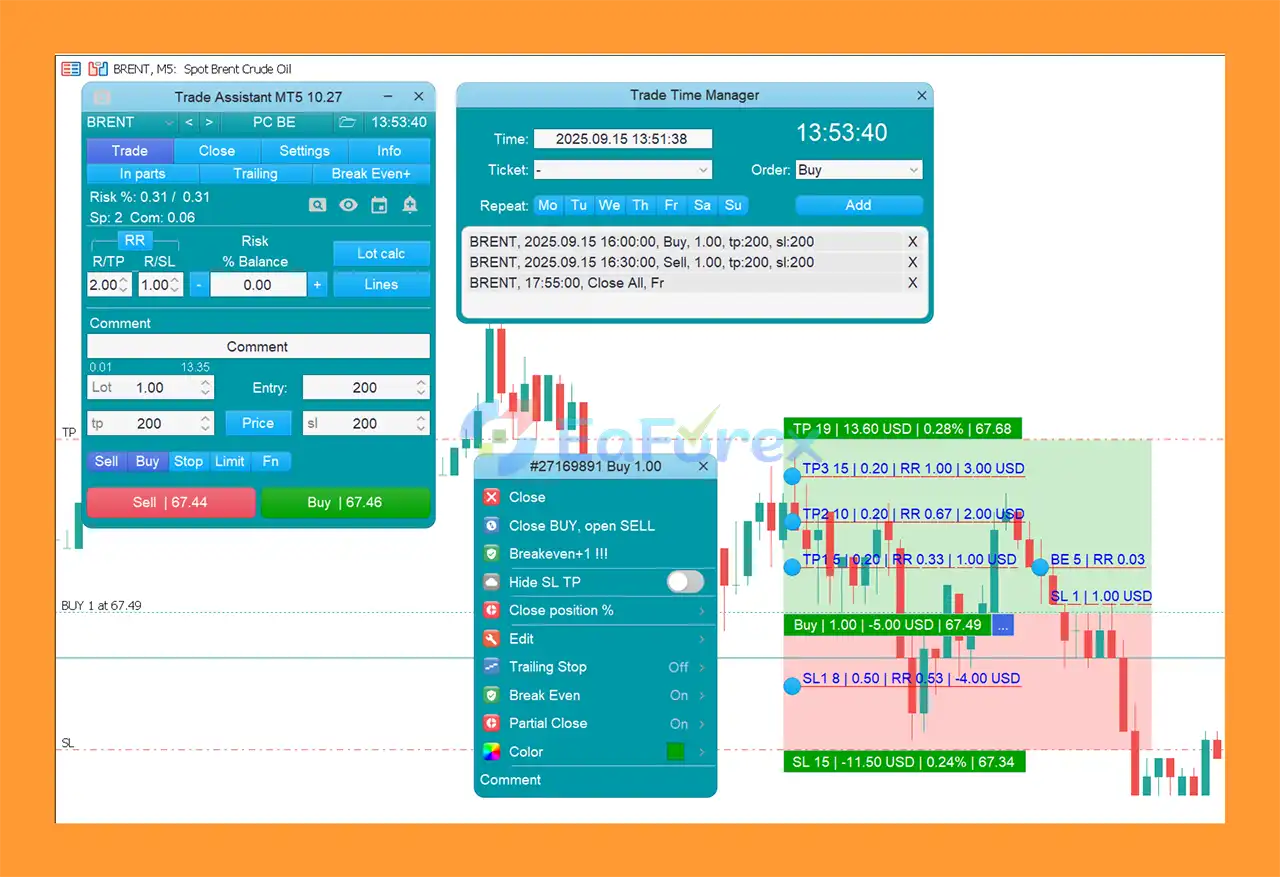
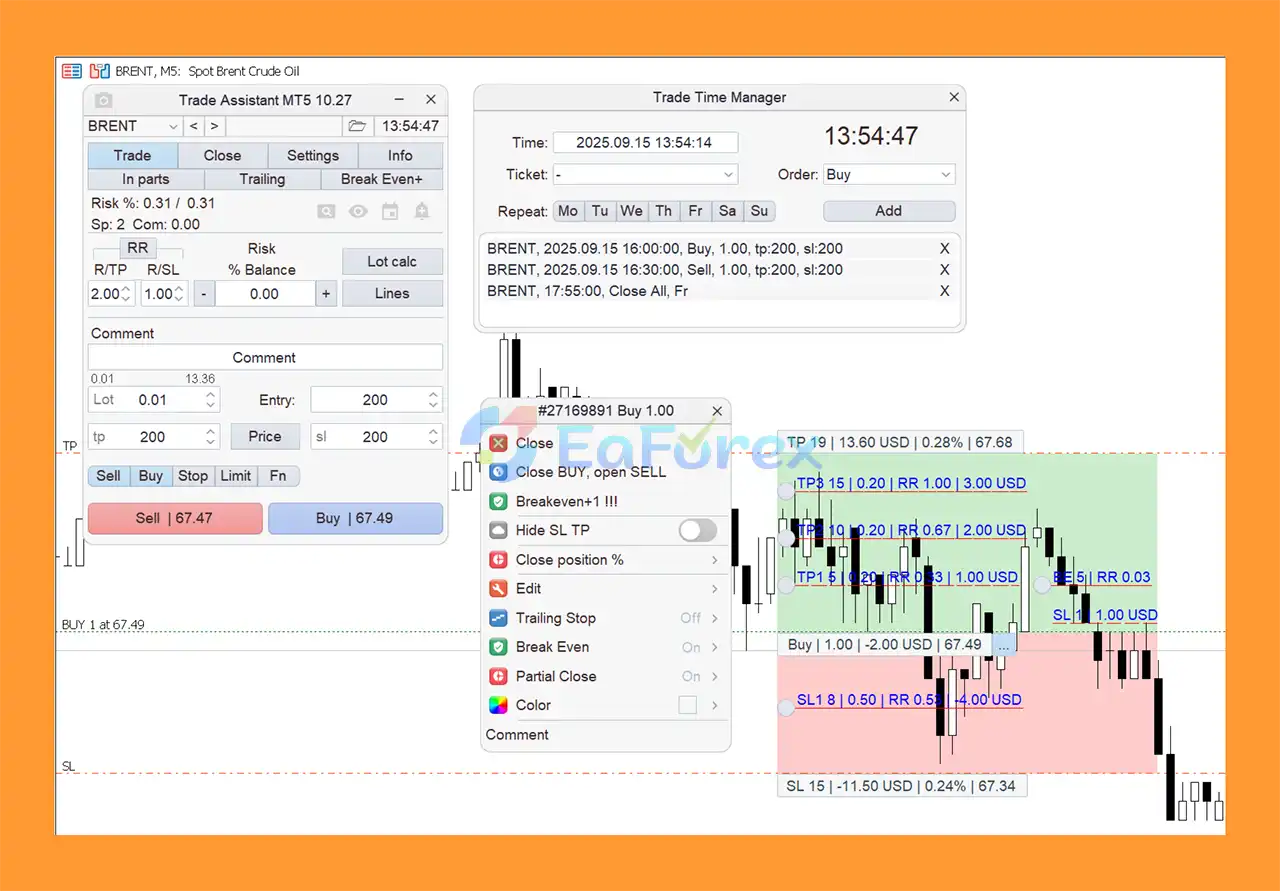
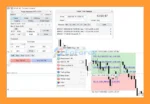
One of its key features is the Line Function, which displays the Opening Price, Stop Loss, and Take Profit directly on the chart. Traders can visually adjust these levels before placing an order and immediately understand the potential risk and reward of the trade.
Trade Assistant MT5 is suitable for discretionary traders, technical traders, and anyone looking for a powerful MT5 trade management and risk management tool.
• Author: Evgeniy Kravchenko
• Experience: Over +8 years of experience on MQL5.
• Notable Products Trade Assistant MT5, Trade Assistant MT4 and other advisors.
• Flagship Product: Trade Assistant MT5 is rated as the best performing product of the year.
>> Delivery time 24h-48h after payment.
>>> Refund if not delivered.
>>> You will receive the latest version without any limitations (ID+Time).>>Reviewed by Jason Stap <<
Trade Assistant MT5 can automatically calculate the required trading volume according to the selected risk level and Stop Loss distance.
Users can define risk as a percentage or monetary value, allowing the position size to be adjusted according to the trader’s predefined risk parameters.
Available risk calculation modes include:
The Lot Calc button can be used to enable or disable automatic risk-based lot calculation.
The Line Function displays important trade levels directly on the chart:
This makes it easier to visually plan a trade before execution. Traders can adjust the levels on the chart and evaluate the potential risk-to-reward relationship before placing the order.
Trade Assistant MT5 includes an R/TP and R/SL function for defining the relationship between potential profit and potential loss.
For example:
The RR function can be switched on or off according to the trader’s preference.
The trading panel supports both:
This allows traders to manage different trading strategies from a single interface.
The partial closing function allows traders to close a percentage of an open position instead of closing the entire trade.
This can be useful for securing partial profits while keeping the remaining position open for a potential larger market movement.
Trade Assistant MT5 provides seven different methods for managing Stop Loss:
This gives traders flexibility to choose a Stop Loss management method that matches their trading strategy.
The Breakeven feature can move the Stop Loss to a level that protects the position from turning into a loss after the trade moves favorably.
Limit Order Trailing allows pending limit orders to follow the market at a predefined distance.
The One-Cancels-the-Other (OCO) function can automatically cancel other pending orders when one of the specified orders is activated.
The tool supports virtual pending orders, providing additional flexibility for traders who want to manage pending entries through the trading panel.
Trade Assistant MT5 supports virtual Stop Loss and Take Profit, allowing traders to hide SL and TP levels from the broker’s order system.
The Trade Time Manager allows traders to schedule specific opening or closing times for trades.
The tool can automatically close positions when a specified profit target is reached.
The Symbol Switch function allows users to change the symbol displayed on the current chart.
It can also be configured to operate across multiple charts.
Trade Assistant MT5 supports hotkeys for frequently used trading and chart-management functions, helping traders execute actions more efficiently.
The tool can notify traders when predefined support and resistance levels are broken, providing an additional way to monitor important market events.
Trade Assistant MT5 can capture screenshots of the chart either manually by clicking the toolbar button or automatically according to the available settings.
Trade Assistant MT5 operates as an on-chart trading and position management panel within MetaTrader 5.
Before entering a trade, the trader can use the Line Function to define the desired entry level, Stop Loss, and Take Profit directly on the chart.
The built-in risk calculator then determines the appropriate position size based on the selected risk model and Stop Loss distance.
For example, a trader can specify a maximum risk of 1% of account equity and define a particular Stop Loss distance. Trade Assistant MT5 can then calculate the appropriate lot size based on those parameters.
After the position is opened, the tool provides multiple management functions, including:
This makes Trade Assistant MT5 more than a simple order-entry tool. It acts as a centralized trade management assistant for discretionary trading.
Trade Assistant MT5 may be a useful solution for traders who want greater control over risk, order execution, and position management without manually calculating every trade parameter.
The built-in position sizing calculator can help traders determine lot size according to a predefined risk level and Stop Loss distance.
The on-chart trading panel makes it possible to prepare and place trades without repeatedly entering values through the standard MT5 order window.
With seven trailing stop methods, partial closing, breakeven, OCO orders, and other management features, traders have multiple ways to control open positions.
The Line Function allows traders to see entry, Stop Loss, and Take Profit levels directly on the chart before executing an order.
Because the tool focuses on trade execution and management rather than a single trading strategy, it can be used alongside many discretionary and technical trading approaches.
Many frequently used functions are available from a single interface, helping reduce the need to switch between different MT5 windows and menus.
Trade Assistant MT5 Review
Trade Assistant MT5 Setting
Trade Assistant MT5 is primarily a trade management and risk management tool, rather than an automated strategy designed to generate trading signals or guarantee profits.
Its main advantage is the ability to help traders apply predefined risk parameters consistently.
The risk calculator can determine position size according to:
The ability to calculate lot size according to Stop Loss distance can help traders maintain more consistent risk across trades.
The Risk-to-Reward function can also help traders establish predefined relationships between potential profit and potential loss.
However, risk calculation does not eliminate trading risk. Actual results can still be affected by market volatility, spread, slippage, liquidity, execution speed, and broker conditions.
Traders should always verify calculated lot sizes and trade parameters before executing a live position.
Although Trade Assistant MT5 provides many useful trading functions, it is important to understand its limitations.
Trade Assistant MT5 is a trading management tool. It does not guarantee profitable trades or provide guaranteed market predictions.
The position-size calculation is only as reliable as the parameters entered by the trader. Incorrect Stop Loss levels, risk settings, account information, or symbol specifications can result in inappropriate trade sizes.
Virtual Stop Loss and Take Profit levels depend on the trading platform and EA remaining active and functioning correctly. Traders should understand the operational differences between virtual and broker-side protective orders.
During major news events or extreme market movements, slippage and execution delays can cause actual results to differ from expected calculations.
Having many trade management functions can encourage traders to frequently adjust positions. Excessive manual intervention can negatively affect a previously planned trading strategy.
Trade Assistant MT5 helps execute and manage trades, but traders still need a clear entry strategy, risk management plan, and trading discipline.
Installing Trade Assistant MT5 on MetaTrader 5 is straightforward.
Download and install the MetaTrader 5 trading platform from your broker or official MetaTrader source.
In MetaTrader 5, go to:
File → Open Data Folder
Then navigate to:
MQL5 → Experts
Copy the Trade Assistant MT5 file into the Experts folder.
Restart the MT5 platform or refresh the Expert Advisors section in the Navigator window.
Open the desired trading chart and timeframe, then drag Trade Assistant MT5 from the Navigator window onto the chart.
Set the required parameters, including:
Before using Trade Assistant MT5 with real money, test its functions on a demo account.
Pay particular attention to position-size calculations, virtual Stop Loss and Take Profit behavior, partial closing, trailing functions, and broker execution.
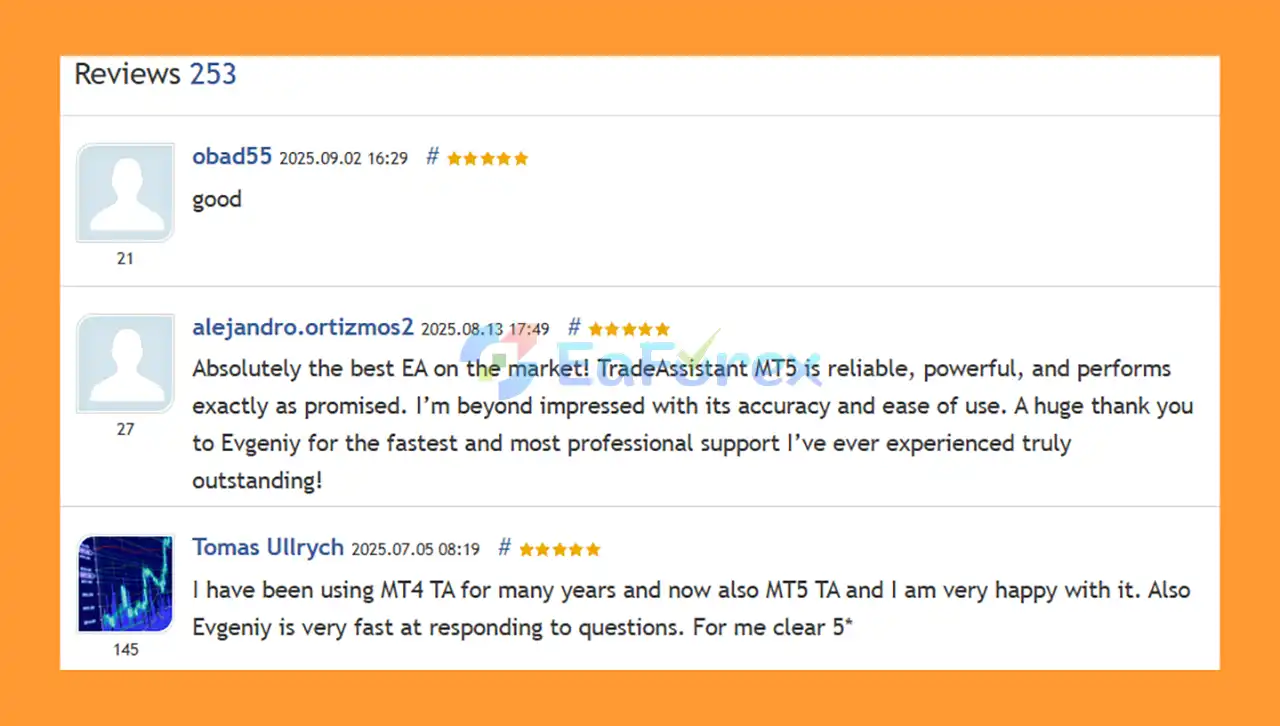
🔺Trade Assistant MT5 is highly appreciated by the MQL5 community for bringing stable and reliable profits. Below are 5 star reviews from users:
User Reviews
>>> Join VIP Membership Now <<<
In summary, Trade Assistant MT5 is a versatile MetaTrader 5 trading and risk management tool designed to make order placement and position management more efficient.
Its combination of risk-based lot calculation, visual trading lines, market and pending order support, partial closing, seven trailing stop methods, breakeven, OCO orders, virtual SL/TP, time management, and profit-based closing makes it a comprehensive solution for discretionary traders.
Rather than attempting to predict the market, the tool focuses on helping traders execute and manage their own strategies with greater precision and consistency.
For traders who want a centralized MT5 trade assistant with advanced risk management and order management features, Trade Assistant MT5 can be a useful addition to their trading workflow.
However, no trading tool can eliminate market risk. Always test the software on a demo account, verify all settings, use appropriate position sizing, and maintain a disciplined risk management plan before trading with real capital.
1. What is Trade Assistant MT5?
Trade Assistant MT5 is a professional trading tool for MetaTrader 5 that simplifies order management, risk calculation, and trade execution. It helps traders calculate lot sizes, manage open positions, set stop loss and take profit levels, and use advanced functions like partial closing and breakeven management.
2. How does Trade Assistant MT5 help with risk management?
Trade Assistant MT5 automatically calculates lot sizes based on account balance, equity, free margin, or custom settings. It supports precise Stop Loss, Take Profit, and multiple trailing stop types to ensure consistent and controlled risk for every trade.
3. What advanced order management features does Trade Assistant MT5 offer?
This tool supports market and pending orders, virtual SL/TP to hide levels from brokers, OCO (One Cancels Other) orders, partial closing, breakeven management, and automatic trade execution based on time or custom conditions.
4. Can Trade Assistant MT5 improve trade planning and visualization?
Yes, it includes visual tools such as entry lines, Stop Loss, Take Profit levels on charts, symbol switching, alerts for support/resistance breaks, and automatic screenshots, allowing traders to plan and track trades efficiently.
5. Who can benefit from using Trade Assistant MT5?
Trade Assistant MT5 is suitable for beginners, experienced traders, and prop firm accounts. Its automation, risk management, and customizable functions streamline trading, making it accessible and efficient for all skill levels.
6. What is included in the Trade Assistant MT5 download package?
The package includes a settings document and a step-by-step installation guide, along with VIP support access to ensure smooth setup, optimal functionality, and maximum trading efficiency.
In stock
In stock
In stock
In stock
In stock
Out of stock
No account yet?
Create an Account












 Automatic EA
 EA Best Seller
 Expert Advisor MT4
 Expert Advisor MT5
 HFT EA


Reviews
Clear filtersThere are no reviews yet.