









-
 Unlimited Activations
-
 Instant delivery
-
 Easy to install






 Unlimited Activations
Instant delivery
Easy to install
Unlimited Activations
Instant delivery
Easy to install
 Free Update
 Free Install Support

BenefitEA MT5 is a flexible Grid Trading Expert Advisor for MetaTrader 5, designed exclusively for Hedging accounts. The EA uses a non-indicator-based trading approach with specialized entry points derived from mathematical modeling and statistical analysis of market behavior.
Unlike conventional Expert Advisors that rely heavily on technical indicators, BenefitEA focuses on predefined market patterns and flexible grid execution. The system can operate in fully automated or semi-automatic mode, giving traders extensive control over trade direction, order series, lot sizing, take-profit levels, trailing stops, and risk-reduction parameters.
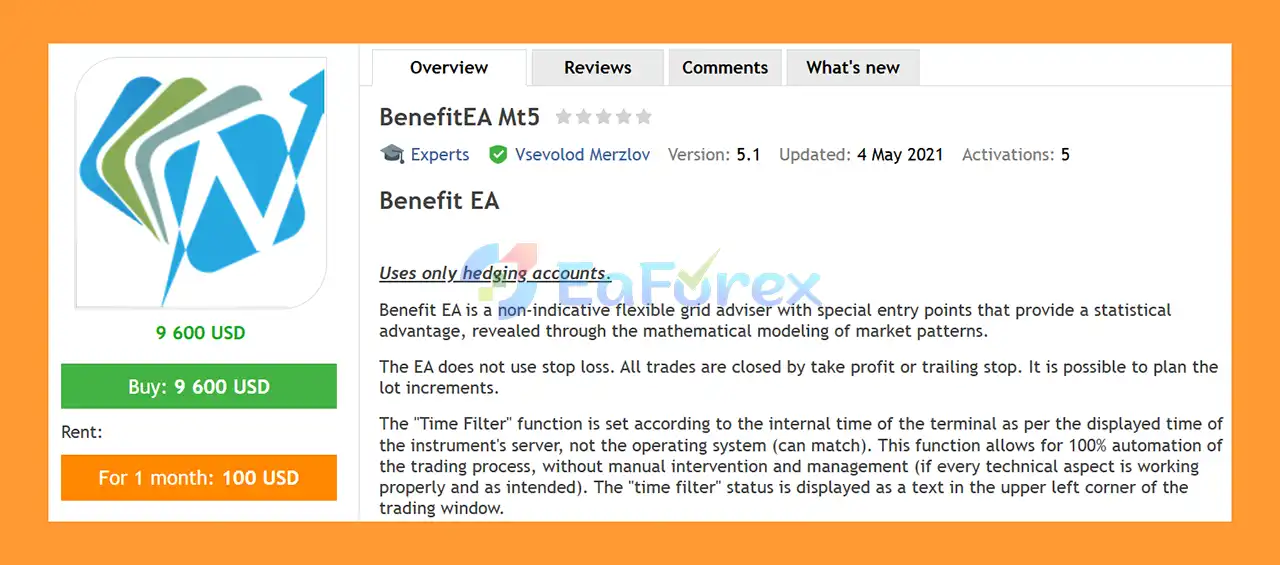
One of the defining characteristics of BenefitEA MT5 is that it does not use a traditional Stop Loss. Instead, positions are managed through Take Profit, trailing mechanisms, and the integrated Risk Reduction System (RRS).
The EA supports multiple trading styles, including short selling, scalping, and range/flat-market trading. It can also be configured to trade different instruments and timeframes according to the user’s strategy.
BenefitEA is primarily designed for experienced traders who understand the mechanics and risks of grid-based trading and leveraged Forex markets.
• Author: Vsevolod Merzlov.
• Experience: Over +9 years of experience on MQL5.
• Notable Products: BenefitEA MT5, Benefit EA MT4 and other advisors.
• Flagship Product: BenefitEA MT5 is rated as the best performing product of the year.
>> Delivery time 24h-48h after payment.
>>> Refund if not delivered.
>>> You will receive the latest version without any limitations (ID+Time).>>Reviewed by Jason Stap <<
BenefitEA MT5 uses a customizable grid structure that allows traders to define the distance between orders, step coefficients, maximum trades, and lot progression.
The EA uses specialized entry points based on mathematical modeling and statistical analysis rather than depending exclusively on conventional technical indicators.
BenefitEA MT5 is designed specifically for Hedging accounts. Traders should verify their MT5 account type before installation.
The EA does not use a conventional Stop Loss for its standard trade management. Positions are primarily managed using Take Profit, trailing mechanisms, and the Risk Reduction System.
This is an important characteristic that also creates additional risk, particularly during strong one-directional market movements.
Separate Take Profit settings are available for Buy and Sell positions, allowing traders to customize exit levels according to their preferred trading approach.
The EA includes configurable trailing functionality that can activate after a predefined profit level and dynamically manage open positions.
The integrated Risk Reduction System (RRS) is designed to help manage extended drawdown situations by modifying the management of positions after a specified order level is reached.
Users can configure the initial lot size and lot-increase coefficient for subsequent orders in a trading series.
The Max_Trades parameter limits the number of orders that can be opened within a series, with a maximum of 17 orders according to the provided settings.
The Max_Lot parameter allows traders to define the maximum lot size permitted by the EA.
The built-in Time Filter allows traders to restrict automated trading to selected time intervals.
The time filter uses the MetaTrader terminal/server instrument time, rather than the computer’s operating-system clock. Its current status is displayed directly in the trading window.
When properly configured and when all technical components are functioning correctly, the EA can operate automatically without requiring continuous manual trade management.
BenefitEA also provides trading buttons that allow users to manually control the trading direction.
For example, traders can block:
The EA displays text notifications showing the current trade-blocking status.
The flexible architecture can be configured for different approaches, including:
The EA is designed to handle temporary connection-loss situations without unnecessarily disrupting its trading process once the connection is restored.
BenefitEA MT5 operates using a grid-based order management system combined with mathematically modeled entry conditions.
The basic trading process can be summarized as:
Market Analysis → Statistical Entry Point → Initial Trade → Grid Expansion → TP/Trailing Management → Risk Reduction → Position Exit
When an initial trading opportunity is detected, the EA can open a Buy or Sell position according to the configured parameters.
If the market continues moving in the relevant direction or reaches predefined grid levels, additional orders can be opened according to settings such as:
The distance between subsequent orders can therefore be customized.
Each direction has independent TP parameters:
The trailing mechanism can then be activated after a specified profit level using:
The RRS provides an additional layer of position management.
Traders can specify the order number at which the Risk Reduction System becomes active and the order number at which it stops operating.
The system includes its own:
The RRS_Profit_Percent parameter is intended as a tool for managing prolonged drawdown situations.
BenefitEA offers extensive control over grid distance, order progression, lot sizes, maximum trades, and exit management.
This makes the EA suitable for experienced traders who want more control than a conventional fixed-parameter grid robot.
Instead of depending solely on traditional indicators, the system uses specialized entry points based on mathematical modeling and statistical analysis of market patterns.
Traders can choose between fully automated execution and semi-automatic control using the integrated Buy/Sell trading buttons.
The RRS provides additional tools for managing extended trade sequences and prolonged drawdown periods.
The Time Filter allows traders to define when the EA is allowed to initiate trading, providing greater control over the operating schedule.
BenefitEA can be configured for several timeframes, including:
The EA can be used with different instruments, with the developer recommending several major and cross currency pairs.
Professional traders can modify a wide range of parameters to create different trading profiles and risk configurations.
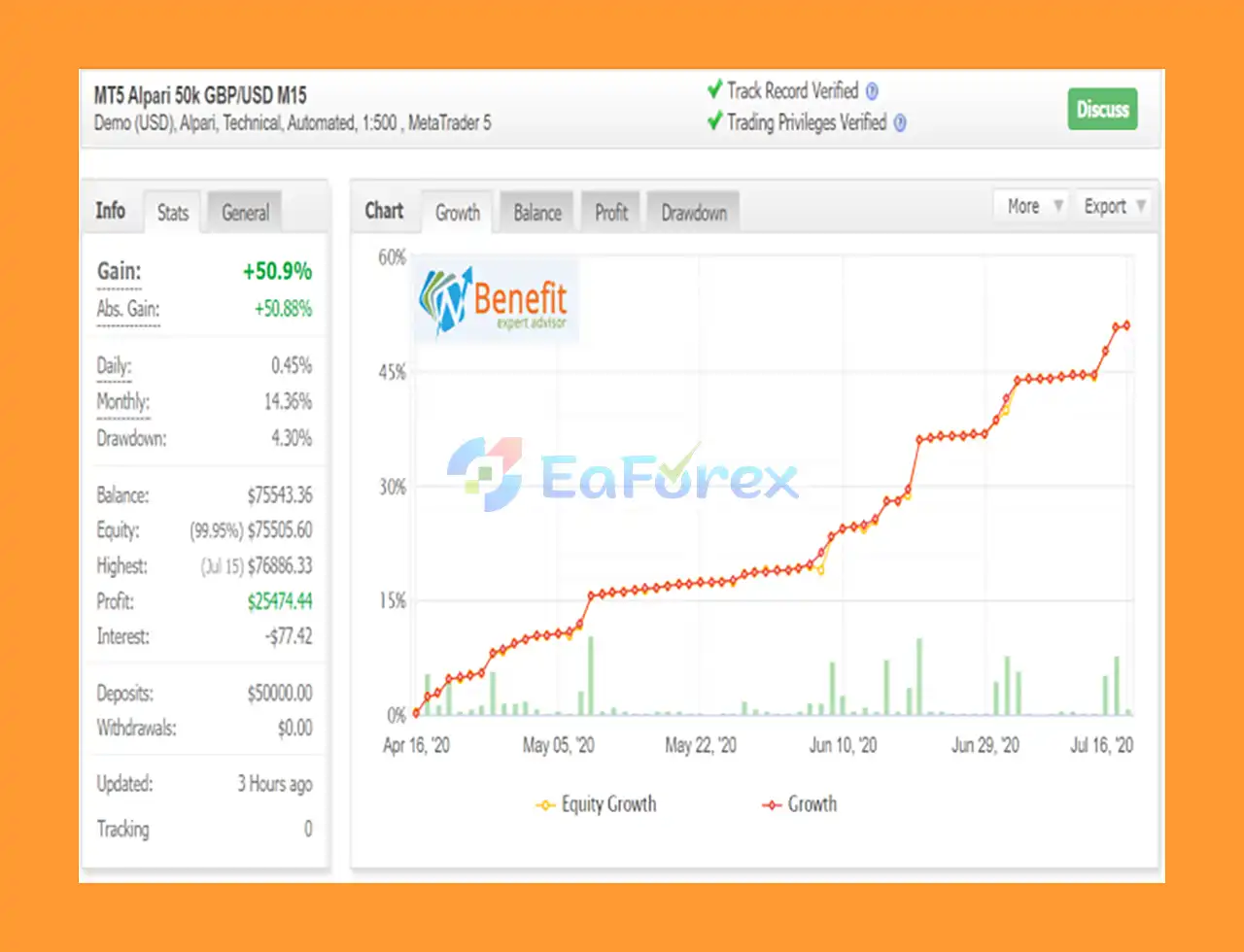
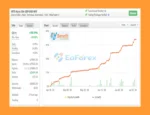
🔺GBPUSD M15 – for 3 months
BenefitEA MT5 Myfxbook
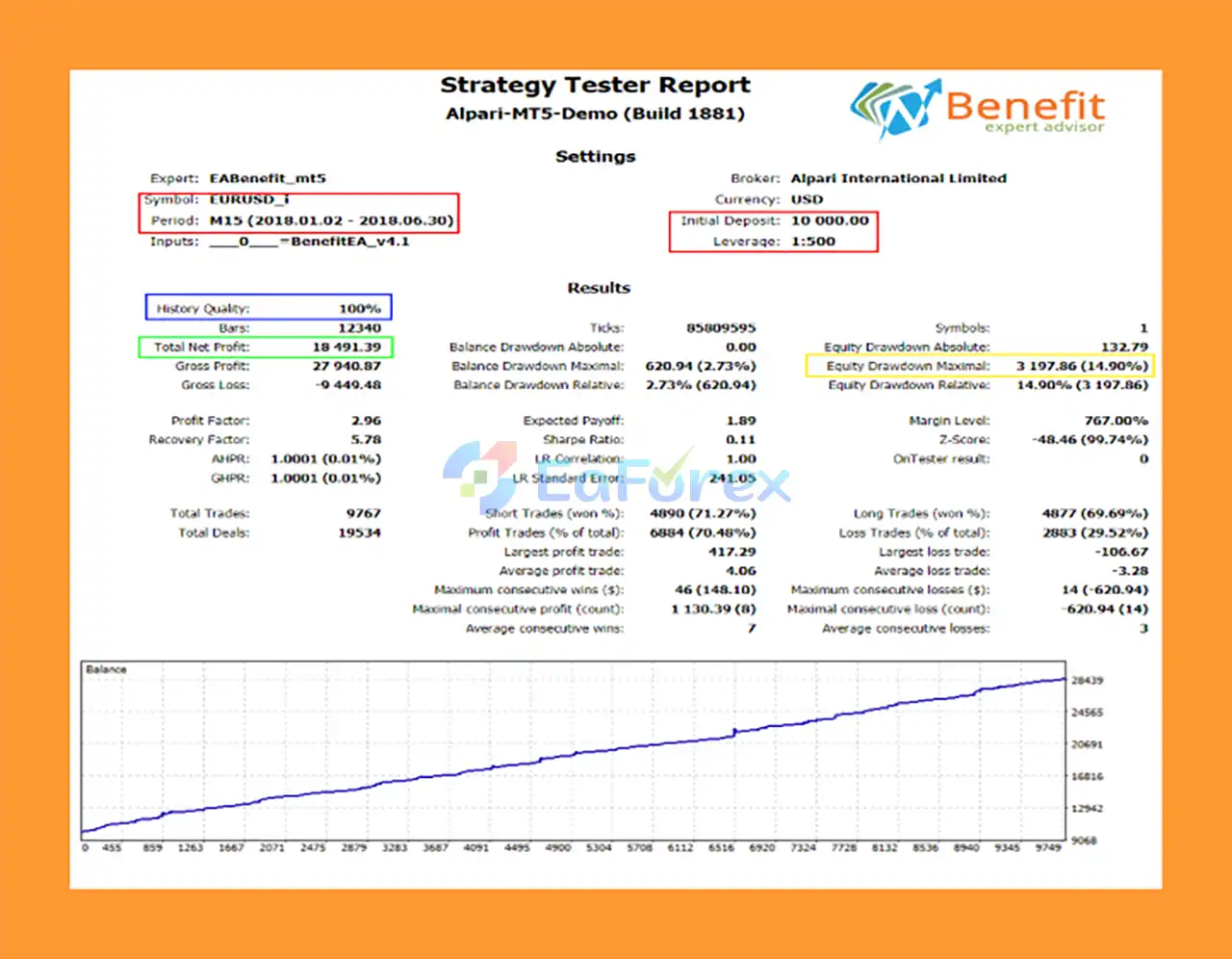
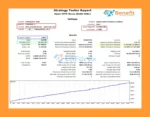
🔺EURUSD – 6 months
BenefitEA MT5 Backtest EURUSD
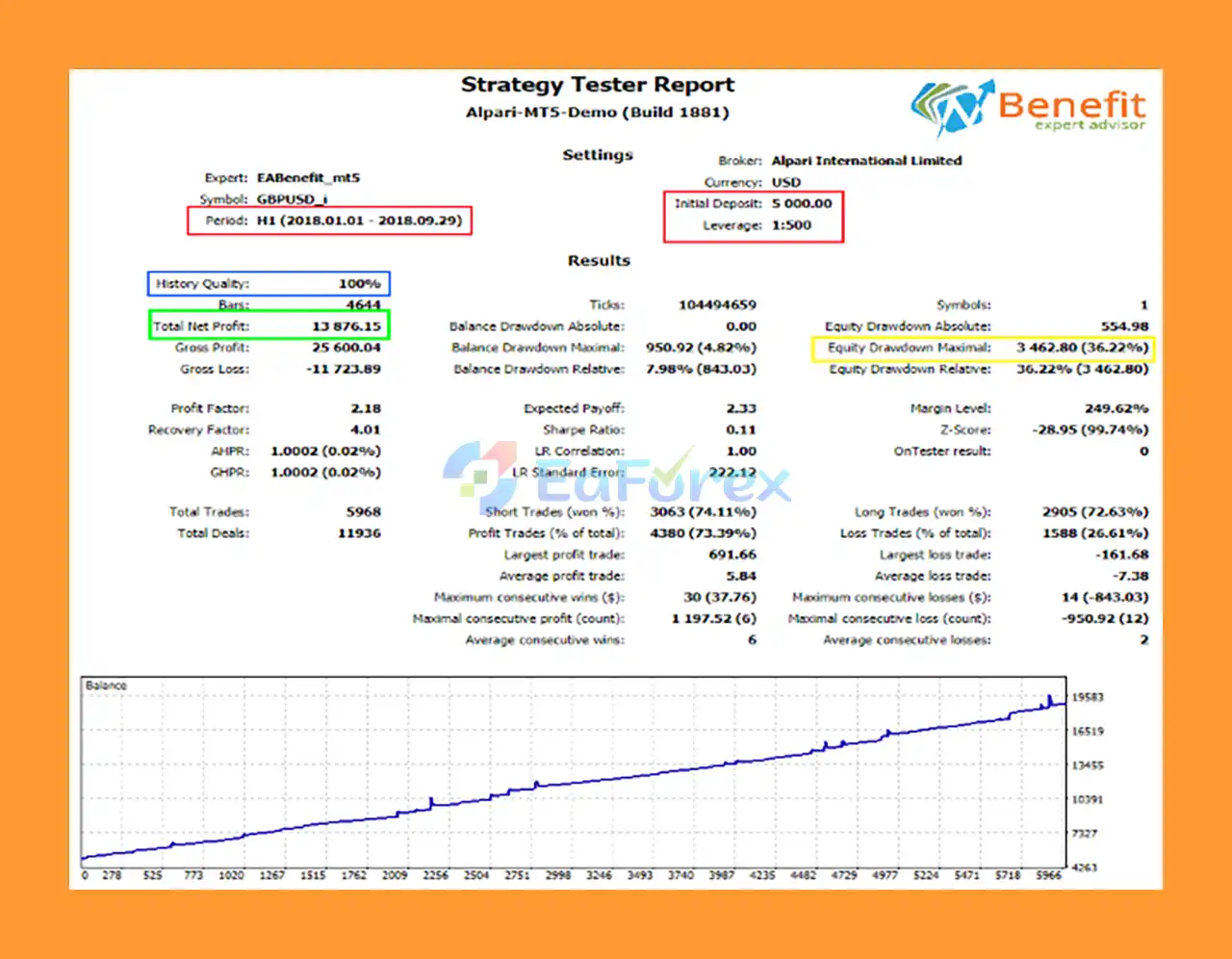
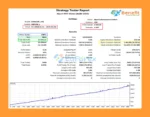
🔺GBPUSD – 9 months
BenefitEA MT5 Backtest GBPUSD
BenefitEA MT5 uses a customizable grid structure that allows traders to define the distance between orders, step coefficients, maximum trades, and lot progression.
The EA uses specialized entry points based on mathematical modeling and statistical analysis rather than depending exclusively on conventional technical indicators.
BenefitEA MT5 is designed specifically for Hedging accounts. Traders should verify their MT5 account type before installation.
The EA does not use a conventional Stop Loss for its standard trade management. Positions are primarily managed using Take Profit, trailing mechanisms, and the Risk Reduction System.
This is an important characteristic that also creates additional risk, particularly during strong one-directional market movements.
Separate Take Profit settings are available for Buy and Sell positions, allowing traders to customize exit levels according to their preferred trading approach.
The EA includes configurable trailing functionality that can activate after a predefined profit level and dynamically manage open positions.
The integrated Risk Reduction System (RRS) is designed to help manage extended drawdown situations by modifying the management of positions after a specified order level is reached.
Users can configure the initial lot size and lot-increase coefficient for subsequent orders in a trading series.
The Max_Trades parameter limits the number of orders that can be opened within a series, with a maximum of 17 orders according to the provided settings.
The Max_Lot parameter allows traders to define the maximum lot size permitted by the EA.
The built-in Time Filter allows traders to restrict automated trading to selected time intervals.
The time filter uses the MetaTrader terminal/server instrument time, rather than the computer’s operating-system clock. Its current status is displayed directly in the trading window.
When properly configured and when all technical components are functioning correctly, the EA can operate automatically without requiring continuous manual trade management.
BenefitEA also provides trading buttons that allow users to manually control the trading direction.
For example, traders can block:
The EA displays text notifications showing the current trade-blocking status.
The flexible architecture can be configured for different approaches, including:
The EA is designed to handle temporary connection-loss situations without unnecessarily disrupting its trading process once the connection is restored.
BenefitEA MT5 operates using a grid-based order management system combined with mathematically modeled entry conditions.
The basic trading process can be summarized as:
Market Analysis → Statistical Entry Point → Initial Trade → Grid Expansion → TP/Trailing Management → Risk Reduction → Position Exit
When an initial trading opportunity is detected, the EA can open a Buy or Sell position according to the configured parameters.
If the market continues moving in the relevant direction or reaches predefined grid levels, additional orders can be opened according to settings such as:
The distance between subsequent orders can therefore be customized.
Each direction has independent TP parameters:
The trailing mechanism can then be activated after a specified profit level using:
The RRS provides an additional layer of position management.
Traders can specify the order number at which the Risk Reduction System becomes active and the order number at which it stops operating.
The system includes its own:
The RRS_Profit_Percent parameter is intended as a tool for managing prolonged drawdown situations.
BenefitEA offers extensive control over grid distance, order progression, lot sizes, maximum trades, and exit management.
This makes the EA suitable for experienced traders who want more control than a conventional fixed-parameter grid robot.
Instead of depending solely on traditional indicators, the system uses specialized entry points based on mathematical modeling and statistical analysis of market patterns.
Traders can choose between fully automated execution and semi-automatic control using the integrated Buy/Sell trading buttons.
The RRS provides additional tools for managing extended trade sequences and prolonged drawdown periods.
The Time Filter allows traders to define when the EA is allowed to initiate trading, providing greater control over the operating schedule.
BenefitEA can be configured for several timeframes, including:
The EA can be used with different instruments, with the developer recommending several major and cross currency pairs.
Professional traders can modify a wide range of parameters to create different trading profiles and risk configurations.
🔺 Experts:
BenefitEA MT5 is a highly customizable grid trading Expert Advisor for MetaTrader 5, designed for traders who want mathematical entry logic, flexible grid management, and extensive control over automated trading.
Its combination of grid trading, configurable lot progression, Take Profit, trailing management, Risk Reduction System, and time-based filters gives experienced traders considerable flexibility.
However, the absence of a traditional Stop Loss is a major consideration. Grid strategies can accumulate multiple positions during adverse market conditions, and strong one-directional moves can result in significant floating drawdown and margin pressure.
For this reason, BenefitEA MT5 is better suited to experienced traders who understand grid systems, leverage, margin management, and drawdown risk rather than beginners looking for a simple set-and-forget EA.
Proper position sizing, conservative grid parameters, sufficient account capital, and thorough demo testing are essential before deploying BenefitEA MT5 on a live trading account.
1. What is BenefitEA MT5?
BenefitEA MT5 is a flexible grid trading Expert Advisor for MetaTrader 5. It uses mathematical modeling to identify profitable entry points and automate trading with high precision.
2. Does BenefitEA MT5 use stop loss?
No. BenefitEA MT5 closes trades using take profit or trailing stop instead of stop loss, helping reduce unnecessary losses and maximize profits.
3. Is BenefitEA MT5 fully automated?
Yes. It supports 100% automated trading with a Time Filter and semi-automatic options for manual control when needed.
4. What markets and pairs does BenefitEA MT5 support?
It works on major forex pairs like GBPUSD, EURUSD, USDJPY, and others, optimized by default for GBPUSD M15 with 1:500 leverage.
5. How does BenefitEA MT5 manage trading risks?
The EA includes a Robust Risk Management System (RRS) that automatically adjusts trailing stops and take profits to protect capital during drawdowns.
6. Why should I choose BenefitEA MT5 over other EAs?
BenefitEA MT5 stands out for its mathematical precision, flexible grid strategy, strong risk control, and proven performance with over +50% gains in live results.
In stock
In stock
In stock
In stock
In stock
Out of stock
No account yet?
Create an Account












 Automatic EA
 EA Best Seller
 Expert Advisor MT4
 Expert Advisor MT5
 HFT EA


Reviews
Clear filtersThere are no reviews yet.