









-
 Unlimited Activations
-
 Instant delivery
-
 Easy to install





 Unlimited Activations
Instant delivery
Easy to install
Unlimited Activations
Instant delivery
Easy to install
 Free Update
 Free Install Support

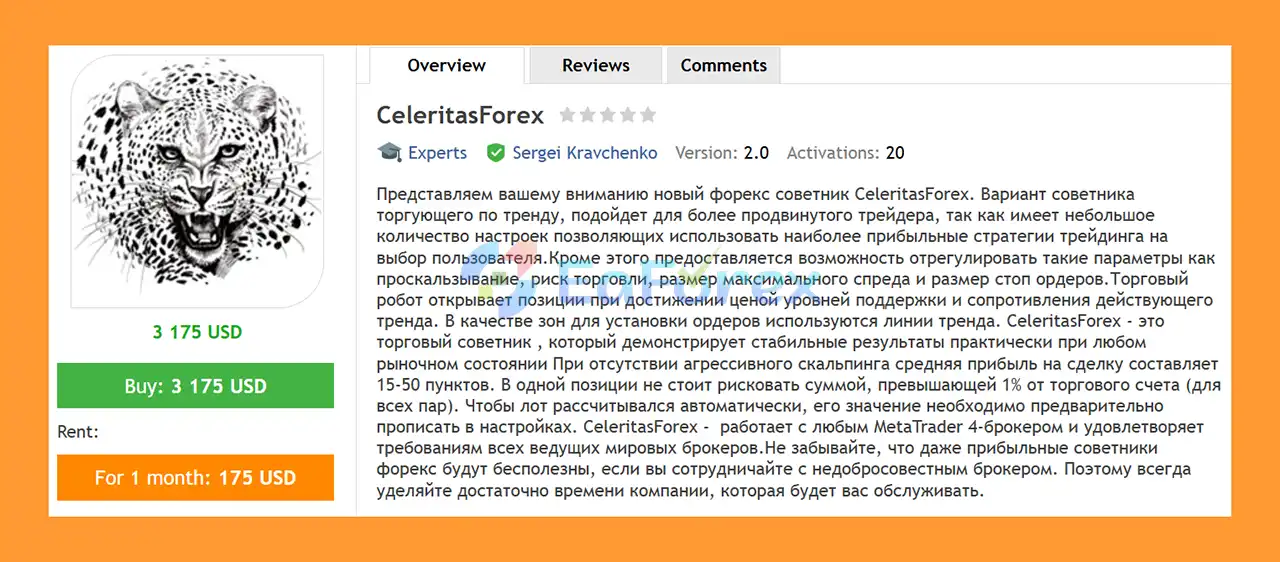
CeleritasForex EA MT4 is an automated Forex trading Expert Advisor designed for the MetaTrader 4 (MT4) platform. It follows a trend-based trading approach, identifying potential entry opportunities around support and resistance levels within the prevailing market trend.
The EA uses trendlines as reference zones for placing trading orders, allowing it to respond to price movements around important technical levels. Its trading logic is designed to help traders identify potential market entries without manually monitoring every price movement.
CeleritasForex EA MT4 features a relatively compact set of configurable parameters, making it suitable for traders who prefer a focused trading system with selected strategy options. The available settings allow users to adjust market position sizes, pending order volumes, order spacing, slippage tolerance, and trade identification.
According to the original product description, the EA can achieve an average profit of approximately 15–50 points per trade under its intended trading conditions, without relying on aggressive scalping. Actual results depend on the instrument, broker specifications, market conditions, and EA configuration.
CeleritasForex is designed for use with MetaTrader 4 brokers, although compatibility and execution conditions should always be verified before live deployment.
For traders looking for a trend-following Forex EA for MT4 that uses trendlines and support and resistance levels to identify trading opportunities, CeleritasForex EA MT4 offers a straightforward automated trading approach.
> Delivery time 24h-48h after payment.
>>> Refund if not delivered.
>>> You will receive the latest version without any limitations (ID+Time).
Reviewed by Jason Stap <<<
CeleritasForex EA MT4 Overview
CeleritasForex EA MT4 focuses on trading in the direction of the prevailing market trend. Instead of relying exclusively on short-term price fluctuations, the EA uses trend-based analysis to identify potential trading opportunities.
This approach may help traders participate in established market movements, although performance can vary during sideways markets, sudden reversals, and periods of high volatility.
The EA uses trendlines as reference zones for placing orders around relevant support and resistance levels.
These technical levels can help identify areas where price may continue its existing movement or react to changes in market conditions. The actual entry logic depends on the EA’s programmed rules and configuration.
CeleritasForex includes separate parameters for market positions and pending orders:
These settings provide control over the position sizes used by the EA. Traders should ensure that both parameters are appropriate for their account equity, margin availability, and overall trading exposure.
The Distance parameter controls the distance between orders and is also described as relating to profit distance.
This setting can influence how orders are positioned within the EA’s trading logic. Its exact units and effects should be verified in the official documentation before making adjustments.
The Slippage parameter specifies the maximum permitted slippage according to the EA’s implementation.
Slippage control is particularly relevant when markets move quickly or when execution prices differ from expected levels. However, the parameter cannot guarantee execution at the requested price under every broker’s execution model.
The MagicNumber parameter assigns an identifier to trades managed by the EA.
This helps distinguish CeleritasForex orders from trades opened manually or by other Expert Advisors, supporting more organized automated trading when multiple strategies operate on the same account.
CeleritasForex uses a relatively small number of primary settings, allowing traders to focus on the most relevant trading parameters rather than managing a large collection of inputs.
Although the configuration is relatively simple, traders should still understand the relationship between order volume, order distance, pending orders, and potential account exposure before using the EA.
According to the original product description, the EA is not designed around aggressive scalping and has an indicated average profit target of approximately 15–50 points per trade.
This figure is a stated product characteristic, not a guaranteed result. Point values, spreads, commissions, and actual profit per trade vary according to broker specifications and market conditions.
CeleritasForex EA MT4 uses trend analysis and technical price levels to identify potential automated trading opportunities.
The EA analyzes market conditions according to its internal trend-following logic to determine the direction of the prevailing trend.
The objective is to focus on trading opportunities aligned with the broader price movement rather than relying solely on isolated price fluctuations.
The EA uses trendlines as reference zones associated with support and resistance levels within the active trend.
These areas help define potential locations for order placement according to the EA’s programmed strategy.
Depending on its trading rules, the EA can use market positions and pending orders to participate in potential trading opportunities.
The LotPosition and LotOrders parameters determine the respective order volumes, while Distance controls the configured spacing between orders and the associated profit distance.
The exact order-placement sequence should be confirmed using the EA’s official documentation or controlled testing.
When orders are submitted, the EA operates within the broker’s execution environment. The Slippage parameter defines the permitted slippage setting according to the EA’s implementation.
Actual fills may differ from expectations because of liquidity, spreads, execution delays, and market volatility.
The EA continues to evaluate market conditions and manage its trading operations according to its programmed strategy.
Traders should monitor open positions, pending orders, margin usage, and overall account exposure to ensure that the configuration remains appropriate as market conditions change.
CeleritasForex focuses on trading opportunities associated with the prevailing trend. This makes it a potential option for traders who prefer trend-based automated strategies over systems that rely exclusively on rapid scalping.
The use of trendlines and support and resistance levels provides a structured framework for identifying potential entry zones.
This approach can be useful for traders who value technical market structure as part of their automated trading strategy.
The relatively compact configuration allows traders to concentrate on important parameters such as order volume, order spacing, slippage, and trade identification.
This can make the EA easier to configure than systems with many complex inputs, although proper testing remains essential.
The LotPosition and LotOrders settings allow traders to configure market positions and pending orders separately.
This flexibility can be useful when evaluating how different order volumes affect the strategy’s overall exposure.
CeleritasForex is designed for MetaTrader 4, a widely used platform for automated Forex trading.
Traders familiar with MT4 can use its charting, testing, and monitoring tools to evaluate the EA before considering live deployment.
By combining trend-following logic, technical entry zones, and configurable order parameters, CeleritasForex provides a framework for traders who want to automate parts of their trading process.
However, automation does not remove market risk or guarantee consistent performance.
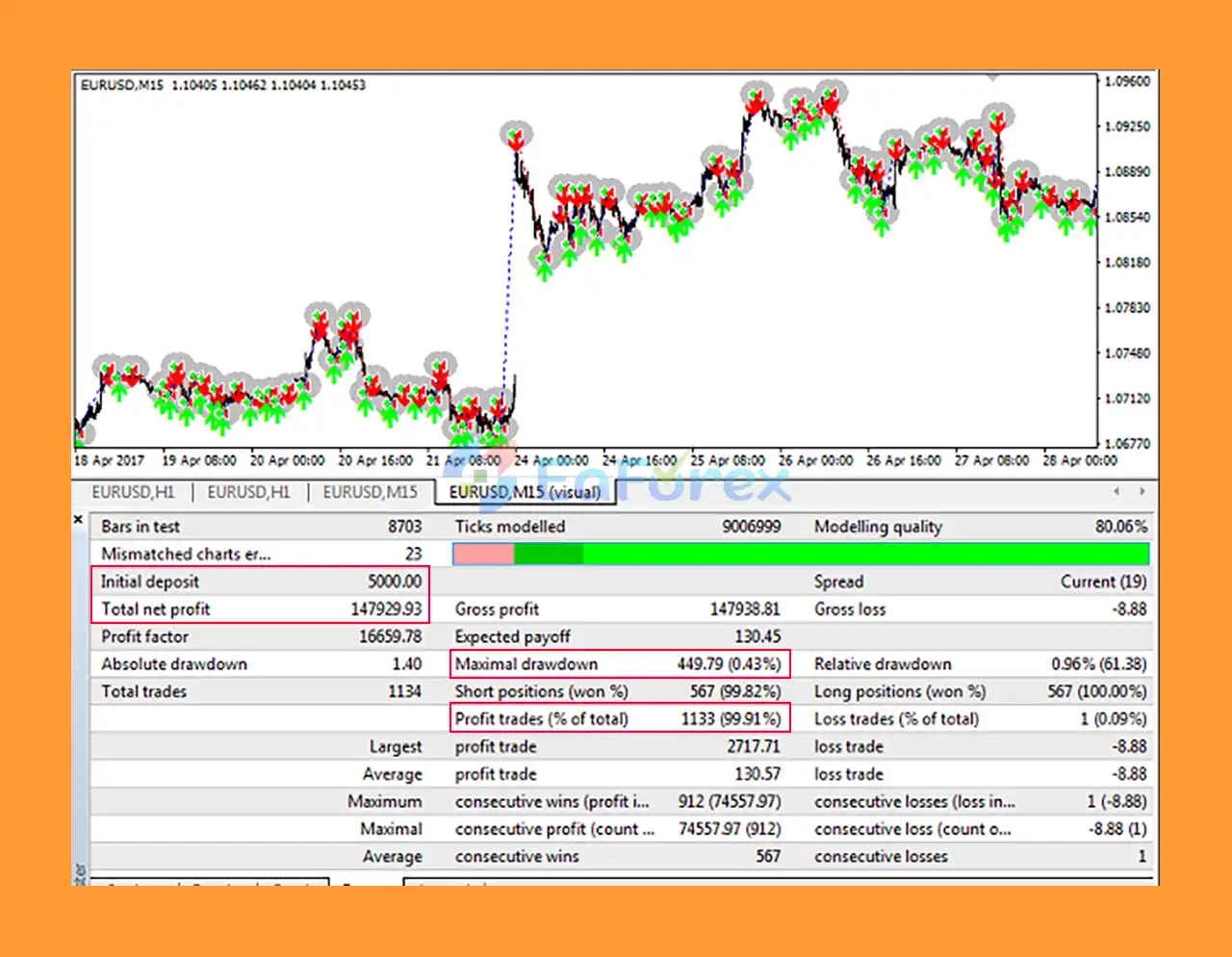
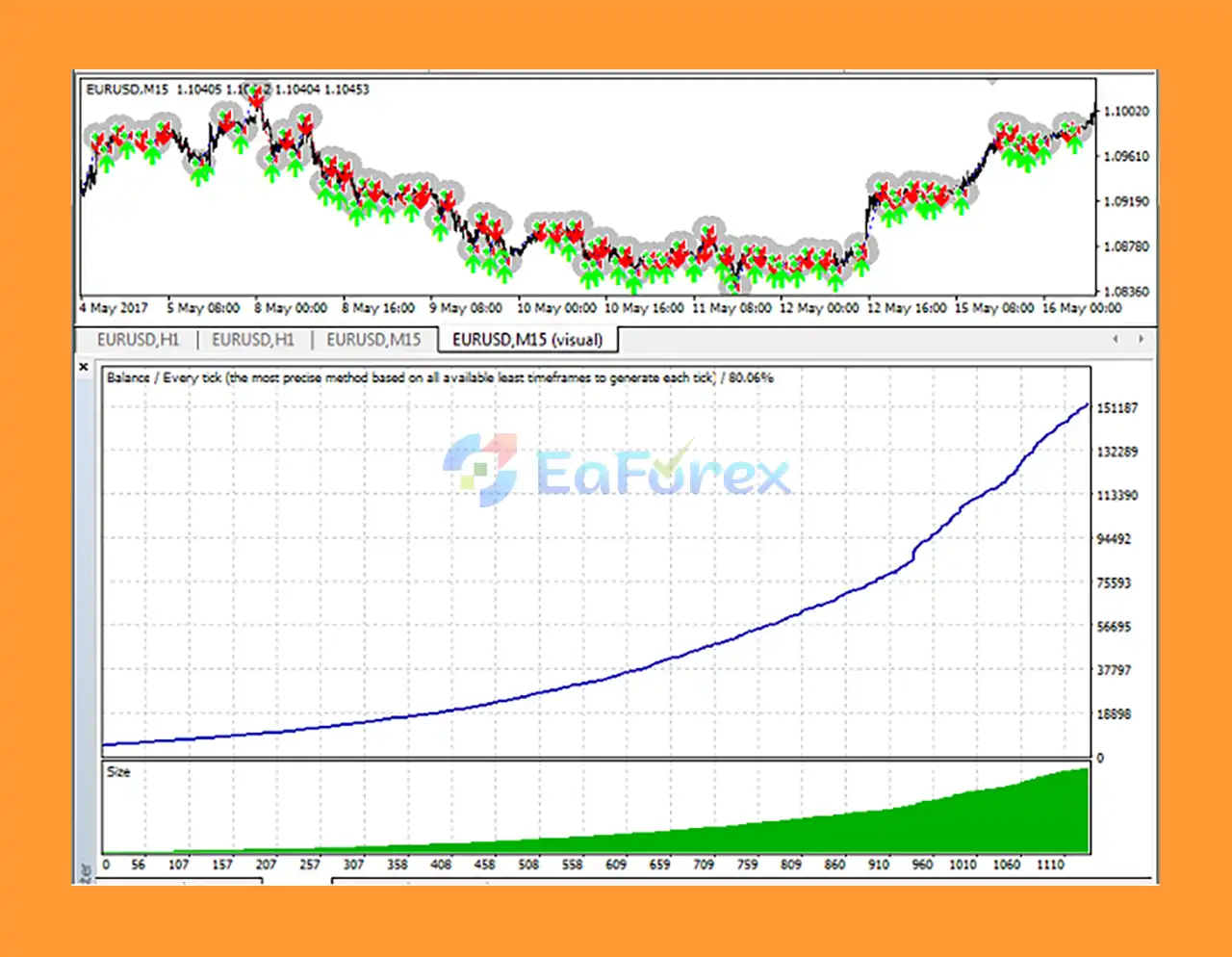
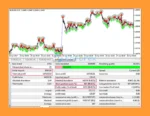
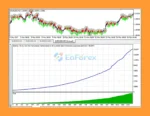
🔺EURUSD – 12 months
CeleritasForex EA MT4 backtests
CeleritasForex EA MT4 backtest
Forex trading involves substantial financial risk. CeleritasForex EA MT4 should be tested carefully, with particular attention to order volume and the management of multiple open or pending orders.
The original product description recommends not risking more than 1% of the trading account on a single position across currency pairs.
This should be treated as a risk-management guideline rather than a guaranteed protection level. Traders need to understand how the EA calculates exposure and whether multiple simultaneous positions can increase the total risk beyond the intended limit.
Market positions and pending orders can contribute to overall account exposure.
Avoid selecting lot sizes based solely on the expected profit per trade. Consider account equity, stop-loss arrangements, leverage, margin requirements, and the possibility that multiple orders may be triggered during adverse market conditions.
The Distance setting influences order spacing and is also associated with profit distance in the supplied description.
Test different values in a controlled environment to understand how they affect trade frequency, order placement, and potential exposure. Do not assume that a larger distance automatically reduces risk.
Slippage, spreads, and commissions can reduce net profitability, particularly during volatile market conditions.
Choose a broker with transparent execution conditions and evaluate actual trading costs during the sessions in which the EA operates.
Before live trading, confirm how the EA places, modifies, and removes pending orders. Check what happens when the market reverses, a trendline changes, or multiple orders are triggered in quick succession.
Understanding these behaviors is important for assessing margin usage and potential losses.
Before using CeleritasForex on a live account:
The original product description’s performance claims should not be interpreted as a guarantee of future profitability.
Follow these steps to install and configure CeleritasForex EA MT4 on MetaTrader 4.
Download CeleritasForex EA MT4 from its authorized distribution source. Verify that the file is genuine and compatible with your MT4 installation.
Launch MT4 and log in to your trading account. For the initial setup, a demo account is recommended.
In the MT4 terminal, select File → Open Data Folder.
Navigate to the MQL4 directory and open the Experts folder.
If manual installation is required, copy the supplied EA file into the Experts folder.
Return to MT4 and refresh the Navigator panel or restart the terminal so the EA appears in the Expert Advisors list.
If the EA is distributed through a marketplace with integrated installation, follow the marketplace’s installation procedure instead.
Open the chart of the currency pair you want to trade and select CeleritasForex EA MT4 from the Navigator panel.
Drag the EA onto the chart and review its configuration settings.
Adjust the primary settings according to your trading plan:
Confirm the correct units and supported values in the official documentation before changing these parameters.
Enable MT4’s AutoTrading function and confirm that the EA has the necessary trading permissions.
Check the Experts and Journal tabs for error messages. Verify that the EA is attached to the intended chart and that the account has sufficient free margin.
Run historical backtests where supported and forward-test the EA on a demo account.
Monitor order placement, pending order behavior, position sizing, drawdown, and execution costs. Only consider live trading after you understand the strategy’s behavior and have established appropriate risk limits.
>>> Join VIP Membership Now <<<
CeleritasForex EA MT4 is a trend-following Forex Expert Advisor designed to identify potential trading opportunities around trendlines and support and resistance levels.
Its main features include market and pending order volume settings, adjustable order spacing, slippage control, and Magic Number-based order identification. The relatively compact configuration may appeal to traders who prefer a focused automated trading system rather than a large collection of complex parameters.
The original product description indicates an average profit of approximately 15–50 points per trade under its intended conditions. However, this figure should be treated as an unverified product claim rather than a promise of results. Actual performance depends on market conditions, broker execution, trading costs, and the selected configuration.
For traders interested in a trend-following EA for MetaTrader 4, CeleritasForex can be evaluated through systematic backtesting and demo trading. Before live deployment, pay particular attention to pending order exposure, position sizing, and the recommended guideline of limiting risk to approximately 1% per position.
Risk Disclaimer: Forex trading carries a substantial risk of financial loss. No Expert Advisor guarantees profits, and past performance does not guarantee future results. Always test the EA thoroughly and use position sizes appropriate for your account and risk tolerance.
1. What trading strategy does CeleritasForex EA MT4 use?
CeleritasForex EA MT4 is a trend-following Expert Advisor that opens trades at key support and resistance levels. It uses trendlines to identify high-probability zones, ensuring trades follow market momentum while avoiding counter-trend exposure.
2. Is CeleritasForex EA MT4 suitable for beginners?
CeleritasForex EA MT4 is primarily designed for experienced traders, offering streamlined settings for precise strategy execution. Beginners can use it but should understand trend-following concepts and risk management principles.
3. How does CeleritasForex EA MT4 manage risk?
The EA automatically limits risk to 1% per position and supports adjustable lot sizing. Traders can also configure spread tolerance, stop levels, and slippage limits to protect capital and reduce drawdowns.
4. Which currency pairs and brokers are compatible with CeleritasForex EA MT4?
CeleritasForex EA MT4 works on any MT4 broker and is optimized for major currency pairs. Its trend-following strategy performs consistently across different market conditions.
5. Do I need to adjust many settings before using CeleritasForex EA MT4?
No. The EA is user-friendly with minimal setup, featuring a limited but precise set of configurable parameters for position sizing, pending orders, distance between trades, and risk control.
6. What do I receive after purchasing CeleritasForex EA MT4?
You will receive the latest unlimited version (ID + Time unlocked) within 24–48 hours. The package includes the CeleritasForex EA_fix.ex4 file, and a refund is available if delivery is not completed.
In stock
In stock
In stock
In stock
In stock
Out of stock
No account yet?
Create an Account












 Automatic EA
 EA Best Seller
 Expert Advisor MT4
 Expert Advisor MT5
 HFT EA


Reviews
Clear filtersThere are no reviews yet.