









-
 Unlimited Activations
-
 Instant delivery
-
 Easy to install








 Unlimited Activations
Instant delivery
Easy to install
Unlimited Activations
Instant delivery
Easy to install
 Free Update
 Free Install Support

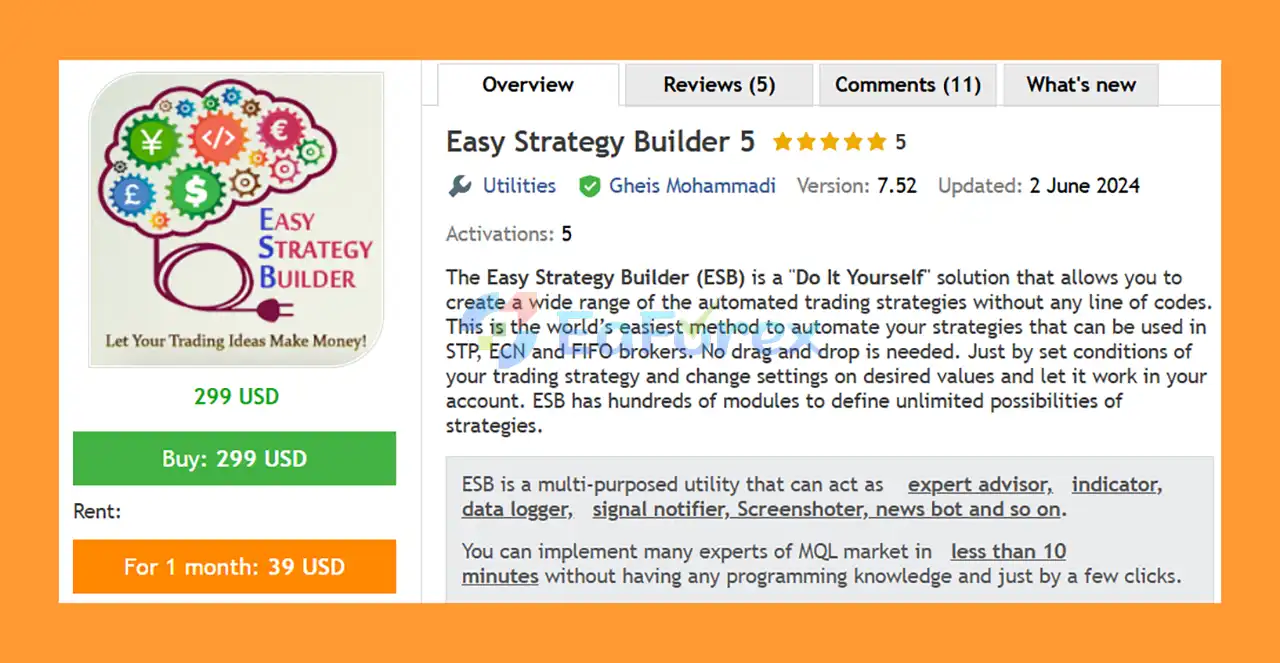
Easy Strategy Builder 5 EA MT5 (ESB 5) is a powerful Do-It-Yourself (DIY) trading automation solution that allows traders to create, test, and deploy automated trading strategies without writing a single line of MQL code.
Designed for both beginners and experienced traders, ESB provides a visual and highly flexible environment where users can define their own trading conditions, indicators, formulas, risk-management rules, and trade-management logic.
With hundreds of built-in modules, Easy Strategy Builder 5 can be used to create a wide variety of automated trading systems, including scalping, price action, trend following, grid, Martingale, arbitrage, hedging, level trading, trend-line strategies, and news trading.
The system supports multi-pair and multi-timeframe strategies and is designed to work with different broker environments, including STP, ECN, and FIFO brokers.
No traditional drag-and-drop programming is required. Users simply define their strategy conditions, configure the desired parameters, and allow ESB to execute or manage the strategy automatically.
• Author: Gheis Mohammadi
• Experience: Over +7 years of experience on MQL5.
• Notable Products: Easy Strategy Builder 5, Close Assistant 5 and other advisors.
• Flagship Product: Easy Strategy Builder 5 EA MT5 is rated as the best performing product of the year.
>> Delivery time 24h-48h after payment.
>>> Refund if not delivered.
>>> You will receive the latest version without any limitations (ID+Time).>>Reviewed by Jason Stap <<by eaforexstore.com
The biggest advantage of Easy Strategy Builder 5 EA MT5 is that you can create automated trading systems without programming knowledge.
Users can define trading conditions using predefined modules, indicators, expressions, formulas, and logical operations.
This makes ESB particularly useful for traders who have developed their own strategies but do not know how to convert their ideas into an Expert Advisor.
ESB includes hundreds of modules designed to provide virtually unlimited combinations of trading conditions.
You can work with:
Easy Strategy Builder 5 can convert custom indicators into automated trading strategies, including indicators that do not have publicly available source code, subject to the platform’s supported functionality and technical limitations.
This allows traders to build Expert Advisor-style systems around indicators they already use.
ESB provides extensive tools for controlling trading risk and position management.
Users can configure:
For traders who specifically use recovery or network-based systems, ESB includes modules for creating Grid, Martingale, and other network trading strategies.
These strategies can involve significantly higher risk, so appropriate risk controls and extensive testing are essential.
ESB supports strategies operating across multiple symbols and timeframes.
This allows traders to build more sophisticated portfolio-style systems rather than restricting their logic to a single chart.
One of ESB’s notable features is its news-trading functionality.
The system includes an adaptive news engine designed to monitor market news and can use news-related conditions as part of trading or trade-management logic.
This can be used to create strategies that react to scheduled economic events or manage existing positions around important announcements.
ESB can interact with chart objects and detect conditions such as prices touching or crossing specified objects.
This makes it possible to create trading signals based on manually or programmatically defined chart levels.
The platform includes notification and reporting functions that can help traders monitor strategy activity.
Reports and alerts can be sent to mobile devices, while detailed logs can be stored for later analysis.
ESB can function as a data logger, allowing users to record information to files for analysis, research, or strategy development.
The system can receive signals from other applications and use those signals as part of its automated trading logic.
This opens the possibility of building more advanced trading workflows that combine ESB with external tools.
ESB can also be used to create signal-provider solutions and networks of trading bots.
This makes it possible to design more complex automated trading environments beyond a single Expert Advisor.
Easy Strategy Builder 5 allows traders to convert their trading ideas into automated systems through a structured configuration process.
The general workflow can be completed in several steps:
The platform supports logical, mathematical, arithmetic, and calculation-based operations, allowing users to build sophisticated trading conditions without manually writing MQL code.
For traders who prefer manual entries, ESB can also manage manually opened positions according to predefined trade-management rules.
Instead of purchasing a different EA for every trading idea, ESB provides a framework for creating your own automated strategies.
This gives traders greater flexibility and control over how their systems operate.
You do not need to become an MQL developer to experiment with automated trading concepts.
The system provides predefined functions and configuration modules that can be combined to create trading logic.
ESB supports a broad range of approaches, including:
Users can backtest and live-test their strategies before deploying them with real capital.
This allows traders to identify potential weaknesses and adjust their strategy settings before taking additional financial risk.
Successful ESB configurations can be shared or distributed by providing the relevant settings.
This can make it easier to reproduce a strategy without distributing the underlying development framework.
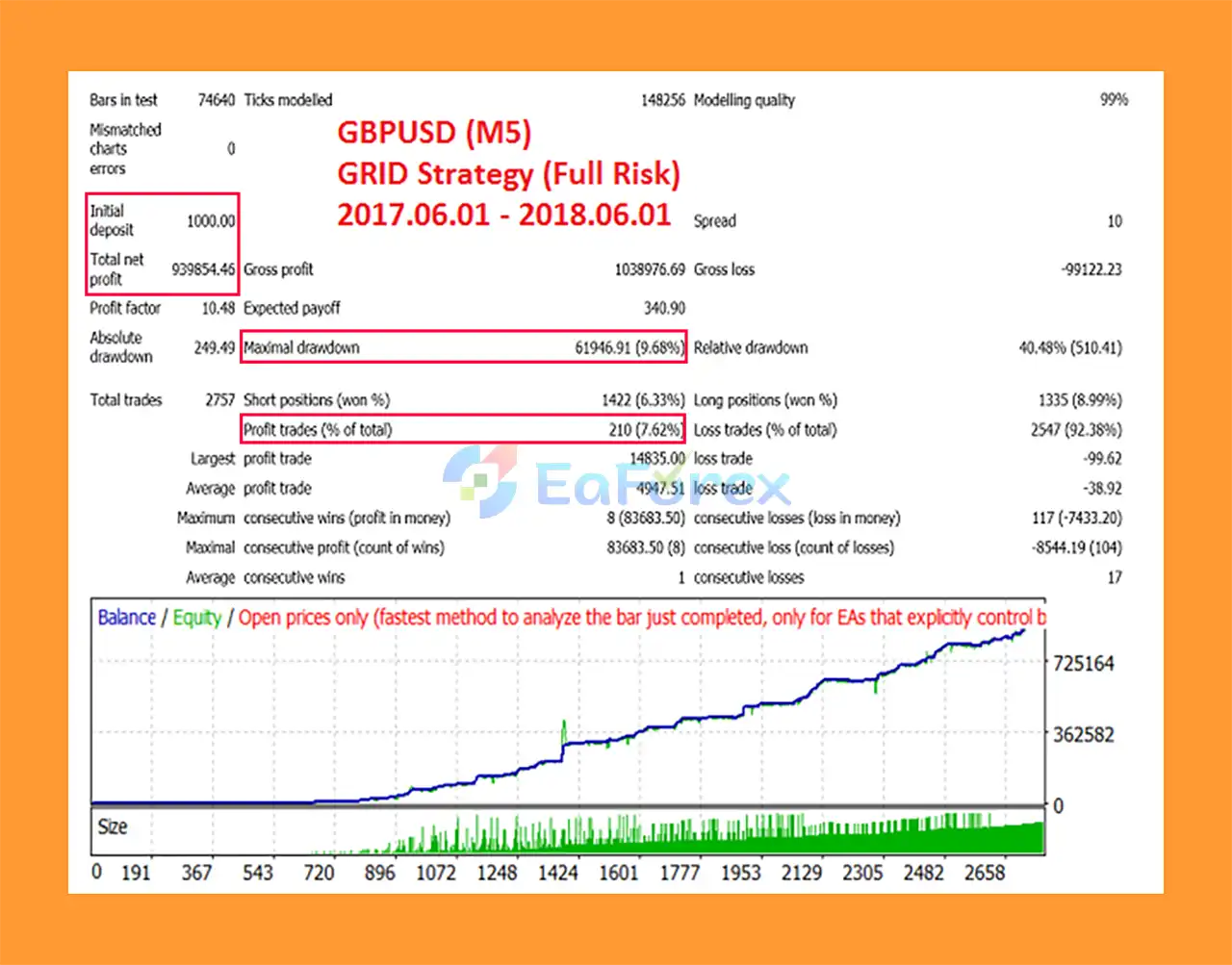
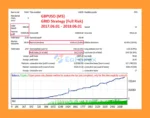
🔺 High-Risk, High-Reward Mode (GBPUSD M5):
Easy Strategy Builder 5 Backtest Results
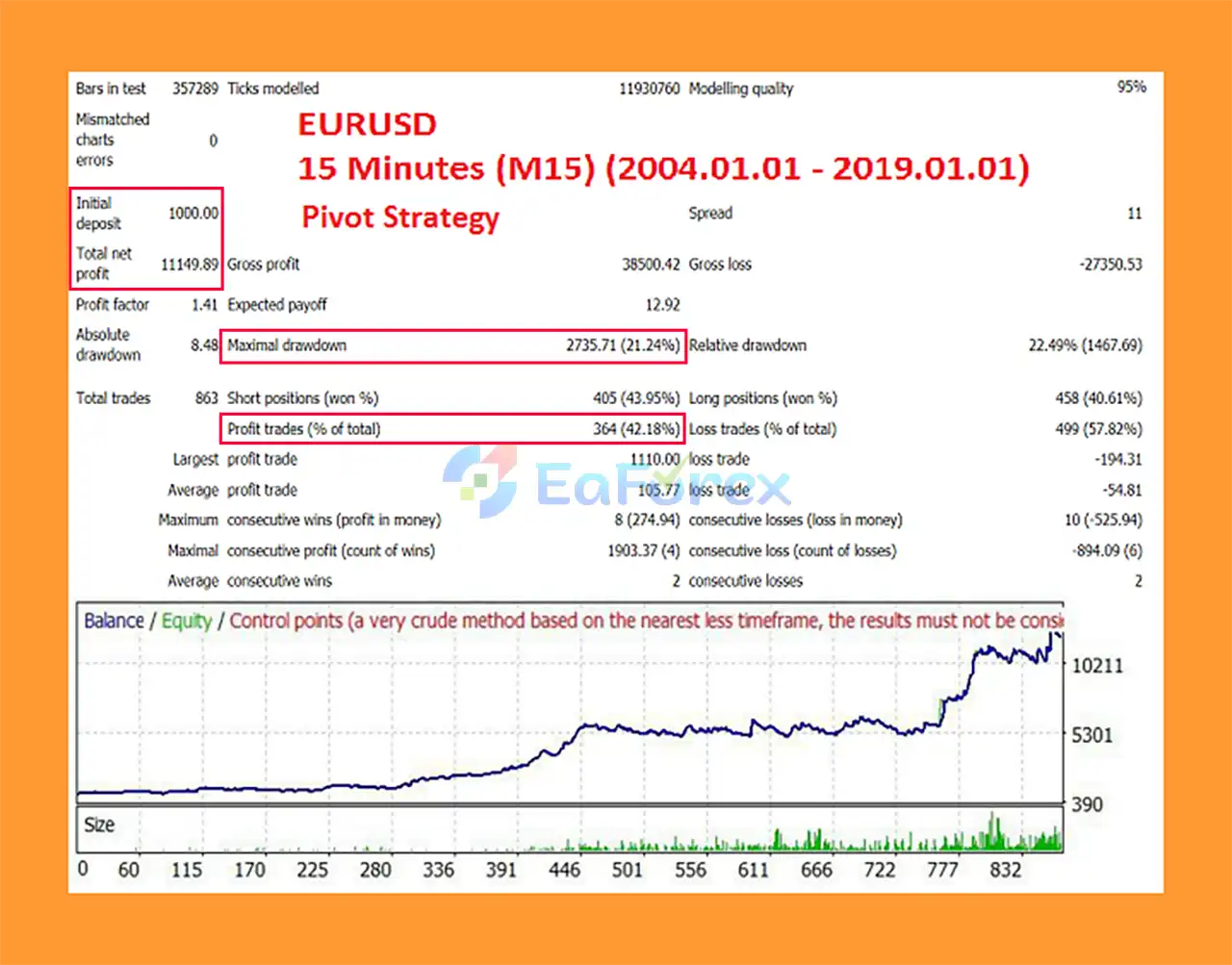
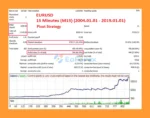
🔺 Conservative Pivot Strategy (EURUSD M15):
Easy Strategy Builder 5 Backtests Results
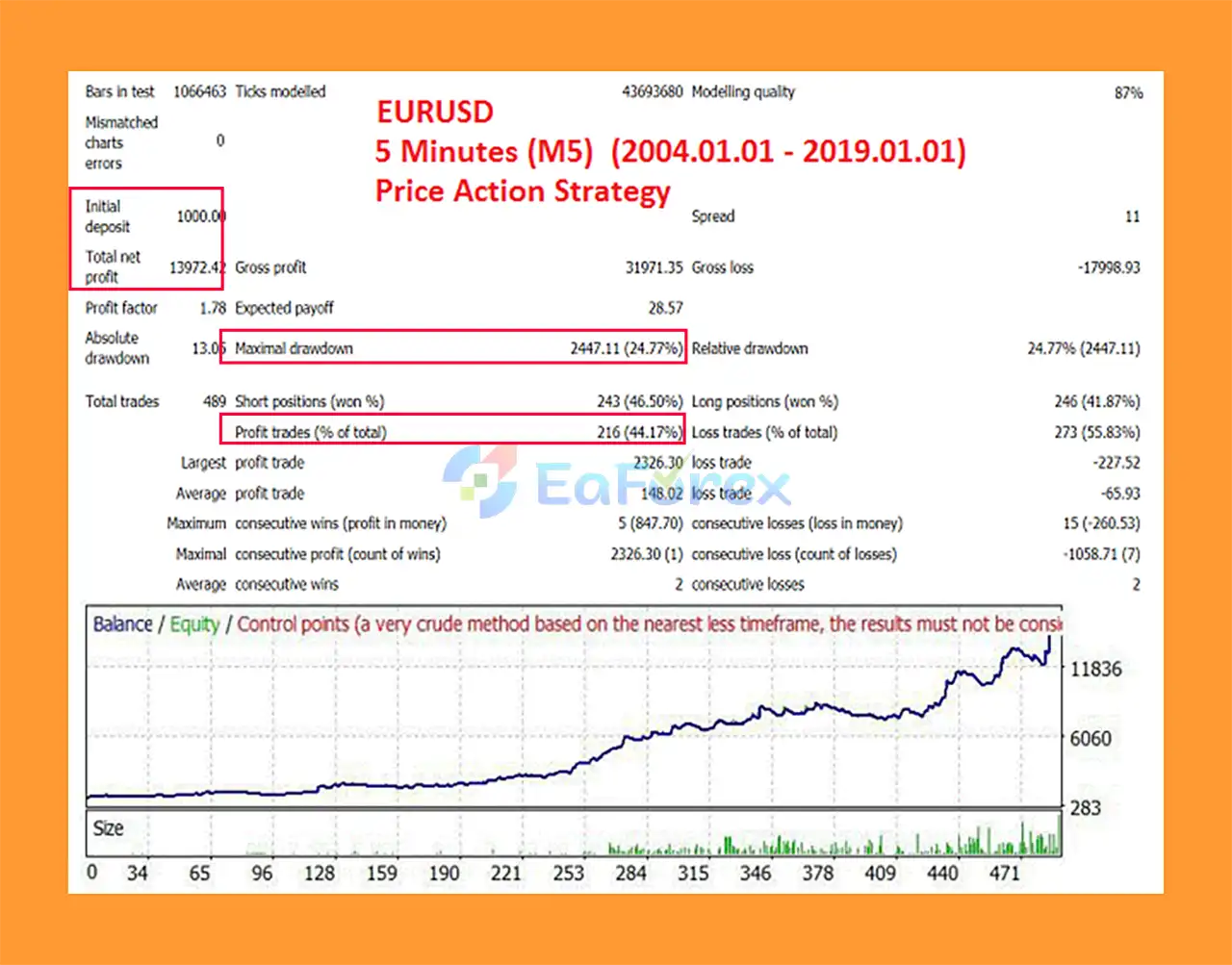
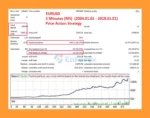
🔺 Price Action Strategy (EURUSD M5, 15 years):
Easy Strategy Builder 5 EA Backtest Results
Easy Strategy Builder 5 provides extensive risk and money-management functionality, but the actual risk profile depends heavily on the strategy created by the user.
For example, a simple trend-following strategy with fixed risk can have a very different risk profile from a Grid or Martingale system.
Available risk-management tools include:
Because ESB is a strategy-building platform, there is no single predefined performance profile. Results depend on the user’s strategy logic, instruments, settings, broker conditions, and market environment.
Users should therefore evaluate each strategy independently through appropriate backtesting and demo trading before considering live deployment.
Although Easy Strategy Builder 5 is highly flexible, it does not mean that every trading strategy can be automatically recreated.
The product documentation specifically acknowledges that some strategies cannot be created automatically using ESB.
Other important considerations include:
Users should avoid assuming that the ability to automate a strategy means that the strategy itself has a positive statistical edge.
Install and open the MetaTrader 5 trading platform.
In MetaTrader 5, navigate to:
File → Open Data Folder
Then locate the appropriate MQL5 directory for the ESB installation.
Copy the ESB files into the required MetaTrader 5 directories according to the product’s installation instructions.
If additional indicators or supporting files are included, install them in their corresponding folders.
Restart the platform or refresh the Navigator window so that ESB appears correctly.
Open the desired trading chart and attach Easy Strategy Builder 5 EA.
Configure your:
Use the MetaTrader 5 Strategy Tester to evaluate the strategy under historical conditions.
After backtesting, test the strategy on a demo account to observe its behavior under live market conditions.
Only after thorough testing should you consider using the strategy on a real trading account.
🔺Easy Strategy Builder 5 EA MT5 is highly appreciated by the MQL5 community for bringing stable and reliable profits. Below are 5 star reviews from users:
User Reviews
>>> Join VIP Membership Now <<<
Easy Strategy Builder 5 EA MT5 is more than a conventional Expert Advisor. It is a flexible no-code trading strategy development platform that allows users to create, test, modify, and automate their own trading ideas.
Its extensive module library supports everything from basic indicator-based systems to more advanced multi-pair, multi-timeframe, news, price-action, Grid, Martingale, arbitrage, and hedging strategies.
The biggest advantage of ESB is flexibility. Instead of being limited to one predefined trading algorithm, users can build strategies according to their own concepts and trading preferences.
However, flexibility also means responsibility. ESB can automate a strategy, but it cannot guarantee that the underlying strategy will be profitable. Traders should carefully test their logic, apply sensible risk management, and avoid assuming that attractive backtest results will necessarily translate into live performance.
For traders interested in learning algorithmic trading and building their own MT5 Expert Advisors without writing MQL code, Easy Strategy Builder 5 offers a powerful and highly versatile environment.
1. What is Easy Strategy Builder 5 EA MT5?
Easy Strategy Builder 5 EA MT5 is a powerful no-code trading tool that allows traders to build, test, and automate strategies on MetaTrader 5. It works as an EA, indicator, signal tool, and even a news bot.
2. Do I need coding skills to use Easy Strategy Builder 5 EA MT5?
No. The EA is designed for all traders, even beginners, with a simple interface that lets you create strategies in just a few clicks without programming knowledge.
3. Can Easy Strategy Builder 5 EA MT5 work with any broker?
Yes. The EA is fully compatible with STP, ECN, and FIFO brokers, ensuring smooth execution across different trading environments.
4. What types of strategies can I create with Easy Strategy Builder 5 EA MT5?
You can build unlimited strategies, including scalping, price action, grid, martingale, hedging, arbitrage, level trading, and news-based trading systems.
5. Does Easy Strategy Builder 5 EA MT5 include risk management features?
Yes. It offers advanced money management tools like stop loss, take profit, trailing stop, break-even, and adaptive risk settings for safer trading.
6. Can I backtest my strategies before live trading?
Absolutely. Easy Strategy Builder 5 EA MT5 allows instant backtesting and optimization, including news-based tests, so you can refine strategies before going live.
In stock
In stock
In stock
In stock
In stock
Out of stock
No account yet?
Create an Account












 Automatic EA
 EA Best Seller
 Expert Advisor MT4
 Expert Advisor MT5
 HFT EA


Reviews
Clear filtersThere are no reviews yet.