









-
 Unlimited Activations
-
 Instant delivery
-
 Easy to install






 Unlimited Activations
Instant delivery
Easy to install
Unlimited Activations
Instant delivery
Easy to install
 Free Update
 Free Install Support

Exp TickSniper PRO FULL MT5 is a professional fully automated tick scalping Expert Advisor for MetaTrader 5, designed for traders who want a fast and adaptive automated trading system without manually optimizing dozens of parameters for every currency pair.
Unlike traditional Expert Advisors that rely heavily on fixed timeframe-based indicators, TickSniper analyzes live tick flow, quote speed, spread behavior, symbol specifications, and current price movement to automatically calculate important trading and position-management parameters.
The EA is designed to adapt its working configuration to the selected trading instrument, allowing traders to use the same system across multiple Forex currency pairs with minimal manual intervention.
TickSniper includes automated Stop Loss, Take Profit, averaging, breakeven, trailing stop, and position-series management. The system is designed for fully automated operation and can continuously evaluate incoming market data to manage positions according to its internal trading logic.
The EA is particularly suited to traders who prefer a ready-to-run tick-based scalping system rather than spending significant time manually optimizing settings for every individual symbol.
Technical Specifications
>> Delivery time 24h-48h after payment.
>>> Refund if not delivered.
>>> You will receive the latest version without any limitations (ID+Time).>>Reviewed by Jason Stap <<
Exp TickSniper PRO FULL MT5 is designed for fully automated trading. Once installed and configured, the EA continuously analyzes incoming tick data and can execute and manage trades without requiring constant manual intervention.
This makes it suitable for traders who want an automated scalping solution that operates according to predefined rules.
One of the main characteristics of TickSniper is that it does not depend on a conventional chart timeframe.
The system analyzes the live flow of market ticks, including:
Because the trading logic is based on tick data, the selected chart timeframe is not considered a primary factor in the strategy.
TickSniper is designed to automatically calculate important trading parameters according to the current trading instrument.
The system can determine parameters related to:
This adaptive approach reduces the need for traders to manually optimize every parameter when switching between currency pairs.
The Expert Advisor is designed to work with multiple Forex currency pairs.
Commonly used symbols include:
The actual performance and behavior can vary depending on the broker, symbol specifications, spread, liquidity, and execution environment.
TickSniper does more than simply open trades. It continuously manages existing positions and can use a series-based approach when additional entries are required.
The management system includes:
The EA evaluates spread conditions using recent tick information.
This is particularly important because tick scalping depends heavily on execution quality and transaction costs.
TickSniper is specifically designed for floating-spread accounts rather than fixed zero-spread conditions.
The default configuration is intended to provide a practical baseline for automated trading.
Traders are not required to manually adjust dozens of parameters before using the EA. However, testing the default settings with the intended broker is still strongly recommended.
Exp TickSniper PRO FULL MT5 operates by analyzing the real-time flow of incoming market ticks rather than depending on traditional timeframe-based indicators.
When the EA is running, it continuously evaluates the current market environment.
The system monitors incoming quotes and evaluates how quickly prices are changing.
Tick arrival speed provides information about the current activity level of the market. TickSniper incorporates this information into its trading and management calculations.
The EA monitors the current spread and recent spread behavior. This helps the system account for changing transaction conditions.
Different Forex pairs can have different contract specifications, trading conditions, and price characteristics.
TickSniper uses symbol-related information when calculating its working parameters.
Based on the available market information, the system automatically determines appropriate values for parameters such as:
When the internal trading conditions are satisfied, the EA can open a position with a Stop Loss.
If additional position management is triggered, the system can use its averaging and series-management logic.
When a position or series becomes profitable, the EA can activate breakeven and trailing mechanisms.
If the market subsequently reverses, the profit-protection logic can attempt to close the position series according to the configured rules.
Exp TickSniper PRO FULL MT5 is designed for traders who want an automated tick-based Forex scalping system with adaptive parameter calculation.
The system is based on live tick data, so traders do not need to select a specific timeframe such as M5, M15, or H1 for the core strategy.
The EA is designed to automatically calculate key parameters according to the current symbol and market conditions.
Instead of requiring traders to manually optimize every parameter for each currency pair, TickSniper attempts to adapt its working parameters automatically.
The system incorporates several layers of trade management, including Stop Loss, averaging, breakeven, trailing stop, and series management.
The EA is intended for ECN or floating-spread accounts, where market execution and spread conditions can be monitored more dynamically.
Once properly installed, TickSniper can operate without constant manual intervention.
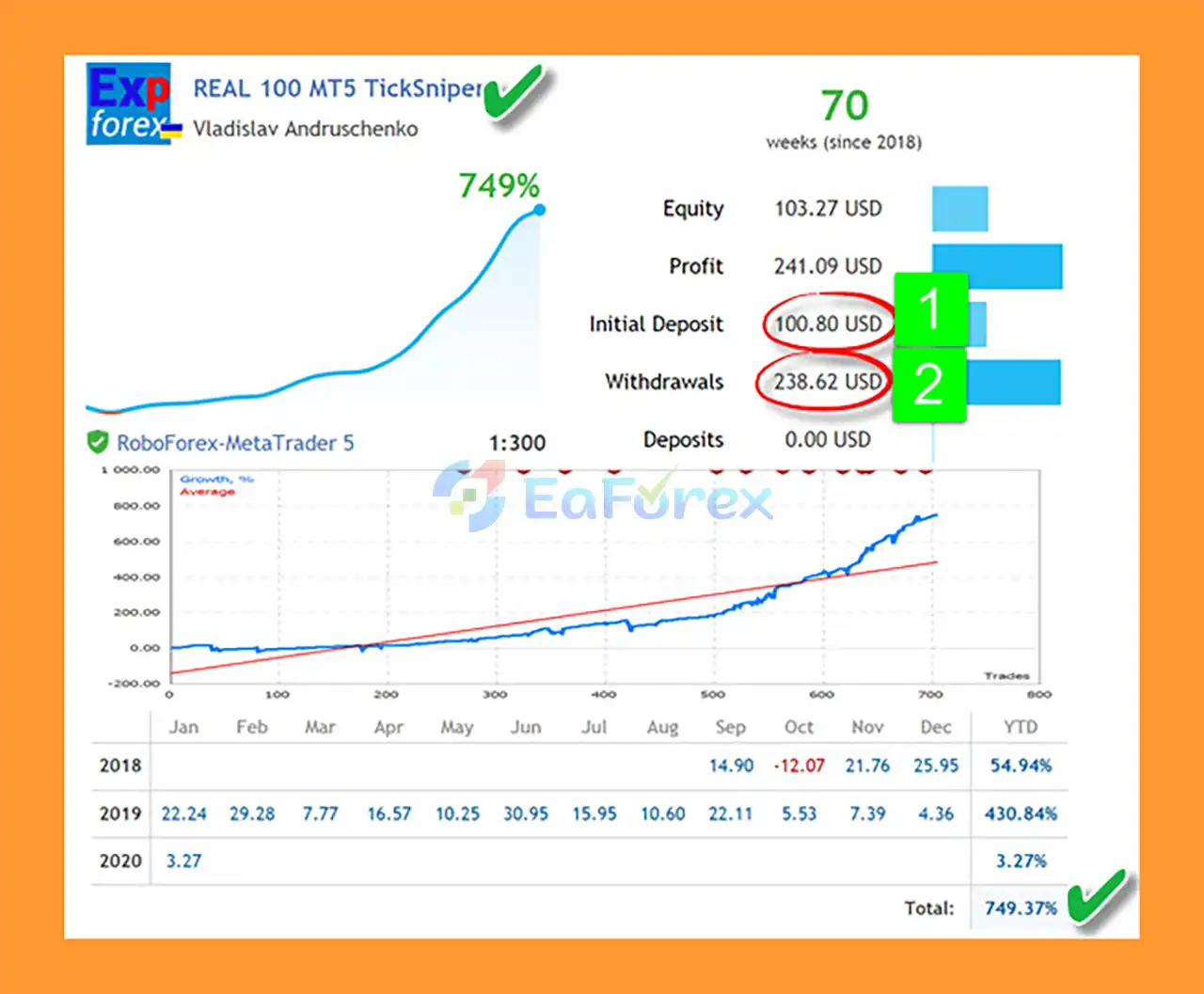
🔺FX currency pairs – 70 consecutive weeks
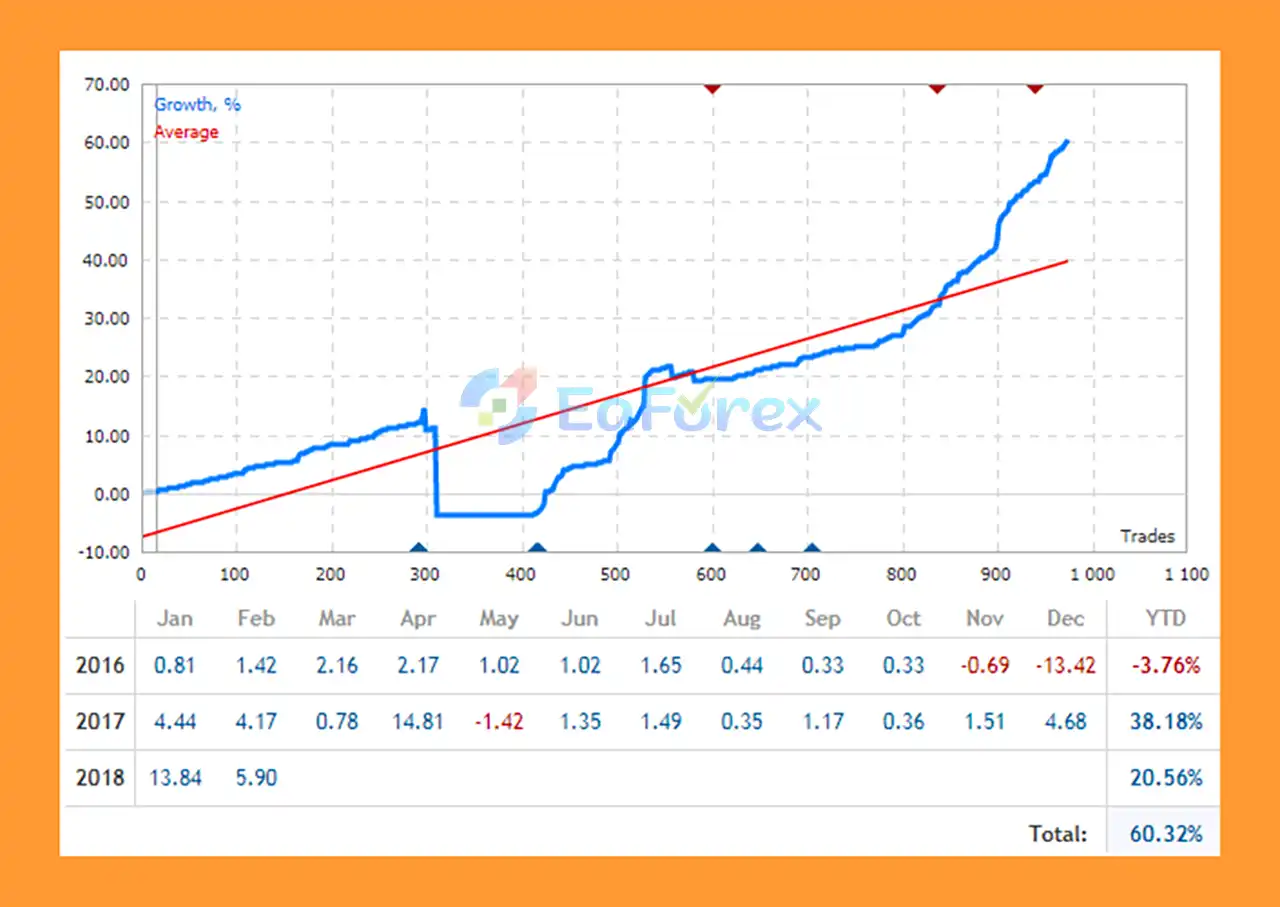
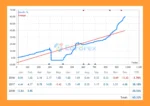
Exp TickSniper PRO FULL MT5 Signal Result
Exp TickSniper PRO FULL MT5 Signal Results
Exp TickSniper PRO FULL MT5 uses several position-management mechanisms designed to control trades throughout their lifecycle.
Each position is opened with a Stop Loss according to the EA’s automatically calculated parameters.
This provides a predefined exit level if the market moves against the position.
The EA can use additional entries and averaging as part of its position-series management strategy.
This is an important risk consideration because averaging can increase total market exposure when price moves against the initial position.
Traders should therefore carefully evaluate the maximum potential exposure before using the system with real capital.
When a position or position series reaches the required profit condition, TickSniper can move the protection level toward breakeven.
The objective is to reduce the potential loss after the trade has moved favorably.
The system uses a trailing mechanism for individual positions or position series.
When the market continues moving favorably, the trailing logic can adjust the protective level to help preserve accumulated profit.
If a profitable series experiences a market reversal, the EA can use its profit-protection logic to close the series according to its internal conditions.
TickSniper evaluates spread behavior using recent tick information. This is particularly relevant for scalping strategies because transaction costs can have a significant impact on short-term trading.
The supplied recommendations can be divided into several risk configurations.
These capital levels are configuration guidance from the supplied product information and should not be interpreted as guarantees that the stated account size is sufficient to withstand actual drawdowns.
For traders using averaging, account size, leverage, lot size, maximum exposure, and broker margin requirements are particularly important.
TickSniper is designed for:
The EA is not designed for zero-spread conditions.
Broker execution quality can materially affect the behavior of a high-speed tick scalping system.
The use of averaging and additional entries can increase total exposure when the market moves against the initial position.
This is one of the most important risks traders should understand before deploying the EA.
TickSniper relies on real-time quote flow. Differences in tick frequency, liquidity, spread, and broker pricing can therefore affect the number and quality of trading signals.
Tick scalping requires fast and reliable execution. High latency, VPS issues, network congestion, or broker execution delays may negatively affect trading results.
The product information specifically notes that other terminals, network applications, or programs consuming VPS/internet resources may reduce the available quote flow or affect execution quality.
For this reason, traders should avoid unnecessary resource-heavy applications on the same VPS when running a tick-sensitive EA.
Different brokers may provide different:
Consequently, the same EA may behave differently across different brokers.
The recommended leverage of 1:300 or higher provides greater margin flexibility, but high leverage can also increase potential losses and account exposure.
Any backtest, optimization, or previous live-trading result should be treated as historical information rather than a guarantee of future performance.
Download the Exp TickSniper PRO FULL MT5 file provided with your purchase.
The Expert Advisor will normally be supplied as an .ex5 file.
Open MetaTrader 5 and select:
File → Open Data Folder
Then navigate to:
MQL5 → Experts
Copy the TickSniper EA file into the Experts folder.
Restart the platform or refresh the Expert Advisors section in the Navigator.
You should find the EA under:
Navigator → Expert Advisors
Open a chart for the desired Forex pair, such as:
Because TickSniper is based on live tick flow, the chart timeframe is not considered important for its core trading logic.
Drag Exp TickSniper PRO FULL MT5 onto the selected chart.
Make sure Algo Trading / AutoTrading is enabled.
Before starting the EA, verify that your account provides:
The supplied product information recommends using the default configuration without unnecessary changes.
However, traders should still test the EA on a demo account or controlled environment before using real capital.
Because TickSniper relies on real-time tick flow, a stable VPS with low latency and sufficient system resources is recommended.
Avoid running unnecessary applications that consume significant CPU, bandwidth, or network resources.
>>> Join VIP Membership Now <<<
In summary, Exp TickSniper PRO FULL MT5 is a specialized automated tick scalping Expert Advisor designed for traders who want a highly automated Forex trading system with adaptive parameter calculation.
Its main concept is different from traditional timeframe-based Expert Advisors. Instead of depending primarily on indicators calculated from M5, M15, or H1 candles, TickSniper analyzes live tick flow, tick speed, spread behavior, symbol specifications, and price movement to determine its working parameters.
The combination of automatic parameter calculation, Stop Loss, averaging, breakeven, trailing stop, and position-series management provides a comprehensive framework for automated short-term trading.
However, the same characteristics that make tick scalping attractive also create important risks. Execution speed, tick-feed quality, spread conditions, broker infrastructure, VPS performance, and averaging exposure can all have a significant impact on real-world results.
For this reason, traders should test Exp TickSniper PRO FULL MT5 under the exact broker and account conditions they intend to use. Starting with a demo or controlled environment can help users understand the EA’s trade frequency, position-series behavior, spread sensitivity, and potential drawdown before moving to live trading.
Overall, Exp TickSniper PRO FULL MT5 is built for traders seeking an automated, adaptive, tick-based Forex scalping solution with minimal manual parameter optimization.
1. What is Exp TickSniper PRO FULL MT5?
Exp TickSniper PRO FULL MT5 is a fully automated Expert Advisor for MetaTrader 5 that trades any currency pair using adaptive logic to calculate stop loss, take profit, trailing stops, and averaging distances based on live market conditions.
2. Which currency pairs does Exp TickSniper PRO FULL MT5 support?
The EA is universal and compatible with all Forex pairs, including majors, minors, and exotic pairs, making it ideal for multi-pair trading setups.
3. Do I need to manually adjust settings for Exp TickSniper PRO FULL MT5?
No. Exp TickSniper PRO FULL MT5 comes with pre-tuned default settings and automatically calculates optimal trading parameters, requiring only AutoTrading to be enabled.
4. What timeframes can I use with Exp TickSniper PRO FULL MT5?
This EA is timeframe-independent, so it can operate on any chart timeframe, giving traders flexibility for scalping, day trading, or swing trading.
5. How does Exp TickSniper PRO FULL MT5 manage risk?
It uses adaptive risk tiers (Low, Medium, High), cumulative position management, breakeven stops, and trailing logic to control exposure while protecting profits automatically.
6. Can Exp TickSniper PRO FULL MT5 adapt to market volatility?
Yes. The EA adjusts stop loss, take profit, and trade logic dynamically based on tick speed, floating spreads, and live market quotes to optimize execution under changing conditions.
7. Is Exp TickSniper PRO FULL MT5 suitable for ECN brokers?
Yes. It is optimized for ECN and Raw Spread accounts to ensure accurate execution and minimal slippage, while performance may vary with slower broker feeds.
8. Can Exp TickSniper PRO FULL MT5 run hands-free?
Absolutely. It is a fully automated, set-and-forget EA, designed to execute trades without manual intervention once attached to a chart with AutoTrading enabled.
9. Is Exp TickSniper PRO FULL MT5 suitable for demo testing?
The EA can run on demo accounts, but due to tick speed sensitivity, the Strategy Tester is not recommended—real-time chart testing gives more accurate results.
In stock
In stock
In stock
In stock
In stock
Out of stock
No account yet?
Create an Account












 Automatic EA
 EA Best Seller
 Expert Advisor MT4
 Expert Advisor MT5
 HFT EA


Reviews
Clear filtersThere are no reviews yet.