
Gaint EA for MT4 is a fully automated Forex trading robot with advanced risk management, customizable strategies, and proven backtesting for consistent profits.


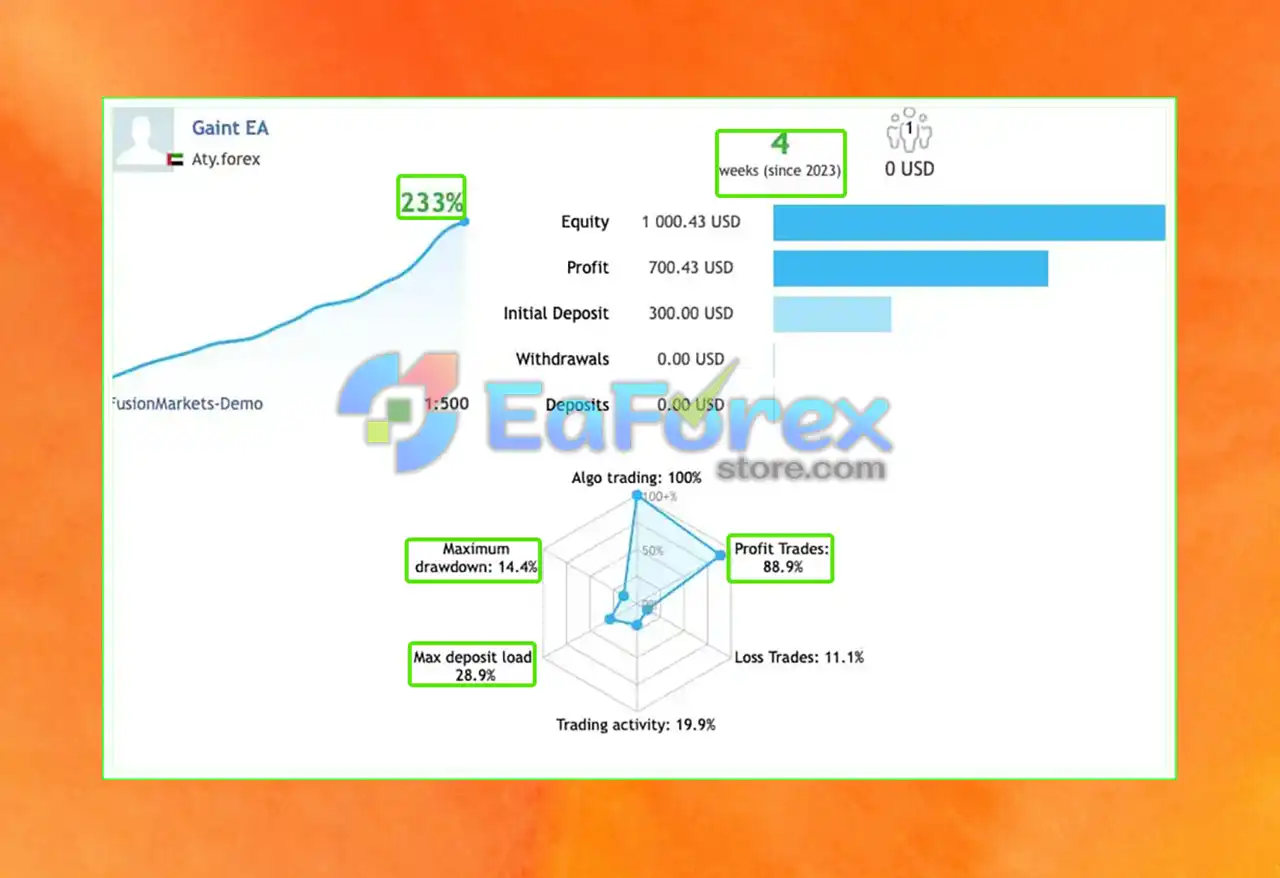
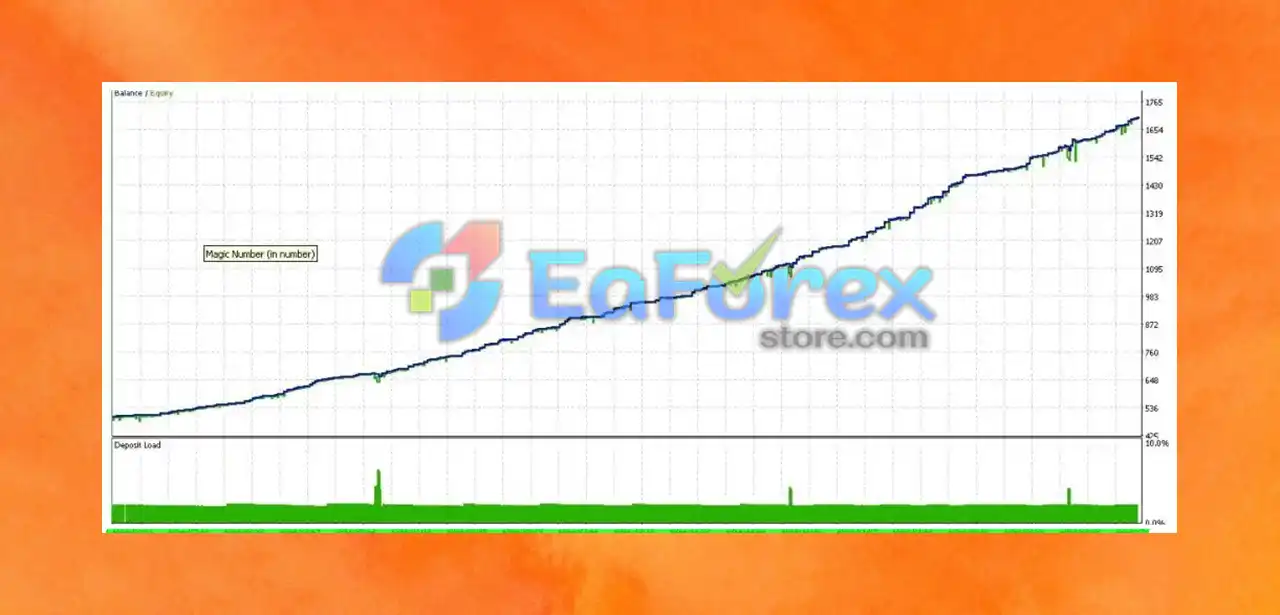
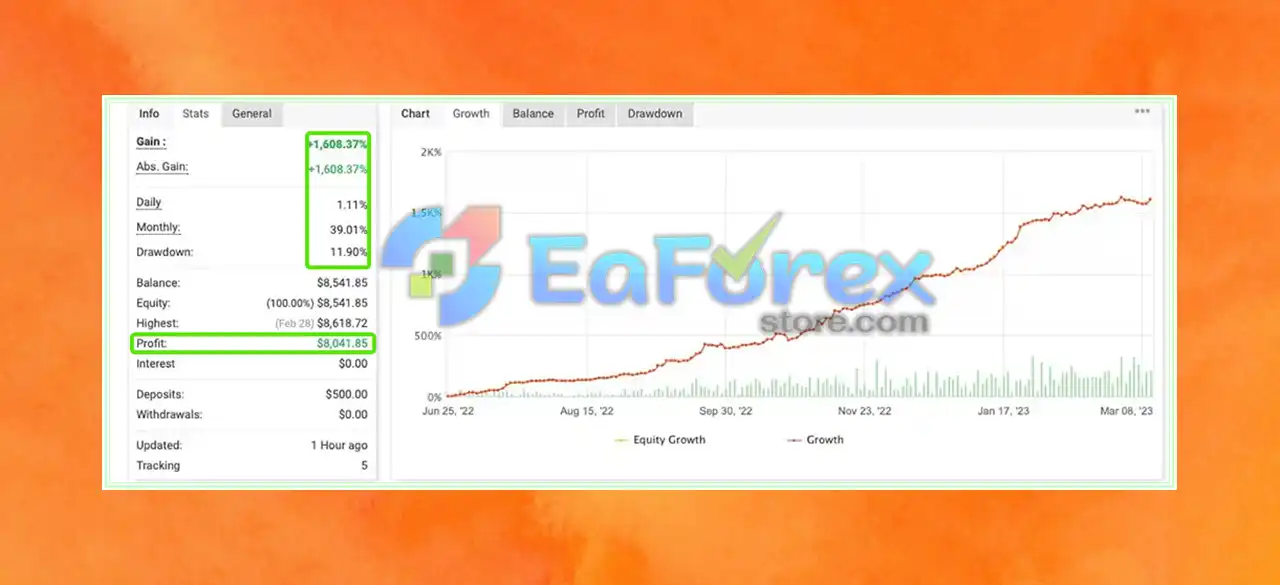
MT4Any Forex Currency Pair + Gold (XAUUSD) · M30Updated 2 Jun 2026
Gaint EA v3.12 MT4 + SetFiles (Official version 1479+)
Download link right after paymentLifetime licenceSet files includedFree updates to new versions
Pay with Visa · MastercardUSDT · BTC · ETHBinance Pay
Not sure it fits your broker or account?Ask a question
Check before you buy
Will it work for me?
Trading platform
MetaTrader 4 (MT4)
Recommended deposit (Min)
$200
Recommended leverage (Min)
From 1:100 and more.
Time frames
M30
Currency pairs
Any Forex Currency Pair + Gold (XAUUSD)
Setup files
Available
Product type
NoDLL / Fix
What you get
In the download
COMGaint EA v3.12 MT4 by eaforexstore.com
Full review
What is Gaint EA?
Gaint EA for MT4 (MetaTrader 4) is a powerful Expert Advisor (EA) designed to automate trading in the Forex market. Built with intelligent algorithms and pre-defined trading rules, this EA executes trades automatically on behalf of the user, aiming to generate consistent profits with minimal manual input.
Optimized for efficiency and accuracy, Gaint EA helps traders of all levels take advantage of market opportunities 24/5 with reduced emotional bias and improved decision-making.
Key Features of Gaint EA
🔺Advanced Risk Management Tools:
- Built-in Stop Loss (SL) and Take Profit (TP)
- Customizable risk settings to align with trading goals
🔺Customizable Trading Strategy:
- Users can personalize trade logic and lot sizing
- Adaptable for both conservative and aggressive trading styles
🔺Powerful Backtesting Capability:
- Test performance on historical data
- Evaluate success rate before live trading
🔺Seamless MetaTrader 4 Integration:
- Optimized for smooth use across MT4 brokers
- No additional tools or platforms needed
🔺Beginner-Friendly Interface:
- Simple setup process with guided configuration
- Default settings available for quick start
Why choose Gaint EA?
Gaint EA Review
🔺Overview of where to find trusted Gaint EA reviews:
- Trading forums (e.g., Forex Factory, Reddit)
- Review websites (e.g., Trustpilot, Forex Peace Army)
- YouTube and social media feedback
- Consistency in profit generation
- User experience with setup and customization
- Customer support and software update frequency
What’s Included in the Gaint EA Download Package?
- Experts: Gaint EA v3.12.ex4
- Presets:
- Risk All Pair’s.set
- Medium risk all pair.set
>>> Join VIP Membership Now <<<
How To Set Up EA
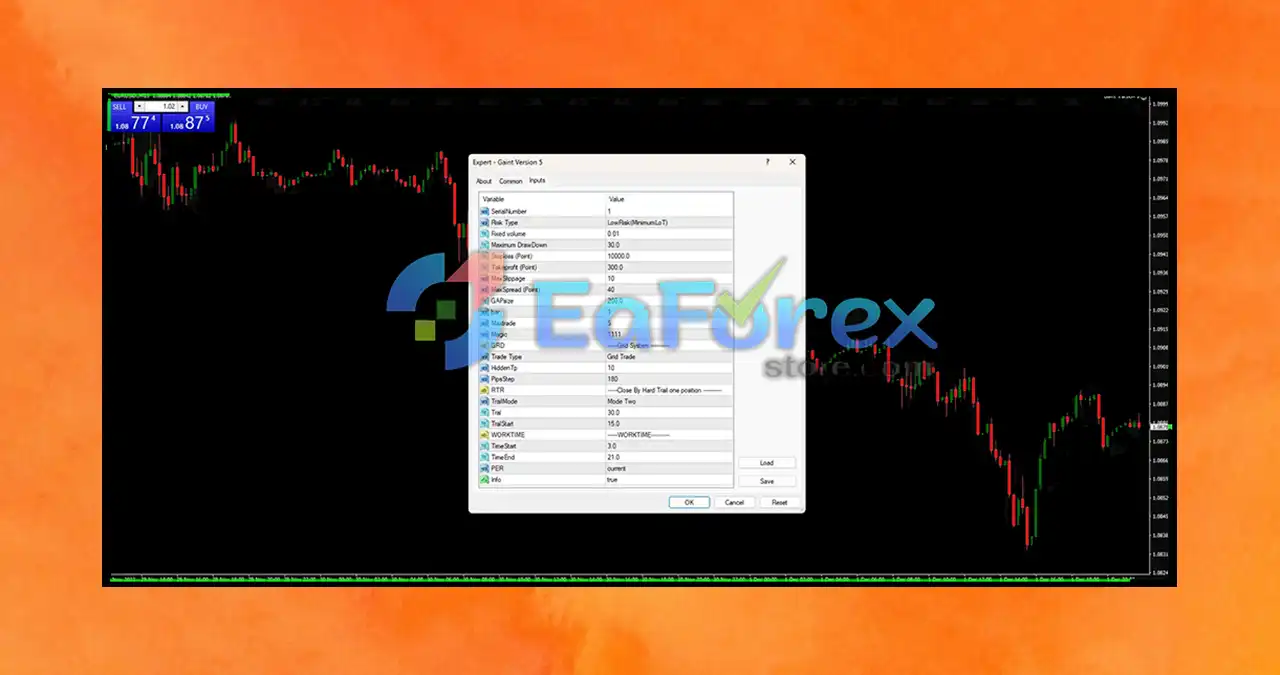
🔺Discover how to install and configure Gaint EA MT4, a grid-based Forex robot with risk controls, trailing stops, and optimized trading hours for safer automated trading.
🔴 How to Install Gaint EA on MetaTrader 4
- Open MetaTrader 4 and go to
File > Open Data Folder. - Navigate to
MQL4 > Experts. - Copy the Gaint EA v5 file (
.ex4or.mq4) into the Experts folder. - Restart MT4 and drag the EA onto your preferred chart.
- Enable AutoTrading and confirm any prompt for DLL imports or external signals.
🔴 Recommended Gaint EA Settings
| Parameter | Value | Purpose & Explanation |
|---|---|---|
| Risk Type | 0 | Risk-based lot sizing with minimum lot. |
| Fixed Volume | 0.01 | Conservative fixed lot size per trade. |
| Max Drawdown | 30.0% | Stops trading after 30% drawdown—moderate risk control. |
| Take Profit | 10,000 pts | Large profit target for long-term gains. |
| Stop Loss | 300 pts | Tight stop loss to limit losses. |
| Max Slippage | 10 pips | Balances execution speed and accuracy. |
| Max Spread | 40 pts | Prevents trading during high spread to reduce cost. |
| GAP (Grid Step) | 20 | Moderate distance between grid orders. |
| Max Trade | 20 | Limits open trades to control exposure. |
| Magic Number | 100 | Unique ID to track EA trades separately. |
| Trade Type | Grid | Uses grid strategy with layered buy/sell orders. |
| Hidden % | 10 | Stealth mode to hide trade behavior/volume. |
| Pips Step | 180 | Interval between subsequent trades. |
| Trail Mode | Mode Two | Uses trailing stop method for exits. |
| Trail Step | 30 pts | Distance to activate trailing stop. |
| Trail Start | 15 pts | Profit needed before trailing begins. |
| Work Time | 20:00–21:00 | Restricts trading to 8 PM–9 PM for stability. |
| Info | True | Displays trade info and logs. |
🔴 Best Practices & Tips
-
Use conservative lot sizes (0.01 minimum) to protect capital.
-
Limit max trades to avoid overexposure in volatile markets.
-
Rely on trailing stops to lock in profits while allowing trade flexibility.
-
Trade only during specified work hours (20:00–21:00) to avoid volatile sessions.
-
Ensure spread and slippage filters are active to minimize costs.
-
Always test on demo accounts before live deployment.
Conclusion
In summary, Gaint EA exemplifies the true potential of automated trading in the Forex market. Equipped with advanced features, proven consistent profitability, and a user-friendly interface, this Expert Advisor helps traders optimize their trading strategies effectively. Whether you are a beginner or an experienced trader, Gaint EA’s comprehensive setup files make installation easy and provide a valuable tool for automated Forex trading success.
>>> Reviewed by Jason Stap <<<
Questions about Gaint EA v3.12 MT4
1. What is Gaint EA and how does it work?
Gaint EA is an automated Expert Advisor for MetaTrader 4 (MT4) that uses intelligent algorithms and pre-set trading rules to execute Forex trades automatically, aiming to generate consistent profits with minimal manual input.
2. Which trading platforms and brokers support Gaint EA?
Gaint EA is fully compatible with the MetaTrader 4 platform and works seamlessly with any broker that supports MT4, providing flexible integration for Forex trading.
3. What are the key features of Gaint EA?
Key features include advanced risk management tools (stop-loss, take-profit), customizable risk settings, powerful backtesting capabilities, and a user-friendly interface suitable for both beginners and experienced traders.
4. Can I customize Gaint EA’s trading strategy?
Yes, Gaint EA allows users to tailor trading strategies according to their risk tolerance and investment goals, offering a personalized and adaptable automated trading experience.
5. How does Gaint EA help manage risk?
Gaint EA incorporates essential risk management features such as stop-loss, take-profit, and adjustable risk settings designed to protect trading capital and minimize losses.
6. Is Gaint EA suitable for beginner traders?
Absolutely. Gaint EA offers an intuitive setup process and easy customization, making it accessible and user-friendly for traders at all experience levels.
7. Does Gaint EA operate 24/5 and how does that benefit traders?
Yes, Gaint EA runs fully automated 24 hours a day, 5 days a week, continuously analyzing the market and executing trades to maximize profit opportunities, even when traders are offline.
8. Where can I find reliable reviews and user feedback for Gaint EA?
Trusted user reviews are available on popular trading forums, EA review websites, and social media platforms. Look for feedback on performance consistency, ease of use, and vendor support to make an informed decision.
More in Expert Advisor MT4
- HERO FTMO PRO EA MT4 with Setfiles (Official version 1479+)
- LearnFx EA MT4 v1.0 + Setfiles (Official version 1479+)
- Royal EA Incubator MT4 v1.02 (Official version 1479+)
- Platinum FX EA MT4 + SetFiles (Official version 1479+)
- GARRYS AI EA v3.0 MT4 + SetFiles (Official version 1479+)
- GMGS PRO EA v2.0 MT4 with SetFiles (Official version 1479+)
- Fusion Winner Pro EA MT4 + SetFiles | Unbounded
- ForexHub EA MT4 + SetFiles | Unbounded



