


What is LearnFx EA MT4?
LearnFx EA is a fully automated Expert Advisor (EA) developed for the MetaTrader 4 (MT4) platform, specifically optimized for trading major currency pairs like GBPUSD and EURUSD on the 5-minute (M5) timeframe. This trading robot features advanced, professional-level algorithms designed to maximize profitability while minimizing risk.
Unlike many trading systems, LearnFx EA avoids risky techniques such as Martingale and Grid strategies, ensuring safer capital management. Suitable for traders of all experience levels, this EA supports consistent and secure profit growth with effective risk control.
Core Features of LearnFx EA
🔺 Proven Trading Performance:
- Consistent returns in backtesting
- Low drawdown statistics
🔺 Customizable Settings:
- Risk level adjustments
- Capital size and trading style adaptation
🔺 Smart Risk Management:
- Avoids Martingale and Grid strategies
- Built-in Stop Loss and Take Profit
🔺 Fully Automated Trading:
- No manual intervention required
- Saves time and maximizes efficiency
🔺 Advanced Trading Algorithms:
- High-precision entry and exit points
- Suitable for volatile markets
🔺Beginner-Friendly Interface:
- Easy installation and setup
- Accessible for all experience levels
Why Choose LearnFx EA MT4?
-
Stable profits and reduced risk exposure
-
Advanced, hands-free trading solution
-
Tailored settings for personalized strategies
-
Suitable for both beginner and professional traders
best Forex EA for MT4, reliable Forex robot, automated Forex trading, low drawdown EA
LearnFx EA MT4 Backtest Results
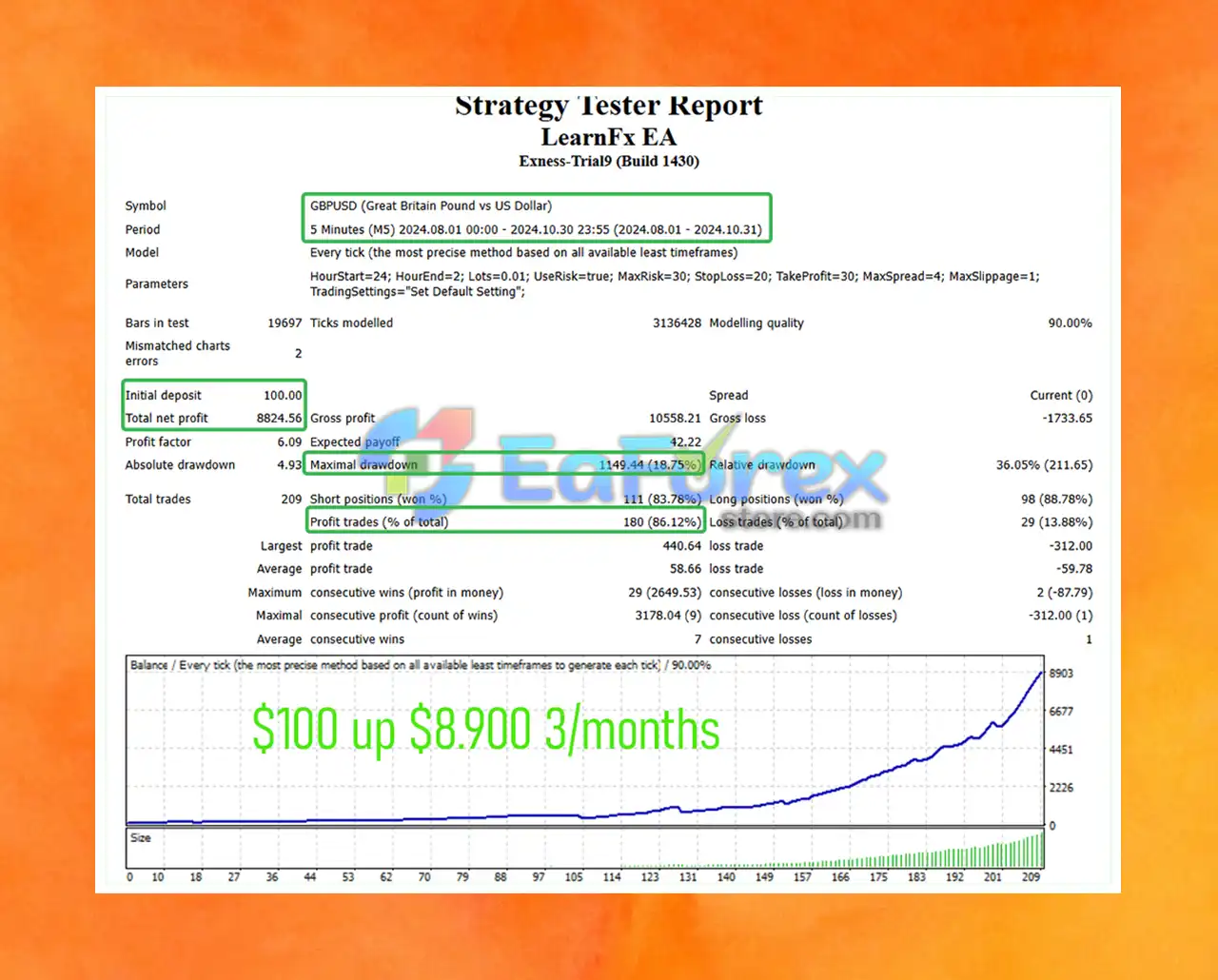
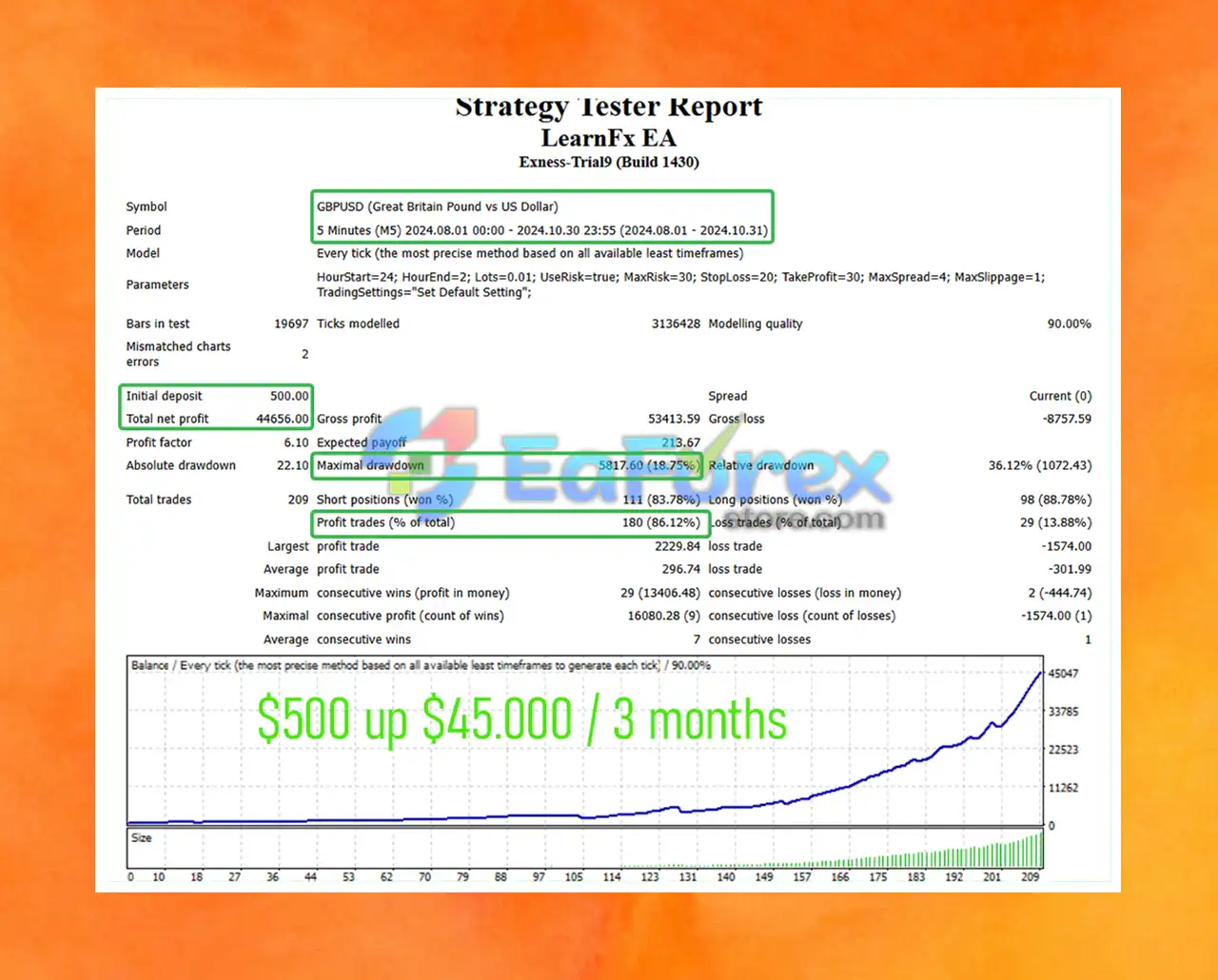
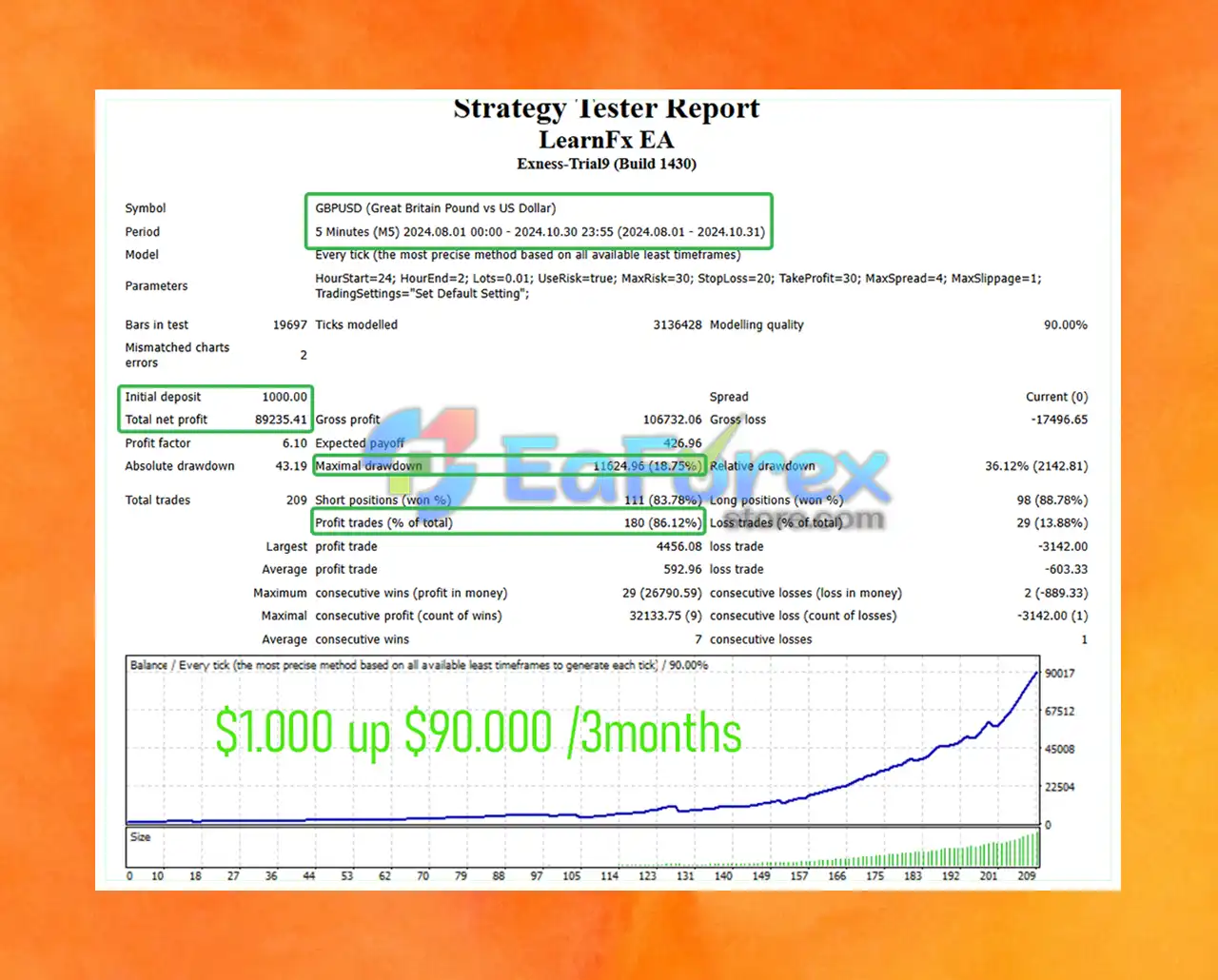
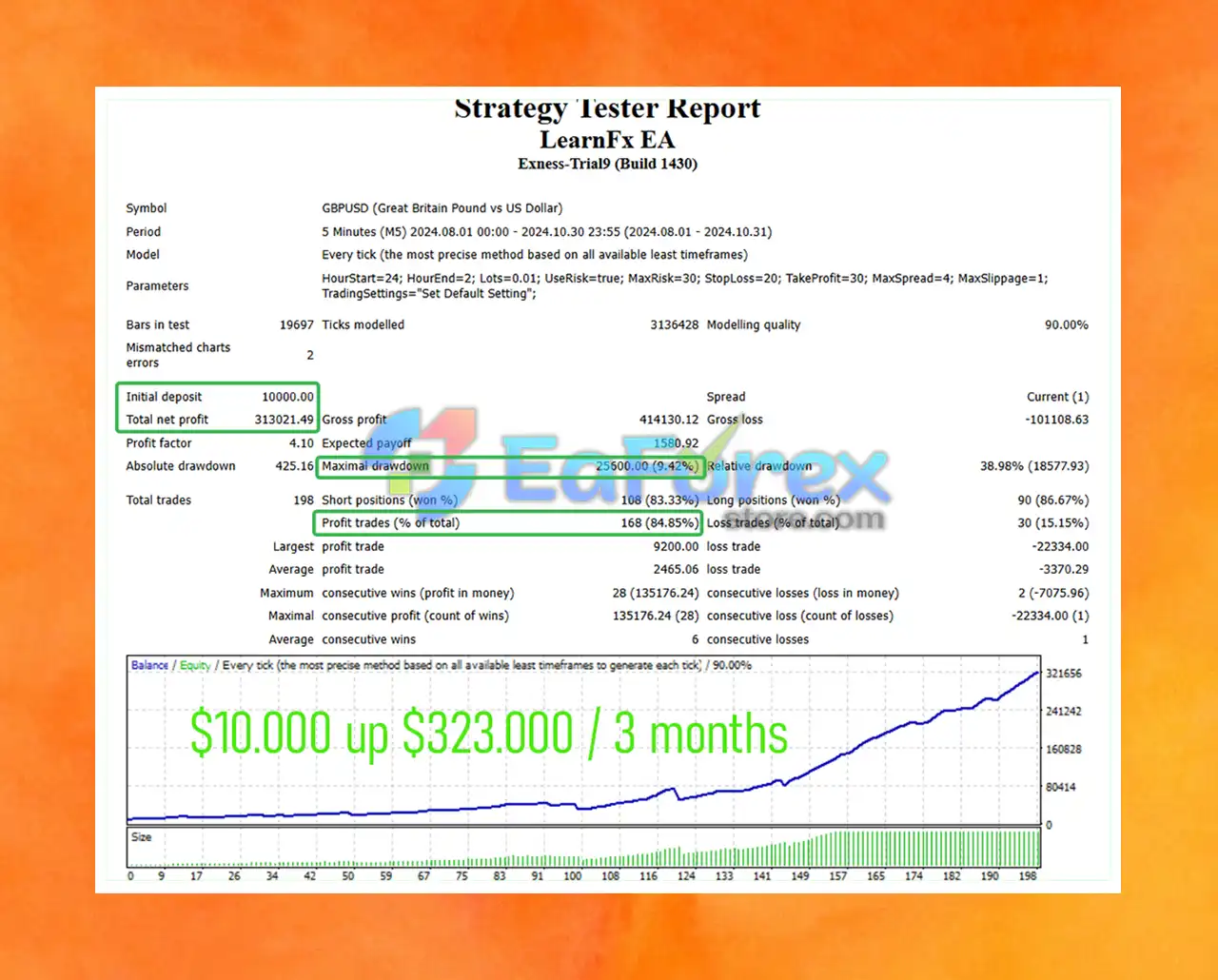
🔺Overview of backtesting period (3 months on GBPUSD).
Performance across different capital sizes:
- $100 account
- $500 account
- $1,000 account
- $10,000 account
- Total profit
- Maximum drawdown (18.75%)
- Win rate (85–86%)
What’s Included in the Download Package?
🔺What’s included:
- EA file:
LearnFx EA.ex4 - Preset files for EURUSD & GBPUSD
- Multiple risk levels (5% to 30%)
>>> Join VIP Membership Now <<<
How To Set Up EA
How to install and optimize LearnFx EA on MetaTrader 4. Step by step setup with best settings for risk management and performance.
♦️ Install LearnFx EA on MetaTrader 4
- Open MT4.
- Go to
File > Open Data Folder. - Navigate to
MQL4 > Experts. - Paste the LearnFx EA
.ex4or.mq4file. - Restart MT4 and drag the EA onto your chart.
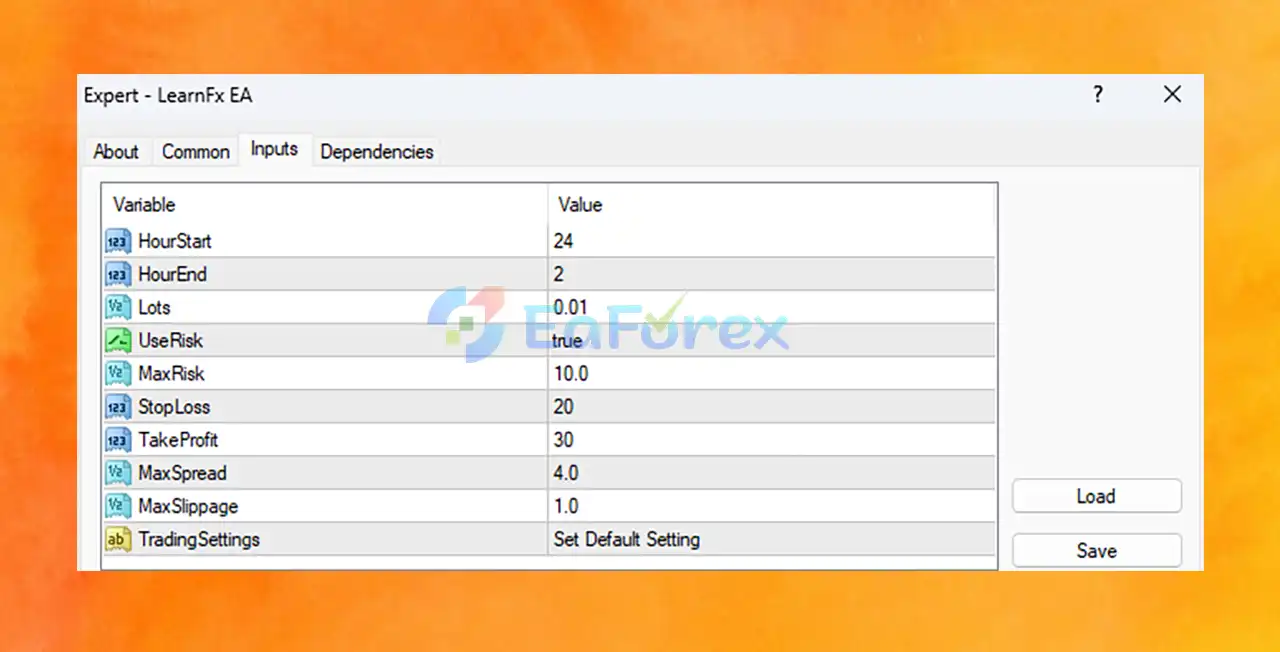
♦️ Recommended LearnFx EA Settings (Explained)
| Setting | Value | Explanation |
|---|---|---|
| HourStart | 24 | EA starts trading at midnight (00:00 server time). |
| HourEnd | 2 | Stops trading at 02:00 – ideal for low-volatility sessions. |
| Lots | 0.01 | Minimum trade size – low risk for beginners. |
| UseRisk | true | Enables dynamic lot sizing based on account balance. |
| MaxRisk | 10.0 | High risk per trade (10%) – adjust to 1–2% for safer trading. |
| StopLoss | 20 pips | Tight stop to limit losses – fits scalping strategies. |
| TakeProfit | 30 pips | Target profit level, giving a 1:1.5 risk-reward ratio. |
| MaxSpread | 4.0 | Avoids trades during high spreads – better execution. |
| MaxSlippage | 1.0 | Limits price slippage during trade execution. |
| TradingSettings | Default | Uses preset EA logic and strategy rules. |
Conclusion
In summary, LearnFx EA MT4 is a powerful, fully automated Expert Advisor designed for traders seeking consistent performance, minimal risk, and hands-free operation in the Forex market. Specially optimized for GBPUSD and EURUSD on the M5 timeframe, this EA utilizes advanced trading algorithms to identify high-probability entries and exits with precision.
Unlike many EAs that rely on high-risk tactics, LearnFx EA avoids dangerous strategies like Martingale and Grid trading. Instead, it prioritizes capital protection through built-in Stop Loss and Take Profit levels, ensuring smarter risk management and long-term account stability.
>>> Reviewed by Jason Stap <<<



