









-
 Unlimited Activations
-
 Instant delivery
-
 Easy to install




 Unlimited Activations
Instant delivery
Easy to install
Unlimited Activations
Instant delivery
Easy to install
 Free Update
 Free Install Support

Gold or EA MT5 is an automated Gold trading Expert Advisor for MetaTrader 5, specifically designed for XAUUSD. The EA uses a combination of three technical indicators to identify potential market direction, confirm momentum, and filter trading opportunities.
The trading system combines a custom Gold-focused indicator, RSI, and MACD to generate buy and sell signals. The custom indicator determines the preferred market direction, while RSI and MACD provide additional momentum confirmation before a trade is opened.
Gold or EA MT5 is designed to focus on structured entries rather than trading every market movement. Traders can also customize the indicator parameters and risk settings according to their preferred trading approach.
The recommended setup is XAUUSD on the M15 timeframe, with a VPS recommended for continuous automated operation.
>> Delivery time 24h-48h after payment.
>>> Refund if not delivered.
>>> You will receive the latest version without any limitations (ID+Time).>>Reviewed by Jason Stap <<
Gold or EA MT5 Overview
Gold or EA MT5 uses three main indicators to evaluate potential trading opportunities:
The custom indicator provides the primary directional signal for the EA.
When the indicator displays blue, the system interprets the market as having bullish potential and allows Buy trades.
When the indicator displays red, the system interprets the market as having bearish potential and allows Sell trades.
This directional filter helps the EA avoid taking trades against the signal provided by its primary Gold-focused indicator.
The EA uses the Relative Strength Index (RSI) as a momentum filter.
For Buy conditions, the RSI range is configured between 50 and 70.
For Sell conditions, the RSI range is configured between 30 and 50.
The 50 RSI level acts as a central momentum reference. Rather than relying only on overbought or oversold conditions, the EA uses RSI to help identify directional momentum while avoiding entries too close to extreme levels.
The MACD is used to provide additional momentum confirmation.
For Buy trades, the system looks for:
For Sell trades, the system looks for:
Combining MACD with the custom indicator and RSI gives the EA multiple layers of technical confirmation before opening a position.
A Buy trade can be opened when:
A Sell trade can be opened when:
The indicator parameters can be adjusted through the EA settings. Traders can therefore customize the entry conditions or use a recommended ready-made settings file from the developer.
Gold or EA MT5 is specifically designed around XAUUSD, allowing its trading logic to focus on the characteristics and volatility of the Gold market.
Instead of relying on a single indicator, the EA combines:
Custom Indicator + RSI + MACD
This creates a multi-factor approach to evaluating potential market entries.
The custom indicator establishes the preferred market direction. The EA then uses RSI and MACD to confirm whether the market has sufficient momentum for a potential trade.
Gold or EA MT5 provides several position-sizing options, allowing traders to choose between fixed volume, percentage-based risk, minimum volume, and other calculation methods.
The EA uses the economic calendar built into MetaTrader 5, so no external news service or external link is required for its built-in news filtering functionality.
Indicator conditions, risk settings, trailing stop behavior, Stop Loss methods, and Take Profit calculations can be adjusted according to the trader’s strategy and risk preferences.
🔺XAUUSD (Gold) pair – over many years of testing
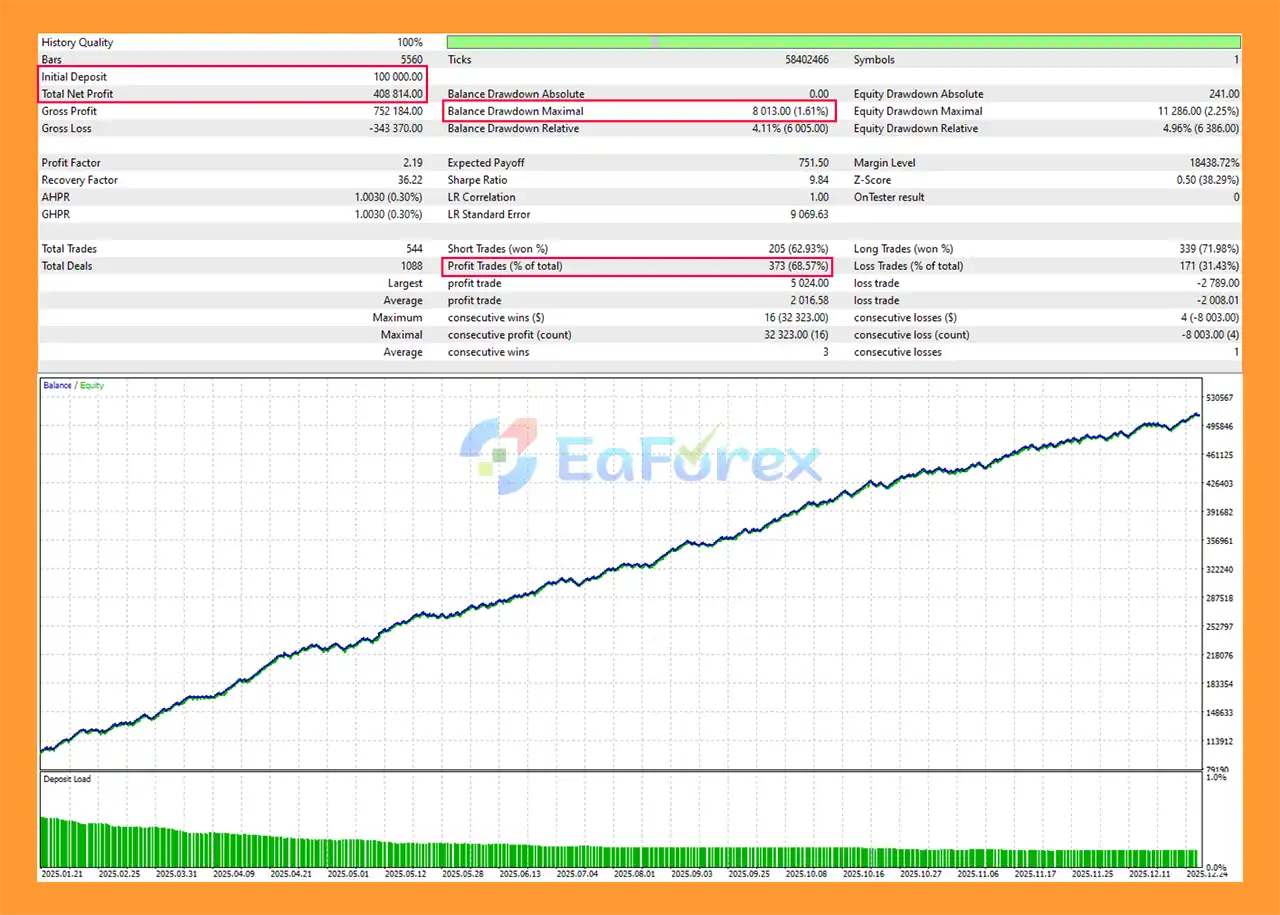
Gold or EA MT5 Backtests
Gold trading can experience significant price movements, making risk management an important part of an automated XAUUSD strategy.
Gold or EA MT5 includes several tools designed to help control trade exposure.
The EA supports multiple position-sizing methods:
The built-in Trailing Stop can be enabled or disabled.
The Trailing Stop Level (%) determines the percentage level used by the EA when adjusting the stop to follow favorable price movement.
The Equity Drawdown Limit (%) allows traders to define a maximum equity drawdown threshold.
When the configured limit is reached, the EA stops opening new trades.
A value of 0 can be used to disable this protection.
Gold or EA MT5 supports several Stop Loss calculation methods:
The SL Deviation (Points) parameter allows traders to adjust the Stop Loss distance or its calculation depending on the selected SL method.
The TP Coefficient for SL determines the relationship between Take Profit and Stop Loss.
For example:
This gives traders flexibility when configuring their desired risk-to-reward structure.
Gold can react strongly to major economic announcements. To help avoid opening new trades during potentially unstable periods, Gold EA MT5 includes a built-in news filter.
Available settings include:
The system uses the MetaTrader 5 built-in economic calendar, so traders do not need to connect an external news calendar.
Although Gold or EA MT5 includes multiple confirmation and risk-management features, automated trading still involves substantial market risk.
XAUUSD can experience rapid price movements, especially around major economic announcements. Even with filters and Stop Loss protection, sudden market movements can affect trading results.
The custom indicator, RSI, and MACD are technical tools. No combination of indicators can guarantee profitable trades or accurately predict every market movement.
Changing RSI ranges, MACD conditions, Stop Loss settings, Take Profit coefficients, or risk parameters can significantly change the EA’s trading behavior.
Spread, execution speed, slippage, trading conditions, and server stability can influence automated trading performance.
For continuous operation, a stable VPS is strongly recommended so the EA can remain connected to the MetaTrader 5 trading server.
The news filter can prevent new trades around configured events, but it cannot eliminate the risks associated with market gaps, slippage, rapid volatility, or unexpected economic developments.
Past backtests or previous trading results, if available, do not guarantee future performance. Traders should test the EA on a demo account and use risk settings appropriate to their own circumstances before considering live deployment.
Follow these general steps to install Gold or EA MT5 on MetaTrader 5:
Download the Gold or EA MT5 files provided after purchase and install them into the appropriate MetaTrader 5 Experts directory.
Restart the MT5 terminal or refresh the Navigator window so that the Expert Advisor appears under the Expert Advisors section.
Open an XAUUSD chart and select the recommended M15 timeframe.
Drag Gold or EA MT5 onto the XAUUSD chart and enable automated trading.
Review and configure:
If you prefer not to configure the parameters manually, contact the developer to receive the recommended settings file and setup instructions.
A VPS is mandatory according to the recommended setup for maintaining continuous 24/7 EA operation and a stable connection to the MT5 trading server.
Before using the EA on a live account, test it on a demo account and verify that the broker’s XAUUSD symbol, spread, execution conditions, and account settings are compatible with the EA.
After purchasing Gold EA MT5, contact the developer privately to receive the installation manual and setup instructions.
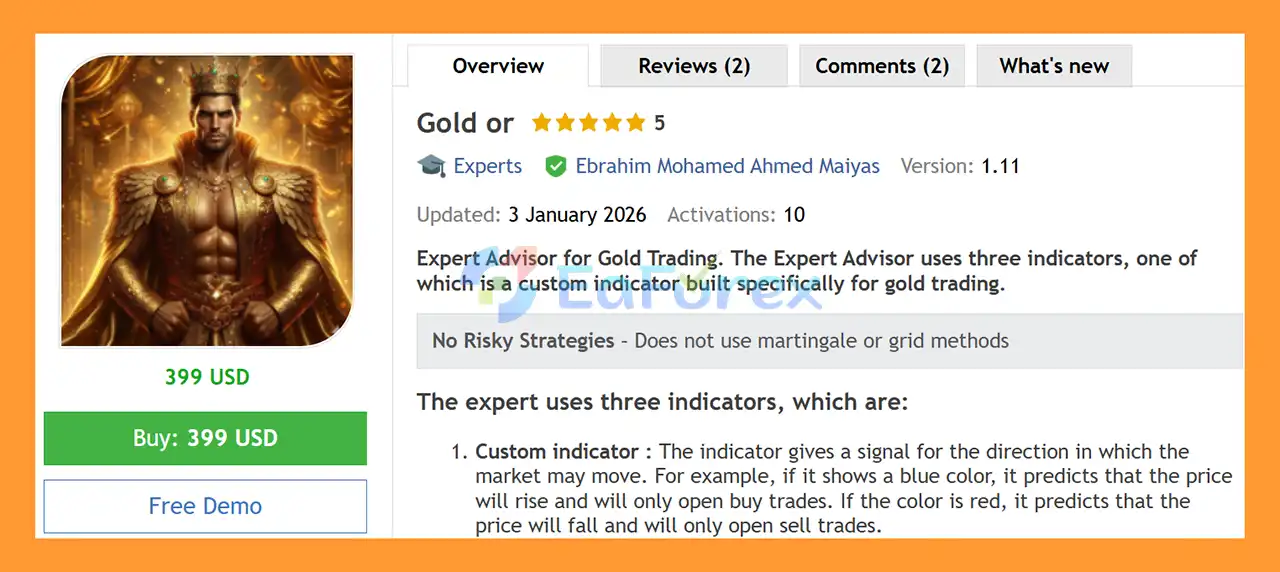
🔺Gold or EA MT5 is highly appreciated by the MQL5 community for bringing stable and reliable profits. Below are 5 star reviews from users:
In summary, Gold or EA MT5 is an automated XAUUSD Gold Trading Expert Advisor for MetaTrader 5, designed primarily for the M15 timeframe. Its trading approach combines a custom Gold-focused directional indicator with RSI and MACD confirmation, creating a multi-layer signal process rather than relying on a single technical indicator.
The EA also provides a broad range of risk-management and trade-management options, including fixed or percentage-based position sizing, multiple Stop Loss calculation methods, configurable Take Profit coefficients, Trailing Stop functionality, and an Equity Drawdown Limit. Its built-in MetaTrader 5 economic calendar news filter can also help restrict new entries around selected economic events.
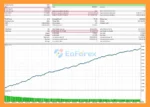
The supplied long-term XAUUSD backtest reports $408,814.00 total net profit, a 68.57% win rate, and 1.61% maximum drawdown from an initial deposit of $100,000. These are historical backtest results and should not be interpreted as a guarantee of future performance. The starting balance and selected risk parameters should also be considered when comparing these results with smaller live accounts.
Gold remains a highly volatile market, and actual performance can vary because of spread, slippage, execution quality, leverage, liquidity, broker conditions, and unexpected market events. Indicator-based confirmation can reduce some low-quality signals but cannot eliminate trading losses.
Overall, Gold or EA MT5 offers a structured framework for automated XAUUSD trading on MetaTrader 5, with multiple entry filters and configurable risk controls. Demo and forward testing under realistic broker conditions, a reliable VPS, and conservative position sizing are recommended before considering live deployment.
1. What is Gold or EA MT5?
Gold or EA MT5 is an automated trading robot designed for trading XAUUSD (Gold) on the MetaTrader 5 platform. It uses a combination of a custom gold indicator, RSI, and MACD to analyze market trends, identify strong momentum, and execute trades automatically without manual intervention.
2. How does Gold or EA MT5 work?
Gold or EA MT5 works by analyzing market data through three key indicators: a custom gold indicator, Relative Strength Index, and MACD. When all signals confirm a strong trend and momentum, the EA automatically opens buy or sell trades and manages the position using built-in risk management tools.
3. Which trading pair is Gold or EA MT5 designed for?
The EA is specifically optimized for trading XAUUSD (Gold). Its algorithm is tailored to the volatility and price behavior of the gold market, helping traders capture high-probability trading opportunities.
4. What timeframe does Gold or EA MT5 use?
Gold or EA MT5 is optimized for the M15 (15-minute) timeframe. This timeframe allows the EA to detect short-term trends and momentum movements in the gold market, making it suitable for scalping and active trading strategies.
5. Is Gold or EA MT5 fully automated?
Yes. Gold or EA MT5 is a fully automated trading system. Once installed on MetaTrader 5, it can scan the market, identify trade opportunities, open positions, set stop loss and take profit levels, and manage trades automatically.
6. Does Gold or EA MT5 include risk management features?
Yes. The EA includes several advanced risk management tools such as flexible lot sizing, equity drawdown protection, dynamic take profit calculation, trailing stop protection, and multiple stop loss calculation methods to help protect trading capital.
7. Can Gold or EA MT5 avoid trading during high-impact news?
Yes. The EA includes a built-in economic news filter that integrates with the MetaTrader 5 economic calendar. This feature helps the system avoid opening trades during high-impact news events that may cause unpredictable market volatility.
8. What indicators are used in the Gold or EA MT5 strategy?
Gold or EA MT5 combines three main indicators:
A custom gold trend indicator for market direction
Relative Strength Index (RSI) for momentum confirmation
MACD for trend strength verification
This multi-indicator confirmation helps reduce false signals and improve trade accuracy.
9. Can beginners use Gold or EA MT5?
Yes. Gold or EA MT5 is designed for both beginners and experienced traders. Since it operates automatically and includes customizable settings, users only need to install it on MetaTrader 5, apply the recommended configuration, and allow the EA to trade.
10. Does Gold or EA MT5 support VPS trading?
Yes. For optimal performance, it is recommended to run Gold or EA MT5 on a Forex VPS so the EA can trade 24/7 without interruptions, even when your computer is turned off.
In stock
In stock
In stock
In stock
In stock
Out of stock
No account yet?
Create an Account












 Automatic EA
 EA Best Seller
 Expert Advisor MT4
 Expert Advisor MT5
 HFT EA


Reviews
Clear filtersThere are no reviews yet.