









-
 Unlimited Activations
-
 Instant delivery
-
 Easy to install







 Unlimited Activations
Instant delivery
Easy to install
Unlimited Activations
Instant delivery
Easy to install
 Free Update
 Free Install Support

GOLD Pulsar EA MT5 is a fully automated Gold trading Expert Advisor (EA) for the MetaTrader 5 platform, specifically designed to trade the XAUUSD pair on the M1 timeframe. The system operates based on market analysis algorithms, continuously monitoring price fluctuations and market conditions to identify potential trading opportunities.
Unlike EAs that frequently open continuous trades, GOLD Pulsar is designed for selective trading. It can pause operations to wait for the necessary entry conditions to align perfectly.
The system allows only one open trade at a time and applies predefined Stop Loss and Take Profit levels to every position. Its position-sizing algorithm calculates the trade volume (lot size) based on the risk level selected for each trade, while also supporting a fixed lot size option.
GOLD Pulsar EA MT5 combines automated market analysis with various risk management and trade execution filters, including: economic news filters, spread volatility protection, trading hour controls, day/time trading filters, and capital management settings.
The recommended configuration is the XAUUSD pair on the M1 timeframe, with a suggested minimum deposit of 500 USD. The EA supports both Hedging and Netting account types and is compatible with leverage of 1:20 or higher.
>>> Delivery time 24h-48h after payment.
>>> Refund if not delivered.
>>> You will receive the latest version without any limitations (ID+Time).
GOLD Pulsar EA MT5 continuously analyzes Gold price movements and market behavior in search of potential entry opportunities.
The EA does not need to maintain constant market activity. When its conditions are not satisfied, it can pause trading and wait for a more suitable setup.
The Expert Advisor is designed to open a position only when its trading conditions indicate a potential opportunity.
This selective approach means that the EA may remain inactive for periods of time instead of continuously generating trades.
GOLD Pulsar EA MT5 allows only one open trade at a time.
This helps keep the trading structure straightforward and prevents the EA from accumulating multiple simultaneous positions as part of a grid or recovery system.
Every trade opened by GOLD Pulsar EA MT5 includes a protective Stop Loss and Take Profit.
The predefined SL provides a clear exit level when the market moves against the position, while the TP defines the targeted profit level for the trade.
Traders can choose between:
With proportional position sizing, the lot size is calculated according to the risk percentage specified in the EA settings.
GOLD Pulsar does not use Martingale, Grid, or Arbitrage strategies.
The system is instead based on individual trade entries with predefined risk and profit targets.
Money management is an important part of the GOLD Pulsar EA MT5 trading structure.
The recommended risk level is generally within the 1–3% range per trade, although traders should select a risk level based on their account size, financial situation, and personal risk tolerance.
The EA can monitor the economic calendar and temporarily pause trading around selected economic news events.
The importance of monitored news and the duration of the pause before and after an event can be configured through the EA settings.
GOLD Pulsar EA MT5 includes protection against spread widening.
When market conditions become unstable and spreads increase sharply, the EA can pause trading and wait for conditions to stabilize before resuming operation.
The Expert Advisor can be configured to trade only during specified hours.
This allows traders to define when the system is permitted to search for and execute new trading opportunities.
Once properly configured, GOLD Pulsar EA MT5 can automatically analyze the market, open and manage trades, apply risk controls, and pause trading when configured filters are triggered.
GOLD Pulsar EA MT5 follows a selective, risk-controlled approach to automated Gold trading.
The EA continuously monitors XAUUSD price action on the M1 timeframe.
It analyzes market conditions and price behavior according to its internal trading algorithm.
GOLD Pulsar does not automatically open a trade every minute.
Instead, it waits until the required market conditions are detected. If no valid setup is available, the EA remains inactive.
Before opening a trade, the EA can determine the appropriate position size based on the selected lot-sizing method.
Users can choose either a fixed lot size or proportional risk-based lot calculation.
When an entry condition is satisfied and all applicable filters allow trading, the EA opens a position on XAUUSD.
Each trade is accompanied by a predefined Stop Loss and Take Profit.
Only one open trade is allowed at a time.
The EA manages the position according to its configured SL, TP, and trading rules.
GOLD Pulsar EA MT5 regularly checks the economic news calendar and can pause trading around relevant events.
It also monitors spread conditions. If the spread becomes excessively wide, the system can temporarily stop opening new trades.
The EA operates only during the trading hours configured by the user.
Once the trading session ends, the system can stop searching for new entries until the next permitted trading period.
GOLD Pulsar EA MT5 is specifically designed for Gold trading on the M1 timeframe, rather than being a generic multi-asset EA.
This allows the system to focus its trading logic on the characteristics of XAUUSD.
The EA does not attempt to trade continuously.
It can remain inactive while waiting for a suitable market setup, which may help reduce unnecessary trade frequency compared with systems designed to remain constantly active.
With proportional lot calculation, traders can configure the desired risk percentage and allow the EA to calculate the position size accordingly.
This provides a more structured approach to position sizing than simply selecting a large fixed lot.
GOLD Pulsar EA MT5 does not rely on Martingale or Grid techniques.
There is no requirement for the EA to continuously add positions to a losing trade in an attempt to recover previous losses.
The combination of Stop Loss, Take Profit, news filtering, spread protection, trading-hour controls, and money management provides multiple layers of automated trade control.
The basic setup is straightforward: attach the EA to an XAUUSD M1 chart, apply the appropriate .set file, configure the news filter and risk settings, and enable automated trading.
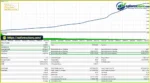
🔺XAUUSD (Gold) – Fixed Lot 0.01
GOLD Pulsar MT5 Backtest
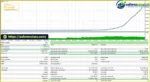
🔺XAUUSD (Gold) – Auto Risk 2%
GOLD Pulsar MT5 EA Backtest
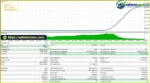
🔺XAUUSD (Gold) – Auto Risk 1%
GOLD Pulsar EA MT5 Backtest
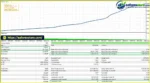
🔺XAUUSD (Gold) – Fixed Lot 0.02
GOLD Pulsar EA Backtest
GOLD Pulsar EA MT5 is designed with a strong emphasis on risk management and controlled trade execution.
Rather than opening numerous simultaneous positions, the system limits itself to one open trade at a time. Each position includes a Stop Loss and Take Profit, while proportional lot sizing can be used to calculate exposure based on the selected risk percentage.
The system is based on a money-management principle with a recommended maximum risk of approximately 1–3% per trade.
However, this should not be interpreted as a guarantee that account losses will remain within the selected percentage. Actual losses can be affected by slippage, market gaps, spread widening, execution conditions, and broker-specific factors.
For conservative trading, users may consider starting with a lower risk setting and evaluating the EA through extended demo testing.
The EA checks the economic calendar periodically and can stop opening new trades before and after selected news events.
Users can configure:
This feature is particularly relevant for XAUUSD because Gold can experience substantial volatility around major economic announcements.
When spreads widen significantly, GOLD Pulsar can temporarily pause trading.
This is designed to help avoid initiating new positions under unfavorable execution conditions.
Trading can be restricted according to the configured trading schedule and available daily/hourly filters.
These controls allow users to determine when the EA is permitted to operate.
| Parameter | Recommendation |
|---|---|
| Platform | MetaTrader 5 |
| Trading Symbol | XAUUSD / Gold |
| Timeframe | M1 |
| Account Type | Hedging or Netting |
| Minimum Deposit | $500 |
| Minimum Leverage | 1:20 |
| Lot Calculation | Fixed or Proportional |
| Recommended Risk | 1–3% per trade |
| VPS | Recommended |
| Trading Mode | Fully Automated |
A VPS is recommended for traders who want the EA to operate continuously without interruptions caused by computer shutdowns or unstable internet connections.
Open an XAUUSD M1 chart in MetaTrader 5 and attach GOLD Pulsar EA.
Select the appropriate .set file depending on whether you want to use:
Set the desired economic news parameters, including the importance of news events and the pause duration before and after scheduled releases.
Set the ServerGMT parameter according to your broker’s server GMT value.
Make sure Allow Algo Trading / AutoTrading is enabled in MetaTrader 5 and that live trading permission is enabled for the Expert Advisor.
To allow the news calendar to work in real time:
Forex Strategy Builder
ServerGMT parameter.Important: The economic news filter does not operate in the Strategy Tester in the same way as live trading. The EA downloads and processes news information in real time during live operation.
The M1 timeframe is highly sensitive to spread, slippage, execution speed, and latency.
Even small execution differences can have a greater effect on short-term trading compared with higher timeframes.
Gold can move rapidly during major economic announcements, geopolitical events, and periods of market instability.
A Stop Loss helps define the intended risk, but it cannot eliminate losses or guarantee execution at the exact requested price.
A setting such as 1–3% risk per trade represents the intended position-sizing framework, not a guaranteed maximum account loss.
Slippage, gaps, spread widening, and broker execution can cause actual results to differ.
The news filter depends on external economic-calendar data and correct broker GMT configuration.
Incorrect ServerGMT settings or technical problems with the news feed can affect how the filter operates.
Results can vary between brokers because of differences in:
Therefore, traders should test the EA using the exact broker and account type they intend to use for live trading.
Historical backtests cannot perfectly reproduce live market conditions, particularly for M1 Gold trading.
Backtest results should be considered historical reference information and do not guarantee future performance.
🔺GOLD Pulsar EA MT5 is highly appreciated by the MQL5 community for bringing stable and reliable profits. Below are 5 star reviews from users:
Reviews
>> Join VIP Membership Now <<<
In summary, GOLD Pulsar EA MT5 is a specialized XAUUSD Gold trading EA for MetaTrader 5, designed for the M1 timeframe with a selective entry approach and only one open trade at a time. It combines predefined Stop Loss and Take Profit with proportional or fixed lot sizing, economic news filtering, spread protection, and trading-time controls.
The reported backtests show strong historical results, including a 98.89% win rate across the tested configurations. However, the exceptionally high historical profits should be viewed carefully, as backtest performance does not guarantee future live results. M1 Gold trading is also highly sensitive to spreads, slippage, latency, liquidity, and broker execution.
Overall, GOLD Pulsar EA MT5 may suit traders looking for an automated XAUUSD M1 EA without Martingale or Grid trading and with defined trade-level risk controls. Demo testing with conservative risk settings and the same broker conditions intended for live trading is strongly recommended before deployment.
>> Reviewed by Jason Stap <<<
1. What is GOLD Pulsar EA MT5?
GOLD Pulsar EA MT5 is a fully automated Expert Advisor for MetaTrader 5, specifically designed to trade XAUUSD (Gold) on the M1 timeframe. The EA uses selective market analysis to identify potential trading opportunities rather than continuously opening positions. It allows only one open trade at a time and uses predefined Stop Loss and Take Profit levels for each position.
2. Does GOLD Pulsar EA MT5 use Martingale or Grid trading?
No. GOLD Pulsar EA MT5 does not use Martingale, Grid, or Arbitrage strategies. The EA focuses on individual trade entries and does not continuously add positions to losing trades as part of a recovery grid or Martingale sequence. However, avoiding these strategies does not make the EA risk-free, and Gold trading can still result in significant losses.
3. Which market and timeframe does GOLD Pulsar EA MT5 trade?
GOLD Pulsar EA MT5 is specifically designed for XAUUSD (Gold) on the M1 timeframe. The EA focuses on short-term Gold price movements and selectively waits for its entry conditions to be satisfied. Because M1 trading is highly sensitive to execution conditions, traders should use a broker with competitive spreads, reliable execution, and suitable XAUUSD contract specifications.
4. What are the reported backtest results of GOLD Pulsar EA MT5?
The supplied backtests show strong historical results across several configurations:
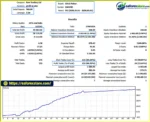
Fixed Lot 0.01: $1,000 initial deposit → $19,171.85 net profit, 98.89% win rate, and 1.29% maximum drawdown.
Auto Risk 1%: $1,000 initial deposit → $1,711,898.80 net profit, 98.89% win rate, and 0.31% maximum drawdown.
Auto Risk 2%: $1,000 initial deposit → $80,638,651.08 net profit, 98.89% win rate, and 0.31% maximum drawdown.
Fixed Lot 0.02: $1,000 initial deposit → $38,732.94 net profit, 98.89% win rate, and 1.51% maximum drawdown.
These are historical backtest figures and should not be interpreted as guaranteed live performance. The unusually high reported profits should be independently validated, while real trading results may differ because of spreads, commi
5. What risk-management features does GOLD Pulsar EA MT5 offer?
GOLD Pulsar EA MT5 includes several risk and execution controls, including predefined Stop Loss and Take Profit, fixed or proportional position sizing, economic news filtering, spread protection, trading-hour controls, and day/time filters. The recommended risk framework is generally around 1–3% per trade, although traders should choose their risk level according to their account size and risk tolerance.
A selected risk percentage represents the intended position-sizing framework rather than a guaranteed maximum loss. Slippage, gaps, spread widening, and execution conditions can cause actual losses to exceed the planned amount.
6. Can GOLD Pulsar EA MT5 avoid trading during important news events?
Yes. GOLD Pulsar EA MT5 includes an economic news filter that can temporarily pause new trading around selected news events. Users can configure the news importance level and the pause period before and after an event.
The news filter depends on external economic-calendar data, WebRequest permission, and the correct broker ServerGMT setting. Therefore, traders should verify that the news filter is functioning correctly before relying on it in live trading.
7. What account and broker conditions are recommended for GOLD Pulsar EA MT5?
GOLD Pulsar EA MT5 is designed for MetaTrader 5, supports both Hedging and Netting accounts, and is compatible with leverage of 1:20 or higher. The supplied recommendation suggests a minimum deposit of approximately $500, with XAUUSD on M1 as the intended setup.
Because the EA operates on the M1 timeframe, a low-spread account, fast execution, stable connectivity, and a reliable VPS are recommended. Traders should also test the EA with the exact broker and account type they plan to use for live trading.
8. Is GOLD Pulsar EA MT5 suitable for live trading?
GOLD Pulsar EA MT5 may be suitable for traders seeking an automated XAUUSD M1 strategy that does not use Martingale or Grid trading. Its one-trade-at-a-time structure, predefined SL/TP, risk-based position sizing, news filter, and spread protection provide a structured trading framework.
However, it should not be considered risk-free or guaranteed to be profitable. The M1 timeframe can be particularly sensitive to spreads, slippage, latency, liquidity, and execution quality, while XAUUSD can experience rapid price movements.
Before using the EA with real money, traders should conduct extended Demo or forward testing with their intended broker, use conservative risk settings, and evaluate the strategy under realistic trading conditions. Past backtest performance does not guarantee future results.
In stock
In stock
In stock
In stock
In stock
Out of stock
No account yet?
Create an Account












 Automatic EA
 EA Best Seller
 Expert Advisor MT4
 Expert Advisor MT5
 HFT EA


Reviews
Clear filtersThere are no reviews yet.