Product Overview
Golden Break EA MT5 is an automated breakout Expert Advisor designed for XAUUSD (Gold). Instead of chasing price after a breakout has already occurred, Golden Break is designed to identify important swing highs and lows and prepare pending breakout orders around those levels.
When price reaches a validated breakout area, the corresponding Buy Stop or Sell Stop can be triggered automatically. The resulting position is then managed using predefined stop-loss and exit rules.
One of the most distinctive aspects of Golden Break is its multi-strategy architecture. A single EA instance can coordinate up to six internally separated strategies, GB1 through GB6. Each strategy can operate according to its own entry, position, stop, and exit logic.
Users can select from predefined strategy combinations or manually choose which Golden Break strategies should operate.
This makes Golden Break EA MT5 more than a single breakout configuration. It provides a flexible framework for traders who want to adjust trading frequency, strategy exposure, and overall trading character.
About the Developer
- Author: Sakon Muangpakdee
- Experience: Over +1 years of experience on MQL5.
- Notable Products: Golden BREAK EA MT5 and other advisors.
- Flagship Product: Golden BREAK EA MT5 is rated as the best performing product of the year.
>> Delivery time 24h-48h after payment.
>>> Refund if not delivered.
>>> You will receive the latest version without any limitations (ID+Time).
>>Reviewed by Jason Stap <<
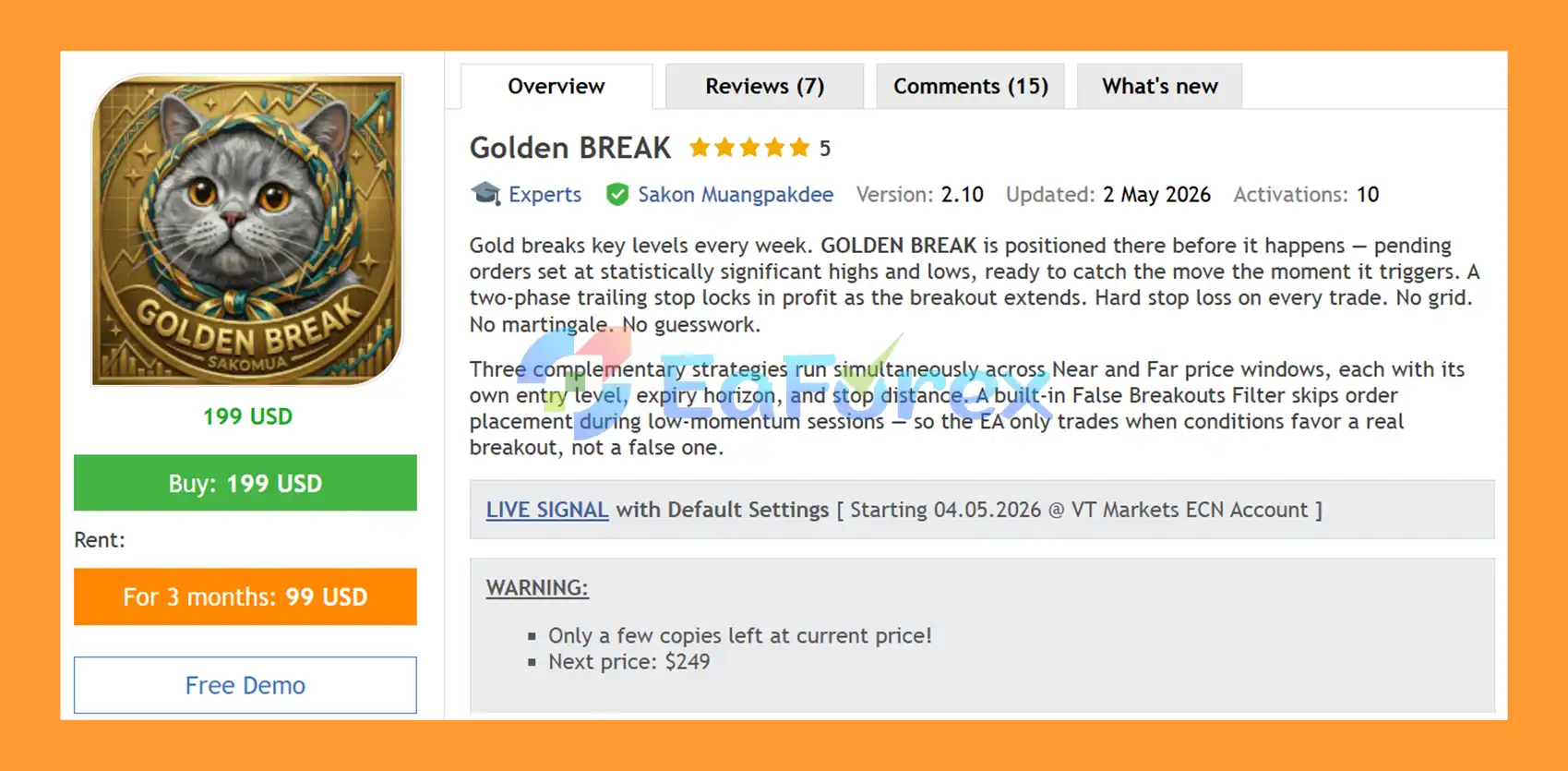
Golden BREAK EA MT5 Overview
Key Features of Golden BREAK EA MT5
🔺Swing High and Low Breakout Detection
Golden Break focuses on significant price levels created by market swings.
When a valid swing high or low is identified, the EA can prepare:
- Buy Stop orders above swing highs
- Sell Stop orders below swing lows
This allows the system to wait for price confirmation through an actual breakout rather than entering simply because price is moving toward a potential level.
🔺Six Independent Trading Strategies
Golden Break 4.4 supports up to six internally separated strategies, identified as GB1, GB2, GB3, GB4, GB5, and GB6.
Each strategy has its own trading rules and can manage its own orders and positions.
This separation is useful when several strategies are running simultaneously because the EA identifies its trades using the relevant Symbol and Magic information.
🔺Flexible Strategy Selection
The Strategy Selection dropdown allows traders to choose the desired trading configuration.
| Preset |
Active Strategies |
Trading Character |
| Classic |
GB1–GB4 |
Lower-frequency, measured breakout operation |
| Precision Scalp |
GB6 |
Focused scalp activity |
| Growth Scalp |
GB5 |
More aggressive, growth-oriented scalp behavior |
| Classic + P.Scalp |
GB1–GB4 + GB6 |
Classic foundation with increased trade frequency |
| Classic + G.Scalp |
GB1–GB4 + GB5 |
Classic foundation with stronger growth orientation |
| Maximum |
GB1–GB6 |
All strategies with the highest combined exposure |
| Custom Selection |
User selected |
Manual control of GB1–GB6 |
This structure allows traders to choose between a more measured configuration and a broader multi-strategy setup.
🔺Pending Breakout Orders
Golden Break does not necessarily enter immediately when it detects a potential market direction.
Instead, the EA can place pending orders around the identified breakout level. The order becomes a market position only when price reaches the specified trigger.
This approach is intended to let price confirm the breakout before trade activation.
🔺Hard Stop Loss
When a pending breakout order becomes a live position, a hard Stop Loss is already defined.
Having a predefined stop gives each position a clear invalidation point, although actual realized losses can differ because of slippage, gaps, commissions, and execution conditions.
🔺Break-Even and Trailing Management
After the market moves favorably, Golden Break can use break-even and trailing logic to manage an existing position.
Depending on the active strategy, these mechanisms can help protect accumulated profit or allow a winning breakout to remain open for a potentially larger move.
🔺Dynamic Pending Order Management
Pending breakout orders are not necessarily permanent.
The EA can allow orders to expire or replace them as market structure changes. This is important because an old swing level may become less relevant as new market information develops.
🔺Fixed Lot and Risk per Trade
Golden Break provides two primary money-management modes.
Fixed Lot uses a selected trading volume for each new order, subject to the broker’s minimum volume and volume-step requirements.
Risk per Trade calculates the trade volume based on the strategy’s actual Stop Loss distance and the selected risk percentage.
However, the Risk per Trade setting should not be misunderstood as a total account-risk limit.
If several Golden Break strategies open positions at the same time, their individual risks can accumulate. For example, setting each strategy to 1% risk does not mean the entire account is limited to a maximum simultaneous loss of 1%.
🔺Improved Dashboard in Version 4.4
Golden Break 4.4 introduces a more focused dashboard containing seven main columns:
- GB
- Status
- Lot Size
- Buy Risk
- Sell Risk
- Today
- Total
The Buy Risk and Sell Risk figures combine Golden Break positions and pending orders according to their Stop Loss exposure and direction.
These figures are useful for monitoring potential exposure, but they should not be treated as guaranteed maximum-loss figures. Market gaps, slippage, commissions, liquidity, and execution conditions can change the final result.
🔺Experts Log Improvements
The Experts log provides clearer information about protection events, including:
- News protection
- Off Trade protection
- Daily protection
- Friday protection
The system reports when these states begin and end rather than repeatedly displaying the same message on every callback.
How Does Golden Break EA MT5 Work?
The basic concept behind Golden BREAK EA MT5 is to identify important market structure and prepare for a potential breakout.
The process can be summarized as:
- Market Structure Analysis → Swing Level Detection → Pending Breakout Order → Price Breakout → Position Activation → Automated Trade Management
- First, the EA studies significant swing levels across several internal timeframes.
- When it identifies a valid swing high, it may place a Buy Stop above that level. When it identifies a valid swing low, it may place a Sell Stop below it.
- The EA therefore waits for price to come to the breakout area rather than attempting to chase an already extended movement.
- Once price reaches the trigger, the pending order becomes a live position.
- The trade is then managed according to the active strategy’s rules, including Stop Loss and applicable break-even or trailing mechanisms.
- At the same time, Golden Break can update pending orders as market structure changes. Old orders may expire or be replaced when the underlying breakout setup is no longer relevant.
Why Choose Golden Break EA MT5?
A Structured Breakout Approach
Golden BREAK EA MT5 is built around recognizable market structure rather than random market entries. The strategy looks for significant swing levels and prepares for potential breaks through those areas.
Multiple Strategies in One EA
The ability to operate GB1 through GB6 inside a single EA instance gives users considerably more flexibility than a single-strategy breakout system.
Traders can use the Classic configuration, add a scalp strategy, activate all available strategies, or manually select individual strategies.
No Need to Chase Price
The pending-order architecture allows the EA to prepare around a breakout level before the actual move occurs.
Instead of entering after a large candle has already moved through the level, the system can wait for price to reach the predefined trigger.
Flexible Risk Management
Both Fixed Lot and Risk per Trade modes are available. This makes the EA suitable for users who prefer consistent position sizes as well as traders who want position volume to be calculated from Stop Loss distance.
Better Exposure Visibility
The updated dashboard in version 4.4 gives traders a clearer view of current strategy status, lot size, directional risk estimates, and daily/total activity.
This can be particularly useful when several strategies are operating simultaneously.
Golden BREAK EA MT5 Performance Review
🟢Signal Results
🔺XAUUSD (Gold) pair – 1 weeks of trading.
- Initial Deposit: $100
- Growth Rate: +11%
- Win Rate (% of total): 66.7%
- Maximum Drawdown: 2.9%
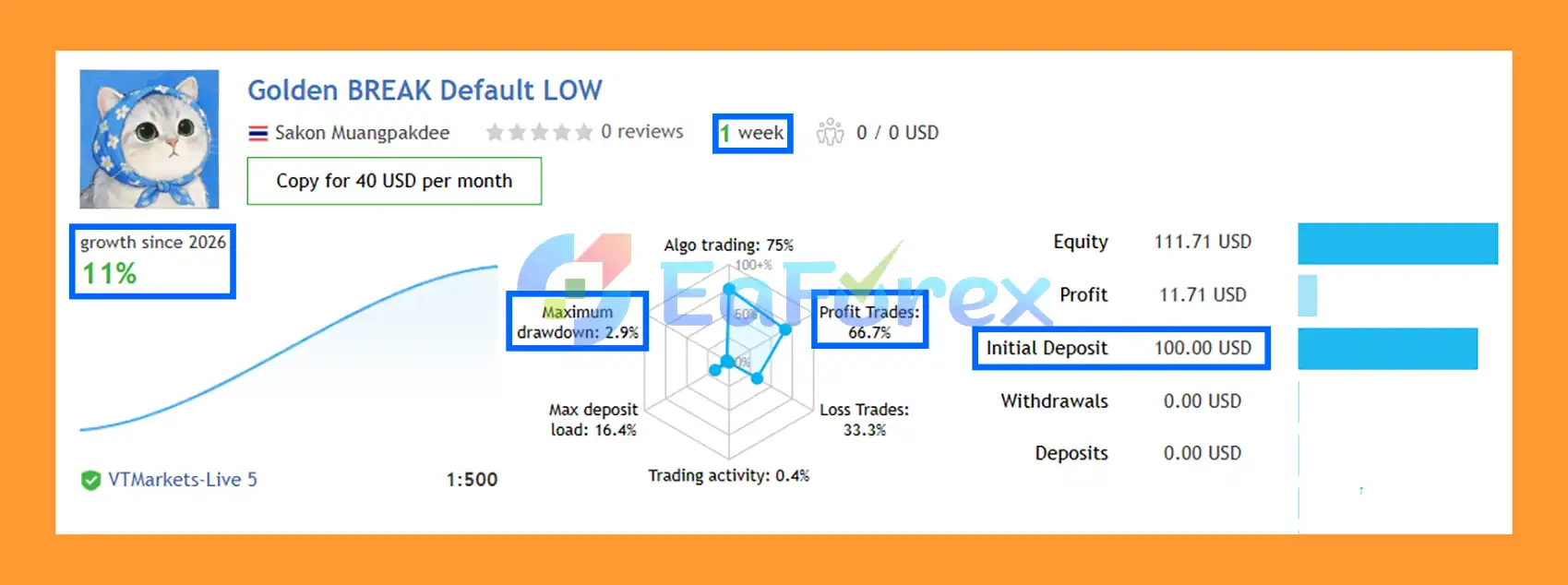
Golden BREAK EA Signal Results
🟢Backtest Results
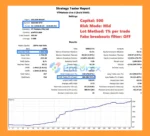
🔺XAUUSD (Gold) pair – 4 months – Mid Risk strategy.
- Initial Deposit: $500
- Total Net Profit: $1,552.91
- Win Rate (% of total): 85.71%
- Maximum Drawdown: 3.32%
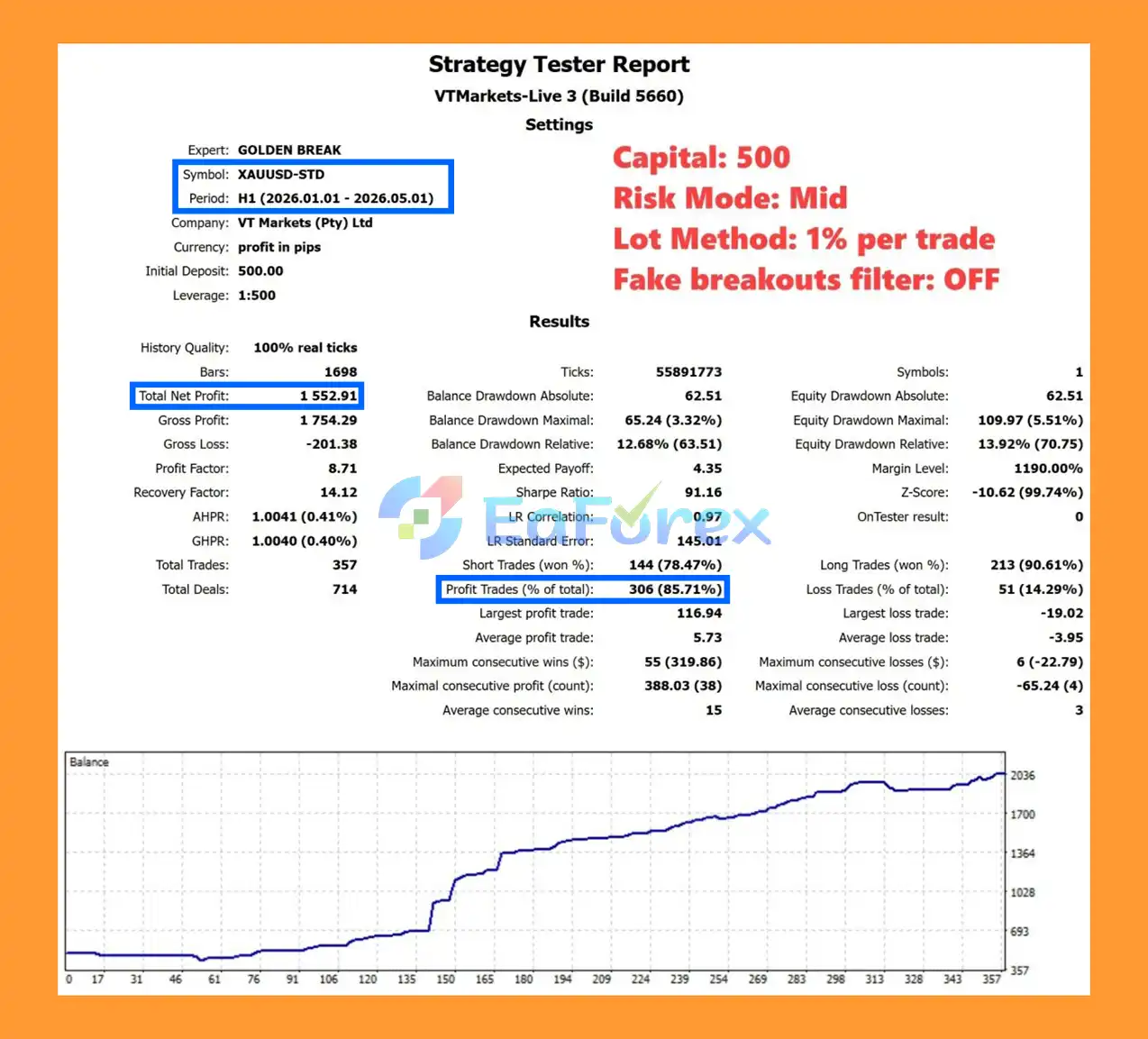
Golden BREAK EA Backtest
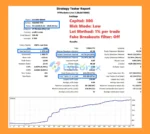
🔺XAUUSD (Gold) pair – 4 months – Low Risk strategy.
- Initial Deposit: $300
- Total Net Profit: $1,272.14
- Win Rate (% of total): 83.67%
- Maximum Drawdown: 14.24%
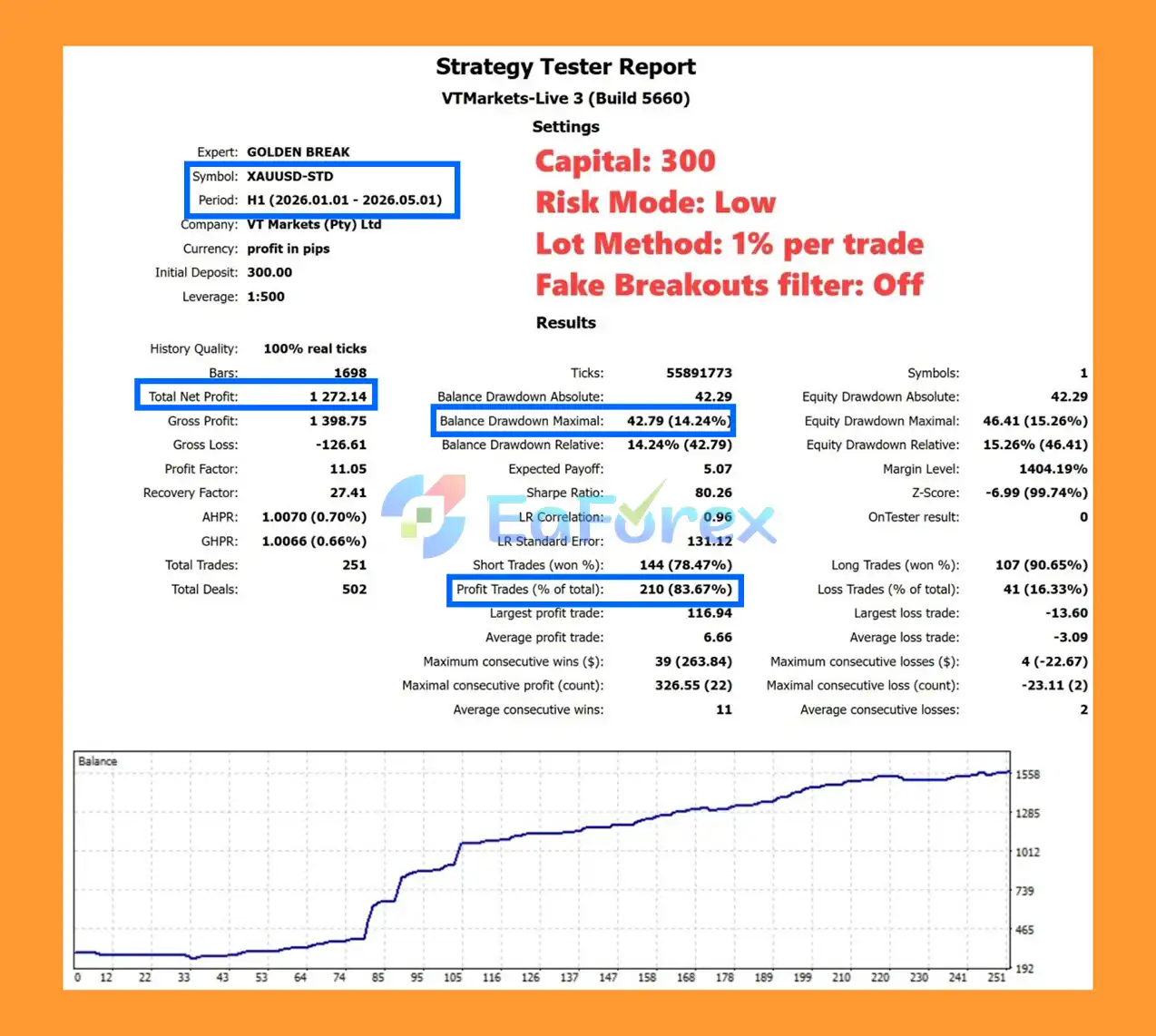
Golden BREAK EA Backtest Results
Performance and Risk Management
Golden Break’s risk profile depends heavily on the selected strategies, position-sizing method, number of active strategies, and market conditions.
The Risk per Trade mode calculates volume using the actual Stop Loss distance for each strategy order. This can help maintain a more consistent intended risk percentage across trades with different stop distances.
However, traders should understand that this is per-strategy-order risk, not a portfolio-wide account-risk cap.
For example, if GB1 and GB5 both have active trades and each is configured for 1% risk, the combined potential exposure can be greater than 1%.
The Maximum preset activates GB1 through GB6 and therefore has the potential for the highest combined exposure. Traders should consider this carefully when selecting their lot size or risk percentage.
Golden BREAK EA MT5 also provides directional risk estimates through its dashboard. Buy Risk and Sell Risk account for positions and pending orders, providing a useful way to monitor planned exposure.
Nevertheless, these calculations cannot guarantee the exact maximum amount an account will lose. Breakouts can occur during rapid market movements, and actual execution may be affected by:
- Slippage
- Price gaps
- Spread expansion
- Commission
- Liquidity
- Broker execution
- Market volatility
For this reason, traders should treat displayed risk values as estimates rather than guaranteed loss limits.
Slippage and Breakout Execution
Breakout trading has an important execution characteristic that users should understand.
A pending stop order becomes a market order when price reaches its trigger level. During fast market movements, the actual fill can therefore occur at a price different from the original pending-order level.
This is known as slippage.
The effect can become more noticeable during:
- Major economic news
- Sudden Gold volatility
- Market gaps
- Low-liquidity conditions
- Rapid breakout candles
Using a low-latency VPS and an ECN broker with competitive spreads can help improve execution conditions, but neither can completely eliminate slippage.
Backtest vs Live Signal
- An important consideration when evaluating Golden Break results is the difference between its Backtest and Live Signal environments.
- The supplied information states that the backtest was conducted without the same news-filter conditions used by the Live Signal.
- As a result, the two environments may not produce identical trades.
- For example, a trade may appear in a historical backtest during a protected news period while the Live Signal does not open that trade because the news filter prevents new exposure.
- This does not mean the news filter can guarantee better performance.
- A news filter can potentially avoid a losing trade, but it can also prevent a profitable trade from being opened. Its purpose is to reduce exposure during selected high-impact news periods rather than eliminate trading losses.
- Therefore, users should not expect the Backtest and Live Signal to match 100%.
- When comparing performance, it is important to understand the exact settings, filters, broker conditions, and execution environment used in each test.
Requirements and Setup
Golden Break EA MT5 requires:
- MetaTrader 5
- XAUUSD
- ECN account with competitive spreads recommended
- Hedging mode recommended
- Netting accounts supported through a compatibility mode
- Unique Magic Base for independent chart portfolios
- VPS recommended for continuous operation
Hedging vs Netting
A Hedging account is recommended because it allows independent strategy positions to coexist more naturally.
Netting accounts can still use Golden Break through a safety compatibility mode that serializes Golden Break exposure.
Magic Base
When running independent Golden Break portfolios on separate charts, users should configure a distinct Magic Base for each independent chart.
This helps keep orders and positions properly separated.
Supported Trading Schedules
The live schedules support server-time configurations including Exness UTC+0 and VT/UBS-style server time.
Basic Installation
The setup process is straightforward:
- Open MetaTrader 5.
- Attach Golden BREAK EA MT5 to an XAUUSD chart.
- Select the desired Strategy Selection preset.
- Choose Fixed Lot or Risk per Trade.
- Set a unique Magic Base when running another independent chart.
- Configure the available protection settings.
- Confirm that automated trading is enabled.
- Monitor the EA through the dashboard and Experts log.
A VPS is recommended for continuous automated operation and to reduce connection interruptions.
Weaknesses and Risk Warnings
Breakout Strategies Can Experience False Breakouts
Not every breakout continues into a sustained trend. Price can move beyond a swing level and then reverse quickly.
This can result in Stop Loss activation, particularly during volatile or choppy market conditions.
Multiple Strategies Increase Exposure
Running several strategies simultaneously can increase the number of open positions and pending orders.
The Maximum preset, which activates GB1 through GB6, naturally creates greater potential combined exposure than a single-strategy configuration.
Risk per Trade Is Not a Portfolio Risk Limit
This is one of the most important points to understand.
A 1% Risk per Trade setting applies to an individual strategy order. It does not mean that the entire account is protected from losing more than 1% when multiple strategies are active.
Slippage Can Affect Breakout Entries
Fast Gold movements can cause the market to move through a pending-order level rapidly. The final execution price may therefore differ from the intended trigger.
News Can Produce Significant Volatility
Economic news can cause rapid XAUUSD movements and wider spreads. Although news protection can reduce exposure around selected events, it cannot guarantee protection from losses.
Backtest Results Are Not Live Trading Results
Historical backtests operate under specific assumptions and data conditions. Live trading introduces real spreads, commissions, slippage, liquidity changes, execution delays, and broker-specific conditions.
Requires Careful Configuration
Golden BREAK EA MT5 offers multiple strategies and risk settings. More configuration flexibility also means users need to understand what each setting does before running the EA on a live account.
Pros and Cons
Pros
- Designed specifically for XAUUSD
- Automated breakout trading approach
- Uses swing highs and lows as potential breakout levels
- Buy Stop and Sell Stop pending-order execution
- Up to six internally separated strategies
- Flexible Strategy Selection presets
- Custom GB1–GB6 selection available
- No need to chase already extended price movements
- Hard Stop Loss on breakout positions
- Break-even and trailing management
- Pending orders can expire or be replaced
- Fixed Lot and Risk per Trade modes
- Improved dashboard in version 4.4
- Directional Buy/Sell risk monitoring
- News, daily, Friday, and other protection states shown in Experts log
- Hedging and Netting compatibility
- VPS recommended for continuous operation
Cons
- Focused on XAUUSD
- Breakout systems can experience false breakouts
- Fast markets can produce slippage
- Multiple active strategies can increase total exposure
- Risk per Trade is not a total account-risk limit
- Maximum mode can create the highest combined exposure
- News protection does not guarantee avoidance of losses
- Backtest and Live Signal results may differ
- Requires suitable broker execution and competitive spreads
- More strategy options require careful configuration
Real User Reviews and Feedback
🔺Golden BREAK EA MT5 is highly appreciated by the MQL5 community for bringing stable and reliable profits. Below are 5 star reviews from users:
- Pikachu88 (2026.04.21): “Still early days with using Golden Break but I have been impressed with how it works to date. Developer is helpful and great to liaise with.”
- Alessandro Finocchi (2026.04.16): “Very good EA! developer is reliable and helpful.”
- Philippe Andreas Bachmann (2026.04.15): “I’ve only had the EA for a short while, but the results are top-notch. The developer is very helpful and responds quickly—that alone deserves 5 stars.”
What’s Included in the Download Package?
- Setting (If Any).docx
- Installation Guide.docx
>>> Join VIP Membership Now <<<
Final Thoughts
>>> Reviewed by Jason Stap


































 Automatic EA
 EA Best Seller
 Expert Advisor MT4
 Expert Advisor MT5
 HFT EA


Reviews
Clear filtersThere are no reviews yet.