









-
 Unlimited Activations
-
 Instant delivery
-
 Easy to install







 Unlimited Activations
Instant delivery
Easy to install
Unlimited Activations
Instant delivery
Easy to install
 Free Update
 Free Install Support

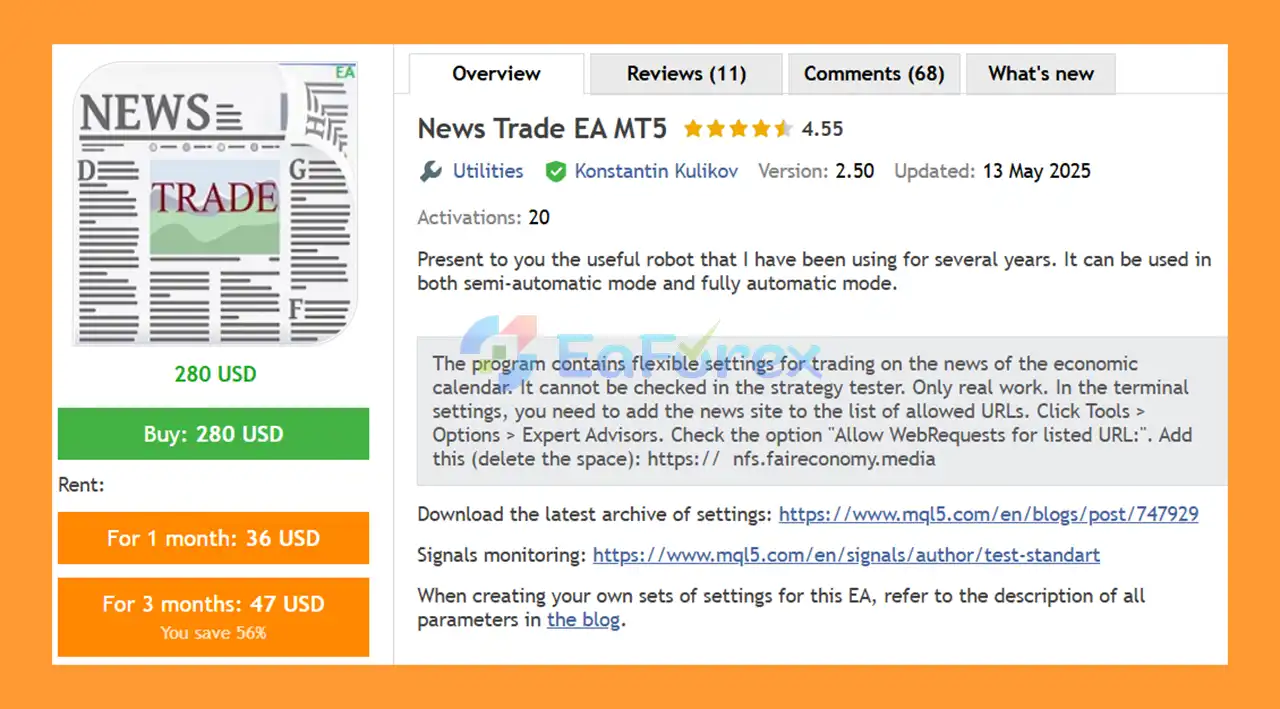
News Trade EA MT5 is an automated Forex Expert Advisor designed to trade around high-impact economic news events. Developed from a trading robot that has been used for several years, the system can operate in both semi-automatic and fully automatic modes, giving traders flexibility over how much control they want over trade execution.
The EA is primarily designed to trade currency pairs involving GBP, including GBPUSD, EURGBP, GBPJPY, GBPCAD, GBPAUD, and GBPCHF. The strategy focuses on GBP-related markets because GBP is generally considered a relatively volatile currency, potentially creating larger price movements around important economic announcements.
News Trade EA MT5 uses pending orders placed shortly before scheduled news releases. It can place orders in both directions to attempt to capture the initial market movement following a high-impact announcement.
The system also includes configurable take-profit, averaging, position limits, drawdown protection, and compatibility with other Expert Advisors.
• Author: Konstantin Kulikov.
• Experience: Over +10 years of experience on MQL5.
• Notable Products: News Trade EA MT5, FrankoScalp MT5, Breakthrough Strategy MT5, Breakthrough Strategy MT4 and other advisors.
• Flagship Product: News Trade EA MT5 is rated as the best performing product of the year.
>> Delivery time 24h-48h after payment.
>>> Refund if not delivered.
>>> You will receive the latest version without any limitations (ID+Time).>> Reviewed by Jason Stap <<<
News Trade EA MT5 is designed specifically for trading around scheduled economic news events. It uses an integrated news filter to identify relevant high-importance announcements.
The EA can be used in both semi-automatic and fully automatic trading modes, allowing traders to choose between greater manual control and complete automation.
The default configuration supports:
These pairs can be managed from a single chart.
The EA can monitor and trade multiple GBP-related currency pairs from one chart using the Symbols_Line parameter.
The EA can identify news according to the currencies involved in each currency pair. By default, GBP news is excluded to prevent multiple positions from being opened simultaneously.
For example:
The default configuration focuses on high-importance economic news, helping the EA concentrate on events that may generate significant market volatility.
Pending orders are placed shortly before the scheduled news release. The default setting places orders 60 seconds before high-impact news.
If pending orders remain untriggered after the configured period, they are automatically deleted. The default configuration removes unworked orders 20 seconds after the news release.
The EA can place pending orders in both directions. When one order is triggered, the opposite pending order is deleted.
The default strategy uses LIMIT orders with an offset of 2.5 points from the current price, based on the assumption that a temporary or false price movement can occur immediately before major news.
The default configuration uses a relatively small 5-point Take Profit rather than a fixed Stop Loss.
If a position remains open for the configured period, the EA can open an additional averaging position. The default configuration allows a maximum of three positions per currency pair.
Traders can configure a maximum percentage loss for individual currency pairs. For example, the Close_positions_at_percentage_of_loss parameter can be used to close positions when the specified percentage loss is reached.
The EA includes parameters designed to consider positions opened by other Expert Advisors using different magic numbers. This allows News Trade EA MT5 to operate alongside other automated trading systems.
News Trade EA MT5 follows an event-driven trading approach based on scheduled economic announcements.
The default configuration uses six GBP-related pairs:
GBPUSD, EURGBP, GBPJPY, GBPCAD, GBPAUD, and GBPCHF.
The EA can manage these symbols from a single chart.
The integrated news filter identifies upcoming economic events and determines which currency is affected.
By default, the EA uses:
This configuration is designed to reduce the possibility of multiple trades being opened simultaneously because of GBP-related news.
The EA places pending orders 60 seconds before the scheduled high-impact announcement.
The default configuration uses:
SecondBeforeHigh = 60
The EA can place both BUY and SELL pending orders.
The default configuration is:
Trade_Direction = BUY_and_SELL
This approach attempts to capture a strong price movement regardless of the initial direction of the market.
The default order type is:
Type_Orders = ORDERS_LIMIT
The orders are placed at an offset of approximately:
Offset_from_price = 2.5
This is based on the strategy’s assumption that a temporary price movement may occur before the actual news release.
After the news is released, pending orders that have not been triggered are automatically removed.
The default setting is:
SecondAfterHigh = 20
When one pending order is triggered, the opposite pending order is deleted.
The EA then manages the resulting position according to the configured Take Profit, position limits, averaging rules, and risk-management parameters.
News Trade EA MT5 is designed for traders who want to take advantage of short-term volatility around major economic announcements without manually monitoring the economic calendar and placing orders themselves.
One of its main advantages is its simple multicurrency structure. Multiple GBP-related pairs can be managed from a single chart, reducing the need to attach separate instances of the EA to every currency pair.
The system also offers flexibility. Traders can use the default conservative configuration or adjust parameters to create a more aggressive trading approach.
For example, traders can enable medium-importance news or include GBP news to increase the number of potential trading opportunities.
News Trade EA MT5 may be suitable for:
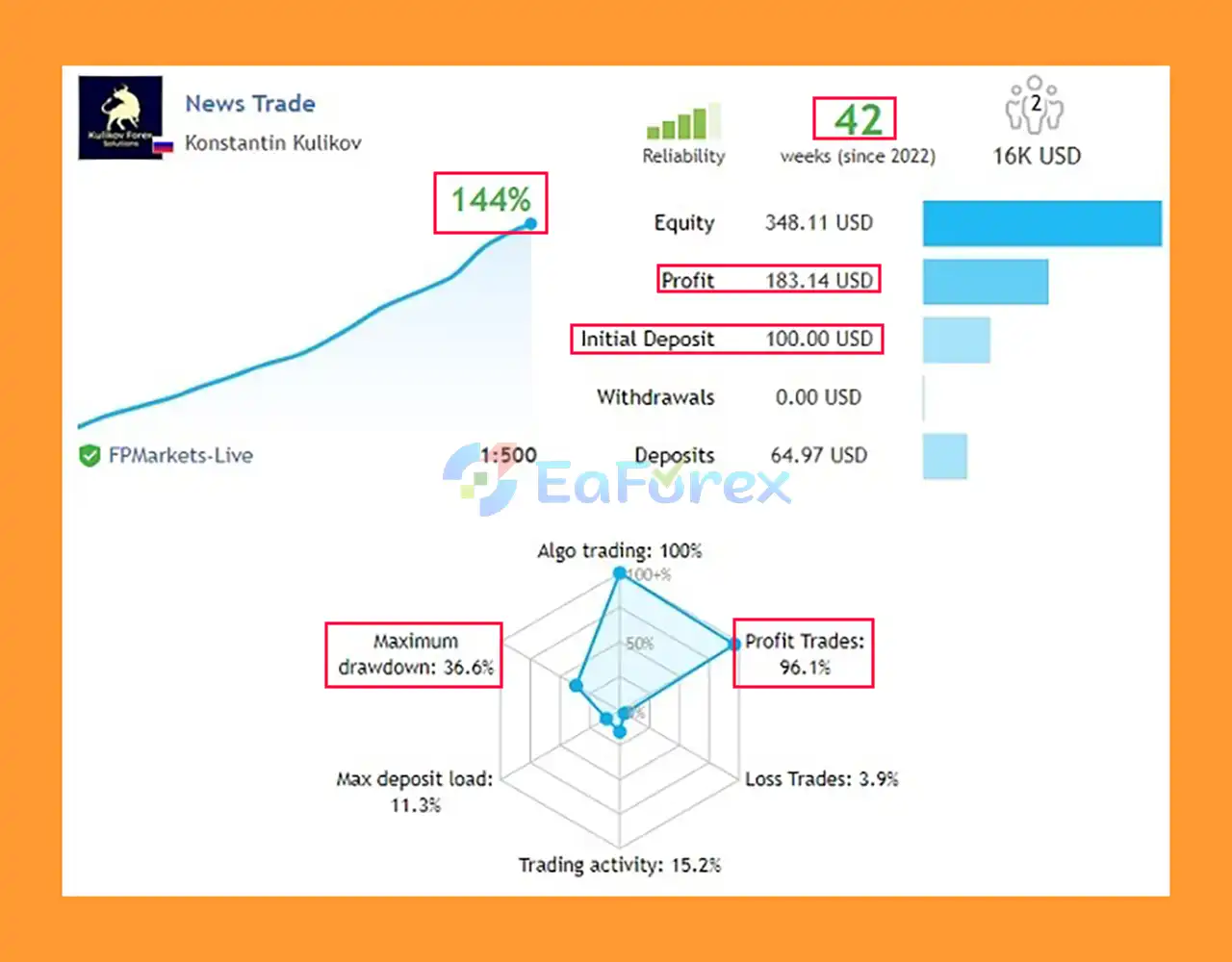
News Trade EA MT5 Live Trading Results
News trading can produce substantial price movements in a very short period. Therefore, risk management is an important part of the News Trade EA MT5 configuration.
The default settings include:
The default configuration does not use a conventional Stop Loss. Instead, the strategy uses a Take Profit target and may employ averaging when a position remains open for an extended period.
If a trade does not close within the specified period, the EA can open another averaging position.
The default maximum is:
3 positions per currency pair.
The configured lot multiplier is:
1.5
This means that traders must carefully understand the potential exposure created by multiple positions and increasing lot sizes.
Traders can configure a maximum loss percentage for each currency pair.
For example:
Close_positions_at_percentage_of_loss = 30
can be used to specify a maximum loss threshold of 30% according to the parameter’s intended calculation.
This feature should be configured carefully because news trading combined with averaging can create substantial exposure during extended adverse price movements.
The default configuration focuses on high-impact news while excluding GBP events.
The relevant settings include:
News_currency_pairs = trueExcluded_currency_str = GBPIncludeHigh = trueThis means the EA can trade news affecting the non-GBP currency in each GBP pair.
Traders seeking a more aggressive configuration can remove the GBP exclusion, allowing the EA to trade around GBP news as well.
Medium-impact news can also be enabled with:
IncludeMedium = true
However, increasing the number of eligible news events can also increase trading frequency and overall risk.
The EA can also take scheduled speeches into account.
The default configuration is:
IncludeSpeaks = falseSpeaksHigh = trueSpeaksMedium = trueWhen high- or medium-importance speeches are scheduled in the upcoming hours, the EA can prevent new orders from being opened.
For a more aggressive configuration, traders can set:
SpeaksHigh = falseSpeaksMedium = falseThis allows the EA to continue opening news trades without speeches blocking the strategy.
News trading is inherently risky because economic announcements can cause extremely rapid price movements, spread expansion, slippage, and unexpected market reactions.
News Trade EA MT5 also uses an averaging mechanism in its default configuration, which can increase exposure when a trade moves against the expected direction.
Important risks include:
Because the EA can use averaging and lot multiplication, it should be tested thoroughly on a demo account before being used with real capital.
Copy the News Trade EA MT5 file into your MetaTrader 5 Expert Advisors directory:
File → Open Data Folder → MQL5 → Experts
Restart MetaTrader 5 or refresh the Navigator window.
Open a chart for the currency pair you want to use as the main control chart.
Because the EA supports multicurrency trading, the system can manage multiple symbols from a single chart when Use_Symbols_from_Line = true.
The default symbol list is:
GBPUSD, EURGBP, GBPJPY, GBPCAD, GBPAUD, GBPCHF
The relevant parameters are:
Use_Symbols_from_Line = trueSymbols_Line = GBPUSD, EURGBP, GBPJPY, GBPCAD, GBPAUD, GBPCHFMake sure the symbol names exactly match your broker’s naming convention.
For the default configuration:
Review the settings before starting live trading.
The default configuration places pending orders 60 seconds before high-impact news and removes untriggered orders 20 seconds after the announcement.
Review:
Do not use aggressive settings without thoroughly understanding their potential impact on account equity.
Run the EA on a demo account and monitor its behavior around different types of economic announcements.
Pay particular attention to:
Once the configuration has been tested, enable Algo Trading in MetaTrader 5.
For continuous automated operation, using a reliable VPS is recommended.
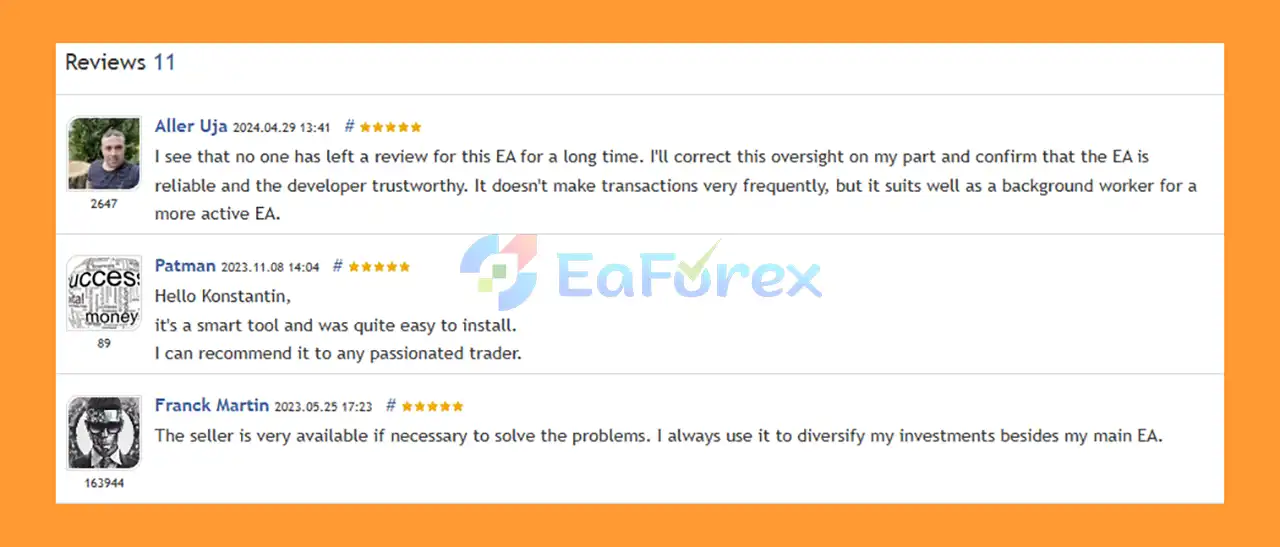
🔺News Trade EA MT5 is highly appreciated by the MQL5 community for bringing stable and reliable profits. Below are 5 star reviews from users:
User Reviews
🔺Experts:
🔺Presets:
>>> Join VIP Membership Now <<<
News Trade EA MT5 is a specialized automated trading system designed to capitalize on short-term market volatility surrounding high-impact economic news events.
Its main strategy uses pending BUY and SELL LIMIT orders shortly before scheduled news, with the goal of capturing favorable price movements while automatically removing untriggered orders after the event.
The EA’s multicurrency capability is another notable feature, allowing traders to monitor several GBP-related currency pairs from a single chart. The system also provides flexible news filters, configurable trading modes, averaging functionality, position limits, and drawdown controls.
However, this is not a low-risk trading strategy. News events can create extreme volatility, and the default use of no Stop Loss, averaging, and a 1.5 lot multiplier means traders must understand the potential for significant drawdown before using the EA with real money.
For experienced Forex traders who understand the risks of automated news trading and want a flexible MT5 Expert Advisor for trading economic announcements, News Trade EA MT5 offers a specialized and highly configurable approach.
1. What is News Trade EA MT5?
News Trade EA MT5 is an automated Expert Advisor that trades GBP pairs (GBPUSD, EURGBP, GBPJPY, GBPCAD, GBPAUD, GBPCHF) during high-impact economic news events. It places pending buy and sell orders seconds before the release to capture sharp market volatility.
2. How does News Trade EA MT5 work?
The EA detects scheduled economic news and sets pending BUY and SELL limit orders 2.5 points away from the price. If the market spikes, it triggers the correct order while automatically deleting unused ones, ensuring efficient news trading.
3. Which strategies does News Trade EA MT5 use?
It combines bi-directional pending orders, averaging up to 3 trades per pair, custom take profit, and risk control based on account balance. Unlike manual news trading, everything is automated for speed and accuracy.
4. Is News Trade EA MT5 safe to use?
Yes. The EA includes built-in risk management tools such as maximum drawdown limits, averaging controls, flexible stop loss options, and automatic order deletion to minimize exposure after news volatility.
5. Can I use News Trade EA MT5 with other Expert Advisors?
Yes. News Trade EA MT5 is fully compatible with other trading robots by using different magic numbers, allowing traders to diversify strategies within the same account.
6. What’s included in the News Trade EA MT5 package?
The package comes with the EA file, an installation guide, preset strategies (grid, SL-based, gold, and modified sets), and ready-to-use settings for different trading styles.
In stock
In stock
In stock
In stock
In stock
Out of stock
No account yet?
Create an Account












 Automatic EA
 EA Best Seller
 Expert Advisor MT4
 Expert Advisor MT5
 HFT EA


Reviews
Clear filtersThere are no reviews yet.