

What is Prado EA MT4?
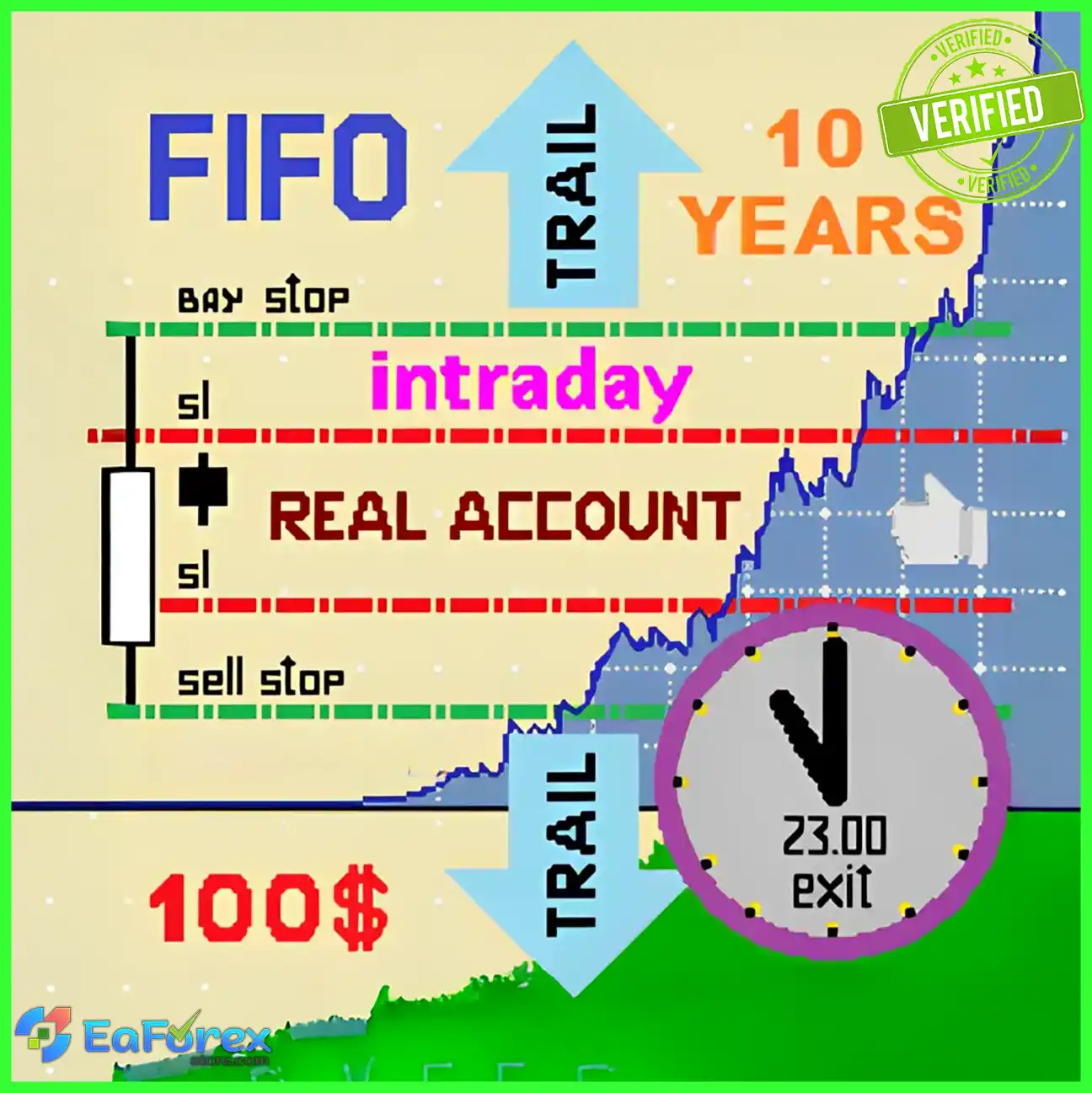
Prado EA MT4 is an advanced forex Expert advisor software designed for the MetaTrader 4 platform, providing automated trading with advanced strategies and effective risk management. This EA helps traders maximize profits while minimizing losses through intelligent market analysis and accurate trade execution.
Key Features of Prado EA MT4
🔻Trading Strategy:
- Types of strategies used (trend-following, scalping, or hybrid)
- How strategy adapts to different market conditions
🔻Risk Management:
- Stop-loss and take-profit mechanisms integrated
- Customizable risk parameters to suit trader preferences
🔻Customization Capabilities:
- Adjustable settings for risk tolerance and trading style
- Support for multiple currency pairs and timeframes
Prado EA MT4 Performance Review
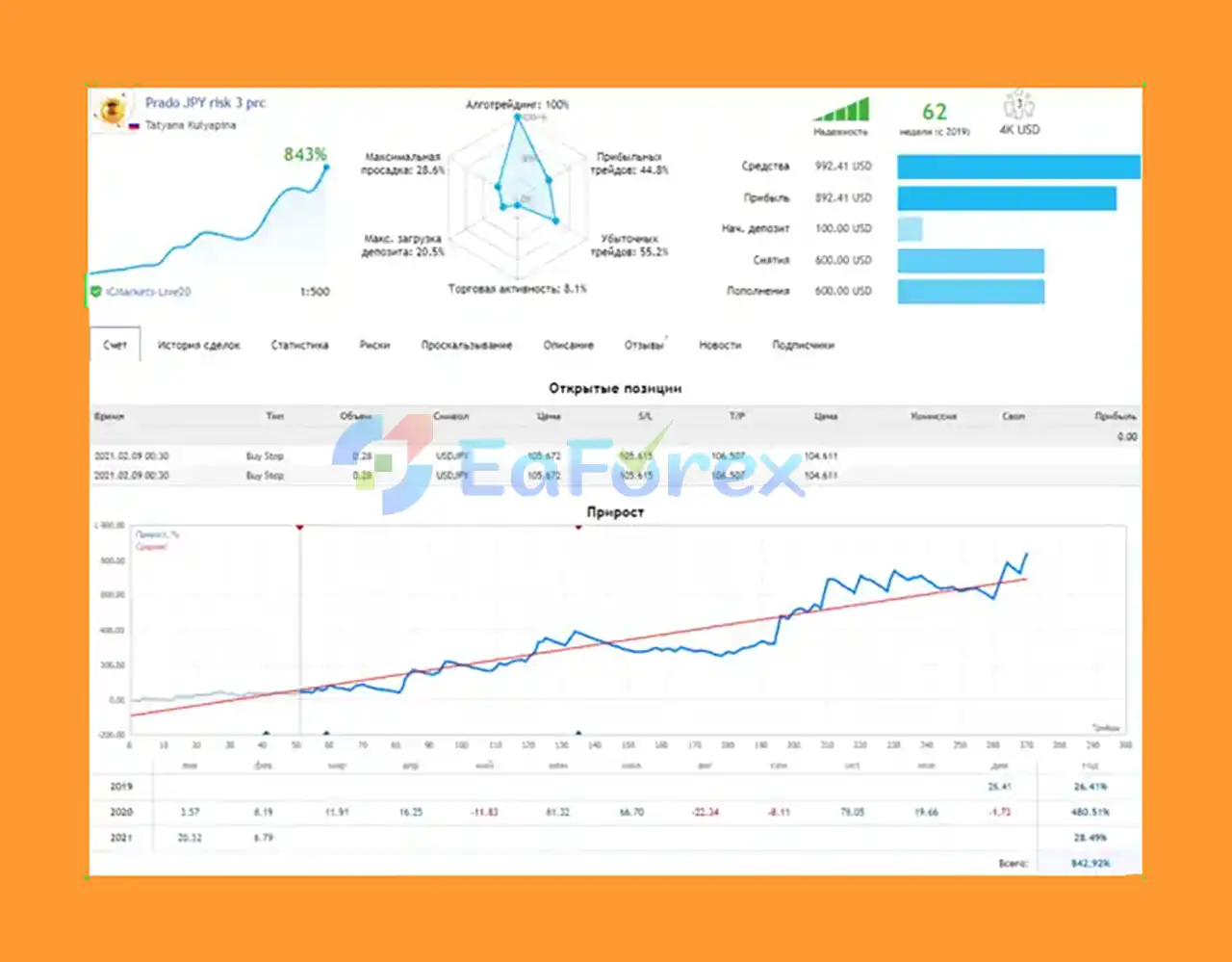
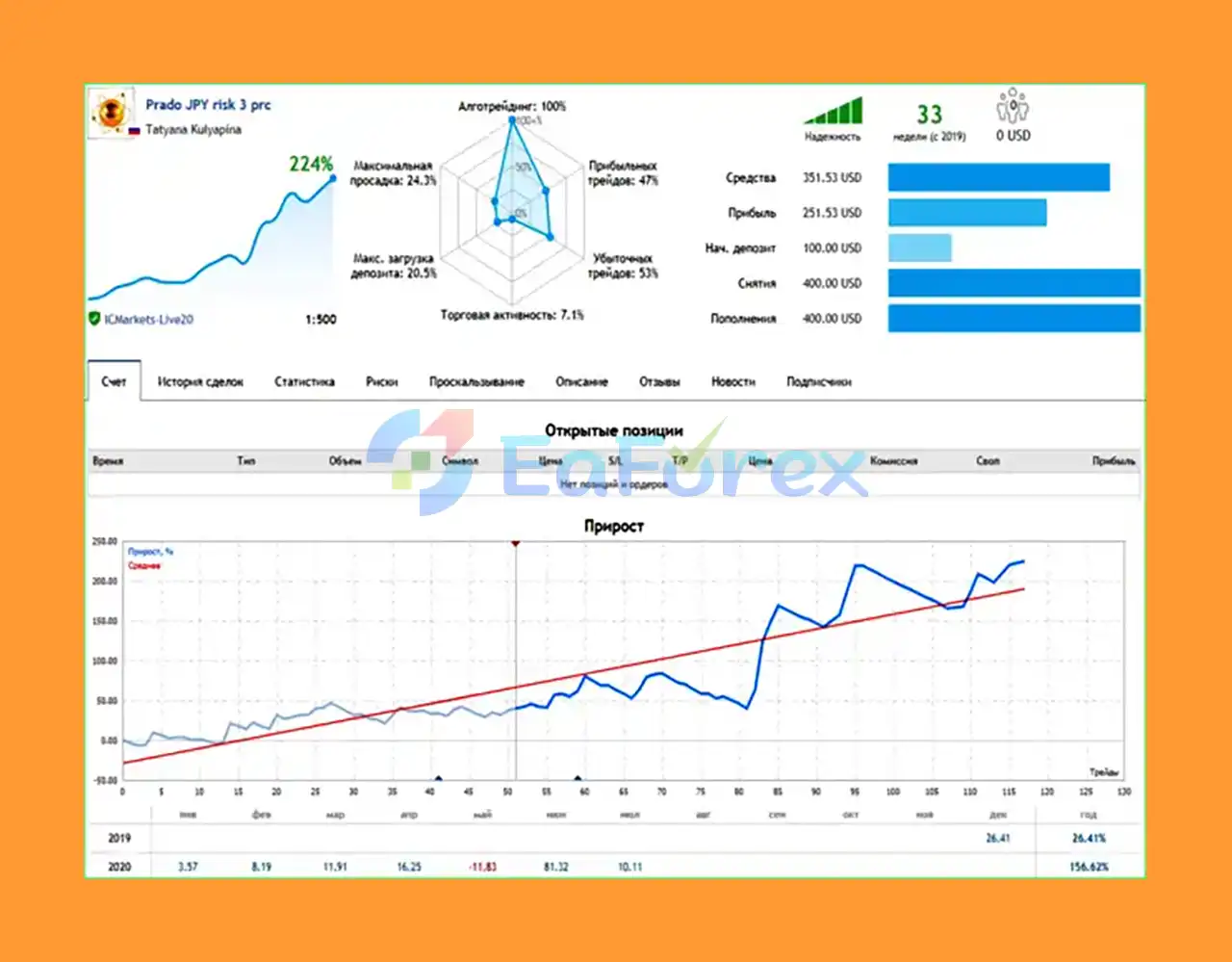
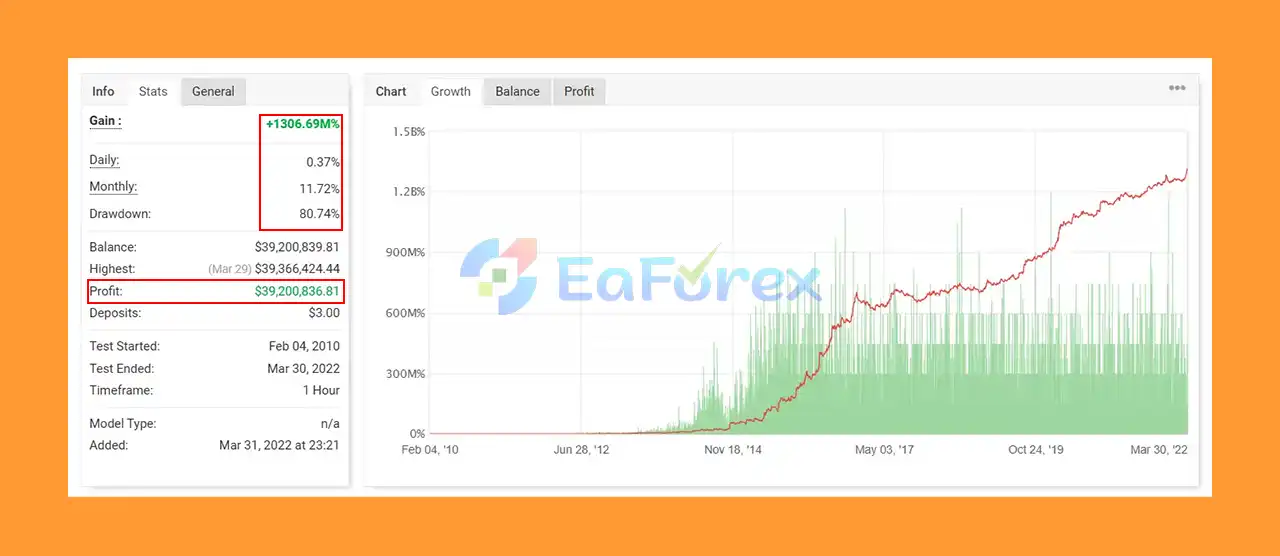
1. Live Myfxbook Results:
- Gain: +1306.69M
- Monthly Return: 11.72%
- Max Drawdown: 80.74%
- Signal Myfxbook: Click here
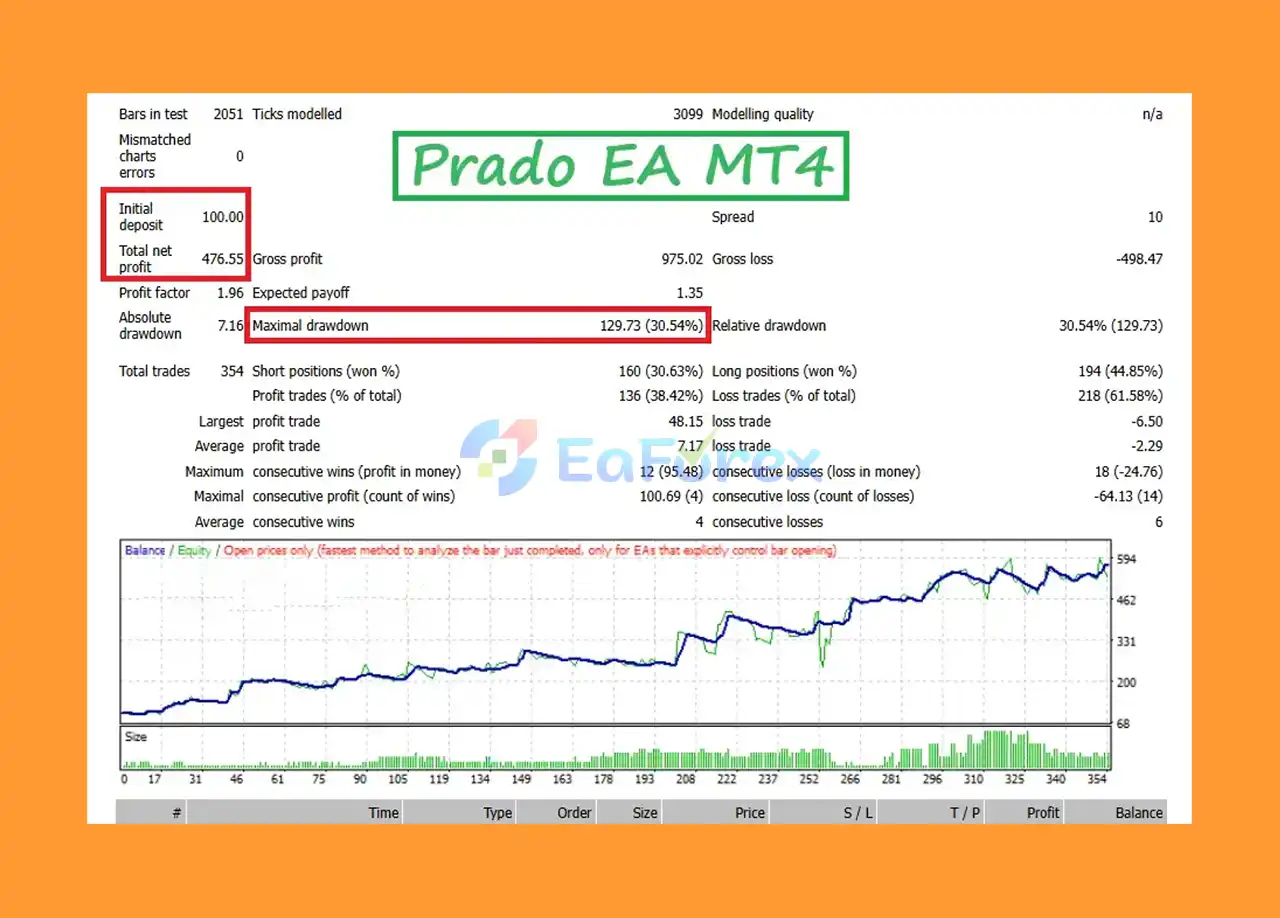
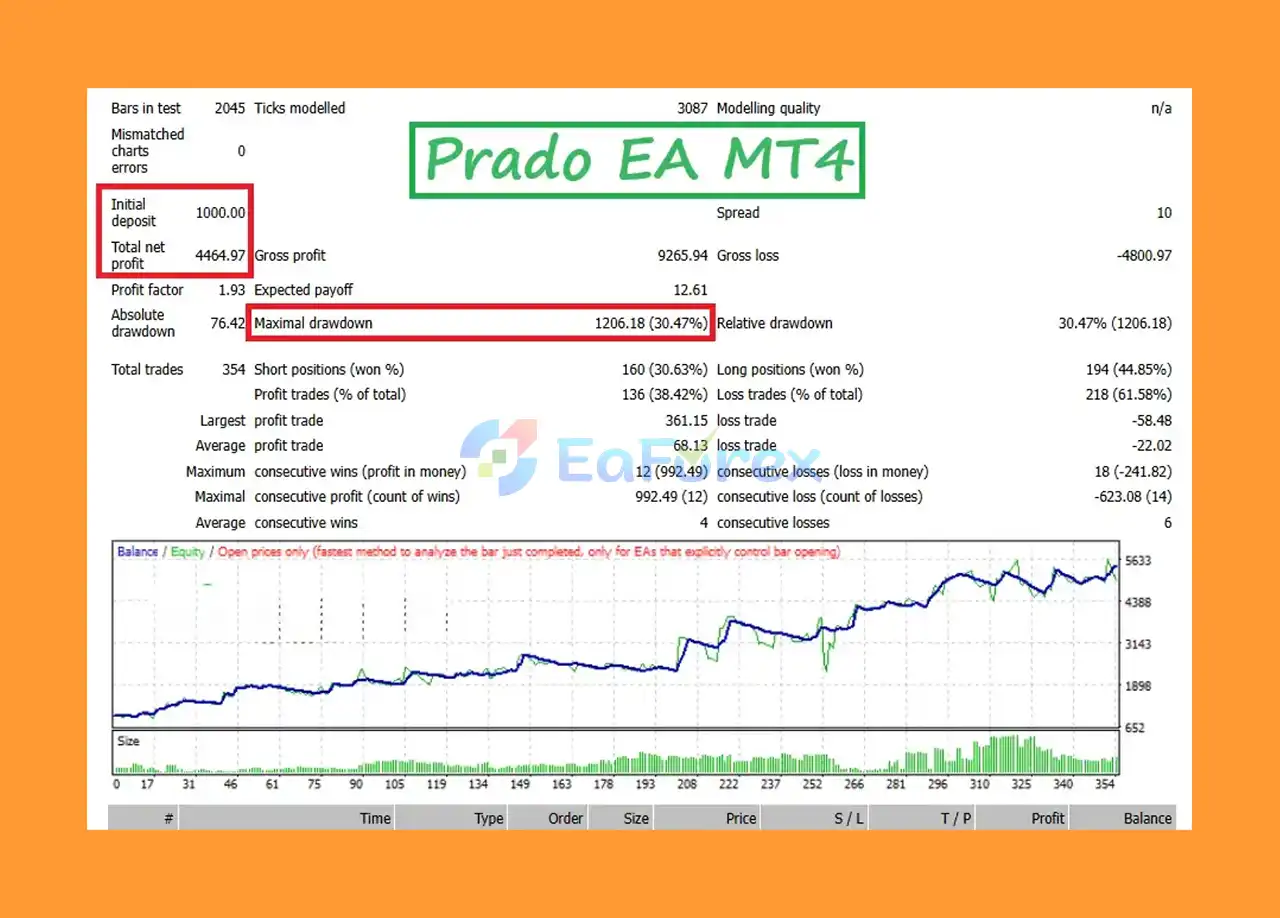
2. Prado EA MT4 Backtest Performance
- Initial deposit: $1,000
- Total profit: $4,464,97
- Max drawdown: 30,47%
What is included in the package?
- Experts: Prado EA V8.2_1420+.ex4
- Presets: USDJPY 100$ H4_DD30%.set
>>> Join VIP Membership Now <<<
How To Set Up EA
🔻Prado EA MT4 is a reliable, multi-strategy Expert Advisor designed for year-round trading with stable, non-optimized conditions. It’s best suited for traders seeking long-term consistency, low slippage execution, and full control over trading schedules and strategies.
🔵 Step 1: Installation
- Download the Prado EA MT4 file.
- Open MetaTrader 4 (MT4) and go to
File > Open Data Folder > MQL4 > Experts. - Paste the Prado EA file into the
Expertsfolder. - Restart MT4 or refresh the Navigator panel to load the EA.
🔵 Step 2: Apply EA to Chart
- Open the chart of your preferred currency pair or trading instrument.
- Drag Prado EA from
Navigator > Expert Advisorsonto the chart. - In the EA settings window, enable “Allow automated trading”.
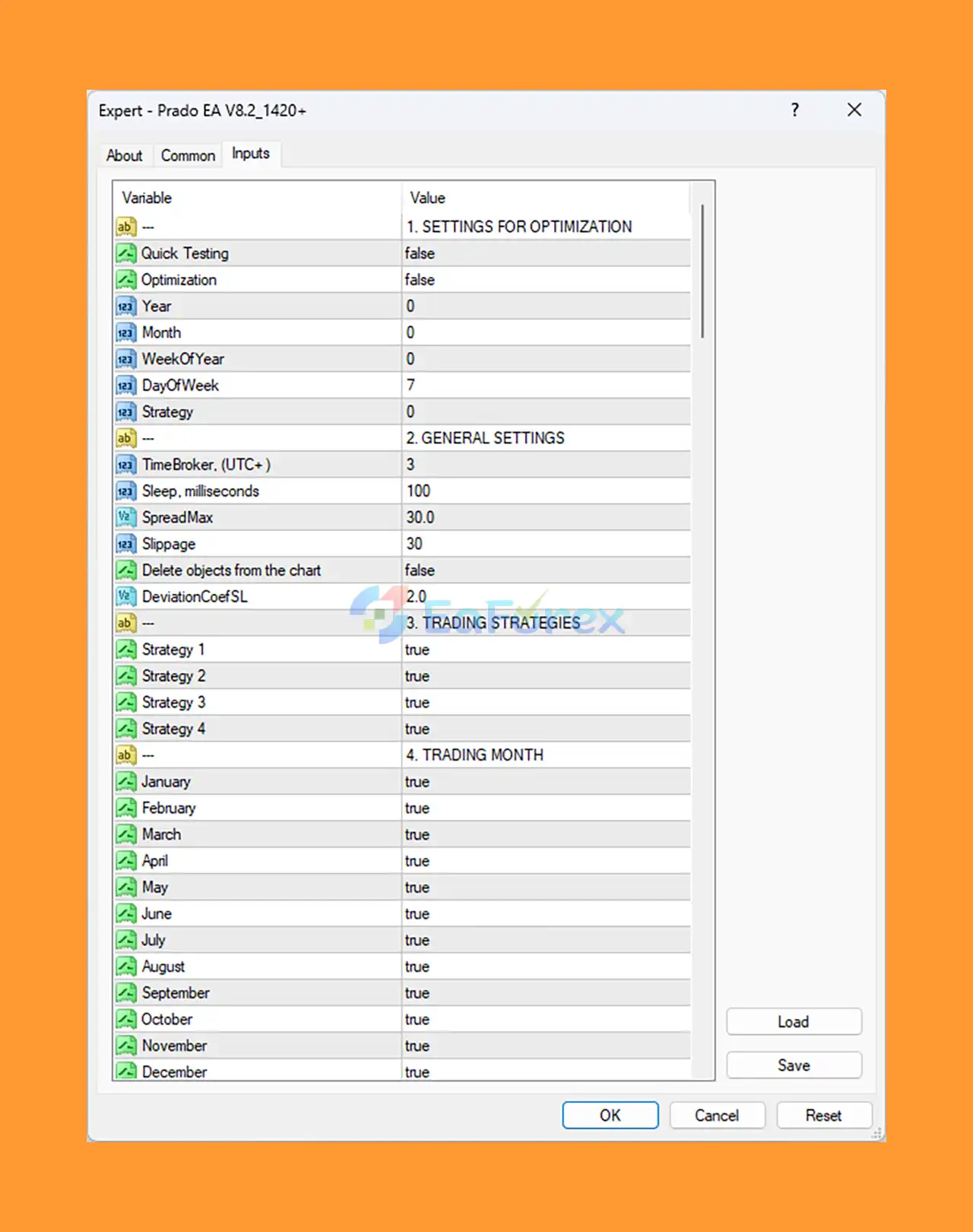
🔵 Step 3: Core Settings Configuration
| Parameter | Recommended Setting | Description |
|---|---|---|
| Quick Testing | false |
Use full simulation mode for accurate trading performance. |
| Optimization | false |
Disables test optimizations, focusing on stable trading logic. |
| Year / Month / WeekOfYear | 0 / 0 / 0 |
Allows trading across all dates for maximum exposure. |
| DayOfWeek | 7 |
Enables trading every day of the week. |
| Strategy 1 to 4 | true |
Activates all four built-in trading strategies for diversification. |
| TimeBroker (UTC+) | 3 |
Set to match broker time (UTC+3) for accurate trading sessions. |
| Sleep (ms) | 100 |
Adds a short delay for processing efficiency. |
| SpreadMax | 30.0 |
Avoids trading when spread exceeds 30 pips to reduce slippage. |
| Slippage | 30 |
Maximum allowed slippage in points. |
| Delete Objects from Chart | false |
Keeps chart objects visible for visual analysis. |
| DeviationCoefSL | 2.0 |
Adjusts Stop Loss deviation for flexible SL placement. |
🔵 Step 4: Enable Year-Round Trading
- Ensure January to December are all set to
trueto trade throughout the year. - This ensures uninterrupted strategy execution and market presence
Conclusion
In summary, Prado EA MT4 is a powerful and intelligently designed forex trading robot built for the MetaTrader 4 platform. Equipped with multiple built-in strategies and comprehensive risk management tools, this EA offers traders an advanced solution for automating trades with high precision and adaptability. Whether the market is trending, ranging, or highly volatile, Prado EA MT4 adjusts its strategy to capitalize on opportunities while safeguarding capital with integrated stop-loss and customizable risk settings.
>>> Reviewed by Jason Stap <<<



