









-
 Unlimited Activations
-
 Instant delivery
-
 Easy to install






 Unlimited Activations
Instant delivery
Easy to install
Unlimited Activations
Instant delivery
Easy to install
 Free Update
 Free Install Support

SFire Gold EA MT4 is an automated Expert Advisor (EA) for MetaTrader 4 (MT4) that uses a grid-based trading strategy combined with dynamic lot sizing, grid recovery, spike detection, and configurable trade-management tools.
The EA places buy and sell trades at predefined price intervals, with grid levels adjusted according to its settings and market conditions. It also includes risk profiles, stop-loss and take-profit controls, trailing stops, breakeven functionality, and profit-and-loss management for buy and sell positions.
One of its main features is grid recovery, which is designed to manage losing positions through additional trades according to configured rules. The EA also provides on-chart buttons for manual trading actions, including opening buy or sell positions and closing trades.
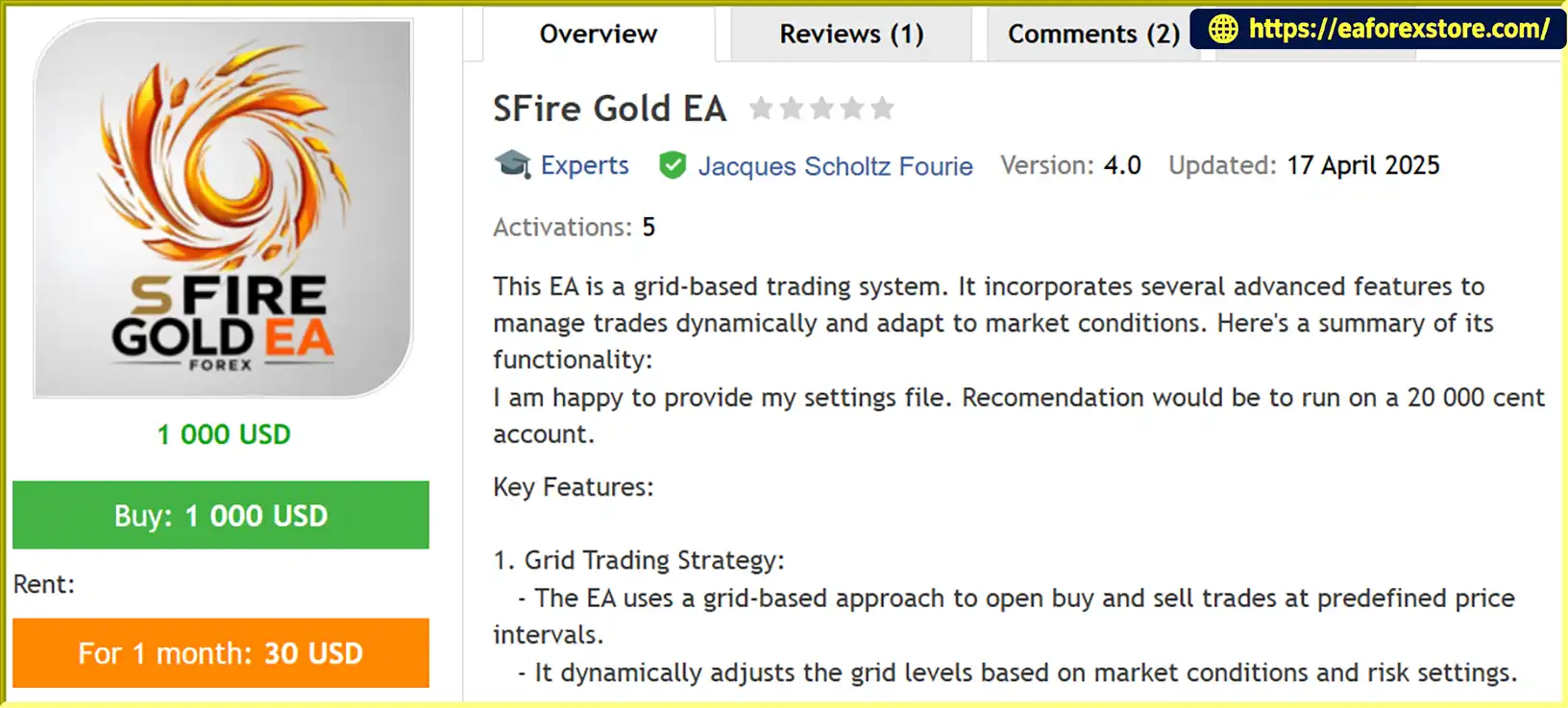
The provider recommends running SFire Gold EA MT4 on a 20,000-cent account and offers a settings file. This is a provider recommendation, not a guarantee that the account size will be sufficient for every configuration or market condition. Cent-account specifications and the EA’s lot calculations should be verified with the broker before trading.
SFire Gold EA MT4 may appeal to traders who want configurable grid automation and direct control over trade management. However, grid recovery and increasing lot sizes can create substantial exposure during prolonged market trends. Careful testing and conservative settings are essential.
>>> Delivery time 24h-48h after payment.
>>> Refund if not delivered.
>>> You will receive the latest version without any limitations (ID+Time).Reviewed by Jason Stap <<<
SFire Gold EA MT4 Overview
SFire Gold EA MT4 uses a grid-based approach to place buy and sell trades at predefined price intervals.
The EA can adjust grid levels according to configured parameters and market conditions. This approach aims to manage multiple entries across different price levels rather than relying on a single entry point.
Grid strategies can perform differently in ranging and trending markets. During a sustained one-directional move, multiple positions may accumulate and generate significant floating losses.
The EA calculates lot sizes according to the account balance and selected risk settings, while respecting broker-defined minimum and maximum lot limits.
It also includes a DYNAMIC_MAX_LOT scaling mechanism intended to increase lot sizes as the account balance grows.
Although dynamic sizing can help adapt position sizes to account changes, increasing lots may also amplify losses. Users should confirm whether lot calculations are based on balance, equity, available margin, or another measure before enabling the feature.
SFire Gold EA MT4 offers several risk profiles:
These options allow traders to choose different levels of exposure according to their risk tolerance.
The precise risk associated with each profile depends on the EA’s internal calculations and other parameters, including grid spacing, lot multipliers, and maximum trade limits. A lower profile should be tested first, particularly on a new broker account.
The EA supports stop-loss and take-profit settings to define trade exit levels.
These controls can help establish predefined exit conditions, but their effectiveness depends on how they interact with grid recovery and the EA’s overall position-management rules.
Traders should verify whether stops and targets apply to individual trades, the entire grid, or combined buy and sell positions.
SFire Gold EA MT4 includes trailing-stop and breakeven mechanisms.
A trailing stop can adjust a protective level as a position moves favorably, while breakeven functionality can move a stop toward the entry price once specified conditions are met.
These features may help manage individual trades, but they do not guarantee a profitable exit. Market gaps, slippage, and execution delays can affect the final result.
The EA includes a spike-detection feature that identifies sudden price movements and can execute buy or sell trades according to the direction of the spike.
Internal flags are used to help prevent repeated entries during a detected spike.
Sudden price movements can reflect temporary volatility, news releases, or the beginning of a broader trend. Spike-based entries may therefore be exposed to rapid reversals, spread widening, and slippage.
Grid recovery is designed to manage losing trades by opening additional positions according to the configured grid and recovery rules.
The EA also limits the number of trades opened at the maximum lot size, which is intended to restrict one aspect of position accumulation.
However, limiting maximum-lot trades does not eliminate the risks of grid recovery. If price continues moving against the accumulated positions, floating losses and margin usage can increase substantially.
The EA provides on-chart controls for manual actions, including:
These controls allow traders to intervene without navigating through multiple MT4 menus. Users should understand exactly which positions and orders are affected by each button before using it on a live account.
SFire Gold EA MT4 tracks profit and loss for buy and sell trades and includes overlap logic that can close trades when specified profit or loss thresholds are reached.
This functionality is intended to coordinate trade management across multiple positions. The exact closing conditions, threshold calculations, and treatment of commissions and swaps should be confirmed in the settings documentation.
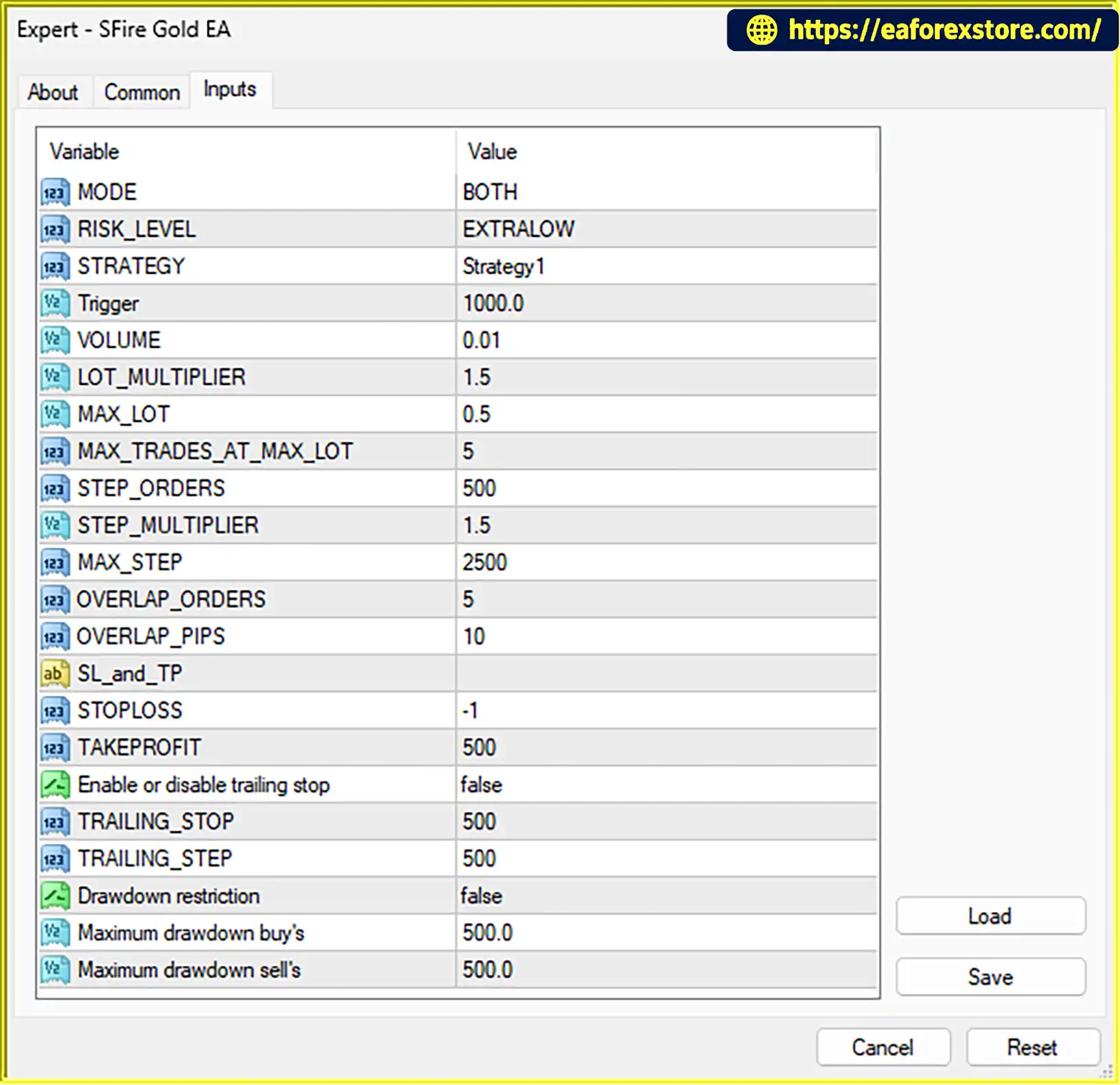
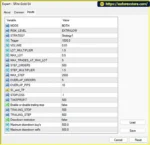
The EA offers configurable inputs for parameters such as grid step size, lot multipliers, risk profiles, and other trade-management rules.
This flexibility allows traders to test different configurations. However, changing several parameters at once can make it difficult to determine which settings are responsible for changes in performance.
SFire Gold EA MT4 combines grid entries, dynamic lot sizing, spike detection, and recovery management within one automated trading system.
A typical operating process may include the following stages:
The exact entry conditions, grid spacing formulas, recovery sequence, and relationship between individual trade exits and basket-level closing rules are not fully detailed in the supplied description. Review the settings file and provider documentation before live deployment.
The EA automates the placement and management of trades at predefined price intervals. This can reduce the need to place every grid order manually.
Dynamic lot sizing and multiple risk profiles allow traders to configure exposure according to their preferences. The DYNAMIC_MAX_LOT mechanism also provides a way to adjust the maximum lot as the account balance changes.
Stop-loss, take-profit, trailing-stop, and breakeven features provide several ways to manage positions. Combined profit-and-loss logic adds another layer of control over groups of trades.
The spike-detection feature gives the EA an additional mechanism for responding to sudden price movements. However, its effectiveness depends on the detection logic and execution conditions.
Grid recovery provides a structured mechanism for handling losing positions according to predefined rules. It may help manage certain price patterns, but it can also increase exposure when the market continues moving against the grid.
On-chart buttons make it possible to open trades, adjust lot sizes, and close positions directly from the chart.
Users can adjust grid steps, lot multipliers, risk levels, and other parameters. The provider also offers a settings file, which may simplify initial configuration when its assumptions match the user’s broker and account.
🔺XAUUSD (Gold) pair – 1 months
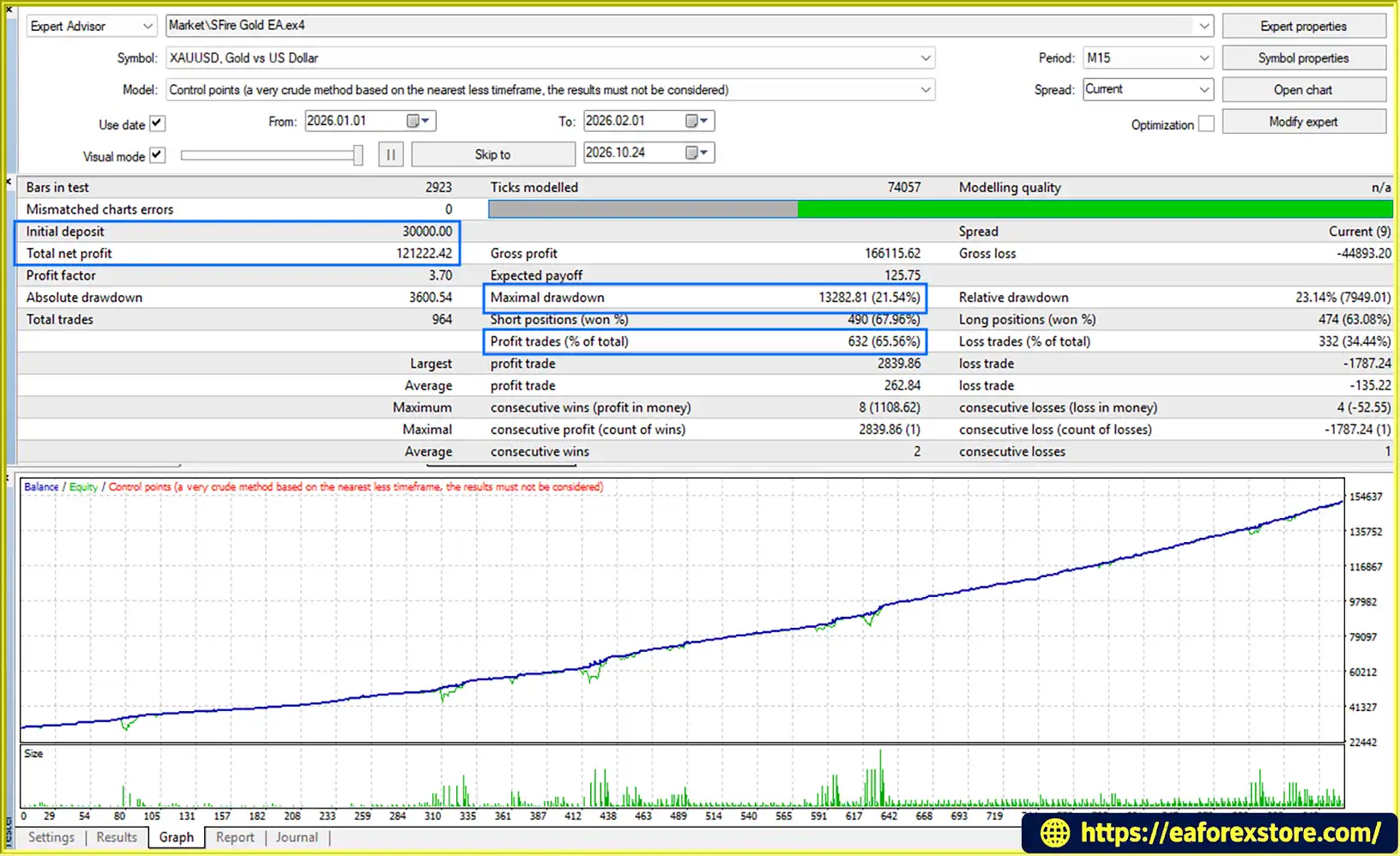
SFire Gold EA MT4 backtets
Risk management is particularly important for SFire Gold EA MT4 because grid entries, dynamic lot scaling, and recovery trading can increase the number and size of open positions.
Understand grid risk. Grid trading does not remove market risk. During a prolonged one-directional move, multiple positions may accumulate on the losing side, causing floating losses and margin usage to rise.
Use the lowest practical risk profile initially. Start with Extra Low or Low settings and test the EA on a demo account. Do not assume that the provider’s suggested account size makes every risk profile safe.
Verify the 20,000-cent account recommendation. Confirm the broker’s cent-account denomination, contract specifications, minimum lot, margin requirements, and whether the EA correctly interprets the account balance. A displayed cent balance is not equivalent to the same numerical amount in a standard account.
Check dynamic lot scaling. Understand how DYNAMIC_MAX_LOT changes position sizes as the balance grows. Confirm the maximum permitted lot and whether total open exposure is capped independently.
Review grid recovery rules. Determine when recovery activates, how additional orders are sized, what stops the recovery sequence, and whether the EA has a maximum number of open trades or a portfolio-level loss limit.
Test stop-loss behavior across the grid. Confirm whether stop-loss settings apply per position or to the overall basket. A stop-loss setting does not guarantee that the EA will close all accumulated positions at the intended combined loss.
Monitor margin and equity. Track free margin, margin level, floating drawdown, and total open lots. A grid can face a margin call before a recovery sequence has an opportunity to close profitably.
Exercise caution with spike trading. News releases and sudden market movements can produce wider spreads, rapid reversals, and slippage. Test the spike-detection feature under different volatility conditions.
Understand the close-all button. Confirm whether it closes only market positions or also deletes pending orders. Manual intervention should be deliberate, particularly when several grid positions are open.
Use realistic testing conditions. Backtests and demo forward tests should account for spreads, commissions, swaps, and execution delays. Evaluate prolonged trending periods as well as ranging markets.
Avoid relying on recovery as a guarantee. No recovery method can guarantee that losses will be recovered. If the market continues moving against the grid, the account may experience substantial losses.
Follow these general steps to install SFire Gold EA MT4:
MQL4 → Experts and place the supplied EA file in the folder.The provider offers a settings file and recommends a 20,000-cent account. Confirm that the supplied preset is intended for your broker, account denomination, leverage, and instrument specifications before using it.
>>> Join VIP Membership Now <<<
SFire Gold EA MT4 is a grid-based Expert Advisor that combines dynamic lot sizing, spike detection, recovery trading, and configurable position-management tools. Its on-chart controls and customizable settings give traders several ways to manage automated and manual trading activity within MT4.
The main attraction is its range of grid and recovery features. However, these same mechanisms can increase risk when markets move persistently against open positions. Dynamic lot scaling and recovery trading should not be interpreted as guarantees of loss recovery or account protection.
The provider recommends a 20,000-cent account and supplies a settings file, but the suitability of that configuration depends on the broker, account denomination, leverage, and selected risk parameters.
Before using SFire Gold EA MT4 with real money, test the supplied settings on a demo account, verify how grid recovery and basket exits operate, and monitor equity drawdown and margin usage closely.
Important: Grid trading can lead to substantial losses, particularly during prolonged trends or sudden market shocks. Past or expected performance does not guarantee future results. Only trade with capital you can afford to lose.
1. What is SFire Gold EA MT4?
SFire Gold EA MT4 is an automated Expert Advisor for MetaTrader 4 that uses grid trading, dynamic lot sizing, spike detection, and grid recovery. It also provides configurable risk profiles, stop-loss and take-profit settings, trailing stops, breakeven functionality, and on-chart controls for manual trading actions.
2. How does SFire Gold EA MT4 work?
The EA opens buy or sell trades according to its programmed conditions and may place additional trades at predefined grid intervals. It adjusts position sizes according to configured money-management rules, detects certain sudden price movements, and uses grid recovery to manage losing positions. Its profit-and-loss management and trade-protection settings help control exits according to the selected configuration.
3. Does SFire Gold EA MT4 use martingale or grid trading?
SFire Gold EA MT4 uses a grid-based trading strategy with recovery functionality. Additional positions may be opened as prices move through configured grid levels. Although the supplied description does not establish that the EA uses a conventional martingale system, grid recovery and dynamic lot scaling can increase total exposure and floating losses during prolonged adverse market movements.
4. What risk settings are available in SFire Gold EA MT4?
The EA offers five risk profiles: Extra Low, Low, Medium, High, and Extra High. It also supports dynamic lot sizing, maximum-lot settings, stop-loss and take-profit controls, trailing stops, and breakeven functionality. Traders should verify how lot sizes are calculated and how individual trade exits interact with overall grid management.
5. What is the recommended account size for SFire Gold EA MT4?
The provider recommends a 20,000-cent account and supplies a settings file. This is a recommendation rather than a guarantee of sufficient capital. Before trading, confirm the broker's cent-account denomination, leverage, minimum lot size, margin requirements, and the EA's lot calculations. The same settings may behave differently on standard and cent accounts.
6. What are the reported backtest results for SFire Gold EA MT4?
The supplied product description reports the following one-month XAUUSD backtest results:
Initial deposit: $30,000
Total net profit: $121,222.42
Win rate: 65.56%
Maximum drawdown: 21.54%
These figures are reported in the supplied description and have not been independently verified here. The detailed testing conditions and trading costs were not provided. The reported drawdown indicates meaningful risk, and a profitable backtest does not guarantee future performance.
7. What are the main risks of using SFire Gold EA MT4?
The main risks include accumulating multiple losing grid positions, increasing lot sizes, rising margin usage, and slippage during sudden price movements. Grid recovery cannot guarantee that losses will be recovered. Traders should monitor floating drawdown, equity, free margin, and total open exposure, and test the EA on a demo account before using real money.
8. How do you install SFire Gold EA MT4?
Download the EA file, SFire Gold EA.ex4, and the provider's settings file. Open MetaTrader 4 and select File → Open Data Folder. Copy the EA file into MQL4/Experts, refresh the Expert Advisors list, and attach the EA to the recommended chart. Load the settings file, review the grid spacing, lot multipliers, risk profile, and recovery parameters, then enable automated trading. Verify account compatibility and test the EA under realistic conditions before live deployment.
In stock
In stock
In stock
In stock
In stock
Out of stock
No account yet?
Create an Account












 Automatic EA
 EA Best Seller
 Expert Advisor MT4
 Expert Advisor MT5
 HFT EA


Reviews
Clear filtersThere are no reviews yet.