









-
 Unlimited Activations
-
 Instant delivery
-
 Easy to install






 Unlimited Activations
Instant delivery
Easy to install
Unlimited Activations
Instant delivery
Easy to install
 Free Update
 Free Install Support

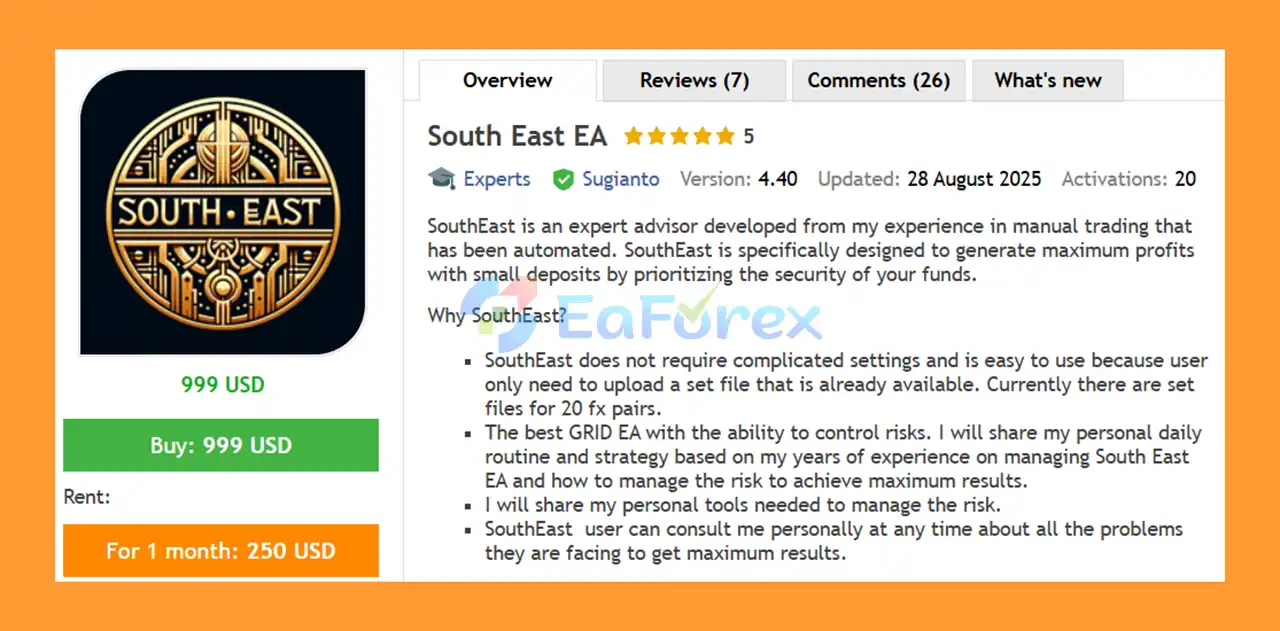
South East EA MT5 is an automated Forex Expert Advisor developed from years of manual trading experience and designed to automate a structured trading and risk-management approach. The EA focuses on Grid trading, controlled Martingale recovery, multi-symbol management, and account protection, making it suitable for traders who want to automate a more active Forex strategy.
South East EA MT5 is designed with simplicity in mind. Users do not need to create complicated settings from scratch. The developer provides ready-made set files for multiple Forex pairs, allowing traders to configure the EA more efficiently according to the recommended parameters.
The system can trade a wide range of Forex pairs as well as XAUUSD and XAGUSD, with supported timeframes including M15, M30, and H1.
Because South East EA MT5 uses Grid and Martingale-based recovery techniques, proper money management is particularly important. The EA therefore includes several protective mechanisms, including Maximum Drawdown limitations, account-level cut loss, partial position closing, spread/news-related controls, trading-time restrictions, and multi-symbol exposure management.
The developer also provides guidance on managing the EA and offers personal support to help users understand the recommended setup and risk-management approach.
>> Delivery time 24h-48h after payment.
>>> Refund if not delivered.
>>> You will receive the latest version without any limitations (ID+Time).>> Reviewed by Jason Stap <<<
SEA SouthEast EA MT5 Overview
South East EA MT5 uses a Grid trading methodology to manage positions as the market moves. Additional positions can be opened according to predefined distance and trading conditions with the objective of managing unfavorable trades and seeking recovery opportunities.
The Change Step function can widen the distance between subsequent positions, helping reduce the concentration of trades during unfavorable market movements.
The EA uses a mild Martingale lot-sizing approach to accelerate recovery after losing trades.
Unlike an unrestricted position-sizing strategy, South East includes risk controls designed to limit exposure. Nevertheless, Martingale remains a high-risk technique and can produce significant drawdowns if the market continues moving against the position.
The Max Drawdown Limitation is one of the key account-protection features.
When the predefined drawdown threshold is reached, the EA can stop opening additional positions. This is designed to prevent the system from continuously increasing exposure and opening progressively larger positions during adverse market conditions.
South East EA MT5 includes account-level protection based on both:
When the defined threshold is reached, the account protection mechanism can activate a cut-loss procedure.
The Close Partial feature allows the EA to partially close selected losing positions to reduce used margin and help manage account exposure.
This can be useful when the market moves significantly against an open Grid sequence and reducing margin utilization becomes a priority.
South East EA MT5 can manage multiple currency pairs while controlling overall exposure.
The Smart Multi Symbol Control feature helps determine how many symbols can actively participate in trading at the same time, which can help prevent excessive simultaneous exposure across multiple pairs.
The EA supports Virtual Stop Loss and Virtual Take Profit levels.
Instead of necessarily placing the actual SL and TP levels directly with the broker, virtual levels can be monitored by the EA. This feature is intended to provide additional flexibility in trade management.
The integrated News Filter is designed to reduce exposure to potentially extreme volatility around important economic events.
Filtering high-impact news can help the EA avoid opening new trades during periods when market conditions may become unpredictable.
The trailing function can be used to help protect accumulated profits by dynamically managing profitable positions as the market moves.
South East EA MT5 supports different position-sizing approaches, including:
This allows traders to adapt the EA to different account sizes and risk profiles.
The EA includes Virtual Trade functionality, which can be used to evaluate potential entry conditions and manage trading decisions without necessarily placing an immediate market order.
Virtual Buy Stop, Sell Stop, Buy Limit, and Sell Limit functionality provides additional flexibility for planned entries and precise trade execution logic.
The Holiday Control feature allows traders to restrict trading during selected dates or periods when market liquidity and conditions may be less favorable.
Users can define specific trading periods during which the EA is allowed to operate, providing another layer of control over automated trading activity.
For situations requiring manual intervention, the EA provides buttons for:
These functions give traders additional control when managing difficult market conditions.
South East EA MT5 combines Grid trading, controlled Martingale recovery, money management, and account-protection mechanisms.
When an initial trading opportunity is detected, the EA can open a position according to the configured set file and trading parameters. If the market moves against the position, the Grid system can place additional positions according to the configured distance and conditions.
The objective is to manage the overall position sequence rather than relying solely on the performance of a single trade.
The Martingale component can adjust subsequent position sizes to accelerate potential recovery. However, this also increases exposure when the market continues moving in the wrong direction.
To manage this risk, South East provides several protective mechanisms. The Max Drawdown Limitation can stop the EA from opening new positions once a specified drawdown threshold is reached. The Change Step feature can increase the distance between additional entries, while Close Partial can reduce margin usage by closing selected losing positions.
The Smart Multi Symbol Control system further helps manage exposure across multiple currency pairs rather than treating every pair independently.
This combination allows South East EA MT5 to operate as a structured Grid and recovery system while providing several layers of risk control.
South East EA MT5 is designed to accommodate different account sizes. The developer lists a $500 minimum deposit for high-risk configurations and recommends approximately $2,000 for medium-risk trading.
However, the appropriate account size depends on the selected pairs, risk settings, leverage, broker conditions, and market volatility.
One of the major advantages of South East EA MT5 is its ready-made configuration approach.
The developer provides set files for numerous Forex pairs, reducing the need for users to manually optimize every parameter from the beginning.
The EA can be configured for a broad selection of instruments, including: AUDUSD, AUDCHF, AUDJPY, AUDNZD, AUDCAD, CADCHF, CADJPY, EURUSD, EURCAD, EURCHF, EURGBP, EURJPY, EURAUD, EURNZD, GBPUSD, GBPJPY, GBPCAD, GBPCHF, GBPAUD, NZDCAD, NZDCHF, NZDUSD, USDCHF, USDCAD, USDJPY, XAUUSD, XAGUSD.
South East EA MT5 supports:
This gives traders flexibility when selecting the appropriate trading environment.
Grid and Martingale strategies require careful exposure management. South East addresses this with several dedicated functions, including Max Drawdown Limitation, Account Protection, Change Step, Close Partial, News Filter, and Smart Multi Symbol Control.
The developer offers direct guidance to users regarding configuration, risk management, and EA operation. Users can contact the developer for assistance with the recommended settings and trading approach.
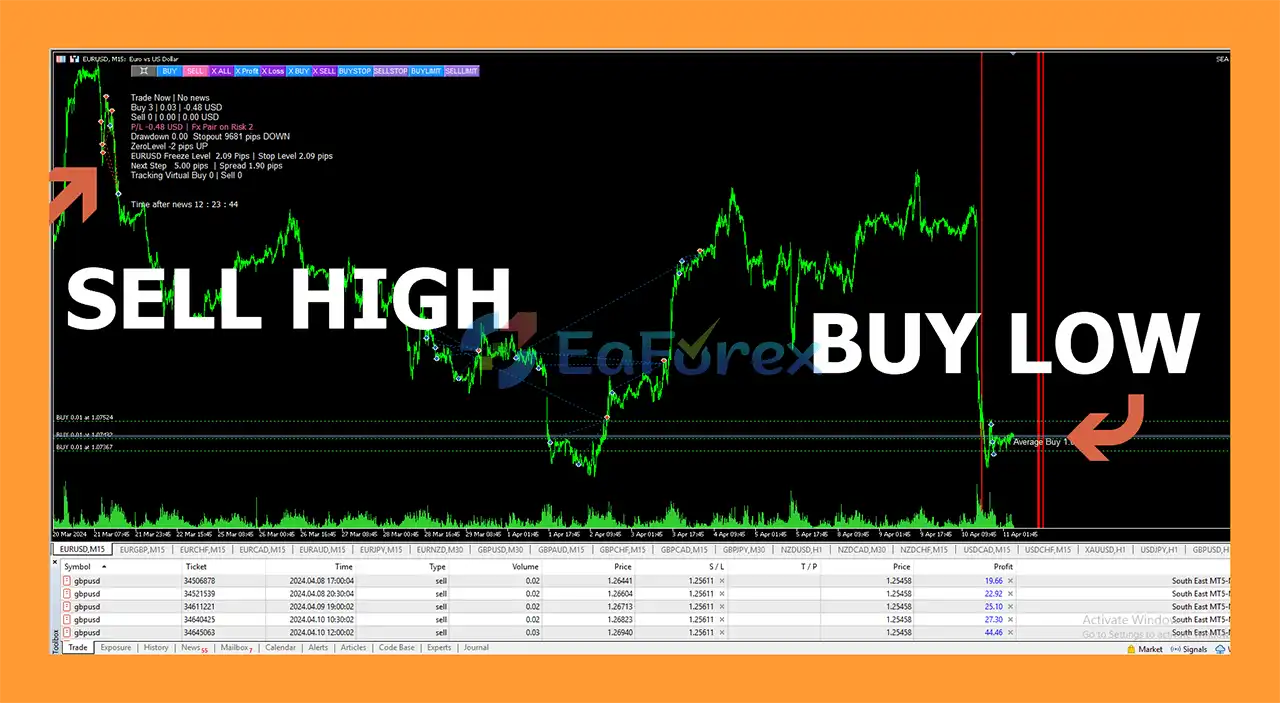
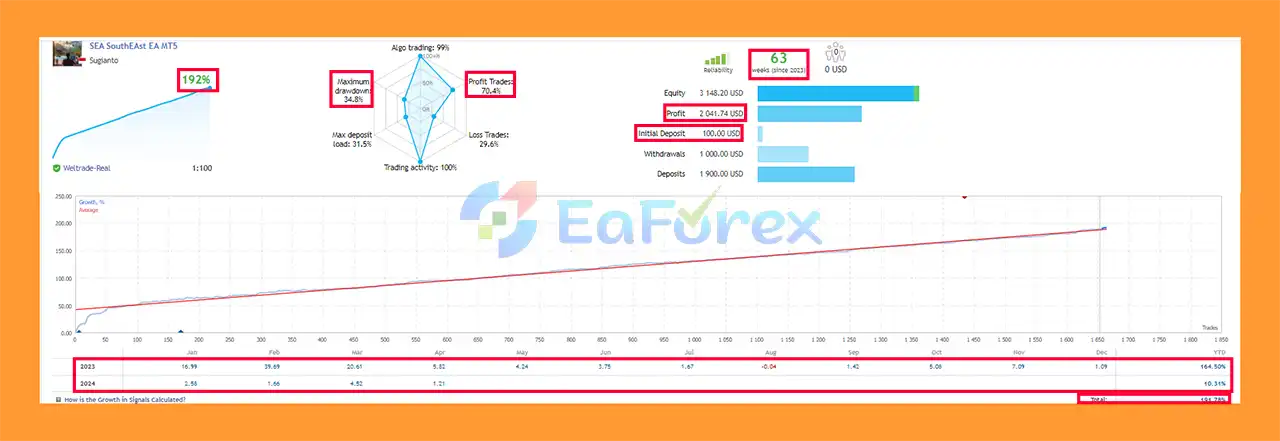
SEA SouthEast MT5 Live Trading
SEA SouthEast EA MT5 review
The primary objective of South East EA MT5 is to combine automated Grid trading with structured risk management.
The system provides several tools that can be used to control exposure:
The Max Drawdown function is particularly important because Grid and Martingale systems can accumulate multiple positions during a prolonged market trend.
By stopping new entries after a predefined drawdown level, the EA can limit additional exposure. However, this does not guarantee that losses will remain within the selected threshold, especially during gaps, extreme volatility, slippage, or insufficient account liquidity.
The developer lists $500 as a minimum deposit for high-risk use and $2,000 as a recommended deposit for medium-risk use. These figures should not be interpreted as guarantees of safety or profitability.
For more conservative operation, traders should consider lower risk settings, fewer simultaneously active symbols, appropriate leverage, and sufficient account capital.
The most important consideration when using South East EA MT5 is that it relies heavily on Grid and Martingale recovery techniques.
Grid trading can accumulate multiple positions when the market moves in one direction. If the market continues trending against the open trades, floating losses and margin requirements can increase rapidly.
Martingale position sizing introduces additional risk because subsequent trades may have larger exposure. A prolonged losing sequence can therefore create substantial drawdown.
Several other factors should also be considered:
Users should never assume that a Grid or Martingale EA can recover every losing sequence. There is always a possibility of substantial loss, including loss of the entire trading account.
Always test the EA on a demo account and use an amount of capital that you can afford to lose.
After purchasing South East EA MT5, contact the developer through the provided support or comment section to receive installation instructions, set files, and configuration guidance.
Obtain the latest EA version and the recommended set files for your selected trading pairs.
Because South East relies on predefined configurations, using the appropriate set file is an important part of the setup process.
Open MetaTrader 5 and select:
File → Open Data Folder → MQL5 → Experts
Copy the South East EA files into the appropriate folder and restart MetaTrader 5 or refresh the Navigator window.
Make sure Algo Trading is enabled in MetaTrader 5.
Choose one of the supported instruments and attach the EA to the appropriate chart.
Supported timeframes include:
M15, M30, and H1.
Open the EA’s Inputs section and load the appropriate set file provided by the developer.
Avoid changing important Grid, Martingale, or risk-management parameters without understanding their impact.
Review the following settings carefully:
Before using real money, perform extensive backtesting and forward testing on a demo account.
Pay particular attention to maximum drawdown, margin usage, the number of simultaneous positions, and performance during strong market trends.
A VPS with at least 1 GB RAM is recommended so MetaTrader 5 and the EA can remain connected continuously.
After successful demo testing, consider starting with a conservative configuration and gradually evaluating live performance rather than immediately using aggressive Grid or Martingale settings.
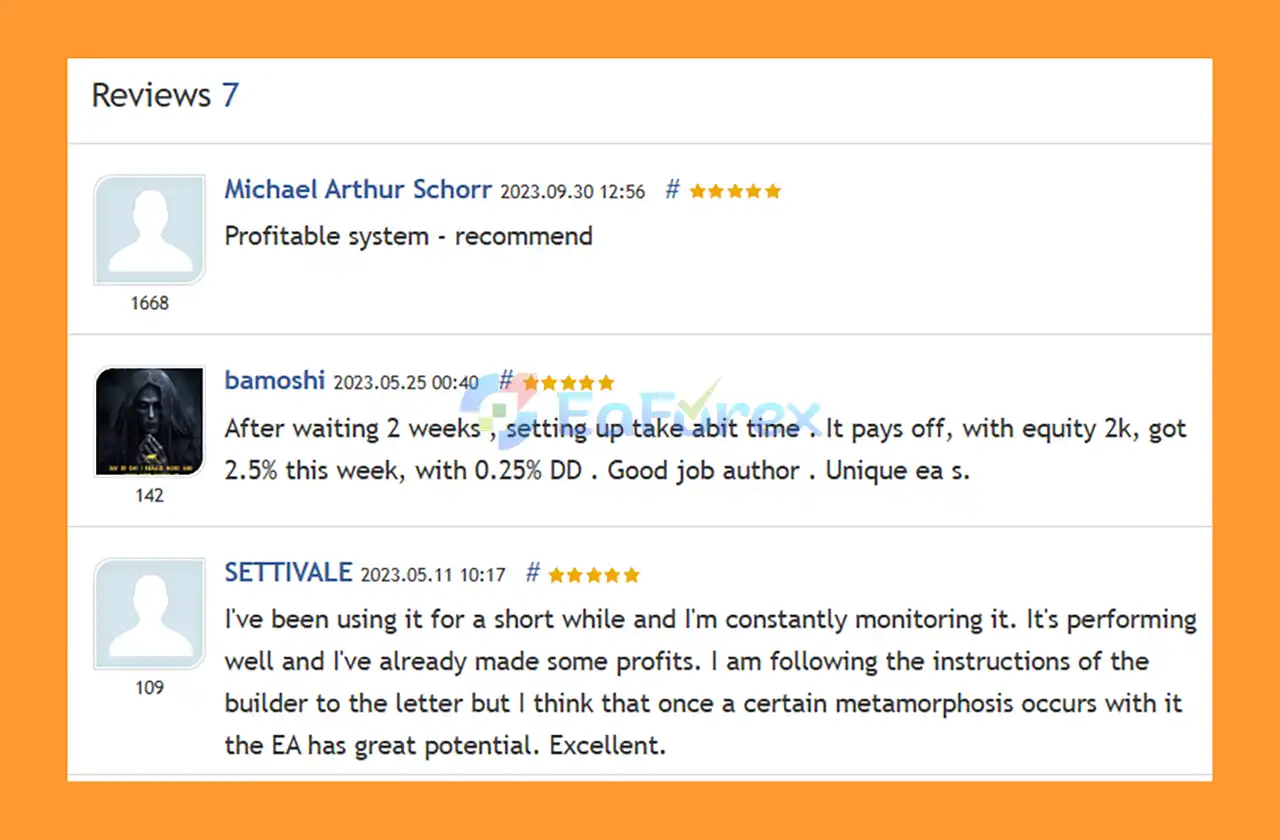
🔻South East EA MT5 is highly appreciated by the MQL5 community for bringing stable and reliable profits. Below are 5 star reviews from users:
User Review
South East EA MT5 is a specialized Grid and Martingale Forex Expert Advisor designed for traders who want to automate a multi-position recovery strategy while maintaining several layers of account protection.
Its combination of Grid trading, mild Martingale, Maximum Drawdown Limitation, Account Protection, Close Partial, Smart Multi Symbol Control, News Filter, Change Step, and flexible money management gives traders a wide range of tools for managing automated positions.
The availability of ready-made set files for numerous Forex pairs also makes the EA easier to configure compared with systems that require users to optimize every parameter themselves.
However, traders should understand that Grid and Martingale strategies inherently carry elevated risk. Protective functions can help manage exposure, but they cannot eliminate the possibility of large drawdowns during prolonged trends or extreme market conditions.
For the best approach, South East EA MT5 should be properly backtested, forward-tested on a demo account, configured with conservative risk parameters, and monitored regularly.
Overall, South East EA MT5 may be an interesting choice for experienced traders who understand Grid and Martingale strategies and are looking for an automated system with extensive multi-symbol trading and risk-management controls.
1. What is South East EA MT5?
South East EA MT5 is an advanced automated Forex trading system developed from real manual trading experience. It uses a mild martingale and smart grid strategy to generate steady profits while maintaining strict risk control and account protection.
2. How does South East EA MT5 manage risk?
The EA includes multiple safety layers—such as max drawdown limits, virtual stop loss and take profit, cut loss in money or percentage, and a trailing/partial close system—to protect trading capital and reduce margin exposure.
3. Does South East EA MT5 use Martingale or Grid trading?
Yes, but in a controlled and intelligent way. It applies a mild martingale and smart grid averaging approach to recover from drawdowns safely, without using aggressive or high-risk multipliers.
4. Which currency pairs and timeframes work best with South East EA MT5?
South East EA MT5 supports over 20+ Forex pairs, including EURUSD, GBPUSD, USDJPY, XAUUSD, and more—optimized mainly for the H1 timeframe. Preset files for each pair are included in the package.
5. Is South East EA MT5 beginner-friendly?
Yes. It comes with ready-to-use set files and simple configuration options. Even new traders can start quickly while benefiting from built-in money management, news filters, and trading session control.
6. What’s included in the South East EA MT5 package?
The download includes the Expert Advisor file, installation guide, and preset files for all supported pairs. Buyers also get lifetime updates, personal guidance from the developer, and access to VIP membership.
In stock
In stock
In stock
In stock
In stock
Out of stock
No account yet?
Create an Account












 Automatic EA
 EA Best Seller
 Expert Advisor MT4
 Expert Advisor MT5
 HFT EA


Reviews
Clear filtersThere are no reviews yet.