


Product Overview
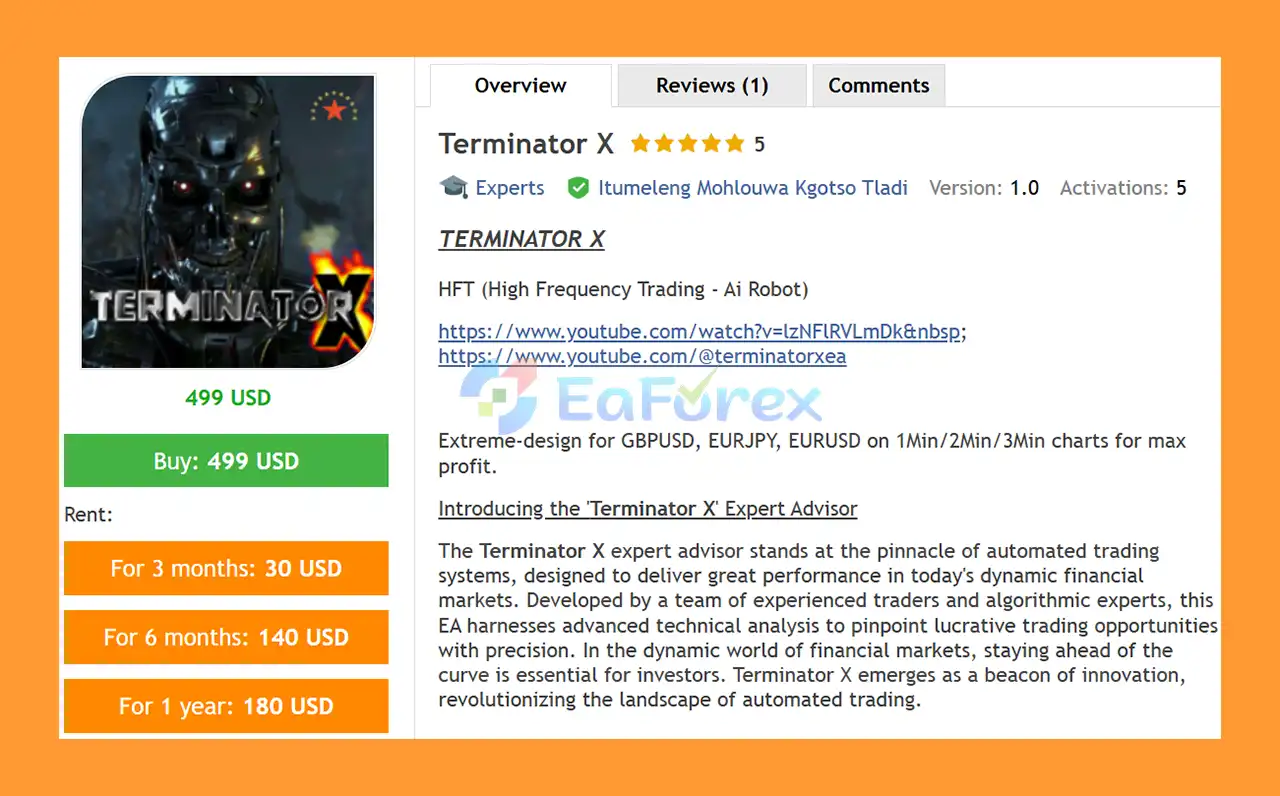
Terminator X EA MT5 is an advanced automated trading system designed to analyze financial markets and identify potential trading opportunities using algorithmic technical analysis.
Developed around automated market analysis, adaptive trading logic, and integrated risk-management features, Terminator X is designed to operate continuously without the need for manual trade execution.
The EA aims to identify short-term market opportunities while adapting its trading approach to different market environments, including trending, ranging, and volatile conditions.
Terminator X is also designed to support multiple asset classes, making it a flexible solution for traders interested in automated trading across Forex, stocks, commodities, and indices.
While historical testing can provide useful information about how the system behaved under specific conditions, past performance does not guarantee future results. Traders should always evaluate the EA carefully and use appropriate risk management.
About the Developer
• Author: Itumeleng Mohlouwa Kgotso Tladi.
• Experience: Over +1 years of experience on MQL5.
• Notable Products: Terminator X, Manus Pro, Afribold Quantum Opulence EA and other advisors.
• Flagship Product: Terminator X EA MT5 is rated as the best performing product of the year.
>> Delivery time 24h-48h after payment.
>>> Refund if not delivered.
>>> You will receive the latest version without any limitations (ID+Time).>>Reviewed by Jason Stap <<
Key Features of Terminator X EA MT5
Advanced Trading Algorithm
Terminator X EA MT5 uses an advanced algorithmic trading framework to analyze market data and identify potential trading opportunities.
The system processes market information automatically, allowing it to react to changing price conditions without relying on emotional decision-making.
Automated Market Analysis
The EA continuously monitors the market and searches for trading opportunities according to its internal trading logic.
Once the required conditions are identified, the system can automatically execute and manage trades.
Adaptive Trading Logic
Financial markets constantly change between different conditions. Terminator X is designed to adapt its trading approach according to the current environment.
The system can operate across:
- Trending markets
- Ranging markets
- Volatile market conditions
- Short-term market movements
Automated Scalping
Terminator X focuses on short-term trading opportunities and incorporates a scalping-oriented approach.
By continuously monitoring price movements, the EA aims to identify short-term opportunities that may not always be practical for manual traders to monitor throughout the day.
Risk Management
Risk management is an important part of the Terminator X system.
The EA includes mechanisms designed to help control trading exposure, including:
- Position-size management
- Stop Loss functionality
- Adjustable risk parameters
- Money-management settings
These features allow traders to configure the EA according to their preferred risk level.
Multi-Asset Compatibility
Terminator X is designed to work across different asset classes, including:
- Forex
- Stocks
- Commodities
- Indices
The actual performance and suitability of the EA can vary significantly depending on the instrument, broker, spread, liquidity, and market conditions.
Continuous Operation
As an automated Expert Advisor, Terminator X can monitor the market continuously while the trading terminal and trading environment remain operational.
This allows the system to scan for opportunities without requiring the trader to remain in front of the screen.
User-Friendly Interface
The EA is designed to be accessible to traders with different levels of experience.
Users can configure important trading and money-management parameters without manually executing every trade.
Regular Updates and Support
The product description indicates that Terminator X is intended to receive updates designed to improve functionality and adapt to changing market conditions.
User support is also available to assist with setup and configuration when required.
How Does Terminator X EA MT5 Work?
Terminator X EA MT5 works by continuously analyzing market data and evaluating potential trading opportunities according to its automated trading algorithm.
The general process can be summarized as follows:
- The EA monitors real-time market data.
- It analyzes price movements and market conditions.
- The algorithm evaluates potential trading setups.
- Adaptive logic determines whether the current environment is suitable for trading.
- When the required conditions are satisfied, the EA can open a position.
- Risk-management rules determine the appropriate trade exposure.
- Stop Loss and other management mechanisms are applied according to the configured settings.
- The EA monitors the open position and manages it automatically.
- The system continues scanning the market for additional opportunities.
The EA is designed to reduce the influence of emotional decisions by automating the execution and management process.
Why Choose Terminator X EA MT5?
Fully Automated Trading
Terminator X can monitor the market and execute trades automatically, reducing the need for manual market observation.
Adaptive Market Approach
The EA is designed to handle different market environments instead of relying exclusively on one market condition.
Scalping-Oriented Strategy
Its short-term trading approach may appeal to traders looking for an automated system focused on frequent market opportunities.
Flexible Risk Settings
Users can adjust risk and money-management parameters to better match their account size and personal risk tolerance.
Multi-Asset Flexibility
Support for Forex, stocks, commodities, and indices provides traders with opportunities to explore different markets.
Easy Setup
The basic setup process is straightforward: attach the EA to a compatible MT5 chart, enable automated trading, and configure the desired parameters.
Reduced Emotional Trading
By automating trade execution, Terminator X can help reduce common psychological problems such as hesitation, fear, and impulsive decision-making.
Terminator X EA MT5 Backtest Results
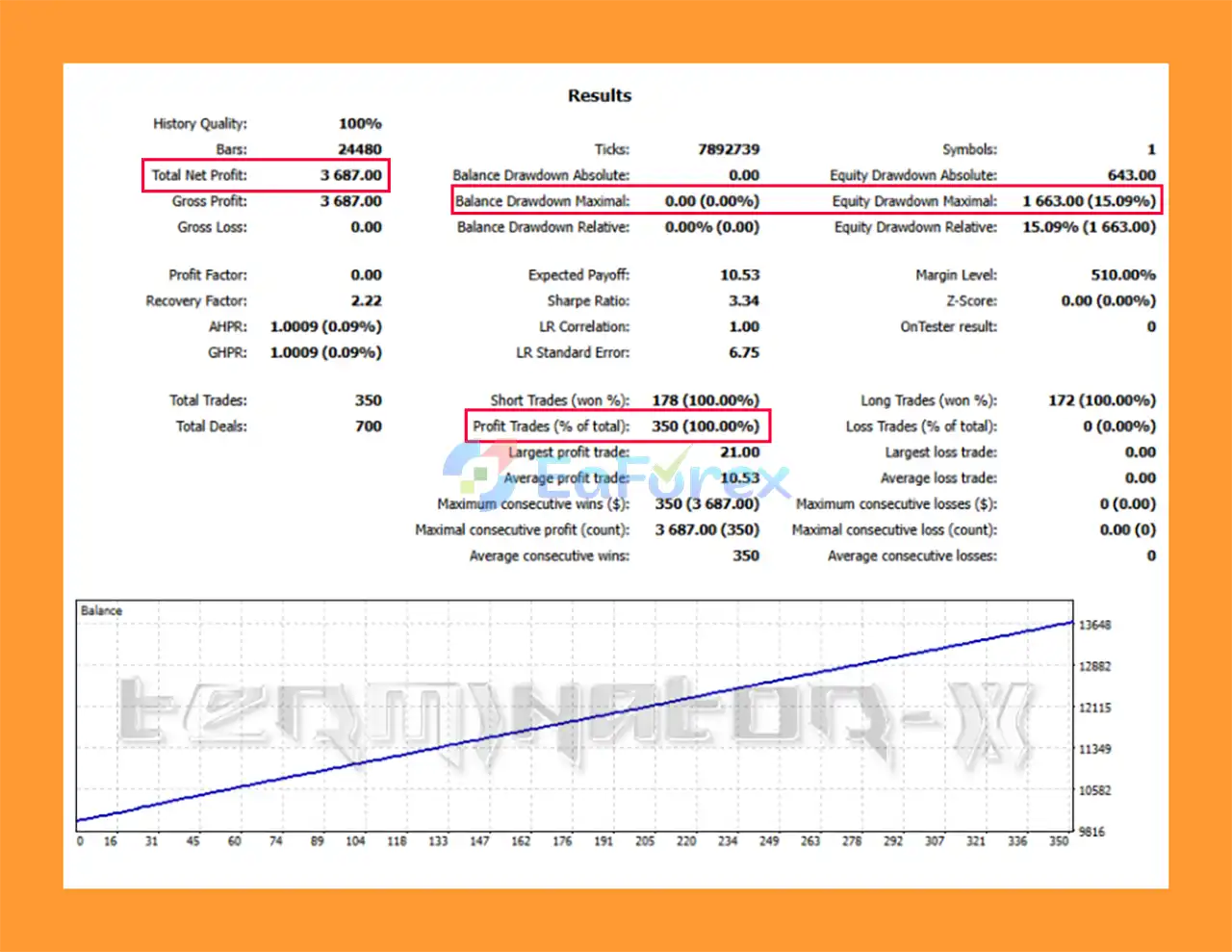
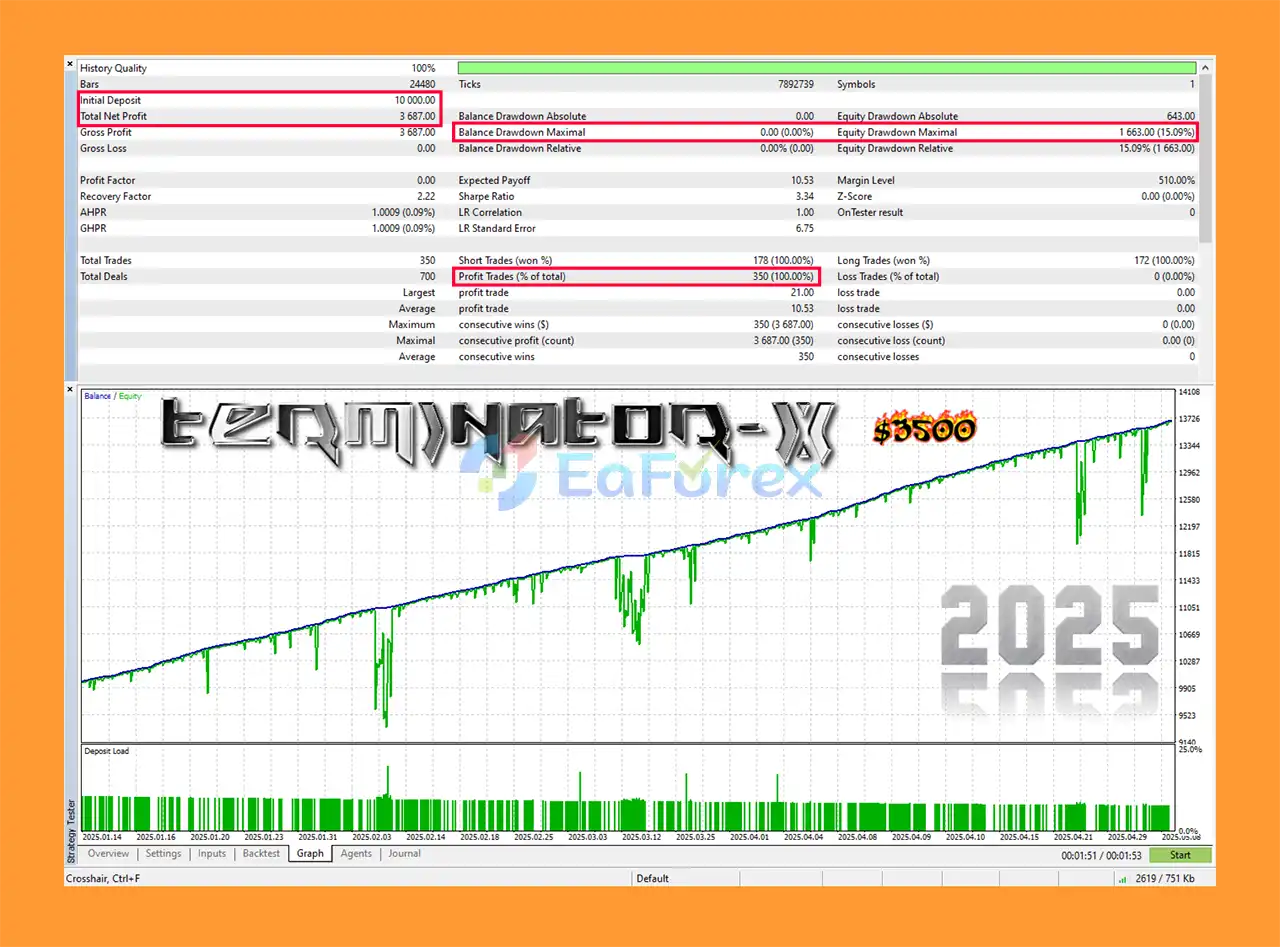
- Initial Deposit: $10,000
- Total Net Profit: $3,687
- Win Rate: 100%
- Maximum Drawdown: 15.09%
- The backtests indicate consistent, low-risk performance with a smooth equity curve and strong reliability.
Performance and Risk Management
Terminator X EA MT5 has been subjected to historical backtesting according to the product information. However, backtesting should be viewed as an evaluation tool rather than a guarantee of future performance.
The EA provides configurable risk and money-management parameters, allowing users to determine how aggressively the system should trade.
Important factors that can affect real-world results include:
- Account balance
- Risk percentage
- Lot size
- Stop Loss settings
- Spread
- Commission
- Slippage
- Broker execution
- Market volatility
- Trading instrument
- Trading session
For traders using the EA across different markets, it is recommended to evaluate each instrument separately rather than assuming that one configuration will perform equally well across all assets.
Weaknesses and Risk Warnings
Despite its advanced automated features, Terminator X EA MT5 cannot eliminate market risk.
Automated trading systems can experience losing trades, drawdowns, periods of reduced performance, and unexpected behavior during extreme market conditions.
Important considerations include:
- Past performance does not guarantee future results.
- Backtest results may differ from live trading results.
- Scalping strategies can be highly sensitive to spreads and commissions.
- Slippage can significantly affect short-term trades.
- Market conditions can change unexpectedly.
- Higher-risk settings can increase drawdown.
- Frequent trading can increase transaction costs.
- Different brokers can produce different execution results.
- Machine-learning or AI-related technology does not guarantee profitable trades.
- Multi-asset trading does not eliminate portfolio risk.
- Continuous operation requires a stable MT5 environment and reliable broker connection.
Traders should never interpret marketing claims about potential profits as guarantees. The EA should be tested on a demo account before being deployed with real capital.
Pros and Cons
Pros
- Advanced automated trading system for MT5
- Automated market analysis
- Scalping-oriented trading approach
- Adaptive trading logic
- Designed for multiple market conditions
- Supports Forex
- Supports stocks
- Supports commodities
- Supports indices
- Automated trade execution
- Automated position management
- Integrated risk-management features
- Stop Loss functionality
- Adjustable money-management parameters
- User-friendly configuration
- Continuous market monitoring
- Regular updates and support
- Reduces emotional decision-making
Cons
- No trading system can guarantee profits
- Scalping can be sensitive to spread and slippage
- Frequent trades may increase transaction costs
- Live results can differ from backtests
- Broker conditions can significantly affect performance
- Higher risk settings can increase drawdown
- Market conditions may change unexpectedly
- Different assets may require different configurations
- Requires a stable MT5 trading environment for continuous operation
- Advanced algorithmic technology does not eliminate trading risk
How to Install Terminator X EA MT5
Step 1: Install MetaTrader 5
Install and open the MetaTrader 5 trading platform through your preferred broker.
Step 2: Open the Data Folder
In MetaTrader 5, navigate to:
File → Open Data Folder → MQL5 → Experts
Copy the Terminator X EA MT5 file into the Experts folder.
Step 3: Restart MetaTrader 5
Restart the platform or refresh the Expert Advisors section in the Navigator window.
Step 4: Open the Trading Chart
Open the chart of the instrument you want to trade and select the appropriate timeframe according to the EA's recommended configuration.
Step 5: Attach Terminator X
Drag Terminator X EA MT5 from the Navigator window onto the selected chart.
Step 6: Configure Risk Management
Adjust the available risk and money-management settings according to your account balance and personal risk tolerance.
Avoid using unnecessarily aggressive settings simply to increase potential returns.
Step 7: Enable Auto Trading
Make sure the Auto Trading / Algo Trading function is enabled in MetaTrader 5.
Step 8: Demo Test
Before using the EA with real money, run it on a demo account and monitor:
- Trading frequency
- Drawdown
- Spread sensitivity
- Execution quality
- Risk exposure
- Overall trading behavior
Step 9: Move to Live Trading Carefully
After sufficient testing, the EA can be considered for live deployment using a conservative risk level and an appropriate broker environment.
Real User Reviews and Feedback
🔺Terminator X EA MT5 is highly appreciated by the MQL5 community for bringing stable and reliable profits. Below are 5 star reviews from users:
- Mr.220072256 (2024.07.01): “Excellent EA, Good profit today (Monday).”
What’s Included in the Download Package?
- Setting (If Any).docx
- Installation Guide.docx
Final Thoughts
In summary, Terminator X EA MT5 is an advanced automated trading solution designed to combine algorithmic market analysis, adaptive trading logic, scalping, and risk management into one Expert Advisor.
Its ability to monitor markets automatically and operate across Forex, stocks, commodities, and indices makes it a versatile option for traders interested in algorithmic trading.
The system's main strengths include automated execution, adaptive market analysis, short-term trading logic, configurable risk management, and a user-friendly interface.
However, traders should maintain realistic expectations. No Expert Advisor can guarantee consistent profits, and even sophisticated algorithms can experience losses when market conditions change.
For the best evaluation, test Terminator X under realistic broker conditions, use conservative risk settings, and analyze long-term performance rather than focusing only on short-term profits or historical backtest results.



