









-
 Unlimited Activations
-
 Instant delivery
-
 Easy to install




 Unlimited Activations
Instant delivery
Easy to install
Unlimited Activations
Instant delivery
Easy to install
 Free Update
 Free Install Support

ToTheMoon MT5 is a highly configurable Expert Advisor designed for automated trading on MetaTrader 5, with a strong focus on preset-based strategies, grid trading, price averaging, and automated position management.
The robot includes a large number of parameters, and new functions are added through regular updates. Because the extensive settings can make strategy creation complicated, the developer provides ready-to-use PRESETS designed to simplify configuration. Traders can select an appropriate preset, review its recommended symbol, timeframe, and minimum balance, and then perform a backtest before using it on a live account.
Many ToTheMoon MT5 presets use a Grid and Average Price strategy, where additional positions may be opened as price moves against the existing position. The system attempts to improve the average entry price and close positions when the market retraces.
This approach can perform differently depending on market conditions. It may be more suitable for symbols that frequently fluctuate within ranges, while instruments experiencing strong directional trends can create significantly higher risk.
• Author: Daniel Moraes Da Silva
• Experience: Over +1 years of experience on MQL5.
• Notable Products: ToTheMoon MT5, ToTheMoon MT4 and other advisors.
• Flagship Product: ToTheMoon MT5 is rated as the best performing product of the year.
>> Delivery time 24h-48h after payment.
>>> Refund if not delivered.
>>> You will receive the latest version without any limitations (ID+Time).>>>Reviewed by Jason Stap <<<
The exact trading behavior of ToTheMoon MT5 depends heavily on the selected PRESET and its configured parameters.
In many presets, the robot uses a Grid Trading approach. After opening an initial position, additional orders may be placed when the market moves against the trade. Depending on the configuration, lot sizes can increase as the price moves further away from the original entry.
The purpose is to build a better average entry price. When the market eventually moves back toward the calculated average price, the robot can close positions and attempt to recover the floating loss.
Some strategies also use partial position closing to help manage losing trades. This functions similarly to a smart StopLoss mechanism, with the objective of controlling drawdown while allowing the strategy additional room for market recovery.
In Multi-Symbol mode, positions from several instruments can be considered together when managing losses. The performance of the overall strategy therefore depends not only on one symbol but also on the relationship and behavior of the selected instruments.
Because Grid strategies depend on price returning after adverse movement, prolonged one-directional trends can create substantial floating drawdown.
ToTheMoon MT5 is designed for traders who want extensive control over an automated trading system without having to manually construct every strategy from scratch.
One of its main advantages is the availability of developer-created PRESETS. Instead of modifying dozens of parameters manually, users can select a preset designed for a particular market, timeframe, and account configuration, then test it before deployment.
The preset-based approach can also make it easier to compare different configurations through historical backtesting.
The EA supports various instruments available through compatible brokers, including Forex, indices, metals, cryptocurrencies, mini-contracts, stocks, options, and other instruments where supported by the broker.
However, compatibility and actual trading behavior depend on the broker, account type, symbol specifications, and selected preset.
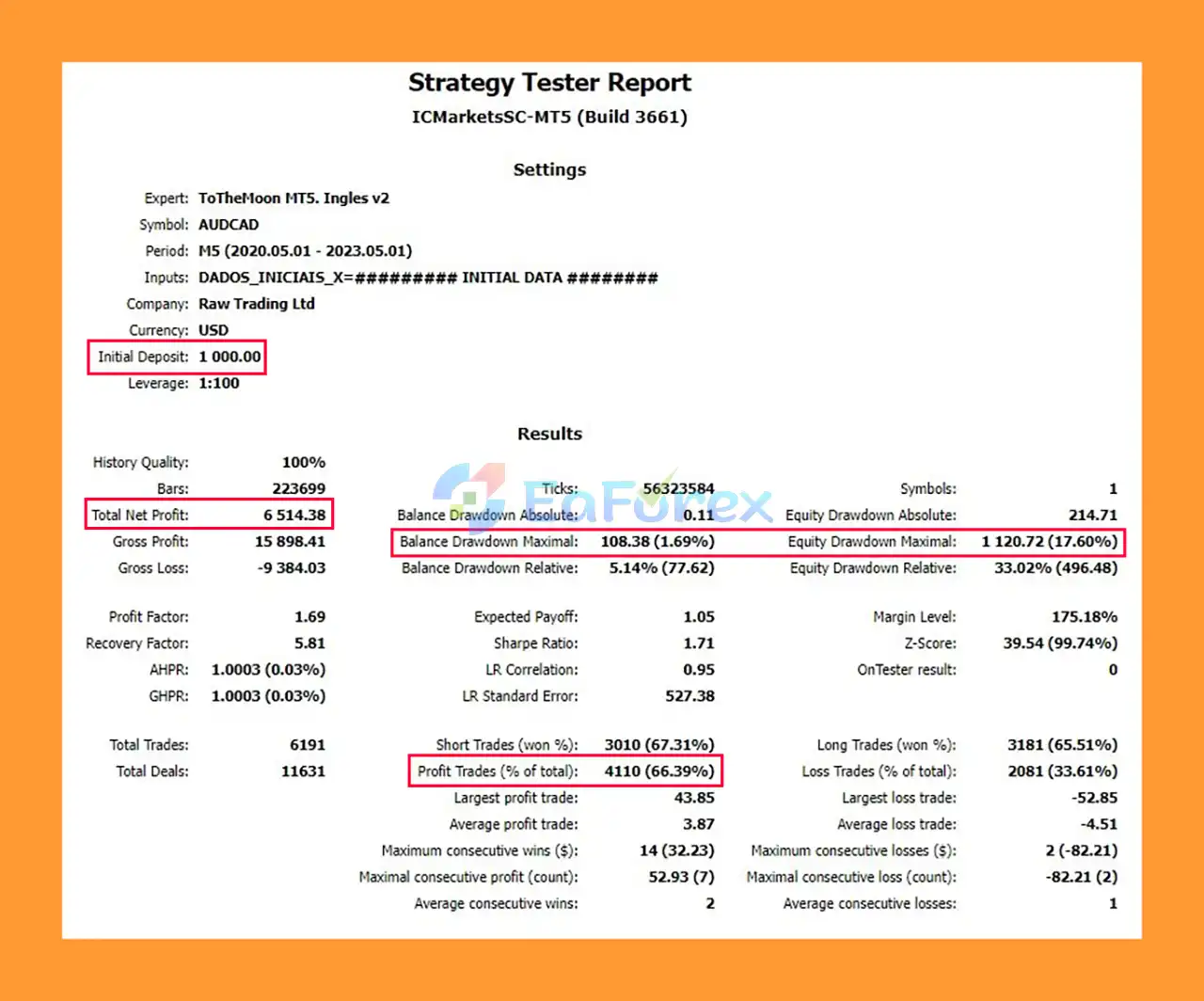
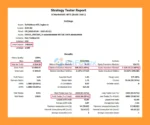
ToTheMoon EA Backtest
The performance of ToTheMoon MT5 depends strongly on the PRESET, trading symbol, market conditions, account balance, leverage, spread, execution quality, and risk parameters.
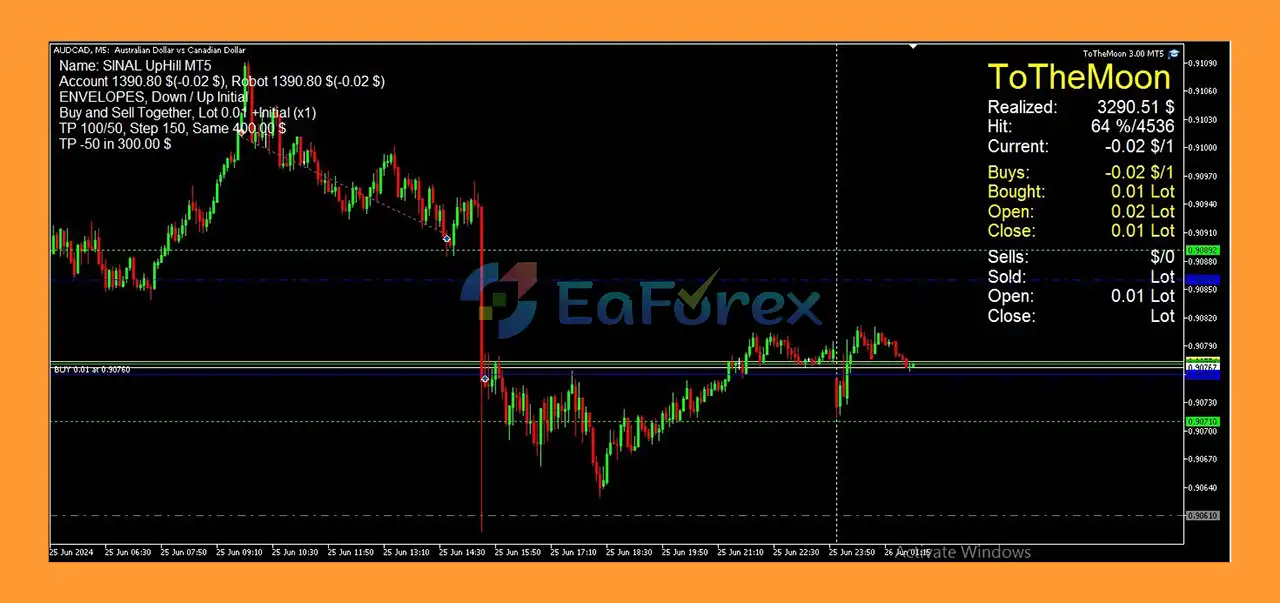
The developer notes that many presets are designed around markets that fluctuate without maintaining prolonged major trends. For this reason, certain currency pairs such as AUDCAD may be more suitable for particular Grid configurations than instruments that frequently experience strong directional movements.
Pairs involving USD can experience major trends and significant volatility during economic news events. Gold, Bitcoin, and major indices can also experience strong directional movements, making Grid-based strategies particularly risky.
ToTheMoon MT5 may increase position exposure as price moves against the strategy. Therefore, risk should not be evaluated only by the historical win rate or final backtest profit. Traders should also examine:
The developer recommends backtesting the robot and its PRESETS after every update before using them on a real account.
Forex and leveraged financial markets carry a high level of risk, and historical backtest performance does not guarantee future results.
The most important consideration with ToTheMoon MT5 is that many available strategies rely on Grid Trading and market retracement.
A grid strategy can potentially perform well when price fluctuates within a range and eventually returns toward previous levels. However, a prolonged trend in one direction can cause multiple positions to accumulate and significantly increase floating losses and margin requirements.
This makes Grid strategies particularly risky on highly volatile instruments such as Gold, Bitcoin, and indices.
Users should also pay close attention to preset compatibility. A PRESET created for an older robot version should not simply be loaded into a newer version. Updates may change certain preset variables, meaning older configurations may not load all parameters correctly.
The developer recommends recreating or updating older preset values for the current robot version and performing a complete backtest before live deployment.
Additional limitations include:
Always verify broker compatibility and account requirements before purchasing or deploying the EA.
Before installation, make sure you have the correct version of ToTheMoon MT5 and the corresponding PRESET version.
Install the EA into the appropriate MetaTrader 5 Experts directory and restart or refresh the MetaTrader platform so the Expert Advisor becomes available.
Open a compatible trading chart and attach ToTheMoon MT5 to the chart. For Multi-Symbol PRESETS, select a symbol from the group of instruments specified by the preset. The developer recommends preferably selecting the symbol with higher trading activity and liquidity in terms of tick volume.
Load the PRESET corresponding to the exact robot version you are using.
Check the MONEY MANAGE section carefully, especially when the account currency is not USD. The supplied presets are designed around USD-based account settings and may require adjustment for another account currency.
Before using the EA on a live account:
For continuous automated operation, the developer recommends using a Windows VPS so that MetaTrader remains active.
When purchasing through MQL5, the product includes a limited number of activations. The developer states that changing computers, reinstalling Windows, or changing VPS environments may consume another activation, so users should choose their primary trading computer carefully.
For purchases made directly from the developer, an Unlock Code is required to activate the EA on the user’s trading account. A separate code is required for each account, while the EA can be used on different computers as long as the activated account remains unchanged.
🔺ToTheMoon MT5 is highly appreciated by the MQL5 community for bringing stable and reliable profits. Below are 5 star reviews from users:
User Review
🔺 Experts:
🔺 Presets:
ToTheMoon MT5 is a highly configurable automated trading system built around flexible parameters and developer-provided PRESETS. Its main appeal is the ability to use ready-made configurations instead of manually building complex strategies from numerous EA settings.
Many of its strategies rely on Grid Trading, average-price positioning, and market retracement, making market selection and risk management especially important. Range-bound markets may behave differently from instruments experiencing persistent directional trends, while Gold, Bitcoin, indices, and other highly volatile markets can expose Grid strategies to substantial drawdown.
For this reason, users should treat the supplied PRESETS as configurations that require testing rather than guaranteed trading solutions. Always use the correct robot and PRESET versions, perform a detailed backtest after updates, verify broker and account compatibility, and evaluate the strategy on a demo account before considering live deployment.
ToTheMoon MT5 can provide a flexible framework for automated trading, but its results will ultimately depend on the selected strategy, market conditions, account configuration, execution environment, and the level of risk accepted by the trader.
1. What is ToTheMoon MT5?
ToTheMoon MT5 is a professional Forex Expert Advisor designed for MetaTrader 5, offering over 3 years of proven live trading signals and consistent performance.
2. Which markets does ToTheMoon MT5 support?
It supports Forex, Indices, Metals, Cryptocurrencies, Mini-Contracts, Stocks, and Options (excluding crypto-only brokers).
3. How does ToTheMoon MT5 manage risk?
It features smart Stop Loss, advanced grid strategies, and partial trade closure to minimize losses while controlling drawdowns.
4. Can ToTheMoon MT5 trade multiple symbols simultaneously?
Yes. The EA has multi-symbol capability to manage several instruments at once for diversification.
5. Is ToTheMoon MT5 beginner-friendly?
Absolutely. It offers pre-configured presets, requiring no complex strategy setup—just select a preset and start trading.
6. How does ToTheMoon MT5 handle trading strategies?
It uses advanced grid strategies that dynamically open grids, adjust lot sizes, and average prices while maintaining controlled risk.
7. What are the backtest results of ToTheMoon MT5?
Initial Capital: $1,000
Total Profit: $6,514
Max Drawdown: 1.69%
Win Rate: 66.39%
8. Is ToTheMoon MT5 optimized for continuous operation?
Yes. It is VPS-friendly and designed for stable, uninterrupted trading on servers.
9. What’s included in the ToTheMoon MT5 package?
The package includes the Expert Advisor files, Installation Guides, and multiple ready-to-use presets for different strategies and risk levels.
10. Why choose ToTheMoon MT5?
It’s well-tested, user-friendly, and risk-managed, offering consistent profits, multi-symbol trading, and positive community feedback, making it one of the top-performing Forex EAs on the market.
In stock
In stock
In stock
In stock
In stock
Out of stock
No account yet?
Create an Account












 Automatic EA
 EA Best Seller
 Expert Advisor MT4
 Expert Advisor MT5
 HFT EA


Reviews
Clear filtersThere are no reviews yet.