









-
 Unlimited Activations
-
 Instant delivery
-
 Easy to install


 Unlimited Activations
Instant delivery
Easy to install
Unlimited Activations
Instant delivery
Easy to install
 Free Update
 Free Install Support

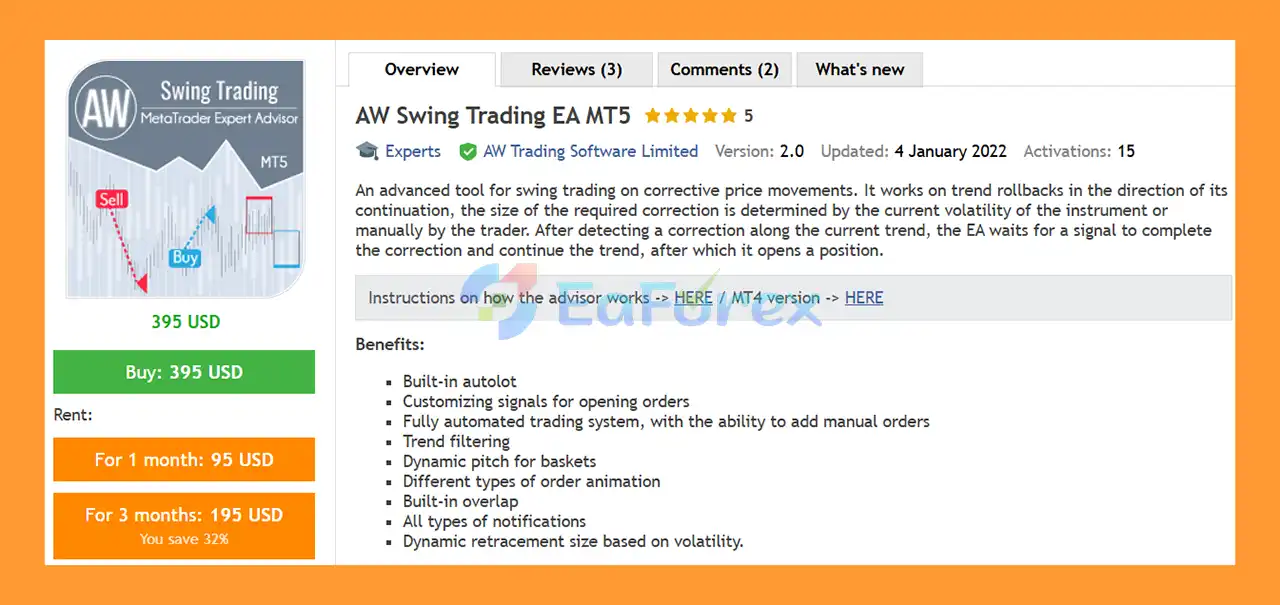
AW Swing Trading EA MT5 is an advanced automated Expert Advisor designed for swing trading on corrective price movements. The strategy focuses on identifying temporary pullbacks within an existing trend and attempting to enter when the correction shows signs of completion and the primary trend resumes.
Instead of simply following price direction at any point in the market, the EA waits for a trend correction or retracement and then looks for a confirmation signal before opening a position.
The required correction size can be determined dynamically according to the current market volatility or manually configured by the trader.
A key component of the system is its use of ATR-based dynamic retracement sizing. This allows the required correction range to adapt to changing volatility rather than remaining permanently fixed.
AW Swing Trading EA MT5 also provides extensive configuration options for signal generation, trend filtering, automated lot calculation, order grids, basket management, Take Profit, protection rules, and notifications.
The EA can operate fully automatically while also supporting the addition of manual orders, giving traders greater flexibility in how positions are managed.
• Author: Alexander Nechaev
• Experience: Over +8 years of experience on MQL5.
• Notable Products: AW Swing Trading EA MT5, AW Gold Trend Trading EA MT5, AW Scalping Dynamics MT5, AW Recovery EA MT5, AW Recovery EA MT4 and other advisors.
• Flagship Product: AW Swing Trading EA MT5 is rated as the best performing product of the year.
>> Delivery time 24h-48h after payment.
>>> Refund if not delivered.
>>> You will receive the latest version without any limitations (ID+Time).>>Reviewed by Jason Stap <<
AW Swing Trading EA MT5 is designed around a simple market concept:
Trend → Correction → Confirmation → Trend Continuation → Entry
When the market is moving in a particular direction, prices do not necessarily move in a straight line. Temporary pullbacks can occur before the larger trend resumes.
The EA attempts to identify these corrective movements and waits for a suitable signal indicating that the correction may be ending.
This makes the system fundamentally different from strategies that attempt to enter immediately after every directional movement.
One of the main features of AW Swing Trading EA MT5 is its ability to determine the required correction size dynamically.
The trader can use a fixed StepLevel or allow the EA to calculate the required correction based on ATR volatility.
When ATR-based StepLevel is enabled, the size of the correction zone can change according to current market volatility.
This can help the strategy adapt to instruments and market conditions where price movement changes over time.
The EA includes an automatic lot calculation feature.
Instead of manually specifying the position size for every account, traders can enable AutoLot and define the amount of deposit associated with each 0.01 lot.
This allows position sizing to scale according to account capital, subject to the EA’s configuration and broker limitations.
AW Swing Trading EA MT5 provides multiple settings for controlling the conditions used to open trades.
Traders can customize the required entry conditions and adjust the minimum correction size before the EA considers a setup.
This makes the system suitable for users who want more control over the relationship between market movement and trade entries.
The EA includes an optional trend filter for the first order in a basket.
When enabled, the first position is opened only after receiving a signal from the configured trend indicator.
The trader can customize:
Supported timeframes range from M1 to Monthly, allowing the trader to use either short-term or higher-timeframe trend confirmation.
AW Swing Trading EA MT5 includes settings for controlling the distance between orders in a basket.
The Step for Grids determines the basic distance between subsequent orders, while the Multiplier of Step for Grids allows the spacing to become dynamic.
This provides greater flexibility when managing multiple positions during an extended correction.
The EA provides two different methods for calculating the size of subsequent orders.
Each new order can be calculated by multiplying the previous order’s lot size by the selected coefficient.
Alternatively, the EA can add a specified lot amount to the previous order size.
This flexibility allows traders to choose between multiplicative and additive position-sizing structures.
AW Swing Trading EA MT5 includes built-in overlap functionality and basket-management options.
These features are designed to help coordinate multiple positions belonging to the same trading sequence.
Because multiple-order strategies can increase market exposure, basket settings should be tested carefully before live deployment.
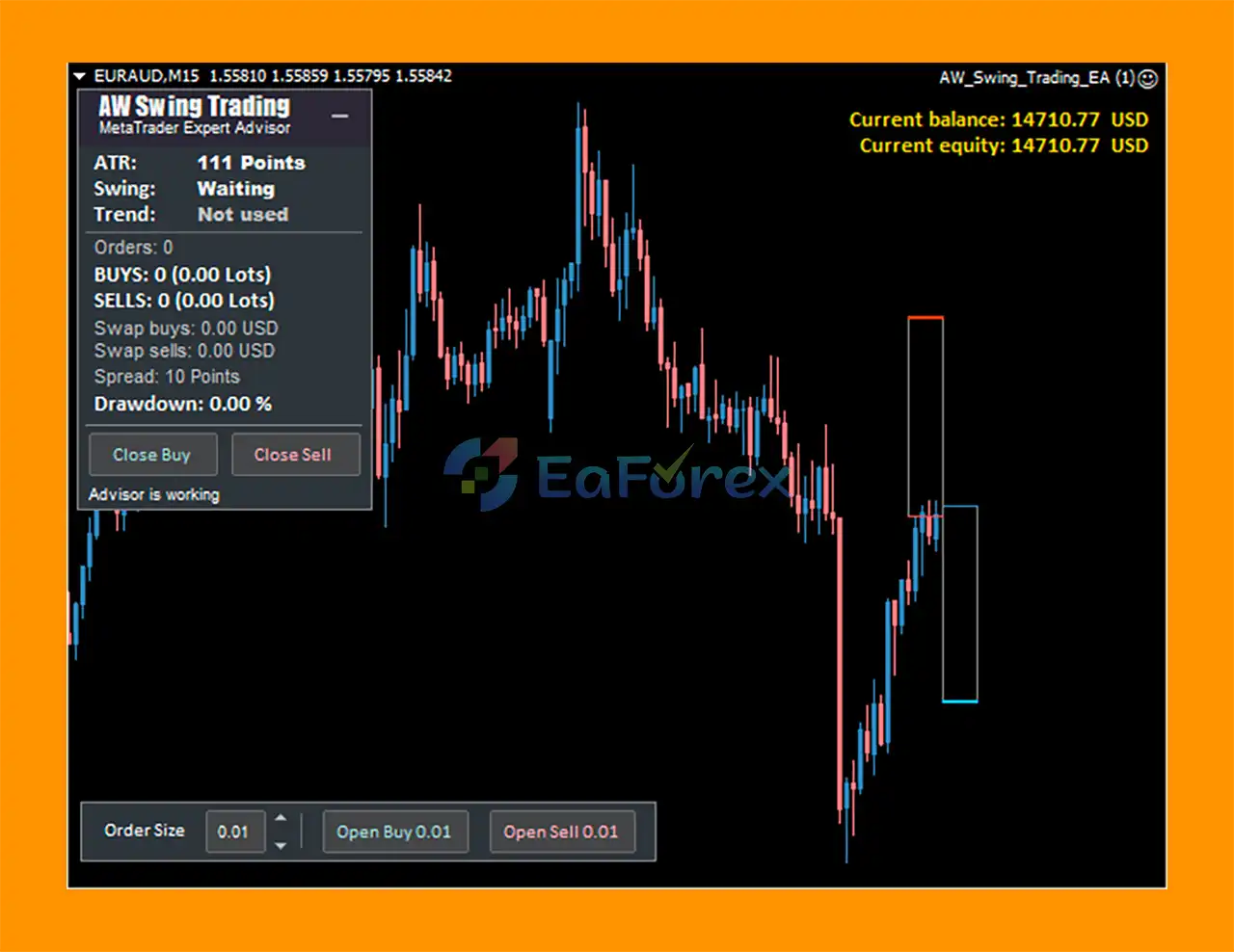
Although AW Swing Trading EA MT5 is designed for automated trading, it can also work with manual orders.
This allows traders to combine discretionary entries with automated management according to the EA’s supported configuration.
The EA includes notification settings for monitoring trading activity.
Depending on the selected configuration, traders can receive notifications related to trading operations and system events.
AW Swing Trading EA MT5 follows a correction-and-continuation trading concept.
The general process can be summarized as:
Trend Detection → Correction Measurement → Entry Signal → Position Opening → Basket Management → Trend Continuation → Take Profit
The EA can use its configured trend filter to determine the prevailing market direction.
The trend filter can be enabled for the first order in a basket.
The trader can select the indicator period and timeframe used for this analysis.
Once a trend has been identified, the EA looks for a retracement against that trend.
The correction must reach the required StepLevel before the next stage of the strategy is considered.
The required correction can be defined in two ways.
Fixed StepLevel:
The trader specifies the minimum correction size manually.
ATR-Based StepLevel:
The EA uses the current ATR reading to dynamically determine the required correction size.
The ATR period can also be configured by the trader.
The EA does not necessarily enter as soon as the market begins to retrace.
Instead, it waits for a signal indicating that the correction may be completing and the original trend could resume.
Once the required entry conditions are satisfied, the EA opens the first position according to the configured lot size or AutoLot calculation.
If the market continues moving against the initial position and the basket conditions are met, additional orders can be opened according to the configured grid settings.
The distance between orders and the size of subsequent positions can both be customized.
The EA can manage multiple positions as part of a basket.
Dynamic grid spacing, order multipliers, overlap functionality, and Take Profit settings can all influence how the basket is managed.
When the basket or position reaches the required Take Profit conditions, the EA can close the relevant trades according to its configured management rules.
AW Swing Trading EA MT5 may be suitable for traders who prefer trend-correction and swing-trading concepts rather than purely momentum-based entries.
The EA attempts to enter after a corrective movement rather than chasing an already extended price move.
ATR-based StepLevel allows the correction requirement to adapt to current volatility.
This can be useful because a fixed number of points may represent very different market conditions during low- and high-volatility periods.
The EA provides extensive settings covering:
This makes the system highly configurable for experienced MT5 users.
Traders can use the EA as a fully automated system while also having the ability to add manual orders.
The trend filter can use timeframes ranging from M1 to Monthly, providing flexibility for different trading approaches.
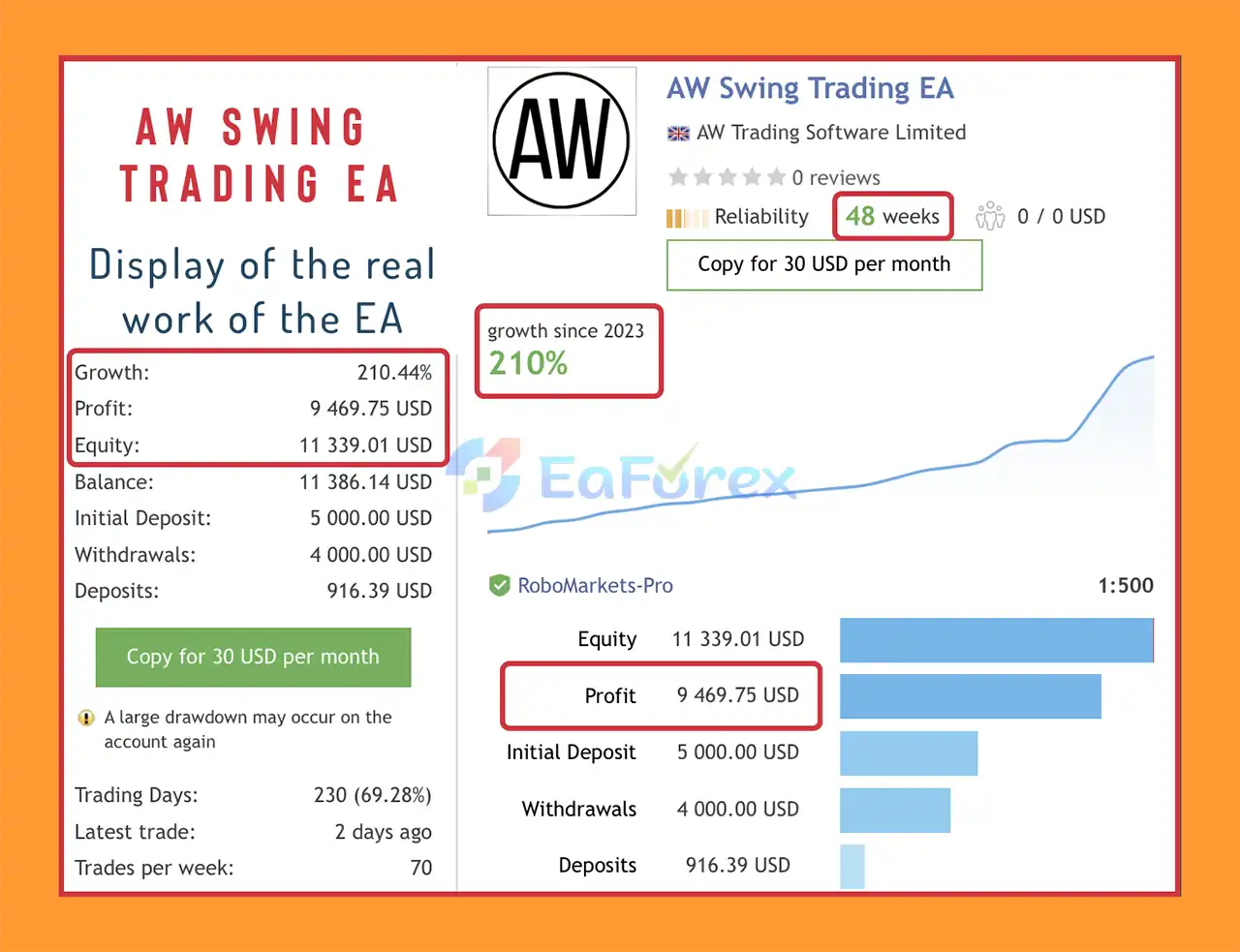
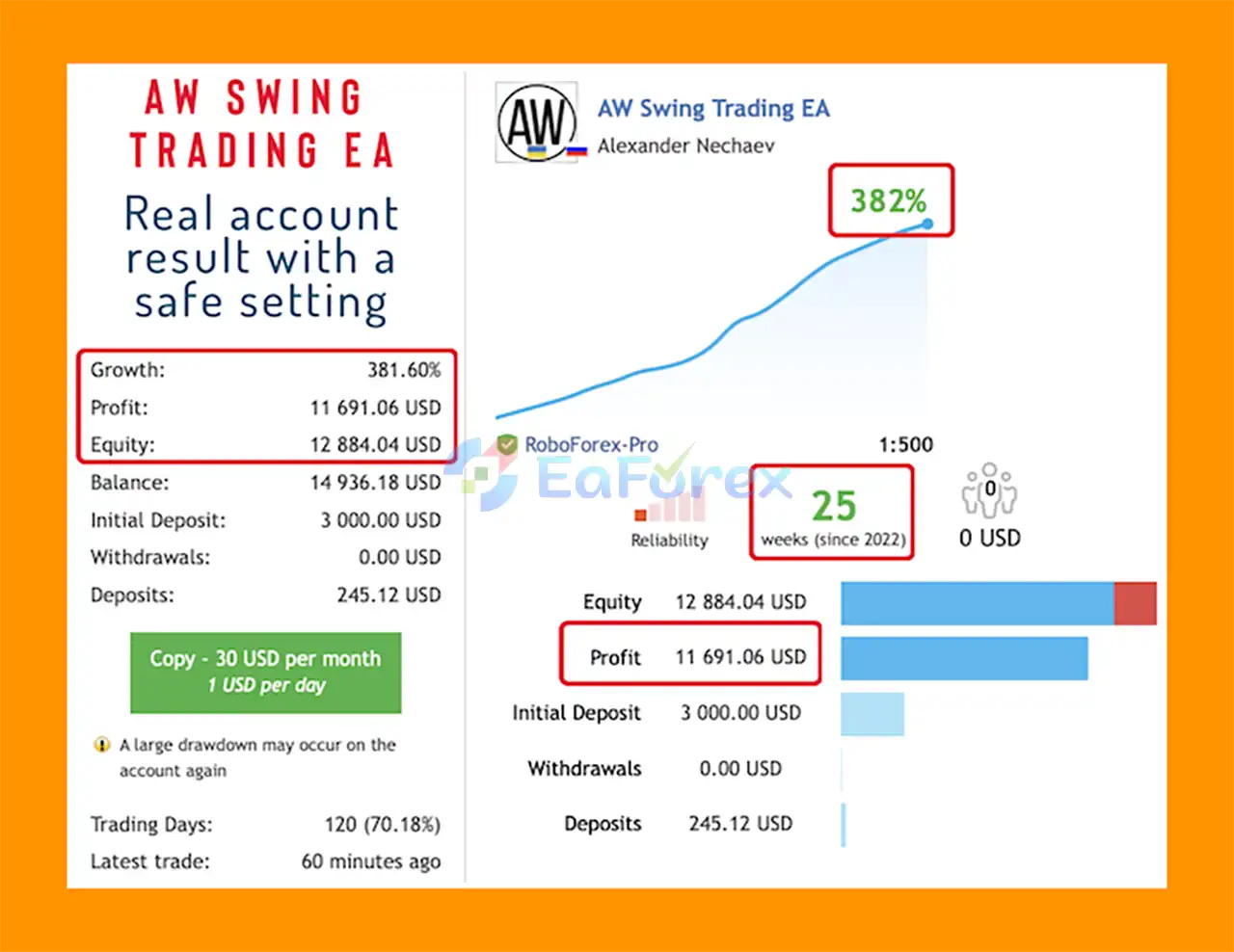
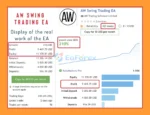
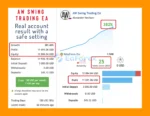
AW Swing Trading EA MT5 Signal Result
AW Swing Trading EA MT5 Signal Results
AW Swing Trading EA MT5 includes several configuration layers that directly influence its risk profile.
The AutoLot feature allows traders to define the deposit amount associated with every 0.01 lot.
For example, the EA can calculate position size based on account equity or deposit according to the configured AutoLot settings.
The actual lot size remains subject to:
The Size of the First Order defines the volume used for the initial trade when AutoLot is disabled or according to the relevant configuration.
This setting should be chosen conservatively relative to account capital and instrument volatility.
The optional trend filter can be used to require confirmation before the first order of a basket is opened.
Using a higher timeframe may reduce the number of signals while potentially filtering some short-term market noise.
The EA provides:
These settings determine how additional positions are distributed if a basket develops.
Subsequent order sizes can be controlled through either:
Previous Lot × Multiplier
or
Previous Lot + Multiplier
This is an important risk consideration because aggressive multipliers can cause exposure to grow rapidly.
The ability to open multiple orders means traders should evaluate the maximum possible basket exposure, not just the risk of the first trade.
A strategy may appear relatively conservative when looking only at its initial position while having significantly higher exposure if multiple orders are triggered.
Using ATR for StepLevel can make the required correction dynamic.
However, volatility adaptation does not eliminate risk. During extreme market events, ATR-based calculations may not fully anticipate sudden price gaps or abnormal movements.
The EA supports multiple orders within a basket.
If the market continues moving against the initial position, additional entries can increase total exposure.
Traders should understand the maximum number of positions and the maximum theoretical lot size under their chosen settings.
Multiplicative position sizing can cause lot sizes to increase quickly.
For example, a multiplier greater than 1 can result in progressively larger positions.
Aggressive configurations can therefore increase drawdown and margin requirements significantly.
The EA is based on the concept that a correction may eventually end and the primary trend may resume.
However, a correction can become a complete trend reversal.
When this happens, a strategy designed around trend continuation can remain exposed to an adverse market movement.
ATR measures volatility; it does not predict the direction of the next price movement.
An ATR-based StepLevel can adapt the required correction size, but it cannot guarantee that a trend will resume.
The strategy may behave differently during:
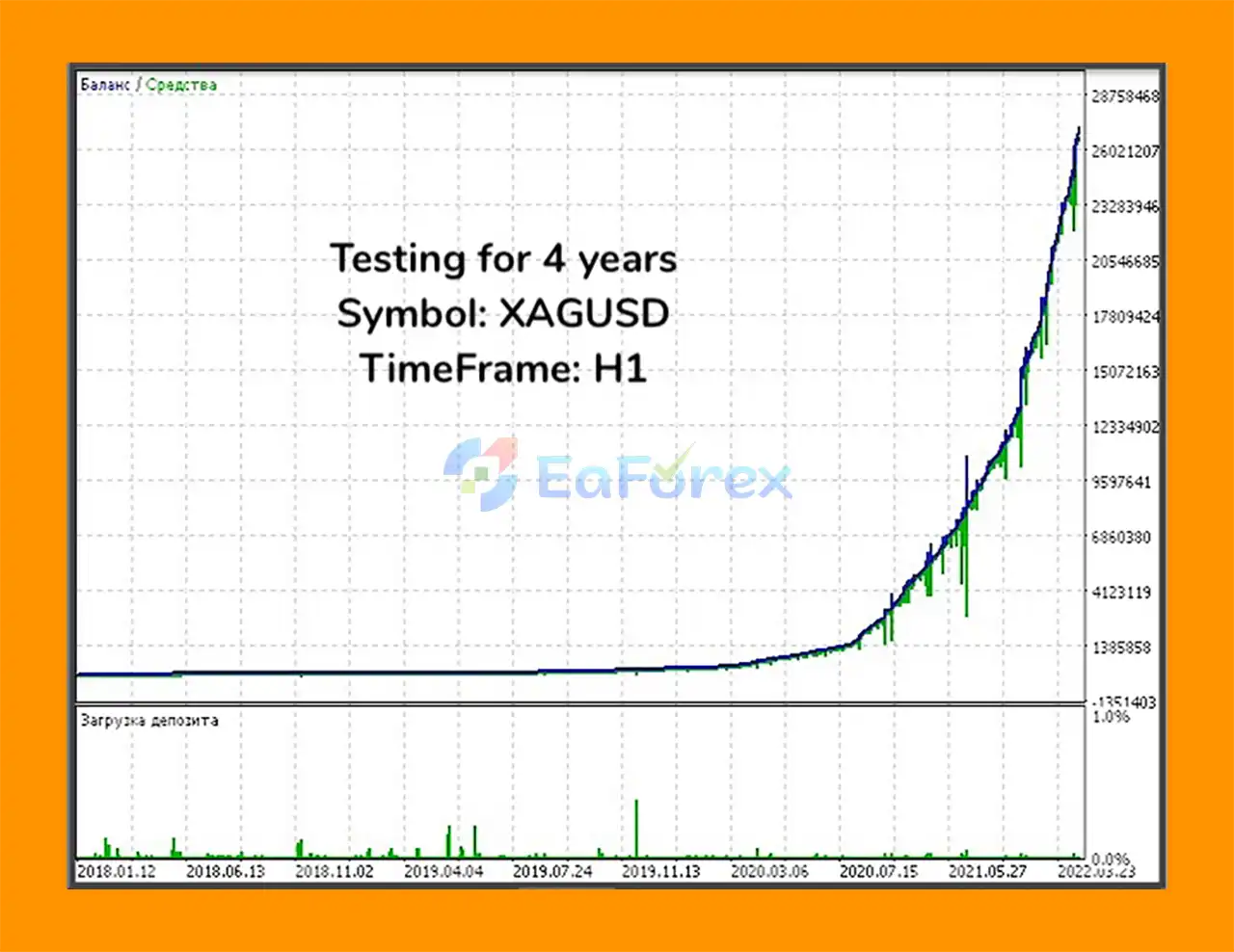
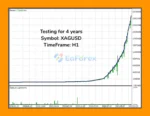
Live trading results may differ from backtests because of:
Multiple orders and increasing lot sizes can consume substantial margin.
Traders should ensure that their account has sufficient free margin for the worst-case basket scenario under their chosen settings.
Install MetaTrader 5 through your broker and log into the desired trading account.
Copy the AW Swing Trading EA MT5 files into the appropriate Expert Advisors directory.
Restart MetaTrader 5 or refresh the Navigator panel.
Open the instrument and timeframe on which you want to operate the EA.
The appropriate trading timeframe depends on the configuration and market being tested.
Navigate to:
Navigator → Expert Advisors → AW Swing Trading EA
Drag the EA onto the selected chart and enable Algo Trading.
Review:
Choose a conservative initial position size.
Set:
Review:
Be particularly careful with multiplicative lot-sizing settings.
Review the Take Profit Settings and Protection Settings according to your risk tolerance and trading objectives.
Enable the notification types you want to receive for monitoring trades and EA activity.
Use the MT5 Strategy Tester to evaluate the EA under historical conditions.
After backtesting, run the strategy on a demo account to evaluate real-time execution, basket behavior, spreads, and drawdown.
Only consider live trading after sufficient testing.
Start with conservative settings and monitor the EA’s maximum basket exposure, margin usage, and drawdown.
🔺 Experts:
AW Swing Trading EA MT5 is an advanced automated trading system built around a straightforward market concept: identify a correction within a trend, wait for confirmation that the correction may be ending, and then attempt to participate in the continuation of the original trend.
Its major strength is flexibility. Traders can choose between fixed and ATR-based correction levels, configure trend filters across multiple timeframes, enable AutoLot, customize entry signals, and control how additional basket orders are sized and spaced.
The EA also provides advanced basket-management features, including dynamic grid spacing, order multipliers, overlap functionality, Take Profit controls, protection settings, and notifications.
However, the basket functionality deserves particular attention. The ability to add positions and increase order sizes can significantly increase total exposure. Traders should therefore evaluate the entire basket risk, not just the initial trade size.
AW Swing Trading EA MT5 may be particularly interesting for experienced traders who understand trend-following, corrective movements, volatility analysis, and multi-order position management.
As with any automated trading system, there is no guarantee of profit. Proper backtesting, realistic execution assumptions, demo testing, conservative position sizing, and continuous risk monitoring are essential before using the EA with real capital.
AW Swing Trading EA MT5 — Automated swing trading designed to capture trend corrections with dynamic ATR-based retracement levels, trend filtering, AutoLot, and flexible basket management.
1. What is AW Swing Trading EA MT5?
AW Swing Trading EA MT5 is a fully automated Expert Advisor designed for swing trading on corrective price movements. It detects trend pullbacks, confirms trend continuation, and executes precise entries to capture profits during retracements with minimal manual intervention.
2. How does AW Swing Trading EA MT5 work?
The EA identifies trend corrections and reversals using advanced volatility-based algorithms. Once a correction is confirmed, it waits for the ideal signal to enter trades in the direction of the main trend — maximizing profit potential while minimizing risk.
3. Which trading pairs and timeframes does AW Swing Trading EA MT5 support?
AW Swing Trading EA MT5 works efficiently across major Forex pairs, metals, and indices, adapting to each asset’s volatility. It’s optimized for swing trading on mid-term timeframes (H1–H4), offering a balance between precision and trade frequency.
4. What risk management features are built into AW Swing Trading EA MT5?
The EA includes a built-in Autolot system, dynamic order spacing, and smart take-profit management. It also provides grid configuration controls and overlap protection, ensuring balanced exposure without relying on martingale or high-risk methods.
5. Is AW Swing Trading EA MT5 suitable for beginners?
Yes. AW Swing Trading EA MT5 is beginner-friendly thanks to its predefined settings, visual chart interface, and automatic trade management. However, it also offers deep customization options for experienced traders who prefer manual fine-tuning.
6. Why should traders choose AW Swing Trading EA MT5?
Traders choose AW Swing Trading EA MT5 for its adaptive swing-trading logic, safety-focused design, and professional-grade automation. It provides consistent profits by trading market corrections intelligently, making it ideal for both novice and advanced MT5 users seeking long-term growth.
In stock
In stock
In stock
In stock
In stock
Out of stock
No account yet?
Create an Account












 Automatic EA
 EA Best Seller
 Expert Advisor MT4
 Expert Advisor MT5
 HFT EA


Reviews
Clear filtersThere are no reviews yet.