









-
 Unlimited Activations
-
 Instant delivery
-
 Easy to install








 Unlimited Activations
Instant delivery
Easy to install
Unlimited Activations
Instant delivery
Easy to install
 Free Update
 Free Install Support

Crystal Ai Pro EA MT5 is an advanced automated trading Expert Advisor developed exclusively for Gold (XAUUSD) on MetaTrader 5 (MT5). Designed for traders who want a dedicated gold trading solution, this EA combines an adaptive trading engine, automated position management, account protection mechanisms, and a real-time dashboard to simplify the gold trading experience.
Unlike generic multi-currency trading robots, Crystal Ai Pro EA MT5 focuses entirely on the gold market. Its trading architecture is designed around XAUUSD, eliminating the need to select currency-pair presets or manually optimize strategy parameters for different instruments.
One of the system’s defining features is its self-adjusting trading engine, which responds to changing market conditions rather than relying entirely on static trading values. Gold can experience significant changes in volatility, spreads, and price behavior, so adaptability is an important consideration for automated trading.
Crystal Ai Pro EA MT5 also incorporates pre-trade margin verification, broker volume checks, automatic order retries for recoverable execution errors, and persistent state management. These features are designed to improve operational reliability and help prevent certain execution and account-management problems.
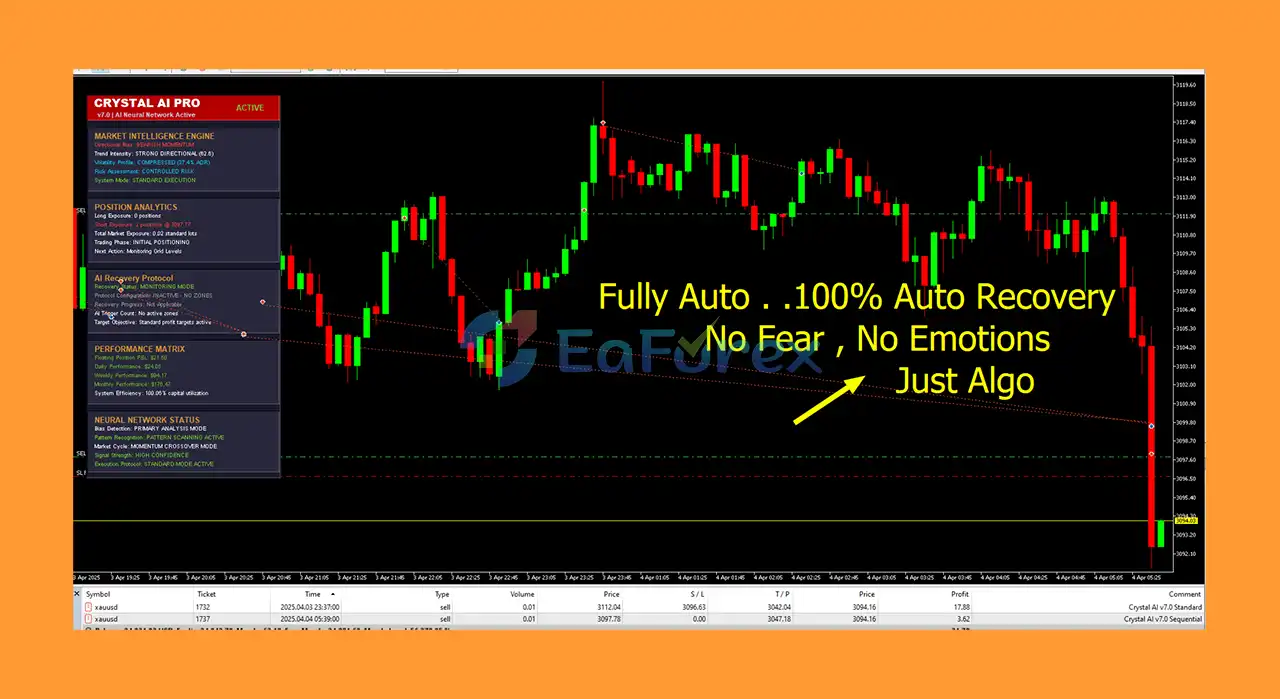
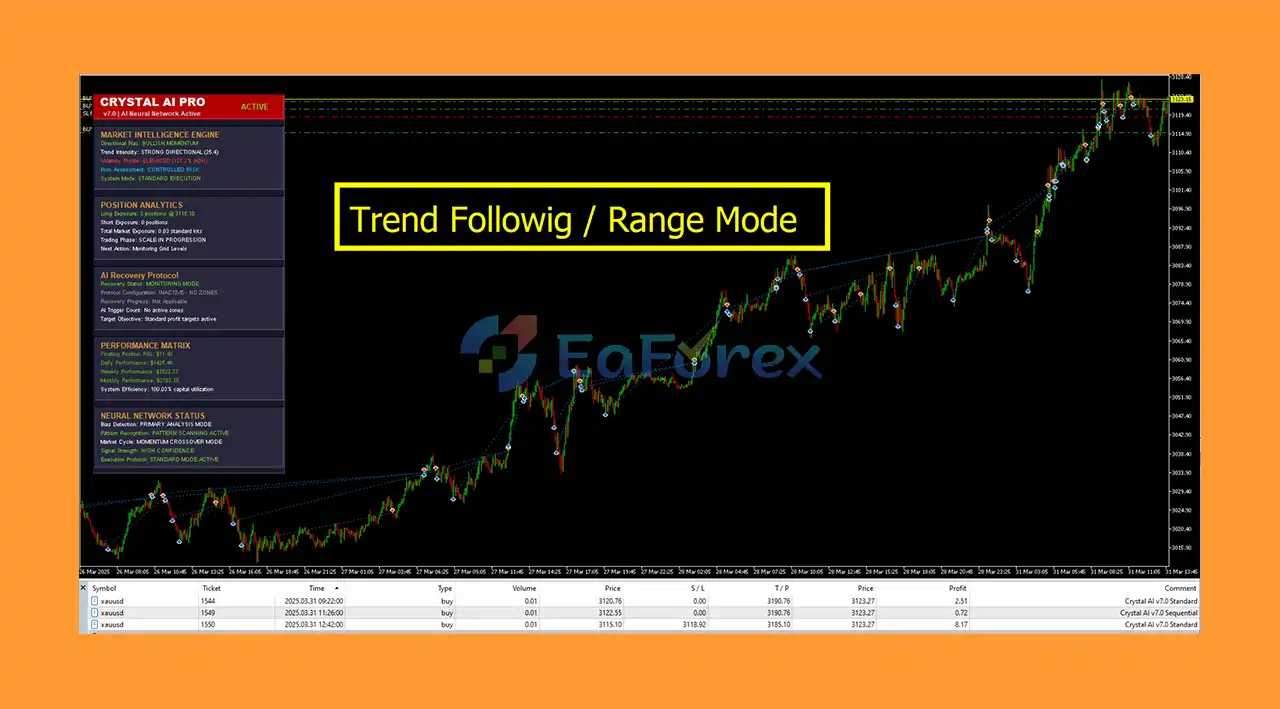
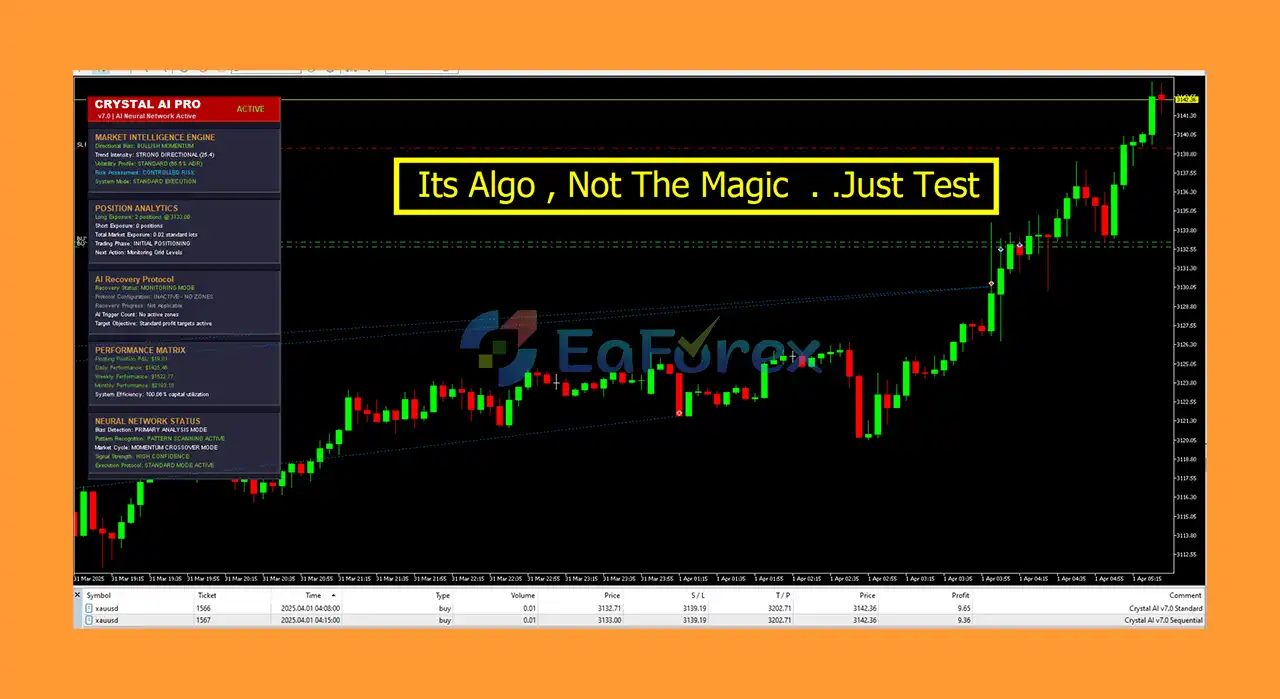
The EA includes a visual dashboard that displays floating profit and loss, open positions, total trading volume, equity drawdown, spread, trading status, and recovery progress. This allows traders to monitor system activity directly from the chart without constantly reviewing the trading journal.
With support for standard and cent accounts, customizable position sizing, and a simplified configuration interface, Crystal AI Pro EA MT5 is designed for traders seeking an automated, gold-specific trading system with integrated monitoring and risk-control features.
Important: Adaptive trading and account protection features do not guarantee profitability or eliminate the risk of financial loss.
• Author: Muhammad Jawad Shabir
• Experience: Over 1 years of experience on MQL5.
• Notable Products: Crystal Ai Pro, Crystal Gold Scalper AI Neural Recovery System MT5 and other advisors.
• Flagship Product: Crystal Ai Pro EA MT5 is rated as the best performing product of the year.
>> Delivery time 24h-48h after payment.
>>> Refund if not delivered.
>>> You will receive the latest version without any limitations (ID+Time).>>Reviewed by Jason Stap <<
Crystal Ai Pro EA MT5 Overview
Crystal Ai Pro EA MT5 is specifically designed for XAUUSD gold trading. Its internal trading parameters are developed for gold rather than being shared across multiple currency pairs or unrelated instruments.
For the intended configuration, the EA should be attached to a gold chart using the symbol name provided by your broker.
The adaptive engine is designed to respond to changing market conditions during successive trading cycles. This approach aims to reduce dependence on completely fixed trading values as gold’s volatility and price behavior evolve.
The strategy parameters responsible for trading decisions are configured internally and are not exposed as user-adjustable inputs. This simplifies setup and reduces the risk of accidental changes to the core trading logic.
However, adaptability does not mean the EA can predict every market movement or guarantee successful trades.
Crystal AI Pro incorporates account and execution safeguards designed to verify important conditions before placing an order.
Key mechanisms include:
These features help identify certain account and execution constraints before new orders are submitted. They cannot eliminate losses caused by rapid price movements, slippage, gaps, or other market risks.
The EA offers different position-sizing options to accommodate different account-management preferences.
Available controls include:
Traders can choose an appropriate sizing method and adjust the available values according to their account size and risk tolerance.
Higher lot sizes can increase both potential profits and potential losses. Position sizing should therefore be configured conservatively and tested before live deployment.
Crystal AI Pro includes a canvas-rendered dashboard designed to display essential trading information directly on the chart.
The dashboard can be collapsed with one click when more chart space is required.
Information displayed includes:
The panel is designed to make the EA’s current state easier to understand without requiring users to interpret complex journal messages.
The EA saves its internal state to disk and reconciles that information against the live account when it starts again.
This mechanism is designed to help the system recover after events such as terminal restarts, recompilation, or power interruptions.
Persistent state management improves operational continuity, but traders should still verify open positions and EA status after any interruption.
Gold symbols can use different price-digit formats depending on the broker. Crystal AI Pro is designed to handle two-digit and three-digit XAUUSD quotes automatically.
The EA also checks broker volume restrictions and relevant margin requirements before submitting orders.
Broker compatibility should still be verified, particularly when using a cent account where gold may have a different symbol name or contract specification.
Although the core strategy parameters remain internal, users can configure selected operational settings.
These include:
This design keeps the number of exposed inputs relatively small while allowing users to control important account-management and display preferences.
The execution layer has been redesigned to improve order handling and position-closing behavior.
Automatic retries are available for recoverable broker responses, while the closing routine is designed to avoid blocking other EA operations during position management.
These improvements aim to increase operational efficiency, although execution speed and reliability remain dependent on broker infrastructure, liquidity, and market conditions.
Crystal AI Pro combines an internally configured trading engine with account safeguards, automated position management, and real-time monitoring.
Its general operating process can be described in the following stages.
Step 1: Market Monitoring
The EA runs on an XAUUSD chart and monitors the gold market according to its internal trading logic.
Step 2: Adaptive Analysis
The trading engine evaluates current market conditions and adjusts its behavior according to the system’s internal parameters.
The exact entry and signal-generation formulas are not exposed as user-adjustable settings.
Step 3: Account Verification
Before submitting a new order, the EA checks relevant account and broker conditions, including available free margin, projected margin level, and permitted order volume.
Step 4: Order Execution
When the required trading conditions and account checks are satisfied, the EA attempts to execute the order. Recoverable broker responses can trigger automatic retries.
Step 5: Position Management
The system manages open positions according to its internal trading logic, selected operating mode, and configured position-sizing parameters.
Step 6: Objective and Exit Management
The EA monitors its configured account objective and relevant trading conditions to manage position closures and cycle progression.
Step 7: Dashboard Updates
The dashboard displays current exposure, floating and closed results, drawdown, spread, trading status, and recovery progress.
Step 8: State Persistence
The system saves its state to support reconciliation when the terminal or EA starts again.
This combination of automated execution and account monitoring is intended to reduce manual intervention. It does not remove the need for supervision, risk management, or periodic performance evaluation.
Crystal Ai Pro EA MT5 is built exclusively around XAUUSD rather than attempting to support numerous unrelated instruments. This focused design is suitable for traders specifically interested in automated gold trading.
The core strategy parameters are handled internally, leaving users with a smaller set of operational controls. This can make initial setup more straightforward for traders who prefer not to manage dozens of strategy inputs.
Pre-trade margin checks and broker volume verification help identify certain account limitations before new orders are submitted.
The dashboard presents essential trading information in one place, including floating P/L, drawdown, spread, positions, and system status.
The system is designed to support both standard and cent accounts, subject to broker compatibility and the relevant account requirements.
Persistent state storage and reconciliation are designed to help the EA resume operation more consistently after terminal restarts or other interruptions.
Automated analysis, order management, and dashboard monitoring can reduce the need for constant manual chart observation.
According to the product information, future updates are provided free of charge to existing buyers.
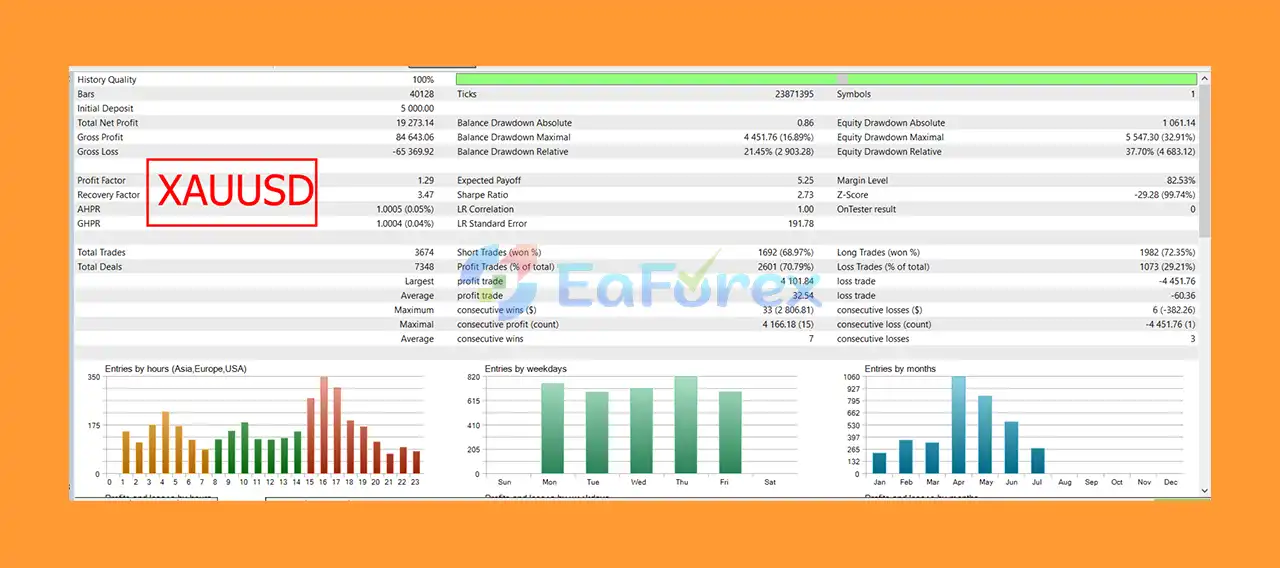
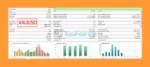
Crystal Ai Pro EA MT5 Backtest Results
Crystal Ai Pro EA MT5 Review
Crystal Ai Pro EA MT5 includes several mechanisms designed to support account protection and operational risk management. However, technical safeguards should not be confused with guaranteed capital protection.
The EA verifies free margin and projected margin requirements before submitting orders. This is intended to reduce the likelihood of orders being placed when account conditions are insufficient.
Order volume is checked against broker restrictions before execution. This helps the EA comply with applicable volume limits.
Traders can select equity-based sizing to scale position size according to account equity, or use fixed lot sizing for a more static approach.
Equity-based sizing must be configured carefully because increasing lot size as equity grows can also increase exposure and drawdown.
The dashboard displays equity drawdown as a percentage, allowing traders to monitor account fluctuations while the EA is running.
The system provides configurable account objectives and a separate, smaller objective associated with a directional-bias change.
These objectives are trading parameters, not promised returns or guaranteed profit targets.
According to the supplied product specifications:
The balance figures above describe the supplied configuration and depend on the broker’s account denomination and contract specifications. They are not a guarantee that the EA will be safe or profitable at those balances.
A 1:1000 leverage setting can substantially amplify exposure. Traders should verify their broker’s margin rules and consider whether lower leverage and smaller position sizes are more appropriate.
The product specifications state that the EA does not start a new trading cycle on a live account when the recommended capital requirement is not met. Existing positions continue to be managed, and the chart displays a notice explaining the unmet requirement.
In the MT5 Strategy Tester, the capital notice is displayed but testing continues.
This behavior should be understood before installation, particularly when evaluating the EA on a smaller account.
Despite its specialized design and integrated safeguards, Crystal AI Pro has limitations that traders should understand before purchasing or using it.
Gold can experience rapid price changes during economic releases, geopolitical events, and periods of reduced liquidity. Sudden movements can cause slippage, larger drawdowns, and losses beyond what historical testing might suggest.
The EA is designed for XAUUSD, not general multi-currency trading. Attaching it to another instrument does not make it a validated strategy for that market.
The core trading parameters are configured internally and are not exposed to users. This simplifies operation but provides less direct control over the strategy’s internal behavior.
The recommended leverage of 1:1000 can significantly increase account exposure. High leverage does not improve the underlying strategy’s accuracy and can accelerate losses.
Gold symbol names, contract sizes, tick values, volume limits, spreads, commissions, and margin requirements differ between brokers. A compatible symbol and suitable trading conditions must be confirmed before deployment.
The EA may refuse to start a new live trading cycle when the account does not meet the configured recommended balance. Smaller accounts should not assume that all trading functionality will operate normally.
Automatic retries and saved-state recovery are designed to improve execution and operational continuity. They cannot prevent losses caused by unfavorable market movements, disconnections, broker restrictions, or execution failures.
Although cent accounts are supported, not every broker offers gold trading on cent accounts. Some brokers also use different symbol names or contract specifications.
An adaptive engine, account guards, and a visual dashboard cannot guarantee positive returns. Live results may differ from backtests, and the account can experience significant losses.
Only trade with capital you can afford to lose, and thoroughly evaluate the EA on a demo account before using real money.
Follow these steps to install and configure Crystal Ai Pro EA MT5 on MetaTrader 5.
Install MetaTrader 5 from your broker or the official MetaTrader provider, then log in to your trading account.
Verify that your account supports hedging, as required by the supplied product specifications.
In MetaTrader 5:
MQL5 folder.Experts folder.If the product is supplied as a compiled .ex5 file, copy it directly into the appropriate Experts folder. If source code is provided instead, compile it using MetaEditor as instructed by the developer.
Return to MetaTrader 5 and refresh the Expert Advisors section in the Navigator, or restart the terminal.
Confirm that Crystal AI Pro appears in the Expert Advisors list.
Open the gold instrument offered by your broker and select the M1 (one-minute) timeframe.
The symbol may be named XAUUSD or use a broker-specific suffix or alternative naming convention.
Crystal AI Pro is designed for gold only, so confirm that the selected instrument is the broker’s actual gold trading symbol.
Drag Crystal Ai Pro EA MT5 from the Navigator onto the XAUUSD M1 chart.
Enable algorithmic trading in MetaTrader 5 and review the EA’s permissions and settings.
The EA exposes a simplified set of operational settings, including:
If you are new to the system, begin with the developer’s default configuration on a demo account.
Check your account denomination and available balance against the product’s requirements.
The supplied specifications recommend 50,000 account units, corresponding to approximately $50,000 on a standard USD account or a $500 real deposit on a cent account displaying 50,000 cents.
Confirm the exact interpretation with your broker before activating the EA.
After attaching the EA, inspect the on-chart dashboard for the current status, balance requirement notice, spread, and other displayed information.
If a capital requirement warning appears, read the message before proceeding.
Run the EA on a demo account for at least two weeks, as suggested in the product instructions.
Observe both quiet trading sessions and periods of elevated volatility. Monitor drawdown, order execution, spread, and the behavior of the configured objectives.
Allow a complete trading cycle to finish before changing settings, where practical.
A reliable VPS can help maintain continuous terminal operation and stable connectivity when the EA is intended to run around the clock.
Choose a server with a reliable connection to your broker, and periodically verify that the EA is operating as expected.
Mobile push notifications require a configured MetaQuotes ID in the terminal. The MT5 Strategy Tester does not deliver notifications, which is a platform limitation rather than a product-specific malfunction.
Crystal AI Pro EA MT5 is a gold-focused automated trading system designed for traders who want a specialized XAUUSD Expert Advisor rather than a generic multi-symbol robot.
Its main strengths include a self-adjusting trading engine, pre-trade margin checks, broker volume verification, persistent state management, configurable position sizing, and a live dashboard that makes trading activity easier to monitor.
The simplified configuration is particularly appealing to traders who prefer a smaller number of operational settings instead of adjusting dozens of strategy parameters. Support for cent accounts may also make the system accessible to traders who want to evaluate it with a smaller real-money deposit, subject to the broker’s requirements.
Nevertheless, the system’s gold-only design, internal strategy parameters, recommended high leverage, and capital threshold should be considered carefully. Gold trading carries substantial market risk, and even well-designed execution safeguards cannot prevent every loss.
Before using Crystal AI Pro with real capital, verify broker compatibility, test the EA on a demo account, monitor drawdown, and use conservative position sizing.
Crystal AI Pro EA MT5 is an automated gold trading tool, not a guaranteed-income solution. Responsible risk management and independent performance evaluation remain essential.
1. What is Crystal AI Pro EA MT5 and how does it work?
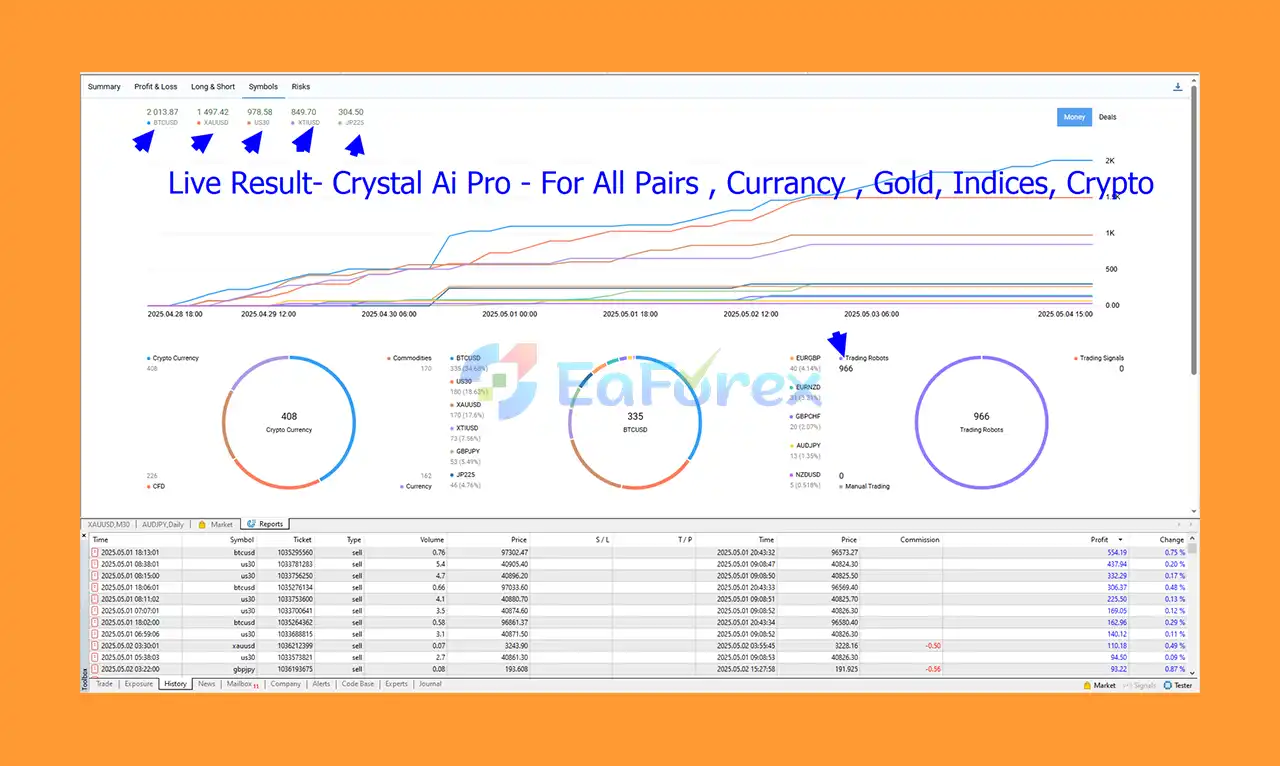
Crystal AI Pro EA MT5 is a fully automated Expert Advisor that uses institutional-grade artificial intelligence to manage trades across multiple asset classes like Gold, Forex, Cryptocurrency, and Stock Indices. It acts like a virtual portfolio manager, optimizing returns while minimizing risks through adaptive trading and smart recovery systems.
2. Which assets and timeframes does Crystal AI Pro EA MT5 support?
This EA supports a wide range of assets including XAU/USD (Gold), Forex pairs, Bitcoin, Oil, and Stock Indices. It operates effectively across multiple timeframes from M1 to H4, allowing for flexible and dynamic trading strategies.
3. How does Crystal AI Pro EA MT5 manage risk and protect capital?
The EA features a no-loss recovery framework with auto-recovery engines and institutional recovery modes. It uses adaptive lot sizing based on real-time account balance, equity guardrails, and AI confidence filtering to prevent over-trading and protect your capital during drawdowns.
4. Is Crystal AI Pro EA MT5 suitable for beginners or only professionals?
Crystal AI Pro EA MT5 is designed for professional traders and passive investors alike. Its 100% hands-free automation and stress-free operation make it suitable for anyone seeking reliable portfolio diversification without the need for manual intervention.
5. What kind of performance can I expect from Crystal AI Pro EA MT5?
Backtests on Gold (XAU/USD) showed a net profit of $19,273.14 from a $5,000 deposit, with a 70.79% win rate and a maximum drawdown of 16.89%. The EA also demonstrated consistent, high-frequency trading success across Bitcoin, Oil, and Stock Indices.
6. What is included in the Crystal AI Pro EA MT5 package?
The download package contains the Expert Advisor files, an Installation Guide.docx, and a Settings document to help you quickly set up and customize the EA for your trading needs.
In stock
In stock
In stock
In stock
In stock
Out of stock
No account yet?
Create an Account












 Automatic EA
 EA Best Seller
 Expert Advisor MT4
 Expert Advisor MT5
 HFT EA


Reviews
Clear filtersThere are no reviews yet.