









-
 Unlimited Activations
-
 Instant delivery
-
 Easy to install





 Unlimited Activations
Instant delivery
Easy to install
Unlimited Activations
Instant delivery
Easy to install
 Free Update
 Free Install Support

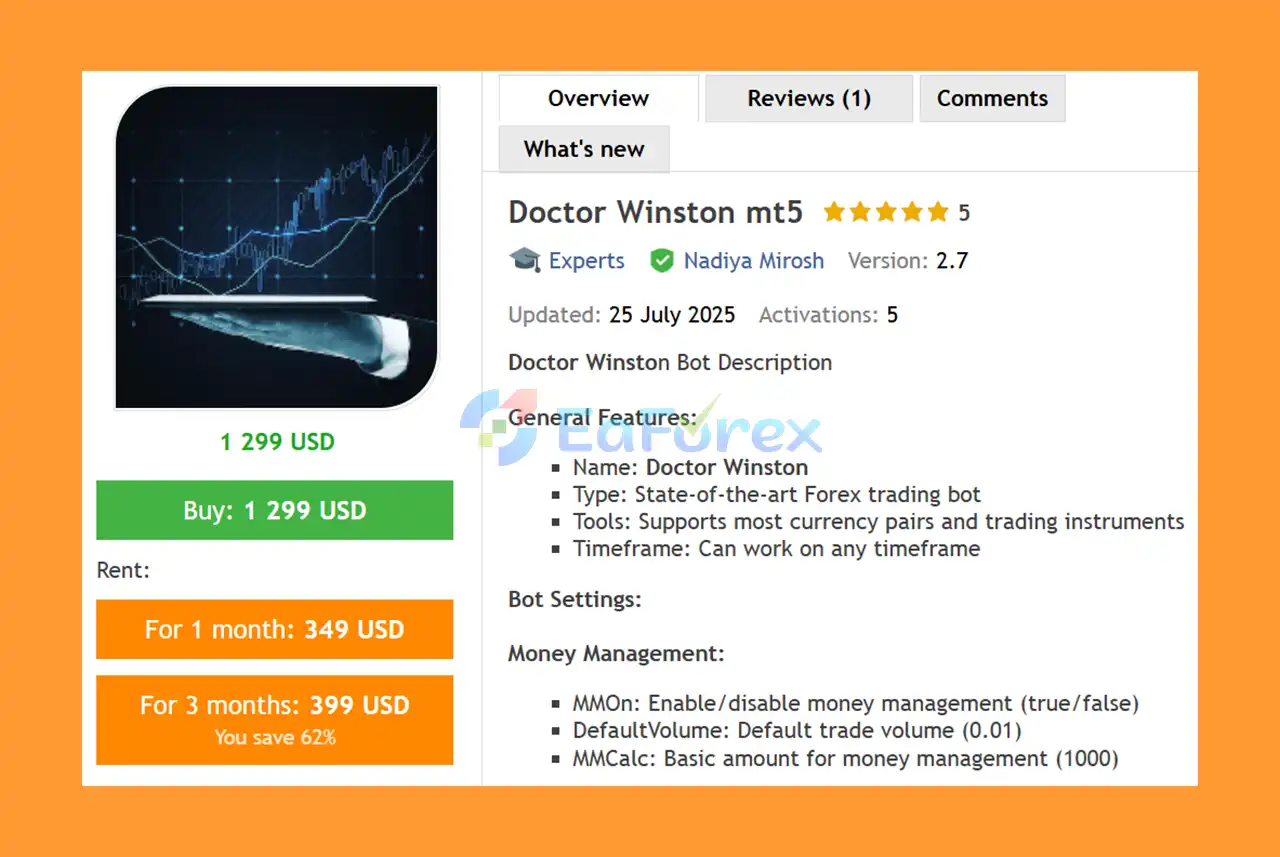
Doctor Winston MT5 is an advanced automated trading system designed to help traders execute trading strategies across a wide range of financial markets. Built for the MetaTrader 5 platform, this versatile Forex Expert Advisor combines multiple indicator parameters, moving average configurations, automated order management, and customizable money management settings.
Designed to operate on various timeframes, Doctor Winston MT5 allows traders to adapt its configuration to different market conditions, trading instruments, and individual strategies. The EA features configurable order spacing, series limits, take-profit and stop-loss levels, and trailing-stop functionality to support automated trade management.
With flexible indicator settings and adjustable position sizing, Doctor Winston EA MT5 provides a customizable solution for traders seeking to automate their trading workflow while maintaining control over key trading parameters.
The system is designed to support multiple instruments, including Forex currency pairs, indices, stocks, and cryptocurrencies, subject to broker availability and the EA’s compatibility with each symbol.
• Author: Nadiya Mirosh
• Experience: Over 3 years of experience on MQL5.
• Notable Products: Doctor Winston MT5, Milioron MT5, Gyroscopes MT5, Silicon Ex and other advisors.
• Flagship Product: Doctor Winston MT5 is rated as the best performing product of the year.
>> Delivery time 24h-48h after payment.
>>> Refund if not delivered.
>>> You will receive the latest version without any limitations (ID+Time).>>Reviewed by Jason Stap <<
Doctor Winston MT5 Overview
Doctor Winston MT5 automates trade execution and position management according to its internal trading logic and user-defined settings. This reduces the need for manual order placement and allows the EA to monitor trading opportunities continuously while running.
The EA includes configurable money management parameters to help traders adjust position sizing according to their account balance and preferred trading approach.
Key settings include:
These settings allow users to customize position sizing, although actual risk depends on the EA’s calculation logic, stop-loss distance, leverage, and broker specifications.
Doctor Winston provides five groups of configurable indicator parameters, allowing users to adjust the underlying analysis settings.
These inputs provide flexibility for users who want to experiment with different configurations and evaluate how they affect trading behavior.
The EA includes parameters designed to control order frequency and spacing.
These controls can help regulate trading activity and limit the number of orders in a series. However, limiting order count alone does not eliminate the risk of substantial drawdown.
Doctor Winston MT5 supports configurable profit targets and protective stop-loss levels.
The supplied default parameters are:
The interpretation of these values depends on the EA’s implementation, symbol specifications, and point or pip conventions. Traders should verify the actual distance and monetary risk before using the settings on a live account.
The EA includes trailing-stop parameters designed to help manage open positions as the market moves.
These settings define the configured trailing activation level and trailing stop distance according to the EA’s internal logic.
Additional order-management settings include:
ORDERFILLINGFOK.The selected order filling mode must be supported by the broker and symbol. Users should verify execution compatibility before enabling automated trading.
Doctor Winston MT5 is described as capable of operating on any timeframe. This allows traders to test different chart periods according to their preferred strategy.
However, changing the timeframe can significantly affect signal frequency, entry behavior, and drawdown. Each configuration should be evaluated independently.
Doctor Winston MT5 uses its configured indicator parameters, moving average settings, and bar-based analysis to identify potential trading opportunities. It then manages orders according to its internal strategy and the parameters selected by the user.
The general workflow can be described as follows:
LimitSeries, AStep, and MinimalStep parameters regulate aspects of order frequency and series management.The precise entry algorithm and whether the EA uses grid-style or recovery-style behavior cannot be established from the parameter descriptions alone. Traders should inspect the EA documentation and test its actual order behavior before using it with real capital.
Doctor Winston offers numerous adjustable parameters, allowing traders to customize indicator settings, moving averages, order spacing, position sizing, and exit management.
The EA can handle trade execution and position monitoring automatically according to its programmed rules, reducing the need for constant manual intervention.
The option to enable or disable money management gives users control over the EA’s position-sizing configuration.
The system is described as supporting Forex pairs and other instruments available through compatible MT5 brokers, including selected indices, stocks, and cryptocurrencies.
Actual compatibility depends on the broker, symbol specifications, and EA implementation.
The ability to operate on different timeframes provides opportunities to evaluate the EA under different market conditions and trading frequencies.
The LimitSeries parameter helps restrict the number of orders within a series, providing an additional control over trading activity.
Configurable TP, SL, and trailing-stop parameters allow traders to tailor position management to their preferred approach.
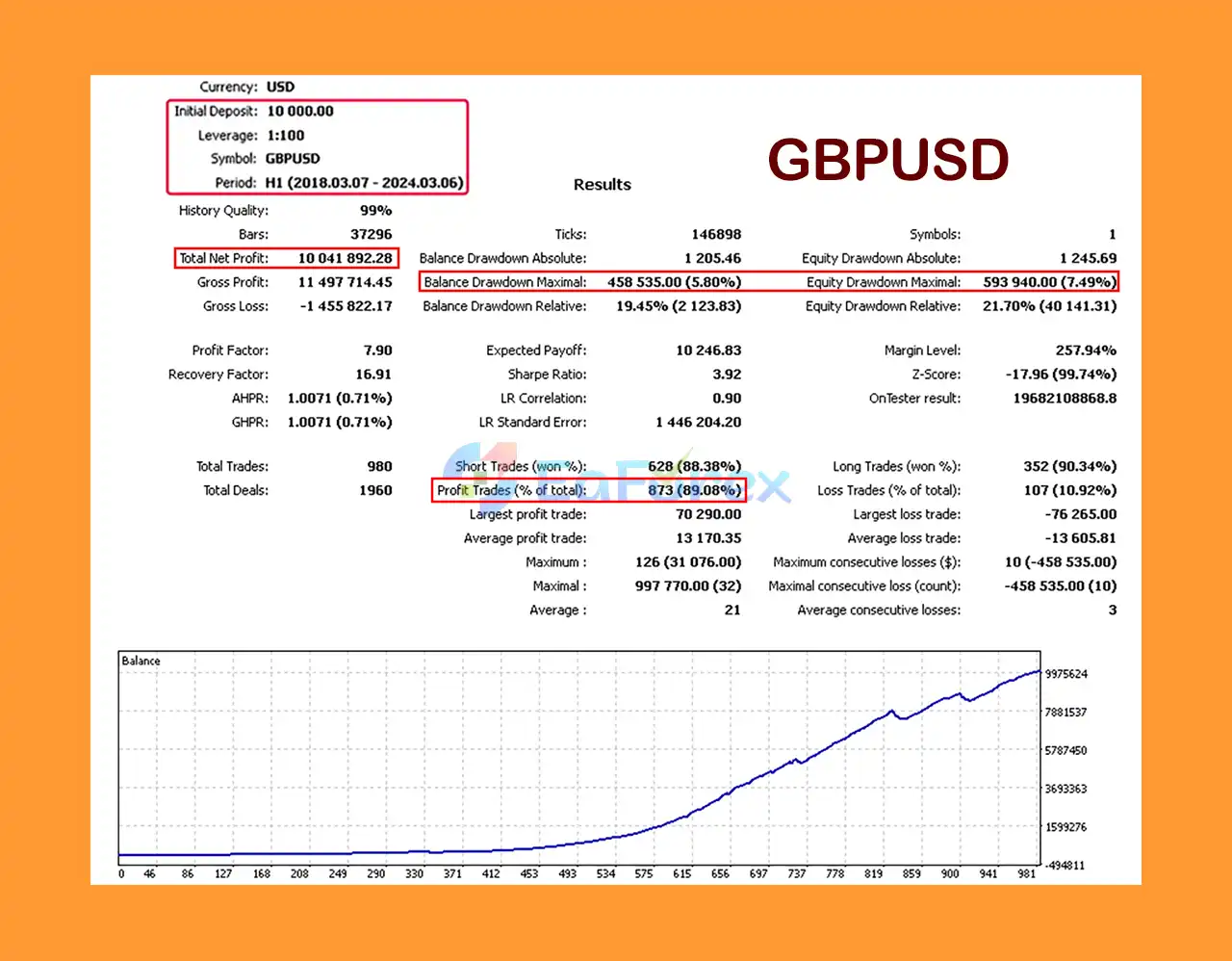
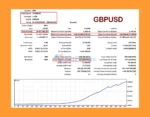
Doctor Winston MT5 Backtest Results with GBPUSD
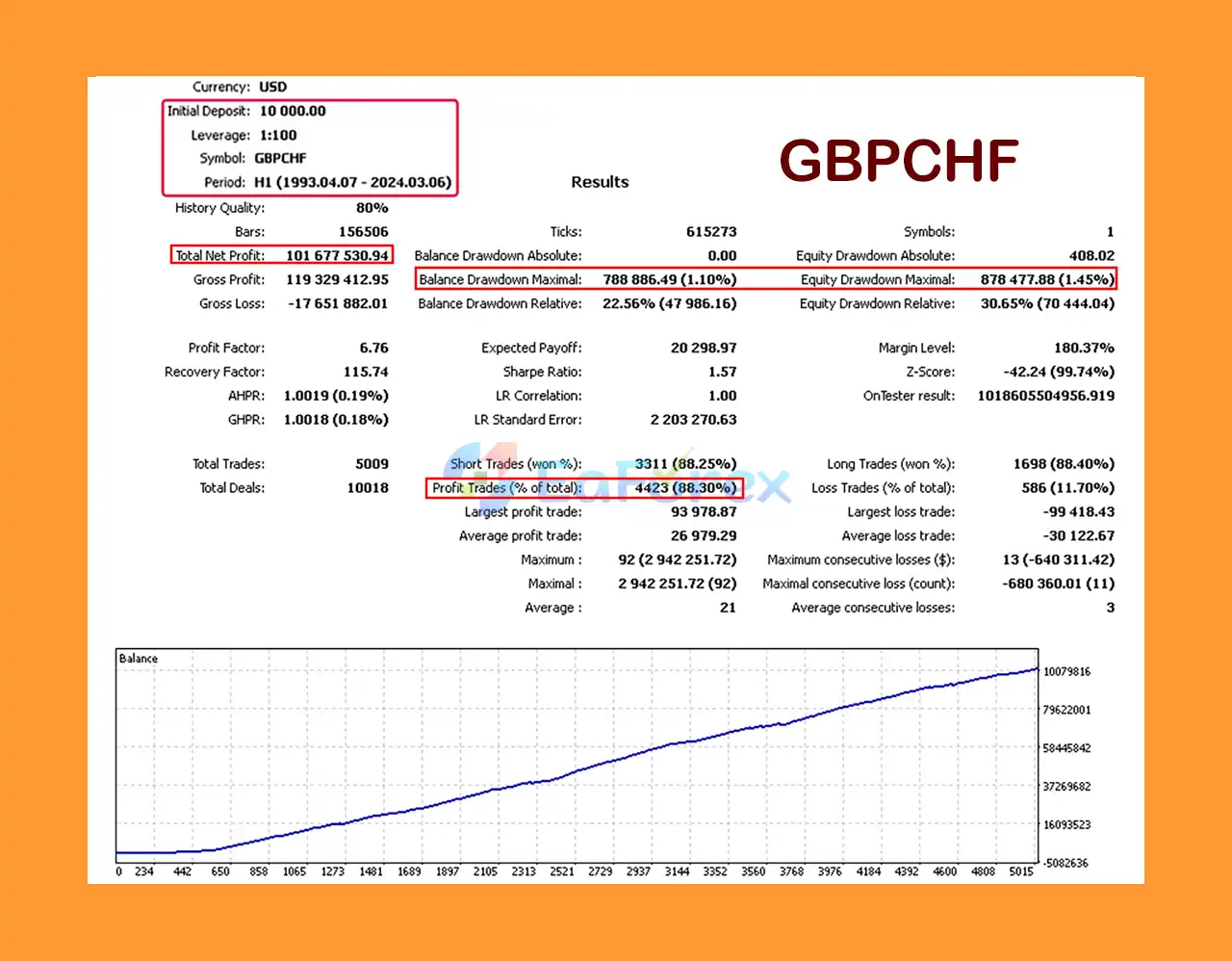
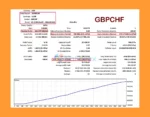
Doctor Winston MT5 Backtest Results with GBPCHF
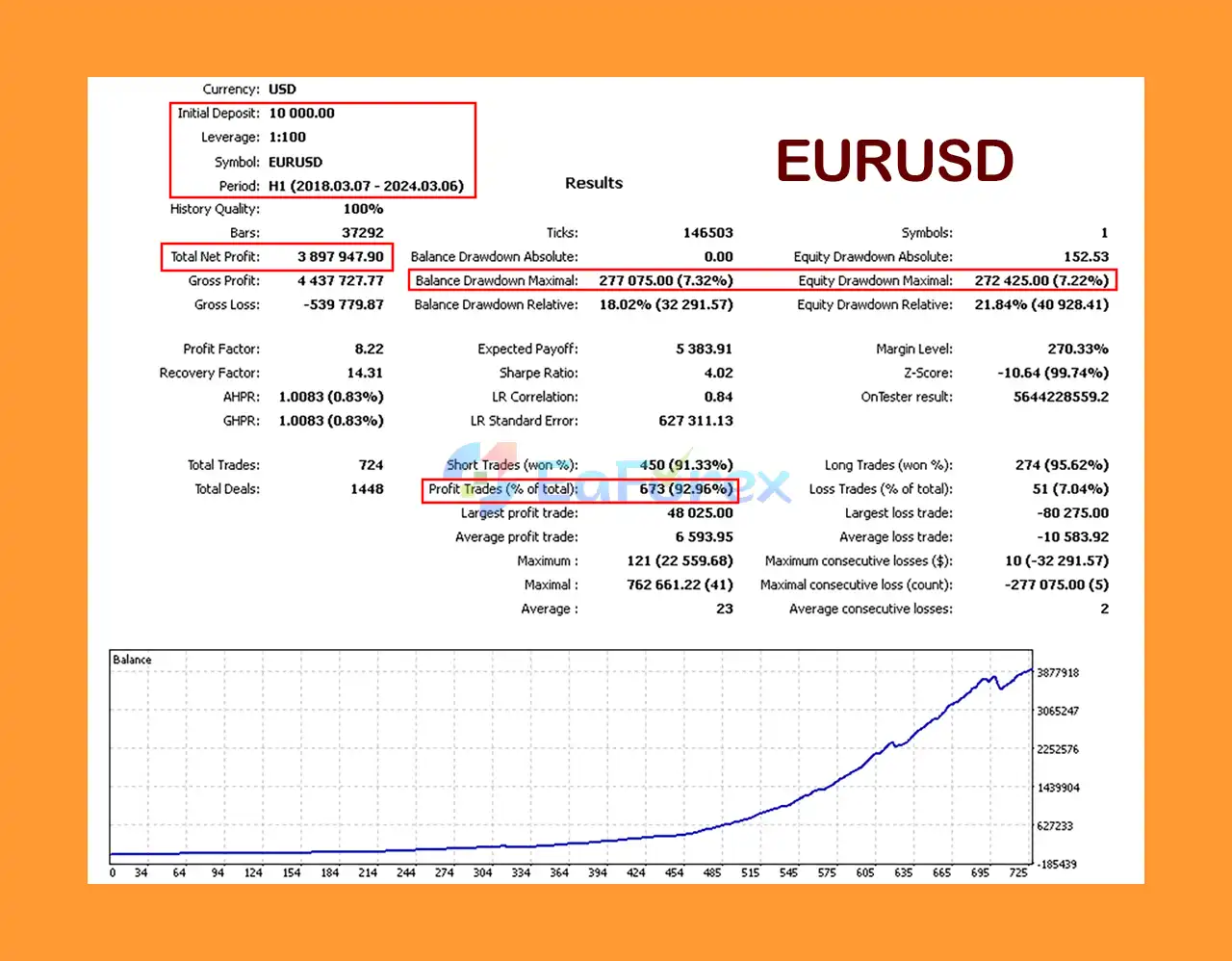
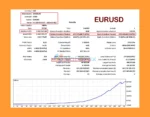
Doctor Winston MT5 Backtest Results with EURUSD
The effectiveness of Doctor Winston MT5 depends on its trading logic, indicator configuration, position sizing, market conditions, and broker execution. The supplied settings describe the available controls but do not establish a verified profitability rate or maximum drawdown.
The default volume is specified as 0.01 lot, while MMCalc is set to 1,000. These values should be treated as configuration references rather than universal recommendations.
Before trading live, verify how the EA calculates lot sizes and whether volume increases as account equity changes.
The default LimitSeries value is 10. This limits the configured number of orders in a series, assuming the EA implements the parameter as described.
A series limit does not necessarily cap total account exposure if other positions or symbols are traded simultaneously.
The supplied TP and SL values are 2500 and 3000, respectively. Their actual financial impact depends on the instrument’s point value, contract size, position volume, and the EA’s interpretation of these inputs.
Test the resulting stop-loss distance and potential loss before enabling the EA on a live account.
Although Doctor Winston MT5 provides a wide range of configuration options, traders should understand several important limitations before using it.
The large number of indicator and order-management parameters can make optimization difficult. Poorly chosen settings may result in excessive trading, weak entries, or larger-than-expected drawdowns.
The supplied description does not fully explain the EA’s precise entry algorithm, signal validation method, or complete position-sizing formula. These details should be verified through the official documentation or controlled testing.
The presence of order spacing and series-limit parameters means traders should carefully investigate how multiple positions are opened and managed. If the EA accumulates positions, adverse market movements could increase floating losses and margin requirements.
Currency pairs, indices, stocks, and cryptocurrencies can experience rapid price movements, price gaps, and periods of reduced liquidity. Stop-loss execution may differ from the requested price during volatile conditions.
Different brokers use different symbol names, contract sizes, minimum volumes, execution modes, and margin requirements. The supplied ORDERFILLINGFOK setting may not be supported for every instrument or broker.
No automated trading system guarantees profits. Backtests and historical results, if available, do not guarantee future performance. Live trading can produce materially different results because of slippage, spread fluctuations, execution delays, and changing market conditions.
Follow these steps to install Doctor Winston on MetaTrader 5.
Launch the MT5 trading terminal and log in to your trading account.
In the MT5 menu, select:
File → Open Data Folder → MQL5 → Experts
Copy the Doctor Winston EA file into the Experts directory.
Restart MetaTrader 5 or refresh the Expert Advisors section in the Navigator window.
Enable the Algo Trading button and verify that automated trading is permitted in the terminal and EA settings.
Select the instrument and timeframe you intend to test. Although the EA is described as supporting multiple instruments and timeframes, begin with one symbol and one chart to simplify monitoring.
Drag Doctor Winston MT5 from the Navigator panel onto the selected chart.
Review the main settings before starting the EA:
MMOnDefaultVolumeMMCalcAStepCorrectBarsLimitSeriesMinimalStepTPSLTrailingStartTrailingStopBrockerFillingMagicNumberDo not assume the default settings are appropriate for every account or instrument.
Run backtests where supported and conduct forward testing on a demo account. Monitor order frequency, position sizing, stop-loss execution, spread, and drawdown.
Only consider live trading after confirming that the EA behaves as expected. Start with conservative exposure and regularly review its activity and account risk.
| Parameter | Suggested Starting Point |
|---|---|
| Platform | MetaTrader 5 |
| Expert Advisor | Doctor Winston MT5 |
| Timeframe | Test according to your strategy |
| Default Volume | 0.01 lot, subject to account risk |
| Money Management | Verify calculation before use |
| LimitSeries | 10, as supplied |
| Take Profit | 2500, as supplied |
| Stop Loss | 3000, as supplied |
| Trailing Start | 1200, as supplied |
| Trailing Stop | 200, as supplied |
| Initial Testing | Demo account |
| Risk Approach | Conservative |
The values above reproduce the supplied defaults where applicable. They are not independently verified optimal settings, and distance-based values may require adjustment for the selected symbol.
Doctor Winston MT5 is a customizable automated trading Expert Advisor featuring configurable indicators, moving average parameters, money management, order series limits, and automated trade-exit controls. Its flexible inputs make it suitable for traders who want to evaluate different configurations across supported instruments and timeframes.
The EA’s key strengths are its configurable trading parameters and integrated order-management settings. However, its precise strategy, expected performance, and complete exposure profile cannot be determined from the supplied settings alone.
For a more informed evaluation, begin with demo testing, verify the EA’s order behavior, confirm broker compatibility, and assess drawdown under different market conditions. Use conservative position sizing and ensure that the stop-loss and money management settings match your account’s risk limits.
Doctor Winston MT5 should be treated as a trading tool rather than a source of guaranteed income. Careful testing, disciplined risk management, and realistic expectations remain essential when using any automated trading system.
1. What is Doctor Winston MT5 and how does it operate?
Doctor Winston MT5 is an advanced Forex trading bot that uses multiple technical indicators and a unique bar shape correction system to identify optimal trade entry and exit points. It automates trading with efficient capital management, aiming for consistent profits across various market conditions.
2. Who developed Doctor Winston MT5 and what is their expertise?
Doctor Winston MT5 was developed by Nadiya Mirosh, an experienced MQL5 programmer with over 3 years of expertise. She has created several successful trading advisors, with Doctor Winston MT5 recognized as her flagship and best-performing product.
3. What are the key features of Doctor Winston MT5?
Key features include indicator-based trading signals, advanced capital and risk management tools, customizable trading frequency, and support for multiple trading instruments such as Forex pairs, indices, stocks, and cryptocurrencies. It also supports various timeframes for flexible trading strategies.
4. How does Doctor Winston MT5 manage risk and capital?
The bot incorporates an optimized money management system that adjusts to your deposit size. It limits the maximum number of orders in series and uses stop loss, take profit, trailing start, and trailing stop to control risk and protect profits effectively.
5. What trading instruments and timeframes are compatible with Doctor Winston MT5?
Doctor Winston MT5 supports a wide range of instruments including Forex currency pairs, indices, stocks, and cryptocurrencies. It is compatible with all timeframes, allowing traders to tailor strategies from scalping to long-term trading.
6. What performance results can I expect from Doctor Winston MT5?
Backtests reveal exceptional performance, such as turning a $10,000 deposit into over $10 million on GBPUSD over 6 years with a win rate of around 89% and a maximum drawdown below 6%. Similar strong results are seen across other currency pairs, demonstrating its reliability and profitability.
In stock
In stock
In stock
In stock
In stock
Out of stock
No account yet?
Create an Account












 Automatic EA
 EA Best Seller
 Expert Advisor MT4
 Expert Advisor MT5
 HFT EA


Reviews
Clear filtersThere are no reviews yet.