









-
 Unlimited Activations
-
 Instant delivery
-
 Easy to install






 Unlimited Activations
Instant delivery
Easy to install
Unlimited Activations
Instant delivery
Easy to install
 Free Update
 Free Install Support

CTR Reclaim EA MT5 is a fully automated MetaTrader 5 Expert Advisor designed to trade structured market reversal patterns using liquidity sweep and price reclaim logic.
Instead of entering trades simply because price reaches a previous high or low, the EA looks for evidence that liquidity has been taken and that price has subsequently returned back through the important level. This approach is designed to identify potential short-term reversal opportunities while avoiding unnecessary entries.
The core concept is straightforward:
CTR Reclaim EA MT5 combines this reversal logic with risk-based position sizing, fixed Stop Loss and Take Profit, break-even automation, dynamic trailing stops, spread filtering, trading-session controls, and maximum daily trade limits.
The EA also includes a real-time on-chart dashboard that allows traders to monitor trading status, spread conditions, daily profit, trade activity, and manual trade-management controls.
Designed for H1 and higher timeframes, CTR Reclaim EA MT5 can be used on Forex and other major liquid instruments and supports both hedging and netting accounts.
>> Delivery time 24h-48h after payment.
>>> Refund if not delivered.
>>> You will receive the latest version without any limitations (ID+Time).>>Reviewed by Jason Stap <<
The central concept behind CTR Reclaim EA MT5 is the identification of short-term liquidity sweeps around recent highs and lows.
The EA looks for situations where price temporarily moves beyond a previous level before closing back inside the range.
This can indicate that the breakout did not hold and that price may be attempting to reverse.
For a potential long trade, the EA identifies a situation where:
Previous Low → Liquidity Sweep → Price Closes Back Above
This reclaim behavior becomes the basis for a potential Buy signal.
For a potential short trade, the EA looks for the opposite structure:
Previous High → Liquidity Sweep → Price Closes Back Below
This provides the basis for a potential Sell signal.
CTR Reclaim EA MT5 is designed to avoid repeatedly entering the market around the same setup.
The system executes one trade per valid signal, helping create a more controlled trading frequency.
The EA supports percentage-based risk management, allowing position size to be calculated according to the selected risk percentage of the account balance.
This provides a more flexible approach than using a permanently fixed lot size.
Each trade can be managed with predefined Stop Loss and Take Profit parameters.
This establishes a clear risk and reward framework before the position is opened.
CTR Reclaim EA MT5 includes an automated break-even function.
When the configured conditions are reached, the EA can adjust the trade toward its break-even level, helping reduce the risk of allowing a profitable position to turn into a full loss.
The EA also supports a dynamic trailing stop.
Instead of leaving the protective stop at its original location throughout the entire trade, the trailing mechanism can adjust the stop as the position moves favorably.
A daily trade limit can be configured to control the maximum number of trades opened during a trading day.
This feature can help prevent excessive trading when market conditions generate multiple signals.
The built-in spread filter allows traders to restrict trading when transaction costs become too high.
This can be particularly useful when trading instruments that experience wider spreads during low-liquidity periods or major market events.
CTR Reclaim EA MT5 includes a trading session filter, allowing users to define when the EA is permitted to open new trades.
This gives traders greater control over the market sessions in which the strategy operates.
One of the practical features of CTR Reclaim EA MT5 is its integrated real-time on-chart dashboard.
The dashboard provides information including:
The system can display its current state, such as:
The current spread can be monitored directly from the trading chart.
The dashboard displays information related to daily trading performance, allowing traders to monitor the account’s activity during the current trading day.
Users can monitor the number of trades executed by the EA.
The dashboard also provides manual controls such as:
These controls provide additional flexibility when traders need to intervene in the automated trading process.
| Parameter | CTR Reclaim EA MT5 |
|---|---|
| Platform | MetaTrader 5 |
| Strategy | Liquidity Sweep & Reversal |
| Primary Setup | High/Low Sweep + Reclaim |
| Recommended Timeframe | H1 and Above |
| Markets | Forex & Major Liquid Instruments |
| Position Sizing | Risk-Based % of Account Balance |
| Stop Loss | Fixed / Customizable |
| Take Profit | Fixed / Customizable |
| Break-Even | Yes |
| Trailing Stop | Dynamic |
| Maximum Daily Trades | Customizable |
| Spread Filter | Yes |
| Session Filter | Yes |
| Account Type | Hedging & Netting |
| Dashboard | Built-In |
CTR Reclaim EA MT5 follows a structured sequence designed to identify potential reversals after liquidity sweeps.
The EA continuously evaluates relevant recent price levels to identify areas where liquidity may be concentrated.
Previous highs and lows can become important reference points because price may temporarily move beyond them before reversing.
The EA waits for price to move beyond a relevant previous high or low.
For example, a potential Buy setup occurs when price moves below a previous low.
A potential Sell setup occurs when price moves above a previous high.
The liquidity sweep itself is not the entire signal.
The strategy requires price to close back across the swept level.
For a Buy setup, price must close back above the previous low.
For a Sell setup, price must close back below the previous high.
This confirmation is intended to distinguish a potential failed breakout from a sustained breakout.
When the required conditions are satisfied, the EA can execute one trade for the signal.
This helps prevent repeated entries around the same reversal setup.
After entry, the position is managed using the selected:
The lot size can also be calculated according to the selected account-risk percentage.
Before opening additional trades, the EA can consider the configured:
These controls are designed to restrict trading when predefined conditions are not satisfied.
CTR Reclaim EA MT5 is built around a specific market behavior rather than indiscriminate entries.
Its strategy focuses on liquidity sweeps followed by price reclamation, creating a clearly defined framework for identifying potential reversal setups.
The system is designed to execute one trade per signal, while maximum daily trade controls can further restrict trading frequency.
Percentage-based position sizing allows users to define account risk rather than relying exclusively on a fixed lot size.
The EA also includes Stop Loss, Take Profit, break-even, and trailing-stop functionality.
Spread and session filters provide additional control over when the EA is allowed to trade.
This can be useful for avoiding periods that do not match the trader’s preferred execution conditions.
CTR Reclaim EA MT5 supports both hedging and netting accounts, providing compatibility with different MetaTrader 5 account configurations.
The integrated dashboard gives traders direct visibility into the EA’s status and current trading activity without requiring them to inspect individual positions manually.
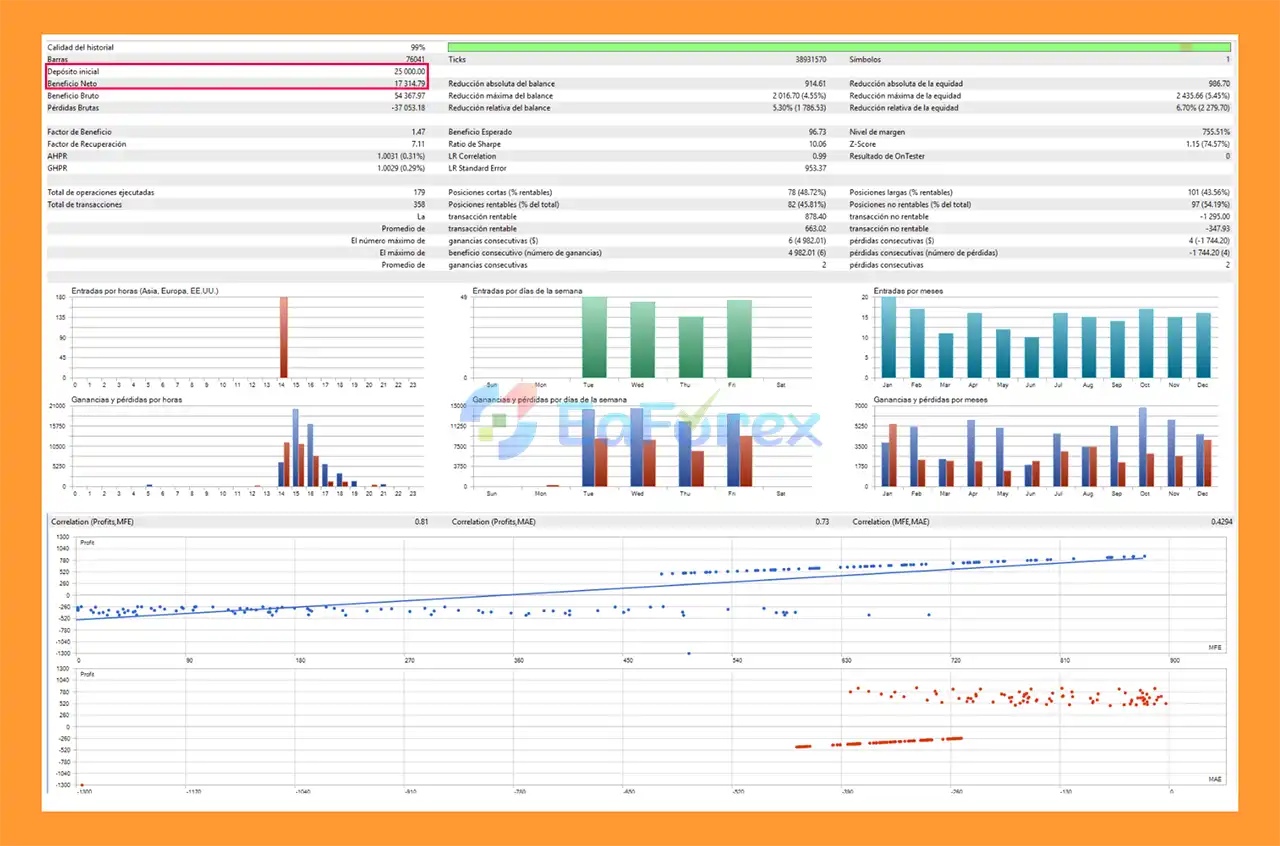
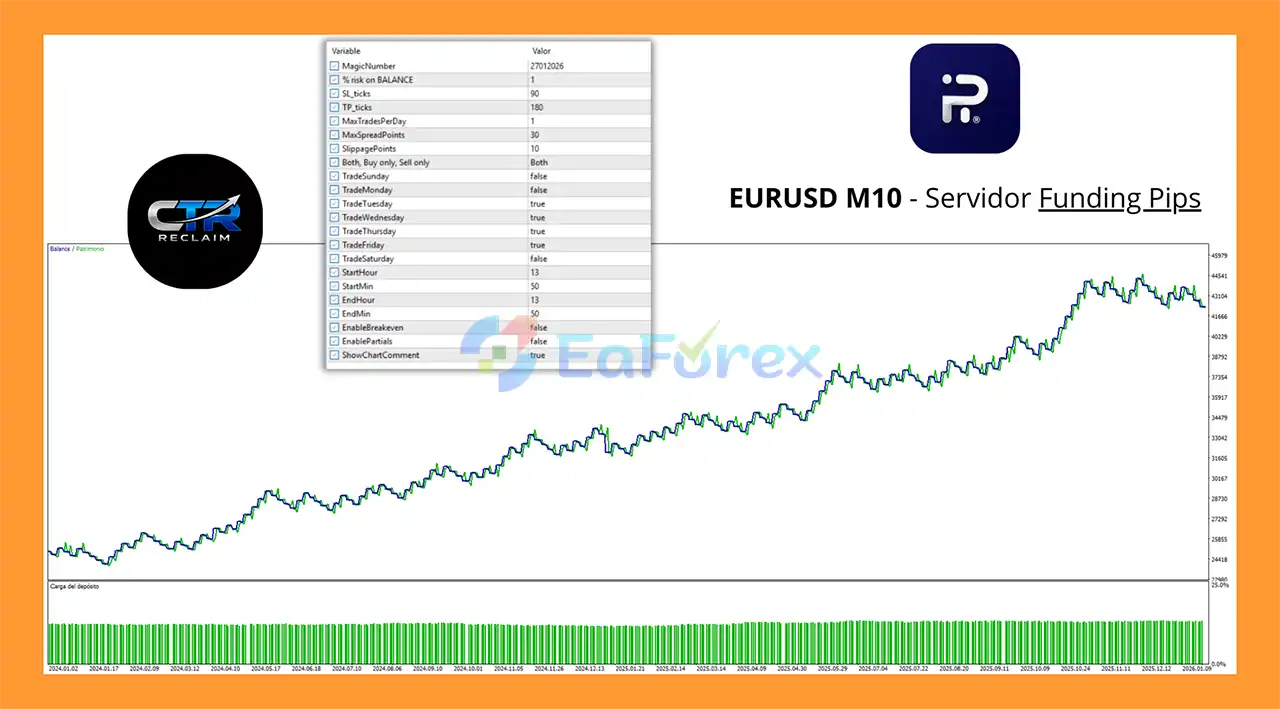
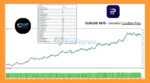
CTR Reclaim EA MT5 backtets
CTR Reclaim MT5 backtets
CTR Reclaim EA MT5 does not rely on a stated historical profit figure or guaranteed return. Its risk-management architecture is instead centered around controlling individual trades and limiting excessive activity.
The main risk-control components include:
Risk-Based Lot Sizing:
Position size can be calculated according to a selected percentage of account balance.
Stop Loss:
Each trade can use a predefined Stop Loss to establish a maximum planned loss level.
Take Profit:
Take Profit provides a predefined profit-exit level.
Break-Even:
The EA can automatically adjust a trade toward break-even once the configured conditions are reached.
Dynamic Trailing Stop:
The trailing mechanism can follow favorable price movement according to the selected settings.
Maximum Daily Trades:
The number of trades opened per day can be limited.
Spread Filter:
Trading can be restricted when spreads exceed the configured threshold.
Session Filter:
Users can define specific trading periods during which the EA is permitted to operate.
These tools can help structure risk, but they cannot eliminate trading losses.
Live performance can vary because of market conditions, broker execution, spreads, slippage, liquidity, commissions, symbol specifications, and EA configuration.
A liquidity sweep does not necessarily mean that a reversal will occur.
Price can move beyond a previous high or low and continue in the same direction. As a result, individual reversal signals can fail.
The effectiveness of a reversal strategy can change across different market environments.
Strong trends, news-driven moves, sudden volatility expansions, and low-liquidity periods can produce conditions that differ significantly from historical or demo testing.
The recommended timeframes are H1 and above. Traders looking for frequent short-term signals should understand that higher-timeframe strategies generally focus on fewer market opportunities.
Although percentage-based position sizing can help structure exposure, selecting an excessively high risk percentage can still result in substantial losses.
Risk settings should be evaluated relative to account size, Stop Loss distance, instrument volatility, and broker contract specifications.
The spread filter can help restrict trading under unfavorable spread conditions, but it cannot completely eliminate execution costs.
Slippage can also occur during fast-moving markets.
CTR Reclaim EA MT5 is an automated trading system, not a guaranteed-profit mechanism.
Traders should forward-test the EA on a demo account before using it with real capital and should monitor its behavior under their own broker and market conditions.
To install CTR Reclaim EA MT5 on MetaTrader 5:
Before deploying the EA on a live account, test it on a demo account using the same broker, symbol specifications, spread conditions, and settings you intend to use in live trading.
🔺CTR Reclaim MT5 is highly appreciated by the MQL5 community for bringing stable and reliable profits. Below are 5 star reviews from users:
>>> Join VIP Membership Now <<<
In summary, CTR Reclaim EA MT5 is a structured automated trading system built around the concept of liquidity sweeps followed by price reclamation.
Its core logic is easy to understand: the EA looks for a previous high or low to be swept, waits for price to close back across that level, and then evaluates the setup for a potential reversal trade.
Beyond the entry strategy, the system provides a comprehensive collection of trade-management features, including risk-based lot sizing, Stop Loss, Take Profit, break-even, dynamic trailing stops, maximum daily trade limits, spread filtering, and session filtering.
The integrated dashboard adds another layer of usability by displaying the EA’s status, spread, daily profit, trade count, and manual controls directly on the chart.
With support for Hedging and Netting accounts and recommended operation on H1 and higher timeframes, CTR Reclaim EA MT5 is designed for traders who want a systematic approach to reversal trading rather than manually monitoring every liquidity-sweep setup.
However, liquidity-based reversal strategies remain exposed to failed reversals, strong trends, volatility spikes, spreads, slippage, and changing market conditions. Proper risk configuration and demo forward testing should therefore be considered essential steps before live deployment.
CTR Reclaim EA MT5 provides a rules-based framework for automated liquidity-sweep reversal trading, but actual results will depend on market conditions, broker execution, and the settings used by the trader.
1. What is CTR Reclaim EA MT5 and how does it work?
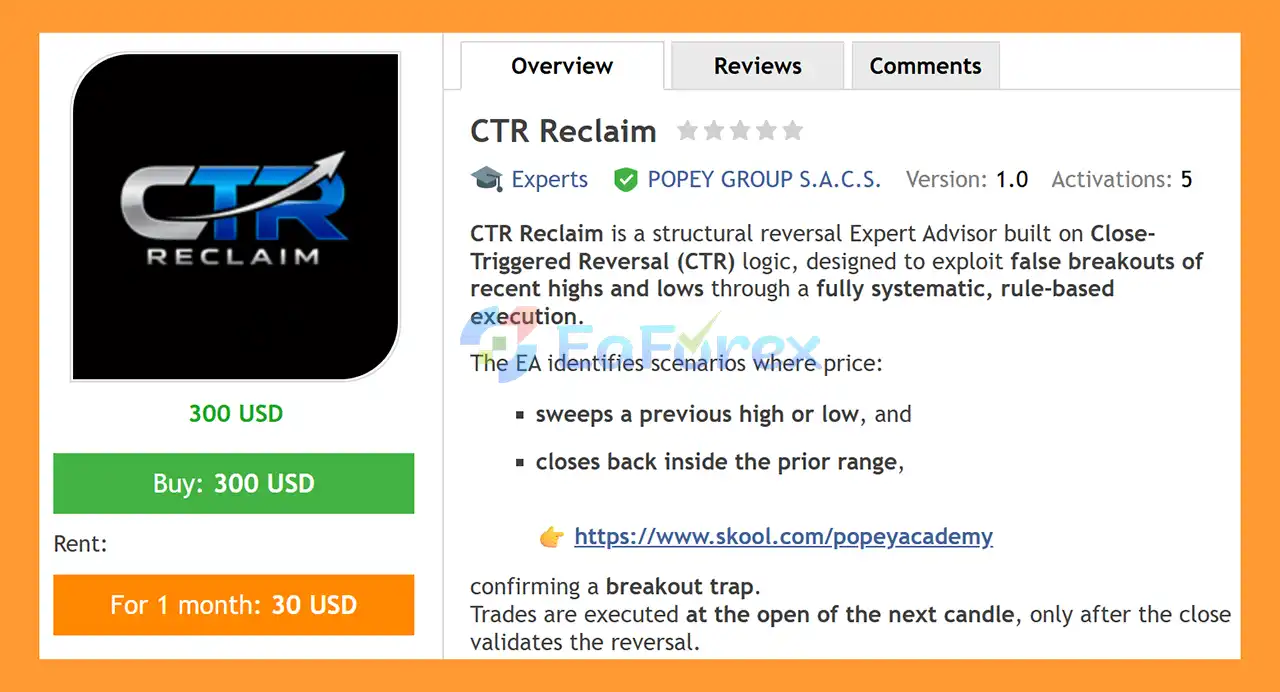
CTR Reclaim EA MT5 is a structural reversal Expert Advisor that trades false breakouts using proprietary Close-Triggered Reversal (CTR) logic. It enters trades only after a confirmed candle close validates a failed breakout, ensuring trades are based on confirmed market intent rather than intrabar noise.
2. What trading strategy does CTR Reclaim EA MT5 use?
CTR Reclaim EA MT5 uses a price-action and market-structure strategy, focusing on liquidity sweeps at recent highs and lows. It confirms reversals using a precise two-candle structure before executing trades on the next candle open.
3. Does CTR Reclaim EA MT5 use martingale, grid, or hedging?
No. CTR Reclaim EA MT5 does not use martingale, grid trading, hedging, or recovery strategies. Each trade is independent and executed with predefined stop loss and take profit levels to ensure controlled risk.
4. How does CTR Reclaim EA MT5 manage risk?
The EA uses dynamic risk control, calculating position size as a percentage of account balance. It also includes strict protections such as a one-trade-per-day limit, maximum spread filter, and full margin safety checks.
5. What markets and timeframes does CTR Reclaim EA MT5 trade?
CTR Reclaim EA MT5 is designed to trade markets where false breakouts frequently occur, especially around key highs and lows. Users can configure sessions, days, and trade direction to match their preferred instruments and trading conditions.
6. Is CTR Reclaim EA MT5 suitable for long-term trading?
Yes. CTR Reclaim EA MT5 is built with a discipline-first and capital-preservation mindset. Its low drawdown profile and structural trading logic make it suitable for traders seeking consistent, long-term performance rather than aggressive short-term gains.
7. What is the maximum drawdown of CTR Reclaim EA MT5?
Based on backtest results, CTR Reclaim EA MT5 achieved a maximum drawdown of only 4.55%, demonstrating strong risk control and conservative execution compared to many high-risk trading systems.
8. Does CTR Reclaim EA MT5 require manual intervention?
No. Once properly installed and configured, CTR Reclaim EA MT5 is fully automated. It follows strict rule-based logic and executes trades automatically without discretionary or emotional decision-making.
9. Can CTR Reclaim EA MT5 work on MT5 netting accounts?
Yes. CTR Reclaim EA MT5 is fully compatible with MetaTrader 5 netting accounts and includes market-safe execution logic to ensure smooth order handling in netting environments.
In stock
In stock
In stock
In stock
In stock
Out of stock
No account yet?
Create an Account












 Automatic EA
 EA Best Seller
 Expert Advisor MT4
 Expert Advisor MT5
 HFT EA


Reviews
Clear filtersThere are no reviews yet.