


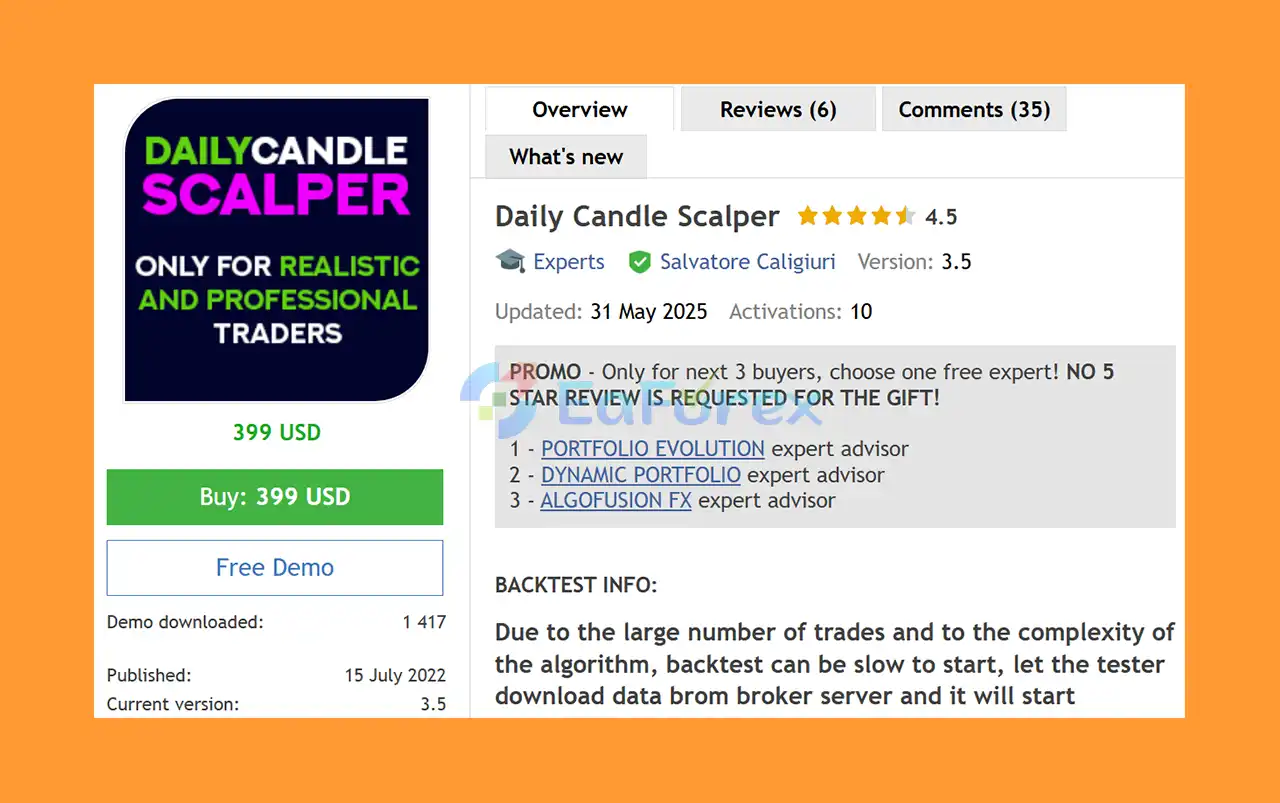
Product Overview
Daily Candle Scalper EA MT5 is an advanced MetaTrader 5 Expert Advisor designed for systematic, automated trading with a strong focus on daily market analysis, portfolio management, flexible money management, and risk control.
The EA analyzes market conditions tick by tick and can manage multiple supported instruments from a single EURUSD D1 chart when using One Chart Mode. Its strategy is designed to identify market elasticity, price expansions, contractions, volatility changes, and potential trading opportunities across a diversified portfolio.
One of the main advantages of Daily Candle Scalper EA MT5 is its fully customizable money management system. Traders can allocate a specific percentage of their account balance to the EA and independently define the desired risk exposure. This makes the Expert Advisor suitable for different trading approaches, from a dedicated small account to a controlled addition to an existing investment portfolio.
The EA also includes a news filter, spread protection, equity stop loss, automatic lot sizing, fixed lot sizing, risk presets, and configurable trading parameters, giving traders greater control over how the system operates.
About the Developer
• Author: Salvatore Caligiuri
• Experience: Over 5 years of experience on MQL5.
• Notable Products: Daily Candle Scalper, AlgoFusion FX, Dynamic Portfolio EA and other advisors.
• Flagship Product: Daily Candle Scalper EA MT5 is rated as the best performing product of the year.
>> Delivery time 24h-48h after payment.
>>> Refund if not delivered.
>>> You will receive the latest version without any limitations (ID+Time).>>Reviewed by Jason Stap <<
Key Features of Daily Candle Scalper EA MT5
Market Elasticity Strategy
The core strategy focuses on identifying changing market conditions and potential price expansions or contractions. The EA analyzes price behavior, volatility, historical data, and technical signals to identify potential opportunities.
Advanced Money Management
Daily Candle Scalper EA MT5 provides flexible money management options that allow traders to determine how much of their account should be allocated to the Expert Advisor.
You can configure:
- Percentage of account balance allocated to the EA
- Custom risk exposure
- Automatic lot sizing
- Fixed lot sizing
- Equity stop loss
- Maximum drawdown protection
- Profit targets
- Risk presets
This allows the EA to be adapted to different account sizes and risk preferences.
Multi-Currency Trading
In One Chart Mode, the EA can monitor and trade multiple supported instruments from a single chart. This can help create a more diversified trading environment instead of relying exclusively on one currency pair.
Tick-by-Tick Market Analysis
The Expert Advisor analyzes market activity on every tick. Because of this, the developer recommends using Every tick based on real ticks when performing MT5 backtests for more realistic testing conditions.
Integrated News Filter
The EA includes a configurable economic news filter designed to restrict trading around important news events.
Traders can configure:
- News filter activation
- Broker GMT time zone
- Minutes to stop trading before news
- Minutes to resume trading after news
This feature is intended to reduce exposure to potentially extreme volatility around major economic announcements.
Spread Protection
The Maximum Spread parameter allows traders to define the maximum acceptable spread. When the current spread exceeds the configured limit, the EA will not open a new trade.
Automatic and Fixed Lot Sizing
The money management system supports both:
- AutoLot — automatically calculates position size according to the configured balance and risk parameters.
- FixedLot — uses a predefined initial lot size.
This provides flexibility for both conservative and more customized trading approaches.
Equity Stop Loss
The EA can automatically close its positions when the configured equity stop-loss percentage is reached. This provides an additional layer of account-level risk control.
Technical Indicator Settings
For Multi Chart Mode, the EA provides configurable technical parameters including:
- RSI timeframe
- RSI period
- RSI overbought/oversold levels
- Main trend timeframe
- Moving average period
- Minimum distance between trades
- Single-trade profit target
- Multiple-trade profit target
User-Friendly Configuration
The settings are designed to be understandable for traders without requiring advanced programming knowledge. Key parameters are clearly separated into general settings, news filter settings, money management, RSI, trend, and target sections.
How Does Daily Candle Scalper EA MT5 Work?
Daily Candle Scalper EA MT5 follows a systematic automated trading process.
First, the EA analyzes available market data and evaluates price behavior, volatility, technical conditions, and trend-related information. It then searches for conditions that meet the strategy's trading requirements.
When a valid opportunity is detected, the EA calculates the appropriate position size according to the selected money management configuration.
The trading process can include:
- Market analysis
- Technical condition evaluation
- Spread verification
- News filter verification
- Risk and lot-size calculation
- Trade execution
- Position management
- Profit-target or risk-control management
- Equity protection when required
The system can also monitor several supported instruments when operated in One Chart Mode.
Why Choose Daily Candle Scalper EA MT5?
Daily Candle Scalper EA MT5 is designed for traders who want more control over automated trading rather than relying solely on fixed lot sizes or a single predefined risk model.
Flexible Portfolio Allocation
Instead of committing the entire account to the EA, traders can allocate a specific percentage of their balance to the system.
For example, an account with $10,000 could allocate only a portion of its capital to the EA while keeping the remaining funds available for other strategies.
Customizable Risk Exposure
The ability to define risk exposure independently from the total account balance can make the EA easier to integrate into a broader portfolio.
Multi-Asset Approach
Trading multiple supported instruments can potentially reduce dependence on the behavior of a single market, although diversification does not eliminate trading risk.
Built-In Protection
Spread control, news filtering, equity stop loss, and configurable money management provide several mechanisms for controlling trading exposure.
Transparent Testing Philosophy
The developer specifically warns users that backtests should be treated primarily as a tool for understanding the EA, studying its behavior, and testing settings—not as a guarantee of future profitability.
Daily Candle Scalper EA MT5 Performance Review
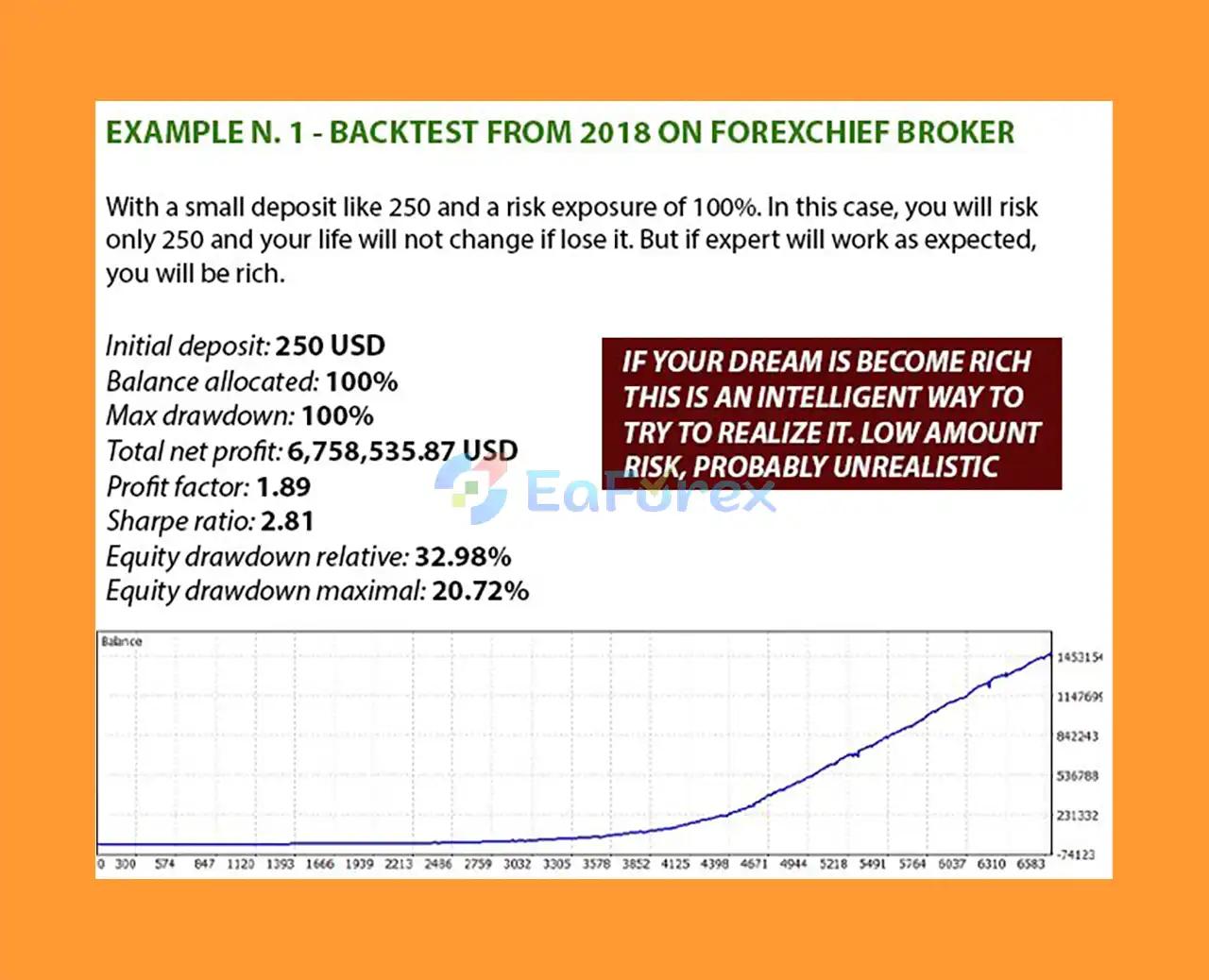
🔴 Backtest: High Risk, Low Capital Strategy
- Initial Deposit: $250
- Total Net Profit: $6.76 million
- Equity Drawdown (Relative): 32.98%
- Equity Drawdown (Maximal): 20.72%
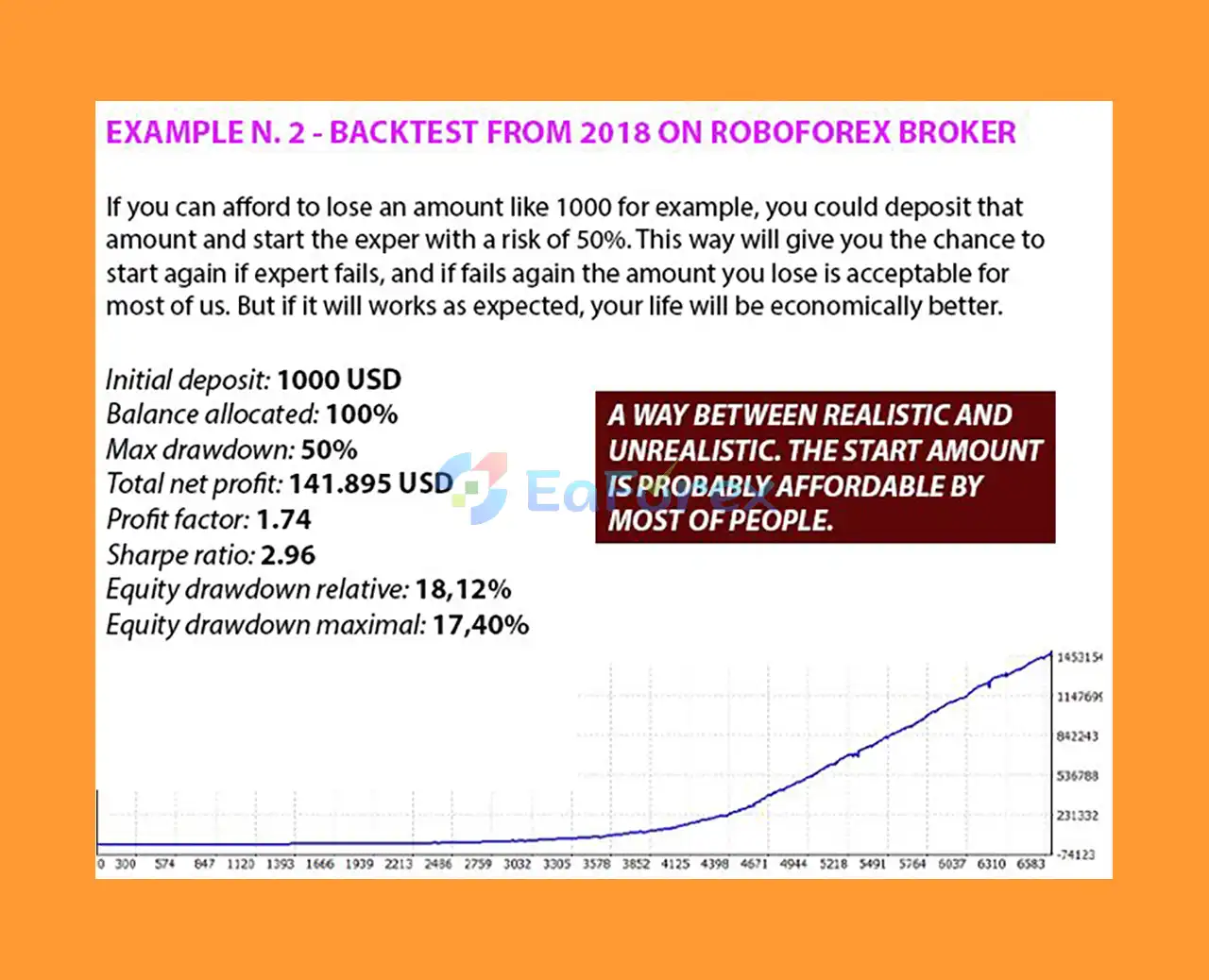
🔴 Backtest: Moderate Risk Strategy
- Initial Deposit: $1,000
- Total Net Profit: $141,895
- Equity Drawdown (Relative): 18.12%
- Equity Drawdown (Maximal): 17.40%
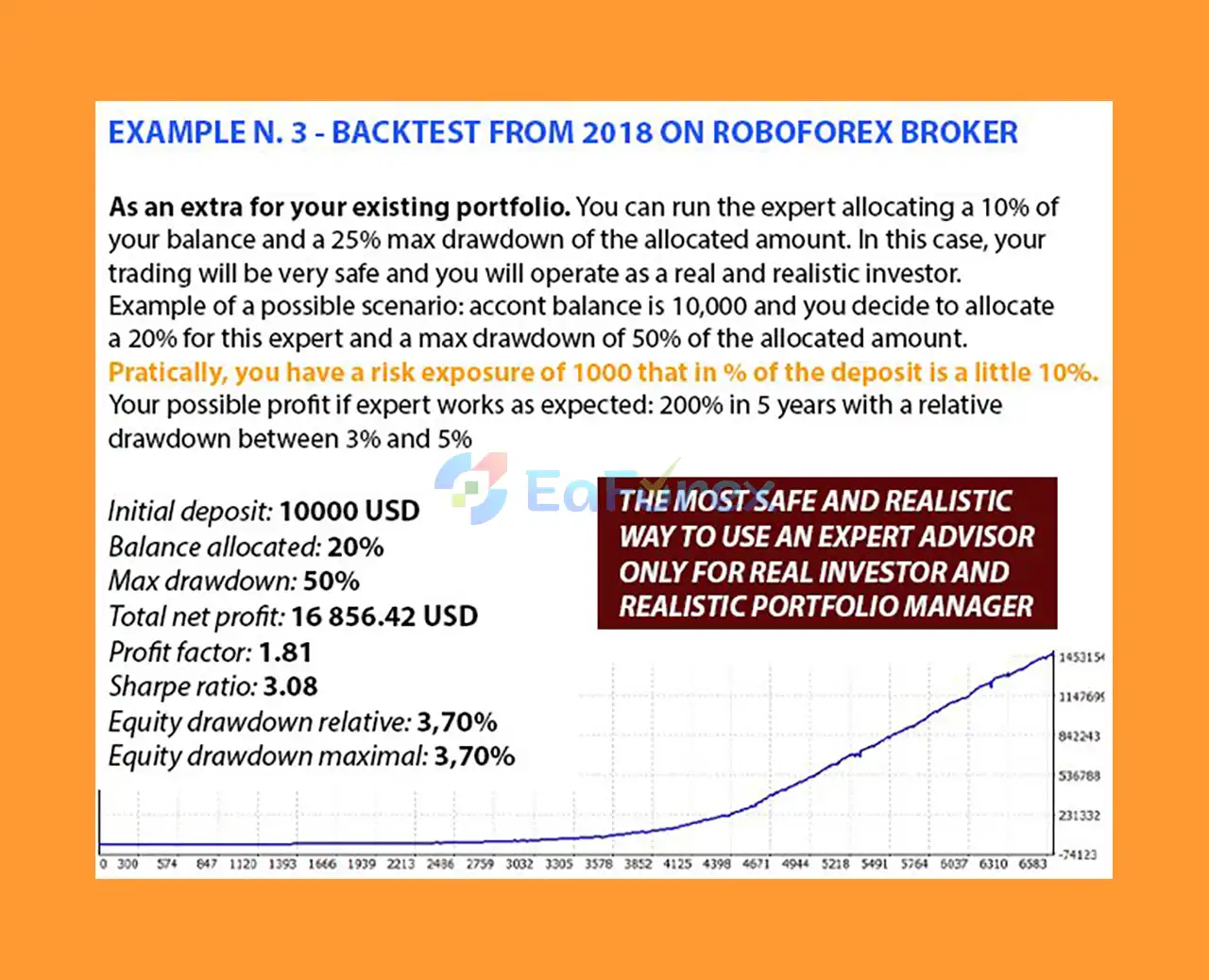
🔴 Backtest: Conservative Risk Allocation
- Initial Deposit: $10,000
- Total Net Profit: $16,856
- Equity Drawdown (Relative): 3.70%
- Equity Drawdown (Maximal): 3.70%
Recommended Capital Allocation
One possible approach is to allocate only a percentage of the account to the Expert Advisor. For example, a trader could allocate 20% of a $10,000 account, meaning approximately $2,000 is assigned to the EA's risk and position calculations.
The exact allocation and risk level should depend on the trader's personal financial situation and risk tolerance.
Equity Protection
The equity stop-loss feature can be configured to close positions when the defined percentage threshold is reached.
Risk Presets
The Auto Risk Preset mode can automatically manage calculations according to the selected risk level and configured drawdown parameters.
Broker Conditions
For optimal execution, the developer recommends using a broker with:
- Low spreads
- Competitive commissions
- Reliable execution
- Low latency
- Stable trading infrastructure
A dedicated PC or VPS located close to the broker's trading server is also recommended for automated trading.
Backtesting Requirements
Because the EA analyzes every tick, proper testing is important.
For MT5 Strategy Tester, use:
Every tick based on real ticks
The first backtest may take time to begin because MetaTrader 5 needs to download historical market data from the broker's server. This is normal for a data-intensive Expert Advisor.
Weaknesses and Risk Warnings
Despite its advanced features, Daily Candle Scalper EA MT5 is not risk-free.
Backtest Limitations
Backtest results should not be interpreted as guaranteed future performance. Real-market execution can differ significantly from historical simulations due to spreads, slippage, commissions, liquidity, execution speed, market gaps, and other factors.
News Filter Limitation During Backtesting
An important limitation is that the news filter does not function in the same way during backtesting. Therefore, differences between backtest results and live trading can occur.
This means historical Strategy Tester results may not accurately represent the EA's behavior during periods of major economic news.
Market Risk
Automated trading can produce substantial losses. A high-risk configuration can increase both potential returns and potential drawdowns.
Broker Dependency
Performance can vary between brokers because of differences in:
- Spread
- Commission
- Liquidity
- Execution
- Server latency
- Swap conditions
- Available leverage
VPS Recommended
Although a VPS is not necessarily the only way to run an Expert Advisor, a stable environment with low latency is recommended for continuous automated trading.
No Guaranteed Profit
There is no trading system that can guarantee profits. Past performance, backtests, optimization results, or monitored accounts cannot guarantee future results.
Only use capital you can afford to lose.
Pros and Cons
Pros
- Advanced automated trading system for MetaTrader 5
- Flexible portfolio allocation
- Customizable money management
- Automatic and fixed lot sizing
- Multi-currency trading capability
- Integrated economic news filter
- Maximum spread protection
- Equity stop-loss functionality
- Custom risk settings
- Automatic risk presets
- RSI and trend configuration
- Single and multiple trade profit targets
- Designed for dedicated account or portfolio use
- Supports systematic, emotion-free execution
- User-friendly settings
Cons
- Requires careful risk configuration
- Backtesting can be slow because of extensive tick-data processing
- Must use Every tick based on real ticks for proper testing
- News filter limitations affect backtest reliability
- Real trading results can differ from historical tests
- Broker execution conditions can significantly affect performance
- Higher risk settings can produce substantial drawdowns
- Requires MT5 and a suitable trading environment
- No guaranteed profitability
How to Install Daily Candle Scalper EA MT5
Follow these steps to install and configure the Expert Advisor correctly.
Step 1: Install the EA
Open MetaTrader 5 and install Daily Candle Scalper EA MT5 into the appropriate Expert Advisors directory.
Restart MT5 or refresh the Navigator window after installation.
Step 2: Open the EURUSD D1 Chart
For the recommended One Chart Mode:
- Open EURUSD.
- Select the D1 timeframe.
- Attach Daily Candle Scalper EA MT5 to the chart.
- Make sure only one chart is used for the multicurrency configuration.
Step 3: Enable Web Requests
To use the news filter, allow WebRequest access in MT5:
Tools → Options → Expert Advisors → Allow WebRequest for listed URL
Add the news-filter URL provided by the EA developer.
Step 4: Configure the General Settings
Review the following parameters:
- Magic Number
- Trade Comment
- Maximum Spread
- Symbols Mode
- Symbols to Trade
- Balance to Allocate
- Risk Settings Mode
- Risk Preset
Make sure the Magic Number does not conflict with another Expert Advisor running on the same account.
Step 5: Configure the News Filter
If the news filter is enabled, correctly configure:
- News Filter: ON
- Broker GMT Time Zone
- Stop Trading Before News
- Restart Trading After News
Incorrect broker time-zone settings can affect the news filter's operation.
Step 6: Configure Money Management
Choose between:
AutoLot
or
FixedLot
If using AutoLot, configure the balance required for each 0.01 lot according to the EA's instructions.
If using FixedLot, define the initial lot size manually.
Step 7: Configure Risk Protection
Set an appropriate Equity Stop Loss and risk level based on your account size and personal risk tolerance.
Do not automatically use aggressive settings simply because they produce better historical results.
Step 8: Backtest Correctly
Open MT5 Strategy Tester and select:
Every tick based on real ticks
Allow MT5 to download the required historical data before evaluating the results.
Use backtesting primarily to understand the EA's behavior, compare settings, and study historical market conditions.
Step 9: Demo Test Before Going Live
Before committing real capital, run the EA on a demo account under realistic broker conditions. Monitor spreads, execution, drawdown, trade frequency, and behavior during volatile market periods.
User reviews and community feedback
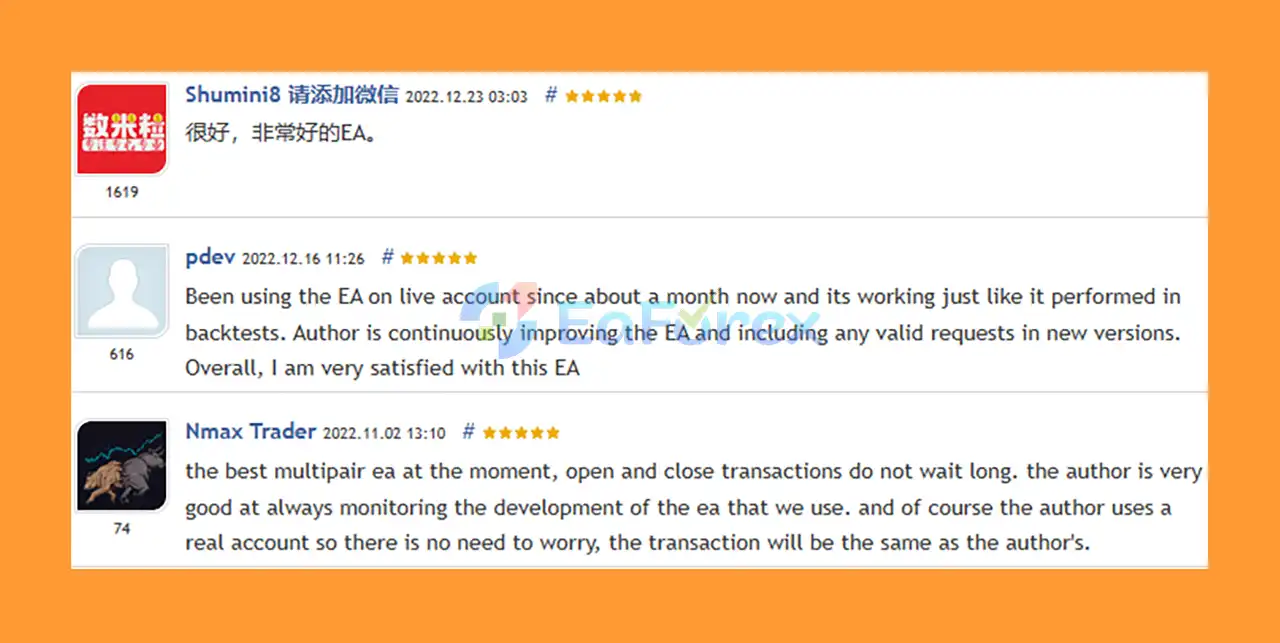
🔻Daily Candle Scalper EA is highly appreciated by the MQL5 community for bringing stable and reliable profits. Below are 5 star reviews from users:
- Shumini 请添加微信 (2022.12.23): “很好,非常好的EA。”
- Nmax.Trader (2022.11.02): “The best multipair ea at the moment, open and close transactions do not wait long.”
- Pdev (2022.12.16): “Been using the EA on live account since about a month now and its working just like it performed in backtests. Author is continuously improving the EA and including any valid requests in new versions. Overall, I am very satisfied with this EA.”
What’s Included in the Download Package?
- Setting (If Any).docx
- Installation Guide.docx
Final Thoughts
Daily Candle Scalper EA MT5 is a feature-rich automated trading solution built around systematic market analysis, flexible portfolio allocation, customizable money management, and multiple layers of risk control.
Its biggest advantage is flexibility. Traders can determine how much of their account is allocated to the EA, choose different risk-management methods, use automatic or fixed lot sizing, control spread conditions, apply equity protection, and use a news filter to manage exposure around major economic events.
However, the EA should not be viewed as a guaranteed-profit system. Backtest results are especially important to interpret carefully because the news filter does not operate normally during backtesting, and real trading conditions cannot be perfectly reproduced by a Strategy Tester.
For a more realistic evaluation, traders should combine historical testing with demo trading, realistic broker conditions, appropriate risk management, and verified live-account monitoring.
Used responsibly, Daily Candle Scalper EA MT5 can serve as a systematic component of a diversified MetaTrader 5 trading portfolio. The most important factor remains disciplined risk management and using only capital that you can afford to lose.



