










-
 Unlimited Activations
-
 Instant delivery
-
 Easy to install



 Unlimited Activations
Instant delivery
Easy to install
Unlimited Activations
Instant delivery
Easy to install
 Free Update
 Free Install Support

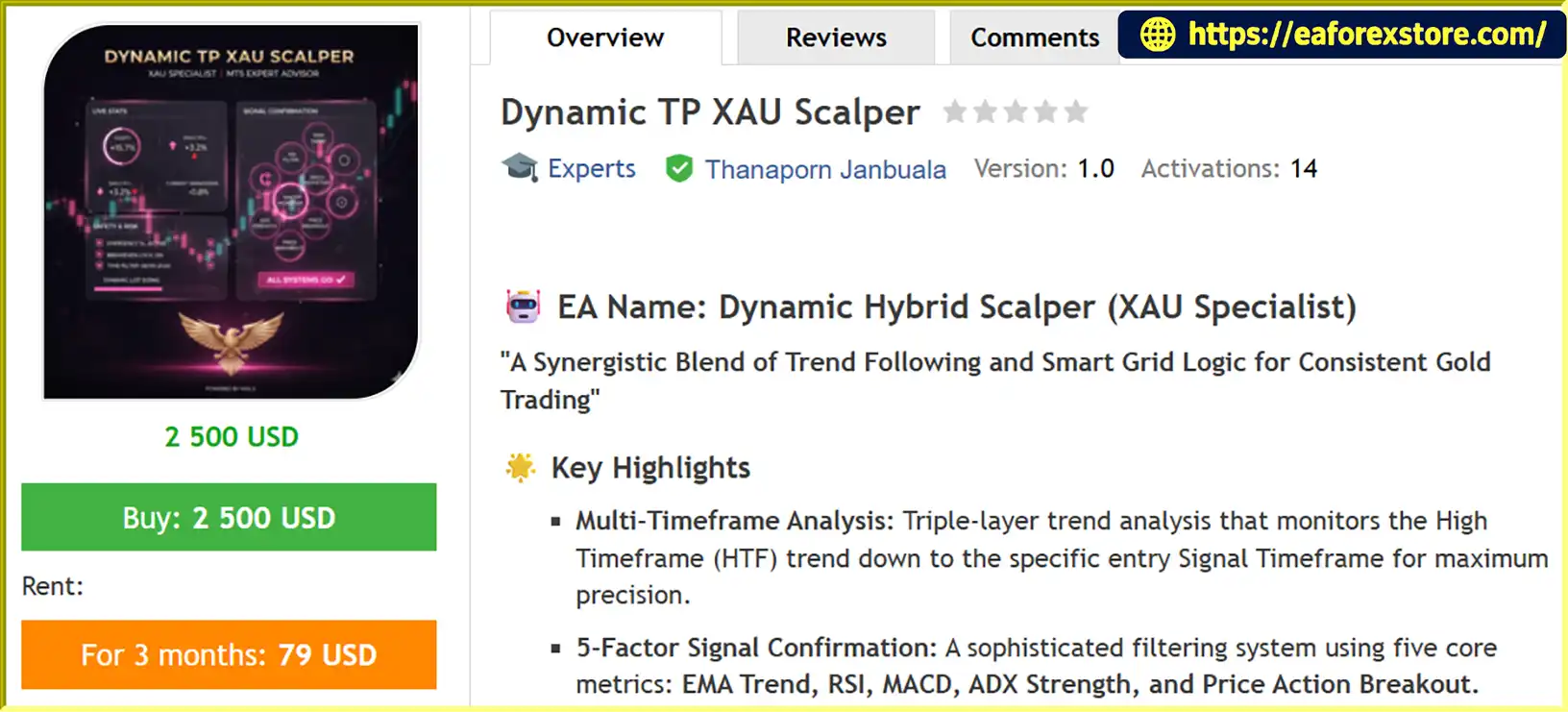
Dynamic TP XAU Scalper EA MT5 is an automated Expert Advisor designed primarily for Gold (XAUUSD) trading on the MetaTrader 5 platform. It combines multi-timeframe trend analysis, momentum-based entry filters, dynamic take-profit management, and configurable grid logic to identify trading opportunities while managing multiple open positions.
The EA uses a systematic trading approach that evaluates market direction, momentum, trend strength, and price breakouts before entering trades. Its five-factor confirmation system incorporates Exponential Moving Averages (EMA), Relative Strength Index (RSI), Moving Average Convergence Divergence (MACD), Average Directional Index (ADX), and price action analysis.
One of its main features is its combination of trend-following signals and smart grid functionality. The EA primarily seeks trades aligned with the higher-timeframe trend, while its configurable pending-order layers can help manage positions when the market moves against an existing trade. Group take-profit targets, group stop-loss protection, break-even locking, and trailing stops are designed to manage the overall position basket.
Dynamic TP XAU Scalper EA MT5 also includes adjustable lot management, spread protection, trading-hour filters, and a real-time dashboard displaying indicator conditions, trend alignment, and drawdown information.
The EA supports both netting and hedging account types, according to the supplied specifications, and is intended for traders seeking automated gold scalping with customizable trade management. Although EURUSD is also listed as a recommended pair, users should verify its suitability for that market before deployment.
As with other grid-based trading systems, its performance depends on market conditions, execution quality, and risk settings. Grid recovery and dynamic lot sizing can increase exposure during prolonged adverse price movements, so careful testing and conservative configuration are essential.
>>> Delivery time 24h-48h after payment.
>>> Refund if not delivered.
>>> You will receive the latest version without any limitations (ID+Time).Reviewed by Jason Stap <<<
Dynamic TP XAU Scalper EA MT5 Overview
Dynamic TP XAU Scalper EA MT5 uses multiple timeframes to evaluate market direction and potential entry opportunities.
This approach is designed to reduce some counter-trend entries while allowing the EA to identify shorter-term trading opportunities. However, trend filters cannot eliminate false signals or protect against sudden market reversals.
The EA combines five technical components to evaluate potential trading signals.
Using multiple filters can help reduce reliance on a single indicator. However, several indicators may respond to the same underlying price movement, and combining them does not automatically improve profitability.
The EA includes configurable grid layers designed to manage positions when price moves against an existing trade.
According to the supplied configuration, the grid system includes three layers:
The system is intended to use pending orders around relevant price levels to manage the average entry price and support basket-level exits.
Grid trading introduces additional risk because multiple positions may accumulate while price continues moving in the wrong direction. The configured point distances must also be evaluated against the broker’s XAUUSD pricing format and contract specifications.
Dynamic TP XAU Scalper EA MT5 provides adjustable position sizing and drawdown-related lot management.
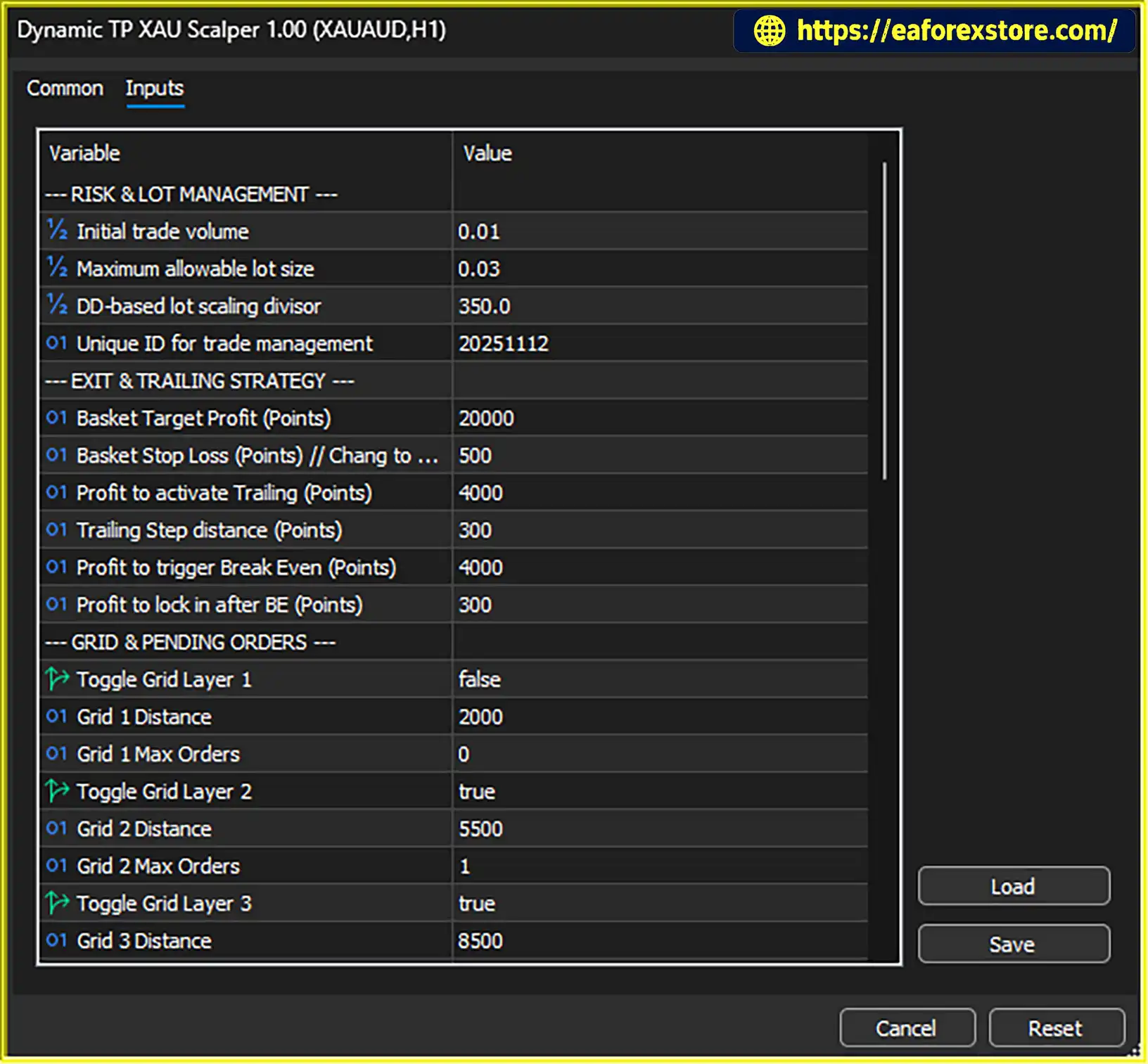
The supplied parameters include:
These settings suggest that the EA uses predefined limits and a calculation mechanism to manage position sizing. The exact formula should be verified in the official documentation or source logic, particularly how drawdown influences subsequent trade volume.
Dynamic lot management may help the system adapt to account conditions, but increasing position sizes to recover losses can amplify drawdown. Traders should confirm that all grid and recovery orders remain within their intended exposure limits.
The EA supports basket-level trade management, allowing multiple positions to be evaluated together.
These settings provide a structured exit framework for grid-based trading. However, the point-based parameters are not equivalent to fixed monetary profit or loss amounts. Actual financial outcomes depend on lot sizes, the number of positions, the symbol specification, and execution conditions.
The EA includes additional mechanisms designed to protect open positions as price moves favorably.
The trailing-stop feature is designed to follow favorable price movement after the activation threshold is reached. Break-even locking aims to move the protective stop to the entry level or a configured profit-locking level, according to the EA’s implementation.
These mechanisms can help protect gains, but they do not guarantee that a position will close at the intended price during fast markets or periods of slippage.
The EA provides a real-time dashboard intended to improve visibility into its trading decisions and current exposure.
Depending on the displayed information, users can monitor:
A dashboard can make it easier to monitor an automated strategy, although users should still review the MetaTrader 5 Experts and Journal logs for execution errors and operational warnings.
Dynamic TP XAU Scalper EA MT5 follows a structured process to analyze market direction, confirm potential entries, manage positions, and apply basket-level exits.
The EA uses the 200-period EMA on the H1 timeframe as its primary higher-timeframe trend filter.
The purpose is to establish a broader directional bias before evaluating lower-timeframe entry opportunities. Trades are intended to favor the major trend rather than repeatedly entering against strong directional price movements.
The effectiveness of this filter depends on market conditions. During sideways markets, moving-average signals can become less reliable.
After assessing the broader trend, the EA evaluates its lower-timeframe indicators and price action.
The five-factor confirmation system uses EMA trend direction, RSI, MACD, ADX, and breakout conditions to assess whether a potential trade meets the configured entry rules.
The supplied settings identify M5 for RSI and ADX analysis, with a minimum ADX level of 25. The configuration also lists moving-average lookbacks of 145 and 43 on M4/M5, respectively.
The exact entry logic, indicator combinations, and required confirmation thresholds should be checked against the EA’s actual settings because not every implementation requires all five factors to agree on every trade.
When an entry signal satisfies the required conditions, the EA uses its configured lot-management rules to determine the trade volume.
The supplied configuration specifies an initial lot size of 0.01 and a maximum lot size of 0.03. The TakeProfitCalc parameter is listed as 350.0 for the described drawdown-based calculation.
Users should verify how these parameters interact, especially when additional grid orders are placed. The maximum lot setting should not be assumed to limit total basket exposure unless the developer confirms that it applies to the entire position group.
If price moves against an open position, the EA can use its enabled grid layers and pending-order logic to manage the trade basket.
The supplied configuration enables Layer 2 at 5,500 points and Layer 3 at 8,500 points, while Layer 1 remains disabled.
Additional positions can change the average entry price, potentially allowing the basket to reach its combined profit target after a partial market recovery. However, the same process can increase floating losses and margin usage if the market continues moving against the positions.
The EA monitors its group take-profit and stop-loss conditions.
The precise interaction between individual-position stops and basket-level exits depends on the EA’s implementation. Users should test whether these protections operate as expected when multiple positions are open.
The EA includes a configurable trading window from 08:00 to 21:00 server time and a 60-second cool-down after a trade closes.
The time filter is intended to limit trading to selected hours, while the post-trade delay can reduce immediate re-entry and excessive trading during unstable price movements.
Spread protection is designed to prevent execution when trading costs become excessive. These controls can help improve operational discipline, but they do not guarantee favorable execution or prevent losses during major news events.
Dynamic TP XAU Scalper EA MT5 combines directional trend filtering with configurable grid logic. This allows it to seek trend-aligned entries while providing a framework for managing multiple positions when the market moves against an open trade.
This combination may appeal to traders who prefer systematic entry filters and basket-based exit management. However, grid recovery can create substantial exposure during extended one-way price movements.
The EA evaluates EMA, RSI, MACD, ADX, and price action breakout conditions instead of relying exclusively on one indicator.
The goal is to filter potential entries by considering trend direction, momentum, trend strength, and price behavior. Traders can also adjust supported indicator parameters to evaluate different configurations.
The EA includes initial and maximum lot settings, group take-profit and stop-loss thresholds, break-even locking, trailing stops, and spread protection.
These functions provide a framework for establishing trading rules before automation begins. Their effectiveness depends on correct configuration, reliable execution, and the way the EA handles multiple open positions.
According to the supplied product specifications, the EA supports both netting and hedging account types.
Because these account modes manage positions differently, traders should confirm that grid orders, basket calculations, and exit logic behave correctly under their broker’s account configuration.
The configurable trading window and spread protection can help avoid some unfavorable trading conditions.
The 08:00–21:00 server-time window provides a defined operating schedule, while the 60-second post-trade delay helps limit rapid re-entry after a position closes.
These features may improve discipline but should not be treated as substitutes for a properly tested risk-management plan.
The dashboard provides access to information about indicator conditions, trend alignment, and drawdown metrics.
This can help users monitor the EA’s behavior and identify situations that require further investigation, especially during demo testing and strategy optimization.
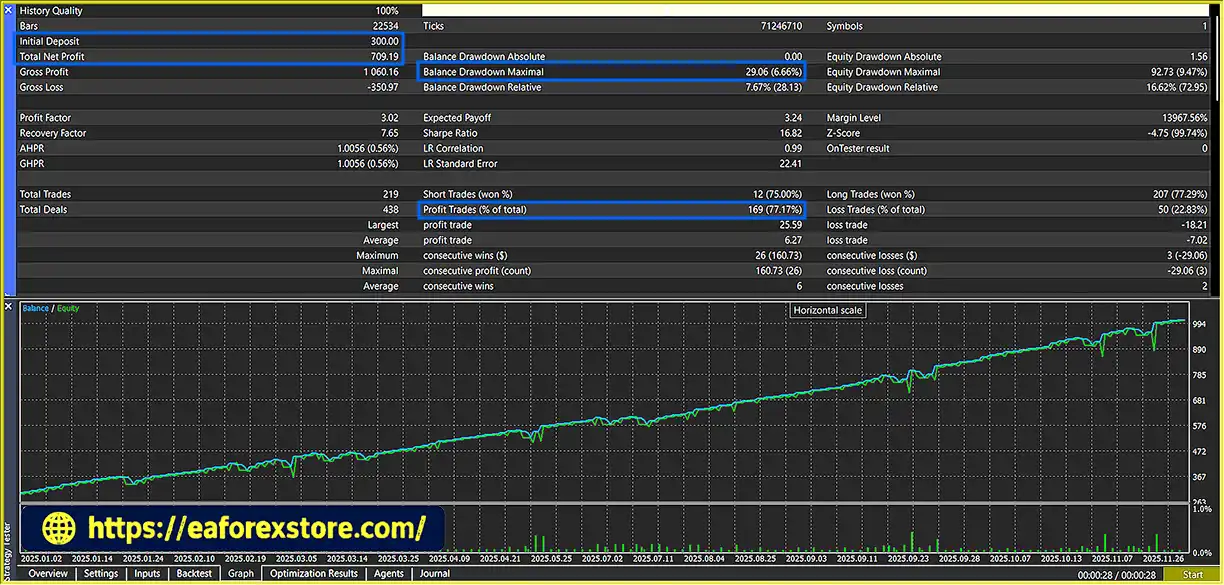
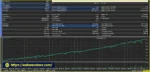
Dynamic TP XAU Scalper EA MT5 Backtest
Risk management is particularly important for Dynamic TP XAU Scalper EA MT5 because its grid and dynamic lot-management features can increase total market exposure when trades move against the initial direction.
The supplied settings define an initial volume of 0.01 lots and a maximum lot parameter of 0.03 lots.
These values should be checked against the account balance, leverage, broker contract specifications, and the number of positions the EA may open. A maximum individual lot size does not necessarily limit the combined exposure of multiple grid orders.
The developer recommends a starting deposit of approximately $200, depending on lot-size settings. This should be treated as a recommendation rather than a guarantee that the account can safely support the strategy. Gold grid trading may require substantially more capital under adverse conditions.
The configured GroupStopLossPt is 27,000 points. This setting is intended to close the basket when its predefined loss threshold is reached.
Before live trading, confirm how the EA measures the threshold, which positions it includes, and whether it closes all associated orders when the limit is triggered.
Because the stop is specified in points, it should not be interpreted as a guaranteed dollar loss limit without knowing the broker’s symbol specifications and the EA’s calculation method.
The GroupTakeProfitPt parameter is set to 20,000 points. This allows the EA to manage a group of positions against a shared profit objective.
Basket exits can simplify the management of grid positions, but the profit target should be evaluated alongside maximum exposure, floating drawdown, spread, commission, and the probability of adverse market continuation.
The break-even function is configured to activate at 4,000 points and lock 300 points, while the trailing stop starts at 4,000 points with a 300-point step.
These features aim to protect profits after favorable movement. However, their actual effect depends on the implementation, and fast price changes can result in slippage or stop execution at a less favorable price.
The EA is configured to trade between 08:00 and 21:00 broker server time.
Its spread filter is intended to avoid opening trades when transaction costs become excessive. Traders should confirm the permitted spread threshold and check how the filter behaves during news releases, market openings, and low-liquidity periods.
A trading-hour filter alone does not guarantee avoidance of high-impact economic announcements. A separate news filter should not be assumed to exist unless it is explicitly documented.
The EA uses a 60-second cool-down after a trade closes.
This delay may help prevent immediate repeated entries during unstable conditions. However, it does not eliminate the risk of rapid market reversals or consecutive losses.
Grid-based systems can accumulate multiple positions as the market moves against an initial entry. This can increase floating losses, margin requirements, and the time needed for a basket to recover.
Dynamic lot sizing may add further risk if trade volume increases following losses. Users should determine whether the EA increases lots during drawdown, how it caps total exposure, and what happens when available margin becomes insufficient.
Important risk warning: No trading robot can guarantee profits or prevent all losses. Test the EA on a demo account under realistic spreads and slippage, examine maximum equity drawdown, and verify every stop-loss and grid parameter before considering live trading.
Follow these steps to install and test Dynamic TP XAU Scalper EA MT5 on MetaTrader 5.
setting
Obtain the official Dynamic TP XAU Scalper EA MT5 package and review the included documentation.
Confirm that the file is compatible with MetaTrader 5 and that the installation package contains the required files.
MQL5 → Experts..ex5 file into the Experts folder.Open your broker’s Gold chart, usually named XAUUSD, and select the timeframe required by the EA.
The supplied recommendations include M5 and M15 for scalping and H1 for swing trading. The actual supported timeframes and recommended configuration should be confirmed using the vendor’s documentation.
Locate Dynamic TP XAU Scalper EA MT5 in the Navigator panel and drag it onto the selected chart.
Review the EA’s settings and enable algorithmic trading if required. Grant only the permissions specified by the official documentation.
Review the initial lot size, maximum lot setting, grid layers, and basket exit thresholds.
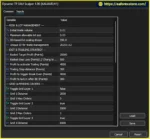
The supplied configuration includes:
Check the point calculations against your broker’s symbol specification. Do not assume that these settings correspond to fixed monetary amounts.
Review the higher-timeframe EMA period, moving-average lookbacks, RSI conditions, ADX threshold, trading window, and cool-down settings.
The supplied configuration lists an H1 EMA period of 200, an ADX minimum level of 25, and a trading window of 08:00–21:00 server time.
The RSI thresholds are listed as Buy below 100 and Sell above 10. These values are unusually broad and may allow many signals to pass the RSI filter, depending on the EA’s implementation. Verify the intended thresholds before enabling automated trading.
Confirm that the dashboard displays the expected indicator information and that the EA is receiving market data.
Review the MetaTrader 5 Experts and Journal tabs for errors, rejected orders, spread-filter messages, and other warnings. Confirm that the grid, basket exits, and position-management functions operate as documented.
Use the MetaTrader 5 Strategy Tester to evaluate the EA with suitable historical data and realistic trading costs.
Review net profit, profit factor, maximum equity drawdown, total trades, average trade, and margin usage. Pay particular attention to prolonged adverse trends and the behavior of grid positions.
After backtesting, run the EA on a demo account to evaluate live spreads, execution, and operational reliability before considering a real account.
Installation note: Exact file requirements and supported settings may vary by version. Follow the official installation guide and verify all risk controls before enabling live trading.
>>> Join VIP Membership Now <<<
Dynamic TP XAU Scalper EA MT5 is an automated trading robot that combines multi-timeframe trend following, five-factor signal confirmation, smart grid logic, and basket-based trade management for the gold market.
Its main strengths are its configurable entry filters, group take-profit and stop-loss mechanisms, trailing-stop functionality, break-even locking, and trading-hour and spread protections. The dashboard also provides a convenient way to monitor market conditions and trading activity.
However, the combination of grid trading and drawdown-related lot management requires particular attention. Although additional orders may improve the average entry price during a recovery, they can also increase floating losses and margin requirements if the market continues moving against the basket.
The stated lot settings, grid distances, and point-based exit thresholds should be evaluated carefully against the broker’s contract specifications and the trader’s available capital. The recommended $200 starting balance should not be interpreted as evidence that the strategy is safe for a small account.
Overall, Dynamic TP XAU Scalper EA MT5 may be worth testing for traders seeking a customizable MT5 gold trading system with trend filters and automated basket management. Its suitability should be determined through independent backtesting, demo trading, and careful evaluation of maximum equity drawdown rather than marketing claims alone.
1. What is Dynamic TP XAU Scalper EA MT5?
Dynamic TP XAU Scalper EA MT5 is an automated Expert Advisor designed primarily for Gold (XAUUSD) trading on the MetaTrader 5 platform. It combines multi-timeframe trend analysis, five-factor entry confirmation, grid-based trade management, and dynamic take-profit functionality to identify potential trading opportunities and manage multiple positions automatically.
2. How does Dynamic TP XAU Scalper EA MT5 work?
The EA uses the 200-period EMA on the H1 timeframe to identify the broader market trend. It then evaluates EMA, RSI, MACD, ADX, and price action breakout conditions to confirm potential entries. Once a trade is opened, the EA manages positions using configurable grid orders, basket take-profit and stop-loss levels, break-even protection, and trailing stops.
3. What is the recommended deposit for Dynamic TP XAU Scalper EA MT5?
The developer recommends a starting deposit of approximately $200, depending on the selected lot size and trading settings. However, this amount does not guarantee sufficient capital for every market condition. Because the EA uses grid trading, multiple positions can accumulate during adverse price movements, increasing floating drawdown and margin requirements. Traders should test the strategy on a demo account and evaluate its capital requirements before trading live.
4. What are the best settings for Dynamic TP XAU Scalper EA MT5?
The appropriate settings depend on your account balance, broker specifications, market conditions, and risk tolerance. The supplied configuration includes an initial lot size of 0.01, a maximum lot parameter of 0.03, a group take-profit target of 20,000 points, and a group stop-loss threshold of 27,000 points. It also includes break-even and trailing-stop activation at 4,000 points with a 300-point lock or step. These parameters should be tested and adjusted carefully rather than assumed to be universally optimal.
5. Does Dynamic TP XAU Scalper EA MT5 use grid trading?
Yes. Dynamic TP XAU Scalper EA MT5 includes configurable grid layers and pending-order management to handle positions when the market moves against an initial trade. The supplied configuration enables Layer 2 at 5,500 points and Layer 3 at 8,500 points, while Layer 1 is disabled. Although additional orders may improve the basket's average entry price, grid trading can significantly increase exposure, drawdown, and margin usage during prolonged adverse trends.
6. What is the maximum drawdown of Dynamic TP XAU Scalper EA MT5?
The supplied backtest results report a maximum drawdown of 66.6%, alongside a $300 initial deposit, $709.19 in total net profit, and a 77.17% win rate. A drawdown of this magnitude represents substantial risk, even when the reported net profit is positive. Traders should verify the original backtest report, determine whether the drawdown is based on balance or equity, and assess performance using realistic spreads, commissions, and slippage before considering live trading.
7. Is Dynamic TP XAU Scalper EA MT5 compatible with both netting and hedging accounts?
According to the supplied product specifications, Dynamic TP XAU Scalper EA MT5 supports both netting and hedging accounts on MetaTrader 5. However, these account types manage positions differently. Before using the EA with real funds, verify that grid orders, basket calculations, stop-loss rules, and position-closing functions work correctly with your broker's account configuration.
8. Is Dynamic TP XAU Scalper EA MT5 profitable and safe for beginners?
Dynamic TP XAU Scalper EA MT5 reports positive profit in the supplied backtest, but profitability is not guaranteed, and historical results do not establish future performance. Its reported 66.6% maximum drawdown highlights the importance of understanding its grid and recovery risks. Beginners should start with demo trading, use conservative risk settings, verify all protective mechanisms, and evaluate maximum equity drawdown before considering a live account. No Expert Advisor can eliminate trading risk or guarantee profits.
In stock
In stock
In stock
In stock
In stock
Out of stock
No account yet?
Create an Account












 Automatic EA
 EA Best Seller
 Expert Advisor MT4
 Expert Advisor MT5
 HFT EA


Reviews
Clear filtersThere are no reviews yet.