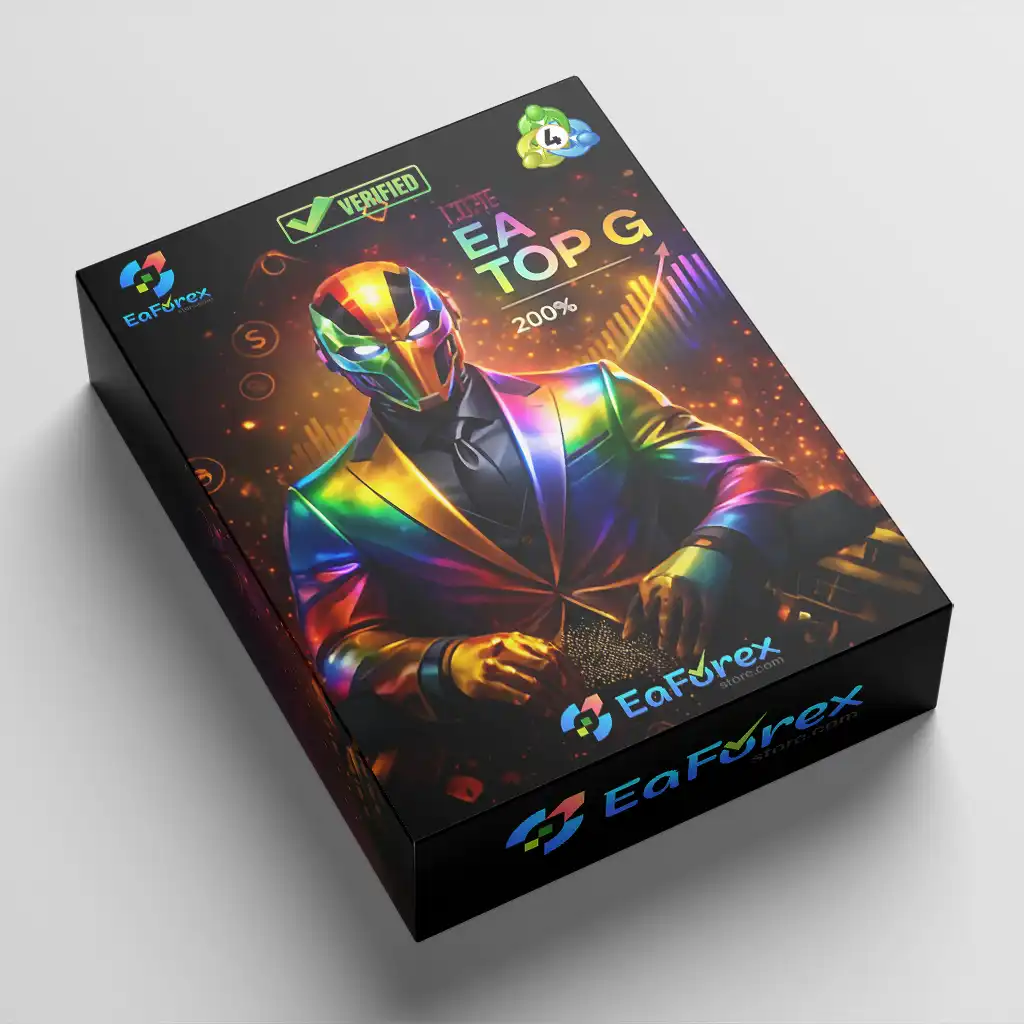

What is EA Top G MT4?
EA Top G MT4 is a professional automated forex trading system designed for long-term stability, portfolio diversification, and adaptive risk control using trend-following and hedge-based strategies.
About the Developer
• Author: Mohamed Hassan.
• Experience: Over +4 years of experience on MQL5.
• Notable Products: EA Top G MT4, EA Iron Machine MT4, Fx Kenji MT4, EA Black Lion MT4 and others.
• Flagship Product: EA Top G MT4 is rated as the best performing product of the year.
>>> Join our Channel Telegram <<<
Core Features of EA Top G MT4
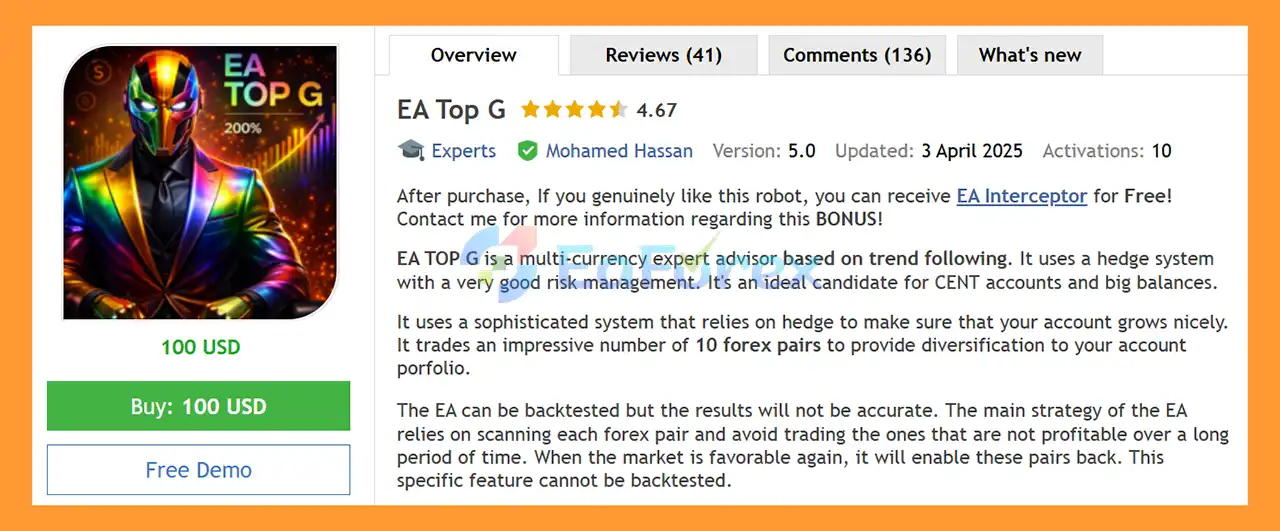
- Multi-Currency Trading: Trades up to 10 major forex pairs to efficiently diversify risk across the market.
- Trend-Following Strategy: Focuses on sustained market trends instead of short-term price noise.
- Hedge-Based Risk Management: Uses intelligent hedging to stabilize equity during high volatility.
- Adaptive Pair Selection: Automatically disables underperforming pairs and reactivates them when performance improves.
- Trend Identification System: Scans multiple currency pairs to trade only favorable market conditions.
- Dynamic Market Filtering: Avoids weak long-term market structures to protect account performance.
- Portfolio-Level Control: Manages multiple pairs under one system for consistent diversification.
Additional Features
- Flexible Account Compatibility: Works smoothly on both cent accounts and large-capital accounts.
- Hedged Position Management: Balances buy and sell exposure to reduce drawdown pressure.
- Mode-Based Execution: Offers stable and higher-frequency modes to suit different risk profiles.
- High Adaptability: Automatically adjusts to changing market regimes without manual intervention.
- Controlled Exposure Logic: Limits overtrading by activating pairs only when conditions are optimal.
- Smooth Equity Curve Design: Prioritizes steady account growth over aggressive profit chasing.
- Automated Performance Monitoring: Continuously evaluates pair efficiency for long-term stability.
Why Choose EA Top G MT4?
- Stability-Oriented System: Designed to deliver consistent growth rather than risky short-term gains.
- Strong Risk Protection: Hedge structure helps safeguard accounts during market reversals.
- Noise Reduction: Avoids high-risk methods like grid systems, martingale, or averaging.
- Long-Term Performance Focus: Trades based on sustained trends and historical efficiency.
- Hands-Free Automation: Requires minimal manual adjustment once installed.
- Efficient Diversification: One EA manages multiple forex pairs in a single setup.
- Marketplace-Ready Solution: Ideal for traders seeking reliable, long-term automated forex trading.
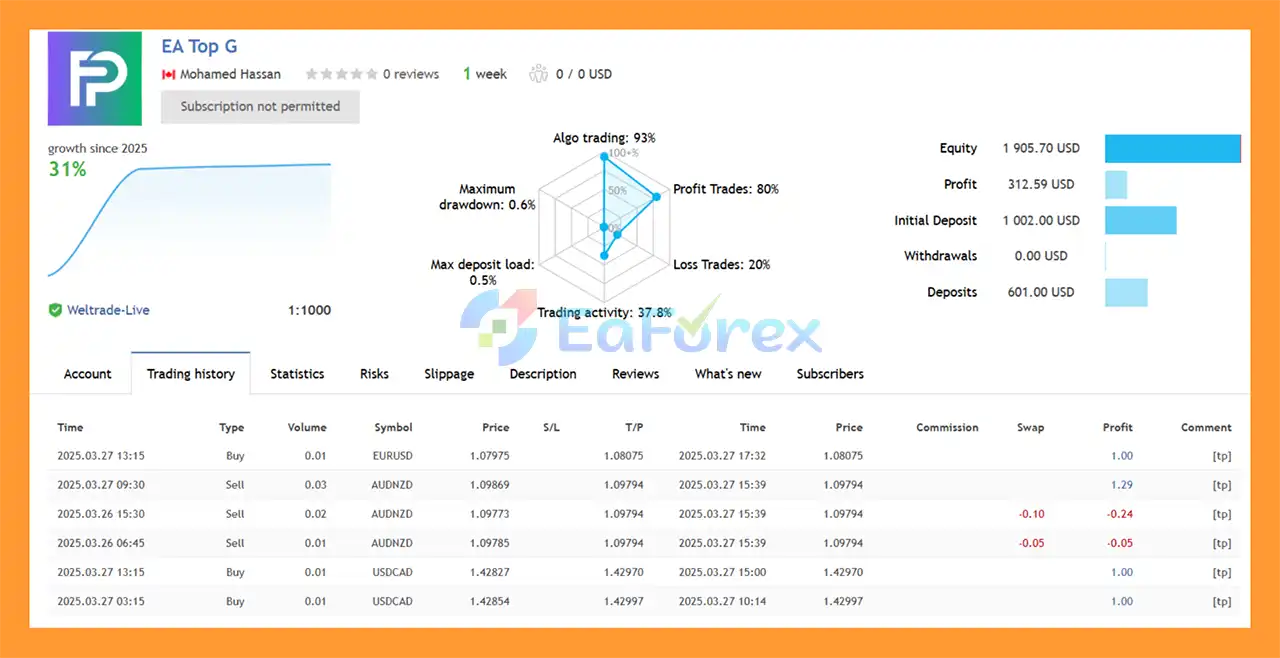
EA Top G MT4 Signal Results
- Initial Deposit: $1,000 (1 consecutive weeks)
- Growth Rate: +31%
- Win Rate (% of total): 80%
- Maximum Drawdown: 0.6%
Real User Reviews and Feedback
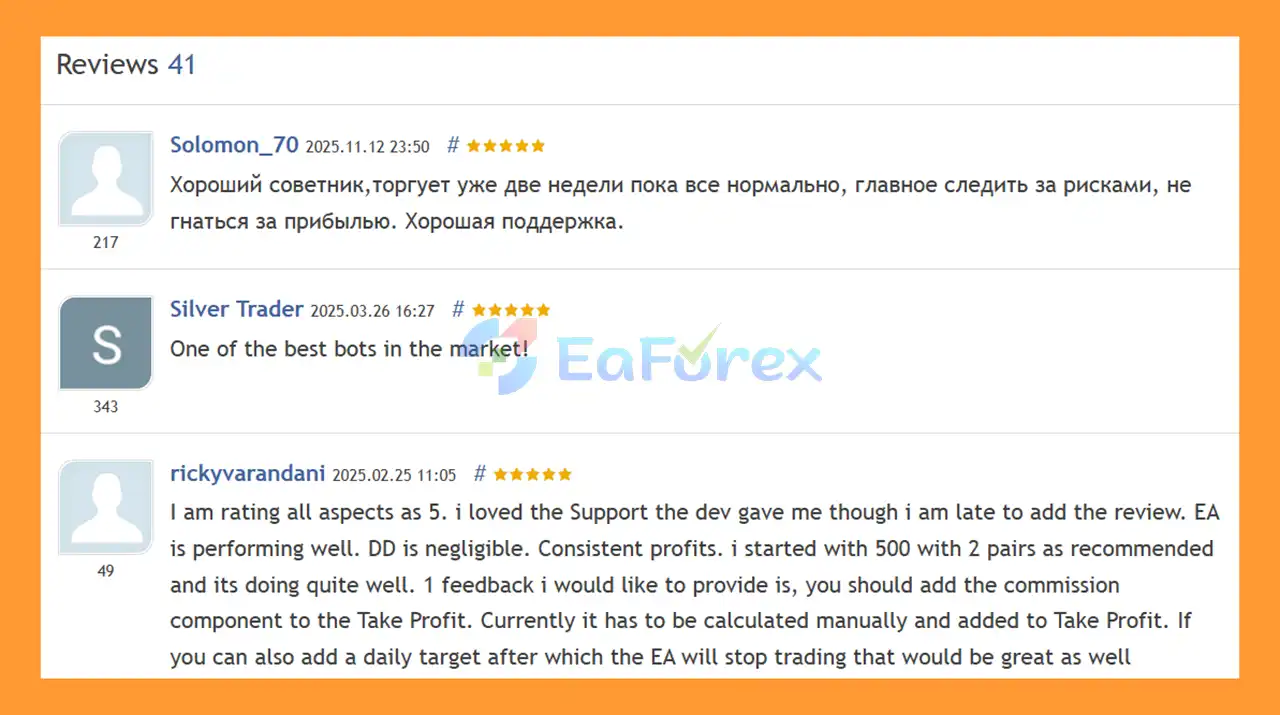
🔺 EA Top G is highly appreciated by the MQL5 community for bringing stable and reliable profits. Below are 5 star reviews from users:
What’s Included in the Download Package?
- Experts:
- EA Top G v1.0_fix.ex4
- WebRequest.txt
- Manual Guide.pdf
- SetFiles:
- EA_TOP_G_M1_TIMEFRAME_2024.set
- EA_TOP_G_M1_BROKER_SUFFIX_.set
- EA_TOP_G_j3f000_BALANCE_0.01LOT.set
- Indicators:
- SuperTrend.ex4
- t3-high-low-activator-mtf.ex4
- half-trend-buy-sell-indicator.ex4
>>> Join VIP Membership Now <<<
How To Set Up EA
🔻EA Top G MT4 is a sophisticated automated trading robot designed for the MetaTrader 4 (MT4) platform. Proper installation and a thorough understanding of the configuration settings are crucial for the robot's functionality and performance.
Step 1: Installation on the MT4 Platform
.mq4 or .ex4 extension) from the vendor.- Open MT4: Launch your MetaTrader 4 desktop platform.
- Access the Data Folder: Navigate to the top menu and click
File>Open Data Folder. - Locate the Experts Folder: In the newly opened folder window, go to
MQL4>Experts. - Copy the EA File: Paste your "Expert - EA Top G v1.0_fix" file into the
Expertsfolder. - Restart or Refresh MT4: Close and restart your MT4 platform, or in the
Navigatorwindow, right-click onExpert Advisorsand selectRefreshto make the new EA appear.
Step 2: Activating and Configuring the EA
- Enable AutoTrading: Click the
AutoTradingbutton on the top toolbar of your MT4 platform. The button should turn green. - Attach to a Chart: From the
Navigatorwindow, drag the EA Top G onto the desired currency pair chart (e.g., EURUSD, GBPUSD). This will open the settings window. - General Tab Settings:
- Check the box for
Allow live trading. - If you trust the source and need extra functions, check
Allow DLL imports.
- Check the box for
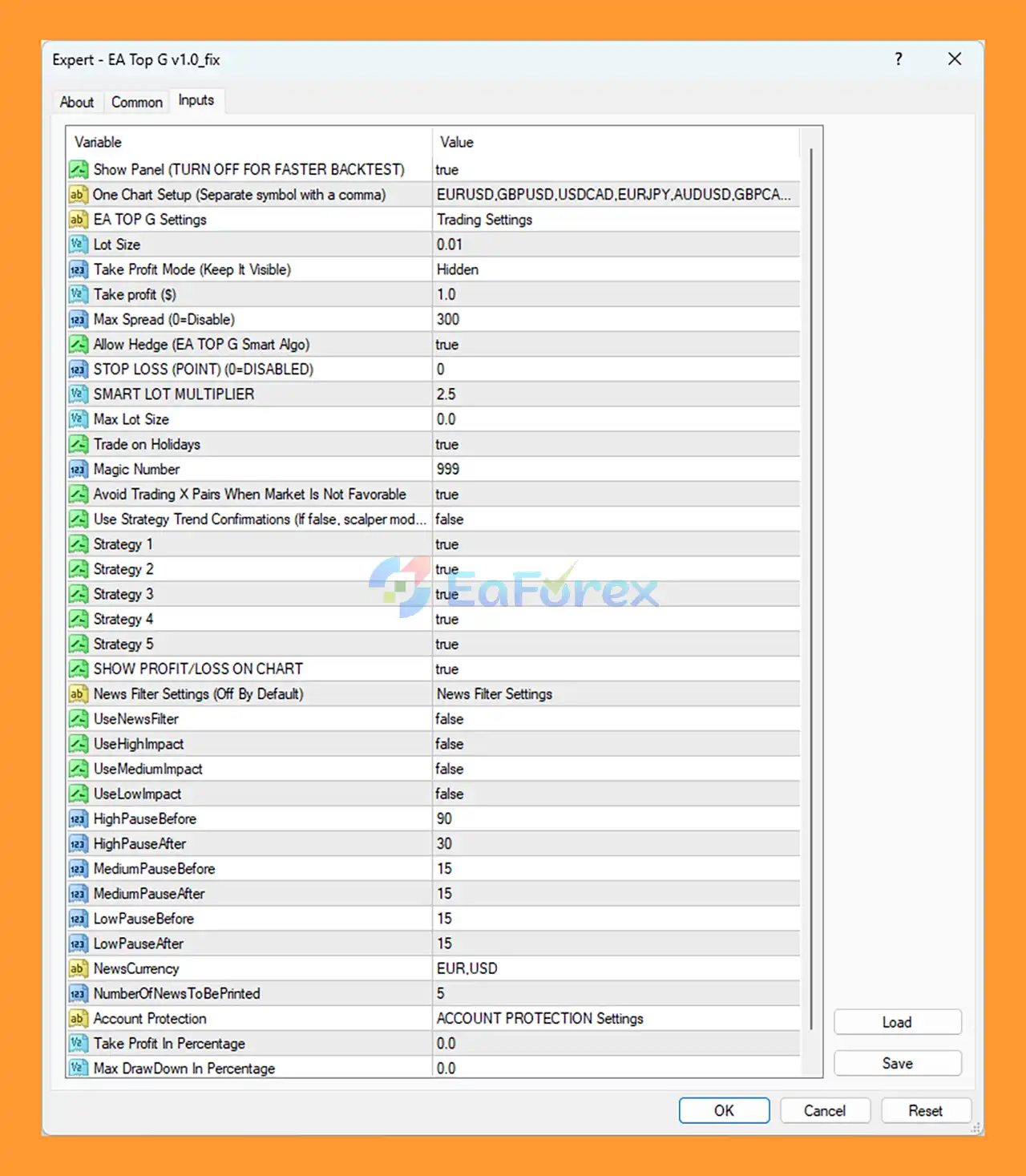
- Inputs Tab - Key Settings: The provided image shows specific default values:
- One Chart Setup: Define all trading pairs here, separated by commas (e.g.,
EURUSD,GBPUSD,USDCAD,EURJPY,AUDUSD,GBPCAD...). - Lot Size: The default fixed lot size is set to
0.01. - Max Spread: Default is
300(points), meaning the EA will trade if the spread is less than this value. - Allow Hedge: Default is
true. - Stop Loss (POINT): Default is
0(disabled). - SMART LOT MULTIPLIER: Default is
2.5. - Magic Number: Default is
999to uniquely identify trades from this EA. - Strategy Confirmations: Strategies 1 through 5 are mostly set to
trueby default, using different internal algorithms. - News Filter Settings: The news filter is
Off By Default, but settings are available for pausing before/after high, medium, and low impact news events. - Account Protection: Max Draw Down in Percentage is set to
0.0(disabled by default).
- One Chart Setup: Define all trading pairs here, separated by commas (e.g.,
- Confirm: Click
OKto save your settings and attach the EA to the chart. A smiling face icon in the top-right corner of the chart confirms that it is active.
Step 3: Best Practices
- VPS Recommended: For uninterrupted 24/7 trading, running the EA on a Virtual Private Server (VPS) is strongly recommended.
- Test Safely: Always test on a demo account before using real money.
Conclusion
In summary, EA Top G MT4 is a stability-focused automated forex trading system built for traders who prioritize long-term consistency, portfolio diversification, and intelligent risk control. By combining trend-following logic with hedge-based risk management, the EA effectively reduces drawdown pressure while maintaining smooth and steady equity growth. Its ability to trade multiple currency pairs simultaneously, automatically disable underperforming pairs, and adapt to changing market conditions makes EA Top G MT4 a strong choice for hands-free, long-term trading. Supported by positive user feedback, low drawdown signal results, and flexible configuration options, EA Top G MT4 stands out as a reliable solution for traders seeking a disciplined, diversified, and risk-aware automated trading strategy on the MT4 platform.
>>> Reviewed by Jason Stap <<<