

Product Overview
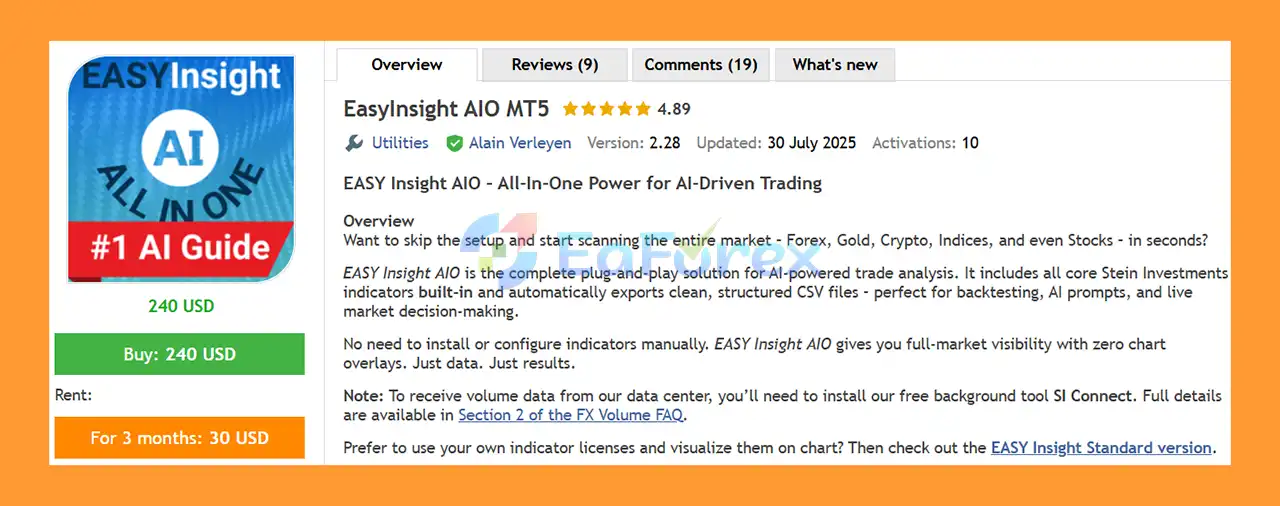
EasyInsight AIO MT5 is an all-in-one market analysis and data-export solution designed for traders who want to combine automated market scanning with modern AI-powered analysis.
Instead of installing and configuring multiple indicators individually, EasyInsight AIO MT5 comes preloaded with the core Stein Investments indicators, including FX Power, FX Volume, FX Dynamic, FX Levels, and IX Power. It also provides eight configurable standard technical indicators for additional market analysis.
The EA can scan multiple asset classes, including Forex, Gold, Cryptocurrencies, Indices, and Stocks, and automatically exports structured market data into CSV files. These files can then be used for backtesting, historical analysis, AI prompts, and live trading decision support.
EasyInsight AIO MT5 is designed with a clean, chart-free approach. Rather than filling your charts with multiple indicator overlays, it focuses on collecting and organizing market information into a structured format that can be analyzed by AI platforms such as ChatGPT, Claude, Gemini, Perplexity, and other compatible AI tools.
About the Developer
• Author: Alain Verleyen.
• Experience: Over +12 years of experience on MQL5.
• Notable Products: EasyInsight AIO MT5, EasyInsight MT5, EasyTrade MT5 and other advisors.
• Flagship Product: EasyInsight AIO MT5 is rated as the best performing product of the year.
>> Delivery time 24h-48h after payment.
>>> Refund if not delivered.
>>> You will receive the latest version without any limitations (ID+Time).>>Reviewed by Jason Stap <<
Key Features of EasyInsight AIO MT5
All-in-One Indicator Package
EasyInsight AIO MT5 includes the core Stein Investments analysis modules directly inside the EA:
- FX Power – Currency strength analysis
- FX Volume – Volume and sentiment shifts
- FX Dynamic – Market volatility analysis
- FX Levels – Support and resistance information
- IX Power – Individual symbol strength analysis
No separate indicator installation is required for these built-in components.
Multi-Asset Market Scanning
The EA is designed to work across a broad range of markets, including:
- Forex
- Gold and other metals
- Cryptocurrencies
- Indices
- Stocks and shares through manual symbol entry
This allows traders to gather information from multiple markets without manually switching between numerous charts and indicator setups.
8 Standard Technical Indicators
EasyInsight AIO MT5 also includes eight configurable technical indicators:
- ADX
- Bollinger Bands
- CCI
- Ichimoku
- Moving Average
- MACD
- RSI
- Stochastic
These indicators are integrated into the exported data structure and can be enabled or configured according to the trader's analytical requirements.
Automated CSV Export
The EA automatically generates structured CSV snapshots containing market information. This data can be used for:
- AI analysis
- Backtesting
- Market research
- Historical comparison
- Trading-system development
- Manual decision-making
AI-Optimized Prompts
Each exported dataset can be paired with a pre-built AI prompt based on the selected indicators.
The prompts are designed to help AI models evaluate market direction, potential entries, stop-loss levels, take-profit levels, and the reasoning behind a potential trading setup.
Time-Lapse Data Export
EasyInsight AIO MT5 can archive market snapshots at regular intervals, allowing traders to study how market conditions evolve over time.
The default time-lapse interval can be set to 15 minutes, with custom intervals available according to the user's requirements.
Automatic File Management
The built-in cleanup function can automatically remove older exported files, helping keep the MetaTrader terminal's data folders organized.
How Does EasyInsight AIO MT5 Work?
EasyInsight AIO MT5 works primarily as an automated market intelligence and data-export engine, rather than a traditional trade-entry EA.
After installation, the EA collects market information from its integrated analysis modules and selected standard indicators.
The collected information can include:
- Currency strength
- Volume and sentiment changes
- Volatility
- Support and resistance levels
- Individual symbol strength
- OHLC data
- Bid and Ask prices
- Spread information
- Technical indicator readings
The EA then organizes this information into structured CSV files.
These files can be analyzed manually or provided to compatible AI models using the included prompts.
A typical workflow can be:
Market Data → EasyInsight AIO MT5 → CSV Export → AI Prompt → AI Market Analysis → Trader Decision
This approach gives traders a centralized way to collect large amounts of market information without manually reading multiple charts and indicators.
Why Choose EasyInsight AIO MT5?
Complete Market Intelligence in One EA
Instead of managing several separate indicators and data-export tools, EasyInsight AIO MT5 combines multiple analytical components into one solution.
AI-Ready Trading Data
The structured CSV output makes it easier to transfer market information into AI platforms for additional analysis.
The EA is therefore particularly useful for traders experimenting with AI-assisted trading workflows.
Minimal Setup
The system is designed to work with minimal configuration. Traders do not need to manually install every integrated indicator.
The main additional requirement is SI Connect, which is used to provide live FX Volume data.
Broad Market Coverage
Forex traders are not limited to currency pairs. EasyInsight AIO MT5 can also analyze markets such as Gold, Crypto, Indices, and manually entered Stocks.
Clean Charts
The system focuses on data collection rather than displaying large numbers of indicators directly on the chart.
This can be useful for traders who prefer clean MetaTrader charts while keeping extensive market information available through exported data.
EasyInsight AIO MT5 Review
- Real-time market data with structured logic
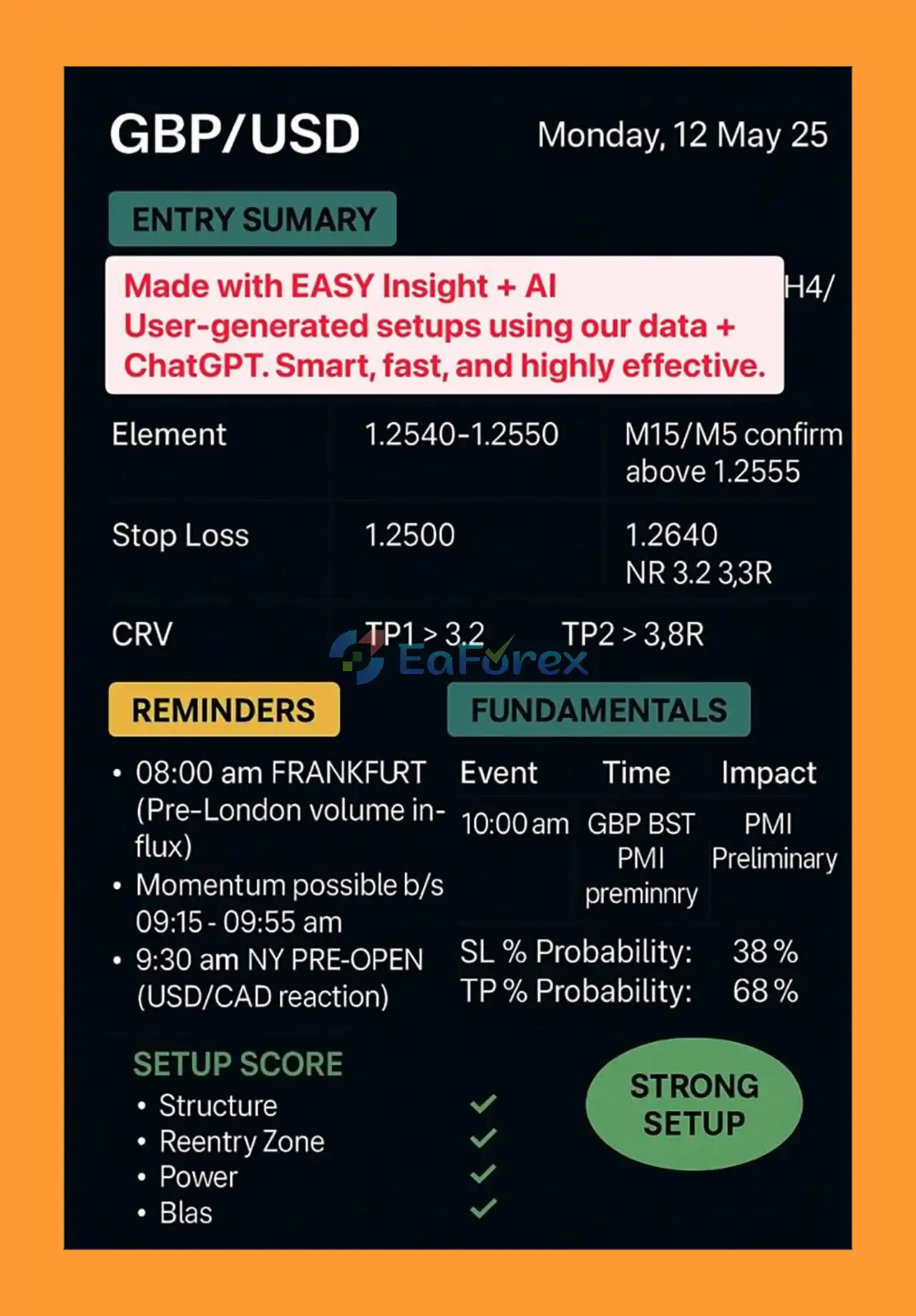
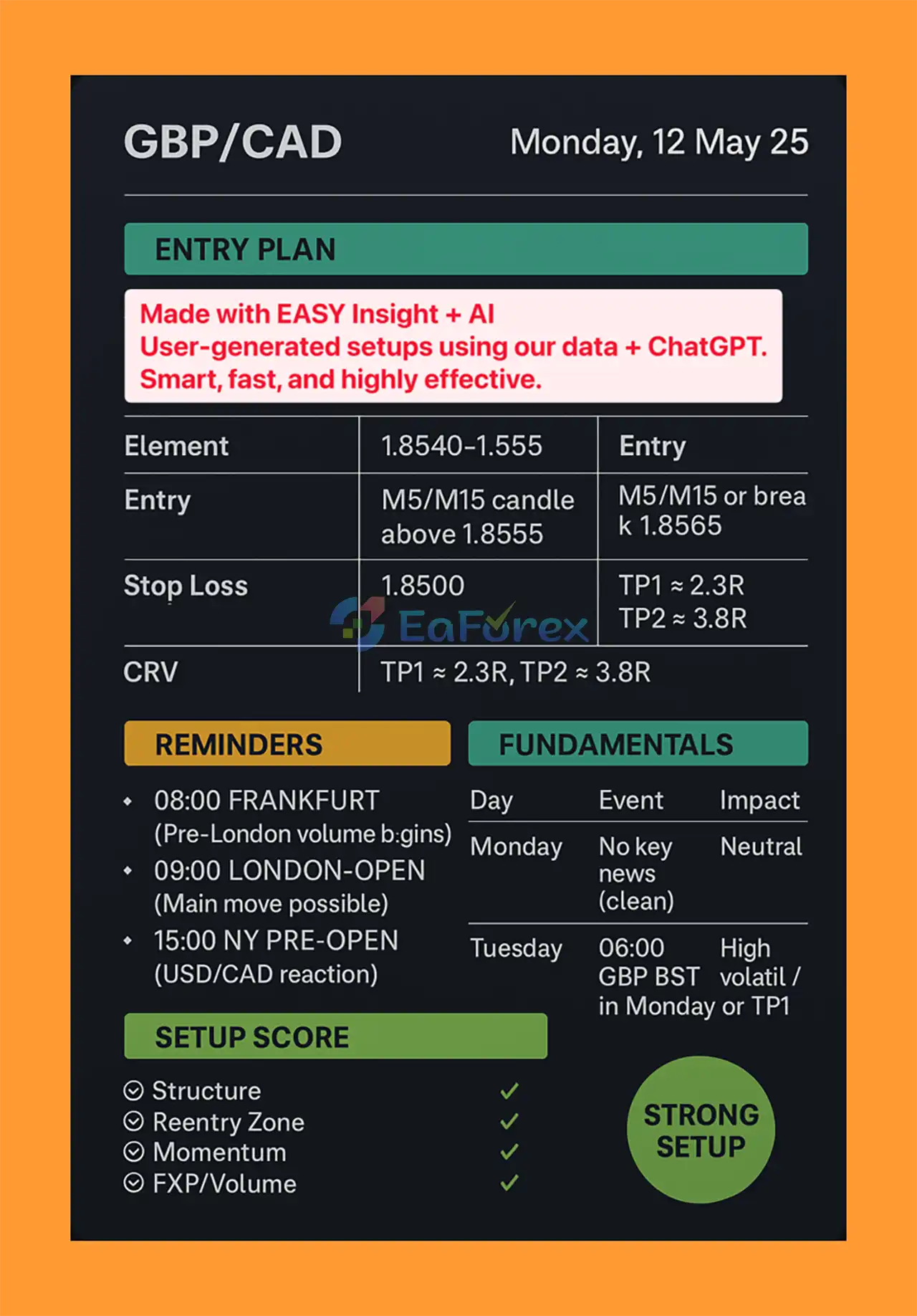
- CRV targeting and high-probability setups
- Suitable for prop firm challenges
- Works for GBP/CAD, GBP/USD, and other major pairs
- Trusted by global trading community
Performance and Risk Management
EasyInsight AIO MT5 should primarily be viewed as a market analysis and decision-support tool, rather than an EA that guarantees automatic profits.
The quality of any resulting trading decision depends on several factors, including:
- Market conditions
- Data quality
- Broker execution
- Spread and liquidity
- AI model interpretation
- Trading strategy
- Position sizing
- Stop-loss and take-profit settings
- Trader execution
The EA can provide structured information about market strength, volatility, volume, support/resistance, and technical indicators, but this information does not guarantee that a trade will be profitable.
The included AI prompts can request information such as potential direction, entry area, SL, TP, and trading logic. Traders should independently evaluate these outputs before placing real trades.
For better risk control, consider using:
- Conservative position sizing
- Defined stop-loss levels
- Maximum daily loss limits
- Maximum account drawdown limits
- Spread and execution checks
- Demo testing before live deployment
Past results or reports from users should not be interpreted as a guarantee of future performance.
Weaknesses and Risk Warnings
Despite its extensive data and AI-oriented functionality, EasyInsight AIO MT5 has several limitations that traders should understand.
AI Does Not Guarantee Correct Predictions
AI models can analyze market data, but they can also produce incorrect, incomplete, or inconsistent conclusions. AI-generated trading ideas should not automatically be treated as reliable signals.
Data Quality Matters
The usefulness of the analysis depends on the quality and completeness of the underlying market data. Broker feeds, spreads, liquidity, symbol specifications, and available volume information can vary.
Not a Guaranteed Profit EA
EasyInsight AIO MT5 does not guarantee profitable trades, consistent returns, or successful trading results.
Market Conditions Change
A strategy or AI interpretation that works in one market environment may perform differently during high volatility, news events, low liquidity, or changing market regimes.
External AI Platforms
When using exported CSV files with external AI services, traders should understand that those services operate independently from the EA and may change their models, capabilities, or output quality over time.
Manual Validation Is Recommended
AI-generated entry, SL, and TP suggestions should be treated as analytical input rather than guaranteed trading instructions.
Always test the complete workflow on a demo account before using significant real capital.
Pros and Cons
Pros
- All-in-one market analysis solution
- Built-in Stein Investments core indicators
- Covers Forex, Gold, Crypto, Indices, and Stocks
- Includes 8 configurable standard indicators
- Automated CSV data export
- AI-optimized prompts included
- Compatible with multiple AI platforms
- Time-lapse market snapshots
- Automatic file cleanup
- Minimal setup requirements
- Clean charts without excessive indicator overlays
- Useful for AI-assisted market research and backtesting
Cons
- Requires SI Connect for live FX Volume data
- AI analysis is not guaranteed to be accurate
- Requires additional interpretation before trading
- CSV/AI workflow may be more suitable for analytical traders than beginners seeking fully automatic execution
- Results depend on broker data and market conditions
- No trading system can eliminate market risk
How to Install EasyInsight AIO MT5
- Download EasyInsight AIO MT5 and install the EA in your MetaTrader 5 terminal.
- Open MetaTrader 5 and make sure automated trading is enabled.
- Install and configure SI Connect if live FX Volume data is required.
- Attach EasyInsight AIO MT5 to a chart.
- Select the symbols and market data you want to analyze.
- Configure the available standard indicators if required.
- Choose your preferred CSV export and time-lapse settings.
- Allow the EA to generate the market-data snapshots.
- Open the exported CSV files and use the included AI prompts with your preferred AI platform.
- Test the complete workflow on a demo account before applying the system to live trading.
For best results, verify that your broker provides the required symbols and that the symbol names used by your MT5 broker are correctly configured.
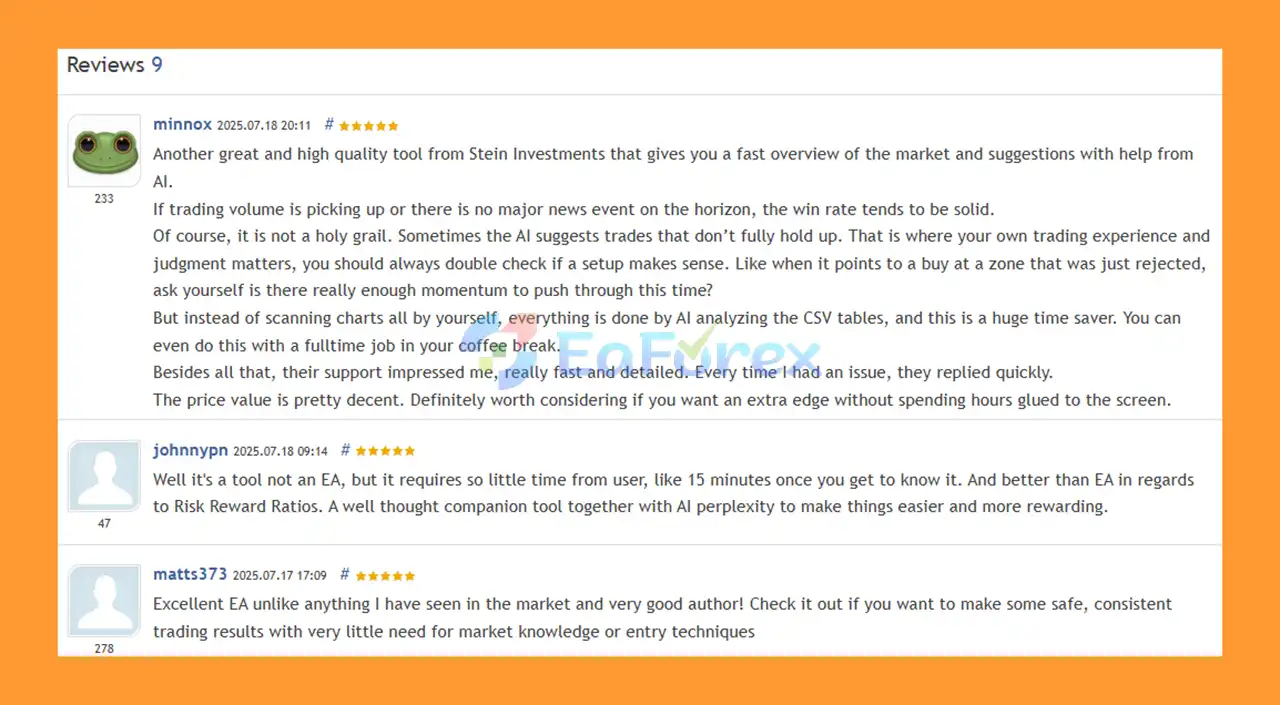
Real User Reviews and Feedback
🔺EasyInsight AIO is highly appreciated by the MQL5 community for bringing stable and reliable profits. Below are 5 star reviews from users:
What’s Included in the Download Package?
- Setting (If Any).docx
- Installation Guide.docx
Final Thoughts
EasyInsight AIO MT5 is designed for traders who want to combine automated market-data collection with modern AI-assisted trading analysis.
By integrating Stein Investments' core analytical modules, eight standard technical indicators, multi-asset scanning, automated CSV exports, time-lapse functionality, and AI-ready prompts, the EA provides a centralized workflow for collecting and analyzing large amounts of market information.
Rather than simply generating conventional trading signals, EasyInsight AIO MT5 focuses on giving traders structured information that can be processed through AI models and incorporated into their own trading methodology.
For traders interested in AI trading, multi-market analysis, automated data collection, backtesting, and AI-assisted decision-making, EasyInsight AIO MT5 offers a flexible all-in-one environment.
However, AI-generated analysis should always be treated as decision-support information—not a guarantee of profitable trading. Proper testing, risk management, and independent validation remain essential before using the system in live markets.



