









-
 Unlimited Activations
-
 Instant delivery
-
 Easy to install




 Unlimited Activations
Instant delivery
Easy to install
Unlimited Activations
Instant delivery
Easy to install
 Free Update
 Free Install Support

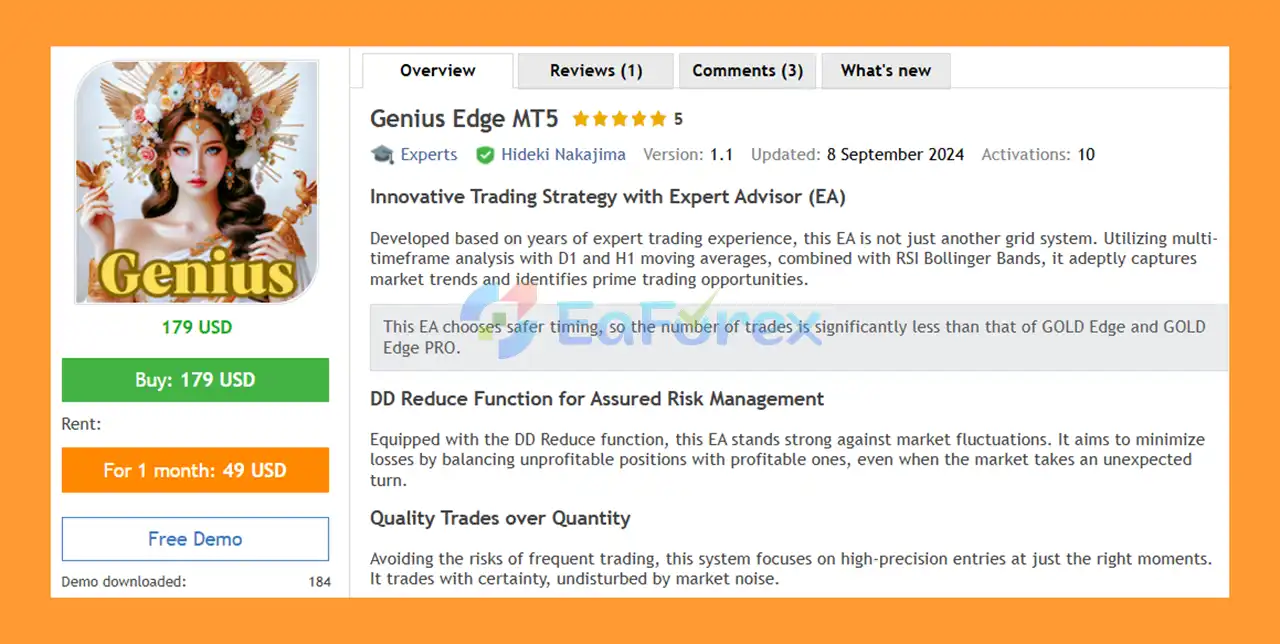
Genius Edge MT5 is an innovative Expert Advisor designed to identify high-quality trading opportunities using multi-timeframe market analysis, moving averages, RSI, Bollinger Bands, and adaptive grid management.
Developed from years of professional trading experience, Genius Edge MT5 is designed to focus on quality trades rather than trading frequency. Compared with more aggressive systems such as GOLD Edge and GOLD Edge PRO, Genius Edge uses more selective entry timing, resulting in fewer trades.
The EA analyzes market conditions across the D1 and H1 timeframes, combining moving average signals with RSI and Bollinger Bands to identify potential market trends and trading opportunities.
Genius Edge MT5 also includes a DD Reduce function, which is designed to manage unfavorable positions by balancing losing positions with profitable positions when market conditions move against the strategy.
The EA can be used on multiple financial instruments, including GBPUSD, EURUSD, USDJPY, and XAUUSD, with an M5 timeframe recommended.
A minimum deposit of approximately $3,000 or more is recommended for appropriate operation and risk management.
• Author: Hideki Nakajima.
• Experience: Over +3 years of experience on MQL5.
• Notable Products: Genius Edge MT5, GOLD Edge PRO MT5, GOLD Edge PRO MT4 and other advisors.
• Flagship Product: Genius Edge MT5 is rated as the best performing product of the year.
>> Delivery time 24h-48h after payment.
>>> Refund if not delivered.
>>> You will receive the latest version without any limitations (ID+Time).>>Reviewed by Jason Stap <<
Genius Edge MT5 combines several technical analysis tools to determine when market conditions are suitable for trading.
The EA uses multi-timeframe analysis, primarily incorporating the D1 and H1 moving averages to evaluate broader market direction. It then combines this information with RSI and Bollinger Bands to identify potential entry opportunities.
Instead of attempting to trade every market movement, Genius Edge is designed to wait for what it considers more favorable conditions. This selective approach means the EA generally takes fewer trades than more aggressive trading systems.
One of the key features of Genius Edge MT5 is its DD Reduce function.
When some positions become unprofitable due to an unexpected market movement, the EA is designed to manage the overall position structure by balancing losing positions with profitable positions where possible.
The goal is to reduce the impact of unfavorable positions and help control overall drawdown.
However, the DD Reduce function should not be interpreted as a guarantee that losses or drawdowns will always be recovered. Grid-based position management can still expose an account to significant risk during prolonged or strongly directional market movements.
Genius Edge MT5 includes an Auto Set Distance function.
The required grid interval can differ significantly between currency pairs and financial instruments. Instead of requiring the trader to manually determine an appropriate distance for every symbol, the EA can automatically calculate a suitable grid interval.
This allows the system to be used across different markets while adapting its grid distance to the selected instrument.
Genius Edge MT5 is designed for traders who prefer a more selective automated trading approach rather than a system that constantly opens positions.
One of its main advantages is the combination of multi-timeframe analysis and technical indicators. D1 and H1 moving averages provide broader market context, while RSI and Bollinger Bands are used to help identify potential trading opportunities.
The EA also provides several tools that allow traders to control when and how the system operates.
For example, users can define:
These controls give traders greater flexibility when adapting Genius Edge MT5 to their preferred trading environment.
The Daily Profit Stop can also be useful for traders who want the EA to stop opening new trades after reaching a predefined daily profit target.
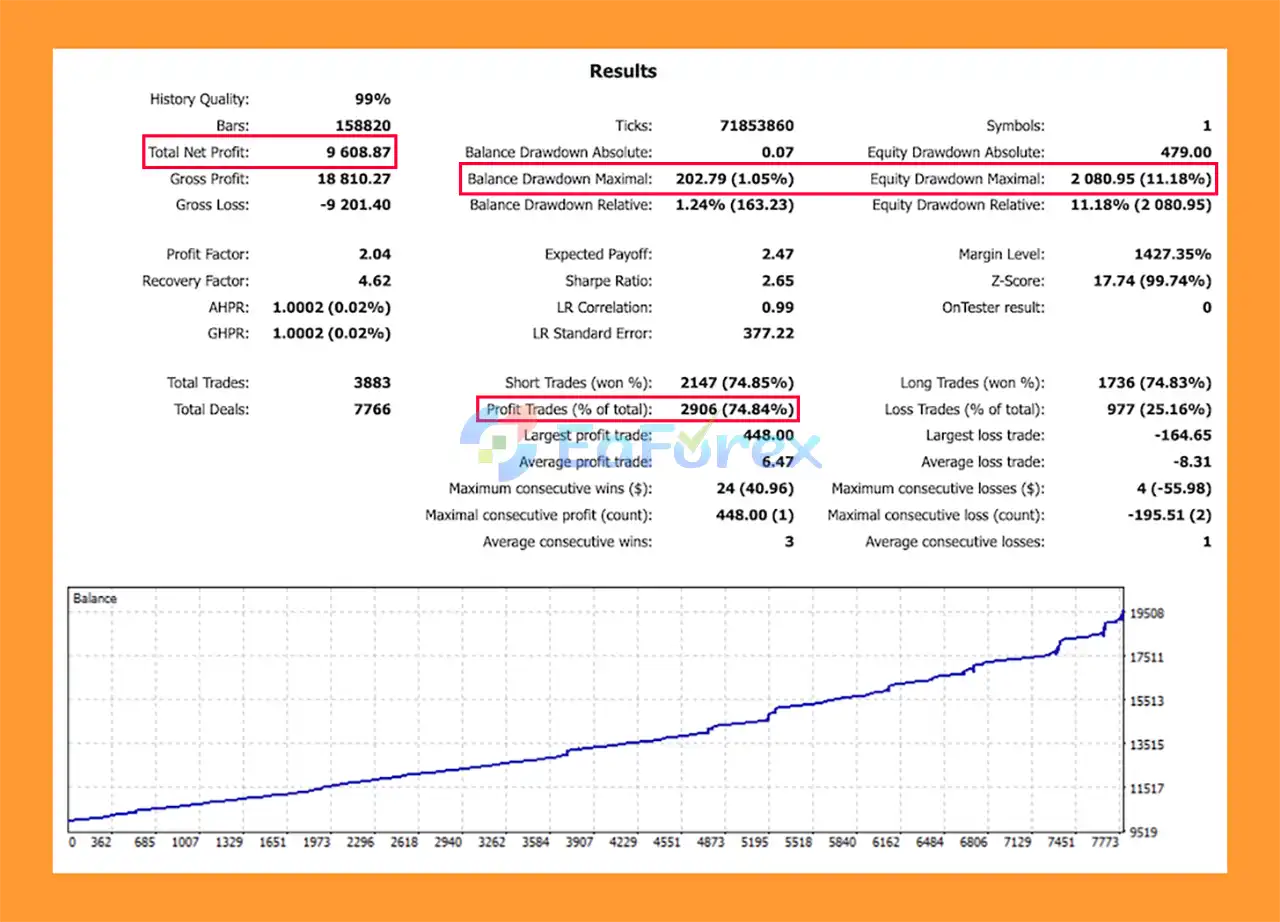
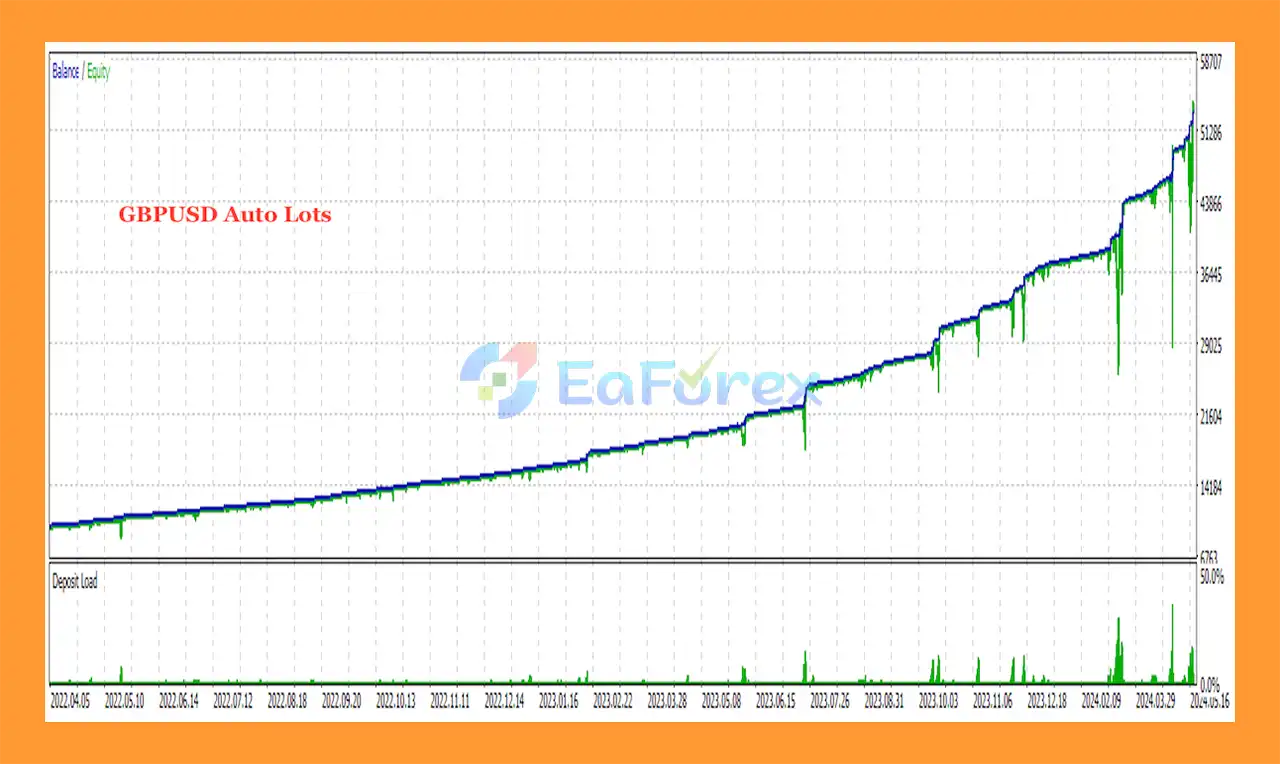
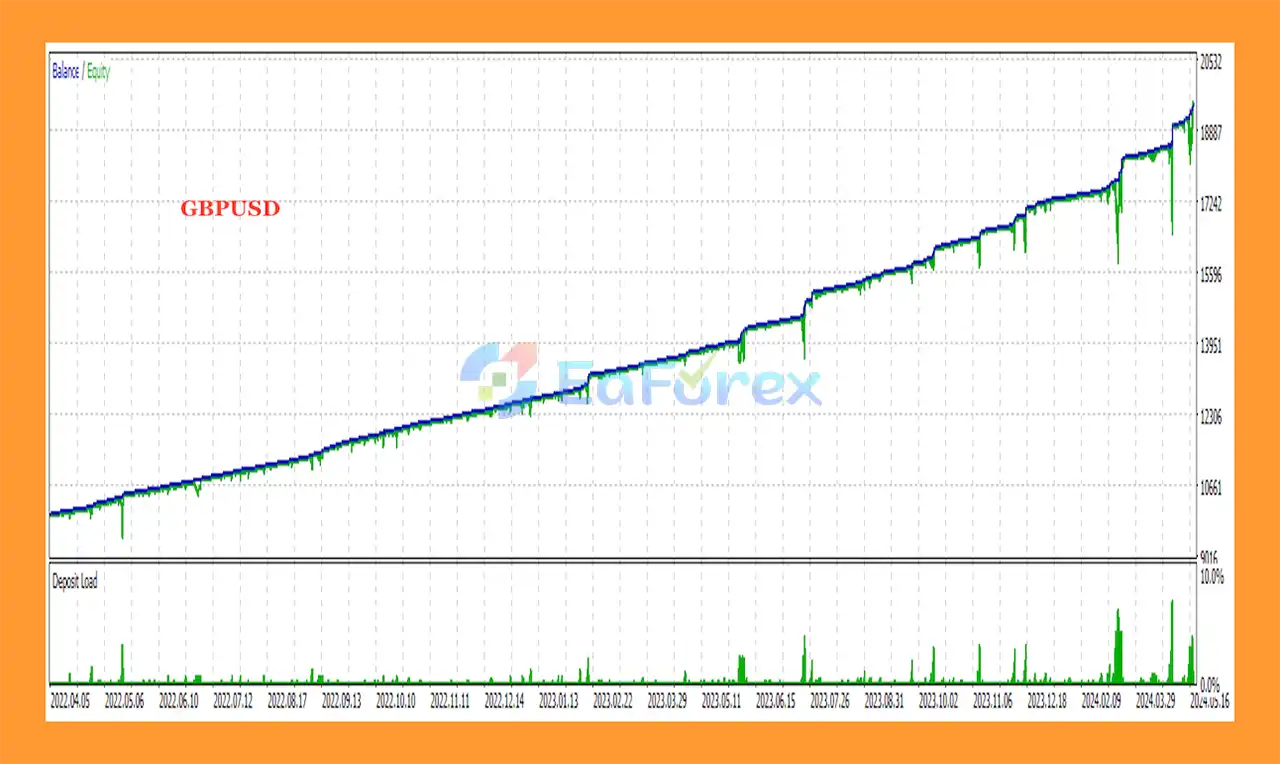
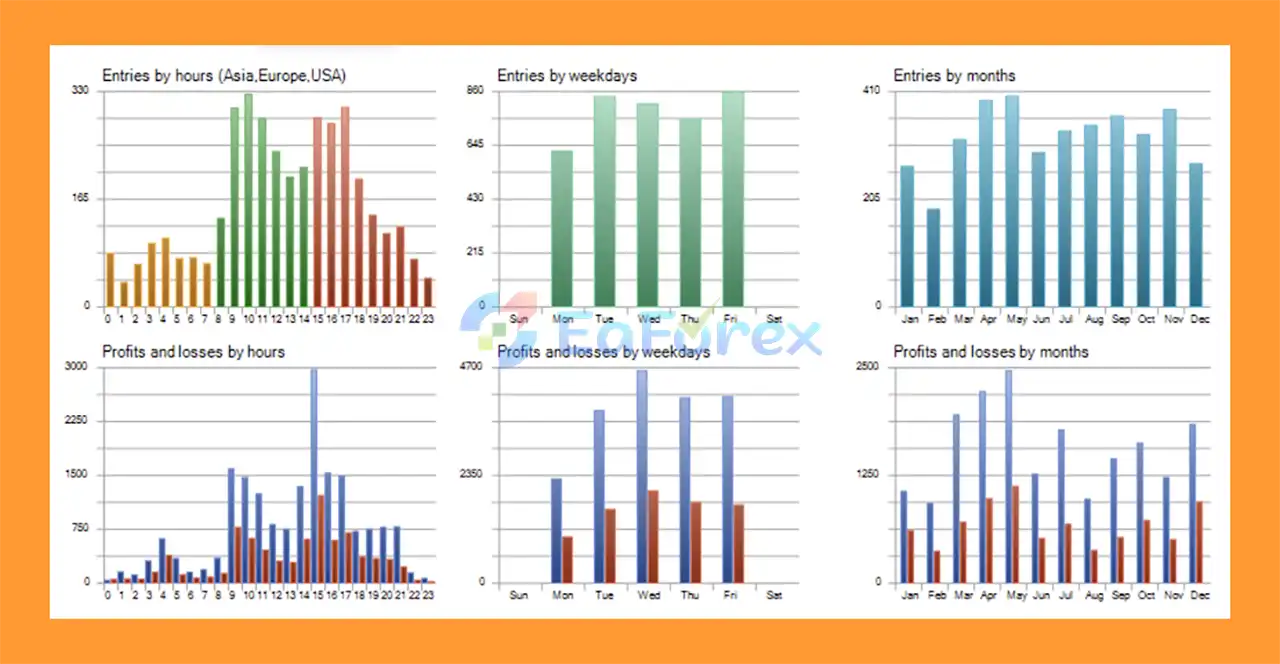
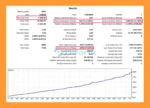
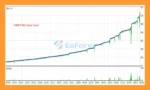
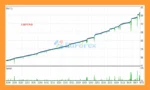
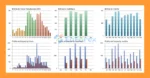
🟢 Verified results show
Genius Edge MT5 Backtest Resultss
Genius Edge MT5 Backtest Trading Results
Genius Edge MT5 Backtests Trading Results
Risk management is an important part of the Genius Edge MT5 design.
The EA provides multiple functions intended to help control trading exposure and avoid unfavorable market conditions.
Users can define a daily profit target. Once the account reaches the specified profit target, the EA can stop trading for the remainder of the day.
For example, entering 10 as the target means the EA can stop trading once the account reaches a $10 profit, assuming the account currency is USD.
This feature may help traders protect accumulated daily profits and reduce unnecessary trading after a target has been reached.
The Spread Filter allows the EA to stop trading when the current spread exceeds a predefined level.
This can help avoid entering trades during periods of unusually high transaction costs or poor liquidity.
Users can specify particular days when the EA should not trade.
This can be useful for avoiding periods such as:
The EA can also be configured to close existing positions on designated non-trading days.
Genius Edge MT5 allows users to define specific trading hours.
The EA can also be configured to close open positions outside the selected trading period, providing additional control over overnight or off-session exposure.
Despite its risk-management functions, Genius Edge MT5 uses grid-related position management and therefore should not be considered a low-risk or guaranteed-profit system.
The recommended starting capital is $3,000 or more, but the appropriate account size ultimately depends on the selected instrument, broker conditions, risk settings, and trading configuration.
Although Genius Edge MT5 is described as more selective than some other systems, it still incorporates grid-related functionality. During a prolonged one-directional market movement, multiple positions can accumulate and increase account exposure.
The DD Reduce function is designed to help manage unfavorable positions, but it cannot guarantee that losses will be recovered or that drawdown will remain within a specific level.
Currency pairs and especially XAUUSD can experience rapid price movements. Unexpected volatility can cause increased drawdown and slippage.
A minimum deposit of $3,000 or more is recommended. Traders should avoid using insufficient capital with aggressive settings because inadequate margin can increase the risk of forced position closures.
Actual results can vary depending on broker spreads, commissions, slippage, liquidity, execution speed, and trading conditions.
No Expert Advisor can guarantee consistent profits. Historical or backtested performance should not be considered a promise of future results.
Although Genius Edge MT5 can be used on various financial instruments, each symbol has different volatility, spread, liquidity, and market behavior. Settings suitable for one instrument may not be suitable for another.
Installing Genius Edge MT5 is straightforward for users familiar with MetaTrader 5.
Install MetaTrader 5 through your preferred broker and log into your trading account.
Copy the Genius Edge MT5 EA files into the appropriate Experts directory in MetaTrader 5.
Restart MT5 or refresh the Navigator window after installation.
The recommended timeframe for Genius Edge MT5 is M5.
Open the financial instrument you want to trade, such as:
The EA can also be used on other supported financial instruments.
Drag Genius Edge MT5 from the Navigator window onto the selected M5 chart.
Make sure Algo Trading is enabled in MetaTrader 5.
Review the available parameters and configure your preferred:
The Auto Set Distance function can be enabled when you want the EA to automatically determine an appropriate grid interval for the selected instrument.
Before using real funds, test the EA on a demo account and monitor its trading behavior, drawdown, spread requirements, and position exposure.
Only move to a live account after you are comfortable with the EA’s behavior and understand the associated risks.
🔺Genius Edge MT5 is highly appreciated by the MQL5 community for bringing stable and reliable profits. Below are 5 star reviews from users:
>>> Join VIP Membership Now <<<
Genius Edge MT5 is an automated trading system designed around selective market entries, multi-timeframe analysis, and advanced position-management features.
Its combination of D1 and H1 moving averages, RSI, Bollinger Bands, DD Reduce, Auto Set Distance, Spread Filter, and trading schedule controls gives traders a wide range of tools for customizing the EA.
One of its key characteristics is its focus on quality trades over quantity. Rather than attempting to trade every market movement, Genius Edge is designed to wait for more favorable conditions, which can result in fewer trades.
However, traders should pay particular attention to the EA’s grid-related exposure and DD Reduce mechanism. These features can help manage positions, but they cannot remove the underlying risks associated with adverse market movements.
For traders considering Genius Edge MT5, a $3,000+ starting capital, conservative configuration, appropriate broker conditions, and thorough demo testing are recommended.
Overall, Genius Edge MT5 may be an interesting choice for traders looking for a multi-timeframe MT5 Expert Advisor with selective entries, adaptive grid management, and extensive risk-control features.
1. What is Genius Edge MT5?
Genius Edge MT5 is an innovative Expert Advisor (EA) that prioritizes quality trades over quantity. Using multi-timeframe moving averages (D1 & H1) and RSI Bollinger Bands, it captures reliable market trends while minimizing noise and risky trade entries.
2. Which instruments does Genius Edge MT5 support?
The EA is optimized for the M5 timeframe and supports major forex pairs and gold, including GBPUSD, EURUSD, USDJPY, and XAUUSD, with adaptability for other financial instruments as well.
3. How does the DD Reduce function work in Genius Edge MT5?
The DD Reduce function helps manage drawdown by closing losing and winning trades together, reducing floating losses and maintaining account stability even in volatile markets.
4. What risk management features are included in Genius Edge MT5?
Genius Edge MT5 comes with multiple built-in protections, such as:
Daily profit stop to secure gains once targets are reached
Spread filter to avoid trading during high spreads
Non-trade day settings for risky periods like month-end
Time-to-trade and day-of-week filters for flexible scheduling
5. Is Genius Edge MT5 suitable for beginner traders?
Yes. The EA is user-friendly and comes with an installation guide, preset settings, and a trading panel for manual adjustments. Beginners can start quickly without complex configurations, while professionals can fine-tune for advanced strategies.
6. What are the backtest results of Genius Edge MT5?
Verified backtests show:
Total Net Profit: $9,608.87
Win Rate: ~74.84%
Profit Factor: 2.04
Max Balance Drawdown: 1.05%
Max Equity Drawdown: 11.18%
These results highlight its consistent profitability with low risk exposure.
In stock
In stock
In stock
In stock
In stock
Out of stock
No account yet?
Create an Account












 Automatic EA
 EA Best Seller
 Expert Advisor MT4
 Expert Advisor MT5
 HFT EA


Reviews
Clear filtersThere are no reviews yet.