Product Overview
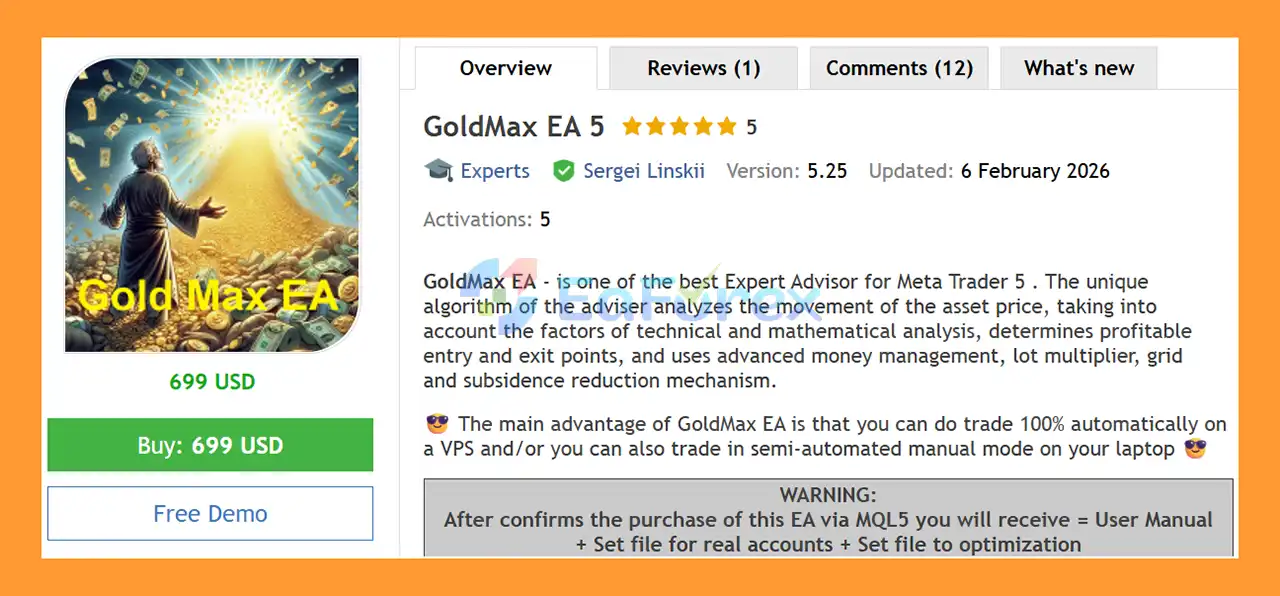
GoldMax EA 5 MT5 is an automated Expert Advisor for MetaTrader 5 designed to analyze price movements using a combination of technical and mathematical analysis. The EA identifies potential entry and exit opportunities while applying advanced money management, lot multiplication, grid trading, and mechanisms designed to reduce drawdown.
GoldMax EA 5 MT5 can operate in fully automated mode on a VPS for 24/7 trading or be used in a semi-automated mode when traders prefer to monitor and manage positions manually.
The EA is highly configurable, allowing traders to optimize its parameters for different brokers, account types, symbols, timeframes, and deposit sizes.
About the Developer
- Author: Sergei Linskii
- Experience: Over +3 years of experience on MQL5.
- Notable Products: GoldMax EA 5 MT5, GoldMax EA 4 MT4, BTCmax EA MT5, FXmax EA MT5, FXmax EA MT4 and others.
- Flagship Product: GoldMax EA 5 MT5 is rated as the best performing product of the year.
>> Delivery time 24h-48h after payment.
>>> Refund if not delivered.
>>> You will receive the latest version without any limitations (ID+Time).
>>Reviewed by Jason Stap <<
Key Features of GoldMax EA 5 MT5
- Automated MT5 Trading – Designed for fully automated trading through MetaTrader 5.
- Semi-Automated Trading – Can also be used in a semi-automated manual trading environment.
- Technical & Mathematical Analysis – Analyzes price behavior using internal calculations and MT5 indicators.
- Advanced Money Management – Configurable position sizing and risk parameters.
- Lot Multiplier – Supports increasing position volume according to configured settings.
- Grid Trading Mechanism – Can manage multiple positions according to price movement and grid parameters.
- Drawdown Reduction Mechanism – Includes internal mechanisms designed to manage and reduce account drawdown.
- Flexible Timeframe – Can be installed on different chart timeframes.
- Multi-Asset Capability – Can potentially be used with currencies, metals, cryptocurrencies, stocks, indices, and other supported instruments after appropriate optimization.
- Built-In Magic Number – Uses Magic Numbers to identify its own trades.
- No External Resources Required – The EA relies on MT5 indicators and internal calculations rather than external data resources.
- VPS Compatible – Designed for continuous 24/7 operation on a VPS.
How Does GoldMax EA MT5 Work?
GoldMax EA 5 MT5 analyzes the movement of the selected trading instrument and searches for potential trading opportunities based on its internal technical and mathematical logic.
The EA combines several components:
🔺Price Movement Analysis
GoldMax EA 5 MT5 evaluates market price behavior to identify potential areas for entering and exiting trades.
🔺Technical Analysis
The EA uses indicators available within MetaTrader 5 rather than relying on external resources or fundamental/news data.
🔺Money Management
Position sizing can be configured according to the trader’s account and risk preferences. Parameters such as minimum volume, volume step, maximum volume, and other money-management settings can be adjusted.
🔺Grid and Lot Multiplication
GoldMax EA 5 MT5 can use a grid-based position structure combined with a lot multiplier. Depending on market movement and configuration, additional positions may be opened as part of the trading strategy.
Because grid and lot multiplication can increase total exposure, traders should carefully evaluate maximum drawdown, margin requirements, and position concentration during optimization.
🔺Automated Position Management
Once configured, the EA can manage trading operations automatically without requiring the trader to manually open and close every position.
Why Choose GoldMax EA MT5?
GoldMax EA 5 MT5 provides a flexible framework for traders who want to test and customize an automated trading system rather than relying on a fixed configuration.
Its main advantages include:
- Suitable for fully automated VPS trading
- Can also support semi-automated trading
- Flexible timeframe selection
- Adjustable trading parameters
- Supports different symbols after successful optimization
- Uses built-in MT5 indicators and internal calculations
- Does not depend directly on fundamental analysis or external news resources
- Can be optimized for different brokers and account conditions
- Supports different account types, including Pro, Raw, ECN, and Cent accounts where hedging is available
- Can be configured for different deposit sizes and leverage conditions
The developer also states that the EA is intended to behave similarly across Strategy Tester, demo, and real-account environments. However, actual live execution can still vary because broker conditions, spreads, liquidity, execution, quotes, and server latency are not identical.
Recommended Setup
The developer recommends the following starting conditions:
| Parameter |
Recommended Setup |
| Platform |
MetaTrader 5 |
| Primary Symbol |
XAUUSD (Gold) |
| Timeframe |
Any timeframe; M15 used by the developer |
| Account Type |
Pro / Raw / ECN / Cent |
| Account Mode |
Hedging |
| Minimum Volume |
0.01 |
| Volume Step |
0.01 |
| Maximum Volume |
From 100 |
| Recommended Deposit |
From $10,000 |
| Minimum After Optimization |
From $5,000 |
| Leverage |
From 1:100 after optimization |
| Developer Recommendation |
1:500 |
| Trading Environment |
VPS, 24/7 |
| Optimization Period |
12–24 months |
| Optimization Frequency |
Every 1–3 months |
| Stop Level |
0, where scalping is supported |
The developer lists brokers such as RoboForex, Alpari, FxPro, Weltrade, and IC Markets, while emphasizing that successful optimization should be performed for the specific broker and account conditions being used.
GoldMax EA MT5 Optimization
Optimization is an important part of using GoldMax EA because broker conditions can significantly affect automated trading results.
The developer recommends using the broker’s own MT5 historical data and testing the exact symbol, account type, deposit size, and trading environment intended for live trading.
Step 1 – Check Historical Data
In the MT5 Strategy Tester, load the maximum available historical data for the selected broker and symbol.
The recommended modeling method is:
Every tick based on real ticks / 100% real ticks
The developer recommends having at least two years of historical quote data when possible. If a broker provides significantly less historical data, optimization results may provide a less comprehensive basis for evaluating the strategy.
Make sure the MT5 setting:
Max bars in chart = Unlimited
is configured so that available historical data can be loaded appropriately.
Step 2 – Test the Filling Mode
The first test should be performed using:
FILLING_FOK
If the EA trades correctly under FOK mode, you can proceed with:
- Genetic Optimization
- Complete Optimization
- Every tick based on real ticks
If the EA does not open trades and the MT5 Journal reports:
Unsupported filling mode / Error Code 4756
the developer recommends testing:
FILLING_IOC
and then repeating the optimization using real-tick modeling.
GoldMax EA 5 MT5 Performance Review
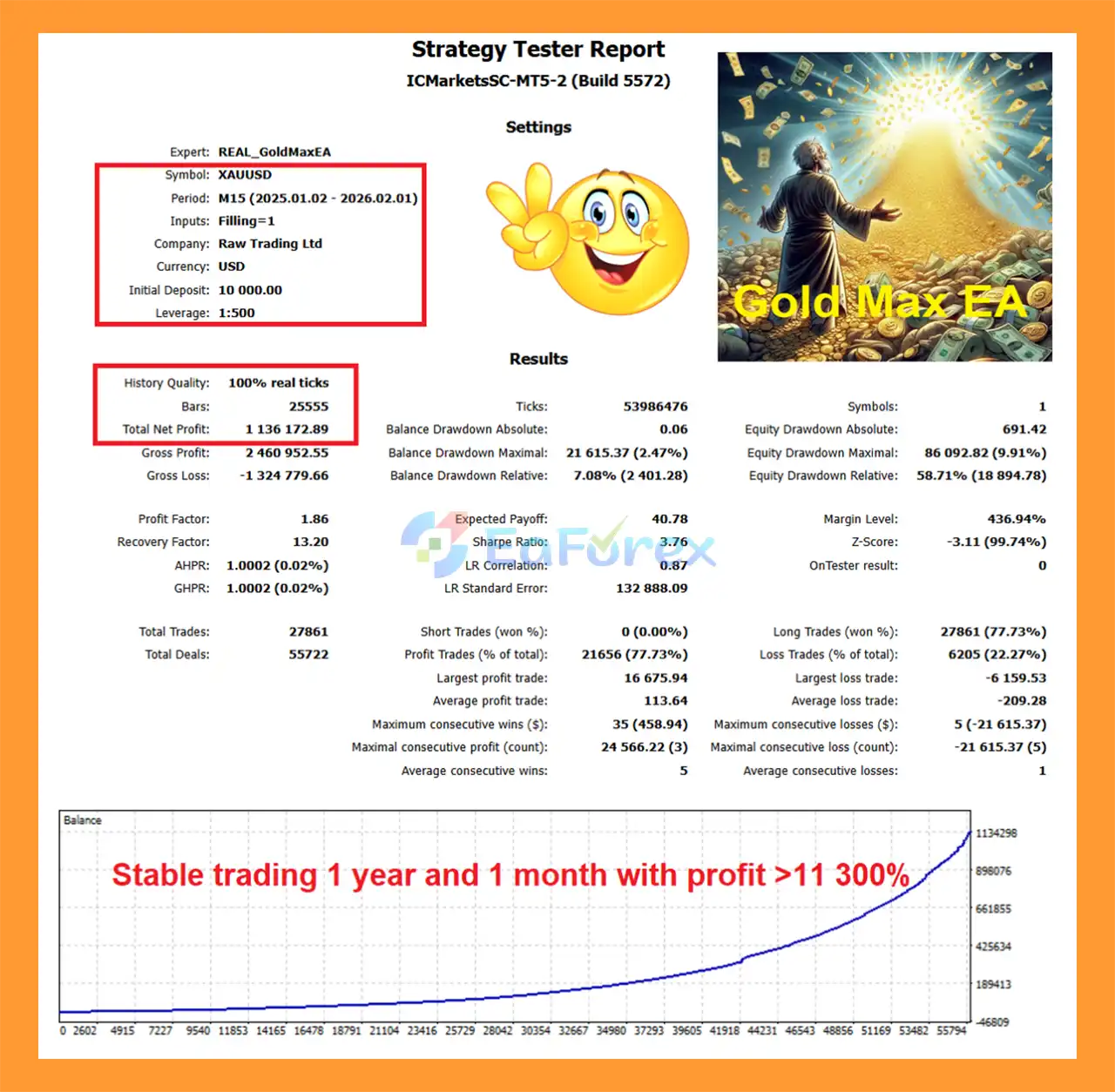
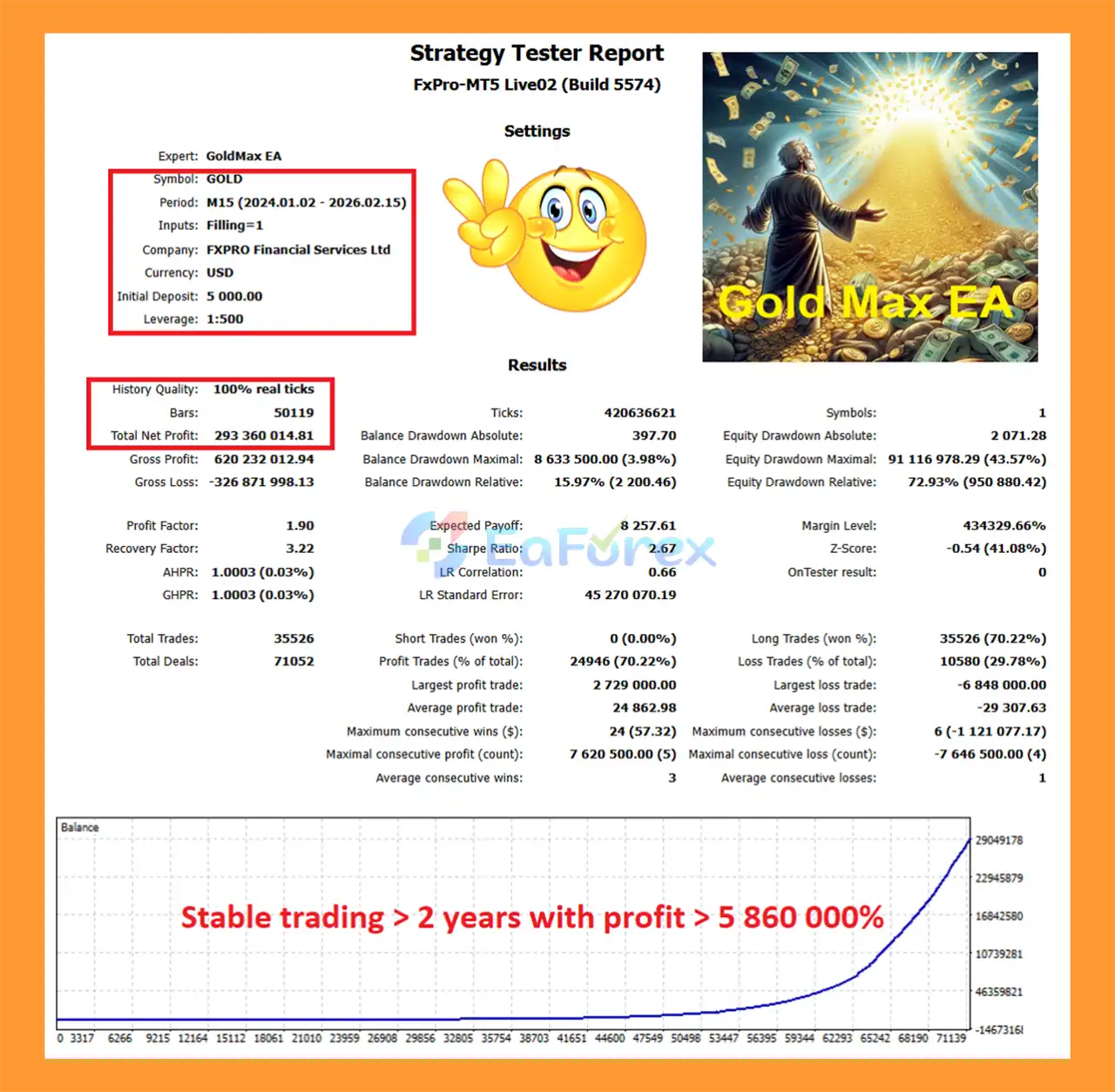
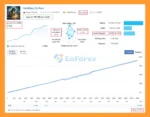
🟢Verified Profitable By MyFxBook
🔺XAUUSD (Gold) pair
- Initial Deposit: $6,000
- Total Gain: +1,212.24%
- Average Daily Profit: 3,86%
- Average Monthly Profit: 215,90%
- Maximum Drawdown: 15.44%
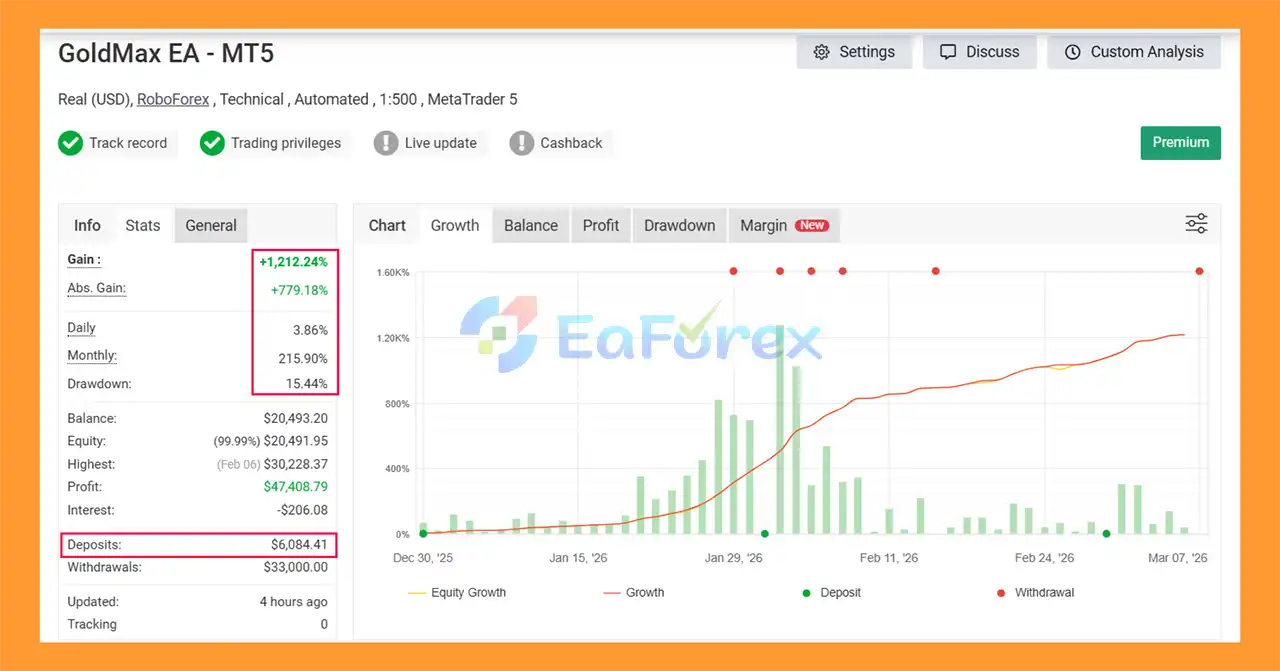
GoldMax EA 5 MT5 Myfxbook
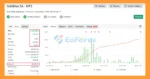
🟢Backtest Results
🔺XAUUSD (Gold) pair – 5 consecutive weeks of trading
- Initial Deposit: $7,993.60
- Growth Rate: +81%
- Win Rate (% of total): 72,2%
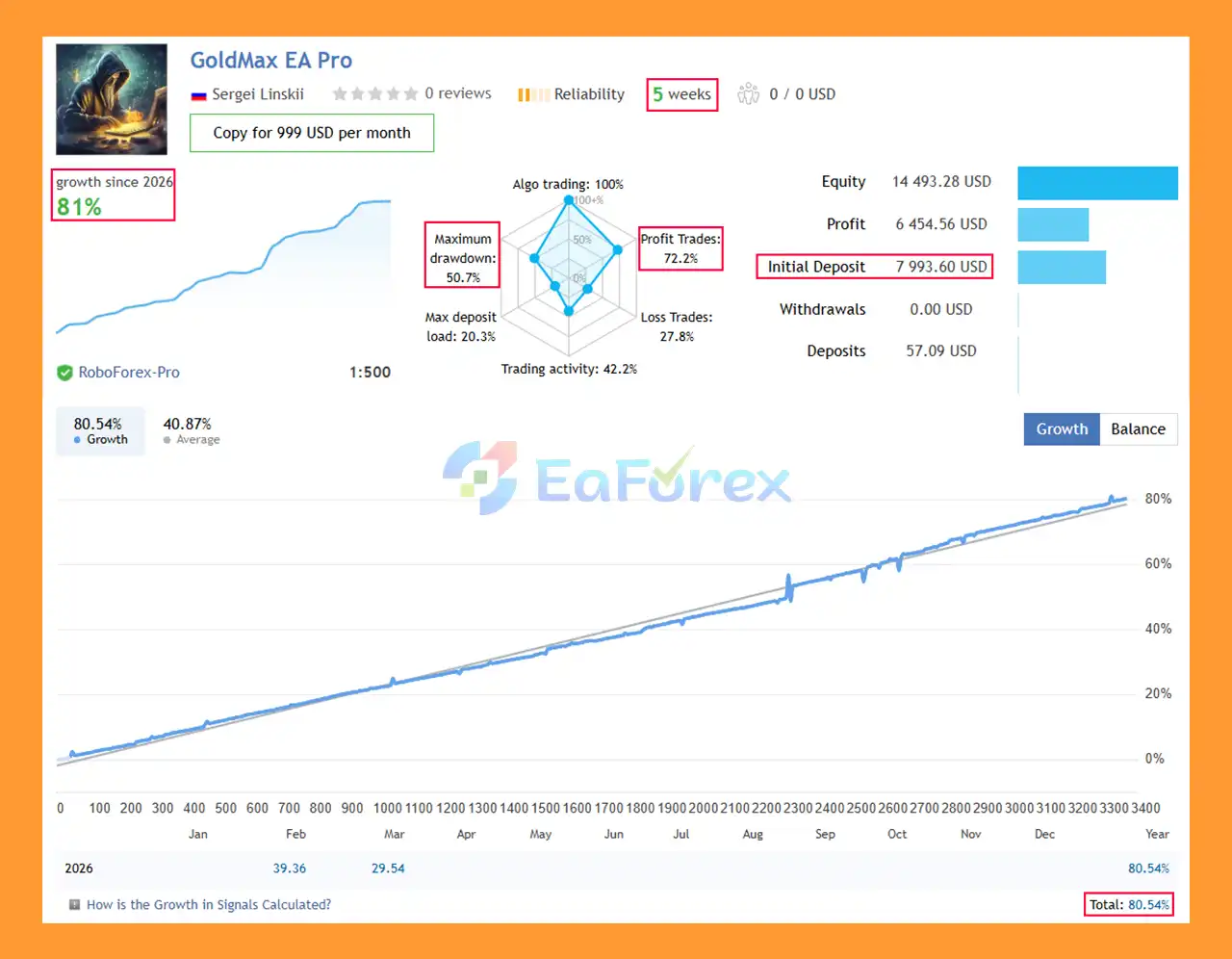
GoldMax EA 5 EA Signal Results
Performance and Risk Management
GoldMax EA 5 MT5 is designed with configurable money management, position sizing, grid logic, and lot multiplication. These features give traders significant flexibility but also make proper risk management particularly important.
The EA can potentially be used for:
- Medium- to long-term automated trading
- Shorter-term trading
- Different asset classes
- Different account sizes
- Customized broker-specific configurations
- Deposit growth strategies
However, the use of grid trading and lot multiplication means that exposure can increase when the market moves against existing positions.
Before using GoldMax EA 5 MT5 on a live account, traders should evaluate:
- Maximum equity drawdown
- Margin usage
- Number of simultaneous positions
- Maximum lot size
- Lot multiplier settings
- Grid distance
- Spread conditions
- Slippage
- Broker execution
- Available historical data
- Account leverage
- Market volatility
A configuration that performs well during historical testing can behave differently in live trading.
Broker Optimization Is Essential
One of the most important points when using GoldMax EA 5 MT5 is that an Expert Advisor cannot realistically be expected to produce identical results across every broker and account.
Different brokers can have differences in:
- Quote providers
- Price precision
- 2/3-digit or 4/5-digit pricing
- Spread
- Execution model
- Order-filling modes
- Server latency
- Slippage
- Historical price data
- Trading conditions
Therefore, GoldMax EA 5 MT5 should be optimized and tested specifically for the broker, account type, symbol, and deposit size where it will actually trade.
Avoid simply copying a configuration from another broker and assuming that the same results will be reproduced.
Weaknesses and Risk Warnings
GoldMax EA 5 MT5 should not be considered a low-risk trading system simply because it is automated.
Grid and Lot Multiplier Risk
The EA supports grid trading and lot multiplication. If the market moves continuously against an open position structure, exposure can increase substantially.
This may result in:
- Higher margin usage
- Larger floating drawdown
- Increased position exposure
- Greater risk during extended trends
- Potential margin pressure or account losses
Optimization Dependency
The EA is highly configurable, meaning optimization quality can have a significant impact on its results.
Over-optimized settings may perform well on historical data but fail to maintain the same behavior under future market conditions.
Broker Dependency
Live performance depends on the broker’s trading environment, including spread, execution, liquidity, price feed, server latency, and order-filling mode.
Historical Testing Limitations
Backtest results are not guarantees of future performance. Even real-tick testing cannot reproduce every condition that may occur in live trading.
High Leverage Risk
The recommended leverage of up to 1:500 can provide greater trading flexibility but also increases the potential for rapid account drawdown when positions are oversized.
VPS Requirement
For fully automated 24/7 operation, a stable VPS is strongly recommended. Connection interruptions, terminal shutdowns, or computer failures can affect EA operation.
Important Magic Number Requirement
GoldMax EA 5 MT5 uses a built-in Magic Number to identify its orders.
If you want to run the EA on multiple symbols within the same MT5 terminal, each symbol should be configured with a different Magic Number.
For example:
- XAUUSD → Magic Number A
- EURUSD → Magic Number B
- GBPUSD → Magic Number C
This helps prevent order-management conflicts between different EA instances.
Pros and Cons
Pros
- Fully automated MT5 trading
- Semi-automated trading option
- Flexible timeframe configuration
- Supports multiple asset classes after optimization
- Technical and mathematical analysis
- Built-in money management
- Grid and position-management functionality
- Lot multiplier available
- VPS-friendly
- Uses internal MT5 resources
- Customizable for different brokers and account conditions
- Supports hedging accounts
Cons
- Grid trading can increase exposure
- Lot multiplication can significantly increase risk
- Requires careful broker-specific optimization
- Results may vary between brokers
- High leverage can amplify losses
- Requires sufficient capital for the intended configuration
- Historical backtests cannot guarantee future results
- Proper optimization requires suitable MT5 historical data and testing experience
- Frequent re-optimization may be required as market and broker conditions change
How to Install GoldMax EA MT5
- Install MetaTrader 5 with a supported broker.
- Open the Navigator panel in MT5.
- Locate Expert Advisors.
- Copy or install GoldMax EA 5 MT5 into the appropriate MT5 Experts directory.
- Restart MT5 or refresh the Navigator panel.
- Open the desired trading symbol, such as XAUUSD.
- Select the timeframe you want to test, such as M15.
- Attach GoldMax EA to the chart.
- Configure the appropriate Magic Number.
- Set the desired money-management, grid, lot, and trading parameters.
- Test the EA using the broker’s historical data.
- Optimize the configuration using Every tick based on real ticks.
- Run the optimized configuration on a demo account before considering live deployment.
- If live trading is intended, use a stable VPS for continuous operation.
Real User Reviews and Feedback
🔺GoldMax EA 5 MT5 is highly appreciated by the MQL5 community for bringing stable and reliable profits. Below are 5 star reviews from users:
What’s Included in the Download Package?
- Setting (If Any).docx
- Installation Guide.docx
>>> Join VIP Membership Now <<<
Final Thoughts
In summary, GoldMax EA 5 MT5 is an automated Expert Advisor for MetaTrader 5 that combines technical and mathematical analysis with configurable money management, grid trading, and lot multiplication. Designed primarily for XAUUSD Gold, the EA can operate fully automatically on a VPS or be used in a semi-automated setup, while its flexible parameters allow traders to optimize the system for different brokers, account types, timeframes, and deposit sizes.
One of the most important characteristics of GoldMax EA 5 MT5 is its broker-specific optimization requirement. The supplied configuration should not simply be transferred between brokers, as spread, execution, liquidity, historical data, filling modes, and server conditions can materially affect results. Real-tick testing and forward testing under the intended broker conditions are therefore important parts of the evaluation process.
The supplied MyFxBook result reports +1,212.24% total gain with 15.44% maximum drawdown from a $6,000 initial deposit. The 5-week signal results report +81% growth and a 72.2% win rate from an initial $7,993.60. These results are historical and do not guarantee future performance.
Because GoldMax uses grid trading and optional lot multiplication, prolonged adverse movements can increase exposure, margin requirements, and floating drawdown significantly. Traders should therefore use appropriate capital, conservative settings, reliable VPS infrastructure, and thorough demo and forward testing before considering live deployment.
































 Automatic EA
 EA Best Seller
 Expert Advisor MT4
 Expert Advisor MT5
 HFT EA


Reviews
Clear filtersThere are no reviews yet.