









-
 Unlimited Activations
-
 Instant delivery
-
 Easy to install





 Unlimited Activations
Instant delivery
Easy to install
Unlimited Activations
Instant delivery
Easy to install
 Free Update
 Free Install Support

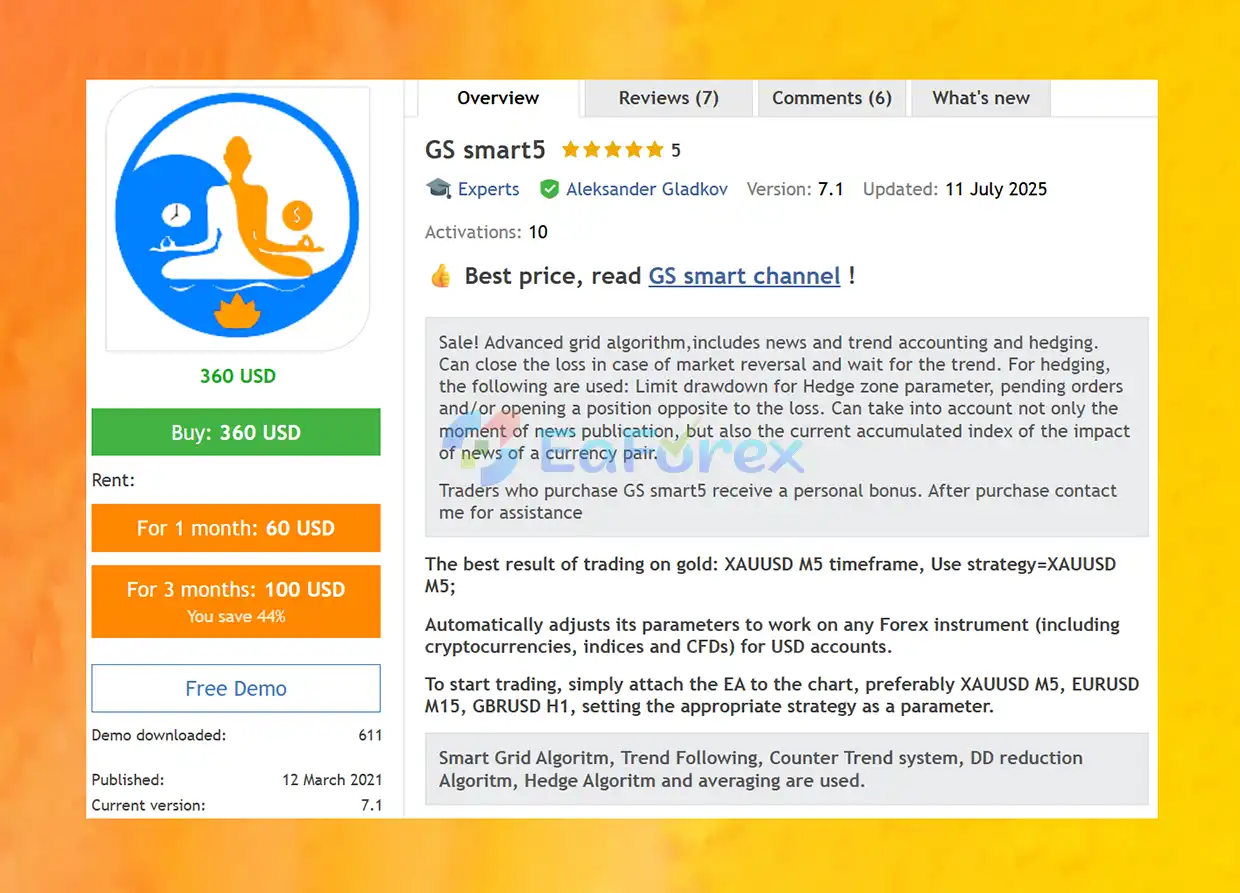
GS Smart5 EA MT5 is an advanced automated trading system designed for MetaTrader 5, combining smart grid algorithms, trend-following logic, counter-trend trading, hedging, averaging, and integrated risk management. The EA is developed to adapt its trading parameters to different financial instruments, including Forex currency pairs, Gold, Bitcoin, indices, and CFDs on supported USD-denominated accounts.
Unlike basic grid trading robots, GS Smart5 EA MT5 incorporates additional mechanisms designed to manage market reversals, control drawdown, and respond to changing market trends. Its hedging algorithm can use pending orders or opposite-direction positions to manage losing trade series, depending on the configured settings.
The system also incorporates news-impact analysis, allowing it to consider scheduled economic events and the accumulated impact of news affecting a currency pair. Combined with customizable trading sessions, multi-timeframe trend indicators, and an interactive control panel, GS Smart5 EA MT5 offers traders extensive flexibility over automated trading behavior.
For Gold trading, the recommended configuration is XAUUSD M5, while the dedicated BTCUSD M5 strategy is available for Bitcoin trading. Other preset strategies cover selected Forex pairs and alternative trading configurations.
With its combination of adaptive grid trading, hedging, trend analysis, and deposit protection controls, GS Smart5 EA MT5 is designed for traders seeking a configurable multi-instrument trading robot with advanced order-management capabilities.
>> Delivery time 24h-48h after payment.
>>> Refund if not delivered.
>>> You will receive the latest version without any limitations (ID+Time).
>>Reviewed by Jason Stap <<
GS Smart5 EA MT5 uses an advanced grid-based trading approach that can combine trend-following and counter-trend logic. Its order-management system includes configurable spacing, averaging, and hedging mechanisms to manage trading series under different market conditions.
The objective is to adapt trading activity to market movements while using additional controls to manage exposure during unfavorable price changes.
The EA incorporates both trend-following and counter-trend trading methods.
These modes give traders flexibility when selecting how the EA responds to different market conditions.
The GS Smart5 hedging system is designed to help manage losing trade series and reduce exposure during adverse market movements.
Its hedging functionality can use:
Depending on the configured strategy, the EA may attempt to close a losing series near breakeven. However, successful recovery is not guaranteed, and hedging can introduce additional transaction costs, margin requirements, and exposure.
GS Smart5 EA MT5 includes a risk manager designed to monitor account performance and enforce configured deposit-protection rules.
The supplied default drawdown limit is 20%, although traders should verify how this parameter is calculated and enforced in the EA.
Risk-management functionality includes:
These features are intended to help manage risk, but they cannot eliminate the possibility of substantial losses.
The EA can consider more than the scheduled release time of economic news. It can also incorporate an accumulated news-impact index affecting a currency pair.
The related news and trend indicator, News Impact L, can use information from the built-in MetaTrader economic calendar or the Investing.com website, depending on the configured setup.
This functionality can help traders assess the potential influence of economic announcements on market conditions.
GS Smart5 EA MT5 provides nine preset strategy options for different instruments and trading styles.
Each preset should be tested independently because different instruments and configurations can produce significantly different risk profiles.
The EA includes an interactive panel that allows users to manage available trading modes and monitor the system’s operation.
Depending on the selected configuration, traders can interact with features such as Intensive Trade, Trend Trade, Hedge, and the risk manager.
This provides convenient access to important trading functions without requiring users to modify every parameter manually.
GS Smart5 provides trend indications for four timeframes:
These views allow traders to monitor short-term and longer-term market direction and incorporate broader trend context into their trading decisions.
The EA includes configurable time filters for controlling when automated trading is permitted.
Available options include:
When the trading-session filter is enabled, users can configure the permitted intervals or remove unused time slots. The overall trading restriction is determined by the combined active filters.
GS Smart5 EA MT5 is designed to adjust its parameters for different supported trading instruments, including:
Actual compatibility depends on broker availability, symbol specifications, account currency, margin requirements, and the EA’s supported configurations.
GS Smart5 EA MT5 combines grid trading, trend analysis, counter-trend logic, hedging, and risk management to control automated trading activity.
Its general workflow can be described as follows:
The purpose of this combined approach is to give traders more control over how the EA responds to different market environments. Nevertheless, grid and averaging systems can accumulate exposure during prolonged trends, and hedging does not guarantee that a losing series will return to breakeven.
GS Smart5 EA MT5 combines grid logic with trend-following, counter-trend, and averaging techniques rather than relying on a single basic entry method.
Its hedge functionality is designed to help manage adverse trade series through configurable pending orders, opposite positions, and hedge-zone drawdown settings.
The risk manager includes drawdown protection and daily profit-locking functionality, giving users additional control over automated trading activity.
The XAUUSD M5 and BTCUSD M5 presets provide instrument-specific starting configurations for traders interested in automated Gold or Bitcoin trading.
Nine available strategies allow users to choose a supplied configuration or create a custom setup through the Free Set option.
The ability to incorporate news timing and accumulated news-impact information adds an economic-event monitoring component to the system.
The control panel makes it easier to access available trading modes and monitor performance from the trading interface.
Session, weekday, and time-slot filters allow traders to define when the EA is permitted to trade.
The M5, M15, H1, and D1 trend indicators provide additional market context when evaluating trading conditions.
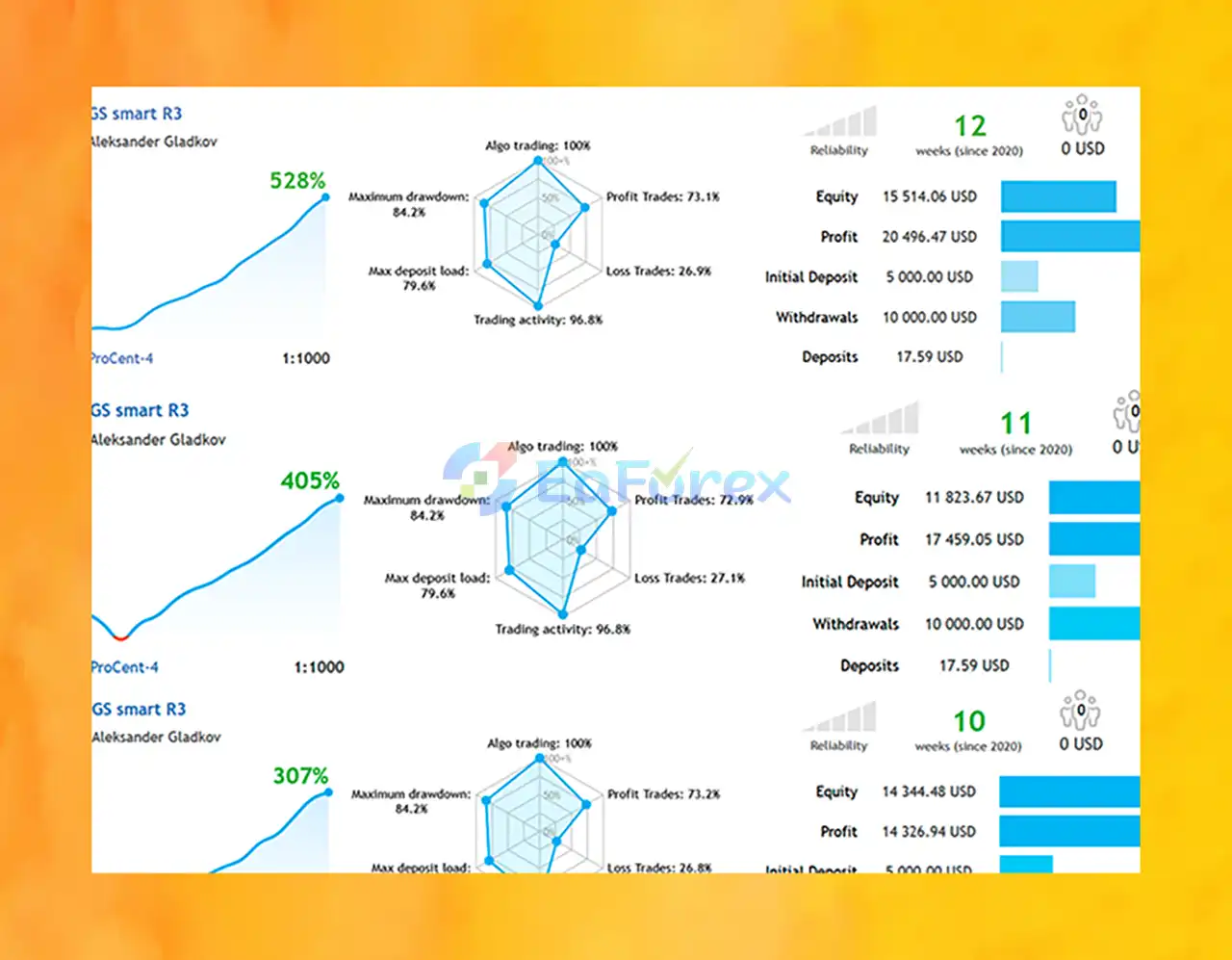
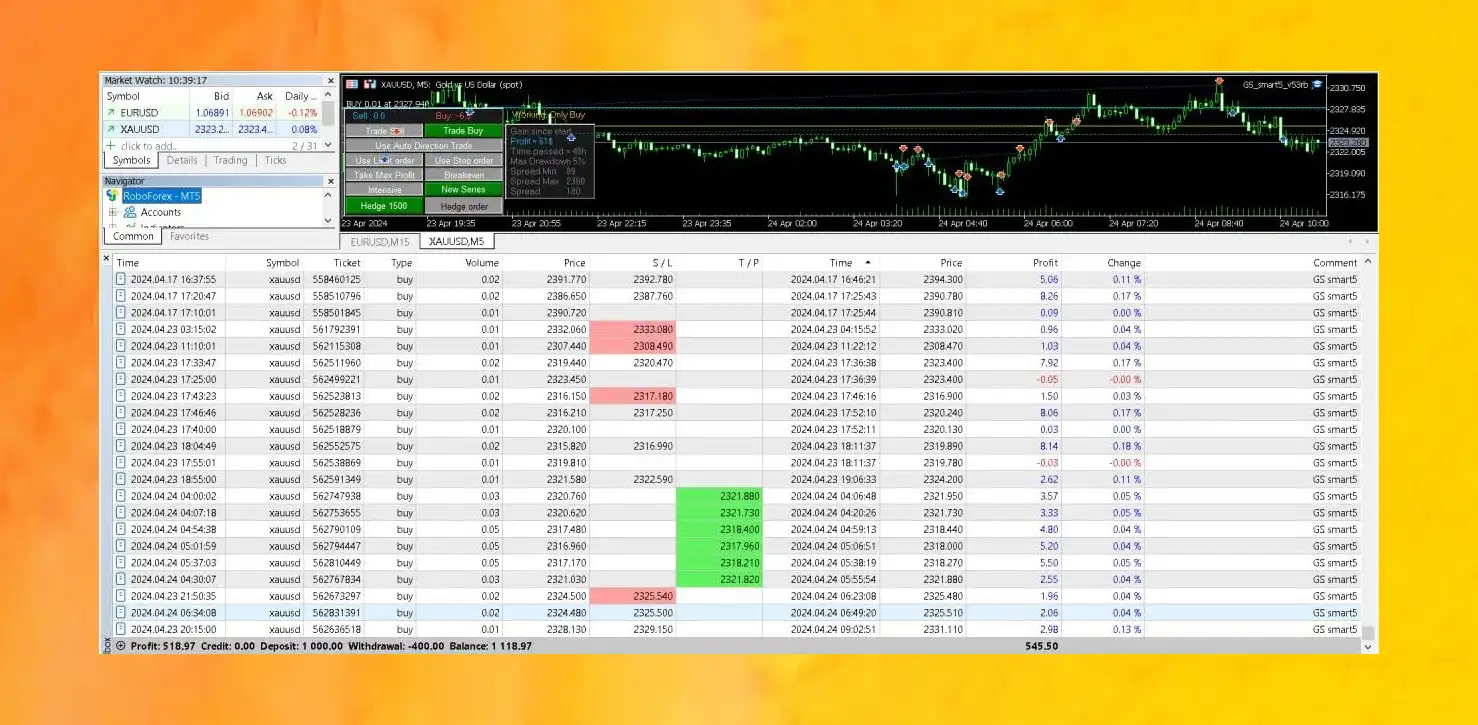
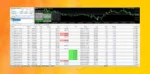
GS Smart5 EA Live Trading
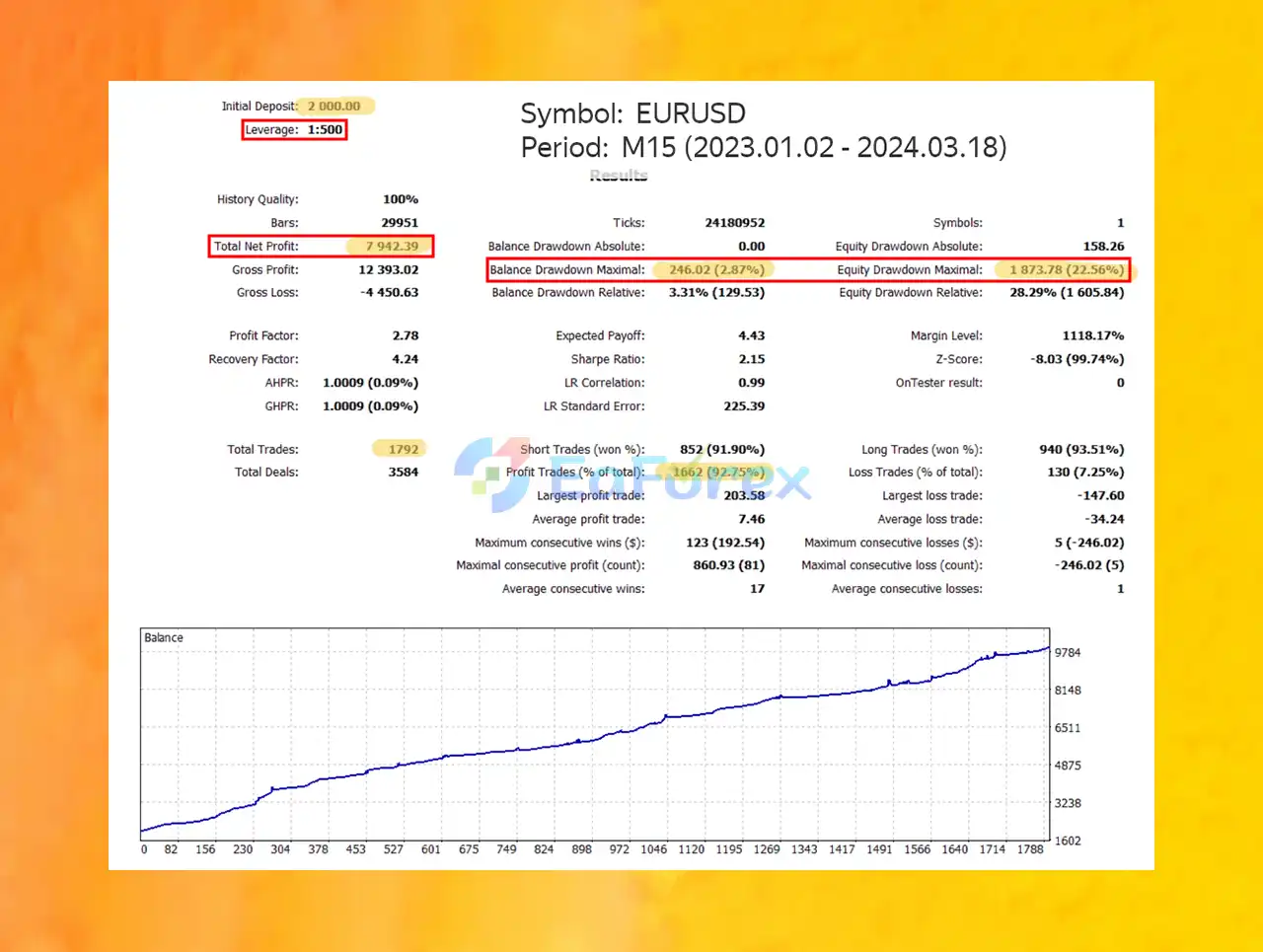
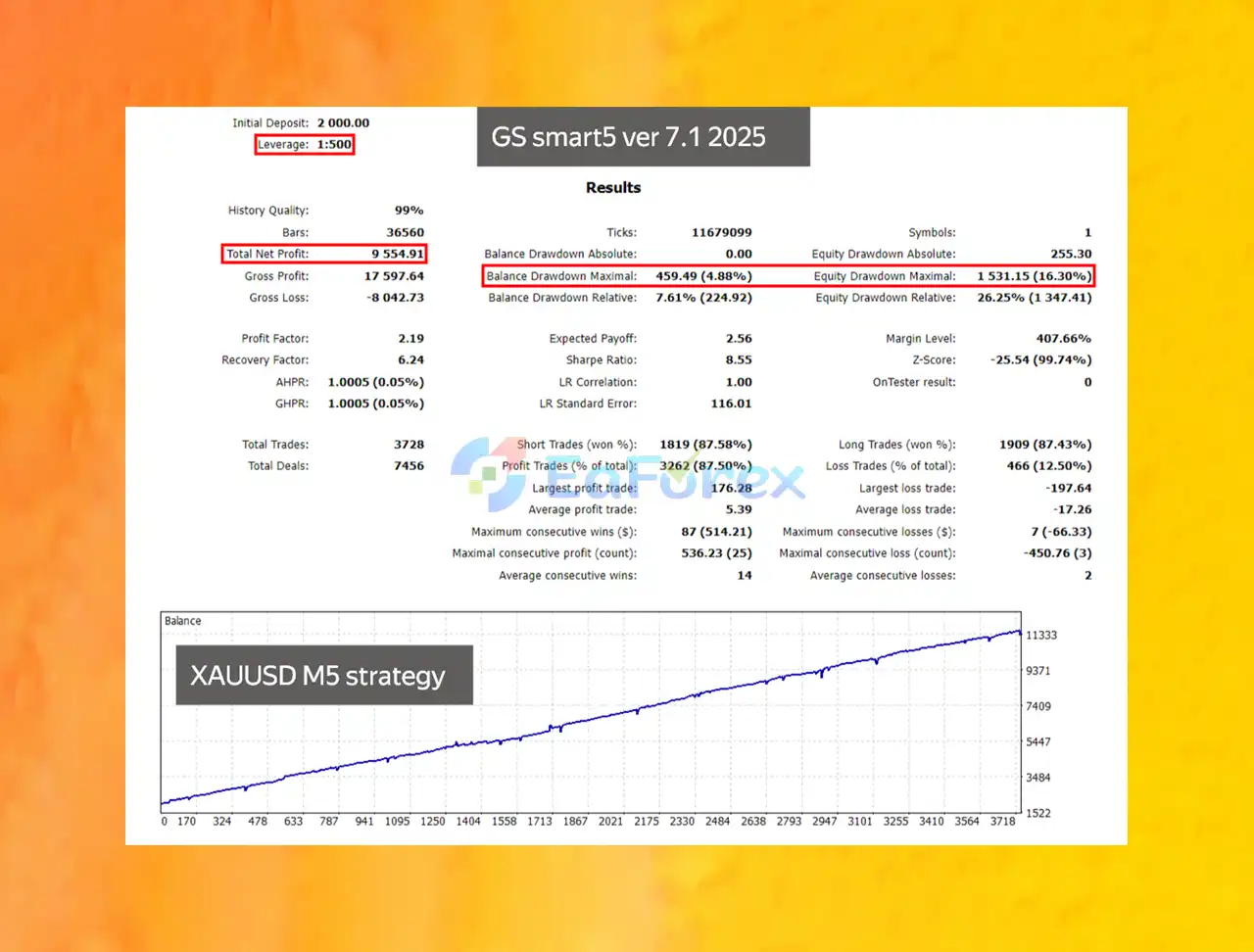
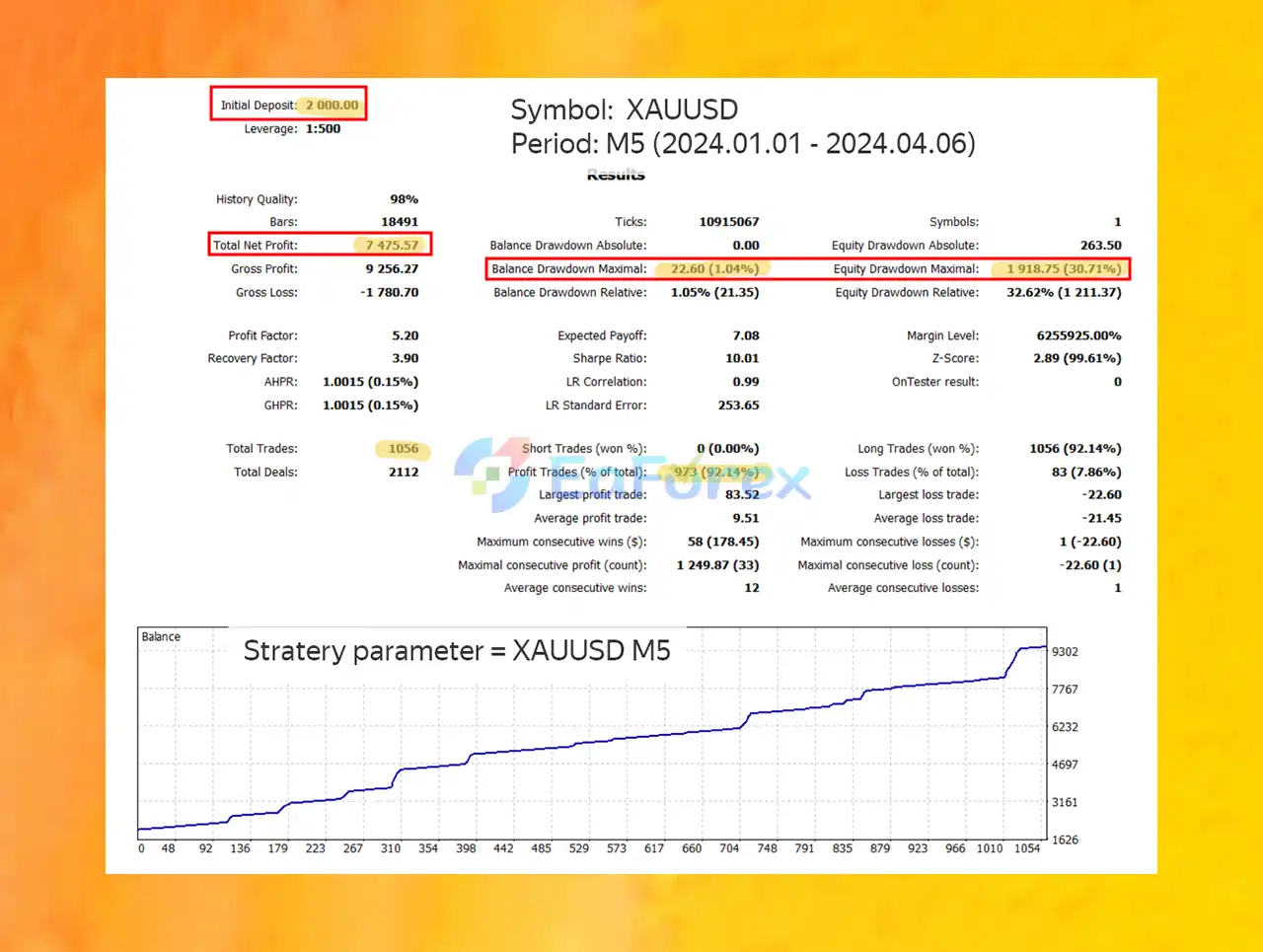
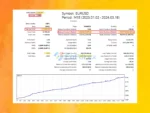
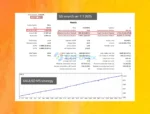
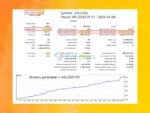
GS Smart5 EA Backtest Trading Results
GS Smart5 EA MT5 Backtest Trading Results
The performance of GS Smart5 EA MT5 depends on the selected strategy, instrument, grid settings, market conditions, broker execution, and account risk parameters. The supplied product description does not provide independently verified profitability or drawdown statistics, so performance should be evaluated through testing rather than assumed from the feature list.
The default risk-manager drawdown limit is stated as 20%. This should not automatically be interpreted as a guarantee that the account cannot lose more than 20%.
The actual result depends on how the EA calculates drawdown, when protection is triggered, whether positions can be closed at available prices, and whether gaps or slippage occur during volatile markets.
Grid and averaging strategies may open multiple positions as prices move. This can increase total exposure and margin requirements, particularly when the market continues moving against the open trade series.
Recommended practices include:
Hedging can reduce or offset some directional exposure, but it may also lock in losses, require additional margin, and generate extra trading costs. An opposite position does not guarantee that the combined position will eventually close profitably.
Economic announcements can cause sudden price movements, wider spreads, and reduced liquidity. News filters may not prevent all exposure to these conditions, especially when announcements are unexpected or market reactions differ from expectations.
Before using GS Smart5 on a live account:
Although GS Smart5 EA MT5 offers several advanced trading and risk-management functions, traders should understand the limitations of grid-based systems.
A prolonged directional market can cause a grid or averaging strategy to accumulate losing positions. If the market does not reverse as expected, floating losses and margin requirements can increase substantially.
Hedging can reduce some forms of market exposure, but it can also increase margin usage and trading costs. The ability to close a series at breakeven depends on future market movements and execution conditions.
A configured drawdown threshold cannot guarantee that actual account losses will remain within the selected percentage. Fast markets, gaps, slippage, and delayed execution may cause losses to exceed the intended limit.
Scheduled economic calendars cannot anticipate every unexpected announcement or geopolitical development. Market reactions may also differ from the expected news impact.
A preset designed for XAUUSD M5 may behave very differently from one designed for EURUSD H1 or BTCUSD M5. Instrument-specific volatility, contract sizes, and trading costs must be considered.
Different brokers offer different execution conditions and contract specifications. Traders should verify symbol compatibility, minimum lot sizes, trading sessions, account currency, and margin requirements before running the EA.
GS Smart5 EA MT5 does not guarantee profits or successful recovery from losing trades. Backtest performance, if available, does not guarantee future results.
Follow these steps to install and configure GS Smart5 on MetaTrader 5.
Launch your MT5 terminal and log in to your trading account.
Navigate to:
File → Open Data Folder → MQL5 → Experts
Copy the GS Smart5 EA file into the Experts folder.
Restart MetaTrader 5 or refresh the Expert Advisors section in the Navigator panel.
Enable the Algo Trading function and verify that automated trading is permitted in the terminal and EA settings.
Select the instrument and timeframe that match your intended strategy.
Suggested starting configurations include:
Confirm that the symbol name matches your broker’s instrument listing.
GS Smart5 EA MT5 from the Navigator panel onto the selected chart.
Choose the appropriate preset in the EA’s input settings. For a custom setup, select Free Set and configure the parameters according to your testing plan.
Review the following before starting:
Pay particular attention to the default 20% drawdown setting and verify how the EA calculates and enforces this limit.
If you intend to use the news and trend indicator, configure the supported news source and verify that the relevant calendar data is available.
Review the M5, M15, H1, and D1 trend information and ensure that the EA’s time filters match your intended trading schedule.
Run backtests where supported and conduct forward testing on a demo account. Monitor floating drawdown, margin usage, trade frequency, grid exposure, and hedging behavior during different market conditions.
Once the EA is running, use its control panel and performance monitoring tools to review trading activity. Do not assume that automated deposit protection removes the need for regular supervision.
| Parameter | Suggested Configuration |
|---|---|
| Platform | MetaTrader 5 |
| Expert Advisor | GS Smart5 EA MT5 |
| Gold Strategy | XAUUSD M5 |
| Bitcoin Strategy | BTCUSD M5 |
| EURUSD Strategy | EURUSD H1 preset or M15 starting example, as appropriate |
| GBPUSD Strategy | GBPUSD H1 |
| Trading Methods | Grid, trend-following, counter-trend, and hedging |
| Default Drawdown Limit | 20%, subject to verification |
| News Filter | Configure and validate the available source |
| Trend Monitoring | M5, M15, H1, D1 |
| Initial Testing | Backtest and demo forward testing |
| Risk Approach | Conservative exposure and regular monitoring |
These are starting references based on the supplied description, not independently verified optimal settings. Always use the strategy that corresponds to the selected instrument and validate the EA’s behavior before live deployment.
➫ What’s Included:
GS Smart5 EA MT5 is a feature-rich automated trading system designed to combine smart grid trading, trend-following, counter-trend analysis, hedging, news-impact monitoring, and configurable risk management.
Its nine preset strategies, dedicated Gold and Bitcoin configurations, interactive control panel, multi-timeframe trend indicator, and flexible trading schedules provide a wide range of customization options for traders using MetaTrader 5.
However, the combination of grid trading, averaging, and hedging requires careful risk management. These mechanisms can increase exposure, consume additional margin, and experience substantial losses when market conditions remain unfavorable. The stated drawdown protection should therefore be treated as a risk-control feature rather than a guarantee against losses.
For the most responsible evaluation, select the appropriate instrument-specific preset, test the EA under realistic broker conditions, monitor grid and hedge exposure, and verify that its risk manager behaves as expected.
GS Smart5 EA MT5 should be viewed as an automated trading tool, not a guaranteed source of income. Conservative position sizing, thorough testing, and continuous risk monitoring are essential when using any grid-based trading system.
1. What is GS Smart5 EA MT5 and how does it work?
GS Smart5 EA MT5 is a fully automated AI-powered trading robot that combines five advanced strategies, including Smart Grid, Trend-Following, and Risk Hedging, to trade Forex, Gold (XAUUSD), Crypto, Indices, and CFDs on USD accounts.
2. Which assets and timeframes is GS Smart5 EA optimized for?
GS Smart5 EA supports major pairs like EURUSD, GBPUSD, XAUUSD (Gold), BTCUSD, and more. It's optimized for timeframes like H1 (EURUSD, GBPUSD) and M5 (XAUUSD) with dedicated presets for each.
3. How does GS Smart5 EA manage drawdown and risk?
It uses a Drawdown Reduction Algorithm and Auto Hedging system to minimize losses. These built-in protections allow the EA to maintain profitability even in highly volatile markets.
4. Can I switch between strategies in real time?
Yes. GS Smart5 EA offers interactive strategy control, allowing users to toggle between Deep Trading, Trend Trading, and Hedge Mode directly from the dashboard without restarting the EA.
5. Is GS Smart5 EA beginner-friendly?
Absolutely. With preloaded strategy sets, easy installation guides, a built-in dashboard, and automatic market filtering, GS Smart5 EA is suitable for both new and advanced traders.
6. What is the live performance and win rate of GS Smart5 EA?
In verified live trading, GS Smart5 EA grew a $5,000 deposit to over $20,000 in 12 weeks, with a 73.1% win rate and $10,000 withdrawn—demonstrating real-world profitability and risk control.
In stock
In stock
In stock
In stock
In stock
Out of stock
No account yet?
Create an Account












 Automatic EA
 EA Best Seller
 Expert Advisor MT4
 Expert Advisor MT5
 HFT EA


Reviews
Clear filtersThere are no reviews yet.