









-
 Unlimited Activations
-
 Instant delivery
-
 Easy to install







 Unlimited Activations
Instant delivery
Easy to install
Unlimited Activations
Instant delivery
Easy to install
 Free Update
 Free Install Support

Yellowstone FX MT5 is a professional automated trading system designed specifically for gold (XAUUSD) on the H1 timeframe in MetaTrader 5. Built on the Expert Advisor HQ (EAHQ) universal portfolio framework, this Expert Advisor combines portfolio-style trading logic with advanced trade execution, risk management, and real-time performance monitoring.
Unlike trading robots that operate as opaque systems, Yellowstone FX MT5 emphasizes transparency and structured trade management. Its integrated analytics dashboard provides information about account equity, balance, floating profit and loss, open positions, drawdown, and recent trading performance. Traders can also view chart-based entry signals and trade projection overlays to better understand how the EA manages positions.
The system follows a structured execution process that evaluates trading signals, checks entry conditions, applies protection rules, and manages positions throughout their lifecycle. Additional features include spread protection, daily loss limits, account-level safeguards, an integrated economic news filter, and automated handling of broker execution requirements.
Designed for traders seeking a systematic approach to automated gold trading, Yellowstone FX MT5 focuses on disciplined execution, configurable risk controls, and transparent trade monitoring rather than relying solely on signal generation.
• Author: Michael Prescott Burney
• Experience: Over 1 years of experience on MQL5.
• Notable Products: Worlds FX, Poltergeist EA
• Yellowstone FX is his most successful and best-performing product
>> Delivery time 24h-48h after payment.
>>> Refund if not delivered.
>>> You will receive the latest version without any limitations (ID+Time).
>>Reviewed by Jason Stap <<
Yellowstone FX MT5 is specifically intended for gold trading on the one-hour chart. This higher timeframe provides a structured environment for analyzing price movements and managing trades without focusing exclusively on short-term market fluctuations.
For the intended configuration, attach the EA to an XAUUSD H1 chart. Using different instruments or timeframes may result in behavior that differs from the recommended deployment.
The EA uses a layered protection architecture to manage trading exposure at different levels.
Entry Protection
Before opening a new position, the system can check:
If a condition prevents a trade, the EA can reject the entry and record the reason in the terminal journal.
Daily Protection
Daily protection settings can be configured to close positions and suspend new entries after specified daily loss or drawdown thresholds are reached.
Account Protection
Account-level safeguards can respond to critical equity conditions by closing positions and removing the EA from the chart, allowing the trader to review the situation before restarting it.
These mechanisms help establish predefined risk boundaries, although they cannot guarantee that losses will remain within a precise limit during gaps, slippage, or execution failures.
Yellowstone FX MT5 includes an execution engine designed to accommodate different broker requirements.
Its capabilities include:
These features aim to improve order-handling reliability and reduce the need for constant manual intervention. Actual execution quality still depends on the broker, liquidity, and market conditions.
Gold prices can react sharply to interest rate decisions, inflation reports, employment releases, and geopolitical developments.
Yellowstone FX MT5 includes a configurable news filter that can pause new entries around selected medium- and high-impact economic events when enabled.
This feature is designed to help traders manage exposure during scheduled announcements that may cause wider spreads, increased volatility, and less predictable execution.
The news filter does not eliminate event risk, and traders should verify that it is enabled and operating correctly on their chosen account.
The EA manages positions using a structured signal model that can define:
Stop Loss and Take Profit levels are calculated using current market prices and may be adjusted to comply with the broker’s minimum stop-distance requirements.
When enabled by the strategy, the EA can trail positions using the previous bar’s high or low.
The trailing mechanism is designed to move the stop in the direction of profit without moving it backward. This can help protect accumulated gains while allowing the market some room to fluctuate.
Trailing-stop behavior depends on the strategy settings and market conditions. It does not guarantee that a position will close at the intended stop price.
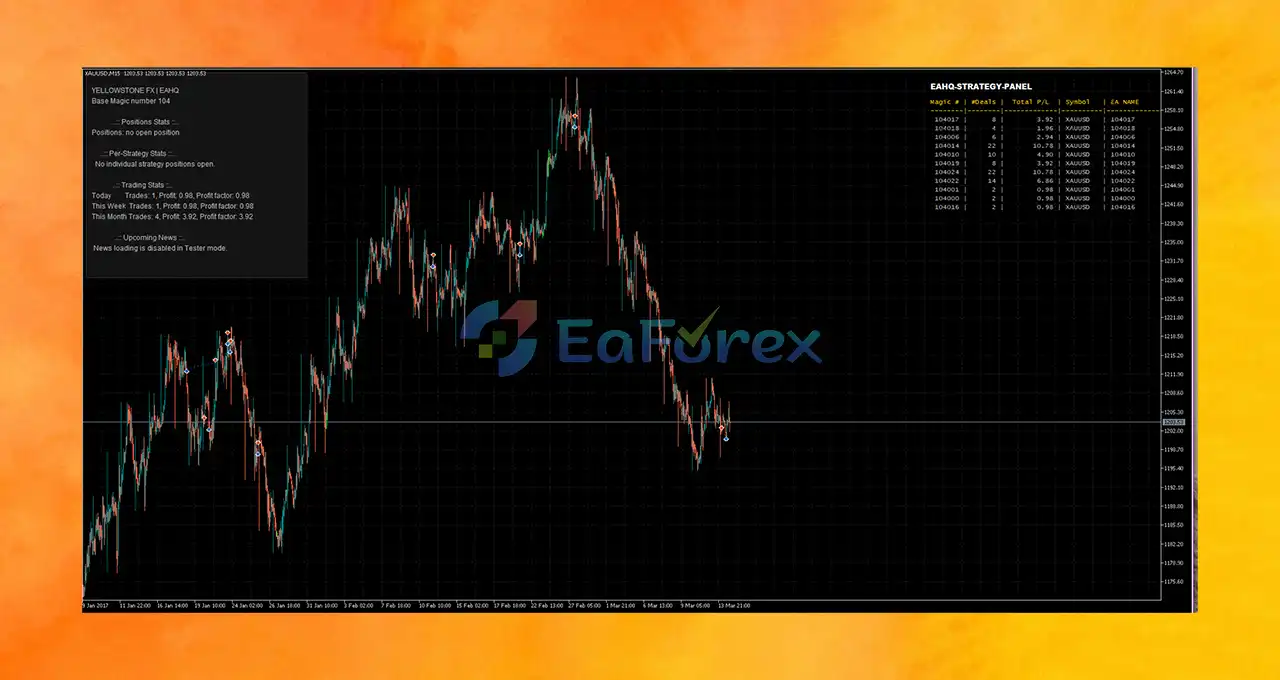
Yellowstone FX MT5 includes the EAHQ analytics dashboard, which provides visibility into trading activity and account performance.
The dashboard can display:
Lightweight updates run during tick activity, while more comprehensive calculations occur on new bars.
The EA can draw entry arrows and trade projection overlays directly on the chart.
These visual elements can show:
This helps traders inspect trading decisions and understand how the EA manages individual positions without relying exclusively on account history.
Yellowstone FX MT5 uses a structured input layout consistent with other Expert Advisor HQ portfolio products.
Main configuration groups include:
This organized structure helps traders review and configure the EA’s operating parameters.
Yellowstone FX MT5 follows a structured workflow that combines market analysis, trade validation, order execution, and ongoing position management.
On each new H1 bar, the EA performs a full analytics update and evaluates the strategy’s trading signals for XAUUSD.
The system checks whether the current time falls within the configured trading session and whether new entries are permitted.
Before placing an order, the EA checks the applicable spread limit, maximum position count, total lot exposure, daily protection, account protection, and news filter.
When a valid signal passes the required checks, the EA sends the order through its execution engine. The engine evaluates broker requirements and can retry certain temporary execution failures within defined limits.
Once a position is open, the EA manages it using the strategy’s exit signals, Stop Loss, Take Profit, and any configured trailing-stop logic.
On every tick, the EA updates its protection status and key dashboard metrics. If a configured critical threshold is reached, the applicable protection mechanism can intervene.
The analytics dashboard displays current account metrics and trading information, helping traders monitor how the system is operating.
This structured workflow is intended to make automated trading more transparent and controlled, but profitability remains dependent on the underlying strategy and real-world market conditions.
Yellowstone FX MT5 combines strategy signals with pre-trade validation, broker-aware execution, and bounded retry handling. This offers a more structured execution process than simply sending orders whenever a signal appears.
Entry restrictions, daily drawdown protections, and account-level safeguards provide different mechanisms for controlling trading activity and responding to adverse conditions.
The analytics dashboard and visual trade overlays help traders monitor positions, drawdown, and performance directly within MetaTrader 5.
The EA is designed for XAUUSD H1, making it suitable for traders who want a dedicated automated approach to gold rather than a general-purpose multi-instrument robot.
Stop Loss, Take Profit, trailing-stop behavior, and opposite-signal handling allow positions to be managed according to predefined strategy rules.
The integrated news filter can restrict new entries around selected economic releases, helping traders manage scheduled volatility risks.
The EAHQ portfolio framework uses organized input groups, which can make configuration and ongoing management easier for traders familiar with the same framework.
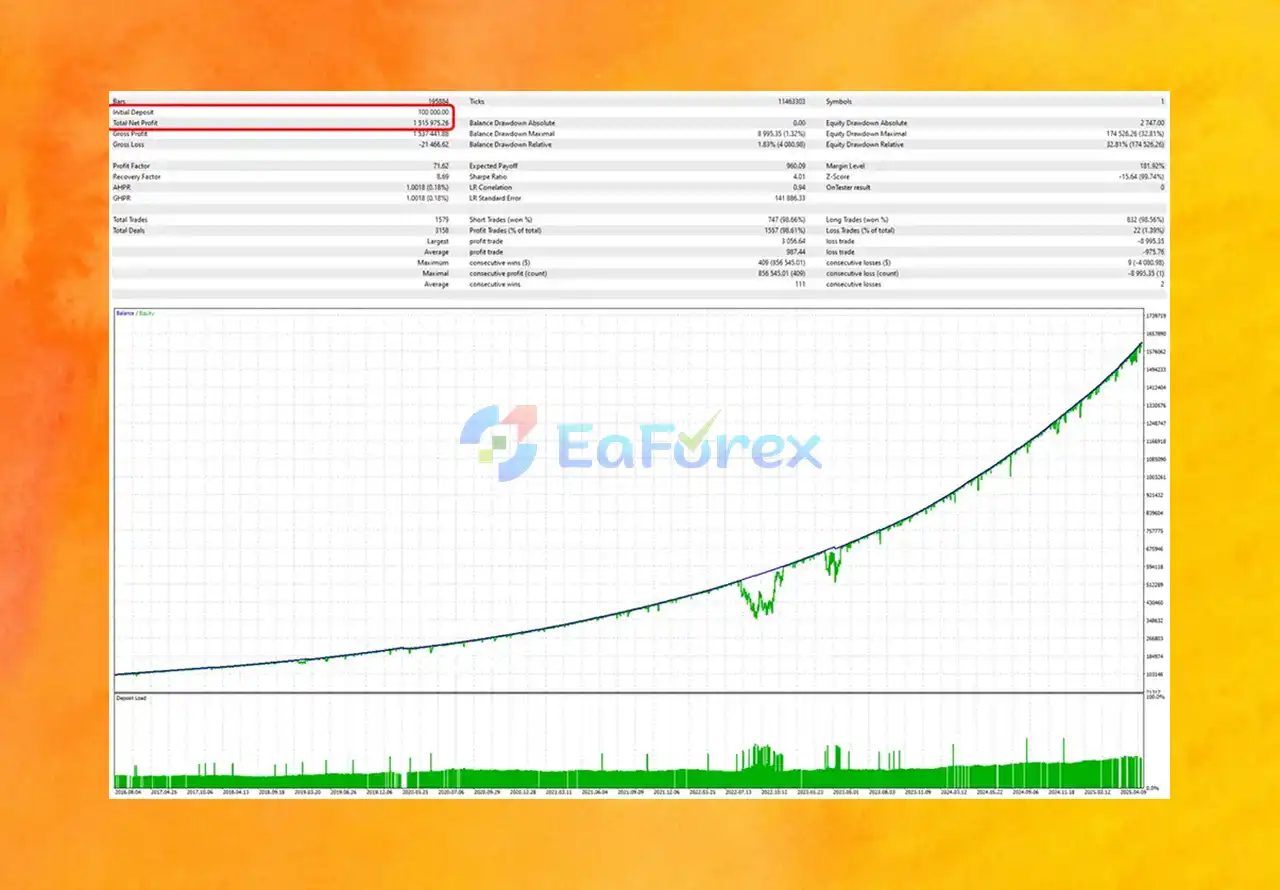
Yellowstone FX Backtest Results
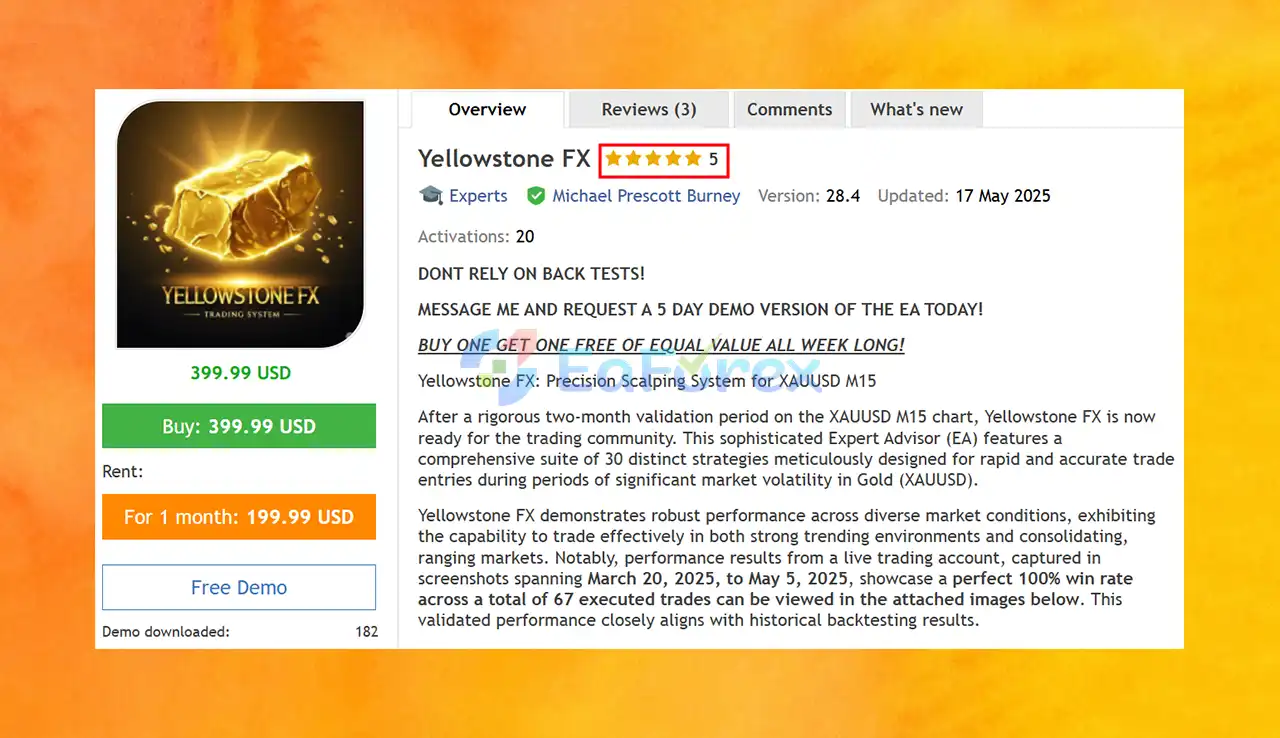
Yellowstone FX MT5 Review
Yellowstone FX MT5 is built around structured trade execution and configurable risk controls. However, the presence of protection mechanisms does not establish that the strategy is profitable or that losses will remain within a specific range.
The EA can prevent new positions when configured limits are exceeded. These may include maximum spread, maximum open positions, and maximum total lot exposure.
Appropriate values should reflect the account balance, broker conditions, and the trader’s tolerance for drawdown.
Daily protection settings can be used to suspend trading and close positions when the specified thresholds are reached.
Traders should carefully review how these thresholds are calculated, including whether they are based on realized profit and loss, floating equity, or another reference value.
Account protections are intended to respond to critical equity events. Before enabling the EA on a live account, review the consequences of automatic position closure and EA removal from the chart.
Performance can be influenced by:
A suitable broker and reliable trading environment are important for automated gold trading.
A stable VPS can help keep MetaTrader 5 running continuously during the intended trading schedule. It may reduce interruptions caused by local computer shutdowns or internet disconnections, although it cannot eliminate broker-side execution problems.
Before using real capital, test the EA on a demo account with your intended broker. Observe its behavior during different market sessions, volatile price movements, news events, and changing spread conditions.
Despite its extensive execution and protection features, Yellowstone FX MT5 has several limitations.
XAUUSD can experience rapid price changes due to economic releases, central bank decisions, geopolitical events, and shifts in risk sentiment. Sudden movements can increase slippage and cause losses.
Risk controls can limit certain types of exposure, but they cannot guarantee profitable trades or prevent all losses. The quality of the underlying trading strategy remains a major factor in overall performance.
Daily loss thresholds and equity protections may not execute at their exact configured levels during price gaps, liquidity shortages, terminal interruptions, or broker execution problems.
The EA is designed to negotiate supported fill modes, but not every broker offers identical execution conditions. Compatibility and order behavior should be verified before live deployment.
The news filter can help avoid selected scheduled events, but it cannot anticipate every unexpected announcement or geopolitical development. Incorrect configuration or connectivity issues may also affect its operation.
The H1 timeframe may not suit traders seeking rapid scalping or frequent short-term trades. Trading frequency and holding periods depend on the strategy’s signals and prevailing market conditions.
Incorrect lot sizes, protection thresholds, session settings, or Magic Numbers can cause unintended behavior. Avoid changing the Magic Number while positions managed by the EA remain open.
Even when protection features are enabled, the EA can experience substantial drawdowns. Traders should avoid using capital they cannot afford to lose and should independently evaluate the strategy’s historical and forward performance.
Follow these steps to install and configure Yellowstone FX MT5 on MetaTrader 5.
Open MetaTrader 5 and install the EA through the appropriate method provided by the developer.
For a manually supplied EA file:
For products purchased through the MQL5 Market, follow the platform’s standard installation and update process.
Open the gold instrument listed in your broker’s Market Watch.
Confirm that the symbol corresponds to XAUUSD. Some brokers may use a suffix or a different symbol designation.
Set the chart timeframe to H1 (one hour).
This is the recommended deployment timeframe for Yellowstone FX MT5.
Drag Yellowstone FX MT5 from the Navigator panel onto the XAUUSD H1 chart.
Enable Algo Trading in MetaTrader 5 and ensure automated trading is permitted in the EA’s settings.
Set a unique Magic Number if you are running multiple Expert Advisors on the same account.
Avoid changing the Magic Number while positions managed by Yellowstone FX MT5 remain open, as this may interfere with how the EA identifies its trades.
Review and configure the available entry protection parameters, including:
Use values appropriate for your broker and risk tolerance.
Set the daily loss, daily drawdown, and account-level protection parameters according to your trading plan.
Understand the calculation method and consequences of each protection before enabling live trading.
Review the integrated news filter settings and enable the filter if you want the EA to restrict new entries around selected economic releases.
Verify that the filter operates correctly on your demo account.
Customize the analytics panel and chart overlays according to your preferences. These settings help you monitor account performance and understand the EA’s trade management.
Run Yellowstone FX MT5 on a demo account before trading live.
Monitor order execution, spread filtering, news handling, trailing-stop behavior, daily protection, and account-level safeguards under realistic conditions.
For continuous operation, consider running MetaTrader 5 on a reliable VPS. Check terminal connectivity and confirm that Algo Trading remains enabled.
Yellowstone FX MT5 is a professional MetaTrader 5 Expert Advisor designed for automated gold trading on the H1 timeframe. Its main strengths are its structured execution process, layered risk controls, integrated news filter, automated position management, and detailed analytics dashboard.
Rather than focusing exclusively on trade signals, Yellowstone Portfolio combines entry validation, broker-aware order handling, ongoing protection checks, and visual performance monitoring into a single operating framework.
These features can help traders supervise an automated strategy more effectively, but they do not eliminate the risks of trading gold. Market volatility, execution differences, unexpected news, and drawdown remain important considerations.
For traders seeking a dedicated XAUUSD H1 system with transparent monitoring and configurable protections, Yellowstone FX MT5 may be worth evaluating. Begin with demo testing, understand every protection setting, and assess the strategy’s behavior under realistic trading conditions before committing real capital.
The key to responsible automated trading is not simply having more protection features, but understanding their limitations and applying disciplined risk management.
In stock
In stock
In stock
In stock
In stock
Out of stock
No account yet?
Create an Account












 Automatic EA
 EA Best Seller
 Expert Advisor MT4
 Expert Advisor MT5
 HFT EA


Reviews
Clear filtersThere are no reviews yet.