


Product Overview
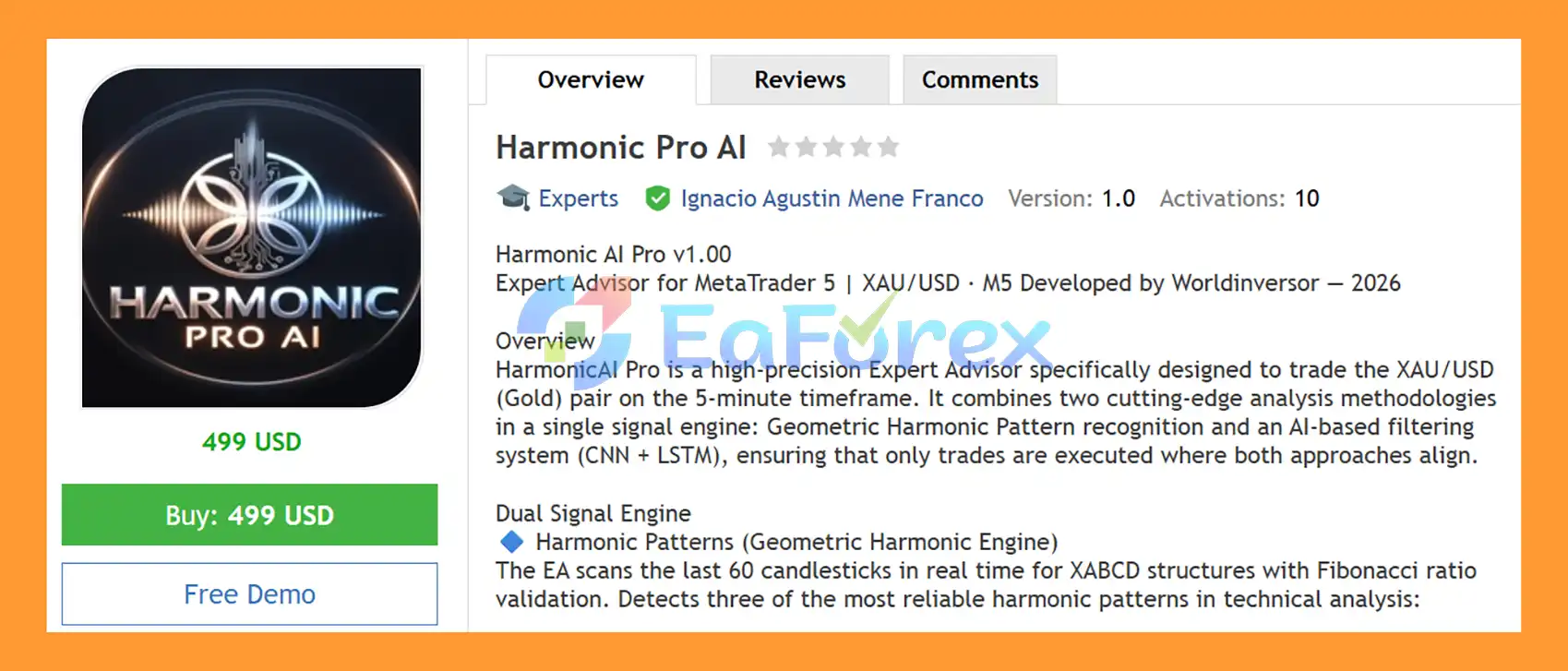
Harmonic Pro AI EA MT5 is an automated Gold Trading Expert Advisor for MetaTrader 5, specifically designed for trading XAU/USD (Gold) on the M5 timeframe.
The EA combines two complementary analytical approaches in a single signal engine: geometric harmonic pattern recognition and an AI-based CNN + LSTM filtering system. The objective is to identify potential trading opportunities only when both analytical components provide a directional signal in agreement.
The Harmonic Pattern engine scans recent price data for XABCD harmonic structures and validates Fibonacci relationships to identify patterns such as Gartley, Butterfly, and Crab. At the same time, the neural-style filtering engine analyzes normalized price and momentum information using a CNN-inspired feature extraction stage and an LSTM-style short-term memory process.
When the harmonic pattern and AI filtering engine indicate the same direction, the EA can place a Buy Stop or Sell Stop pending order using a configurable entry offset. The system also includes Stop Loss, automatic profit closing, dynamic trailing stop, break-even protection, spread filtering, margin verification, slippage control, and configurable trading hours.
Designed specifically for XAUUSD M5 trading, Harmonic Pro AI EA MT5 provides a structured combination of pattern-based analysis, algorithmic filtering, pending-order execution, and automated position management.
About the Developer
- Author: Ignacio Agustin Mene Franco
- Experience: Over 3 years of experience on MQL5.
- Notable Products: Harmonic Pro AI EA MT5, Volumen Scalper GOLD EA MT5, Storm Trader EA MT5, Ichimoku Scalper Gold EA MT4, Level Hard Xauusd, Danesha Xauusd, Power Fusion Xauusd, Level Slow Xauusd EA MT4 and other advisors.
- Flagship Product: Harmonic Pro AI EA MT5 is rated as the best performing product of the year.
>> Delivery time 24h-48h after payment.
>>> Refund if not delivered.
>>> You will receive the latest version without any limitations (ID+Time).>>Reviewed by Jason Stap <<
Key Features of Harmonic Pro AI EA MT5
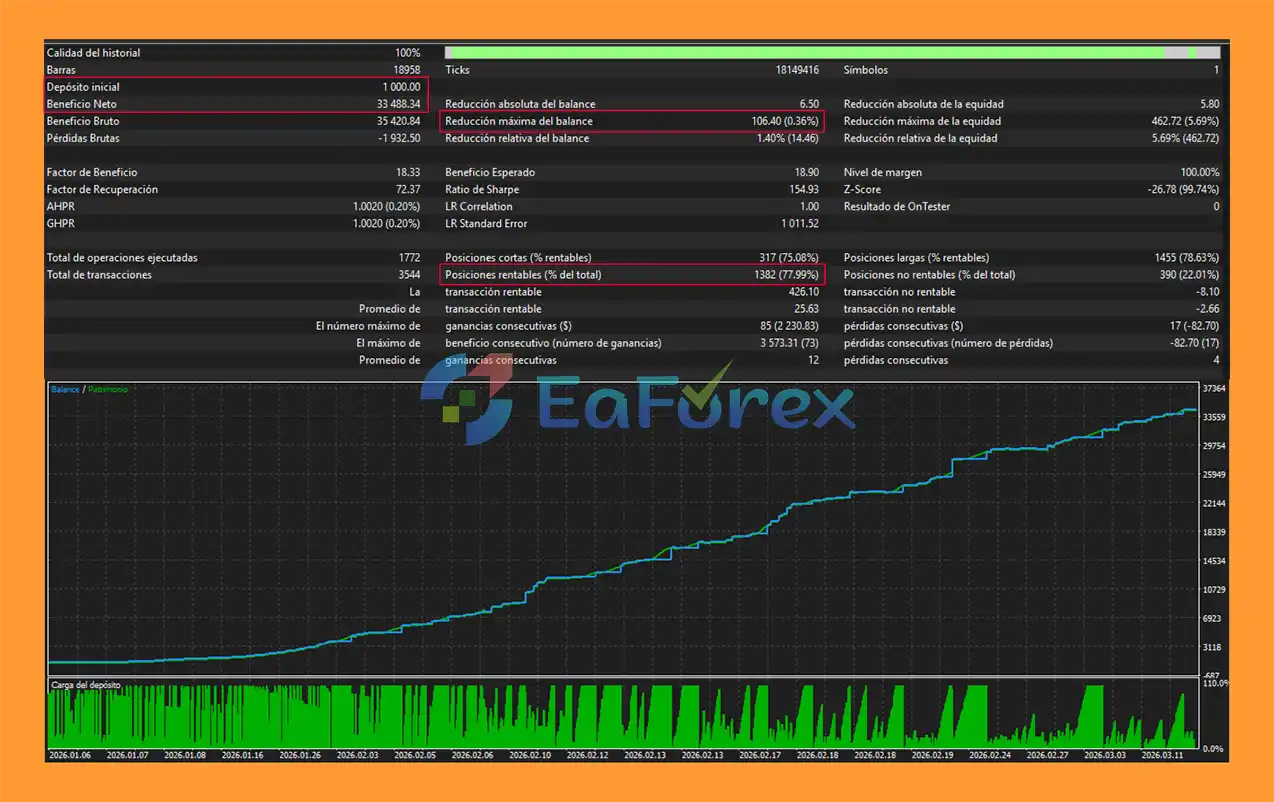
Harmonic Pro AI EA MT5 Backtest Results
🔺Gold (XAUUSD) – over many years
- Initial Deposit: $1.000
- Total Net Profit: $33.488,34
- Win Rate (% of total): 77,99%
- Maximum Drawdown: 0,36%
Performance and Risk Management
Harmonic Pro AI EA MT5 includes several parameters designed to control position size, execution conditions, and open-trade exposure.
| Parameter | Default Value |
|---|---|
| Recommended Capital | $1,000 USD |
| Fixed Lot Size | 0.20 |
| Stop Loss | 20 pips |
| Profit Target | 15 pips |
| Maximum Pending Orders | 5 |
| Maximum Spread | 30 pips |
| Trading Hours | 01:00 – 23:00 |
| Entry Offset | 3 pips |
| Magic Number | 345679 |
| AI Activation Range | -1 to +1 |
Position Sizing
The default fixed lot size is 0.20 lots.
For an account around $1,000, traders should carefully evaluate whether this position size is appropriate for their broker's XAUUSD contract specifications, tick value, leverage, and margin requirements.
Stop Loss
The default Stop Loss is:
20 pips
Actual monetary risk depends on the broker's Gold contract specification, pip definition, tick value, spread, and execution conditions.
Profit Target
The automatic profit target is configured at:
15 pips
The EA can close an active position automatically when the configured target is reached.
Trailing Protection
The trailing mechanism activates from approximately:
+5 pips
and uses a 2-pip increment by default.
Aggressive mode progressively tightens the trailing protection as profit increases.
Break-Even Protection
At approximately:
+30 pips
the EA can move the Stop Loss toward the entry price to help protect the position.
Pending Order Management
The system supports a maximum of 5 pending orders, helping limit the number of potential entries.
Spread Control
The maximum allowed spread is configured at 30 pips by default. If spread conditions become too wide, the EA can suspend new order placement.
Margin and Execution Checks
The EA verifies available margin before placing an order and includes slippage controls to help manage execution conditions.
Risk parameters should always be tested with the specific broker and account type being used.
Weaknesses and Risk Warnings
Harmonic Pro AI EA MT5 incorporates multiple filters and risk-management functions, but no automated trading system can guarantee profits or eliminate market risk.
Harmonic Patterns Can Fail
A valid-looking harmonic structure does not guarantee a price reversal. XAU/USD can continue moving through a Potential Reversal Zone despite the detected pattern.
AI Filtering Does Not Guarantee Prediction Accuracy
The CNN and LSTM components are algorithmic filtering mechanisms. Their activation signals should not be interpreted as guaranteed predictions of future price movements.
Gold Is Highly Volatile
XAU/USD can experience rapid price movements during major economic releases, central-bank events, geopolitical developments, and sudden changes in liquidity.
Pending Orders Can Experience Slippage
During fast market conditions, Buy Stop and Sell Stop orders may be executed at prices different from the intended trigger level.
Grid Exposure
Multiple pending orders can potentially be activated during strong market movements. This can increase total exposure and margin requirements.
Fixed Lot Size Risk
The default 0.20 lot setting may produce materially different monetary risk depending on the broker's contract specifications. Traders should calculate the actual pip/tick value before using the EA on a live account.
Spread Expansion
The spread filter can restrict new trades when spreads become too wide, but it cannot eliminate all transaction costs or execution differences.
Short-Term Trading Risk
The M5 timeframe can generate more frequent market changes and is particularly sensitive to spread, slippage, execution speed, and short-term volatility.
Historical Results Are Not Guaranteed
Any backtest or historical result should be treated as a reference rather than a guarantee of future performance. Live results can differ because of spreads, commissions, slippage, liquidity, broker conditions, and market behavior.
Always test Harmonic Pro AI EA MT5 on a demo account before using it with real funds. Use appropriate position sizing and never risk more capital than you can afford to lose.
Pros and Cons
Pros
- Designed specifically for XAU/USD Gold
- Built for MetaTrader 5
- Optimized for the M5 timeframe
- Combines harmonic pattern analysis with AI-style filtering
- Detects Gartley, Butterfly, and Crab patterns
- Scans up to 60 recent candles
- Uses Fibonacci ratio validation
- Displays XABCD structures on the chart
- Identifies Potential Reversal Zones
- Includes CNN-inspired momentum processing
- Includes LSTM-style short-term memory
- Generates an activation score from -1 to +1
- Uses dual-direction confirmation
- Supports Buy Stop and Sell Stop orders
- Configurable 3-pip entry offset
- Automatic Stop Loss
- Automatic profit closing
- Dynamic trailing stop
- Aggressive trailing mode
- Automatic break-even
- Spread protection
- Margin verification
- Slippage control
- Magic Number identification
- Real-time Emerald Dark dashboard
- Displays harmonic and AI signal information
Cons
- Harmonic patterns can generate false signals
- AI-style filtering cannot guarantee future market direction
- XAU/USD can experience extreme volatility
- M5 trading is sensitive to spread and execution quality
- Pending orders can experience slippage
- Multiple pending orders can increase exposure
- Fixed lot sizing requires careful account management
- Broker contract specifications affect actual monetary risk
- Spread can expand during volatile market conditions
- Live performance can differ from backtest results
- Requires proper risk management and forward testing
How to Install Harmonic Pro AI EA MT5
Step 1 – Download the EA
Download the Harmonic Pro AI EA MT5 package and locate the Expert Advisor file, normally provided in .ex5 format.
Step 2 – Open MetaTrader 5
Launch the MetaTrader 5 trading platform.
Step 3 – Open the MQL5 Experts Folder
Inside MT5, select:
File → Open Data Folder → MQL5 → Experts
Copy the Harmonic Pro AI EA file into the Experts folder.
Step 4 – Refresh MetaTrader 5
Restart MetaTrader 5 or right-click Expert Advisors in the Navigator panel and select Refresh.
Step 5 – Open the XAU/USD Chart
Open an XAU/USD (Gold) chart and select the:
M5 timeframe
Step 6 – Attach the EA
Find Harmonic Pro AI EA MT5 in the Navigator window and drag it onto the XAU/USD M5 chart.
Step 7 – Enable Algo Trading
Make sure the Algo Trading / AutoTrading function is enabled in MetaTrader 5.
Step 8 – Configure the EA
Review and adjust the available parameters, including:
- Fixed Lot Size
- Stop Loss
- Profit Target
- Entry Offset
- Maximum Pending Orders
- Maximum Spread
- Trading Hours
- Trailing Stop
- Break-Even
- Aggressive Trailing
- Slippage Settings
Configure the parameters according to your account balance, broker conditions, leverage, and risk tolerance.
Step 9 – Verify the Dashboard
After attaching the EA, check the Emerald Dark dashboard to verify that it is displaying:
- Balance
- Equity
- Free Margin
- Drawdown
- Open Positions
- PnL
- Harmonic Pattern
- PRZ
- AI/LSTM Signal
- Combined Signal
- Current EA Status
Step 10 – Use a VPS for Continuous Operation
For uninterrupted automated trading, a reliable 24/7 VPS is recommended. A VPS helps keep MetaTrader 5 running continuously and allows the EA to monitor XAU/USD and manage pending or open positions without depending on your personal computer.
Technical Requirements
- Platform: MetaTrader 5
- Trading Pair: XAU/USD
- Timeframe: M5
- Recommended Capital: $1,000 USD
- Default Fixed Lot: 0.20
- Maximum Pending Orders: 5
- Maximum Spread: 30 pips
- Trading Hours: 01:00 – 23:00
- Magic Number: 345679
- Recommended Setup: Stable broker connection and 24/7 VPS
What’s Included in the Download Package?
- Setting (If Any).docx
- Installation Guide.docx
Final Thoughts
In summary, Harmonic Pro AI EA MT5 is a specialized XAU/USD Gold trading Expert Advisor for MetaTrader 5, combining harmonic pattern recognition with CNN- and LSTM-style AI filtering to create a multi-layer approach to automated trading on the M5 timeframe. The system looks for agreement between harmonic structures and its AI-based directional signal before proceeding with Buy Stop or Sell Stop execution.
With features such as Gartley, Butterfly, and Crab pattern detection, Fibonacci validation, automatic Stop Loss, profit closing, break-even, dynamic trailing stop, spread protection, margin verification, and slippage control, the EA provides a structured framework for short-term Gold trading. Its real-time dashboard also allows traders to monitor harmonic patterns, AI signals, account information, and active trading conditions directly from the MT5 chart.
The supplied backtest reports a 77.99% win rate and 0.36% maximum drawdown, but historical backtest performance should not be considered a guarantee of future results. Actual trading performance can vary due to broker conditions, spreads, slippage, execution speed, liquidity, leverage, and changing XAU/USD market behavior.
Overall, Harmonic Pro AI EA MT5 offers an automated trading framework for traders interested in combining harmonic analysis, algorithmic AI-style filtering, and automated risk management within MetaTrader 5. Demo testing and careful position sizing are recommended before deploying the EA on a live trading account.



