









-
 Unlimited Activations
-
 Instant delivery
-
 Easy to install







 Unlimited Activations
Instant delivery
Easy to install
Unlimited Activations
Instant delivery
Easy to install
 Free Update
 Free Install Support

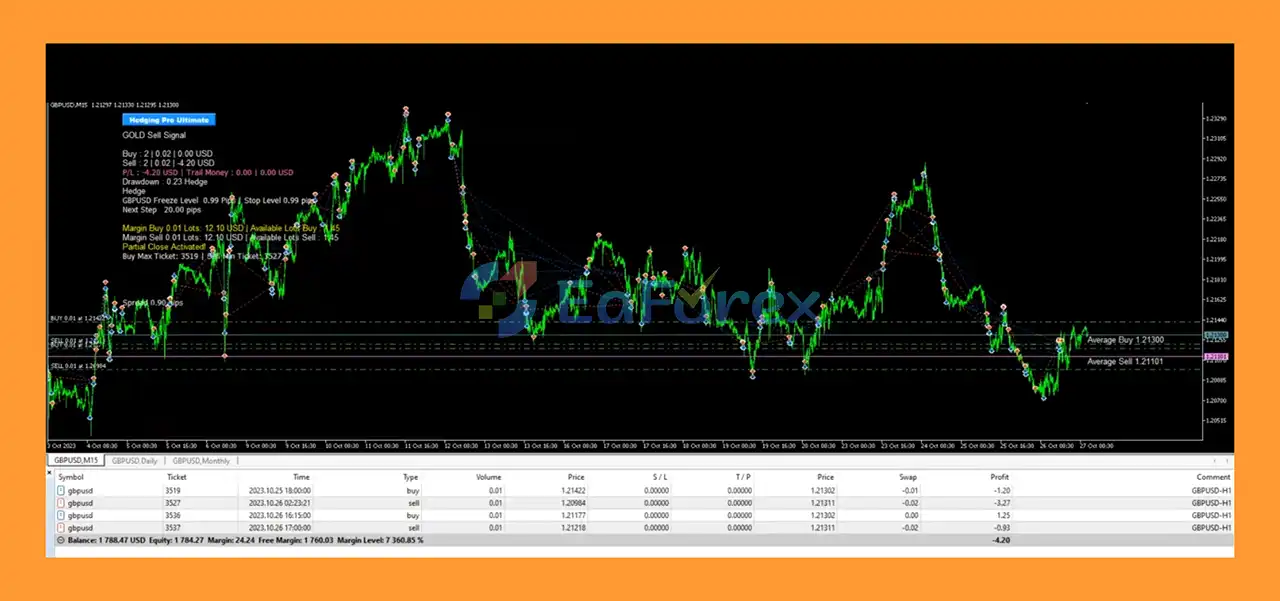
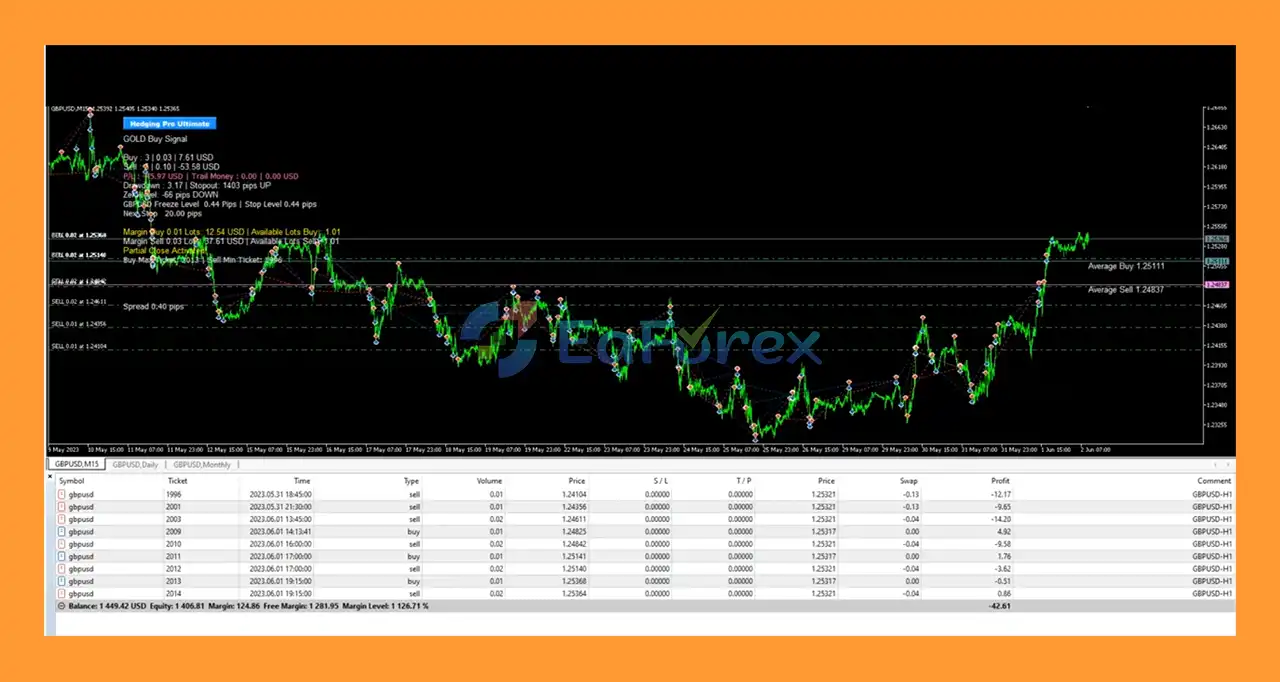
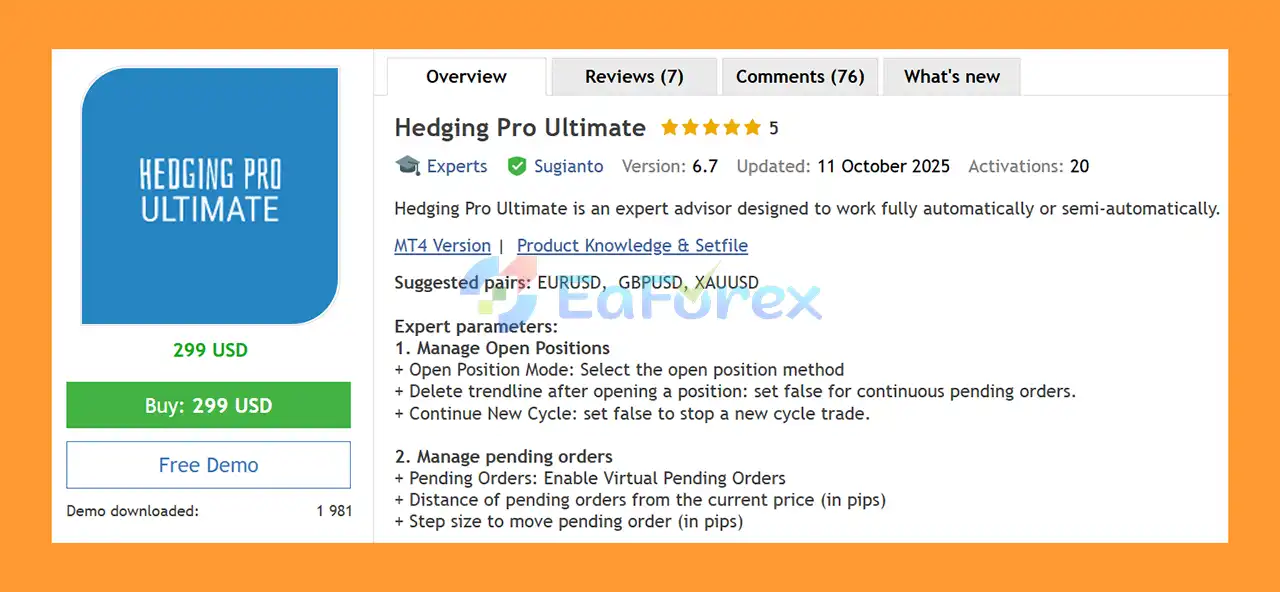
Hedging Pro Ultimate MT5 is a flexible automated trading Expert Advisor for MetaTrader 5, designed to support multiple position-management approaches, including Hedging, Grid trading, Martingale, Anti-Martingale, and customizable lot management.
The EA is suggested for instruments such as EURUSD, GBPUSD, and XAUUSD, giving traders the ability to configure different trading approaches according to their preferred market and risk parameters.
Rather than operating with a single fixed strategy, Hedging Pro Ultimate MT5 provides a wide range of controls for opening positions, managing pending orders, adjusting lot sizes, creating Grid positions, controlling drawdown, closing positions partially, filtering news events, and restricting trading hours.
The system also includes options for Stop Loss, Take Profit, trailing profit management, automatic partial closing, maximum spread protection, and drawdown-based position closing.
Because the EA includes Grid and Martingale-related options, configuration and risk management are particularly important. These features can increase market exposure and may lead to substantial drawdown if used aggressively.
• Author: Sugianto
• Experience: Over +9 years of experience on MQL5.
• Notable Products: Hedging Pro Ultimate MT5, Gold Hype MT5 and other advisors.
• Flagship Product: Hedging Pro Ultimate MT5 is rated as the best performing product of the year.
>> Delivery time 24h-48h after payment.
>>> Refund if not delivered.
>>> You will receive the latest version without any limitations (ID+Time).>>Reviewed by Jason Stap <<
Hedging Pro Ultimate MT5 allows traders to independently control long and short trading.
Available settings include:
The EA provides a virtual pending-order system that allows traders to configure:
This can provide greater flexibility in how potential entry levels are managed.
Hedging Pro Ultimate MT5 supports different approaches to position sizing.
Users can configure:
The AutoLot function can calculate position size according to the amount of account capital selected for management.
For example, if an account has a balance of $5,000 and the trader chooses to manage $1,000, the EA can calculate the corresponding AutoLot according to the configured parameters.
The EA includes configurable lot multiplication.
The multiplier can be used for:
These options can significantly change the risk profile of the EA.
Martingale-style sizing is particularly important to understand because increasing position size after losing trades can cause exposure to grow rapidly during prolonged adverse market conditions.
Hedging Pro Ultimate MT5 includes a configurable Grid module.
Users can configure:
This provides flexibility in controlling how additional positions are opened.
The EA provides several controls for managing overall exposure.
These include:
These tools can help traders establish predefined conditions for reducing exposure.
Users can enable or disable Stop Loss and Take Profit.
The available settings include:
Using no Stop Loss can significantly increase risk and should only be considered after careful testing and understanding of the strategy.
The EA provides money-based trailing functions.
Users can configure:
These settings allow profits to be managed according to monetary values or account-balance percentages.
Hedging Pro Ultimate MT5 includes several partial-closing mechanisms designed to reduce open exposure.
The EA can be configured to partially close positions based on:
For example, a 50% partial close of a 0.10 lot position would close approximately 0.05 lot, subject to broker volume rules.
The EA allows users to define when a new trading cycle can begin.
Available settings include:
Trading times use the broker’s server time.
Hedging Pro Ultimate MT5 includes an integrated news-management system.
Users can configure:
This allows traders to restrict the opening of new cycles around selected economic events.
The EA includes a Maximum Spread parameter that can prevent trading when spread exceeds the configured limit.
This can be particularly important for Grid and short-term trading systems because high spreads can increase the cost of opening multiple positions.
Hedging Pro Ultimate MT5 operates through a combination of configurable entry, position-management, Grid, money-management, and risk-control modules.
The EA first evaluates the configured entry conditions and determines whether a new trading cycle should begin.
The trader can control whether Buy, Sell, or both directions are permitted.
If virtual pending orders are enabled, the EA can manage potential entry levels at a defined distance from the current market price.
The pending-order step determines how these levels can be adjusted.
Once an entry is triggered, the EA calculates the trade volume according to the selected lot-management method.
The trader can choose fixed lot sizing or automatic calculation.
If Grid trading is enabled, the EA can add positions according to the selected Grid mode.
Additional positions can be controlled using:
The system can manage multiple Buy and Sell positions according to the configured strategy.
This allows traders to build more complex multi-position trading structures.
Open positions can be managed through:
These functions can work together to control overall exposure.
After a cycle has been completed, the EA can either stop or begin another cycle according to the Continue New Cycle settings and configured trading schedule.
Before opening new positions, the EA can apply the configured news and spread restrictions.
This can prevent new trading activity during selected high-impact events or when market spread becomes excessive.
Hedging Pro Ultimate MT5 may be suitable for traders looking for a highly configurable MT5 Expert Advisor with multiple position-management options.
One of its main characteristics is the ability to combine several trading-management techniques within a single EA.
The system provides controls for:
This level of customization allows traders to build different configurations instead of being restricted to one predefined risk model.
The EA may also be useful for traders who want to experiment with different approaches to multi-position management on EURUSD, GBPUSD, and XAUUSD.
However, the flexibility comes with additional complexity. Grid and Martingale configurations can increase exposure quickly, so users should thoroughly test each configuration and understand its maximum potential drawdown before using real capital.
Hedging Pro Ultimate MT5 Review
The risk profile of Hedging Pro Ultimate MT5 depends heavily on how its Grid, Hedging, and lot-multiplier functions are configured.
Because the EA supports Martingale and Grid options, traders should pay particular attention to position size and maximum exposure.
Fixed lot sizing provides a predictable starting trade volume.
AutoLot can instead calculate position size based on the amount of account capital assigned to the EA.
The lot multiplier can increase or decrease subsequent trade volumes depending on the selected configuration.
Martingale-style position sizing can increase trade volume after losses.
Although this may potentially accelerate recovery during favorable reversals, it can also cause rapidly increasing exposure during a prolonged trend against the trading cycle.
Users should carefully evaluate maximum lot size and maximum trade limits when using this function.
Grid trading involves opening additional positions at predetermined distances.
A strong directional market can cause multiple Grid positions to accumulate before the market reverses.
This can result in significant floating losses and margin requirements.
The Cut Loss if Drawdown function allows users to specify a maximum drawdown percentage at which positions can be closed.
The monetary cut-loss function provides another method of defining an overall loss threshold.
These features can help establish a predefined exit condition for an adverse trading cycle.
Automatic partial closing can reduce exposure by closing a percentage of open positions when specified profit conditions are reached.
This can be configured using profit in pips, money, or percentage-based conditions.
Users can configure a Stop Loss in pips.
A value of zero disables the Stop Loss function. Disabling Stop Loss can significantly increase risk, particularly when Grid or Martingale features are active.
Take Profit can also be configured in pips.
The selected value should be considered together with Grid distance, position size, spread, and the overall trading cycle.
The news filter can prevent new trading activity around selected economic events.
This can be useful because major economic announcements can cause rapid changes in volatility, spread, and liquidity.
The Maximum Spread setting can help prevent new entries when trading costs become unusually high.
However, spread protection does not eliminate slippage or other execution risks.
Historical backtests do not guarantee future performance. Actual results can vary significantly according to broker execution, market conditions, spread, slippage, leverage, account size, and EA configuration.
Grid strategies can accumulate multiple positions as the market moves against the initial entry.
A prolonged directional movement can therefore create substantial floating losses.
Martingale position sizing can cause lot sizes to increase after losing trades.
Without strict exposure controls, this can place significant pressure on account equity and available margin.
Opening positions in opposite directions can change the exposure profile, but hedging does not guarantee a loss-free trading system.
Spread, commissions, swap costs, and unfavorable price movement can still result in losses.
Running several Grid or Hedging positions simultaneously can consume more available margin.
Traders should monitor margin level carefully, especially when using XAUUSD.
XAUUSD can experience rapid price movements, especially around major economic announcements.
A configuration suitable for EURUSD may not be appropriate for Gold.
The EA’s results can be affected by:
The news filter can restrict new trading around economic announcements, but it cannot guarantee protection from all market volatility or execution problems.
No combination of Hedging, Grid, Martingale, or automated risk management can guarantee consistent profitability.
Users should evaluate the maximum possible exposure of their chosen configuration before live deployment.
Open MetaTrader 5 and connect it to your preferred trading account.
In MT5, select:
File → Open Data Folder
Then navigate to:
MQL5 → Experts
Copy the Hedging Pro Ultimate MT5 EA file into the Experts folder.
Restart the platform or refresh the Expert Advisors section in the Navigator.
Open one of the supported instruments, such as:
Select the timeframe recommended by your particular trading configuration.
Find Hedging Pro Ultimate MT5 in the Navigator and drag it onto the selected chart.
Choose whether the EA should allow:
Choose between fixed lot sizing and AutoLot.
If using AutoLot, carefully specify the amount of account money that should be managed.
If Grid trading is enabled, review:
If using Martingale or Anti-Martingale, carefully check the lot multiplier and maximum lot settings.
Set appropriate:
Set the trading schedule according to your broker’s server time.
If using the news filter, configure the desired news impact levels and GMT settings.
Make sure Algo Trading is enabled in MetaTrader 5.
Before using real money, test the EA using the MT5 Strategy Tester and then evaluate it on a demo account.
Pay particular attention to:
Only consider live deployment after understanding how the selected configuration behaves under adverse market conditions.
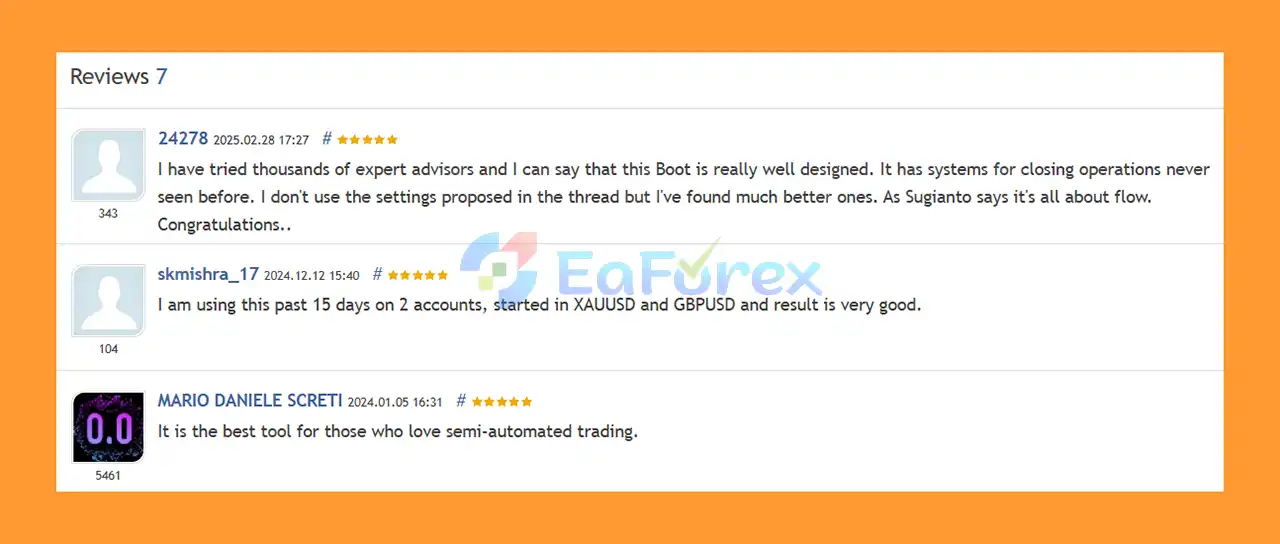
🔺Hedging Pro Ultimate MT5 is highly appreciated by the MQL5 community for bringing stable and reliable profits. Below are 5 star reviews from users:
User Reviews
🔺 Experts:
🔺 Presets:
Hedging Pro Ultimate MT5 is a highly configurable MetaTrader 5 Expert Advisor designed to provide traders with extensive control over Hedging, Grid, Martingale, Anti-Martingale, position sizing, and risk management.
Its feature set includes AutoLot, fixed lots, pending-order management, Grid controls, Stop Loss, Take Profit, drawdown protection, monetary loss limits, trailing profit, partial closing, trading schedules, news filtering, and spread protection.
The EA’s flexibility can allow traders to create different trading configurations for instruments such as EURUSD, GBPUSD, and XAUUSD. However, this flexibility also means that the final risk profile depends heavily on the settings selected by the user.
In particular, Grid and Martingale features can significantly increase exposure during prolonged adverse market movements. Traders should therefore evaluate maximum lot size, maximum trade count, margin usage, and maximum drawdown before considering live deployment.
For anyone considering Hedging Pro Ultimate MT5, thorough backtesting, demo testing, conservative risk management, and broker-specific evaluation are essential. The EA should be configured according to the trader’s own risk tolerance, and historical or simulated results should never be treated as a guarantee of future performance.
1. What is Hedging Pro Ultimate MT5?
Hedging Pro Ultimate MT5 is a powerful Expert Advisor (EA) for MetaTrader 5 that combines hedging, grid, and risk management strategies to trade pairs like EURUSD, GBPUSD, and XAUUSD automatically or semi-manually.
2. Can I use Hedging Pro Ultimate MT5 for both auto and manual trading?
Yes. The EA supports fully automated trading or manual intervention, allowing traders full control over entries, exits, and risk management.
3. Does Hedging Pro Ultimate MT5 use a Martingale strategy?
It offers multiple lot systems, including Martingale, Anti-Martingale, Fixed, AutoLot, and Mixed options—so traders can choose the safest or most aggressive setup they prefer.
4. Is Hedging Pro Ultimate MT5 safe for long-term trading?
Yes. It includes advanced safety tools like stop loss, drawdown limits, trailing profits, and a news filter to protect capital in volatile markets.
5. What markets and timeframes does Hedging Pro Ultimate MT5 work best on?
It performs best on EURUSD, GBPUSD, and XAUUSD pairs and supports multiple timeframes such as M15 and H1, depending on your strategy.
6. Is Hedging Pro Ultimate MT5 easy to install?
Yes. The EA comes with ready-to-use set files, a detailed installation guide, and auto GMT detection for quick and accurate setup.
In stock
In stock
In stock
In stock
In stock
Out of stock
No account yet?
Create an Account












 Automatic EA
 EA Best Seller
 Expert Advisor MT4
 Expert Advisor MT5
 HFT EA


Reviews
Clear filtersThere are no reviews yet.