









-
 Unlimited Activations
-
 Instant delivery
-
 Easy to install







 Unlimited Activations
Instant delivery
Easy to install
Unlimited Activations
Instant delivery
Easy to install
 Free Update
 Free Install Support

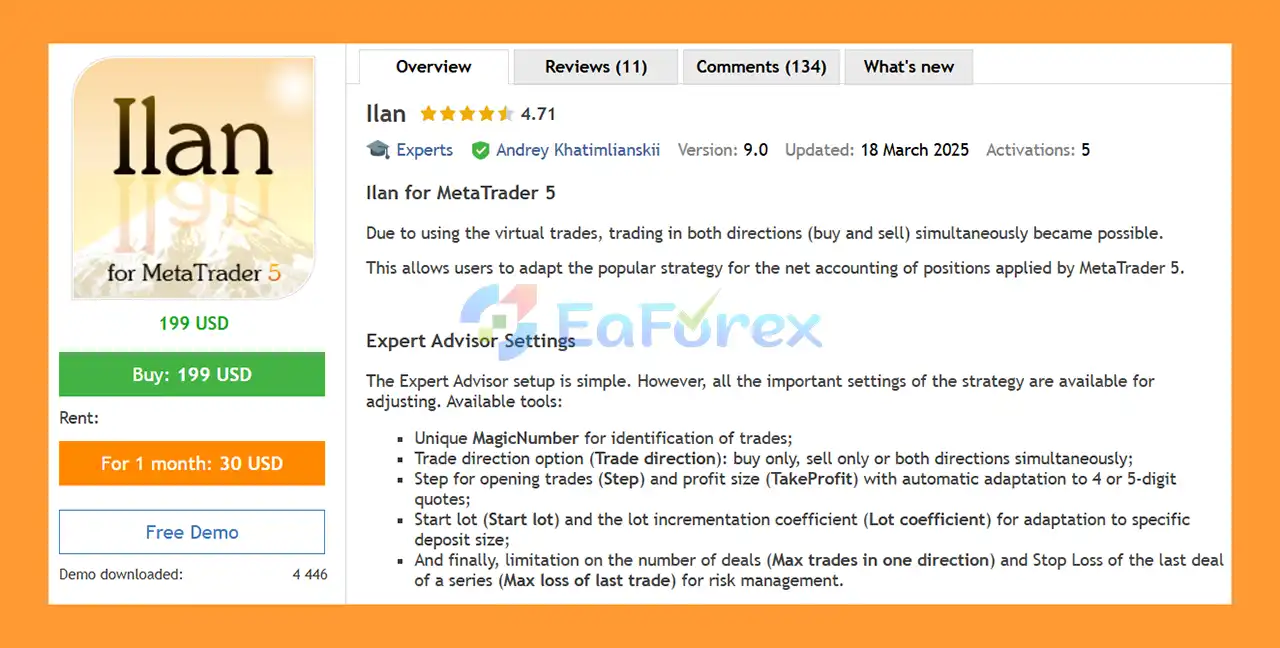
Ilan EA MT5 is an advanced Expert Advisor designed around a virtual trading system that allows the strategy to manage Buy and Sell directions simultaneously on MetaTrader 5.
By using virtual trades, Ilan can adapt strategies commonly associated with position netting while providing its own internal trade-management framework. The Expert Advisor tracks its virtual positions independently, allowing traders to run multiple Ilan instances on the same account without the individual instances interfering with one another.
The system provides flexible controls for trade direction, entry step, Take Profit, starting lot size, lot coefficient, maximum trades, and maximum loss of the last trade. These settings allow traders to adapt the EA to different account sizes and trading preferences.
Ilan can also operate alongside manual trades and other Expert Advisors because it manages its own virtual trading logic independently.
• Author: Andrey Khatimlianskii.
• Experience: Over +11 years of experience on MQL5.
• Notable Products: Ilan MT5, Ilan MT4, Market Screener EA and others.
• Flagship Product: is rated as the best performing product of the year.
>> Delivery time 24h-48h after payment.
>>> Refund if not delivered.
>>> You will receive the latest version without any limitations (ID+Time).>>Reviewed by Jason Stap <<
The main concept behind Ilan EA MT5 is its virtual trading mechanism.
Instead of relying exclusively on conventional visible positions, the EA maintains its own internal list of virtual positions. This allows it to track the strategy independently and determine how many lots are currently being managed.
For example, the chart can display information such as:
This provides traders with a visual representation of the virtual positions currently managed by the EA.
Ilan provides three trading-direction options:
The third option allows the EA to manage both market directions within its virtual trading framework.
The Step parameter controls the spacing between new trades, while TakeProfit defines the intended profit target.
Both parameters automatically adapt to 4-digit and 5-digit price quotations, making the configuration more convenient across different broker environments.
The EA provides two important lot-related parameters:
These settings should be selected carefully because increasing lot sizes can significantly increase account exposure.
Ilan also provides:
These parameters can be used to limit the number of positions and provide additional control over the risk of an ongoing trade series.
The virtual trading architecture is one of the key characteristics of Ilan. It allows the EA to maintain its own strategy state while displaying virtual positions directly on the chart.
Traders can select one direction or enable both directions simultaneously. This gives users greater flexibility when configuring the strategy for different market conditions.
One of the notable features of Ilan is the ability to run multiple instances on a single account. Each instance operates using its own virtual trades and does not directly interfere with another Ilan instance.
This can also allow different configurations to be applied to the same financial instrument, provided the trader understands the combined exposure.
Manual positions and trades opened by other Expert Advisors do not affect Ilan’s internal virtual-trading strategy. This makes it possible to use Ilan as part of a broader automated or discretionary trading setup.
Although the basic setup is relatively simple, the EA exposes important strategy parameters, including trade direction, Step, Take Profit, Start Lot, Lot Coefficient, maximum trades, and maximum loss.
The CloseAndStopNow function gives traders a dedicated way to close Ilan-managed trades and stop the EA’s operation.
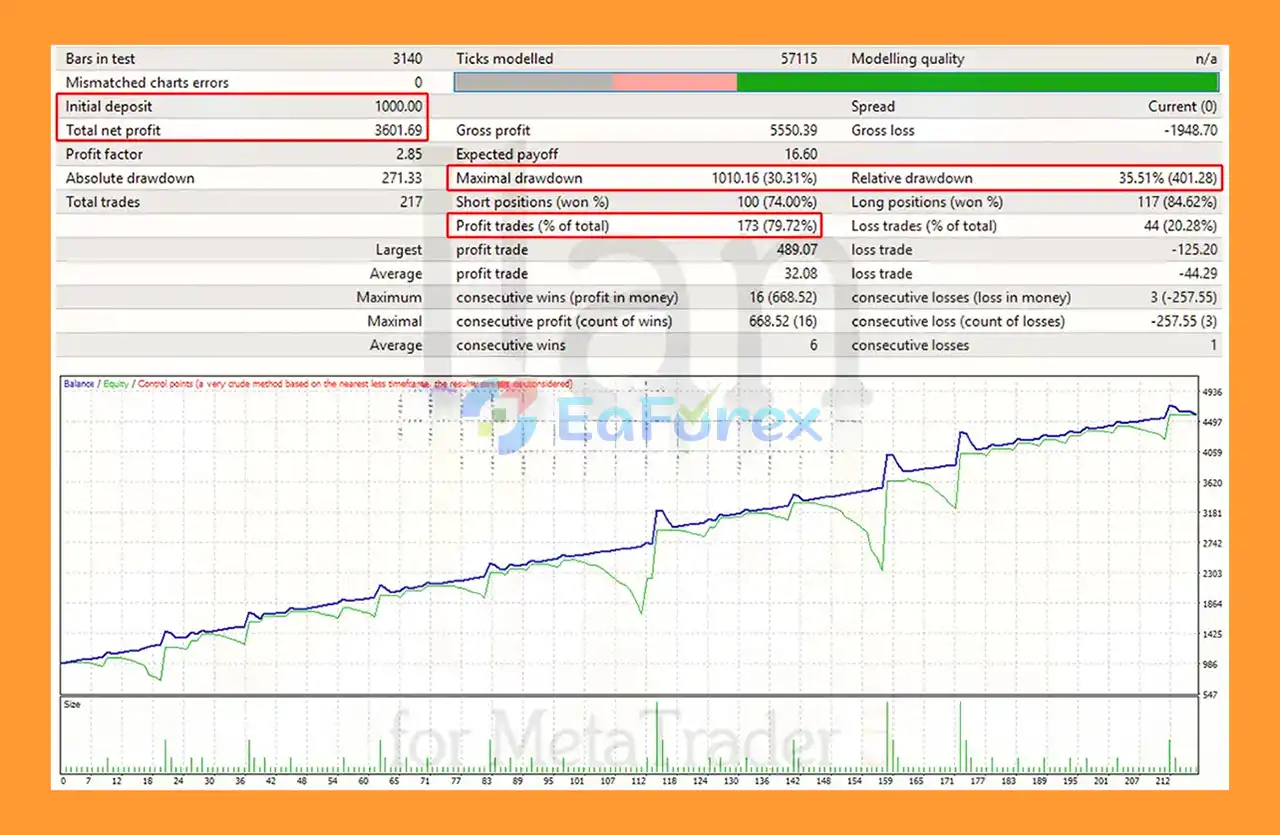
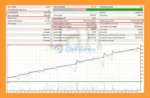
Ilan EA MT5 Backtest Results with EURUSD
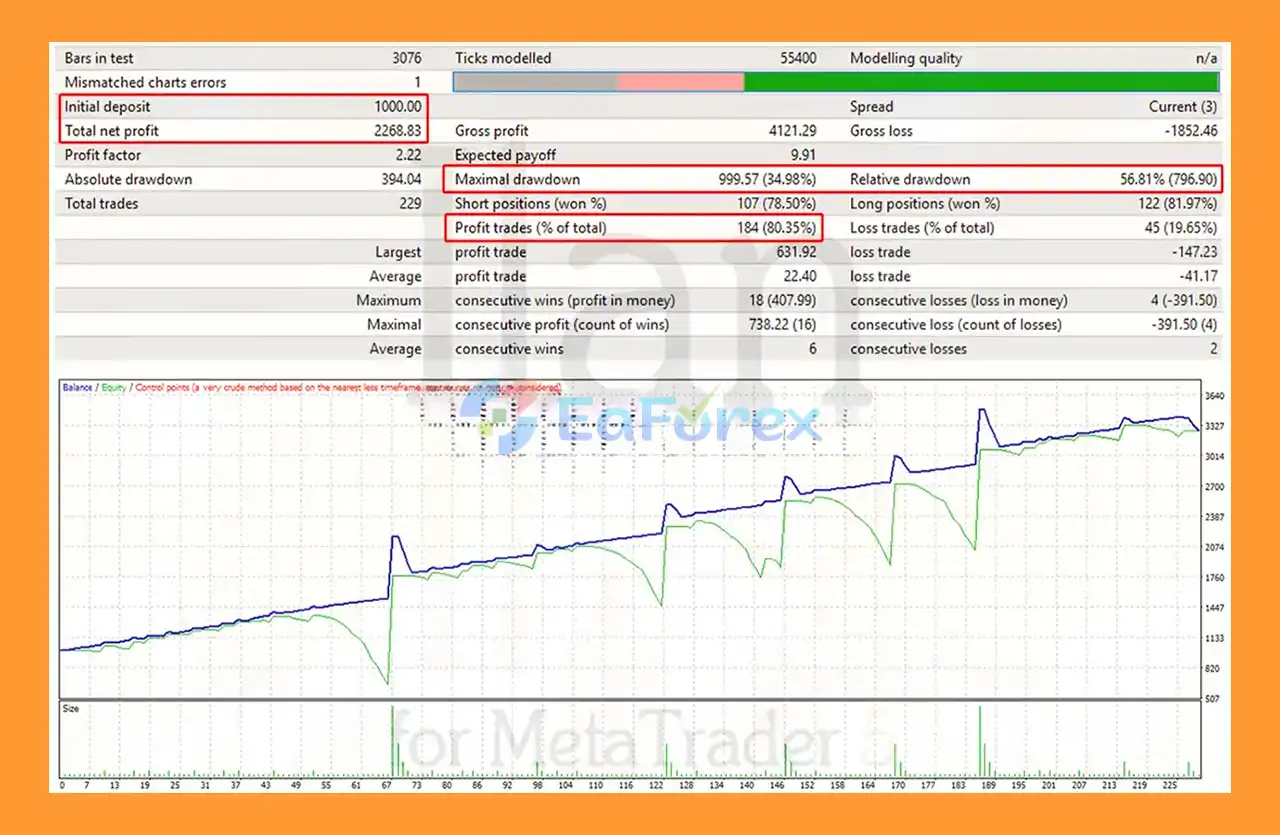
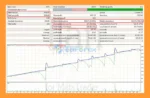
Ilan EA MT5 Backtest Results with GBPUSD
Ilan EA MT5 provides several parameters that can influence its risk profile.
The most important include:
The starting lot determines the initial position size. A larger starting lot increases exposure from the beginning of a trading series.
The Lot Coefficient controls the increase in position size according to the strategy. Traders should pay particular attention to this parameter because increasing position sizes can cause exposure to grow rapidly during extended adverse market movements.
This parameter limits the number of trades that can be opened in a particular direction. A lower limit can help restrict the maximum number of positions in a series.
The Max Loss of Last Trade parameter provides an additional loss-management mechanism for the final trade in a series.
Running both Buy and Sell directions simultaneously can provide flexibility, but it does not eliminate market risk. The combined exposure of multiple directions and multiple EA instances should always be evaluated at the account level.
The EA’s actual trading results should be evaluated using the MetaTrader 5 Strategy Tester, as recommended by the developer. Backtest results can vary depending on historical data quality, spread, commission, execution assumptions, and testing parameters.
Despite its flexible virtual-trading architecture, Ilan EA MT5 involves significant risks that traders should understand.
The combination of Start Lot and Lot Coefficient can increase trading volume during a series. If the market continues moving against the strategy, exposure may become substantially larger.
Allowing multiple trades in one direction can increase the account’s total market exposure. Traders should not evaluate the risk of an individual position separately from the entire trade series.
The positions displayed by Ilan are part of its internal virtual-trading system. Traders should understand the difference between the EA’s virtual positions and the actual positions shown in the MetaTrader 5 account.
Manual trades and positions opened by other Expert Advisors do not form part of Ilan’s internal trading process. Therefore, traders must independently monitor the total account exposure.
The developer specifically warns against applying conventional Stop Loss and Take Profit settings to the positions managed by Ilan because doing so may close positions without the EA accounting for those closures within its trading process.
The recommended approach is to use the EA’s own position-management and CloseAndStop functionality when closing Ilan-managed positions.
No automated strategy performs identically in every market environment. Strong trends, volatility changes, spreads, slippage, and unexpected market events can negatively affect results.
Testing results do not guarantee future live performance. Traders should always test the EA carefully and use appropriate risk management before deploying it with real capital.
To install Ilan EA MT5 on MetaTrader 5:
If running multiple Ilan instances, use separate configurations and carefully monitor the combined exposure.
🔺Ilan EA MT5 is highly appreciated by the MQL5 community for bringing stable and reliable profits. Below are 5 star reviews from users:
User Reviews
Ilan EA MT5 is a specialized Expert Advisor built around a virtual trading system that enables flexible management of Buy and Sell directions on MetaTrader 5.
Its key advantages include simultaneous directional trading, configurable lot management, adjustable trade limits, virtual-position monitoring, and the ability to run multiple independent instances on the same account.
The EA also provides useful operational controls such as CloseAndStopNow, while allowing users to stop new trade series and let existing series finish according to the configured strategy.
However, traders should pay particular attention to the Start Lot, Lot Coefficient, maximum trade count, and overall exposure. Increasing position sizes and accumulating multiple trades can create substantial risk during prolonged adverse market conditions.
For this reason, Ilan EA MT5 should be thoroughly tested in the MetaTrader 5 Strategy Tester and on a demo account before live deployment. Proper position sizing and account-level risk management remain essential.
Ilan EA MT5 is a trading tool, not a guarantee of profitability. Past backtest or trading results do not guarantee future performance.
1. What is Ilan EA MT5?
Ilan EA MT5 is a powerful trading robot (Expert Advisor) for MetaTrader 5 that uses virtual trades to manage positions, allowing traders to operate in both directions with customizable risk and lot settings.
2. Is Ilan EA MT5 suitable for beginners?
Yes. Ilan EA MT5 is designed with a simple setup and user-friendly interface, making it easy for beginners to start trading. At the same time, it offers advanced customization options for professional traders.
3. Can I use Ilan EA MT5 with manual trading?
Absolutely. Ilan EA MT5 is fully compatible with manual trading. You can place manual trades without affecting the EA’s performance or strategy execution.
4. What currency pairs does Ilan EA MT5 work best on?
Ilan EA MT5 has been tested and shows strong results on major forex pairs such as EURUSD and GBPUSD. However, it can be adapted to other pairs with proper optimization.
5. How does Ilan EA MT5 manage trading risks?
The EA includes robust risk management tools such as maximum trade limits, stop-loss control, lot management, and capital protection features to minimize drawdown and overexposure.
6. What’s included when I purchase Ilan EA MT5?
The package includes the Ilan EA MT5 file, an installation guide, and setup documentation to help you configure and start trading quickly.
In stock
In stock
In stock
In stock
In stock
Out of stock
No account yet?
Create an Account












 Automatic EA
 EA Best Seller
 Expert Advisor MT4
 Expert Advisor MT5
 HFT EA


Reviews
Clear filtersThere are no reviews yet.