









-
 Unlimited Activations
-
 Instant delivery
-
 Easy to install







 Unlimited Activations
Instant delivery
Easy to install
Unlimited Activations
Instant delivery
Easy to install
 Free Update
 Free Install Support

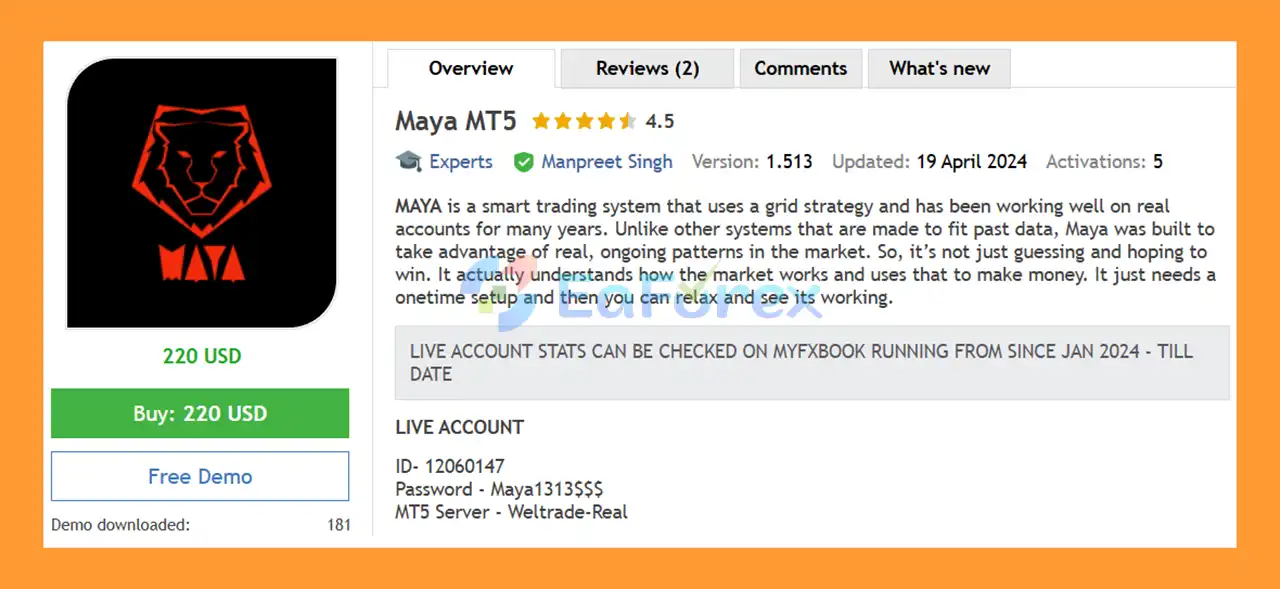
Maya MT5 is an automated trading Expert Advisor for MetaTrader 5 that uses a structured grid-based trading approach across multiple currency pairs.
The system is designed around the idea of capturing recurring market behavior rather than relying exclusively on historical optimization. Maya MT5 can simultaneously trade a predefined basket of Forex pairs, with each pair managed according to the selected strategy mode and its configured trading logic.
The supported currency pairs include: AUDCAD, AUDNZD, NZDCAD, EURUSD, URCHF, AUDCHF, USDCHF,
Maya MT5 can technically operate on different timeframes, while H1 is the recommended timeframe according to the supplied specifications.
The EA is designed as a relatively low-maintenance automated system. After the initial configuration, traders are not expected to make frequent parameter changes unless they change the trading timeframe or need to adapt the symbol settings to their broker.
Maya MT5 provides three strategy modes, two profit modes, weekday filters, time controls, multi-currency trading, and configurable dashboard visibility. The developer also provides SET files, lifetime support, and access to a premium update channel for buyers.
>> Delivery time 24h-48h after payment.
>>> Refund if not delivered.
>>> You will receive the latest version without any limitations (ID+Time).>>Reviewed by Jason Stap <<
Maya MT5 can trade multiple Forex pairs from the supported basket simultaneously.
The supported instruments are:
AUDCAD, AUDNZD, NZDCAD, EURUSD, EURCHF, AUDCHF, and USDCHF.
Trading several currency pairs allows the EA to distribute its activity across different market relationships rather than depending on a single symbol.
However, multiple positions can also increase total account exposure, so traders should consider the combined risk of the entire portfolio.
Maya MT5 incorporates a grid-based approach in its more aggressive configurations.
The grid component is designed to manage a sequence of positions according to the selected strategy mode. The supplied specifications state that Strategy 3 disables the grid, making it the most conservative configuration.
Grid strategies can behave differently from single-entry systems because several positions may accumulate during adverse market movement.
Maya MT5 provides three different operating modes.
Strategy 1 – Aggressive Mode
The default configuration is described as the aggressive mode. Each supported currency pair operates according to its own market behavior.
Strategy 2 – Intermediate Mode
The intermediate configuration is designed with lower drawdown expectations than Strategy 1 and considers relationships between individual currency pairs.
Strategy 3 – Conservative Mode
The conservative mode is designed to reduce risk further. According to the supplied information, the grid is disabled in this mode, while the expected profit level is also lower.
The EA provides two profit modes, allowing traders to select different approaches to profit management according to the chosen configuration.
Maya MT5 is designed for relatively simple deployment. After the EA has been configured correctly, the developer states that regular parameter changes are generally unnecessary unless the trader changes timeframe or broker-specific symbol settings.
The built-in weekday filter allows traders to select which days of the week the EA is permitted to trade.
This can be useful when traders want to restrict automated trading during selected market periods.
The time filter provides control over when the Expert Advisor starts and stops trading during the day.
This allows the user to define a specific operating schedule rather than leaving the EA active throughout the entire trading session.
The dashboard can be shown or hidden directly on the chart.
When enabled, it can provide useful information about the EA’s current trading activity and statistics.
Maya MT5 operates as a multi-currency automated trading system with different risk profiles.
Although Maya MT5 can technically run on different timeframes, H1 is the recommended timeframe.
If the timeframe is changed, the user should review the EA configuration according to the developer’s instructions.
The trader chooses between three operating modes:
Each mode changes the way the EA manages market opportunities and risk.
The EA can monitor the supported currency basket rather than focusing on only one pair.
This includes:
The system can therefore manage multiple markets from a single MT5 environment.
When the configured conditions are satisfied, Maya MT5 can automatically open and manage positions.
In the aggressive configuration, grid functionality is available. In the conservative configuration, the supplied specifications state that the grid is turned off.
The built-in Time Filter allows the EA’s operating period to be restricted.
For example, traders can define when automated trading should start and when it should stop during the trading day.
The Weekdays Filter can be used to control which days the EA is allowed to trade.
This provides additional flexibility when managing the EA’s operating schedule.
The dashboard can display trading statistics directly on the MT5 chart.
Traders can choose to show or hide the dashboard depending on their preference.
Maya MT5 is designed for traders who want a multi-currency automated Forex strategy that requires relatively little day-to-day intervention after initial configuration.
One of its defining characteristics is the ability to manage several supported currency pairs from one Expert Advisor. This can help create a broader trading basket rather than relying entirely on one currency pair.
The three strategy modes also allow traders to choose a configuration based on their desired balance between grid exposure and trading activity.
The Aggressive mode is the default and uses the grid approach.
The Intermediate mode is designed to reduce drawdown compared with the aggressive configuration while considering relationships between pairs.
The Conservative mode removes the grid according to the supplied specifications and is intended for lower-risk operation, although its expected profit level is also lower.
Another practical feature is the built-in time and weekday filters. These allow traders to define when the EA can operate without manually opening and closing trades.
The developer also provides SET files, lifetime support, and access to a premium update channel for buyers.
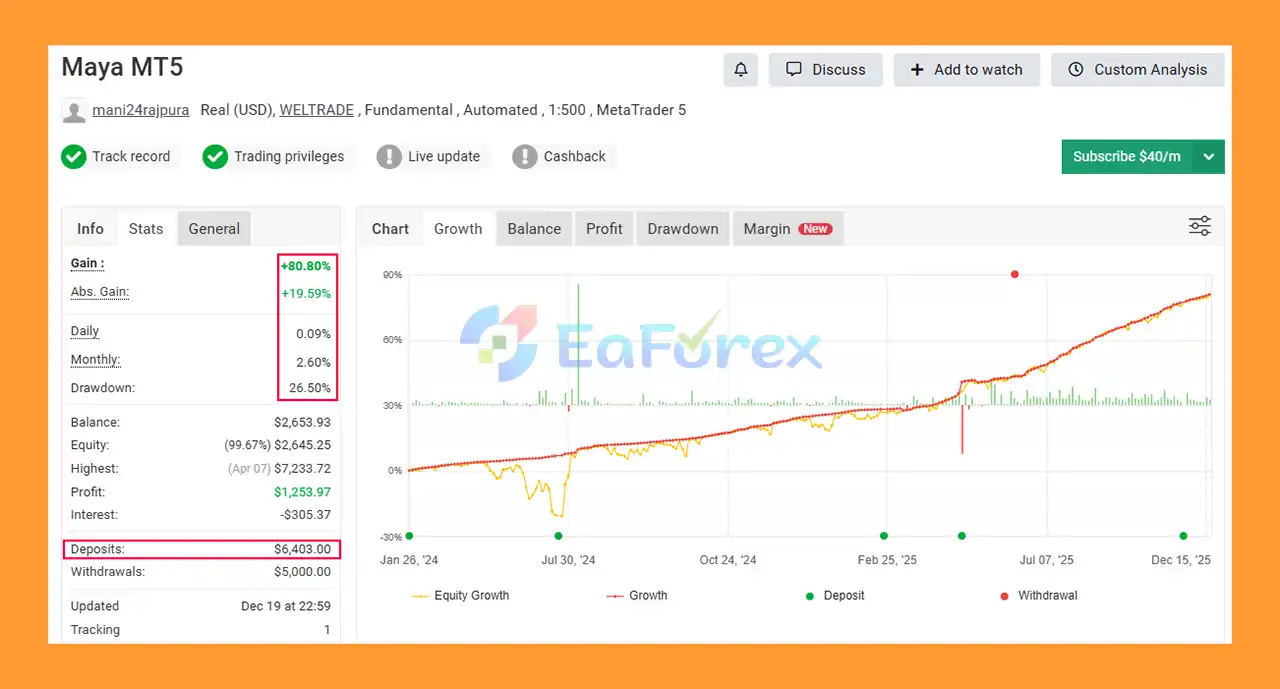
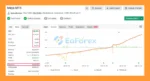
Maya MT5 Myfxbook Results
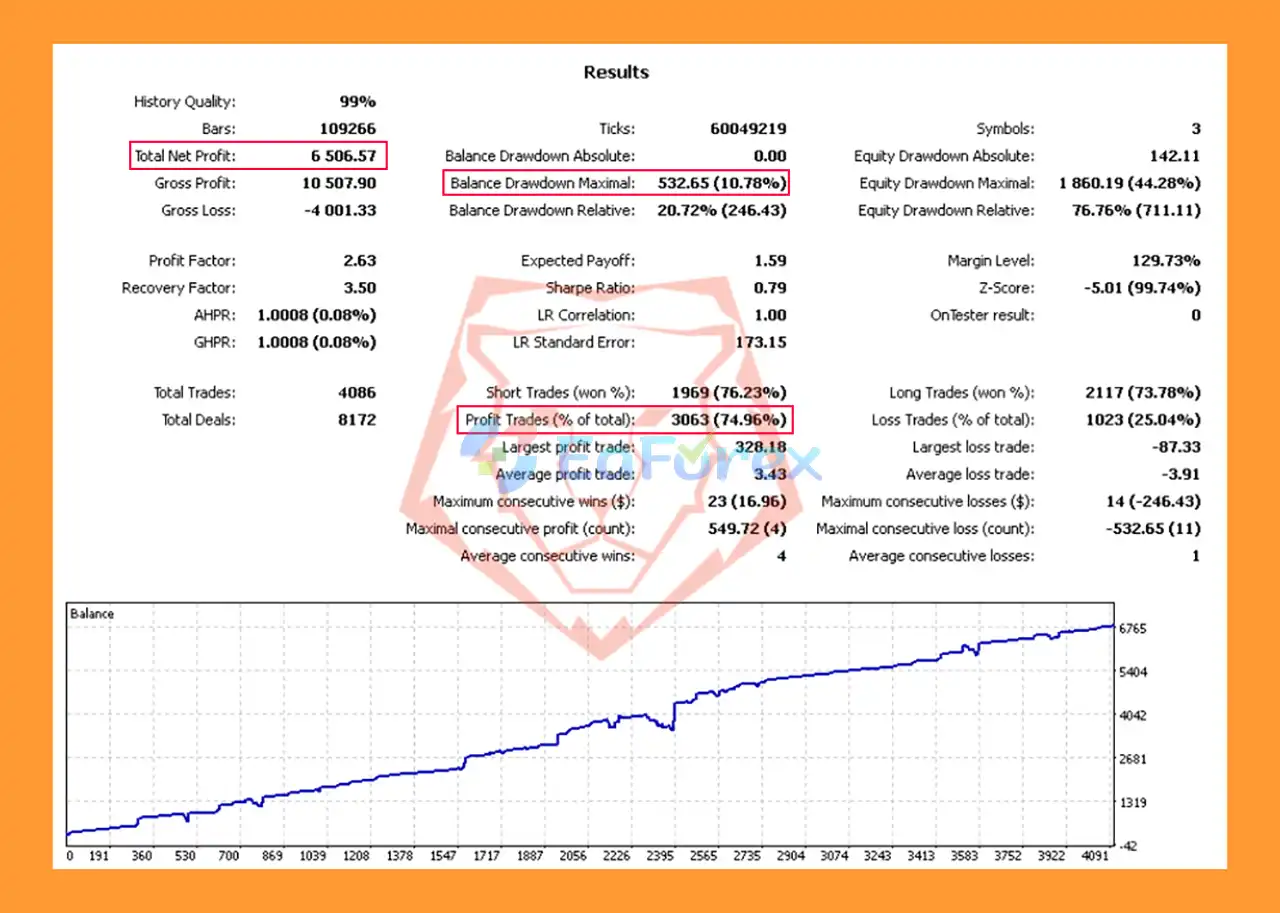
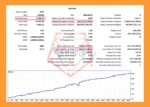
Maya EA MT5 Backtest Results
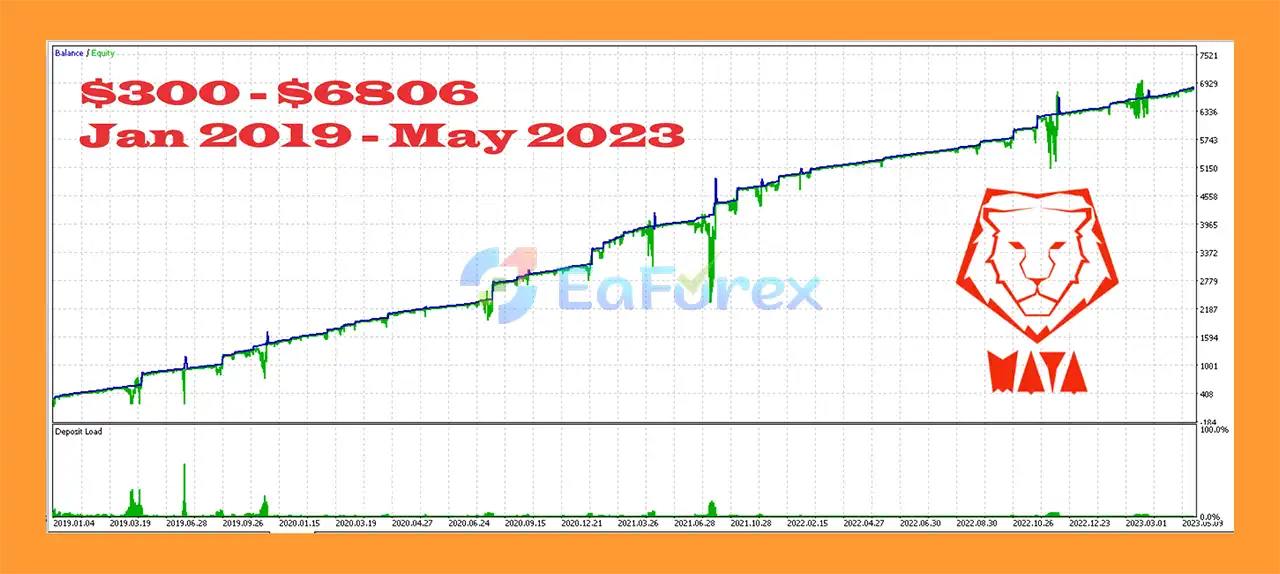
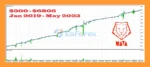
Maya EA MT5 Backtest
Maya MT5 provides multiple configurations intended to accommodate different risk preferences.
The aggressive mode is the default configuration.
According to the supplied information, each currency pair operates according to its own market behavior, with grid trading available.
Because grid strategies can involve multiple positions, traders should pay particular attention to total account exposure and drawdown.
Strategy 2 is described as an intermediate configuration designed to produce lower drawdown than the aggressive mode.
The system considers relationships between currency pairs as part of its approach.
Strategy 3 is described as the most conservative mode.
The supplied specifications state that:
The $200 figure should not be interpreted as a guarantee that the account will be safe at that balance. Position size, broker conditions, leverage, market volatility, and trading frequency can materially affect risk.
The developer states that the EA was tested under high loads with an account starting from approximately $400 at 1:500 leverage.
However, the recommended configuration is:
Minimum recommended capital: $1,000 with 1:500 leverage.
The supplied information also states that Strategy 3 may be used with capital as low as $200.
These figures should be treated as configuration guidance rather than guarantees of suitability or profitability.
The recommended broker conditions include:
Actual results can vary significantly depending on spread, commission, execution speed, slippage, liquidity, leverage, and broker-specific trading conditions.
The primary risk consideration with Maya MT5 is its grid-based architecture in the aggressive configuration.
Grid systems can accumulate multiple positions when price moves against the initial trade direction. Although the EA provides different strategy modes, grid exposure can still increase account-level risk.
The recommended leverage is 1:500, which can provide greater flexibility for position sizing but also allows traders to take substantially larger exposure relative to account equity.
High leverage does not reduce market risk.
Trading seven currency pairs simultaneously can create multiple open positions at the same time.
Some currency pairs can also have interconnected exposure through common currencies. Therefore, the number of open trades does not necessarily represent the full level of portfolio risk.
The EA is recommended for brokers with spreads below 1.5, with ECN execution preferred.
However, spreads can change during:
The developer specifies that a continuous VPS connection is required.
Because the EA is automated, interruptions in the MT5 terminal, internet connection, or VPS can prevent normal trade management and execution.
Claims that the system has worked well on real accounts should be treated as product information rather than a guarantee of future performance.
Past live or backtested results cannot guarantee future results.
The developer states that settings generally do not need to be changed unless the trader changes timeframe.
Nevertheless, changing timeframe can alter trading frequency, entry behavior, and risk characteristics. Any timeframe modification should therefore be tested before live deployment.
Install and log in to MetaTrader 5 through your preferred Forex broker.
Inside MT5, go to:
File → Open Data Folder → MQL5 → Experts
Copy the Maya MT5 Expert Advisor file into the Experts folder.
Restart MetaTrader 5 or refresh the Expert Advisors section in the Navigator window.
The recommended timeframe is:
H1
Although the EA can operate on other timeframes, H1 should be used for the initial configuration and testing.
The supported pair sequence is:
The developer specifies that the pair fields should be configured before use and that the sequence of symbols should not be changed.
If the broker uses a symbol suffix, it must be added correctly.
Examples may include:
The exact suffix depends on the broker.
The market instruments should be separated by commas according to the EA’s input format.
Choose one of the three available configurations:
Strategy 1: Aggressive
Strategy 2: Intermediate
Strategy 3: Conservative
For initial testing, users should carefully evaluate the risk characteristics of each mode before selecting the live configuration.
Use the Time Filter to define the EA’s operating hours.
Use the Weekdays Filter to specify which days the EA is allowed to trade.
Because continuous VPS connectivity is required, install the EA on a stable VPS capable of maintaining MT5 connectivity throughout the trading week.
Run historical backtests and forward tests on a demo account.
Pay particular attention to:
🔺Maya EA MT5 is highly appreciated by the MQL5 community for bringing stable and reliable profits. Below are 5 star reviews from users:
User Reviews
>>> Join VIP Membership Now <<<
In summary, Maya MT5 is a multi-currency automated Forex Expert Advisor that combines grid-based trading, three strategy modes, multiple profit configurations, and portfolio-level currency-pair management.
Its supported trading basket includes AUDCAD, AUDNZD, NZDCAD, EURUSD, EURCHF, AUDCHF, and USDCHF, with H1 recommended as the primary timeframe.
The three strategy configurations provide different approaches to risk and trading activity. Strategy 1 is the default aggressive configuration and uses grid functionality, while Strategy 2 is designed as an intermediate approach with lower drawdown expectations. Strategy 3 is the conservative configuration, where the grid is disabled and the expected profit level is correspondingly lower.
The EA is also designed for relatively simple operation after setup, with built-in time filters, weekday filters, dashboard controls, and multi-currency management.
However, traders should pay particular attention to the risks associated with grid trading, high leverage, multiple simultaneous currency positions, and broker execution. A $200 or $1,000 starting balance should not be viewed as a guarantee of safe or profitable operation.
For the initial evaluation, traders should use the recommended H1 timeframe, configure the correct broker symbol suffixes, maintain the specified currency-pair sequence, and test the selected strategy on a demo account before committing real capital.
Overall, Maya MT5 is best viewed as an automated multi-currency trading tool whose actual results will depend on the selected strategy, market conditions, broker execution, account size, leverage, and risk configuration. Proper testing and conservative risk management remain essential before live deployment.
1. What is Maya MT5?
Maya MT5 is a long-term, grid-based automated trading Expert Advisor for MetaTrader 5. It is designed to trade real, recurring market behavior rather than over-optimized historical patterns, making it suitable for stable and continuous automated trading.
2. How does Maya MT5 trading strategy work?
Maya MT5 uses a proven grid trading strategy that manages multiple positions intelligently based on real market movement. Instead of aggressive recovery techniques, it focuses on structured position management and long-term stability.
3. Is Maya MT5 suitable for long-term automated trading?
Yes. Maya MT5 is specifically built for long-term, hands-free trading, allowing it to run continuously with minimal user intervention after a one-time setup. It is designed to operate across multiple market cycles.
4. Does Maya MT5 trade multiple currency pairs?
Yes. Maya MT5 supports multi-currency trading, including pairs such as EURUSD, USDCHF, AUDCAD, AUDNZD, NZDCAD, AUDCHF, and EURCHF. This diversification helps spread risk across different markets.
5. What risk levels are available in Maya MT5?
Maya MT5 offers three selectable strategy modes:
Conservative
Intermediate
Aggressive
This allows traders to choose a risk profile that matches their trading style and capital tolerance.
6. Does Maya MT5 require frequent adjustments?
No. Maya MT5 is designed as a set-and-forget EA. Once installed and configured, it can trade automatically without frequent parameter changes or manual monitoring.
7. What timeframe works best for Maya MT5?
Maya MT5 can run on any timeframe, but H1 (1-hour timeframe) is recommended for optimal stability and smoother long-term performance.
8. Are Maya MT5 results verified?
Yes. Maya MT5 has verified Myfxbook performance, showing steady growth over time. Additionally, long-term backtests demonstrate consistent profitability with controlled drawdowns.
9. Who should use Maya MT5?
Maya MT5 is ideal for traders who want stable, automated trading with minimal effort, including conservative investors, long-term traders, and users seeking a reliable grid EA without aggressive or risky behavior.
In stock
In stock
In stock
In stock
In stock
Out of stock
No account yet?
Create an Account












 Automatic EA
 EA Best Seller
 Expert Advisor MT4
 Expert Advisor MT5
 HFT EA


Reviews
Clear filtersThere are no reviews yet.