Product Overview
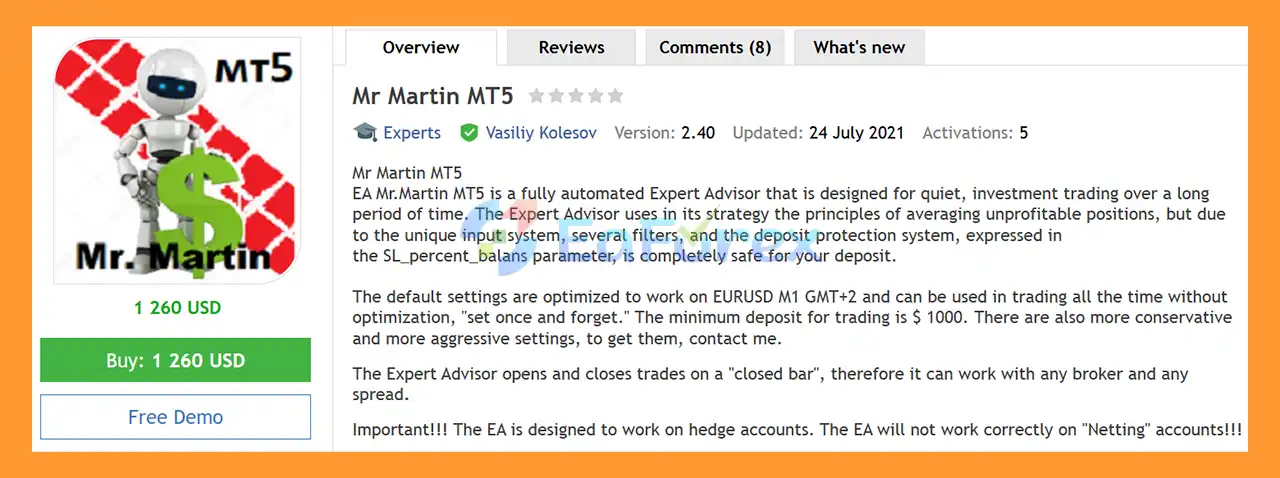
Mr Martin MT5 is a fully automated Forex Expert Advisor for MetaTrader 5, designed for long-term and relatively quiet automated trading. The EA is primarily optimized for EURUSD on the M1 timeframe and is designed to operate continuously without requiring frequent optimization.
The trading strategy uses an averaging approach for unprofitable positions, combined with multiple configurable filters and a deposit protection mechanism. The protection system includes the SL_percent_balans parameter, which is designed to help control account exposure according to the configured balance-based risk limit.
The default settings are optimized for EURUSD M1 with GMT+2 broker conditions and are intended for a simple “set once and forget” approach.
The recommended minimum starting deposit is $1,000. More conservative and more aggressive configurations may also be available for traders with different risk preferences.
An important characteristic of Mr Martin MT5 is that it evaluates trading signals and manages entries and exits based on closed candles, rather than relying on every incoming tick. This approach can help make the EA less dependent on short-term tick fluctuations and allows it to operate across different broker conditions.
Important: Mr Martin MT5 is designed specifically for Hedging accounts. It is not designed to operate correctly on Netting accounts.
About the Developer
>> Delivery time 24h-48h after payment.
>>> Refund if not delivered.
>>> You will receive the latest version without any limitations (ID+Time).
>>Reviewed by Jason Stap <<
Key Features of Mr Martin MT5
Fully Automated Trading
Mr Martin MT5 automatically analyzes the market, opens trades, manages positions, and closes trades without requiring continuous manual intervention.
EURUSD M1 Strategy
The default configuration is optimized for EURUSD on the M1 timeframe, making it suitable for traders looking for an automated short-term execution environment with a longer-term trading approach.
Averaging-Based Position Management
The EA uses an averaging methodology when managing unprofitable positions. This means additional positions may be opened according to the configured strategy when the market moves against an existing position.
Because averaging can increase overall market exposure, proper account sizing and risk configuration are essential.
Deposit Protection System
The SL_percent_balans parameter provides a balance-based protection mechanism intended to limit account exposure according to the configured percentage.
This feature is an important part of the EA’s risk-management architecture, but it should not be interpreted as a guarantee against losses.
Closed-Bar Trading
Mr Martin MT5 opens and closes trades based on closed bars. This reduces reliance on intrabar price fluctuations and can make the trading logic less sensitive to tick-by-tick market changes.
No Frequent Optimization Required
The default settings are designed to be used without continuous optimization under the specified EURUSD M1 and GMT+2 conditions.
Flexible Risk Profiles
The EA can be configured with different settings. More conservative or more aggressive configurations may be available depending on the trader’s preferred risk and exposure level.
Continuous Automated Operation
Once properly configured, the EA can remain active continuously while monitoring the selected trading conditions and managing open positions automatically.
How Does Mr Martin MT5 Work?
Mr Martin MT5 combines automated market analysis with an averaging-based position-management system.
🔺Market Analysis
The EA monitors EURUSD on the M1 timeframe and evaluates the market using its predefined trading logic and filters.
Unlike systems that react to every tick, Mr Martin MT5 uses closed-bar information to make trading decisions.
🔺Initial Trade
When the required conditions are satisfied, the EA automatically opens an initial position according to the configured parameters.
🔺Averaging Unprofitable Positions
If the market moves against an open position, the EA can use its averaging methodology to manage the position according to the predefined rules.
This approach attempts to manage the overall position structure rather than relying solely on the result of a single entry.
However, averaging strategies can increase exposure when the market continues moving in the opposite direction.
🔺Position Management
The EA continuously manages open trades based on its programmed rules and configured risk parameters.
The system can add or close positions according to the strategy while taking the configured account-protection parameters into consideration.
🔺Balance-Based Protection
The SL_percent_balans parameter is used as part of the deposit protection mechanism.
Traders should carefully configure this parameter according to their account size and acceptable risk before allowing the EA to trade live.
🔺Automated Exit
When the required exit conditions are reached, the EA automatically closes the relevant positions.
Why Choose Mr Martin MT5?
Mr Martin MT5 is designed for traders who want a fully automated EURUSD Expert Advisor with an averaging-based trading methodology and configurable account protection.
One of its key characteristics is its use of closed-bar trading logic, which means the EA does not depend on every tick to make its primary trading decisions.
The default configuration is designed for EURUSD M1 and GMT+2 conditions, with a recommended minimum deposit of $1,000.
The EA also provides flexibility through adjustable settings, allowing traders to use different risk configurations rather than being restricted to a single preset.
For traders who prefer a hands-off automated approach, the default configuration is intended to support a “set once and forget” style of operation. Nevertheless, regular monitoring remains important, particularly because the strategy uses averaging.
Mr Martin MT5 Performance Review
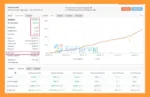
🟢Verified By MyFxBook
🔺EURUSD
- Initial Deposit: $10,000
- Total Gain: +1,034.73%
- Average Monthly Profit: 5.45%
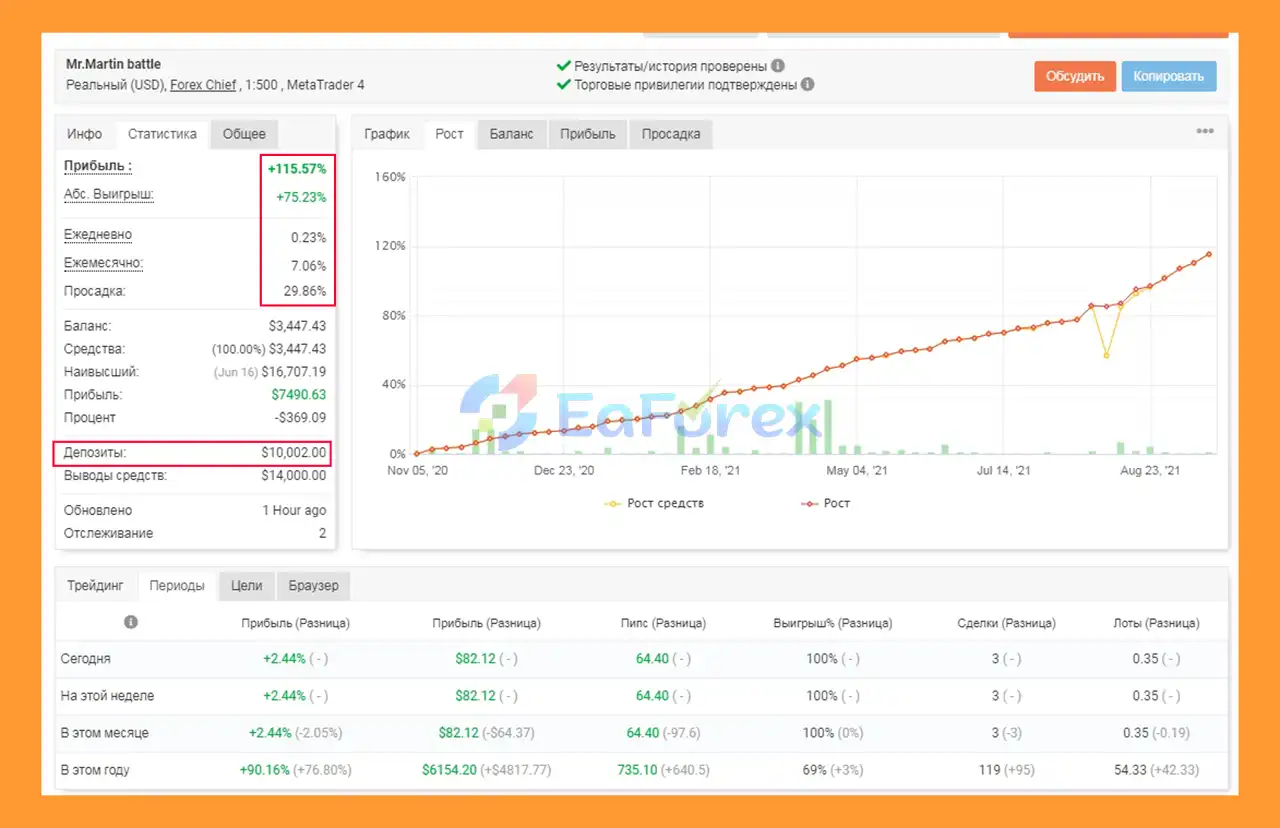
Mr Martin MT5 Myfxbooks
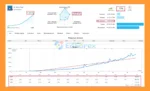
🟢Signal Results
🔺EURUSD pair – 106 consecutive weeks of trading
- Initial Deposit: $1,365
- Growth Rate: +1,861%
- Win Rate (% of total): 64.6%
- Maximum Drawdown: 59.5%
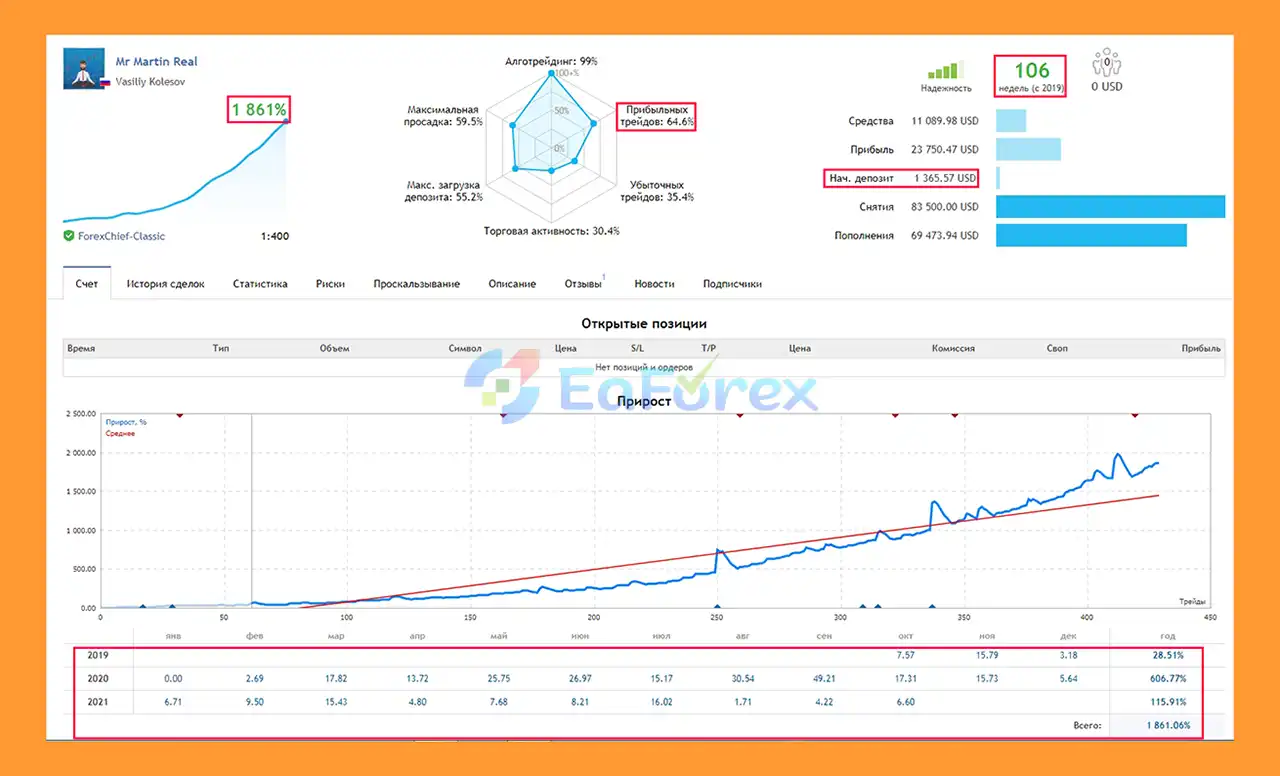
Mr Martin EA Signal Results
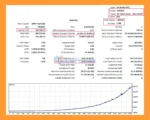
🟢Backtest Results
🔺EURUSD pair – Nearly 5 years
- Initial Deposit: $1,000
- Total Net Profit: $331,926.71
- Win Rate (% of total): 74.51%
- Maximum Drawdown: 9.40%
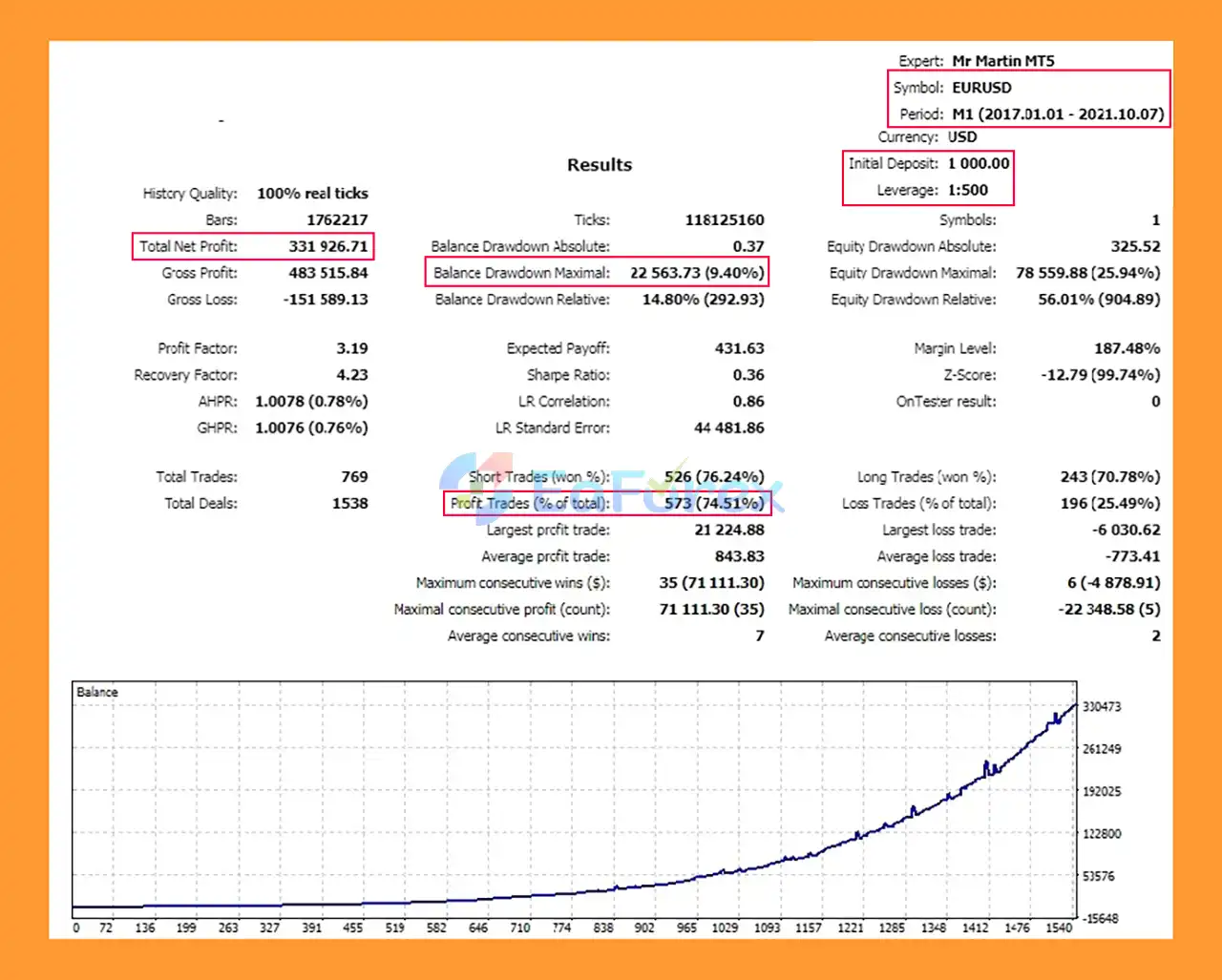
Mr Martin MT5 Backtests
Performance and Risk Management
Mr Martin MT5 incorporates several mechanisms intended to manage trading exposure.
Averaging Exposure
The core strategy includes averaging unprofitable positions. This can potentially help manage a series of entries when price moves against the initial trade, but it also means total exposure can increase during prolonged adverse market movements.
Balance-Based Protection
The SL_percent_balans parameter is designed to provide a percentage-based deposit protection mechanism.
Users should understand exactly how this parameter operates in their selected configuration and test it thoroughly before live deployment.
Closed-Bar Execution
Because the EA operates using closed candles, its trading decisions are based on completed market bars rather than constantly changing intrabar prices.
Account Size
The stated minimum recommended deposit is $1,000.
The appropriate account size should ultimately depend on the selected settings, broker conditions, leverage, spread, and the trader’s desired exposure.
Spread Considerations
The EA can operate using closed-bar logic across different broker conditions, but spread remains an important consideration.
Important: If the broker’s spread exceeds 10 points/pips according to the EA’s parameter convention, the Take Profit should be reduced accordingly.
Always confirm how your broker quotes EURUSD and how the EA measures spread before changing the Take Profit setting.
Weaknesses and Risk Warnings
Averaging Can Increase Risk
Mr Martin MT5 uses an averaging methodology. If EURUSD continues moving against the existing position, additional positions may increase total exposure.
A prolonged one-directional market can therefore create significant floating drawdown.
Deposit Protection Is Not a Guarantee
The SL_percent_balans parameter is a risk-management mechanism, not a guarantee that the account cannot lose money.
Extreme market conditions, gaps, slippage, execution issues, and broker-specific conditions can affect actual results.
Hedging Account Required
The EA is specifically designed for Hedging accounts.
Do not use Mr Martin MT5 on a Netting account, as the trading logic may not operate correctly under a netting position structure.
Broker Conditions Matter
Although the EA uses closed-bar trading logic, live results can still vary depending on:
- Spread
- Commission
- Swap
- Slippage
- Execution speed
- Leverage
- Contract specifications
- Broker server time
EURUSD M1 Is Sensitive to Trading Conditions
The M1 timeframe contains substantial short-term market noise. Changes in spread and execution conditions can therefore affect live trading behavior.
Default Settings Are Not Universal
The default configuration is optimized for the stated EURUSD M1 GMT+2 environment. Traders using different broker conditions should test the EA carefully rather than assuming the default settings will produce identical results.
Pros and Cons
Pros
- Fully automated MetaTrader 5 Expert Advisor
- Designed primarily for EURUSD
- Optimized for M1 timeframe
- Closed-bar trading logic
- Averaging-based position management
- Balance-based protection through SL_percent_balans
- Designed for continuous automated operation
- Default settings intended for a “set once and forget” approach
- Recommended minimum deposit of $1,000
- Flexible configuration options
- Conservative and aggressive settings may be available
- Can be used across different broker conditions when properly configured
Cons
- Uses an averaging-based strategy
- Additional positions can increase market exposure
- Prolonged adverse trends can cause substantial floating drawdown
- Requires a Hedging account
- Not suitable for Netting accounts
- Spread conditions can affect Take Profit configuration
- Default settings are specifically optimized for EURUSD M1 GMT+2
- Live results can differ from historical or expected performance
- Deposit protection parameters do not eliminate trading risk
- Requires proper broker-specific testing before live deployment
How to Install Mr Martin MT5
Step 1: Install MetaTrader 5
Download and install MetaTrader 5 from your broker or MetaQuotes-supported installation.
Step 2: Copy the EA File
Open MetaTrader 5 and select:
File → Open Data Folder → MQL5 → Experts
Copy the Mr Martin MT5 EA file (.ex5) into the Experts folder.
Restart MetaTrader 5 or refresh the Expert Advisors section in the Navigator.
Step 3: Check Your Account Type
Before attaching the EA, make sure your trading account is a Hedging account.
Mr Martin MT5 is not designed for Netting accounts.
Step 4: Open the EURUSD M1 Chart
Open an EURUSD chart and select the M1 timeframe.
The default configuration is optimized for GMT+2 server conditions, so check your broker’s server time before using the default settings.
Step 5: Attach the EA
In the Navigator window, locate:
Expert Advisors → Mr Martin MT5
Drag the EA onto the EURUSD M1 chart.
Make sure Algo Trading is enabled.
Step 6: Configure Risk Settings
Review the available parameters before starting live trading, especially:
- Lot size
- Averaging parameters
- SL_percent_balans
- Take Profit
- Spread-related settings
- Trading conditions
- Other money-management parameters
Choose settings that match your account size and acceptable level of exposure.
Step 7: Check the Spread
If your broker’s spread is above 10, the product instructions recommend reducing the Take Profit.
Always verify the exact spread unit used by your broker and the EA before making this adjustment.
Step 8: Backtest Before Live Trading
Before using the EA with real funds, run a historical test using your broker’s EURUSD data.
Test the EA under conditions that closely match your intended live environment, including:
- EURUSD
- M1 timeframe
- Your broker’s server time
- Realistic spread
- Appropriate deposit
- Hedging account conditions
Start with a demo account or controlled test environment before moving to live trading.
Important: The recommended minimum deposit is $1,000, but the appropriate capital level depends on the selected settings, leverage, broker conditions, and risk tolerance.
What’s Included in the Download Package?
- Experts:
- Setting (If Any).docx
Installation Guide.docx
- SetFiles:
>>> Join VIP Membership Now <<<
Final Thoughts
In summary, Mr Martin MT5 is a fully automated EURUSD Forex Expert Advisor for MetaTrader 5, primarily designed for the M1 timeframe and Hedging accounts. Its core methodology combines closed-bar trading logic, averaging-based position management, configurable filters, and the SL_percent_balans balance-based protection mechanism.
The supplied performance data includes a MyFxBook result showing +1,034.73% total gain with an average monthly profit of 5.45%, while the 106-week signal reports +1,861% growth, a 64.6% win rate, and 59.5% maximum drawdown. The nearly five-year EURUSD backtest reports $331,926.71 net profit, a 74.51% win rate, and 9.40% maximum drawdown from a $1,000 initial deposit. These historical and signal results do not guarantee future performance.
The most important consideration is the EA’s averaging strategy, which can increase exposure when EURUSD moves against existing positions. The reported drawdown figures should therefore not be treated as a maximum possible future loss. Broker spread, slippage, execution, leverage, server time, and account conditions can also materially affect live results.
Overall, Mr Martin MT5 provides a structured automated trading framework for EURUSD M1. Traders should use a compatible Hedging account, verify the broker-specific settings, thoroughly forward test the EA, and apply conservative position sizing before considering live deployment.

































 Automatic EA
 EA Best Seller
 Expert Advisor MT4
 Expert Advisor MT5
 HFT EA


Reviews
Clear filtersThere are no reviews yet.