Product Overview
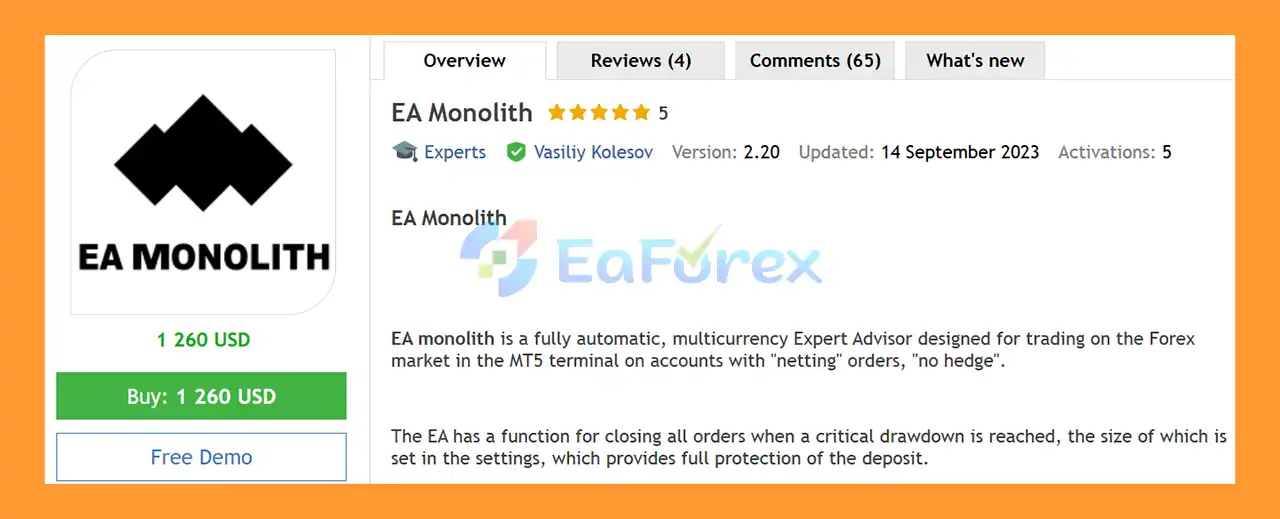
EA Monolith MT5 is a fully automated multicurrency Expert Advisor for MetaTrader 5, designed for Forex and Gold trading on accounts using a netting order system without hedging. The EA can monitor and trade multiple currency pairs simultaneously while being controlled from a single chart.
One of its key features is an adjustable critical drawdown protection system. When the predefined drawdown level is reached, the Expert Advisor can automatically close all open positions to help limit further losses and protect account equity.
This version is configured specifically for XAUUSD (Gold). If your broker provides Gold quotes with two decimal places, the setup can be installed directly on the appropriate XAUUSD chart and automated trading enabled.
The recommended minimum deposit for the supplied Gold configuration is $3,000, although the developer also provides different settings for more aggressive or conservative trading approaches.
About the Developer
>> Delivery time 24h-48h after payment.
>>> Refund if not delivered.
>>> You will receive the latest version without any limitations (ID+Time).
>>Reviewed by Jason Stap <<
Key Features of EA Monolith MT5
- Fully automated MetaTrader 5 Expert Advisor
- Designed for netting accounts without hedging
- Multicurrency trading capability
- Supports simultaneous trading across multiple Forex pairs
- XAUUSD/Gold configuration included
- Adjustable critical drawdown protection
- Automatic closing of positions at the defined drawdown threshold
- Built-in news filtering
- Adjustable trading aggressiveness
- Customizable trading schedule
- Friday trading end-time control
- Suitable for different account sizes and trading approaches
- Can be controlled from one chart
- Currency pairs can be specified directly in the settings
- Compatible with MT5 broker environments
- Separate settings can be used for aggressive and conservative risk profiles
How Does Monolith EA MT5 Work?
EA Monolith MT5 is designed around a multicurrency automated trading architecture. Instead of requiring a separate Expert Advisor installation on every instrument, the EA can manage multiple symbols from a single chart.
The currency pairs to be traded are entered into the corresponding settings field, separated by commas. The EA then uses its trading logic and configured parameters to manage the selected instruments.
For the supplied Gold version, the EA is configured for XAUUSD. Users with brokers offering two-decimal Gold pricing can install the EA on the XAUUSD chart and enable automated trading.
The system also incorporates a news filter, which is intended to prevent trading during selected major economic events. According to the developer, significant drawdowns observed in some tester results occurred during strong U.S. news events that are filtered in live trading.
The EA’s overall risk profile can be adjusted through trading parameters and by adding or removing currency pairs. This means the number of instruments and configuration settings can materially affect both potential returns and potential drawdown.
Multicurrency Trading From One Chart
One of the notable characteristics of EA Monolith MT5 is its ability to work with multiple instruments simultaneously.
The user enters the desired currency pairs into the appropriate settings field, separated by commas. The EA is then installed on one chart of one currency pair, specifically the first symbol listed in the settings.
This architecture can make multicurrency portfolio management more convenient because traders do not necessarily need to attach the EA separately to every symbol they want to trade.
However, adding more currency pairs can also increase overall exposure and account-level risk. The number of instruments should therefore be selected according to available capital, broker conditions, and the chosen risk settings.
Drawdown Protection
EA Monolith MT5 includes a configurable critical drawdown protection mechanism.
When account drawdown reaches the predefined threshold, the EA can close all open positions. This provides an additional account-level risk-control mechanism and is particularly important for strategies that can maintain multiple positions across several instruments.
The protection level should be configured carefully because a tighter threshold can reduce exposure but may also cause positions to be closed during temporary market fluctuations.
For this reason, the drawdown setting should be evaluated together with the selected trading pairs, lot sizing, and overall aggressiveness.
EA Monolith MT5 Performance Review
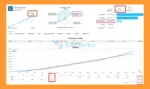
🟢Signal Results
🔺XAUUSD & FX pairs – 41 weeks of trading.
- Initial Deposit: $3,000
- Growth Rate: +393%
- Win Rate (% of total): 99.4%
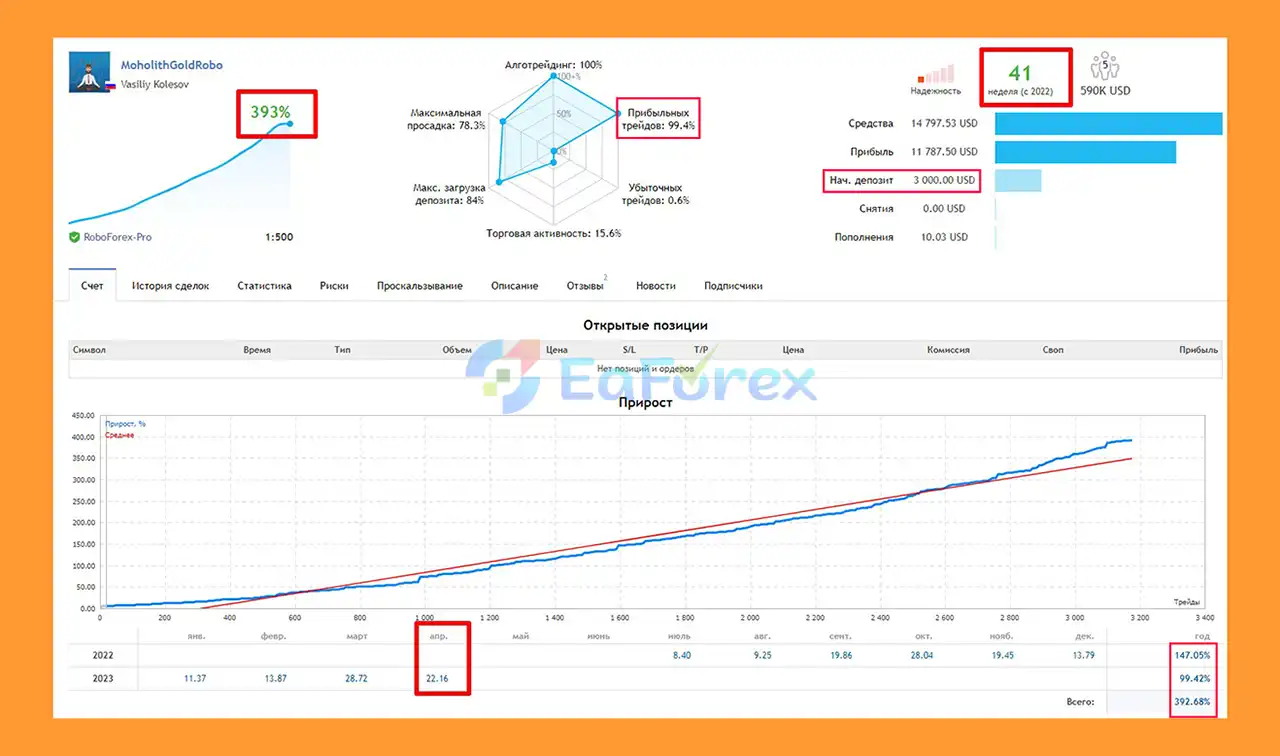
EA Monolith MT5 Signal Results
🟢Backtest Results
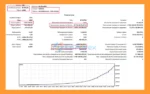
🔺GBP/USD pairs – 23 months
- Initial Deposit: $30,000
- Total Net Profit: $7.63 million
- Win Rate (% of total): 99.32%
- Maximum Drawdown: 1.07%
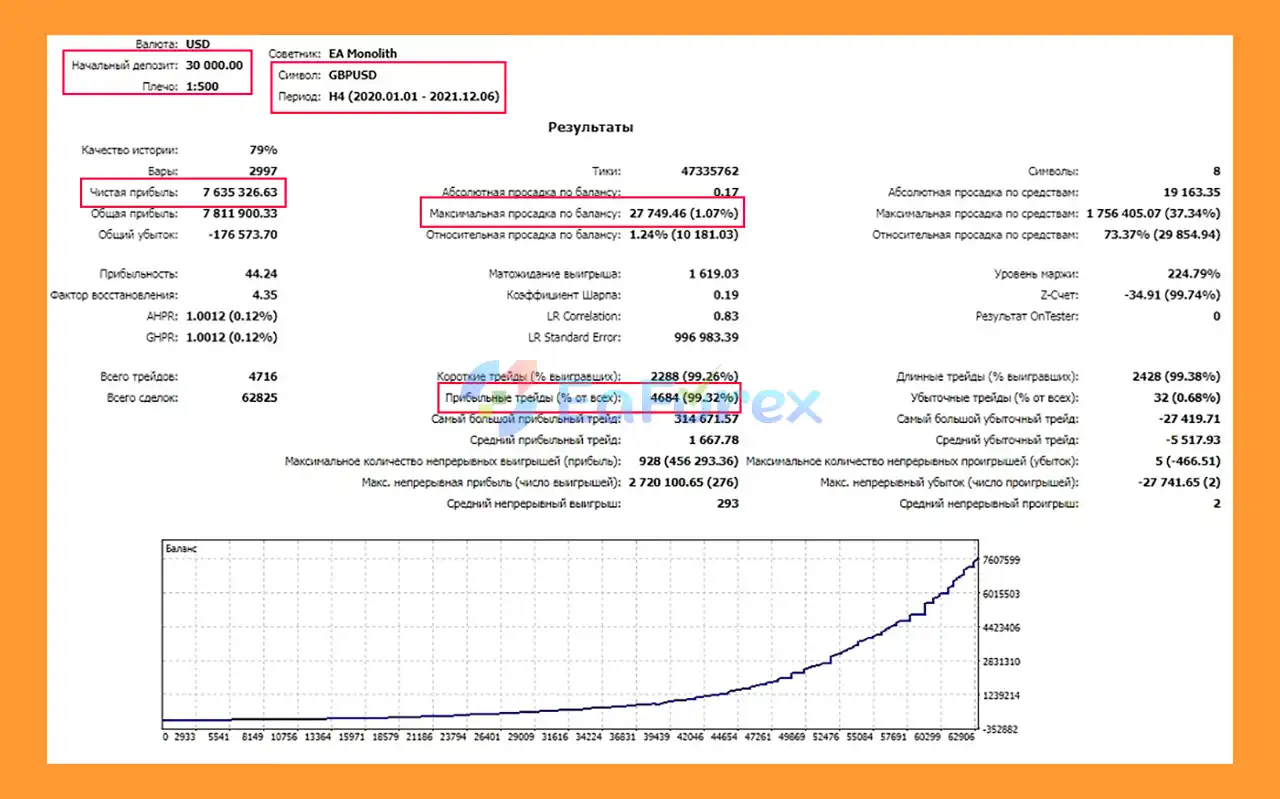
EA Monolith MT5 Backtests
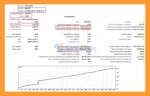
🔺XAU/USD pairs – 11 months
- Initial Deposit: $1,000
- Total Net Profit: $1,670.92
- Win Rate (% of total): 99.71%
- Maximum Drawdown: 2.19%
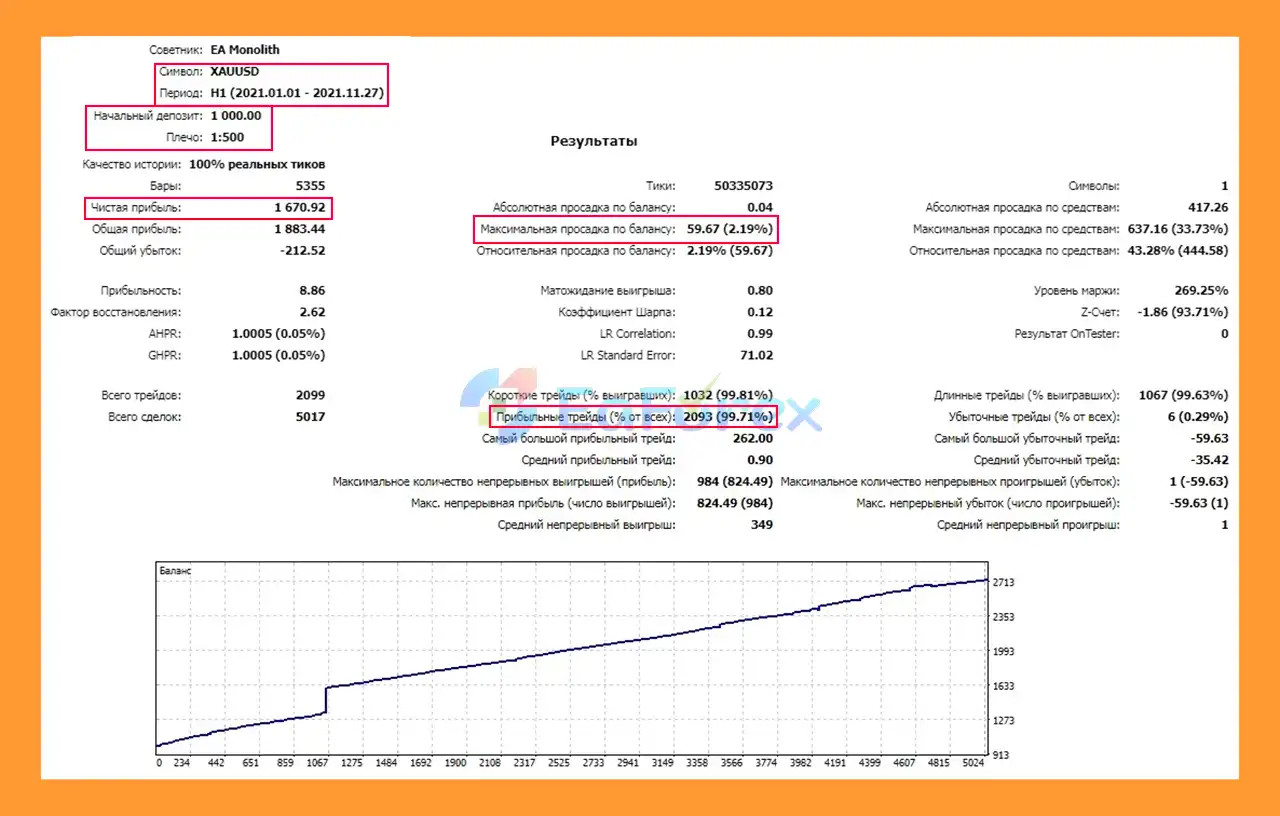
EA Monolith MT5 Backtest
Performance and Risk Management
EA Monolith MT5 offers different approaches to risk depending on the selected configuration.
The developer describes the supplied Gold configuration as aggressive, while more conservative settings may be available separately. The risk profile can also be modified through trading parameters and by changing the number of traded instruments.
General recommendations include:
- Aggressive settings: minimum deposit around $30,000 or equivalent cents
- Conservative settings: minimum deposit around $50,000 or equivalent cents
- Gold configuration: the supplied description states a minimum deposit of $3,000
- Friday trading can be made more conservative by changing the default trading end time to 15:00
- The number of currency pairs can be increased or reduced according to the desired risk profile
- Critical drawdown protection should be configured before live trading
- A broker with good execution and low trading costs is recommended for aggressive configurations
The different minimum-deposit figures apply to different configurations, so traders should not assume that the $3,000 Gold recommendation applies to every multicurrency setup.
Weaknesses and Risk Warnings
Although EA Monolith MT5 includes drawdown protection and a news filter, it remains an automated trading system and carries substantial market risk.
The aggressive settings can potentially generate higher returns, but they can also produce significantly higher drawdowns. Adding more currency pairs may increase diversification, but it can simultaneously increase total market exposure.
Backtest drawdowns should also be interpreted carefully. The developer states that some large tester drawdowns occurred during major U.S. news events and that these events are filtered in live trading. However, news filters cannot guarantee that all volatile market conditions will be avoided, and live execution can differ from historical testing.
Other important risks include:
- High risk with aggressive configurations
- Potentially significant drawdowns
- Broker execution quality can affect results
- Spread and slippage can influence performance
- News filtering does not eliminate event risk
- Multicurrency exposure can increase portfolio-level risk
- Results can vary significantly between brokers
- Netting-account behavior differs from hedging-account behavior
- Historical backtests do not guarantee future performance
- The recommended deposit should not be treated as a guarantee against losses
Always test the EA on a demo account before using real capital and select settings appropriate for your risk tolerance and account size.
Friday Trading Recommendation
The developer specifically recommends changing the Friday trading end time to 15:00 in the default configuration.
The purpose is to reduce exposure to potentially unstable market conditions later in the trading week and make the overall configuration more conservative.
This is particularly relevant for automated systems that may otherwise hold positions or initiate new trades toward the end of the trading week.
Who Is Monolith EA MT5 For?
EA Monolith MT5 may be suitable for traders looking for:
- A fully automated MT5 trading system
- Multicurrency portfolio management
- Automated Gold/XAUUSD trading
- A system designed for netting accounts
- Centralized control from a single chart
- Adjustable risk and aggressiveness
- Automated drawdown protection
- News-filtered trading
- Different configurations for aggressive or conservative approaches
The EA may also be used for smaller-account testing on cent accounts, while larger configurations are intended for substantially higher capital requirements.
Pros and Cons
Pros
- Fully automated trading
- Multicurrency capability
- Can manage several instruments from one chart
- Designed for MT5 netting accounts
- XAUUSD configuration available
- Adjustable critical drawdown protection
- News filter included
- Adjustable trading aggressiveness
- Flexible currency-pair selection
- Friday trading schedule can be customized
Cons
- Aggressive settings can involve substantial risk
- Recommended capital requirements can be high
- Performance depends on broker execution and trading costs
- More currency pairs can increase total exposure
- News filters cannot eliminate all volatility risk
- Requires careful configuration before live deployment
- Results from historical testing may differ from live performance
- The supplied Gold configuration may not be suitable for every broker
How to Install Monolith EA MT5
- Open MetaTrader 5.
- Go to File → Open Data Folder.
- Open MQL5 → Experts.
- Copy the Monolith EA MT5
.ex5 file into the Experts folder.
- Restart MT5 or refresh the Navigator window.
- Open the chart for the first symbol specified in the EA settings.
- Attach Monolith EA MT5 to that chart.
- Enable Algo Trading.
- Enter the desired currency pairs in the multicurrency settings, separated by commas.
- Configure the lot size, trading schedule, drawdown protection, and other risk parameters.
- For XAUUSD, make sure the broker’s Gold symbol and quote format are compatible with the supplied settings.
- Backtest the configuration and test it on a demo account before moving to live trading.
For currency-pair trading, use the appropriate set files provided by the developer. Different settings may be required depending on the broker, account type, symbols, and desired risk level.
What’s Included in the Download Package?
- Experts:
- Setting (If Any).docx
- Installation Guide.docx
- SetFiles:
- Monolith_gold_ICM.set
- Monolith_GBPUSD.set
- Monolith_NZDUSD.set
- Monolith_gold_1.set
- ea_monolith_v1.9_nzdusd_konserv.set
- ea_monolith_v1.9_gbpusd_konsrev.set
- ea_monolith_v.1.9_nzdusd_agress.set
- ea_monolith_v.1.9_gbpuas_agress.set
- Monolith_Working.set
- Monolith_4_pary_330_10__qu.set
- Monolith_4_pary.set
- EA_Monolith_Cons_c_30K_bank.set
- EA_Monolith_conservNeo.set
- EA_Monolith_50_a7rry.set
- EA_Monolith_agressiv__1.set
- EA_Monolith_agressiv.set
- EA_Monolith_conserv.set
- EA_Monolith_agress_Liht_NEO_version.set
- EA_Monolith_agressiv_NEO_version.set
>>> Join VIP Membership Now <<<
Final Thoughts
In summary, Monolith EA MT5 is a fully automated multicurrency Expert Advisor for MetaTrader 5, designed primarily for netting accounts and capable of managing multiple Forex pairs or XAUUSD from a single chart. Its architecture combines automated portfolio management, news filtering, adjustable trading aggressiveness, and configurable critical drawdown protection.
One of its key features is the ability to close open positions automatically when the configured account drawdown threshold is reached. This provides an additional layer of account-level risk control, while the multicurrency functionality allows traders to build different configurations by selecting the instruments they want the EA to monitor. However, adding more symbols can also increase total exposure and should be evaluated carefully.
The supplied 41-week XAUUSD and FX signal reports +393% growth with a 99.4% win rate from a $3,000 initial deposit. The 23-month GBPUSD backtest reports $7.63 million net profit, 99.32% win rate, and 1.07% maximum drawdown from $30,000, while the 11-month XAUUSD backtest reports $1,670.92 net profit, 99.71% win rate, and 2.19% maximum drawdown from $1,000. These historical and signal results do not guarantee future performance.
Actual results can vary significantly because of broker execution, spread, slippage, liquidity, leverage, market conditions, account type, and selected settings. Aggressive configurations and larger multicurrency portfolios can also increase overall risk despite the built-in drawdown protection.
Overall, Monolith EA MT5 provides a flexible framework for automated Forex and Gold trading on MetaTrader 5. Traders should use the correct set files, verify netting-account compatibility, configure drawdown protection carefully, and conduct thorough demo and forward testing before live deployment.
































 Automatic EA
 EA Best Seller
 Expert Advisor MT4
 Expert Advisor MT5
 HFT EA


Reviews
Clear filtersThere are no reviews yet.