
MT4 to DXTrade is a seamless trade copier linking MT4 and DXTrade with fast execution, multi-account sync, auto symbol mapping, and risk control.


MT4Any · AnyUpdated 31 May 2026
MT4 to DXTrade v1.14 + SetFiles (Official version 1479+)
Download link right after paymentLifetime licenceSet files includedFree updates to new versions
Pay with Visa · MastercardUSDT · BTC · ETHBinance Pay
Not sure it fits your broker or account?Ask a question
Check before you buy
Will it work for me?
Trading platform
MetaTrader 4 (MT4)
Recommended deposit (Min)
Any
Time frames
Any
Currency pairs
Any
Product type
NoDLL / Fix
What you get
In the download
COMMT4 to DXTrade by eaforexstore.com
Full review
What is MT4 to DXTrade?
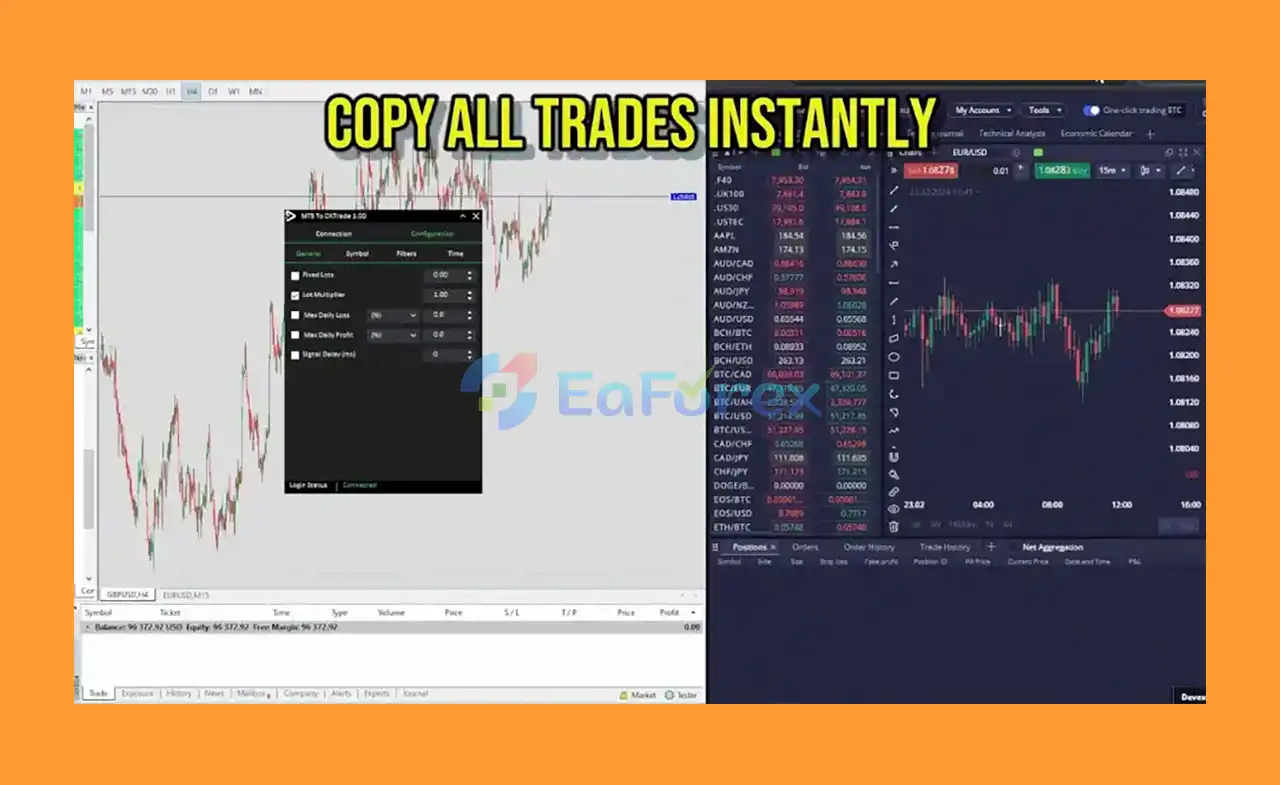
MT4 to DXTrade is a professional trade copying tool designed to seamlessly connect MetaTrader 4 (MT4) with DXTrade platforms. Benefit from instant order execution, a user-friendly and visually appealing interface, and advanced filtering options for precise trade management. This powerful copier simplifies trading by enabling you to efficiently sync multiple accounts across both platforms, streamlining your trading workflow and boosting productivity.
Key Features of MT4 to DXTrade
🔻Relative Price Adjustment:
- Solves price discrepancies between MT4 and DXTrade for accurate copying
🔻Multi-Account Copying:
- Copy trades across multiple accounts simultaneously
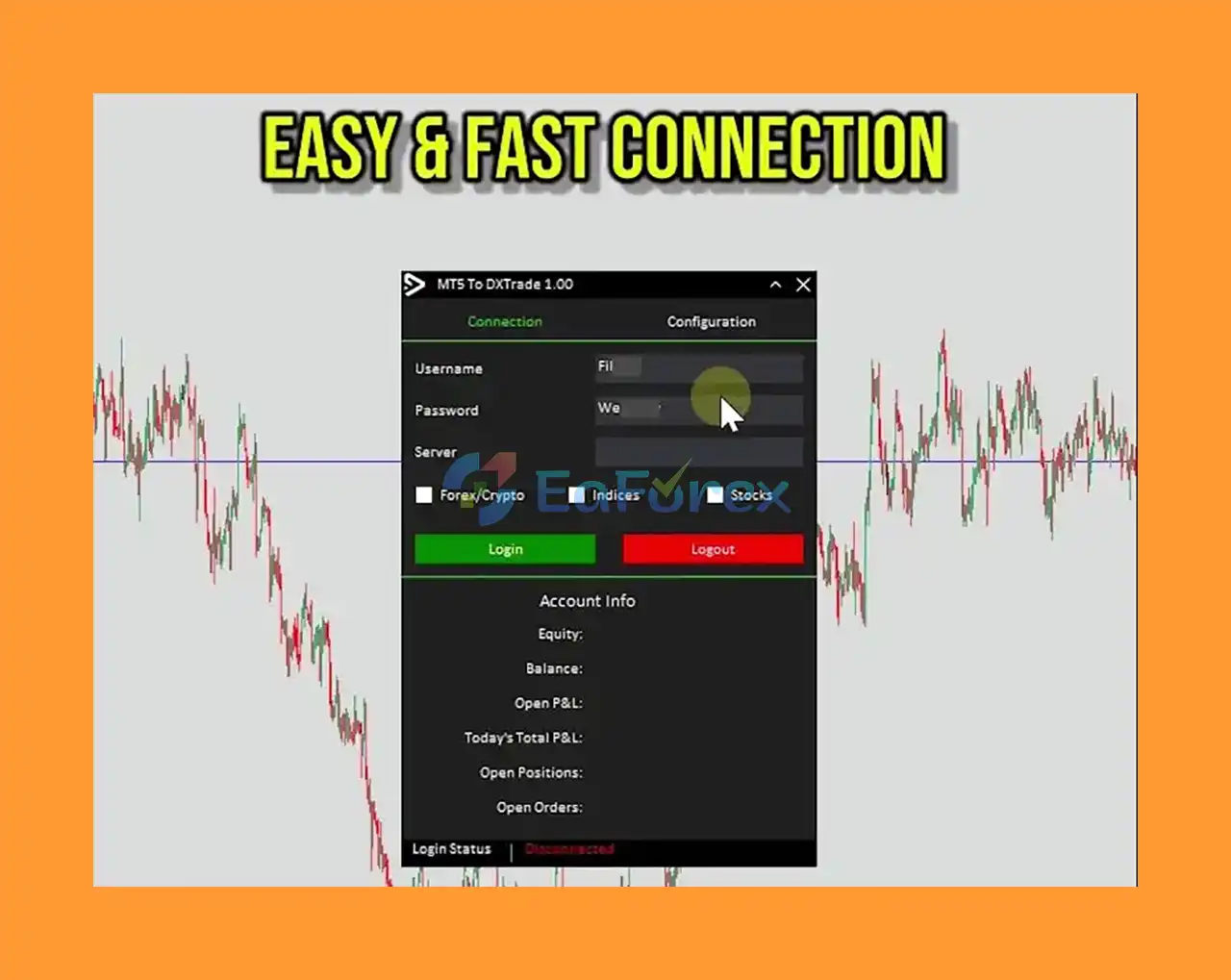
🔻Fast & Easy DXTrade Connection:
- Quick access and connection to DXTrade platform
🔻Real-time Statistics in MetaTrader:
- Track DXTrade account performance directly from MT4
🔻Automatic Symbol Mapping:
- Automatically matches and switches symbols between the two platforms
🔻Daily Profit Target Protection:
- Stops copying once daily profit goals are met to lock in gains
🔻Customizable Signal Delay:
- Control the delay time for copying signals to optimize execution
Why Choose MT4 to DXTrade?
-
Modern and Scalable Trading Architecture
-
Better Customization and Flexibility
-
Support for Multiple Asset Classes (Forex, CFDs, Cryptos)
-
Advanced Security Features and Compliance
-
Enhanced Client Management Tools for Brokers
-
Regular Updates and Dedicated Support
-
Proven Performance Improvements
MT4 to DXTrade Performance and Reviews
- Risk control via adjustable lot coefficients or fixed lots
- Automated daily loss limits to stop copying and close trades on losses
- General positive user feedback and review highlights
What’s Included in the Download Package?
- Experts: MT4 To DXTrade_fix.ex4
>>> Join VIP Membership Now <<<
How To Set Up EA
🔻The MT4 to DXTrade EA v1.14 is a professional trade copier Expert Advisor designed to replicate trades from MetaTrader 4 (MT4) to the DXTrade platform. It supports multi-asset copying with detailed customization to match risk, symbol filters, time filters, and trade types.
🔵 Step 1: Install the EA on MT4
- Download the MT4 to DXTrade EA v1.14 from your provider.
- Open MetaTrader 4 (MT4).
- Go to File > Open Data Folder.
- Navigate to MQL4 > Experts and paste the EA file there.
- Restart MT4 or refresh the Navigator panel.
🔵 Step 2: Attach EA to a Chart
- Open any chart (preferably low-volatility like EURUSD M1).
- Drag the MT4 to DXTrade EA onto the chart from the Navigator.
- Check:
-
- Enable Algo Trading
- Allow DLL imports in EA settings
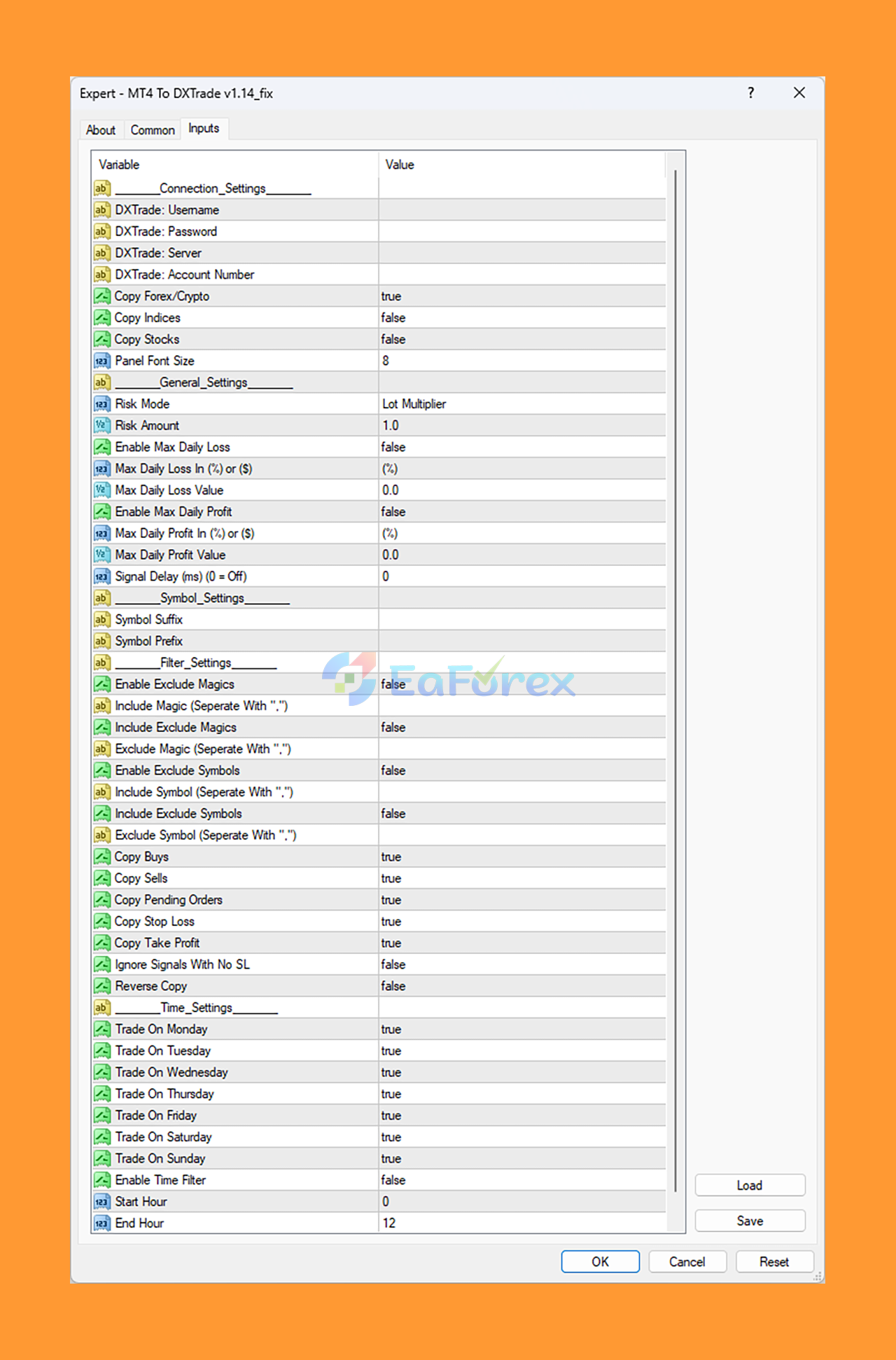
🔵 Step 3: Configure EA Settings (Recommended)
♦️ Connection Settings
- DXTrade Username / Password / Server / Account Number: Enter your DXTrade credentials.
- Copy Forex / Crypto:
true - Copy Indices / Stocks:
false - Panel Font Size:
8
🔻Only Forex and Crypto will be copied — ideal for focused portfolios.
♦️ General Settings
- Risk Mode:
Lot Multiplier - Risk Amount:
1.0(1:1 copy size) - Enable Max Daily Loss / Profit:
false - Signal Delay (ms):
0(Instant copy)
🔻No daily limits = full exposure. Consider enabling for risk control.
♦️ Symbol Settings
-
Prefix / Suffix: Leave blank
🔻No need to remap symbols — smooth integration with DXTrade.
♦️ Filter Settings
- Copy Buys / Sells / Pending Orders / SL / TP:
true - Ignore Signals With No SL:
false - Reverse Copy:
false - Exclude Magics / Symbols:
false
🔻All trade types are copied with full precision. No filtering applied.
♦️ Time Settings
- Trade On All Days:
true - Enable Time Filter:
false - Start Hour / End Hour:
0 / 12(ignored if time filter is off)
🔻EA runs 24/5 — no timing restrictions by default.
Conclusion
In summary, MT4 to DXTrade is an essential trade copying solution that bridges the gap between MetaTrader 4 and DXTrade platforms, providing traders and brokers with a seamless, efficient way to synchronize trades across multiple accounts. Its advanced features such as relative price adjustment, automatic symbol mapping, and customizable signal delay ensure accurate and timely trade execution, overcoming common challenges in cross-platform trading.
Designed for scalability and flexibility, MT4 to DXTrade supports various asset classes including forex, CFDs, and cryptocurrencies, making it a versatile tool for modern traders. The platform’s user-friendly interface, combined with real-time performance tracking and robust risk management options like daily profit targets and loss limits, enhances trading control and security.
>>> Reviewed by Jason Stap <<<
Questions about MT4 to DXTrade v1.14
1. What is MT4 to DXTrade and how does it work?
MT4 to DXTrade is a professional trade copier that allows seamless synchronization between MetaTrader 4 (MT4) and DXTrade platforms. It enables instant trade copying, real-time tracking, and advanced filtering to manage multiple accounts more efficiently across both platforms.
2. Can I copy trades to multiple DXTrade accounts at once?
Yes, MT4 to DXTrade supports multi-account copying, allowing you to mirror trades from one MT4 account to several DXTrade accounts simultaneously. This is ideal for money managers, signal providers, or traders managing multiple portfolios.
3. How does MT4 to DXTrade handle price differences between platforms?
The tool uses Relative Price Adjustment to solve discrepancies between MT4 and DXTrade. This ensures that trades are executed as accurately as possible, even if asset prices differ slightly between platforms.
4. Is MT4 to DXTrade secure and customizable?
Yes, the copier includes advanced security features and compliance support. You can customize trade settings such as signal delay, lot sizes, and risk limits, and also set daily profit or loss thresholds to control trade copying behavior.
5. What trading instruments are supported by MT4 to DXTrade?
MT4 to DXTrade supports multiple asset classes, including Forex, CFDs, and Cryptocurrencies. It also features automatic symbol mapping, which helps match asset names between platforms without manual configuration.
6. What’s included when I download MT4 to DXTrade?
The download package includes the MT4 to DXTrade_fix.ex4 file (Expert Advisor) along with setup instructions. VIP members may receive exclusive benefits like priority support, regular updates, and access to additional professional tools.
More in Expert Advisor MT4
- GOLD EAgle EA MT4 v4.9 + SetFiles (Official version 1479+)
- Gold Rush Pro MT4 + SetFiles (Official version 1479+)
- Golden Owl v9 EA MT4 + SetFiles (Official version 1479+)
- OAVA EA MT4 + SetFiles (Official version 1479+)
- Battle Scalper EA MT4 v2.0 + SetFiles (Official version)
- Forex99 EA MT4 + SetFiles (Official version 1479+)
- Ilan Dynamic Deluxe EA Source Code MQ4
- EuroPips Pro EA MT4 v1.1 + SetFiles (Official version 1479+)



