
What is OAVA EA MT4?
OAVA EA is a powerful and reliable trading robot developed for the MetaTrader 4 (MT4) platform. Designed for stability and long-term profitability, this Expert Advisor integrates advanced trading features while prioritizing account safety. Unlike many high-risk EAs, OAVA EA does not use Martingale, Grid, or Margin Call strategies, helping to minimize risk and protect your capital.
Key Features of OAVA EA MT4
- Price Action Strategy Integration: Description of how price action drives profitability
- Scalping & Short-Term Trading: Fast entry/exit with no long holding periods
- AI-Powered Trading Engine: Benefits of AI in optimizing trades
- Strict Risk Management: No Martingale, Grid, or Margin Call methods
- Automated SL & TP Settings: Built-in take profit and stop loss for capital protection
- Multi-Currency Compatibility: Works with all major forex pairs
- Broker Platform Flexibility: No restrictions with any MT4-supported broker
Why Choose OAVA EA MT4?
- Proven Backtest and Live Trading Results
- Minimal User Intervention Required
- Compatible with Most MT4 Brokers
- Fast Installation & User-Friendly Setup
- Active Support & Updates from Developers
- Positive Community Feedback & Reviews
- Lower Risk Strategy Compared to Scalping Bots
OAVA EA MT4 Performance and Reviews
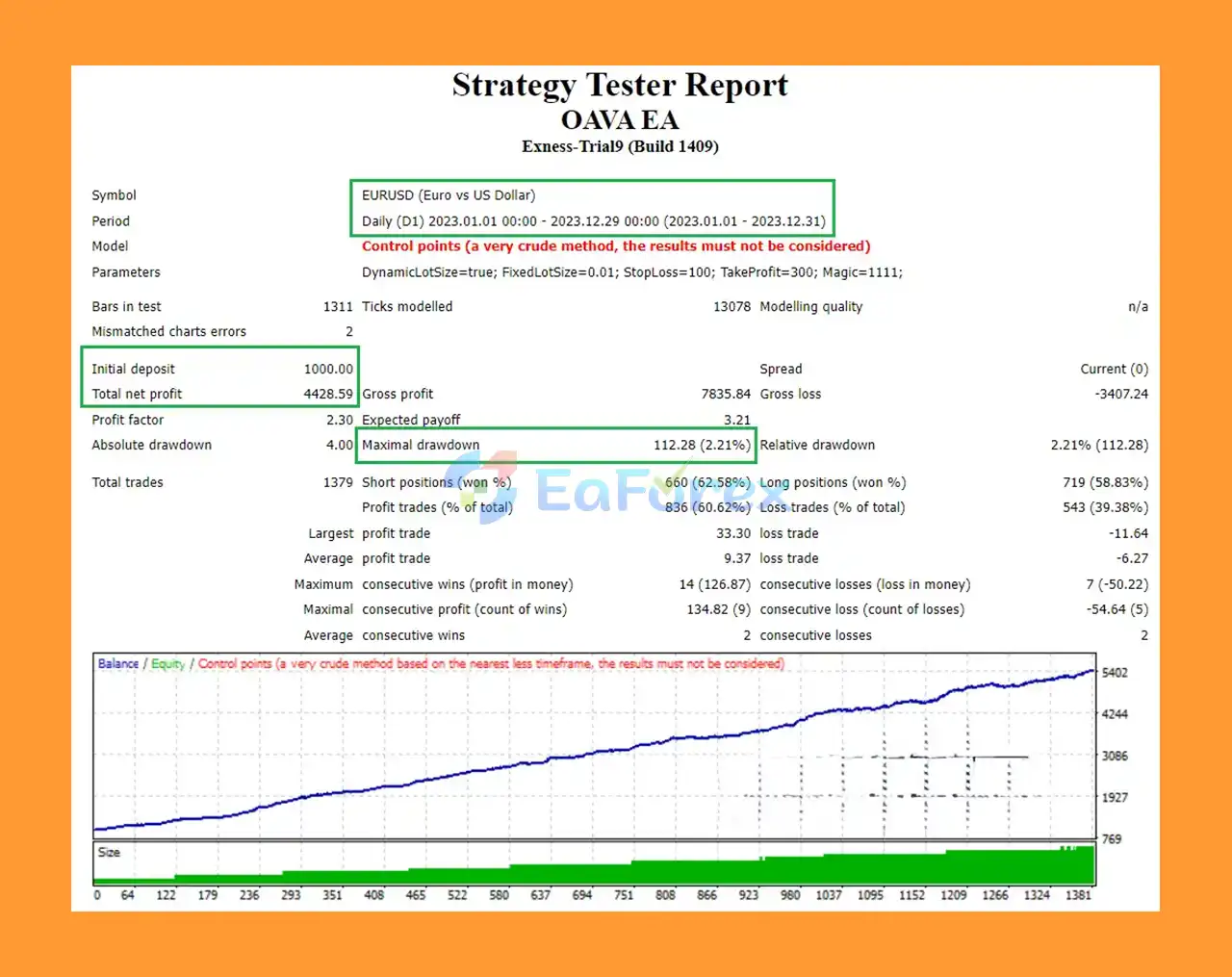
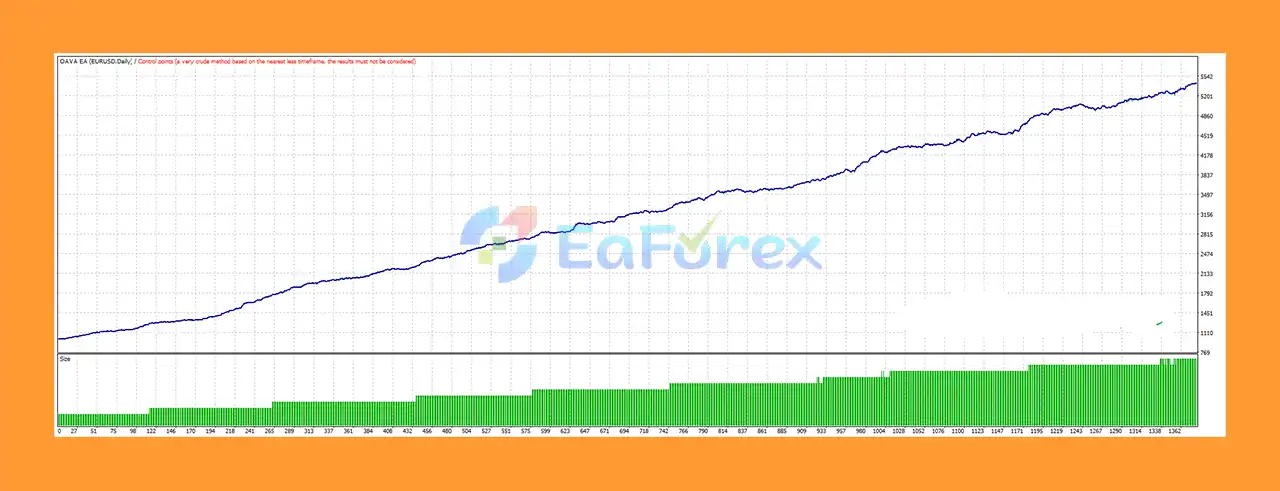
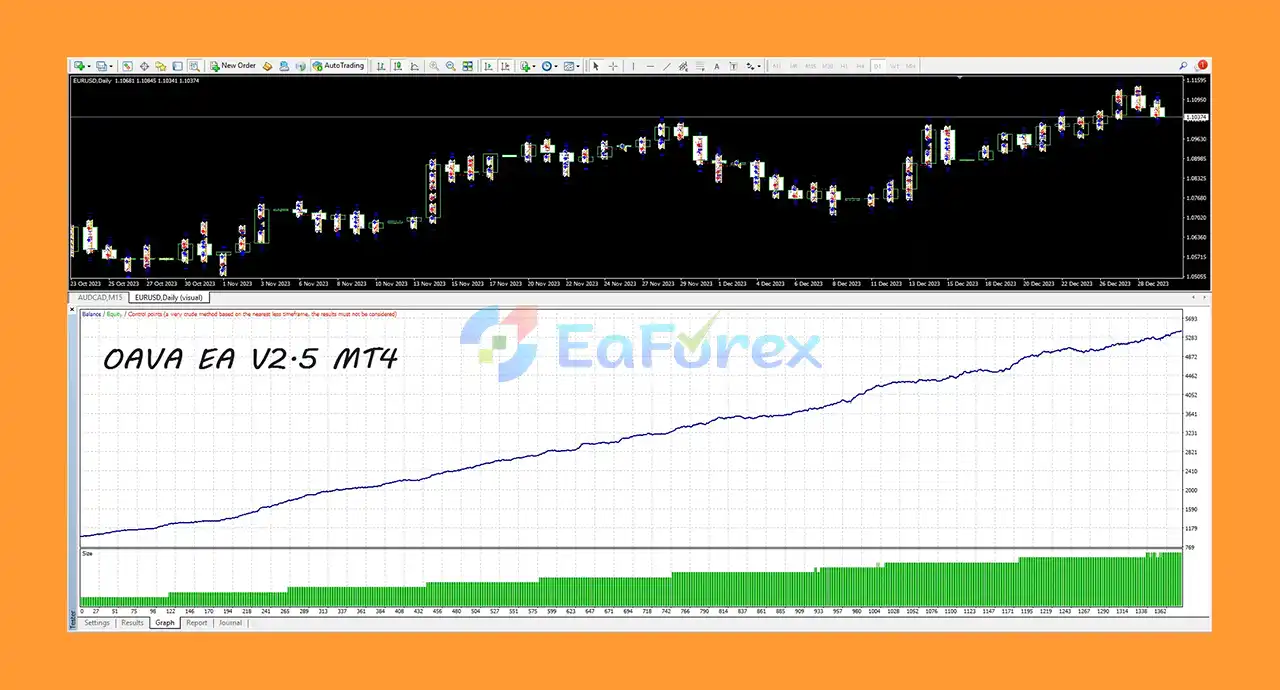
🔵 Backtest Results 12 months
- Initial Deposit: $1.000
- Net Profit: $4.428.59
- Max Drawdown: 2.21%
- Win Rate: 60.62%
What’s Included in the Download Package?
- Experts: Oava EA @eaforexstore.com.ex4
- Presets: OAVA EA.set
>>> Join VIP Membership Now <<<
How To Set Up EA
🔻This step-by-step guide will show you how to set up OAVA Expert Advisor quickly and accurately for optimal performance and risk management.
🔵 Step 1: Download and Install the EA
- Download the OAVA EA from eaforexstore.com (or your licensed provider).
- Open MetaTrader 4 (MT4).
- Navigate to File > Open Data Folder.
- Place the
.ex4or.mq4file into the MQL4 > Experts folder. - Restart MT4 or refresh the Navigator window.
🔵 Step 2: Attach EA to Chart
- Open a 15-minute (M15) chart of your preferred trading pair.
- Drag OAVA EA from the Navigator panel onto the chart.
- Enable:
-
- AutoTrading on the toolbar.
- Allow DLL imports in the EA settings.
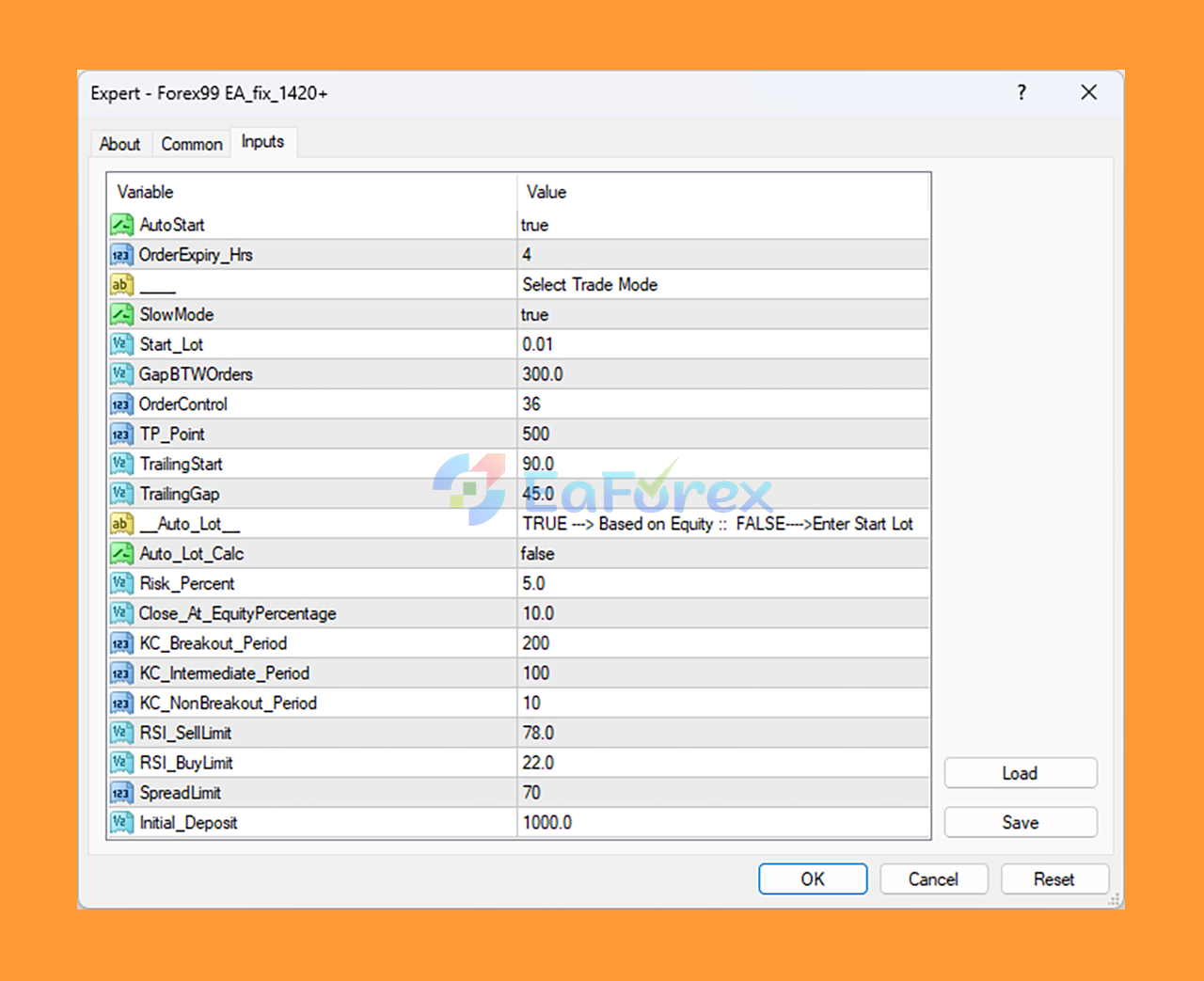
🔵 Step 3: Recommended Parameter Settings
🔻 Timeframe & Indicators
- TimeFrame: M15
- Period 1 / 2: 12 / 44 (Trend-based MA crossover)
- Ratig 1 / 2: 100 / 200 (Custom filter thresholds)
- Shift: 1 (Lookback confirmation)
🔻 News Filter Settings
- Avoid News: true
- News Time Before / After: 30 / 30 minutes
- Offset: 3
- Impact Levels: Only High Impact = true
🔻 Risk & Lot Management
- Lots: 0.1 (Starting lot size)
- MaxLot: 5.0
- KLot: 1.5 (Lot scaling multiplier)
- StopLoss: 5000 points (500 pips)
- TakeProfit: 100 points (10 pips)
🔻 Trading Time Control
- StartHour / EndHour: 2 / 23
- StartMin / EndMin: 30 / 30
🔻 Trade Management
- Delta: 100
- Step: 300
- Trailing Stop: 0 (Disabled)
- Slippage: 30
- Magic Number: 123
Conclusion
In summary, OAVA EA MT4 is a highly reliable and advanced Expert Advisor designed for traders seeking stable, long-term profitability on the MetaTrader 4 platform. Unlike many high-risk trading robots, OAVA EA prioritizes capital protection by avoiding dangerous strategies such as Martingale, Grid, and Margin Call. Instead, it leverages a sophisticated price action strategy combined with an AI-powered trading engine to deliver precise scalping and short-term trading opportunities with fast entry and exit points.
>>> Reviewed by Jason Stap <<<



