









-
 Unlimited Activations
-
 Instant delivery
-
 Easy to install






 Unlimited Activations
Instant delivery
Easy to install
Unlimited Activations
Instant delivery
Easy to install
 Free Update
 Free Install Support

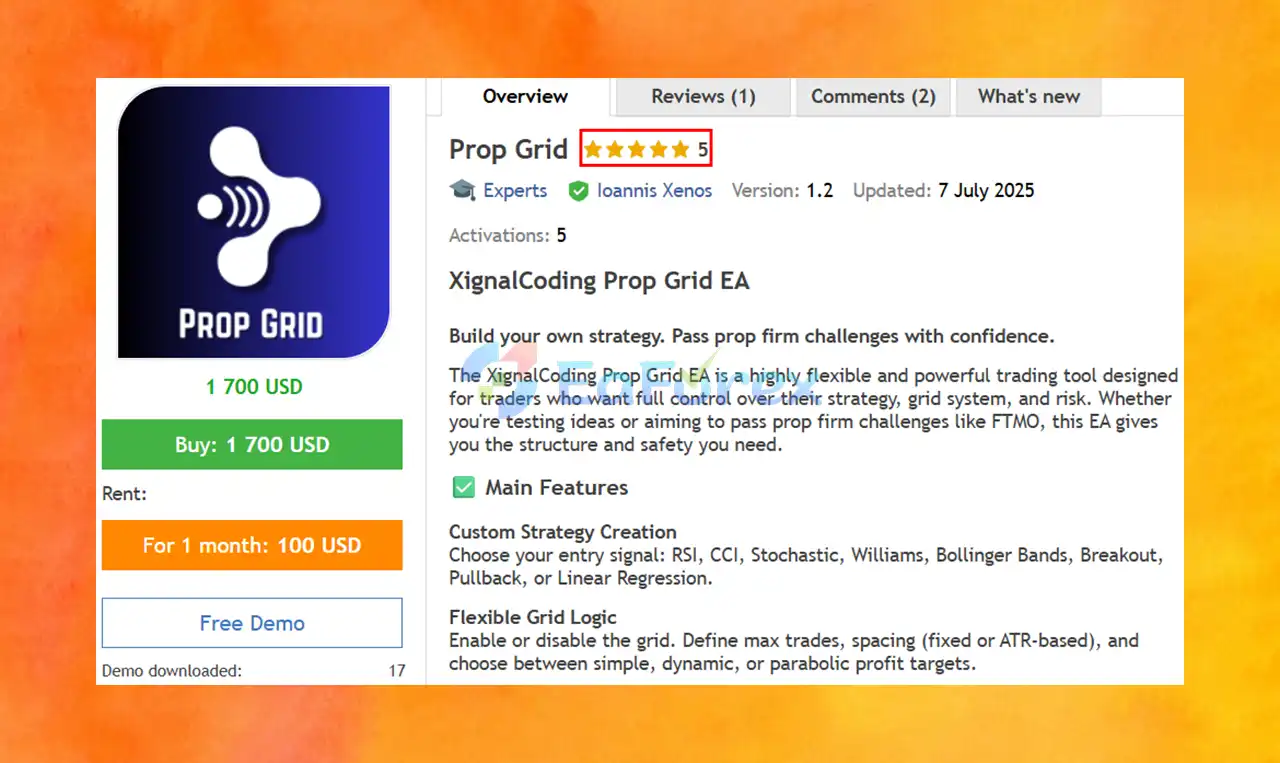
Prop Grid EA MT5, developed by XignalCoding, is a customizable Expert Advisor for MetaTrader 5 designed for traders who want greater control over their trading strategy, grid logic, and risk management. It allows users to build their own trading configurations by combining multiple entry signals, flexible grid settings, technical indicator filters, and protective mechanisms.
Created with proprietary trading firm challenges in mind, including challenges offered by firms such as FTMO, Prop Grid EA MT5 provides tools that traders can configure around specific trading rules and risk limits. It can also be used by traders who want to experiment with different automated trading strategies outside the prop firm environment.
One of its main strengths is flexibility. Traders can choose from several entry signal methods, enable or disable grid trading, adjust trade limits and grid spacing, and select different profit-target approaches. Additional features include time-based filters, currency-specific news controls, indicator filters, daily drawdown protection, and emergency exits.
The package also includes a starter set file, a comprehensive user guide, direct support through Instagram and direct messages, and a one-hour video call with every full purchase.
Although Prop Grid EA MT5 is designed to support structured trading and risk control, it cannot guarantee that a trader will pass a prop firm challenge or achieve consistent profitability.
• Author: Ioannis Xenos
• Experience: Over 1 years of experience on MQL5.
• Notable Products: Prop Grid EA, Advanced CCI, Easy Correlations
• Flagship Product: Prop Grid EA highlighted as his best-performing product in 1 years.
>> Delivery time 24h-48h after payment.
>>> Refund if not delivered.
>>> You will receive the latest version without any limitations (ID+Time).>>Reviewed by Jason Stap <<
Prop Grid EA MT5 Overview
Prop Grid EA MT5 allows traders to configure their own trading approach using a selection of entry signals. Supported methods include:
This selection gives users the flexibility to experiment with different approaches rather than relying on a single predefined entry signal.
The EA allows users to enable or disable its grid functionality according to their strategy requirements. Available configuration options include:
These options provide greater control over how additional positions are opened and how profit targets are structured.
However, grid trading can increase market exposure when prices move against existing positions. A maximum trade limit and profit-target configuration do not, by themselves, guarantee that losses will remain within a desired range.
Prop Grid EA MT5 advertises a four-layer safety system designed to help traders manage exposure and respond to unfavorable market conditions.
The supplied product information specifically identifies daily drawdown protection and emergency exits, alongside time-based, news, and indicator filters. The exact composition and operation of all four safety layers should be confirmed in the official documentation.
Time filters allow traders to restrict trading to selected periods. This can help align the EA with a preferred trading session or avoid periods when market conditions are less suitable for the configured strategy.
The news filter supports currency-specific controls and configurable periods before and after news events. This can help traders limit exposure around scheduled economic announcements that may produce sudden price movements or wider spreads.
The effectiveness of this feature depends on the availability and accuracy of its news data, as well as the selected settings.
Prop Grid EA MT5 includes MACD and ADX filters to provide additional conditions for trade selection.
These filters may be used to refine a strategy’s trading conditions, depending on how the EA implements them.
Daily drawdown protection is particularly relevant for traders operating under prop firm rules. It is intended to help control losses within a daily risk framework, while emergency exit functionality provides an additional mechanism for responding to specified conditions.
Traders should verify exactly how drawdown is calculated, whether floating losses are included, when the daily limit resets, and what happens to existing positions or pending orders after protection is triggered.
Prop Grid EA MT5 combines configurable entry signals, optional grid logic, trading filters, and risk management settings in one automated trading system.
Its general operating process can be understood through the following stages.
The trader chooses a supported entry method, such as RSI, CCI, Stochastic, Williams %R, Bollinger Bands, Breakout, Pullback, or Linear Regression. The selected configuration determines the conditions used to identify potential trade entries.
If grid trading is enabled, the user sets the maximum number of trades, grid spacing, and profit-target method. Spacing can be fixed or ATR-based, depending on the chosen configuration.
Alternatively, traders can disable the grid if they want to use a setup that does not rely on grid-based position expansion.
Users can configure time restrictions, currency-specific news filters, and technical indicator filters such as MACD and ADX. These filters can help restrict trading to conditions that better match the selected strategy.
The trader configures available protective features, including daily drawdown limits and emergency exits. These settings should be aligned with the relevant account rules, broker requirements, and the trader’s overall risk tolerance.
Once the EA is configured and automated trading is enabled in MT5, it can execute trades according to its programmed conditions and manage positions using the selected grid and exit rules.
Actual behavior depends on the chosen parameters, market conditions, and the EA’s implementation. Traders should test the complete configuration before using it on a live or evaluation account.
One of the key advantages of Prop Grid EA MT5 is the ability to customize entry conditions and grid behavior. Traders can test different signal combinations and risk settings to find configurations that suit their objectives.
The inclusion of eight entry approaches provides a broad starting point for strategy development. Rather than being restricted to one indicator or trading concept, users can explore different technical approaches within the EA’s supported framework.
The ability to switch grid trading on or off, define a maximum trade count, and choose fixed or ATR-based spacing gives users more control over position management.
The different profit-target methods also allow traders to test alternative exit configurations. Their effectiveness, however, must be evaluated through testing rather than assumed from the feature list.
Daily drawdown protection, emergency exits, news filters, and time-based restrictions may help traders configure their approach around a prop firm’s trading requirements.
This is particularly important because prop firms can impose specific limits on daily losses, overall drawdown, restricted trading periods, and news-event exposure. Traders must verify the current rules of their chosen firm and ensure that their EA settings comply.
Every full purchase includes a user guide explaining the parameters, direct support through Instagram and direct messages, and a one-hour video call.
These resources may help users understand the available settings, configure their trading system, and troubleshoot setup questions.
The range of customizable parameters makes Prop Grid EA MT5 potentially useful for traders who want to compare different entry signals, grid configurations, and filtering methods through backtesting and forward testing.
Its flexibility is most useful when changes are tested systematically rather than made repeatedly in response to short-term market results.
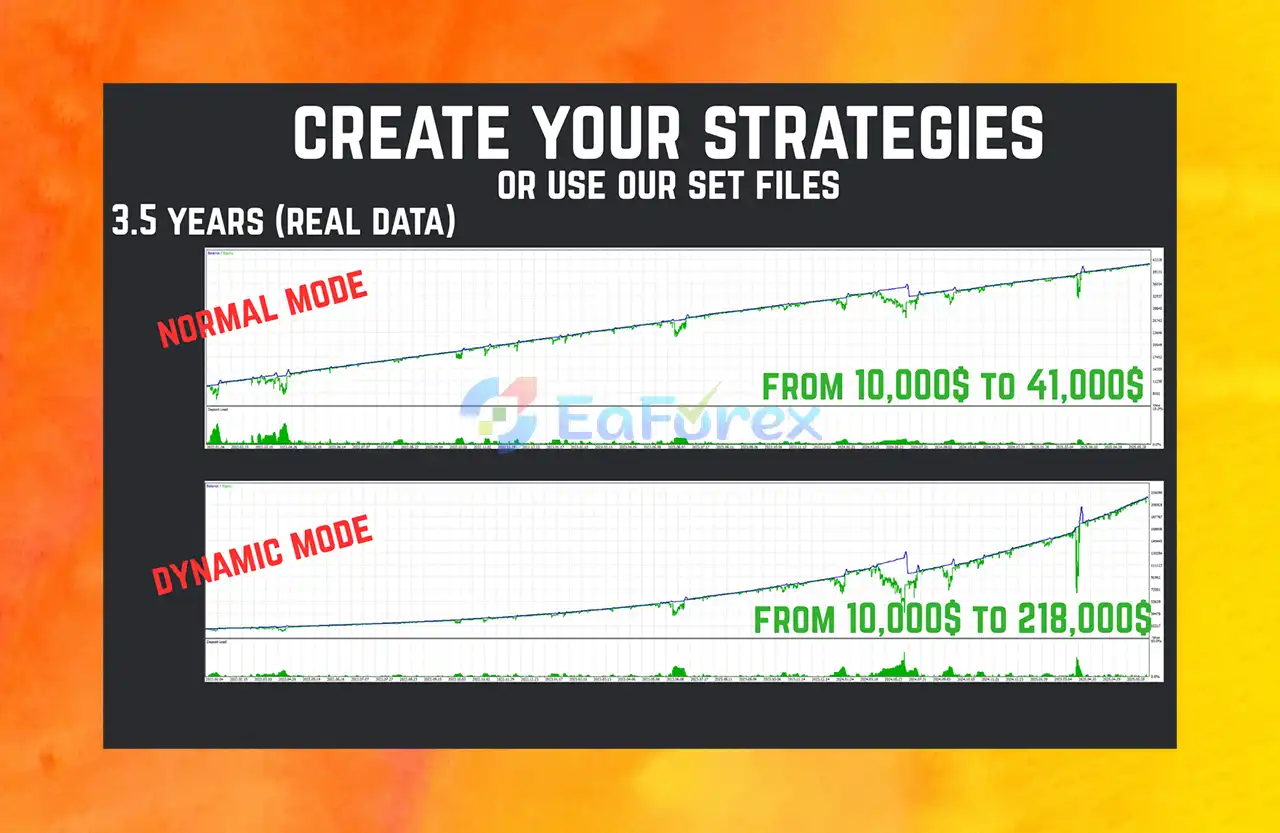
Prop Grid EA MT5 Myfxbook Results
➫ Initial Mode Final Balance Profit Strategy Term:
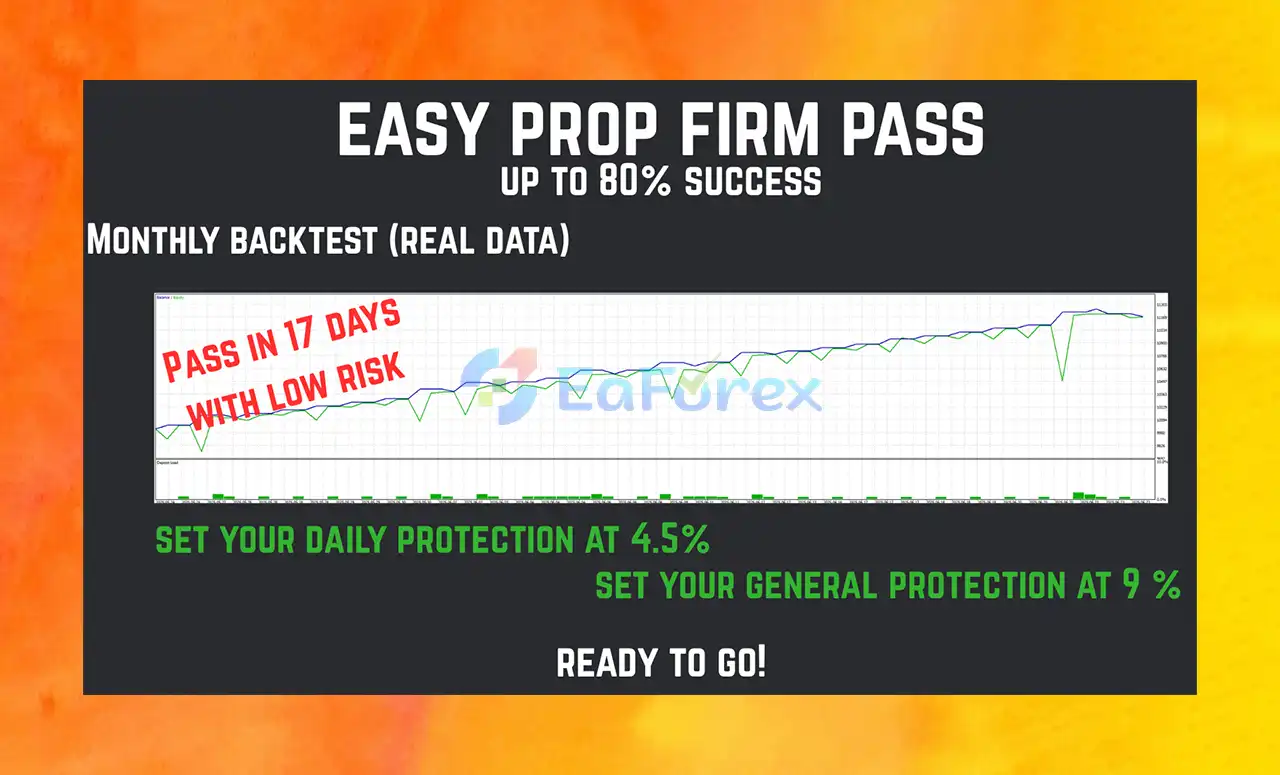
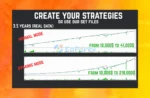
Prop Grid EA MT5 Backtest Results
Prop Grid EA Backtest Results
Prop Grid EA MT5 provides several tools that can support structured risk management. However, the supplied product description does not include independently verified performance statistics, historical returns, maximum drawdown figures, or evidence of successful prop firm challenge completion. Its performance should therefore be evaluated through testing and documented results.
Grid settings allow traders to define maximum trade counts and spacing. These parameters influence how quickly exposure can increase as the market moves.
A grid may accumulate multiple positions during an adverse price movement, potentially increasing floating losses and margin usage. Wider spacing or a lower trade limit may change the exposure profile, but neither automatically eliminates grid risk.
ATR-based spacing adjusts grid intervals according to the Average True Range, a measure of market volatility. This can help the grid respond to changing price ranges, depending on the EA’s implementation and configuration.
Nevertheless, volatility-adjusted spacing does not predict market direction or prevent sustained adverse movements.
Daily drawdown protection can be valuable when trading an account with strict loss limits. Before relying on this feature, traders should confirm:
The EA’s protection settings should not be assumed to match a prop firm’s official drawdown calculation without verification.
News filters and trading schedules can help reduce exposure during selected periods. However, news-related price gaps, delayed data, slippage, and spread widening may still affect execution even when filters are enabled.
Before using Prop Grid EA MT5 on a funded or evaluation account, traders should:
Important: No EA can guarantee challenge success. A trading system may comply with its own risk settings and still breach a prop firm’s rules because of execution differences, gaps, floating losses, or mismatched drawdown calculations.
Despite its flexibility, Prop Grid EA MT5 has limitations that traders should understand before purchasing or deploying it.
Grid systems may add positions as prices move away from earlier entries. If the market continues moving in one direction, exposure and floating losses can grow. Emergency exits and trade limits may reduce certain risks but cannot guarantee that losses will remain small.
The wide range of entry signals, filters, grid parameters, and profit-target methods offers flexibility but also increases configuration complexity. Poor combinations can produce excessive trading, missed opportunities, or unfavorable risk-to-reward characteristics.
Although the EA is designed with prop firm challenges in mind, passing an evaluation depends on strategy performance, execution, account rules, and disciplined risk management. No feature can guarantee that a challenge will be passed or that a funded account will be retained.
The supplied description does not provide verified backtest reports, live-account results, or independently audited performance metrics. Traders should request relevant evidence where available and conduct their own testing before relying on performance claims.
Daily drawdown controls are useful only if their calculation and behavior are appropriate for the account being traded. Differences between the EA’s internal limits and a firm’s official rules may lead to unexpected breaches.
Even with news filters enabled, the EA may face gaps, slippage, spread widening, delayed price updates, or platform interruptions. These conditions can affect both trade entries and emergency exits.
Testing many combinations of indicators and grid settings can produce a configuration that performs well on historical data but poorly in live markets. Traders should use out-of-sample testing and forward testing to assess whether results are robust.
According to the product information, a purchase includes the following:
For product questions or support, users can contact XignalCoding directly or reach out through Instagram at @xignalcoding.
Website: xignalcoding.com
The following are general installation steps for an Expert Advisor on MetaTrader 5. Follow the official product guide for any specific requirements.
Step 1: Obtain the EA
Purchase or download Prop Grid EA MT5 through the authorized provider and locate the EA file and included starter set file.
Step 2: Open MetaTrader 5
Launch MT5 and select File → Open Data Folder.
Step 3: Install the Expert Advisor
Open the MQL5 → Experts directory and copy the EA file into it. Return to MT5 and refresh the Expert Advisors list in the Navigator panel, or restart the platform if necessary.
Step 4: Attach the EA to a Chart
Open the chart and trading instrument specified in the product guide, then attach Prop Grid EA MT5 to the chart.
Step 5: Load the Starter Set File
If supported by the EA’s input interface, load the included set file to apply the starter configuration. Review all parameters rather than assuming that the default settings are appropriate for your account.
Step 6: Configure the Strategy and Risk Settings
Select the desired entry signal, grid options, trade limits, grid spacing, profit targets, time filters, news filters, and drawdown protection settings.
Step 7: Enable Automated Trading
Enable Algo Trading in MT5 and verify that the EA has the necessary permissions. Check the platform’s status indicators and logs for errors.
Step 8: Test Before Live Deployment
Run the EA on a demo account and examine its trading frequency, exposure, floating drawdown, and emergency exit behavior. If your goal is a prop firm challenge, confirm that the configuration complies with the firm’s current rules before using it on an evaluation account.
🔹 5-star rated across platforms, especially for:
Konstantinos (07/02/2025):
“From the first day, I saw great results. The creator helped me set everything up even when I was just starting out.”
Prop Grid EA MT5 by XignalCoding is a flexible MetaTrader 5 Expert Advisor aimed at traders who want to build and test customized automated trading strategies. Its main strengths are its range of entry signals, adjustable grid logic, configurable profit targets, technical filters, and advertised risk protection features.
The included user guide, starter set file, direct support, and one-hour video call may also help traders navigate the EA’s configuration options.
For prop firm traders, the daily drawdown controls, news filters, time restrictions, and emergency exits may provide useful tools for building a structured trading plan. However, these features should be treated as components of a broader risk management process, not as a guarantee of passing a challenge.
Before committing real capital, evaluate the strategy with realistic backtests, demo forward testing, and careful verification of the target firm’s rules. Pay particular attention to grid exposure, margin requirements, and the behavior of the EA during extended adverse market movements.
Overall, Prop Grid EA MT5 is best approached as a customizable trading tool for experienced strategy testing and disciplined risk management—not as a guaranteed route to prop firm funding or consistent profits.
1. What is Prop Grid EA MT5?
Prop Grid EA MT5 is a fully customizable, grid-based Expert Advisor designed for MetaTrader 5. It is optimized specifically to help traders pass prop firm challenges and maintain disciplined trading on funded accounts, using advanced entry signals, adaptive grid spacing, and a four-layer capital protection system.
2. How does Prop Grid EA help with prop firm evaluations?
Prop Grid EA includes built-in risk control features—such as daily drawdown limits, news filters, and time-based trading windows—that align with typical prop firm rules. Its precision trade management and adaptive risk settings help traders meet evaluation targets while minimizing violations.
3. Can I customize trading strategies with Prop Grid EA?
Yes. Prop Grid EA offers full strategy customization, allowing you to build unique trading systems using popular indicators like RSI, CCI, Stochastic, and Breakouts. You can also control grid settings, profit targets (simple or dynamic), and enable or disable the grid entirely.
4. What kind of risk management does it use?
The EA uses a four-layer safety system that includes:
Time-based filters
News event protection (pre/post filtering)
Indicator-based filters (e.g., MACD, ADX)
Daily drawdown limits with automatic exit triggers
These tools ensure capital protection in volatile or unexpected conditions.
5. What pairs and timeframes are supported?
While Prop Grid EA is designed for flexibility across various pairs and timeframes, it performs best on major forex pairs during active sessions. Backtest and Myfxbook results show consistent performance with optimized presets for most brokers and funding programs.
6. Who developed Prop Grid EA and what support is offered?
Prop Grid EA was developed by Ioannis Xenos, a rising MQL5 developer known for products like Easy Correlations EA. The product includes a user manual, pre-optimized settings, and access to Telegram community support for smooth onboarding and real-time assistance.
In stock
In stock
In stock
In stock
In stock
Out of stock
No account yet?
Create an Account












 Automatic EA
 EA Best Seller
 Expert Advisor MT4
 Expert Advisor MT5
 HFT EA


Reviews
Clear filtersThere are no reviews yet.