









-
 Unlimited Activations
-
 Instant delivery
-
 Easy to install









 Unlimited Activations
Instant delivery
Easy to install
Unlimited Activations
Instant delivery
Easy to install
 Free Update
 Free Install Support

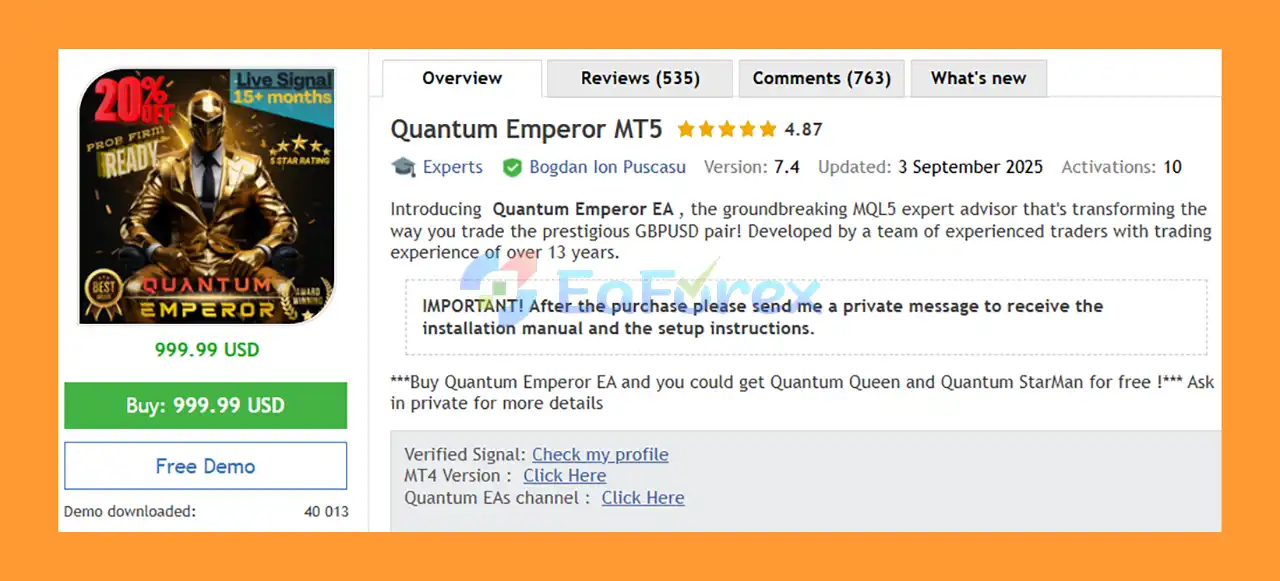
Quantum Emperor MT5 is an automated Expert Advisor (EA) designed specifically for trading the GBPUSD currency pair on the H1 timeframe. Developed by a team of traders with more than 13 years of trading experience, the EA uses a distinctive multi-position trade management approach designed to handle both winning and losing trades.
Unlike conventional EAs that typically open one position and rely primarily on Stop Loss and Take Profit levels, Quantum Emperor MT5 divides its trading exposure into multiple smaller orders. This approach allows the EA to manage individual positions separately and use profits from successful trades to help reduce losing positions.
Quantum Emperor MT5 is designed for traders looking for an automated GBPUSD strategy with structured position management, trailing-stop functionality, automatic lot sizing, and a recovery-oriented approach.
>> Delivery time 24h-48h after payment.
>>> Refund if not delivered.
>>> You will receive the latest version without any limitations (ID+Time).>>Reviewed by Jason Stap <<
Quantum Emperor EA overview
Quantum Emperor MT5 is designed specifically for the GBPUSD pair, allowing its trading logic and configuration to focus on the characteristics of this major currency pair.
The recommended operating timeframe is H1, providing the EA with a structured environment for analyzing market movement and managing positions.
One of the defining characteristics of Quantum Emperor MT5 is its ability to divide a trade into multiple smaller orders.
According to the product specifications, orders are split into six smaller positions. This allows the EA to manage individual positions rather than treating the entire trade as a single order.
When a group of positions enters a losing state, the EA can use profits generated by winning positions to gradually close losing positions.
This is a distinctive recovery-oriented mechanism designed to redistribute realized trading profits across the position group.
Every trade is protected by a 250-pip Stop Loss, providing a predefined maximum-loss level for each individual position.
The exit strategy incorporates a trailing stop based on the H1 chart, allowing the EA to dynamically manage profitable trades as market conditions develop.
Quantum Emperor MT5 includes an AutoLot function, allowing position size to be adjusted automatically according to the account and risk configuration.
The EA is recommended for ECN, Raw, or Razor-style accounts with very low spreads. Low trading costs are particularly important because the system can manage multiple positions.
The recommended account type is a Hedge account, which allows multiple positions on the same currency pair to be maintained and managed independently.
A VPS is highly recommended so that the EA can operate continuously, including during periods when the trader’s personal computer is offline.
Quantum Emperor MT5 uses a multi-position management concept rather than relying on a single traditional trade.
When the EA identifies a trading opportunity on GBPUSD, it divides the position into multiple smaller orders. This gives the algorithm more flexibility when managing individual trades.
For example, instead of treating the entire exposure as one position, the EA can manage several smaller positions independently.
When some positions become profitable while others remain negative, the EA can use realized profits from winning positions to gradually close losing positions. The objective is to manage the overall basket rather than immediately closing every losing position.
The EA also incorporates:
This structure is particularly important during changing market conditions because the EA does not depend solely on one entry and one exit.
Quantum Emperor MT5 focuses specifically on GBPUSD, rather than attempting to trade a large number of unrelated markets.
The multi-order structure differentiates Quantum Emperor from conventional EAs. By splitting exposure into smaller positions, the system can manage winning and losing orders individually.
The EA incorporates Stop Loss, trailing-stop functionality, and automatic lot sizing to provide structured risk management.
The ability to use profits from winning positions to gradually reduce losing positions gives the EA a different approach to basket management.
However, this should be considered a recovery mechanism rather than a guarantee that losses will be recovered.
The product information states that the default settings are suitable for most brokers using a GMT+2 with DST server time.
If the broker uses a different server-time configuration, minor time adjustments may be required.
When deployed on a reliable VPS, the EA can monitor the GBPUSD market continuously without requiring the trader to keep their personal computer running.
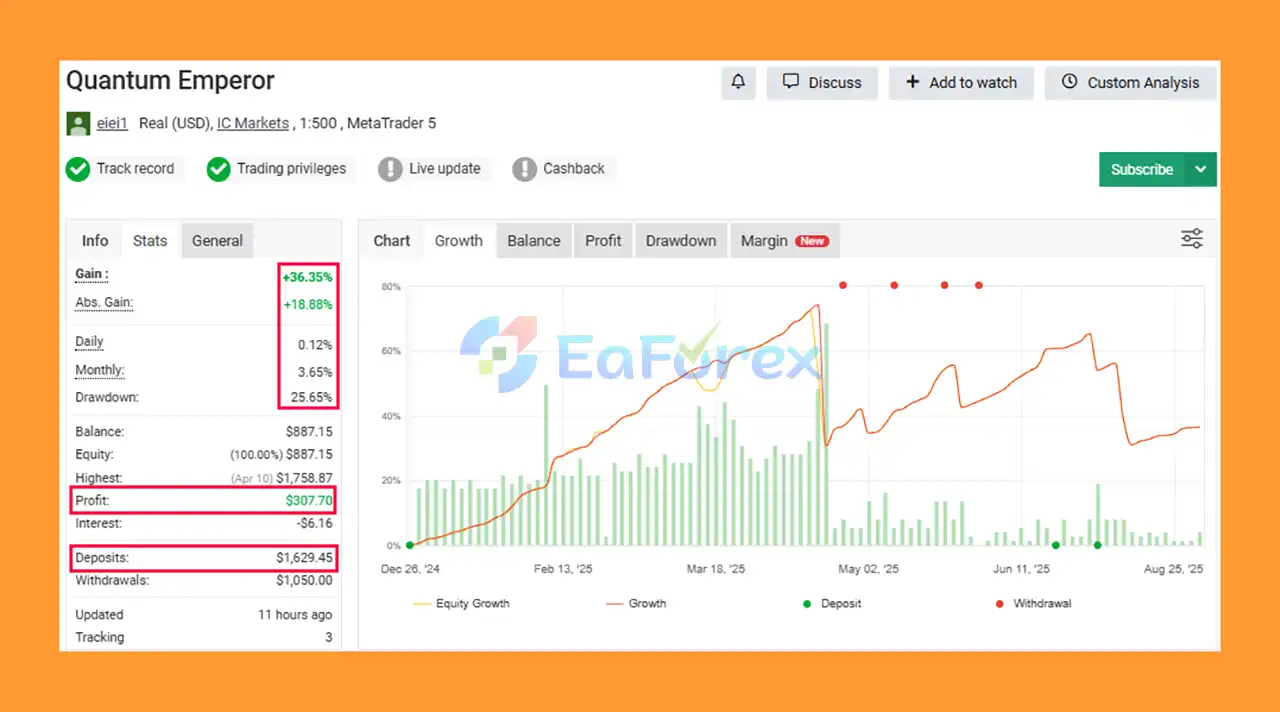
Quantum Emperor MT5 Myfxbook
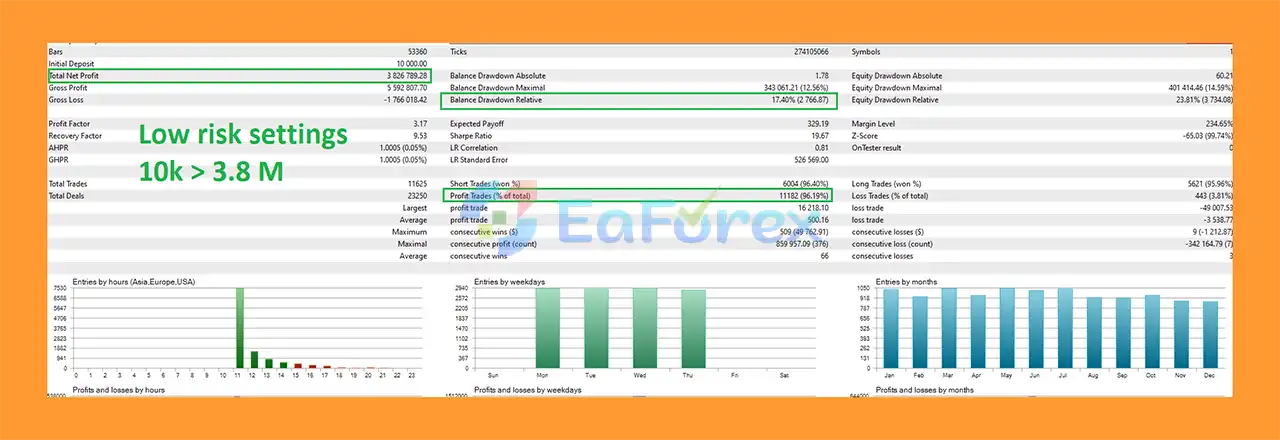
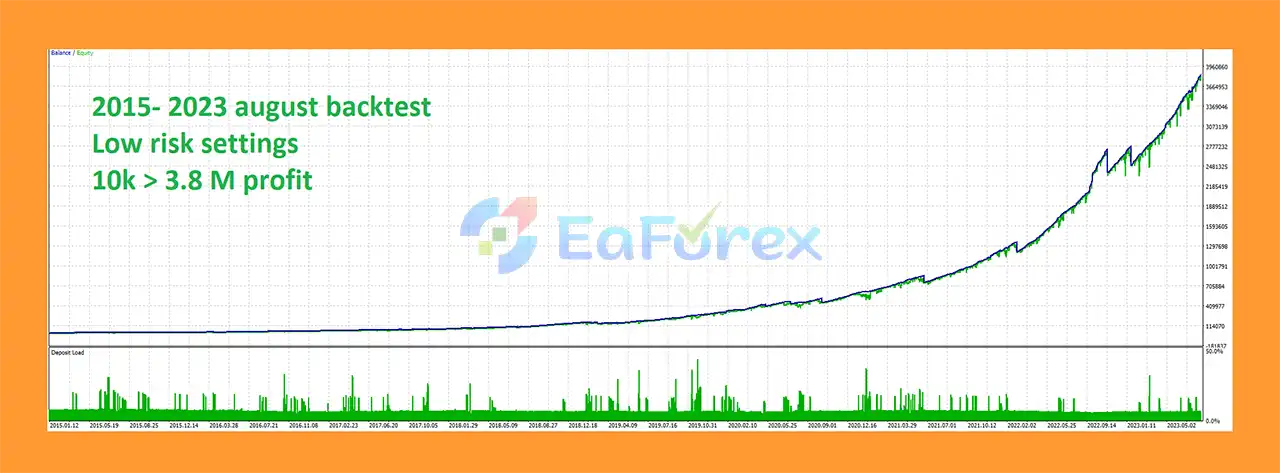
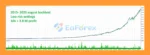
🔺Low-Risk Strategy (2015–2023)
quantum Emperor MT5 Backtests Results
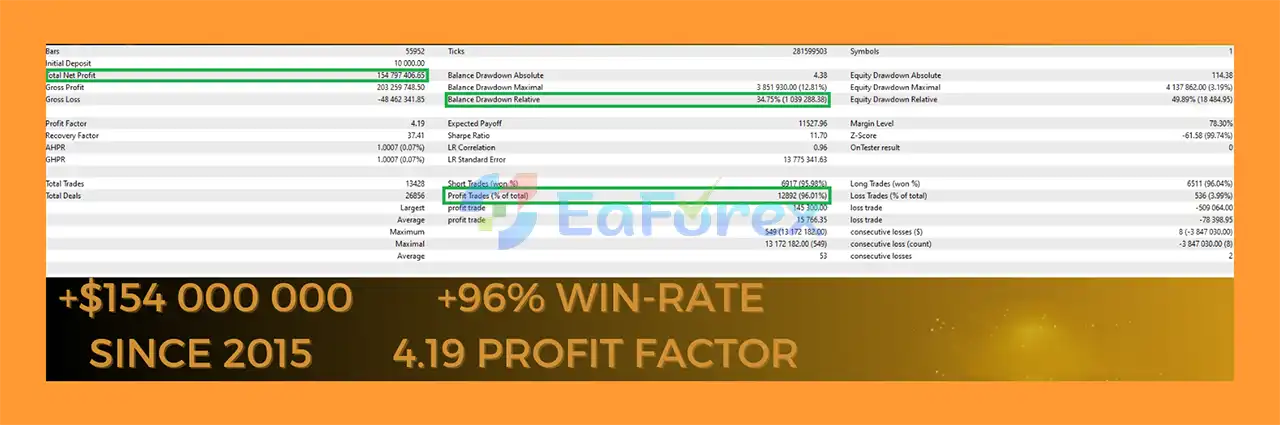
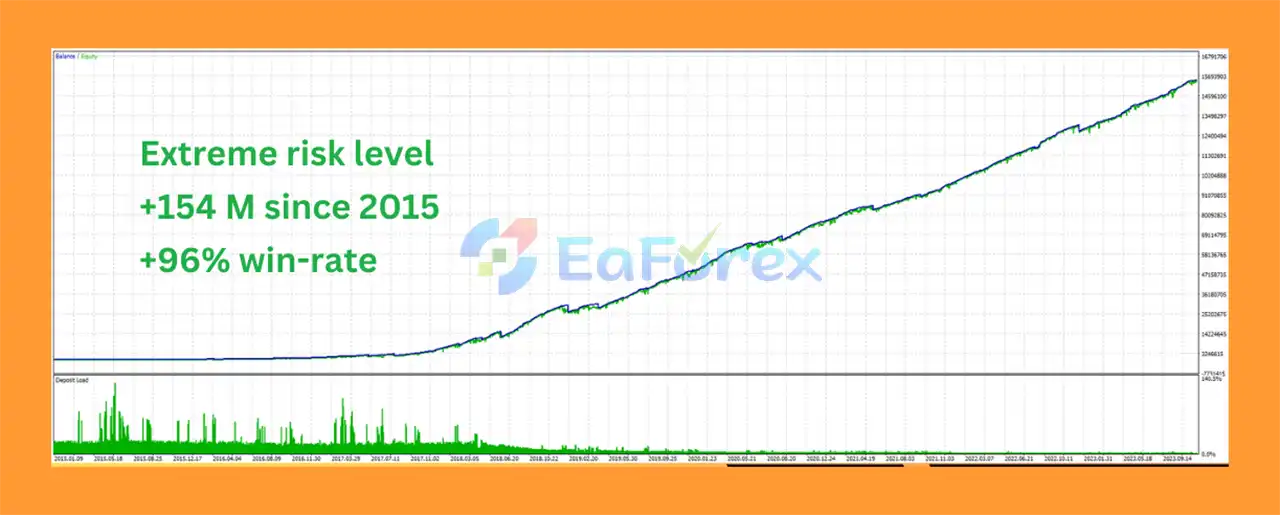
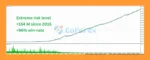
🔺Extreme Risk Strategy (2015–2023)
Quantum Emperor MT5 Backtest Results
Quantum Emperor MT5 is designed with several layers of trade and risk management.
| Feature | Description |
|---|---|
| Trading Pair | GBPUSD |
| Timeframe | H1 |
| Stop Loss | 250 pips per trade |
| Exit Management | H1 trailing stop |
| Position Structure | Multiple smaller orders |
| Lot Management | AutoLot |
| Account Type | Hedge |
| Recommended Account | ECN / Raw / Razor |
| Minimum Deposit | $1,000 |
| Minimum Leverage | 1:30 for certain lower-risk settings |
| Recommended Leverage | Up to 1:500 |
| VPS | Highly recommended |
Low spreads are particularly important for Quantum Emperor MT5 because the EA can divide trading exposure into multiple orders.
Higher spreads can increase transaction costs and may negatively affect entries, exits, and overall basket performance.
For this reason, the product recommends using an ECN, Raw, or Razor account with very low spreads.
The stated minimum deposit is $1,000. This should be viewed as a product recommendation rather than a guarantee of safe trading.
The appropriate capital level depends on:
The product information recommends at least 1:100 leverage, with 1:500 suggested for the recommended setup. It also states that 1:30 or higher may be sufficient for Low-Medium, Low, and Very Low risk levels.
Higher leverage does not reduce trading risk. Instead, it can increase the amount of exposure that can be taken relative to account equity.
Backtest results are available according to the product information. However, historical backtests should not be interpreted as a guarantee of future performance.
Live trading results can differ because of:
Quantum Emperor MT5 uses a recovery-oriented multi-position strategy, which introduces important risks that traders should understand before using it with real money.
Using profits from winning trades to close losing trades can help manage a basket, but it does not eliminate losses. During a prolonged unfavorable market movement, several positions may remain negative at the same time.
Splitting trades into multiple orders can result in several positions being active simultaneously. Traders should therefore maintain sufficient free margin.
A 250-pip Stop Loss is relatively wide for GBPUSD. Position sizing should be carefully configured so that a Stop Loss event does not create excessive account drawdown.
The EA is specifically recommended for low-spread ECN, Raw, or Razor-style accounts. Poor execution conditions can negatively affect automated strategies.
The EA is designed around multiple independent positions, so traders should verify that their MT5 account supports hedging before installation.
Default settings are stated to work with brokers using GMT+2 with DST server time. Brokers using a different server-time configuration may require adjustments.
Running the EA without a stable VPS can expose the system to interruptions caused by:
No Expert Advisor can guarantee profits. Quantum Emperor MT5 should be tested carefully on a demo account before being deployed with significant real capital.
Purchase the Quantum Emperor MT5 Expert Advisor from the official seller.
After purchasing, send a private message to the seller to receive the installation manual and setup instructions.
Use an MT5 Hedge account with the recommended broker conditions.
For best execution, consider an:
Make sure the account provides sufficiently low spreads.
Open the GBPUSD chart in MetaTrader 5 and select the H1 timeframe.
Copy the Quantum Emperor MT5 EA files into the appropriate MetaTrader 5 Expert Advisors directory and restart the platform if required.
Attach Quantum Emperor MT5 to the GBPUSD H1 chart and enable automated trading.
The default configuration is stated to work with brokers using GMT+2 with DST server time.
If your broker uses a different server-time configuration, adjust the relevant time settings according to the installation manual.
Review the AutoLot and risk settings before starting live trading. Make sure the selected position size is appropriate for your account balance and drawdown tolerance.
For continuous automated operation, install the EA on a reliable Forex VPS and ensure MetaTrader 5 remains connected.
Before using real funds, run the EA on a demo account and evaluate:
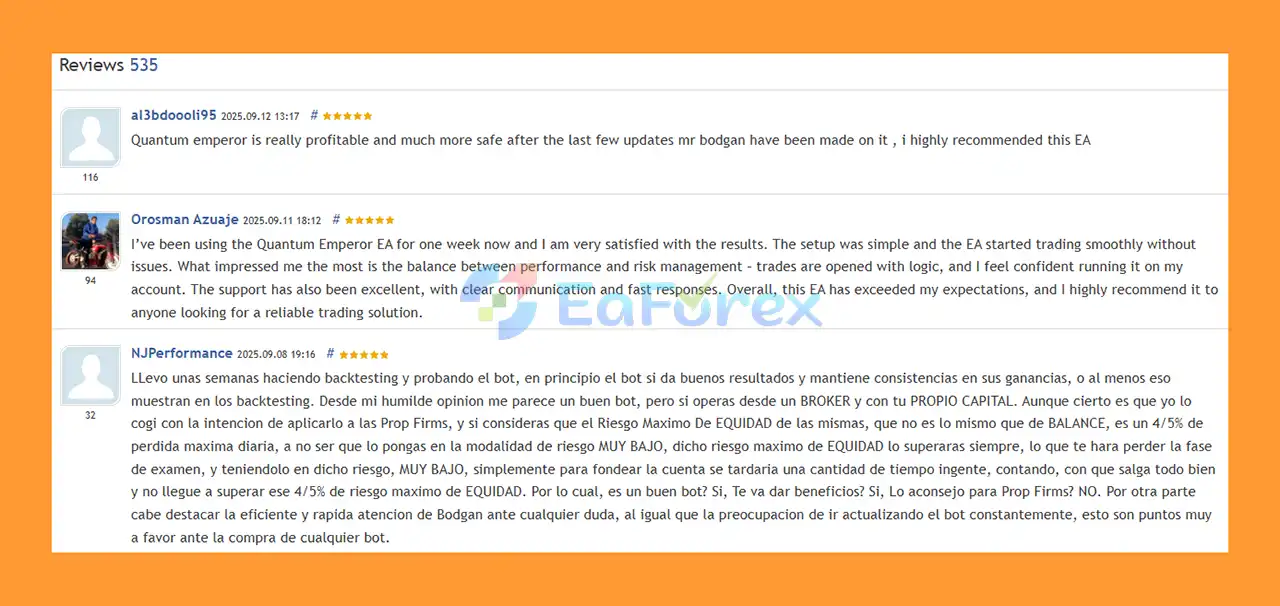
🔺Quantum Emperor MT5 is highly appreciated by the MQL5 community for bringing stable and reliable profits. Below are 5 star reviews from users:
User Reviews
Quantum Emperor MT5 offers a distinctive approach to automated GBPUSD trading by combining multi-position execution, automatic lot sizing, Stop Loss protection, H1 trailing-stop management, and recovery-oriented basket management.
Its ability to divide trades into smaller positions and use profits from winning orders to gradually manage losing positions is one of its main distinguishing characteristics.
However, this approach also means traders must pay close attention to drawdown, margin requirements, leverage, spread, and position sizing. The EA is best suited to traders who understand automated trading risks and are prepared to test the system under their own broker conditions.
For the recommended setup, traders should consider GBPUSD H1, a Hedge account, low-spread execution, appropriate leverage, sufficient capital, and a reliable VPS.
As with any automated trading system, historical backtests and previous results should be treated as informational rather than guaranteed future performance.
1. What is Quantum Emperor MT5?
Quantum Emperor MT5 is a fully automated Expert Advisor (EA) designed for GBPUSD trading. Developed by Bogdan Ion Puscasu, it uses a trade-splitting and profit redistribution strategy to maximize profits while minimizing risk. Ideal for both beginners and professional traders.
2. How does Quantum Emperor MT5 manage risk?
Quantum Emperor MT5 uses a unique trade-splitting system, advanced loss recovery, and trailing stop strategies. Losers are gradually closed with profits from winning trades, reducing drawdowns and protecting account balance.
3. Which accounts and brokers are compatible with Quantum Emperor MT5?
This EA works seamlessly on ECN, Raw, and Hedge accounts with low spreads. It is optimized for brokers with GMT+2 server time and can run 24/7 on VPS for uninterrupted trading.
4. Is Quantum Emperor MT5 suitable for beginners?
Yes. Quantum Emperor MT5 is fully automated with easy installation and default settings. Beginners can start trading GBPUSD without advanced manual strategies, while professional traders can benefit from its advanced algorithms.
5. What performance results can I expect from Quantum Emperor MT5?
Backtests show high profitability with low drawdowns. Example: Low-risk strategy ($10,000 → $3.88M, max drawdown 12.68%, win rate 96.19%). Live MyFxBook signals confirm consistent gains with minimal risk.
6. What is included in the Quantum Emperor MT5 package?
The download package includes the EA file, an installation guide, and a settings document for easy setup. Users also get access to live signal tracking and VIP membership for updates and support.
In stock
In stock
In stock
In stock
In stock
Out of stock
No account yet?
Create an Account












 Automatic EA
 EA Best Seller
 Expert Advisor MT4
 Expert Advisor MT5
 HFT EA


Reviews
Clear filtersThere are no reviews yet.