









-
 Unlimited Activations
-
 Instant delivery
-
 Easy to install
 Unlimited Activations
Instant delivery
Easy to install
Unlimited Activations
Instant delivery
Easy to install
 Free Update
 Free Install Support

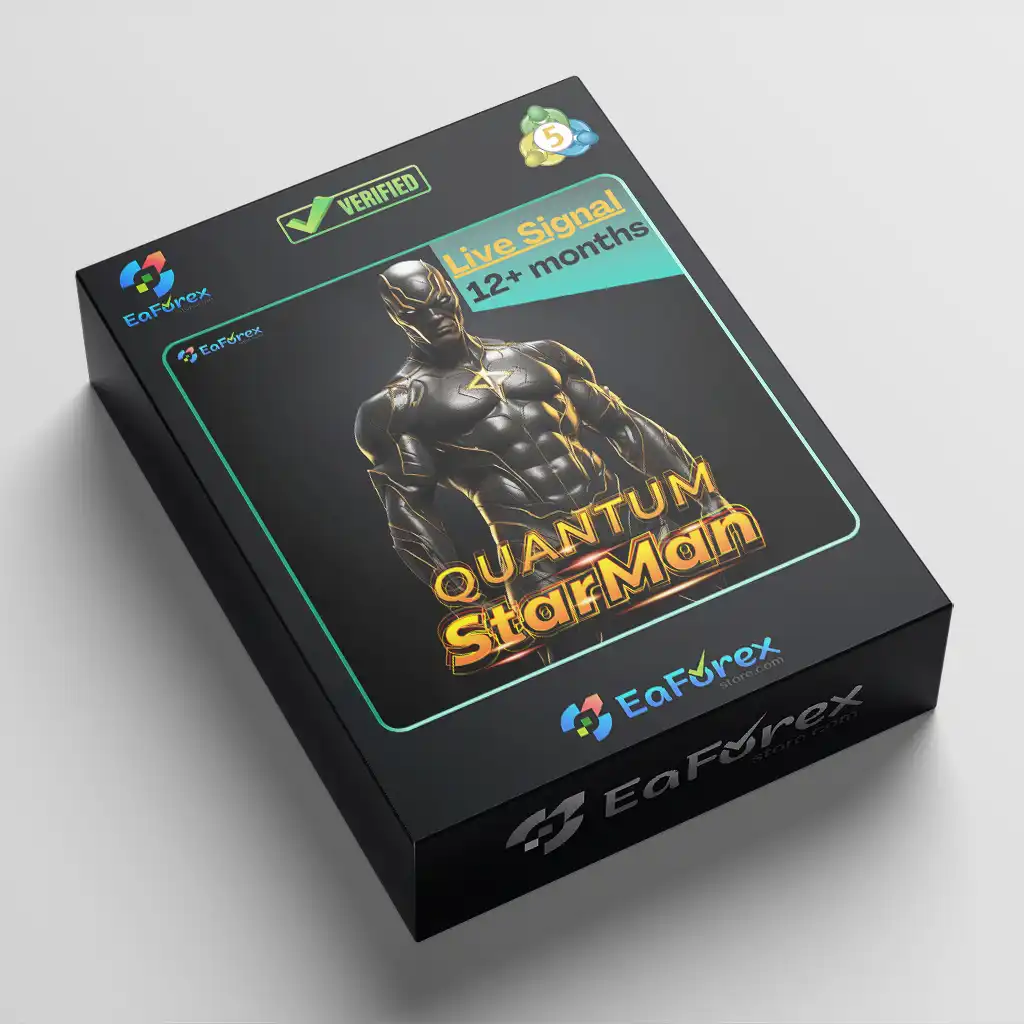
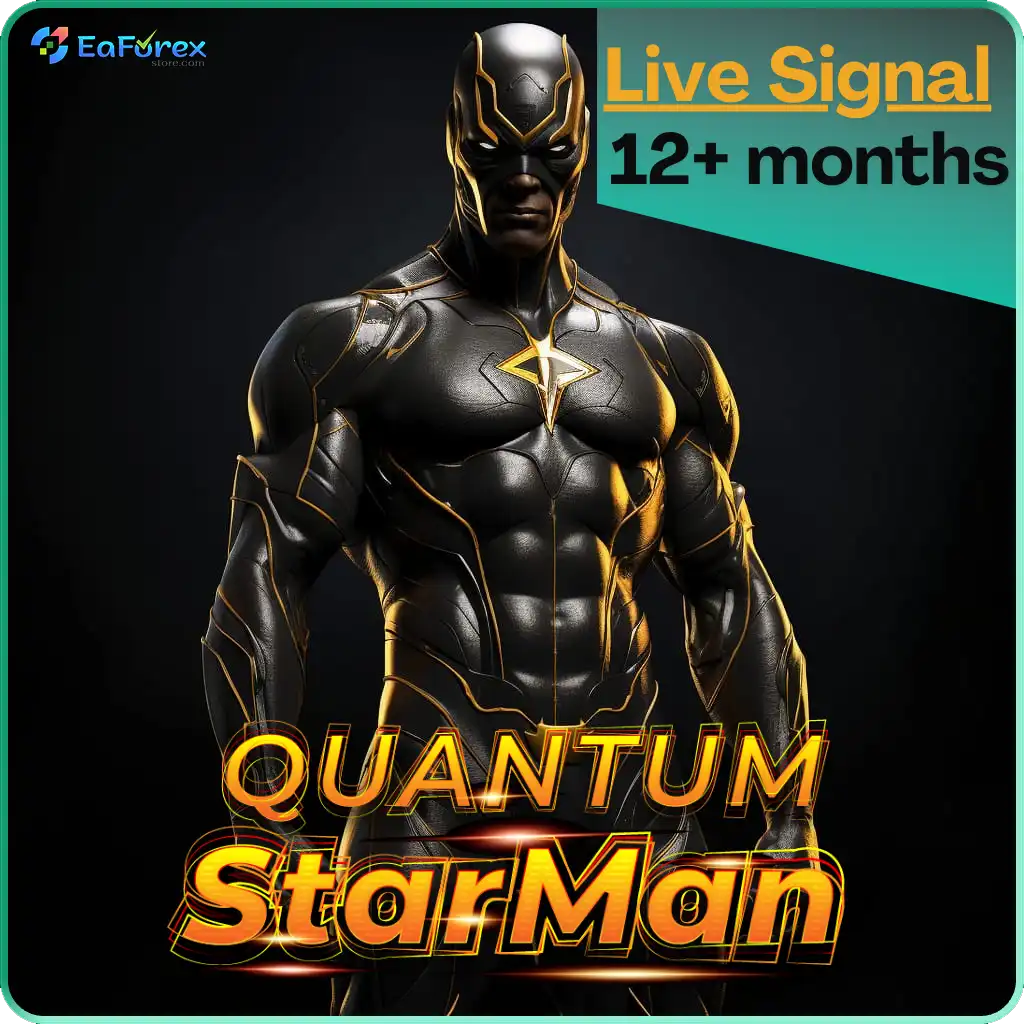
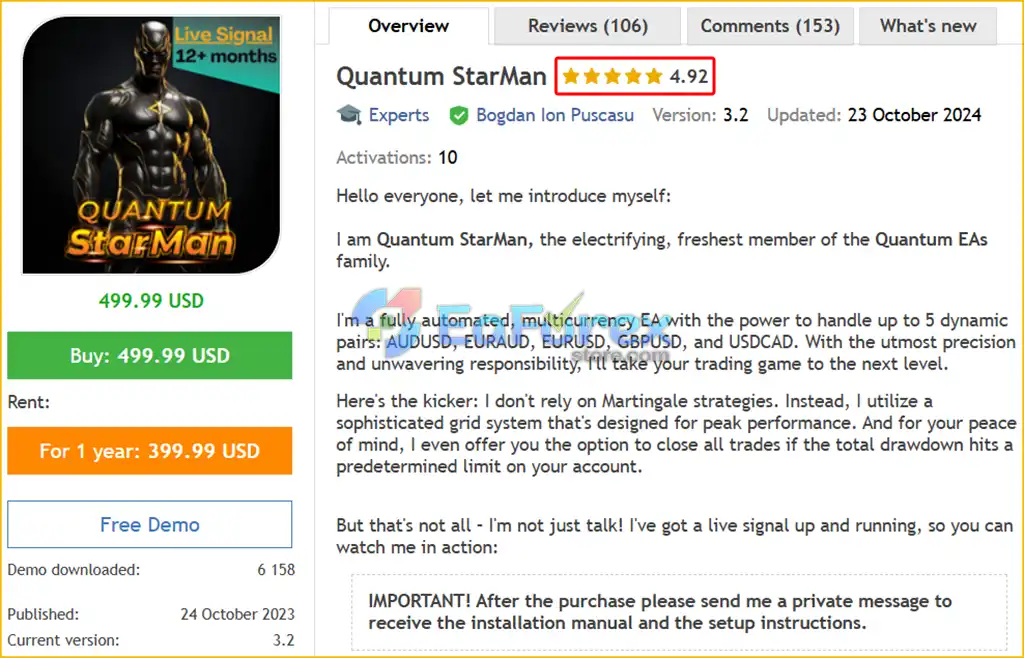
Quantum StarMan EA MT5 is a fully automated, multi-currency Expert Advisor developed as part of the Quantum EAs family. Designed for MetaTrader 5, this trading robot manages up to five currency pairs simultaneously using a grid-based trading strategy, providing traders with a convenient way to automate Forex trading from a single chart.
The EA supports AUDUSD, EURAUD, EURUSD, GBPUSD, and USDCAD, allowing it to monitor multiple markets without requiring a separate EA installation on every chart. Once attached to the EURUSD chart, Quantum StarMan can manage its supported currency pairs automatically, provided all required symbols are available in the Market Watch window.
Unlike traditional grid systems that combine grid trading with Martingale position sizing, Quantum StarMan EA does not use Martingale strategies. Instead, it employs a grid-based approach designed to manage trading opportunities without relying on progressively increasing lot sizes to recover losses.
Another important feature is its account-level drawdown protection option, which can close all trades when the total drawdown reaches a predefined threshold. This functionality provides an additional risk-control mechanism for traders who want to establish a clear limit on their overall trading exposure.
Quantum StarMan EA MT5 is designed to be user-friendly, with pre-optimized settings that eliminate the need for complicated set files. It can be attached to a single chart on any supported timeframe, while a VPS is required for continuous 24/7 operation.
Whether you are exploring automated Forex trading or looking for a multi-currency grid EA for MetaTrader 5, Quantum StarMan offers a streamlined approach to managing several currency pairs through one automated system.
This product is compiled by Bogdan Ion Puscasu. This author has more than +1 years of experience working on MQL5 with many famous products such as Quantum StarMan EA, Quantum Bitcoin EA, Quantum Queen MT5, Quantum Wizard MT5, Quantum Emperor MT5, Quantum Gold Emperor MT5 and other products. Among them, Quantum StarMan EA is his best performing product in 1 years.
>> Delivery time 24h-48h after payment.
>>> Refund if not delivered.
>>> You will receive the latest version without any limitations (ID+Time).>>Reviewed by Jason Stap <<
Quantum StarMan EA automates the trading process, allowing the system to monitor market conditions and manage positions according to its programmed strategy. This reduces the need for constant manual chart analysis and trade execution.
The EA can manage up to five Forex pairs simultaneously:
This multi-currency functionality allows traders to access several Forex markets through a single EA instance.
Quantum StarMan uses a grid-based trading approach without employing Martingale position sizing. This distinction may appeal to traders who want grid functionality without a strategy that automatically increases lot sizes after losing trades.
However, grid trading can still accumulate multiple positions and substantial exposure when markets move against open trades.
The EA provides an option to close all trades when total account drawdown reaches a predefined limit. This feature is designed to help traders manage aggregate exposure rather than relying exclusively on individual trade exit levels.
The effectiveness of this protection depends on the selected threshold, execution conditions, and how the EA calculates total drawdown.
One of Quantum StarMan’s most convenient features is its single-chart configuration. Users only need to attach the EA to one EURUSD chart to manage all five supported currency pairs.
Attaching the EA to multiple charts can result in duplicate trades, so the developer specifically recommends using only one instance.
Quantum StarMan comes with pre-optimized settings and does not require additional set files for its standard configuration. This simplifies the initial setup process for traders who prefer a straightforward installation.
The EA can be attached to a chart using any timeframe, according to the developer. Its multi-currency functionality means users do not need to open separate charts for every supported symbol.
The developer reports that a live trading signal is available, giving prospective users an opportunity to review the EA’s trading activity. Reviewing signal history, drawdown, account conditions, and verified performance statistics can help traders assess the strategy before purchasing.
A VPS is mandatory according to the developer’s requirements. Running the EA on a suitable VPS helps maintain continuous connectivity and allows the system to operate without depending on a personal computer remaining switched on.
Quantum StarMan EA MT5 uses a multi-currency grid strategy to automate trading across five Forex pairs from a single chart.
Its general workflow can be summarized as follows:
Market Monitoring → Trading Signal Identification → Grid-Based Position Management → Drawdown Monitoring → Trade Closure
After being attached to the EURUSD chart, the EA monitors its supported symbols: AUDUSD, EURAUD, EURUSD, GBPUSD, and USDCAD.
All five pairs must be available in the MetaTrader 5 Market Watch window for the intended configuration.
The EA evaluates market conditions according to its internal trading algorithm and identifies opportunities that satisfy its entry rules.
The exact entry indicators and signal-generation logic are not specified in the supplied product description.
When its trading conditions are met, Quantum StarMan opens positions according to its grid strategy. Grid trading can involve multiple entries as price movements develop, allowing the system to manage a sequence of positions rather than relying exclusively on a single entry.
The EA does not use Martingale position sizing. However, traders should still verify the actual lot-sizing rules, maximum number of positions, grid spacing, and total exposure limits in the official documentation.
Avoiding Martingale does not eliminate the risks associated with holding multiple grid positions.
When the optional account-level protection is enabled, the EA can close all trades if the predefined total drawdown threshold is reached.
This function is intended to help limit account-level losses, although actual closure prices and realized losses may differ from the configured threshold because of market volatility and execution conditions.
The EA continues operating according to its configuration while the platform remains connected and the required trading permissions are enabled.
For continuous operation, the developer recommends running Quantum StarMan on a VPS.
Quantum StarMan can manage five currency pairs from one chart, reducing the need to configure multiple EA instances manually.
The system combines grid trading with an explicit decision not to use Martingale. This may be attractive to traders who prefer to avoid progressively increasing lot sizes as a recovery mechanism.
Pre-optimized settings and the absence of required set files make the EA relatively straightforward to configure.
The option to close all trades at a predefined drawdown threshold gives traders an additional mechanism for controlling aggregate account exposure.
The developer states that the EA can be attached to any timeframe, offering flexibility when setting up the trading environment.
Mandatory VPS operation supports uninterrupted access to the trading platform, helping reduce interruptions caused by local computer shutdowns or unstable home internet connections.
The reported availability of a live signal gives users a potential way to evaluate trading behavior before committing capital. Performance should be assessed using verified, long-term results rather than short periods of profitable activity alone.
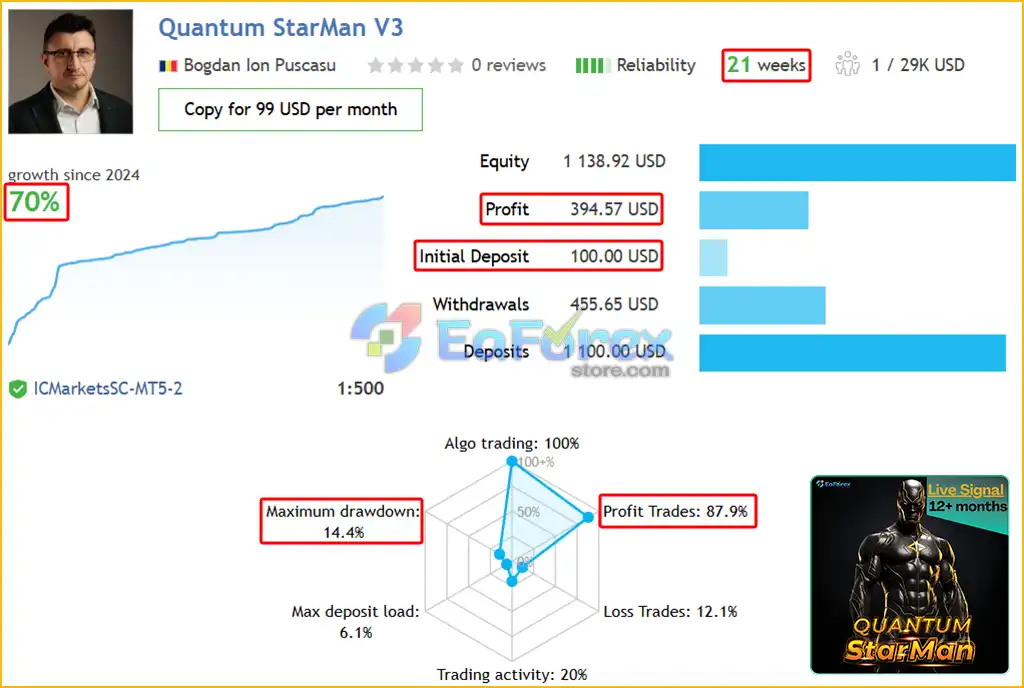
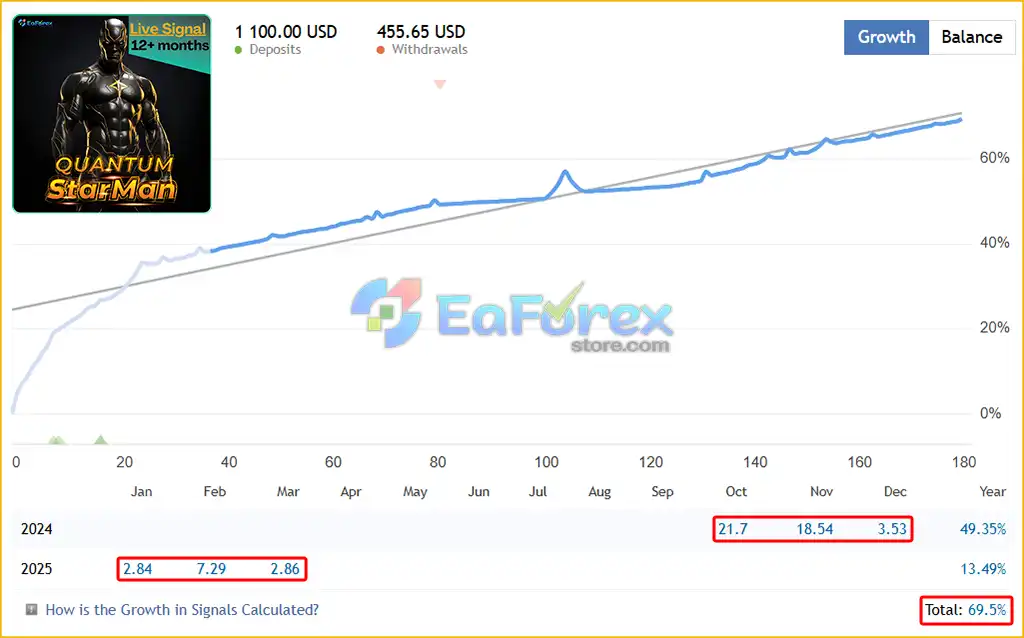
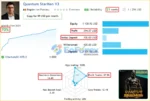
Quantum StarMan’s live account trading results have been impressive over 21 weeks of continuous trading. The advanced automated trading system is designed to optimize profits with a balanced risk-reward approach. Unlike high-risk strategies, this EA prioritizes stability and sustainability, making it a safer option for traders looking to grow their accounts steadily.
Since 2024, the EA has generated +70% account growth over 21 weeks, starting with an initial deposit of $100 and achieving a profit of $394.57. It maintains a remarkably high win rate of 87.9% while keeping its maximum drawdown at a low 14.4%, demonstrating strong risk management.
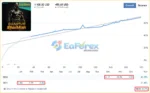
Quantum StarMan EA Live Reading
Quantum StarMan EA Live Reading Results
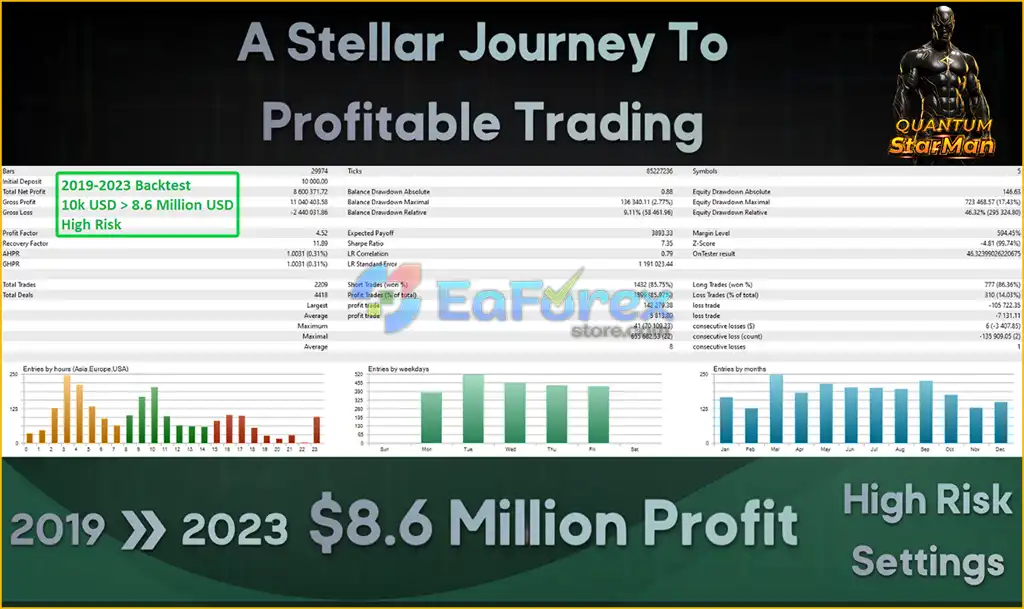
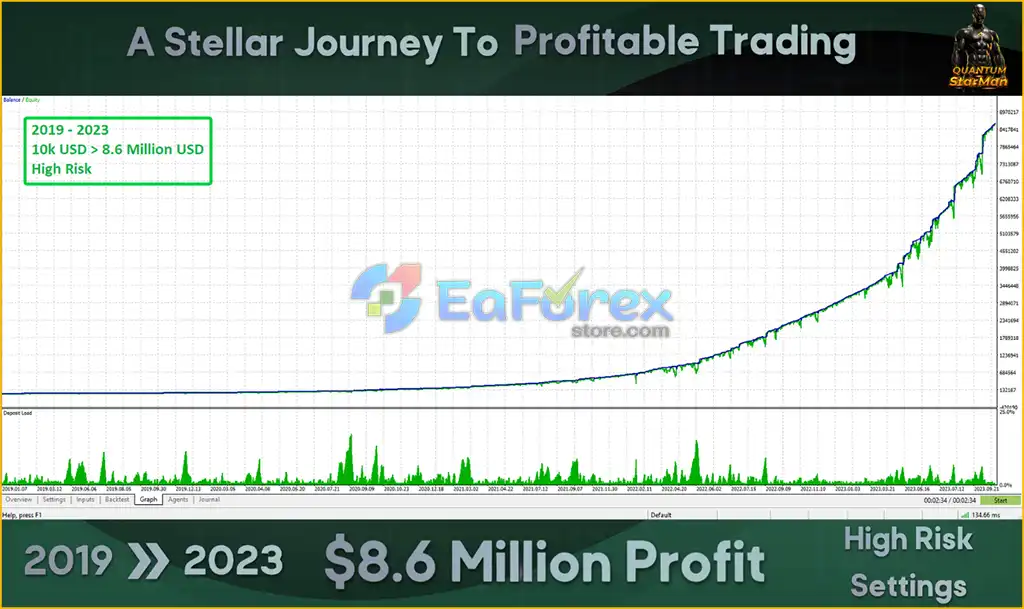
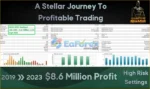
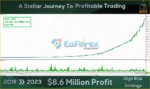
The Quantum StarMan EA has demonstrated remarkable performance in the 2019-2023 backtest, turning an initial deposit of $10,000 into over $8.6 million. This automated trading system uses a low-risk strategy, evident in its low maximum drawdown of just 2.77% and aggressive trading execution.
Quantum StarMan EA Backtest Results
Quantum StarMan EA MT5 Backtest Results
Quantum StarMan EA MT5 is designed to combine multi-currency automation, grid trading, and account-level drawdown protection. However, the product information provided does not include independently verified profit figures, maximum drawdown statistics, win rates, or detailed live trading results.
Consequently, its actual profitability and risk-adjusted performance should be evaluated through verified trading records and testing under realistic broker conditions.
| Parameter | Details |
|---|---|
| Product Name | Quantum StarMan EA MT5 |
| Trading Platform | MetaTrader 5 |
| Strategy | Multi-Currency Grid Trading |
| Martingale | Not Used |
| Supported Pairs | AUDUSD, EURAUD, EURUSD, GBPUSD, USDCAD |
| Number of Pairs | Up to 5 |
| Installation | One EURUSD chart |
| Timeframe | Any timeframe, according to the developer |
| Minimum Deposit | $500 |
| Recommended Deposit | $1,000 |
| Minimum Leverage | 1:100 |
| Recommended Leverage | 1:500 |
| Account Type | Hedging |
| Broker | IC Markets, IC Trading, or another low-spread broker |
| Set Files | Not required |
| VPS | Mandatory |
| Drawdown Protection | Optional account-level close-all function |
The developer specifies a minimum initial deposit of $500 and a recommended deposit of $1,000 for accounts using 1:500 leverage.
These amounts should be treated as the developer’s suggested starting requirements rather than guarantees of sufficient capital or acceptable risk.
The appropriate deposit depends on the EA’s lot-sizing rules, grid spacing, maximum number of positions, broker margin requirements, and the potential for simultaneous losses across multiple currency pairs.
Grid exposure: Grid strategies can accumulate multiple positions when the market moves against existing trades. Even without Martingale, floating losses and margin usage can increase significantly.
Multi-currency correlation: Trading five currency pairs does not necessarily provide effective diversification. Several pairs may be exposed to the same underlying currency or react similarly to major economic events.
Drawdown protection: The close-all function should be configured carefully. Traders should understand whether drawdown is calculated from balance, equity, a historical equity peak, or another reference point.
Leverage: Leverage of 1:500 increases available market exposure but also magnifies the potential impact of adverse price movements relative to account equity.
Spread and execution: Low spreads and reliable execution are important for grid-based strategies. Slippage, commissions, and sudden spread widening can negatively affect results.
Backtesting: The developer recommends using the MT5 Strategy Tester with Every tick based on real ticks and a reported quality above 99%. Real-tick testing can provide a more detailed representation of historical price movements, but it cannot guarantee future performance.
Although Quantum StarMan EA does not use Martingale, its grid-based approach still carries significant trading risks.
When prices move persistently against open positions, a grid system may continue holding or adding trades according to its algorithm. This can lead to substantial floating drawdown and increased margin requirements.
Avoiding Martingale removes one source of escalating exposure, but it does not eliminate the risks of multiple open positions, unfavorable grid spacing, or prolonged market trends.
Simultaneous trading across five pairs can increase overall market exposure. Currency correlations may cause several positions to lose at the same time.
The close-all function is a risk-control mechanism, not a guarantee that losses will stop precisely at the selected level. Rapid market movements, gaps, slippage, or execution delays can result in larger losses.
Differences in spreads, commissions, execution speed, swap charges, symbol availability, and account rules may affect live trading performance.
The developer requires a VPS for continuous operation. VPS disconnections, platform errors, or other technical issues can interrupt trading or monitoring.
The supplied product description does not explain the EA’s exact entry logic, grid spacing, maximum exposure, or position-sizing formula. These details should be confirmed before live deployment.
Past results and live signal performance do not guarantee future profitability. Forex trading can result in substantial losses, including the loss of the entire trading deposit.
Follow these steps to install and configure Quantum StarMan EA MT5 correctly.
Download and install MetaTrader 5 through your broker or an official MetaTrader provider. Log in to the account where you intend to run the EA.
If the EA is provided as a file, open MetaTrader 5 and navigate to:
File → Open Data Folder → MQL5 → Experts
Copy the EA file into the Experts folder and restart MT5 or refresh the Navigator panel.
If the EA is supplied through another installation method, follow the developer’s instructions.
Open the Market Watch window and ensure the following symbols are available:
Some brokers use symbol suffixes, so the actual names may differ. Make sure the EA supports the exact symbol names provided by your broker.
Open an EURUSD chart and select your preferred timeframe.
Drag Quantum StarMan EA onto the EURUSD chart.
Important: Use only one EA instance. Do not attach Quantum StarMan to multiple charts, as this may cause duplicate trades across the supported symbols.
Review the available parameters and enable the account-level drawdown protection option if desired.
Set the drawdown threshold carefully and verify how the EA calculates the limit before using the feature on a live account.
Confirm that your broker provides a hedging account and that the account’s leverage, margin conditions, spreads, and commissions are appropriate for the strategy.
The developer specifies 1:100 as the minimum leverage and recommends 1:500.
Enable Algo Trading in MetaTrader 5 and ensure the EA has the necessary permissions to execute and manage trades.
Install and run MT5 on a reliable VPS to support continuous operation. The developer identifies VPS hosting as mandatory.
Choose a stable server with reliable connectivity and low latency to your broker’s trading server.
Use the MT5 Strategy Tester with Every tick based on real ticks where available.
Evaluate maximum drawdown, profit factor, net profit after costs, consecutive losses, margin usage, and trading behavior across different market conditions.
Follow up with demo forward testing before risking real capital. Backtest quality above 99% does not guarantee that live results will match historical simulations.
Once deployed, regularly review open positions, account equity, margin levels, currency correlations, and drawdown.
Avoid increasing lot sizes or leverage solely because of a short period of profitable results.
Important: Contact the developer after purchasing the EA to obtain the official installation manual and setup instructions.
The download package includes the official version of the advisor:
Quantum StarMan EA MT5 is an automated multi-currency Forex trading robot designed to manage five currency pairs through a single EURUSD chart. Its grid-based approach, lack of Martingale position sizing, pre-optimized settings, and optional account-level drawdown protection distinguish it from more complex recovery-based systems.
The EA’s main appeal is convenience. Traders can automate multiple markets without attaching separate instances to every chart, while the absence of required set files simplifies the initial setup.
However, grid trading still involves substantial risk, especially when several currency pairs move adversely at the same time. The account-level close-all feature can help enforce a predefined drawdown limit, but it cannot guarantee an exact exit price or prevent every form of excessive loss.
The developer recommends a $500 minimum deposit, a $1,000 starting balance for greater capital capacity, a hedging account, low spreads, and leverage of up to 1:500. These are suggested operating conditions, not guarantees of safe or profitable trading.
For traders searching for a Quantum StarMan EA MT5, multi-currency Forex EA, non-Martingale grid trading robot, or automated MetaTrader 5 trading system, this product may be worth evaluating through verified live trading records and realistic testing.
Ultimately, the quality of an automated trading system depends not only on its strategy but also on its risk settings, execution environment, market conditions, and capital allocation.
Test thoroughly, configure drawdown protection carefully, and never risk more money than you can afford to lose. Past performance does not guarantee future results.
1. What is Quantum StarMan EA MT5?
Quantum StarMan EA is a fully automated trading system for MetaTrader 5 (MT5) that trades up to five currency pairs using a smart grid strategy while avoiding high-risk Martingale techniques.
2. How does Quantum StarMan EA work?
The EA identifies high-probability trade setups across multiple currency pairs using an optimized algorithm. It executes trades automatically, manages risk, and includes drawdown protection to limit losses.
3. What currency pairs does Quantum StarMan EA trade?
The EA supports multiple currency pairs, including:
✔ EUR/USD
✔ AUD/USD
✔ EUR/AUD
✔ EUR/GBP
✔ GBP/USD
✔ USD/CAD
4. What is the minimum deposit required to use Quantum StarMan EA?
The minimum deposit recommended is $500, but traders using higher leverage (1:500) can maximize their trading potential.
5. What is the expected profitability and drawdown of Quantum StarMan EA?
📌 Live trading results (21 weeks):
✔ Total profit: +70%
✔ Win rate: 87.9%
✔ Maximum drawdown: 14.4%
📌 Backtest results (2019-2023):
✔ Initial deposit: $10,000
✔ Total net profit: $8,640,000
✔ Win rate: 85.97%
✔ Maximum drawdown: 2.77%
6. Does Quantum StarMan EA use Martingale or high-risk strategies?
No, this EA does not use Martingale. Instead, it implements a smarter grid trading strategy with strict drawdown protection, ensuring safer capital management.
7. Is Quantum StarMan EA easy to install and use?
Yes, it features a one-chart setup, meaning traders only need to attach the EA to a EUR/USD chart, and it will automatically manage all five supported currency pairs.
8. Is Quantum StarMan EA completely risk-free?
No trading system is 100% risk-free. While Quantum StarMan EA features drawdown protection and smart risk management, traders should always use proper capital allocation and risk control settings for sustainable trading.
In stock
In stock
In stock
In stock
In stock
Out of stock
No account yet?
Create an Account












 Automatic EA
 EA Best Seller
 Expert Advisor MT4
 Expert Advisor MT5
 HFT EA


Reviews
Clear filtersThere are no reviews yet.